change time CHEVROLET SPARK 2013 3.G User Guide
[x] Cancel search | Manufacturer: CHEVROLET, Model Year: 2013, Model line: SPARK, Model: CHEVROLET SPARK 2013 3.GPages: 350, PDF Size: 5.89 MB
Page 120 of 350
Black plate (30,1)Chevrolet Spark Owner Manual - 2013 - crc - 9/11/12
5-30 Instruments and Controls
Set Time Format
Select to set the 12/24 hour format.
Press 12h or 24h.
Set Date Format
Select to set the month and day
format.
Press
SorTto select the DD/MM/
YYYY (day/month/year), MM/DD/
YYYY (month/day/year), or YYYY/
MM/DD (year/month/day) format.
Set Time and Date
Select to manually set the time
and date.
1. Press
yorzto adjust the
value.
2. Press OK.
Automatic Clock Sync
Select to display the real or user
time on the radio.
Select On to display the real time or
Off to display the time set by
the user.
Radio Settings
Select the Radio Settings menu and
the following may be displayed:
.Auto Volume
.Radio Tune Bar
.Radio Text
.XM Categories
.Radio Factory Settings
Auto Volume
This feature adjusts the radio
volume to compensate for road and
wind noise as the vehicle speeds up
or slows down, so that the volume
level is consistent.
Press
SorTto select Off, Low,
Medium, or High.
Radio Tune Bar
Select to display the radio station
tune bar.
Select On or Off. Radio Text
Select to display the radio broadcast
information.
Select On or Off.
XM Categories
Select to set the selection of XM
categories.
Radio Factory Settings
Select to restore the radio to the
factory settings.
Connection Settings
Select the Connection Settings
menu and the following may be
displayed:
.Bluetooth Settings
.Change Ringtone
.Ringtone Volume
Bluetooth Settings
Select this feature to:
.Connect, disconnect, or delete a
device
Page 125 of 350

Black plate (1,1)Chevrolet Spark Owner Manual - 2013 - crc - 9/11/12
Lighting 6-1
Lighting
Exterior Lighting
Exterior Lamp Controls . . . . . . . . 6-1
Exterior Lamps OffReminder . . . . . . . . . . . . . . . . . . . . 6-1
Headlamp High/Low-Beam Changer . . . . . . . . . . . . . . . . . . . . . 6-1
Flash-to-Pass . . . . . . . . . . . . . . . . . 6-2
Daytime Running Lamps (DRL) . . . . . . . . . . . . . . . . 6-2
Hazard Warning Flashers . . . . . 6-2
Turn and Lane-Change Signals . . . . . . . . . . . . . . . . . . . . . . 6-3
Fog Lamps . . . . . . . . . . . . . . . . . . . . 6-3
Interior Lighting
Instrument Panel Illumination Control . . . . . . . . . . . . . . . . . . . . . . 6-4
Courtesy Lamps . . . . . . . . . . . . . . 6-4
Dome Lamps . . . . . . . . . . . . . . . . . 6-4
Lighting Features
Exit Lighting . . . . . . . . . . . . . . . . . . . 6-5
Battery Power Protection . . . . . . 6-5
Exterior Lighting
Exterior Lamp Controls
The exterior lamp control is on the
turn signal lever on the left side of
the steering column.
There are three positions:
3: Turns on the headlamps,
together with the following:
.Taillamps
.License Plate Lamp
.Instrument Panel Lights
.Parking Lamps
;: Turns on the parking lamps,
together with the taillamps, license
plate lamp, and instrument panel
lights.
OFF: Turns all the lamps off,
except the Daytime Running
Lamps (DRL).
The DRL automatically turn off when
the ignition key is turned off.
Exterior Lamps Off
Reminder
A reminder chime will sound when
the headlamps or parking lamps are
manually turned on and the ignition
is off and a door is open. To disable
the chime, turn the light off.
Headlamp High/
Low-Beam Changer
The headlamps must be on for this
feature to work.
Push the turn signal lever away
from you to turn the high beams on.
Page 129 of 350
Black plate (5,1)Chevrolet Spark Owner Manual - 2013 - crc - 9/11/12
Lighting 6-5
Lighting Features
Exit Lighting
If the dome lamps are in the DOOR
position, they come on automatically
when the key is removed from the
ignition. The exterior lamps and
dome lamps remain on after the
door is closed for a set amount of
time, then automatically turn off.
To turn on the exterior lamps while
the ignition is off:
1. Open the drivers door.
2. Pull and release the turn lever.
The headlamps, parking lamps, and
back-up lamps will turn on for a set
amount of time, then automatically
turn off.
This feature can be changed. See
Vehicle Personalization on
page 5‑25.
Battery Power Protection
The battery saver feature is
designed to protect the vehicle's
battery.
If some interior lamps and/or
headlamps are left on and the
ignition is turned off, the battery
rundown protection system
automatically turns the lamp off after
some time.
Page 153 of 350
Black plate (23,1)Chevrolet Spark Owner Manual - 2013 - crc - 9/11/12
Infotainment System 7-23
5/g(Push to Talk):Press to
interact with Bluetooth or OnStar,
if equipped. See Bluetooth
(Overview) on page 7‑21 or
Bluetooth (Infotainment Controls) on
page 7‑23 orOnStar
®System on
page 7‑19.
>/R(Mute/End Call): Press to
silence the vehicle speakers only.
Press again to turn the sound on.
For vehicles with OnStar or
Bluetooth systems, press to reject
an incoming call, or end a
current call.
x+ orx− (Volume): Press to
increase or decrease the volume.
Audio System
When using the Bluetooth system,
sound comes through the vehicle's
front audio system speakers and
overrides the audio system. Use the
volume bar during a call to change
the volume level. The adjusted
volume level remains in memory for
later calls. The system maintains a
minimum volume level.
Bluetooth (Infotainment
Controls)
To use infotainment controls to
access the menu system, see
Overview on page 7‑3.
Pairing
A Bluetooth-enabled cell phone
must be paired to the Bluetooth
system and then connected to the
vehicle before it can be used. See
your cell phone manufacturer's user
guide for Bluetooth functions before
pairing the cell phone. If a Bluetooth
phone is not connected, calls will be
made using OnStar Hands-Free
Calling, if available. See OnStar
®
System on page 7‑19.
Pairing Information
.A Bluetooth phone with MP3
capability cannot be paired to
the vehicle as a phone and an
MP3 player at the same time.
.Up to five cell phones can be
paired to the Bluetooth system.
.The pairing process is disabled
when the vehicle is moving.
.Pairing only needs to be
completed once, unless the
pairing information on the cell
phone changes or the cell phone
is deleted from the system.
.Only one paired cell phone can
be connected to the Bluetooth
system at a time.
.If multiple paired cell phones are
within range of the system, the
system connects to the first
available paired cell phone in the
order that they were first paired
to the system. To link to a
different paired phone, see
“Linking to a Different Phone”
later in this section.
When the Bluetooth device and
infotainment system are
successfully paired, the phone book
is downloaded automatically.
However, the phone book may not
be downloaded automatically
Page 158 of 350
Black plate (28,1)Chevrolet Spark Owner Manual - 2013 - crc - 9/11/12
7-28 Infotainment System
Playing a File Randomly
Press
uduring playback.
.NO: Plays all files repeatedly.
.OFF: Returns to normal
playback.
This function may not be supported
depending on the cell phone.
Do not change the track too quickly
when playing Bluetooth music.
Conditions that may occur when
playing Bluetooth music:
.It takes some time to transmit
data from the cell phone to the
infotainment system.
.If the cell phone or Bluetooth
device is not in the waiting
screen mode, it may not
automatically play despite being
carried out from the Bluetooth
music play mode.
.The infotainment system
transmits the order to play from
the cell phone in the Bluetooth
music play mode. If this is done
in a different mode, then the
device transmits the order to
stop. Depending on the cell
phone’s options, this order to
play/stop may take time to
activate.
.If the Bluetooth music playback
is not functioning, then check to
see if the cell phone is in the
waiting screen mode.
.Sounds may be cut off during
the Bluetooth music playback.
.The infotainment system outputs
the audio from the cell phone or
Bluetooth device as it is
transmitted.
Hands-Free Phone
General Information without
Touchscreen
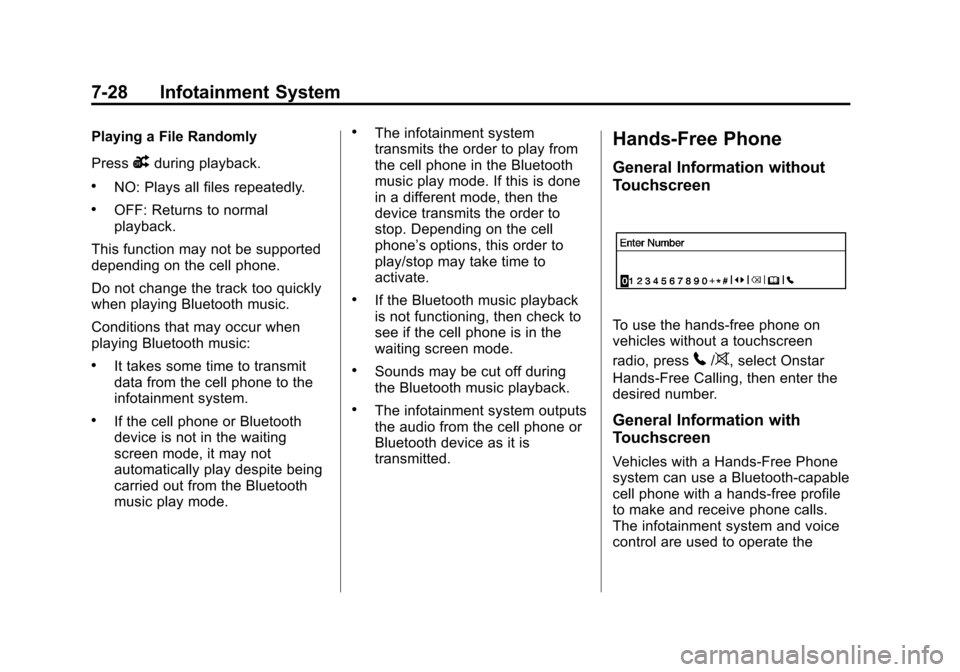
To use the hands-free phone on
vehicles without a touchscreen
radio, press
5/>, select Onstar
Hands-Free Calling, then enter the
desired number.
General Information with
Touchscreen
Vehicles with a Hands-Free Phone
system can use a Bluetooth-capable
cell phone with a hands-free profile
to make and receive phone calls.
The infotainment system and voice
control are used to operate the
Page 168 of 350
Black plate (38,1)Chevrolet Spark Owner Manual - 2013 - crc - 9/11/12
7-38 Infotainment System
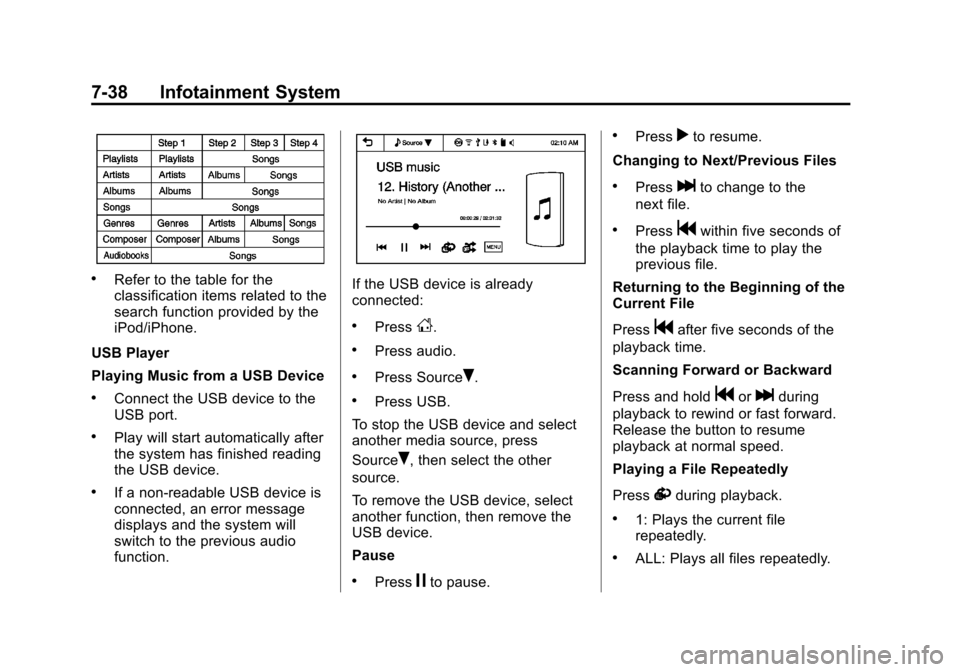
.Refer to the table for the
classification items related to the
search function provided by the
iPod/iPhone.
USB Player
Playing Music from a USB Device
.Connect the USB device to the
USB port.
.Play will start automatically after
the system has finished reading
the USB device.
.If a non-readable USB device is
connected, an error message
displays and the system will
switch to the previous audio
function.
If the USB device is already
connected:
.PressD.
.Press audio.
.Press SourceR.
.Press USB.
To stop the USB device and select
another media source, press
Source
R, then select the other
source.
To remove the USB device, select
another function, then remove the
USB device.
Pause
.Pressjto pause.
.Pressrto resume.
Changing to Next/Previous Files
.Presslto change to the
next file.
.Pressgwithin five seconds of
the playback time to play the
previous file.
Returning to the Beginning of the
Current File
Press
gafter five seconds of the
playback time.
Scanning Forward or Backward
Press and hold
gorlduring
playback to rewind or fast forward.
Release the button to resume
playback at normal speed.
Playing a File Repeatedly
Press
vduring playback.
.1: Plays the current file
repeatedly.
.ALL: Plays all files repeatedly.
Page 170 of 350
Black plate (40,1)Chevrolet Spark Owner Manual - 2013 - crc - 9/11/12
7-40 Infotainment System
To remove the device, select
another function, then remove the
device.
Pause
.Pressjto pause.
.Pressrto resume.
Changing to Next/Previous Song
.Presslto change to the
next song.
.Pressgwithin two seconds of
the playback time to play the
previous file.
Returning to the Beginning of the
Current File
Press
gafter two seconds of the
playback time.
Scanning Forward or Backward
Press and hold
gorlduring
playback to rewind or fast forward.
Release the button to resume
playback at normal speed. Playing a File Repeatedly
Press
vduring playback.
.1: Plays the current file
repeatedly.
.ALL: Plays all files repeatedly.
.OFF: Returns to normal
playback.
Playing a File Randomly
Press
uduring playback.
.NO: Plays all files randomly.
.OFF: Returns to normal
playback.
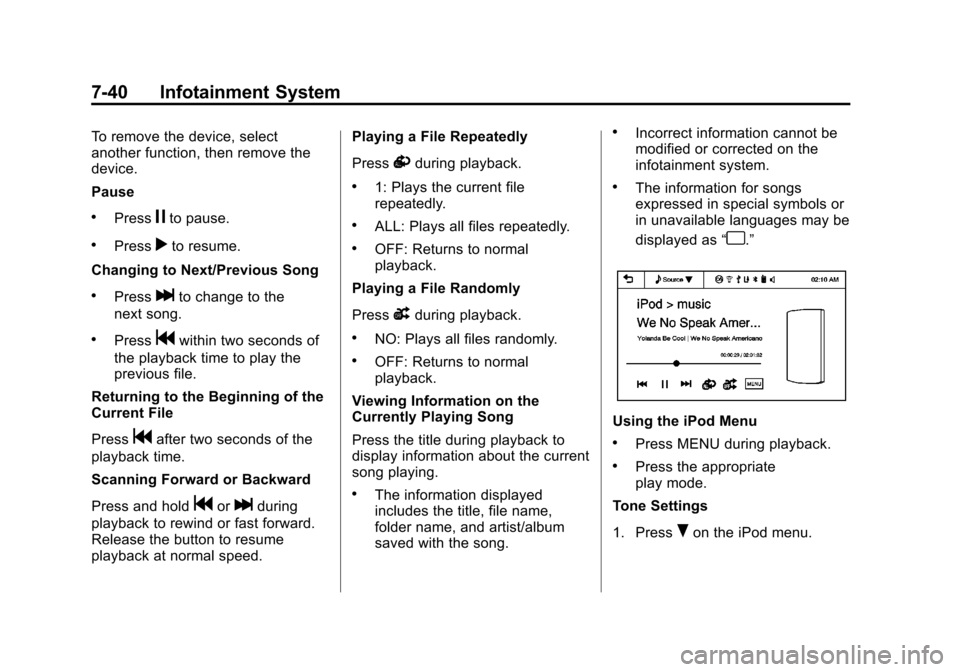
Viewing Information on the
Currently Playing Song
Press the title during playback to
display information about the current
song playing.
.The information displayed
includes the title, file name,
folder name, and artist/album
saved with the song.
.Incorrect information cannot be
modified or corrected on the
infotainment system.
.The information for songs
expressed in special symbols or
in unavailable languages may be
displayed as “
u.”
Using the iPod Menu
.Press MENU during playback.
.Press the appropriate
play mode.
Tone Settings
1. Press
Ron the iPod menu.
Page 173 of 350
Black plate (43,1)Chevrolet Spark Owner Manual - 2013 - crc - 9/11/12
Infotainment System 7-43
If the USB device is already
connected:
1. Press
D.
2. Press
Gpicture & movie.
3. Press Source
R.
4. Press USB movie.
Movie is not available while driving.
Viewing a Slide Show
From the picture screen, press
z.
.The slide show will start to play.
.Press the screen to cancel the
slide show during the slide show
playback.
.The last played audio source will
play as background music
during the slide show playback.
Pause
.Pressjto pause.
.Pressrto resume. Changing to Next/Previous Movie
.Pressuto change to the
next file.
.Presstwithin five seconds of
the playback time to play the
previous file.
Returning to the Beginning of the
Current Movie
Press
tafter five seconds of the
playback time.
Scanning Forward or Backward
Press and hold
toruduring
playback to rewind or fast forward.
Release the button to resume
playback at normal speed.
Viewing Full Screen
Press
tfrom the movie screen.
Press
tagain to return to the
previous screen.
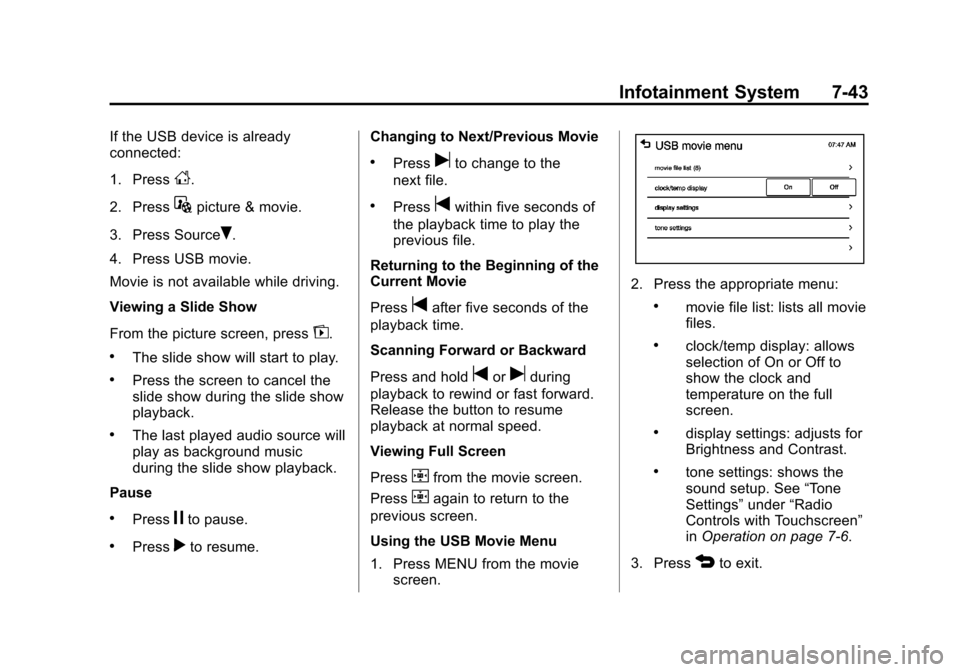
Using the USB Movie Menu
1. Press MENU from the movie screen.
2. Press the appropriate menu:
.movie file list: lists all movie
files.
.clock/temp display: allows
selection of On or Off to
show the clock and
temperature on the full
screen.
.display settings: adjusts for
Brightness and Contrast.
.tone settings: shows the
sound setup. See “Tone
Settings” under“Radio
Controls with Touchscreen”
in Operation on page 7‑6.
3. Press
4to exit.
Page 175 of 350

Black plate (45,1)Chevrolet Spark Owner Manual - 2013 - crc - 9/11/12
Infotainment System 7-45
Fees and Taxes: Subscription fee,
taxes, one time activation fee, and
other fees may apply. Subscription
fee is consumer only. All fees and
programming subject to change.
Subscriptions subject to Customer
Agreement available at
www.siriusxm.com. SiriusXM
®
service only available in the
48 contiguous United States and
Canada.
In Canada: Some deterioration of
service may occur in extreme
northern latitudes. This is beyond
the control of SiriusXM
®Satellite
Radio. Explicit Language Notice: Channels
with frequent explicit language are
indicated with an
“XL”preceding the
channel name. Channel blocking is
available for SiriusXM Satellite
Radio receivers by notifying
SiriusXM:
.USA: 866-635-2349 or see
www.siriusxm.com.
.Canada: 877-209-0079 or see
www.xmradio.ca.
It is prohibited to copy, decompile,
disassemble, reverse engineer,
hack, manipulate, or otherwise
make available any technology or
software incorporated in receivers
compatible with the SiriusXM
Satellite Radio System or that
support the SiriusXM website, the
Online Service or any of its content.
Furthermore, the AMBER voice
compression software included in
this product is protected by
intellectual property rights including
patent rights, copyrights, and trade
secrets of Digital Voice
Systems, Inc. General Requirements:
1. A License Agreement from
SiriusXM is required for any
product that incorporates
SiriusXM Technology and/or for
use of any of the SiriusXM
marks to be manufactured,
distributed, or marketed in the
SiriusXM Service Area.
2. For products to be distributed, marketed, and/or sold in
Canada, a separate agreement
is required with Canadian
Satellite Radio Inc. (operating as
XM Canada).
FreeType 2
Portions of this software are
copyright
®2007-2012 The
FreeType Project
(www.freetype.org). All rights
reserved.
Libjpeg
The navigation software is based in
part on the work of the independent
JPEG Group.
Page 196 of 350
Black plate (16,1)Chevrolet Spark Owner Manual - 2013 - crc - 9/11/12
9-16 Driving and Operating
Starting Procedure
1. With your foot off the acceleratorpedal, turn the ignition to START.
When the engine cranks, let go
of the key. The idle speed will go
down as the engine gets warm.
The vehicle has a
Computer-Controlled Cranking
System. It assists in starting the
engine and protects
components. If the ignition key is
turned to START and then
released when the engine
begins cranking, the engine will
continue cranking for a
few seconds or until the engine
starts. If the engine does not
start and the key is held in
START, cranking will be stopped
after 15 seconds to prevent
damage. To prevent gear
damage, cranking is not allowed
if the engine is running. Engine
cranking can be stopped by
turning the ignition key to ACC/
ACCESSORY or LOCK/OFF. Notice:
Holding the key in START
for longer than 15 seconds at a
time will cause the battery to be
drained much sooner. And the
excessive heat can damage the
starter motor. Wait about
15 seconds between each try to
help avoid draining the battery or
damaging the starter.
2. If the engine does not start, wait
about 15 seconds and try again.
Wait about 15 seconds between
each try.
When the engine has run about
10 seconds to warm up, the
vehicle is ready to be driven. Do
not run the engine at high speed
when it is cold.
If the weather is below freezing
(0°C or 32°F), let the engine run
for a few minutes to warm up.
3. If the engine still will not start, or starts but then stops, it could
be flooded with too much
gasoline. Try pushing the
accelerator pedal all the way to
the floor and holding it there as you hold the key in START for
about three seconds. If the
vehicle starts briefly but then
stops again, do the same thing,
but this time keep the pedal
down for five or six seconds.
This clears the extra gasoline
from the engine.
Notice: If you add electrical parts
or accessories, you could change
the way the engine operates. Any
resulting damage would not be
covered by the vehicle warranty.
See Add-On Electrical Equipment
on page 9‑37.
Engine Heater
The engine heater can provide
easier starting and better fuel
economy during engine warm-up in
cold weather conditions at or below
−18°C (0°F). Vehicles with an
engine heater should be plugged in
at least four hours before starting.
1. Turn off the engine.