radio controls CHEVROLET SPARK 2013 3.G Owner's Manual
[x] Cancel search | Manufacturer: CHEVROLET, Model Year: 2013, Model line: SPARK, Model: CHEVROLET SPARK 2013 3.GPages: 350, PDF Size: 5.89 MB
Page 165 of 350
Black plate (35,1)Chevrolet Spark Owner Manual - 2013 - crc - 9/11/12
Infotainment System 7-35
2. Connect the smartphone to theinfotainment system through the
USB port or Bluetooth wireless
technology.
.iPhone: USB connection.
.Android phone/BlackBerry
phone: Bluetooth wireless
technology.
3. Activate the Stitcher application.
4. Press
D.
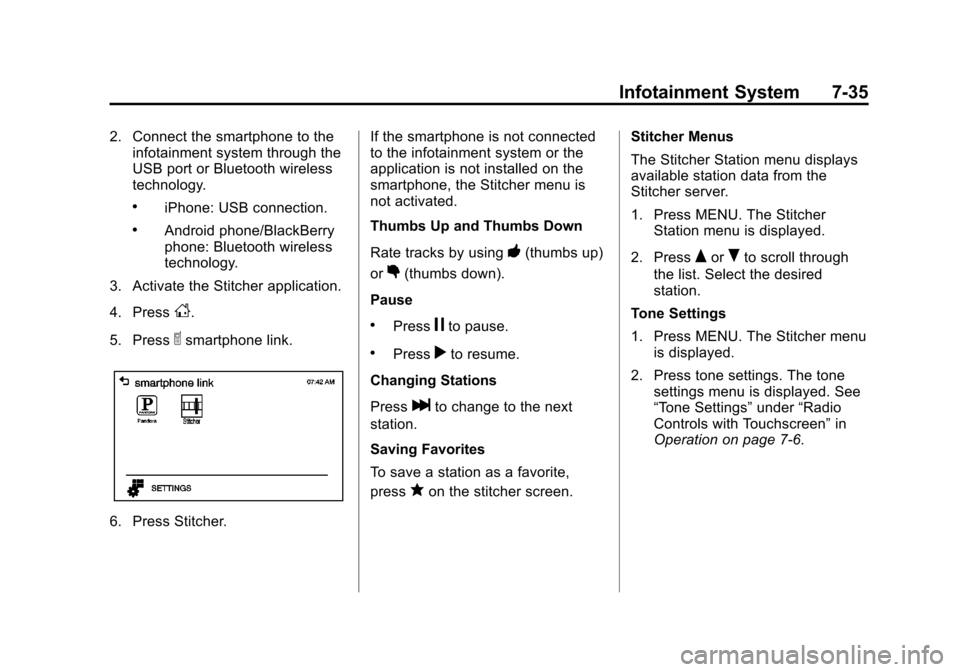
5. Press
^smartphone link.
6. Press Stitcher. If the smartphone is not connected
to the infotainment system or the
application is not installed on the
smartphone, the Stitcher menu is
not activated.
Thumbs Up and Thumbs Down
Rate tracks by using
-(thumbs up)
or
,(thumbs down).
Pause
.Pressjto pause.
.Pressrto resume.
Changing Stations
Press
lto change to the next
station.
Saving Favorites
To save a station as a favorite,
press
qon the stitcher screen. Stitcher Menus
The Stitcher Station menu displays
available station data from the
Stitcher server.
1. Press MENU. The Stitcher
Station menu is displayed.
2. Press
QorRto scroll through
the list. Select the desired
station.
Tone Settings
1. Press MENU. The Stitcher menu is displayed.
2. Press tone settings. The tone settings menu is displayed. See
“Tone Settings” under“Radio
Controls with Touchscreen” in
Operation on page 7‑6.
Page 169 of 350
Black plate (39,1)Chevrolet Spark Owner Manual - 2013 - crc - 9/11/12
Infotainment System 7-39
.OFF: Returns to normal
playback.
Playing a File Randomly
Press
uduring playback.
.NO: Plays all files randomly.
.OFF: Returns to normal
playback.
Viewing Information on the
Currently Playing File
Press the title during playback to
display information about the current
file playing.
.The information displayed
includes the title, file name,
folder name, and artist/album
saved with the song.
.Incorrect information cannot be
modified or corrected on the
infotainment system.
.The information for songs
expressed in special symbols or
in unavailable languages may be
displayed as “
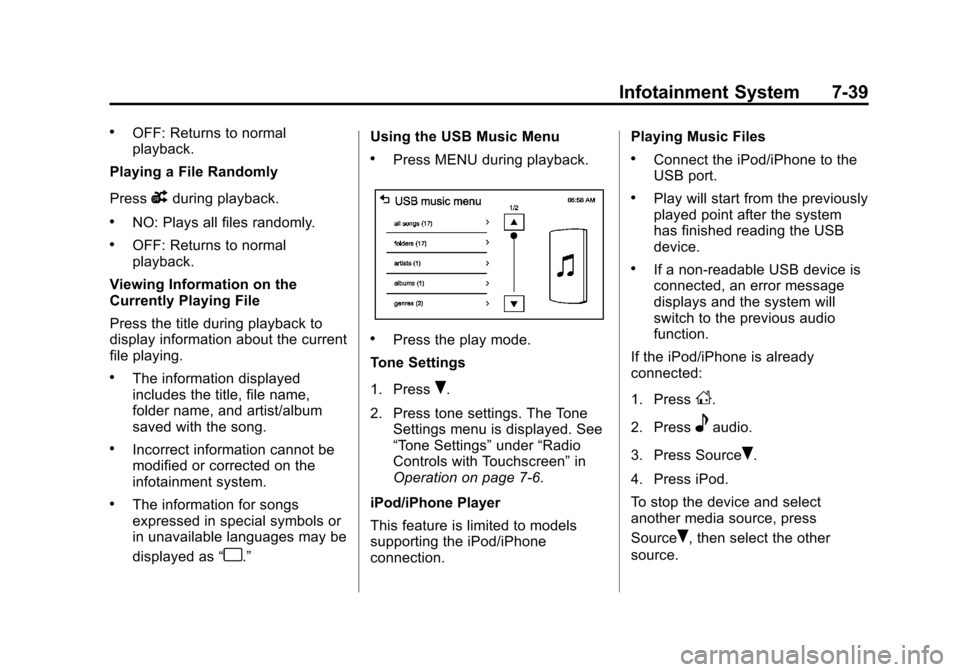
u.” Using the USB Music Menu
.Press MENU during playback.
.Press the play mode.
Tone Settings
1. Press
R.
2. Press tone settings. The Tone Settings menu is displayed. See
“Tone Settings” under“Radio
Controls with Touchscreen” in
Operation on page 7‑6.
iPod/iPhone Player
This feature is limited to models
supporting the iPod/iPhone
connection. Playing Music Files
.Connect the iPod/iPhone to the
USB port.
.Play will start from the previously
played point after the system
has finished reading the USB
device.
.If a non-readable USB device is
connected, an error message
displays and the system will
switch to the previous audio
function.
If the iPod/iPhone is already
connected:
1. Press
D.
2. Press
eaudio.
3. Press Source
R.
4. Press iPod.
To stop the device and select
another media source, press
Source
R, then select the other
source.
Page 171 of 350
Black plate (41,1)Chevrolet Spark Owner Manual - 2013 - crc - 9/11/12
Infotainment System 7-41
2. Press tone settings. The tonesettings menu is displayed. See
“Tone Settings” under“Radio
Controls with Touchscreen” in
Operation on page 7‑6.
Pictures and Movies
(Picture System)
The Infotainment system can view
picture files stored on a USB device.
Picture System Information
Caution for Using Picture Files
.File size:
‐ JPG: Within 64 to 5,000 pixels
(Width) and 64 to 5,000 pixels
(Height).
‐ BMP, PNG, GIF: Within 64 to
1,024 pixels (Width) and 64 to
1,024 pixels (Height).
.File extensions: .jpg, .bmp, .png,
.gif. Animated .gif files are not
supported.
.Some files may not operate due
to a different recording format or
the condition of the file.
Viewing Pictures
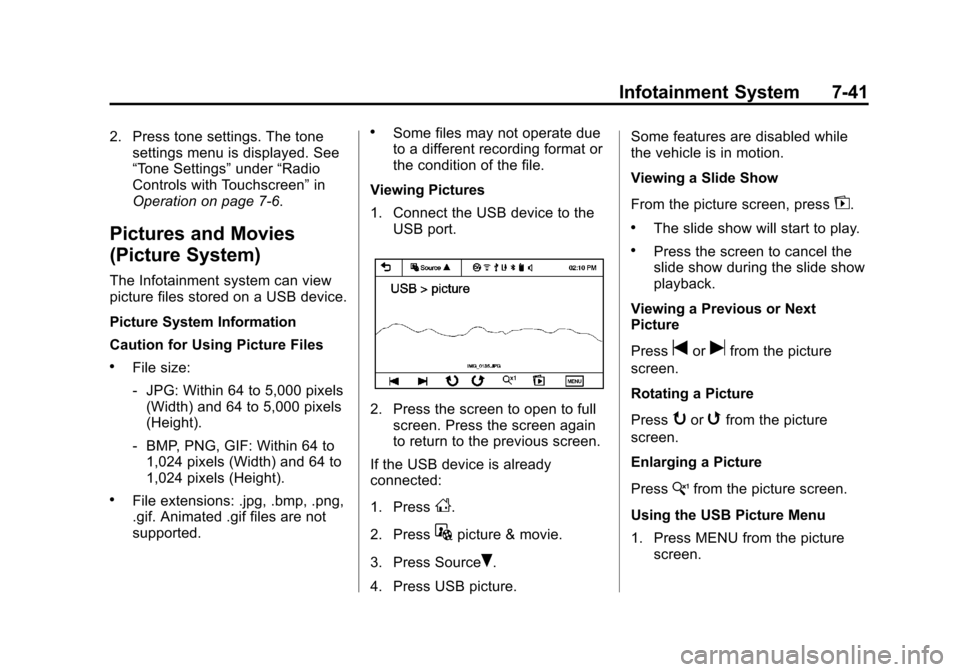
1. Connect the USB device to the USB port.
2. Press the screen to open to fullscreen. Press the screen again
to return to the previous screen.
If the USB device is already
connected:
1. Press
D.
2. Press
Gpicture & movie.
3. Press Source
R.
4. Press USB picture. Some features are disabled while
the vehicle is in motion.
Viewing a Slide Show
From the picture screen, press
z.
.The slide show will start to play.
.Press the screen to cancel the
slide show during the slide show
playback.
Viewing a Previous or Next
Picture
Press
torufrom the picture
screen.
Rotating a Picture
Press
yorwfrom the picture
screen.
Enlarging a Picture
Press
xfrom the picture screen.
Using the USB Picture Menu
1. Press MENU from the picture screen.
Page 173 of 350
Black plate (43,1)Chevrolet Spark Owner Manual - 2013 - crc - 9/11/12
Infotainment System 7-43
If the USB device is already
connected:
1. Press
D.
2. Press
Gpicture & movie.
3. Press Source
R.
4. Press USB movie.
Movie is not available while driving.
Viewing a Slide Show
From the picture screen, press
z.
.The slide show will start to play.
.Press the screen to cancel the
slide show during the slide show
playback.
.The last played audio source will
play as background music
during the slide show playback.
Pause
.Pressjto pause.
.Pressrto resume. Changing to Next/Previous Movie
.Pressuto change to the
next file.
.Presstwithin five seconds of
the playback time to play the
previous file.
Returning to the Beginning of the
Current Movie
Press
tafter five seconds of the
playback time.
Scanning Forward or Backward
Press and hold
toruduring
playback to rewind or fast forward.
Release the button to resume
playback at normal speed.
Viewing Full Screen
Press
tfrom the movie screen.
Press
tagain to return to the
previous screen.
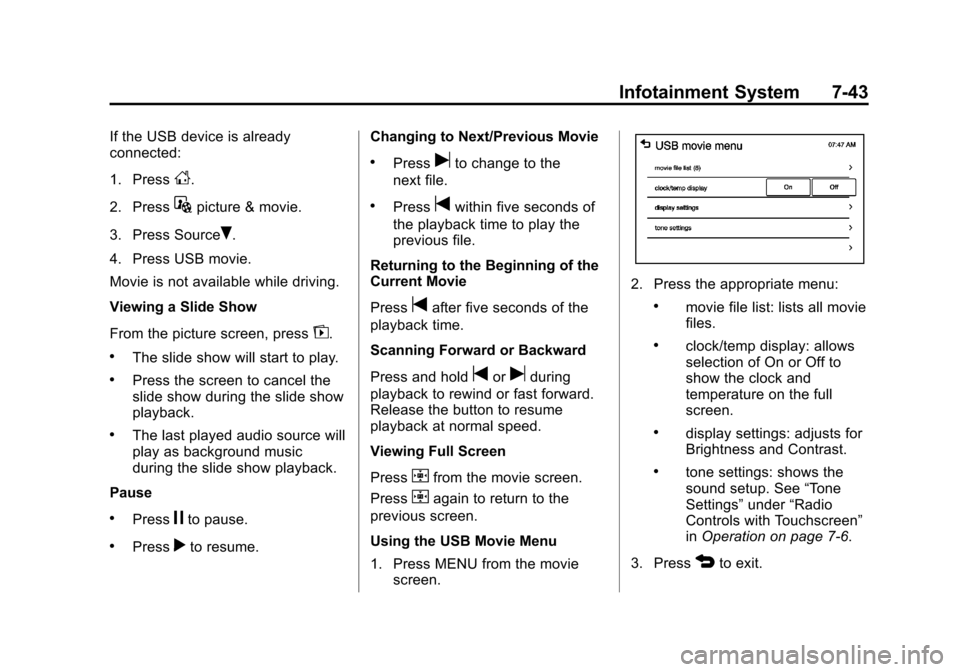
Using the USB Movie Menu
1. Press MENU from the movie screen.
2. Press the appropriate menu:
.movie file list: lists all movie
files.
.clock/temp display: allows
selection of On or Off to
show the clock and
temperature on the full
screen.
.display settings: adjusts for
Brightness and Contrast.
.tone settings: shows the
sound setup. See “Tone
Settings” under“Radio
Controls with Touchscreen”
in Operation on page 7‑6.
3. Press
4to exit.
Page 347 of 350

Black plate (9,1)Chevrolet Spark Owner Manual - 2013 - crc - 9/11/12
INDEX i-9
Roadside AssistanceProgram . . . . . . . . . . . . . . . . . . . . . . 13-5
Roof Rack System . . . . . . . . . . . . . . 4-3
Rotation, Tires . . . . . . . . . . . . . . . . 10-46
Routing, Engine Drive Belt . . . . . 12-4
Running the Vehicle While Parked . . . . . . . . . . . . . . . . . . . . . . . 9-21
S
Safety Belts . . . . . . . . . . . . . . . . . . . . 3-9
Care . . . . . . . . . . . . . . . . . . . . . . . . . . 3-16
Extender . . . . . . . . . . . . . . . . . . . . . . 3-16
How to Wear Safety BeltsProperly . . . . . . . . . . . . . . . . . . . . . 3-10
Lap-Shoulder Belt . . . . . . . . . . . . 3-11
Reminders . . . . . . . . . . . . . . . . . . . . . 5-9
Replacing after a Crash . . . . . . 3-16
Use During Pregnancy . . . . . . . . 3-15
Safety Defects Reporting Canadian Government . . . . . . 13-13
General Motors . . . . . . . . . . . . . 13-13
U.S. Government . . . . . . . . . . . 13-12
Safety Locks . . . . . . . . . . . . . . . . . . . . 2-6
Safety System Check . . . . . . . . . . 3-16
Satellite Radio . . . . . . . . . . . . . . . . . 7-13
Scheduling Appointments . . . . . . 13-7 Sealant Kit, Tire . . . . . . . . . . . . . . 10-55
Seats
Adjustment, Front . . . . . . . . . . . . . . 3-3
Head Restraints . . . . . . . . . . . . . . . 3-2
Heated Front . . . . . . . . . . . . . . . . . . 3-6
Rear . . . . . . . . . . . . . . . . . . . . . . . . . . . 3-6
Reclining Seatbacks . . . . . . . . . . . 3-4
Securing Child Restraints . . . . . . . . . . . . . . 3-44, 3-47
Security OnStar®. . . . . . . . . . . . . . . . . . . . . . 14-2
Vehicle . . . . . . . . . . . . . . . . . . . . . . . . 2-8
Vehicle Alarm . . . . . . . . . . . . . . . . . . 2-8
Service Accessories andModifications . . . . . . . . . . . . . . . . 10-2
Doing Your Own Work . . . . . . . . 10-3
Engine Soon Light . . . . . . . . . . . . 5-11
Maintenance Records . . . . . . .11-15
Maintenance, General Information . . . . . . . . . . . . . . . . . . 11-1
Parts Identification Label . . . . . 12-1
Publications Ordering Information . . . . . . . . . . . . . . . . .13-11
Scheduling Appointments . . . . . 13-7
Vehicle Soon Light . . . . . . . . . . . . 5-14 Servicing the Airbag . . . . . . . . . . . 3-28
Shift Lock Control Function
Check, Automatic
Transmission . . . . . . . . . . . . . . . . 10-21
Shifting Into Park . . . . . . . . . . . . . . . . . . . . . . 9-17
Out of Park . . . . . . . . . . . . . . . . . . . 9-19
Shopping Bag Hooks . . . . . . . . . . . 4-2
Signals, Turn and Lane-Change . . . . . . . . . . . . . . . . . 6-3
Smartphone
Link . . . . . . . . . . . . . . 7-31, 7-33, 7-34
Specifications and Capacities . . . . . . . . . . . . . . . . . . . . 12-2
Speedometer . . . . . . . . . . . . . . . . . . . 5-8
StabiliTrak OFF Light . . . . . . . . . . . . . . . . . . . . . 5-16
System . . . . . . . . . . . . . . . . . . . . . . . 9-28
Start Assist, Hills . . . . . . . . . . . . . . 9-27
Starter Switch Check . . . . . . . . . 10-21
Starting the Engine . . . . . . . . . . . . 9-15
Steering . . . . . . . . . . . . . . . . . . . . . . . . 9-3 Power, Warning Lights . . . . . . . . 5-15
Wheel Adjustment . . . . . . . . . . . . . 5-2
Wheel Controls . . . . . . . . . . . . . . . . 5-2