ignition CHEVROLET SPARK 2014 3.G Owner's Manual
[x] Cancel search | Manufacturer: CHEVROLET, Model Year: 2014, Model line: SPARK, Model: CHEVROLET SPARK 2014 3.GPages: 362, PDF Size: 4.94 MB
Page 132 of 362
Black plate (2,1)Chevrolet Spark Owner Manual (GMNA-Localizing-U.S./Canada-5853490) -
2014 - crc - 9/3/13
6-2 Lighting
The3light comes on in the
instrument cluster while the high
beams are on and the ignition is
turned to ON/RUN.
To return to low beams, push the
lever again or pull the lever toward
you and release.
Flash-to-Pass
This feature is used to signal to the
vehicle ahead that you want
to pass.
Pull the turn signal lever toward you
until the high-beam headlamps
come on, then release the lever to
turn them off.
Daytime Running
Lamps (DRL)
DRL can make it easier for others to
see the front of your vehicle during
the day. Fully functional DRL are
required on all vehicles first sold in
Canada. The DRL system makes the
headlamps come on when the
following conditions are met:
.The ignition is on.
.The exterior lamp control is in
OFF or the parking lamp
position.
.The parking brake is released.
This indicator light in the center
stack display comes on when the
DRL system is on.
When the DRL system is on, the
taillamps, sidemarker lamps,
parking lamps, and instrument panel
lights do not come on unless the
exterior lamp control is turned to the
parking lamp or headlamp position.
The DRL system turns off when one
of the following conditions is met:
.The ignition is off.
.The parking brake is on.
.The high-beam headlamps
are on.
.The low-beam headlamps
are on.
.The flash-to-pass feature
is used.
The regular headlamp system
should be used when needed.
Automatic Headlamp
System
When it is dark enough outside and
the exterior lamp control is in the
automatic position, the headlamps
come on automatically. See Exterior
Lamp Controls on page 6-1.
Page 133 of 362

Black plate (3,1)Chevrolet Spark Owner Manual (GMNA-Localizing-U.S./Canada-5853490) -
2014 - crc - 9/3/13
Lighting 6-3
The vehicle has a light sensor on
top of the instrument panel. Make
sure it is not covered, or the
headlamps will be on when they are
not needed.
The system may also turn on the
headlamps when driving through a
parking garage or tunnel.
When it is bright enough outside,
the headlamps will turn off or may
change to Daytime Running
Lamps (DRL).
The automatic headlamp system
turns off when the exterior lamp
control or the ignition is off.
Lights On with Wipers
If the windshield wipers are
activated in daylight with the vehicle
on, and the exterior lamp control is
in AUTO, the headlamps, parking
lamps, and other exterior lamps
come on. The transition time for the
lamps coming on varies based on
wiper speed. When the wipers are
not operating, these lamps turn off.
Move the exterior lamp control to
P
or;to disable this feature.
Hazard Warning Flashers
The hazard warning flasher button
is on the center stack.
|(Hazard Warning Flasher):
Press to make the front and rear
turn signal lamps flash on and off.
This warns others that you are
having trouble. Press the button
again to turn the flashers off.
When the hazard warning flashers
are on, the turn signals will
not work.
Turn and Lane-Change
Signals
Move the lever all the way up or
down to signal a turn.
Page 134 of 362

Black plate (4,1)Chevrolet Spark Owner Manual (GMNA-Localizing-U.S./Canada-5853490) -
2014 - crc - 9/3/13
6-4 Lighting
An arrow on the instrument cluster
flashes in the direction of the turn or
lane change.
Raise or lower the lever until the
arrow starts to flash to signal a lane
change. Hold it there until the lane
change is completed.
If the lever is moved momentarily to
the lane change position, the arrow
will flash three times.
The lever returns to its starting
position whenever it is released.
If after signaling a turn or a lane
change the arrow flashes rapidly or
does not come on, a signal bulb
may be burned out.
Replace any burned out bulbs. If a
bulb is not burned out, check the
fuse. SeeFuses and Circuit
Breakers on page 10-29.Fog Lamps
If equipped with fog lamps, they are
controlled by the
#band on the
middle of the turn signal lever.
To use the fog lamps, the ignition
must be turned on and the
low-beam headlamps or parking
lamps must be on.
Turn the band to
#to turn the fog
lamps on. The band automatically
returns to its starting position when
released. The fog lamp indicator
light comes on in the display on top
of the center stack. See Front Fog
Lamp Light on page 5-21. To turn the fog lamps off, turn the
band to
#again. The fog lamp
indicator light will go off.
The fog lamps will also turn off
when the high-beam headlamps are
turned on. When the high-beam
headlamps are turned off, the fog
lamps will turn on again.
Some localities have laws that
require the headlamps to be on
along with the fog lamps.
Page 136 of 362
Black plate (6,1)Chevrolet Spark Owner Manual (GMNA-Localizing-U.S./Canada-5853490) -
2014 - crc - 9/3/13
6-6 Lighting
Lighting Features
Entry Lighting
The headlamps, parking lamps,
taillamps, and the interior lights turn
on briefly at night when the Remote
Keyless Entry (RKE) transmitter
K
is pressed. The lights turn off
immediately when the ignition is
turned on or automatically after a
brief period.
Exit Lighting
If the dome lamps are in the DOOR
position, they come on automatically
when the key is removed from the
ignition. The exterior lamps and
dome lamps remain on after the
door is closed for a set amount of
time, then automatically turn off.
The headlamps, parking lamps, and
back-up lamps will turn on for a set
amount of time when the vehicle is
turned off and the key is removed
from the ignition, then automatically
turn off.This feature can be changed. See
Vehicle Personalization on
page 5-27.
Battery Power Protection
The battery saver feature is
designed to protect the vehicle's
battery.
If some interior lamps and/or
headlamps are left on and the
ignition is turned off, the battery
rundown protection system
automatically turns the lamp off after
some time.
Page 142 of 362

Black plate (6,1)Chevrolet Spark Owner Manual (GMNA-Localizing-U.S./Canada-5853490) -
2014 - crc - 9/3/13
7-6 Infotainment System
7telephone:Press to activate
the phone features (if equipped).
See Bluetooth (Overview) on
page 7-19 orBluetooth
(Infotainment Controls) on
page 7-21.
^smartphone link: Press to listen
to Pandora®(if equipped),
Stitcher™, or available application.
See Smartphone Link (Overview) on
page 7-29 orSmartphone Link
(Pandora) on page 7-31 or
Smartphone Link (Stitcher) on
page 7-32.
8settings: Press to access the
Personalization menu. See Vehicle
Personalization on page 5-27.
Operation
Radio Controls without
Touchscreen
The infotainment system is operated
by using the pushbuttons,
multifunction knobs, and menus
shown on the display.
Turning the System On or Off
O/VOL (Power/Volume): Press to
turn the radio on and off.
Automatic Switch-Off
If the infotainment system has been
turned on after the ignition is turned
off, the system will turn off
automatically after 10 minutes.
Volume Control
O/VOL (Power/Volume): Turn to
adjust the volume.
5/>(Phone/Mute): Press to
activate OnStar. See OnStar
Overview on page 14-1. Press and hold to mute the
infotainment system. Press again or
turn the
O/VOL knob to
cancel mute.
Menu System
Controls
The MENU/TUNE knob and
/
BACK button are used to navigate
the menu system.
MENU/TUNE Knob:
Turn to:
.Highlight a menu option.
.Select a value.
Press to:
.Enter the menu system.
.Select or activate the highlighted
menu option.
.Confirm a set value.
.Turn a system setting on or off.
Page 144 of 362

Black plate (8,1)Chevrolet Spark Owner Manual (GMNA-Localizing-U.S./Canada-5853490) -
2014 - crc - 9/3/13
7-8 Infotainment System
The level of volume compensation
can be selected, or the feature can
be turned off.
1. Press the CONFIG button.
2. Select Radio Settings.
3. Select Auto Volume.
4. Select the setting.
5. Press the
/BACK button to go
back to the System
Configuration menu.
Radio Controls with
Touchscreen
The infotainment system is operated
by using the pushbuttons, menus
shown on the display, and steering
wheel controls.
Turning the System On or Off
O(Power): Press and hold to turn
the radio on and off. Automatic Switch-Off
If the infotainment system has been
turned on after the ignition is turned
off, the system will turn off
automatically after 10 minutes.
Volume Control
zVOLy(Volume):
Press to
increase or decrease the volume or
press the volume bar.
>(Mute): PresszVOLy, then
press
>on the screen to mute and
unmute the system.
System Settings
Auto Volume
This feature automatically adjusts
the radio volume to compensate for
road and wind noise.
The level of volume compensation
can be selected, or the feature can
be turned off.
1. Press
D.
2. Select Settings.
3. Select Radio Settings. 4. Select Auto Volume.
5. Select the setting by pressing
S
orT.
6. Press the
4button to go back
to the System
Configuration menu.
Auto Store (AS)
This feature automatically stores the
stations with the strongest
reception.
To store or update the stations,
press and hold the AS screen
button.
To listen to a auto stored station:
1. Select AM or FM.
2. Press the AS screen button.
3. Press
SorTrepeatedly to
select the desired AS page.
4. Press the desired preset station screen button.
Page 170 of 362

Black plate (34,1)Chevrolet Spark Owner Manual (GMNA-Localizing-U.S./Canada-5853490) -
2014 - crc - 9/3/13
7-34 Infotainment System
.ID3 Tag information for MP3
files, such as the album name
and the artist, can be played.
.To display album title, track title,
and artist information, the file
should be compatible with the
ID3 Tag V1 and V2 formats.
Using USB Storage Devices and
iPod/iPhone
.Use a USB or flash memory type
storage device. Do not connect
using a USB adaptor.
.Do not connect and reconnect
the USB device repeatedly in a
short time, as this may cause
static electricity and problems
using the device.
.Use a USB device with a metal
connecting terminal.
.Connection with i-Stick Type
USB storage devices may be
faulty due to vehicle vibration.
.Do not to touch the USB
connecting terminal.
.Only USB storage devices
formatted in FAT16/32, exFAT
file system are recognized.
NTFS and other file systems are
not recognized.
.The time it takes to process files
will depend on the USB storage
device type and capacity, and
the type of files stored.
.Some USB storage device files
may not be compatible.
.Up to two USB devices and one
iPod can be played through a
USB hub. All devices may not be
supported, depending on the
performance of the USB hub.
If there is not enough power
supply, it may not operate
normally.
.Do not disconnect the USB
storage device while it is playing.
This may cause damage to the
product or affect the
performance of the USB device.
.Disconnect the USB storage
device when the ignition is
turned off. If the ignition is turned on while the USB device is
connected, the USB device may
be damaged or may not operate
normally.
.USB storage devices can only
be connected for playing music/
movies, viewing photo files,
or upgrading.
.Do not use the USB terminal to
charge USB accessory
equipment. The heat generated
may cause performance issues
or damage.
.Store files in the top-level drive
of the USB storage device.
When the logical drive is
separated from the device, only
the USB music files from the
top-level logical drive can be
played. Music files stored on
USB storage devices may not
play normally if an application is
loaded by partitioning a separate
drive.
.Music files to which Digital Right
Management (DRM) is applied
cannot be played.
Page 171 of 362
Black plate (35,1)Chevrolet Spark Owner Manual (GMNA-Localizing-U.S./Canada-5853490) -
2014 - crc - 9/3/13
Infotainment System 7-35
.USB storage device capacity
limit is 2,500 music files, 2,500
photo files, 250 movie files,
2,500 folders, and 10 stages of
folder structure. The iPod/iPhone
can play all music files
supported, but will only display
up to 2,500 files on the screen in
alphabetical order.
.Some iPod/iPhone product
models may not support the
connectivity or functionality of
this product.
.Only connect the iPod/iPhone
with connection cables
supported by iPod/iPhone
products. Other connection
cables cannot be used.
.The iPod/iPhone may be
damaged if it is connected to the
vehicle with the ignition on.
When not in use, disconnect the
iPod/iPhone.
.When the iPod/iPhone is
connected to the USB port by
using the iPod/iPhone cable, the
Bluetooth music is not
supported.
.Connect the iPod/iPhone to the
USB port by using the iPod/
iPhone cable to play the music
files. When the iPod/iPhone is
connected to the AUX input
terminal, the music file will
not play.
.The iPod/iPhone playback
functions and the information
displayed may be different when
played on the infotainment
system.
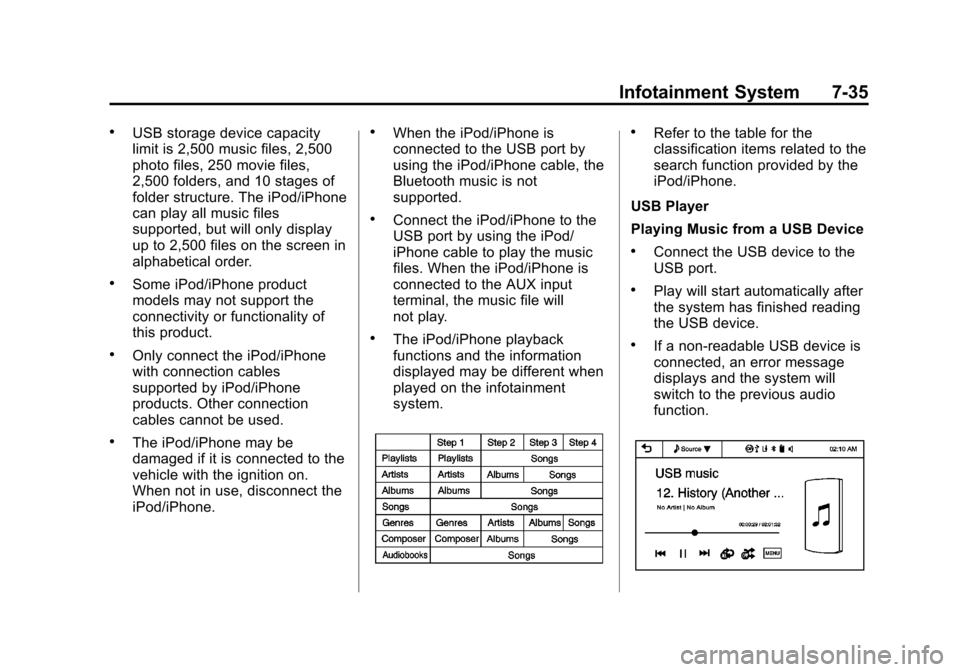
.Refer to the table for the
classification items related to the
search function provided by the
iPod/iPhone.
USB Player
Playing Music from a USB Device
.Connect the USB device to the
USB port.
.Play will start automatically after
the system has finished reading
the USB device.
.If a non-readable USB device is
connected, an error message
displays and the system will
switch to the previous audio
function.
Page 182 of 362
Black plate (2,1)Chevrolet Spark Owner Manual (GMNA-Localizing-U.S./Canada-5853490) -
2014 - crc - 9/3/13
8-2 Climate Controls
W(Defog):This mode clears the
windows of fog or moisture. Air is
directed to the floor, windshield, and
side window outlets.
0(Defrost): This mode clears the
windshield of fog or frost more
quickly. When the defrost mode is
selected, the recirculation mode is
set to outside air mode
automatically. Air is directed to the
windshield and side window outlets.
Do not drive the vehicle until all
windows are clear.
#(Air Conditioning): TurnAto
the desired speed. The air
conditioning does not operate when
the fan control knob is at 0. Press
#to turn the air conditioning on
and off. When
#is pressed, an
indicator light comes on to show
that the air conditioning is on.
Using air conditioning and
recirculation together for long
periods of time may cause the air
inside the vehicle to become too
dry. To prevent this from happening, after the air in the vehicle has
cooled, turn the recirculation
mode off.
M(Recirculation):
This mode
recirculates and helps to quickly
cool the air inside the vehicle. It can
be used to prevent outside air and
odors from entering the vehicle.
Press the button to turn the
recirculation mode on. An indicator
light comes on to show that the
recirculation is on. Press the button
again to return to outside air mode.
Using the recirculation mode for
extended periods may cause the
windows to fog. If this happens,
select the defrost mode.
Rear Window Defogger
1(Rear Window Defogger):
Press to turn the rear window
defogger on or off. An indicator light
comes on to show that the feature
is on.
The rear window defogger turns off
after about 10 minutes. It can also
be turned off by pressing
1again or by turning the ignition to ACC/
ACCESSORY or LOCK/OFF.
If turned on again it runs for about
five minutes before turning off.
{Caution
Using a razor blade or sharp
object on the inside rear window
can damage the antenna or
defogger. Repairs would not be
covered by the vehicle warranty.
Do not stick anything to the rear
window.
Page 185 of 362
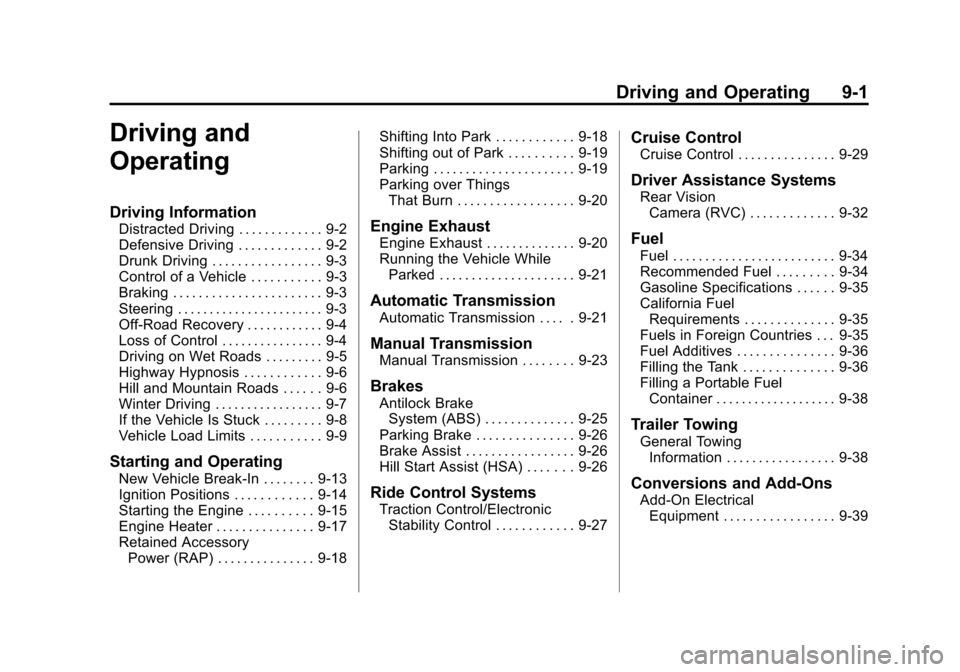
Black plate (1,1)Chevrolet Spark Owner Manual (GMNA-Localizing-U.S./Canada-5853490) -
2014 - crc - 9/3/13
Driving and Operating 9-1
Driving and
Operating
Driving Information
Distracted Driving . . . . . . . . . . . . . 9-2
Defensive Driving . . . . . . . . . . . . . 9-2
Drunk Driving . . . . . . . . . . . . . . . . . 9-3
Control of a Vehicle . . . . . . . . . . . 9-3
Braking . . . . . . . . . . . . . . . . . . . . . . . 9-3
Steering . . . . . . . . . . . . . . . . . . . . . . . 9-3
Off-Road Recovery . . . . . . . . . . . . 9-4
Loss of Control . . . . . . . . . . . . . . . . 9-4
Driving on Wet Roads . . . . . . . . . 9-5
Highway Hypnosis . . . . . . . . . . . . 9-6
Hill and Mountain Roads . . . . . . 9-6
Winter Driving . . . . . . . . . . . . . . . . . 9-7
If the Vehicle Is Stuck . . . . . . . . . 9-8
Vehicle Load Limits . . . . . . . . . . . 9-9
Starting and Operating
New Vehicle Break-In . . . . . . . . 9-13
Ignition Positions . . . . . . . . . . . . 9-14
Starting the Engine . . . . . . . . . . 9-15
Engine Heater . . . . . . . . . . . . . . . 9-17
Retained AccessoryPower (RAP) . . . . . . . . . . . . . . . 9-18 Shifting Into Park . . . . . . . . . . . . 9-18
Shifting out of Park . . . . . . . . . . 9-19
Parking . . . . . . . . . . . . . . . . . . . . . . 9-19
Parking over Things
That Burn . . . . . . . . . . . . . . . . . . 9-20
Engine Exhaust
Engine Exhaust . . . . . . . . . . . . . . 9-20
Running the Vehicle While
Parked . . . . . . . . . . . . . . . . . . . . . 9-21
Automatic Transmission
Automatic Transmission . . . . . 9-21
Manual Transmission
Manual Transmission . . . . . . . . 9-23
Brakes
Antilock BrakeSystem (ABS) . . . . . . . . . . . . . . 9-25
Parking Brake . . . . . . . . . . . . . . . 9-26
Brake Assist . . . . . . . . . . . . . . . . . 9-26
Hill Start Assist (HSA) . . . . . . . 9-26
Ride Control Systems
Traction Control/Electronic Stability Control . . . . . . . . . . . . 9-27
Cruise Control
Cruise Control . . . . . . . . . . . . . . . 9-29
Driver Assistance Systems
Rear VisionCamera (RVC) . . . . . . . . . . . . . 9-32
Fuel
Fuel . . . . . . . . . . . . . . . . . . . . . . . . . 9-34
Recommended Fuel . . . . . . . . . 9-34
Gasoline Specifications . . . . . . 9-35
California FuelRequirements . . . . . . . . . . . . . . 9-35
Fuels in Foreign Countries . . . 9-35
Fuel Additives . . . . . . . . . . . . . . . 9-36
Filling the Tank . . . . . . . . . . . . . . 9-36
Filling a Portable Fuel Container . . . . . . . . . . . . . . . . . . . 9-38
Trailer Towing
General TowingInformation . . . . . . . . . . . . . . . . . 9-38
Conversions and Add-Ons
Add-On ElectricalEquipment . . . . . . . . . . . . . . . . . 9-39