low oil pressure CHEVROLET SPARK 2019 Owner's Manual
[x] Cancel search | Manufacturer: CHEVROLET, Model Year: 2019, Model line: SPARK, Model: CHEVROLET SPARK 2019Pages: 343, PDF Size: 5.08 MB
Page 23 of 343
Chevrolet Spark Owner Manual (GMNA-Localizing-U.S./Canada-12146335) -
2019 - CRC - 4/26/18
22 In Brief
Loading Information label. See
Vehicle Load Limits0171. The
warning light will remain on until the
tire pressure is corrected.
The low tire pressure warning light
may come on in cool weather when
the vehicle is first started, and then
turn off as the vehicle is driven. This
may be an early indicator that the
tire pressures are getting low and
the tires need to be inflated to the
proper pressure.
The TPMS does not replace normal
monthly tire maintenance. Maintain
the correct tire pressures.
See Tire Pressure Monitor System
0 255.
Fuel
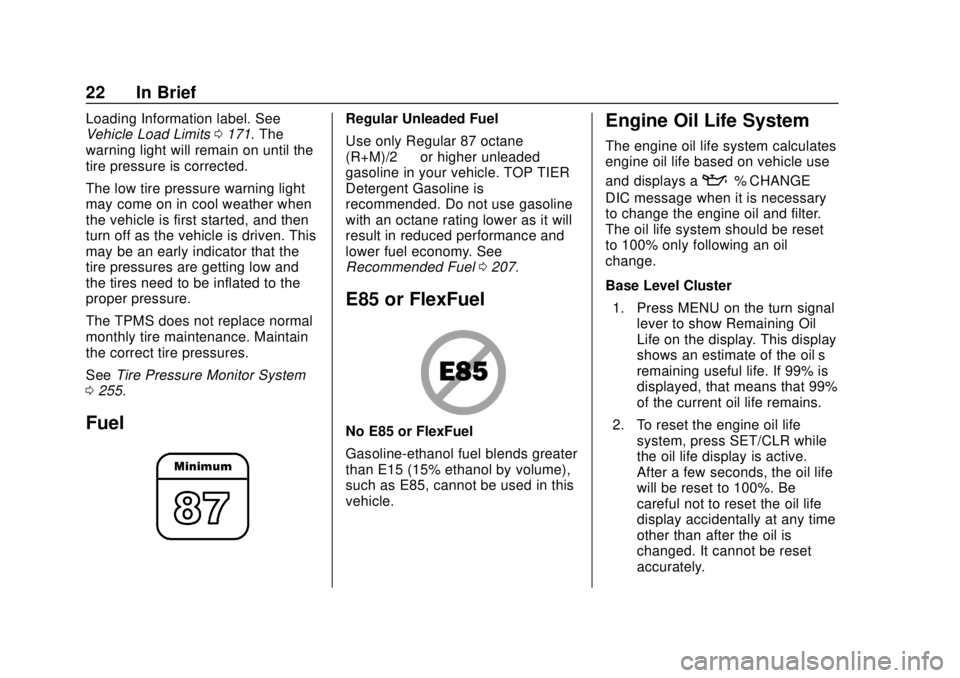
Regular Unleaded Fuel
Use only Regular 87 octane —
(R+M)/2 —or higher unleaded
gasoline in your vehicle. TOP TIER
Detergent Gasoline is
recommended. Do not use gasoline
with an octane rating lower as it will
result in reduced performance and
lower fuel economy. See
Recommended Fuel 0207.
E85 or FlexFuel
No E85 or FlexFuel
Gasoline-ethanol fuel blends greater
than E15 (15% ethanol by volume),
such as E85, cannot be used in this
vehicle.
Engine Oil Life System
The engine oil life system calculates
engine oil life based on vehicle use
and displays a
:% CHANGE
DIC message when it is necessary
to change the engine oil and filter.
The oil life system should be reset
to 100% only following an oil
change.
Base Level Cluster
1. Press MENU on the turn signal lever to show Remaining Oil
Life on the display. This display
shows an estimate of the oil’ s
remaining useful life. If 99% is
displayed, that means that 99%
of the current oil life remains.
2. To reset the engine oil life system, press SET/CLR while
the oil life display is active.
After a few seconds, the oil life
will be reset to 100%. Be
careful not to reset the oil life
display accidentally at any time
other than after the oil is
changed. It cannot be reset
accurately.
Page 96 of 343
Chevrolet Spark Owner Manual (GMNA-Localizing-U.S./Canada-12146335) -
2019 - CRC - 4/26/18
Instruments and Controls 95
Instruments and
Controls
Controls
Steering Wheel Adjustment . . . . 96
Steering Wheel Controls . . . . . . . 96
Horn . . . . . . . . . . . . . . . . . . . . . . . . . . . 96
Windshield Wiper/Washer . . . . . . 96
Rear Window Wiper/Washer . . . 97
Compass . . . . . . . . . . . . . . . . . . . . . . 98
Clock . . . . . . . . . . . . . . . . . . . . . . . . . . 98
Power Outlets . . . . . . . . . . . . . . . . . 98
Warning Lights, Gauges, and
Indicators
Warning Lights, Gauges, andIndicators . . . . . . . . . . . . . . . . . . . . 99
Instrument Cluster . . . . . . . . . . . . 100
Speedometer . . . . . . . . . . . . . . . . . 102
Odometer . . . . . . . . . . . . . . . . . . . . . 102
Trip Odometer . . . . . . . . . . . . . . . . 102
Tachometer . . . . . . . . . . . . . . . . . . . 102
Fuel Gauge . . . . . . . . . . . . . . . . . . . 102
Seat Belt Reminders . . . . . . . . . 103
Airbag Readiness Light . . . . . . . 103
Passenger Airbag Status Indicator . . . . . . . . . . . . . . . . . . . . 104
Charging System Light . . . . . . . 105 Malfunction Indicator Lamp
(Check Engine Light) . . . . . . . . 105
Service Vehicle Soon Light . . . 107
Owner Manual Indicator . . . . . . 107
Brake System Warning Light . . . . . . . . . . . . . . . . . . . . . . . . 107
Antilock Brake System (ABS) Warning Light . . . . . . . . . . . . . . . 108
Operate Pedal Light . . . . . . . . . . 108
Up-Shift Light . . . . . . . . . . . . . . . . . 109
Power Steering Warning Light . . . . . . . . . . . . . . . . . . . . . . . . 109
Lane Departure Warning (LDW) Light . . . . . . . . . . . . . . . . . 109
Vehicle Ahead Indicator . . . . . . 109
Ultrasonic Parking Sensor Light . . . . . . . . . . . . . . . . . . . . . . . . 109
Traction Off Light . . . . . . . . . . . . . 110
StabiliTrak OFF Light . . . . . . . . . 110
Traction Control System (TCS)/ StabiliTrak Light . . . . . . . . . . . . . 110
Engine Coolant Temperature Warning Light . . . . . . . . . . . . . . . 111
Tire Pressure Light . . . . . . . . . . . 111
Engine Oil Pressure Light . . . . . 112
Low Fuel Warning Light . . . . . . . 112
Immobilizer Light . . . . . . . . . . . . . 112
Reduced Engine Power Light . . . . . . . . . . . . . . . . . . . . . . . . 113
High-Beam On Light . . . . . . . . . . 113 Front Fog Lamp Light . . . . . . . . . 113
Lamps On Reminder . . . . . . . . . . 113
Cruise Control Light . . . . . . . . . . 113
Hood Ajar Light . . . . . . . . . . . . . . . 114
Door Ajar Light . . . . . . . . . . . . . . . 114
Information Displays
Driver Information
Center (DIC) . . . . . . . . . . . . . . . . 114
Vehicle Messages
Vehicle Messages (Base LevelCluster) . . . . . . . . . . . . . . . . . . . . . 119
Vehicle Messages (Uplevel Cluster) . . . . . . . . . . . . . . . . . . . . . 120
Engine Power Messages . . . . . 121
Vehicle Speed Messages . . . . . 121
Vehicle Personalization
Vehicle Personalization . . . . . . . 121
Page 113 of 343
Chevrolet Spark Owner Manual (GMNA-Localizing-U.S./Canada-12146335) -
2019 - CRC - 4/26/18
112 Instruments and Controls
Engine Oil Pressure Light
Caution
Lack of proper engine oil
maintenance can damage the
engine. Driving with the engine oil
low can also damage the engine.
The repairs would not be covered
by the vehicle warranty. Check
the oil level as soon as possible.
Add oil if required, but if the oil
level is within the operating range
and the oil pressure is still low,
have the vehicle serviced. Always
follow the maintenance schedule
for changing engine oil.
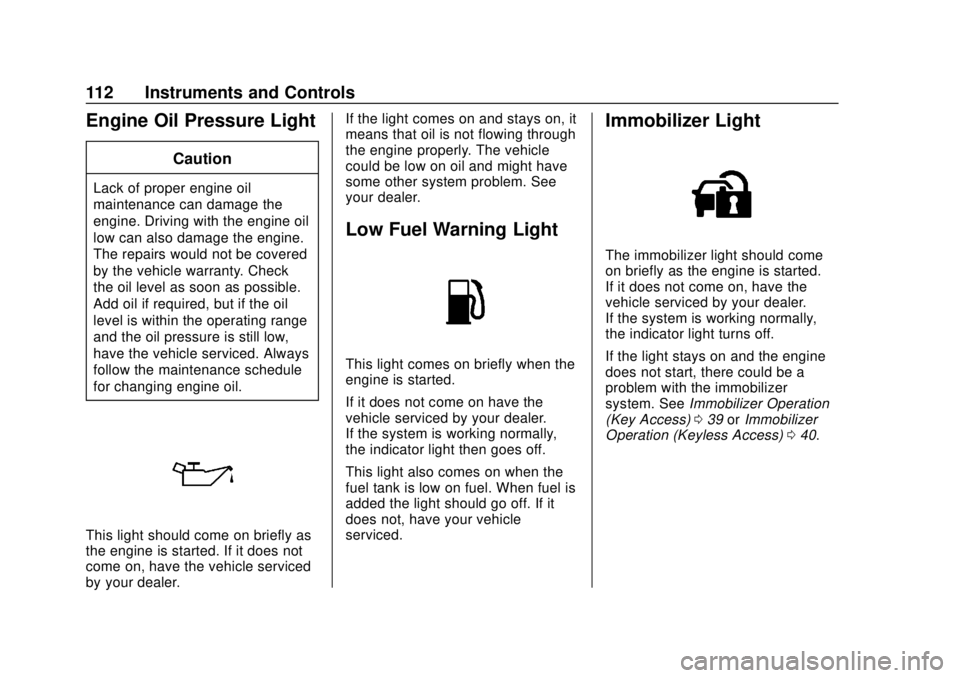
This light should come on briefly as
the engine is started. If it does not
come on, have the vehicle serviced
by your dealer.If the light comes on and stays on, it
means that oil is not flowing through
the engine properly. The vehicle
could be low on oil and might have
some other system problem. See
your dealer.
Low Fuel Warning Light
This light comes on briefly when the
engine is started.
If it does not come on have the
vehicle serviced by your dealer.
If the system is working normally,
the indicator light then goes off.
This light also comes on when the
fuel tank is low on fuel. When fuel is
added the light should go off. If it
does not, have your vehicle
serviced.
Immobilizer Light
The immobilizer light should come
on briefly as the engine is started.
If it does not come on, have the
vehicle serviced by your dealer.
If the system is working normally,
the indicator light turns off.
If the light stays on and the engine
does not start, there could be a
problem with the immobilizer
system. See
Immobilizer Operation
(Key Access) 039 orImmobilizer
Operation (Keyless Access) 040.
Page 116 of 343
Chevrolet Spark Owner Manual (GMNA-Localizing-U.S./Canada-12146335) -
2019 - CRC - 4/26/18
Instruments and Controls 115
2.w/x:Turn the band to
scroll through the menus.
3. MENU: Press to display the
Trip/Fuel menu and the Vehicle
Information menu. This button
is also used to return to or exit
the last screen displayed on
the DIC.
Vehicle Information Menu
Items (Base Level DIC)
Press MENU to view the DIC menu.
Some items display in the upper
display area, some in the lower
display area, and others use both
the upper and lower display areas.
Use
w/xto scroll through the
menu items. Not all items are
available on every vehicle. The
following is a list of possible menu
items:
. Remaining Oil Life
. Units
. Tire Learn Remaining Oil Life
This menu is not available while the
vehicle is moving. This display
shows an estimate of the oil's
remaining useful life. If 99
:% is
displayed, that means 99% of the
current oil life remains.
When the remaining oil life is low,
the
:% CHANGE message will
appear on the display. The oil
should changed as soon as
possible. See Engine Oil0218. In
addition to the engine oil life system
monitoring the oil life, additional
maintenance is recommended. See
Maintenance Schedule 0291.
Remember, the Oil Life display must
be reset after each oil change. It will
not reset itself. Also, be careful not
to reset the Oil Life display
accidentally at any time other than
when the oil has just been changed.
It cannot be reset accurately until
the next oil change. To reset the
engine oil life system, press SET/
CLR while the Oil Life display is
active. See Engine Oil Life System
0 220. Units
This menu is not available while the
vehicle is moving. Press SET/CLR
while the unit display is active and
move
w/xto change units when
UNIT SET is displayed. Press SET/
CLR to confirm the setting. Select 1,
2, or 3 for the unit display. 1 is
metric units, 2 is Imperial units, and
3 is US units. This will change the
displays on the cluster and DIC to
the type of measurements selected.
Tire Learn
This display allows for matching of
the TPMS sensors. The display will
show a vehicle with the approximate
pressures of all four tires. Tire
pressure is displayed in either
kilopascal (kPa) or pounds per
square inch (psi). See Tire Pressure
Monitor System 0255 andTire
Pressure Monitor Operation 0256.
Trip/Fuel Menu Items (Base
Level DIC)
Press MENU until the Trip/Fuel
menu is displayed. Use
w/xto
scroll through the menu items. On
Page 119 of 343
Chevrolet Spark Owner Manual (GMNA-Localizing-U.S./Canada-12146335) -
2019 - CRC - 4/26/18
118 Instruments and Controls
Average Vehicle Speed
This display shows the average
speed of the vehicle in kilometers
per hour (km/h) or miles per
hour (mph). This average is
calculated based on the various
vehicle speeds recorded since the
last reset of this value. The average
speed can be reset by pressing
SET/CLR while the Average Vehicle
Speed display is showing.
Timer
Available on some vehicles, this
display can be used as a timer. To
start the timer, press SET/CLR while
Timer is displayed. The display will
show the amount of time that has
passed since the timer was last
reset, not including time the ignition
is off. Time will continue to be
counted as long as the ignition is
on, even if another display is being
shown on the DIC. The timer will
record up to 99 hours, 59 minutes,
and 59 seconds (99:59:59) after
which the display will return to zero.To stop the timer, press SET/CLR
briefly while Timer is displayed. To
reset the timer to zero, press and
hold SET/CLR.
Vehicle Information Menu
Items (Uplevel DIC)
Press MENU on the turn signal
lever until Vehicle Information menu
is displayed. Use
w/xto scroll
through the following possible menu
items:
. Display Units
. Tire Pressure
. Remaining Oil Life
Display Units
Move
w/xto switch between
metric or US when the Unit display
is active. Press SET/CLR to confirm
the setting. This will change the
displays on the cluster and DIC to
either metric or English (US)
measurements. Tire Pressure
The display will show a vehicle
with the approximate pressures of
all four tires. Tire pressure is
displayed in either kilopascal (kPa)
or pounds per square inch (psi).
See
Tire Pressure Monitor System
0 255 andTire Pressure Monitor
Operation 0256.
Remaining Oil Life
This menu is not available while the
vehicle is moving. This display
shows an estimate of the oil's
remaining useful life. If REMAINING
OIL LIFE 99 % is displayed, that
means 99% of the current oil life
remains.
When the remaining oil life is low,
the CHANGE ENGINE OIL SOON
message will appear on the display.
The oil should changed as soon as
possible. See Engine Oil0218. In
addition to the engine oil life system
monitoring the oil life, additional
maintenance is recommended. See
Maintenance Schedule 0291.
Page 219 of 343
Chevrolet Spark Owner Manual (GMNA-Localizing-U.S./Canada-12146335) -
2019 - CRC - 4/26/18
218 Vehicle Care
1.Engine Air Cleaner/Filter 0223.
2. Engine Oil Fill Cap. See Engine Oil 0218.
3. Engine Oil Dipstick. See Engine Oil 0218.
4. Engine Cooling Fan (Out of View). See Cooling System
0 224.
5. Brake/Clutch Fluid Reservoir. See Brake Fluid 0229 and
Hydraulic Clutch 0222.
6. Engine Coolant Surge Tank and Pressure Cap. See
Cooling System 0224.
7. Windshield Washer Fluid Reservoir. See Washer Fluid
0 228.
8. Battery - North America 0231.
9. Engine Compartment Fuse
Block 0242.
Engine Oil
To ensure proper engine
performance and long life, careful
attention must be paid to engine oil. Following these simple, but
important steps will help protect
your investment:
.
Use engine oil approved to the
proper specification and of the
proper viscosity grade. See
“Selecting the Right Engine Oil”
in this section.
. Check the engine oil level
regularly and maintain the
proper oil level. See “Checking
Engine Oil” and“When to Add
Engine Oil” in this section.
. Change the engine oil at the
appropriate time. See Engine Oil
Life System 0220.
. Always dispose of engine oil
properly. See “What to Do with
Used Oil” in this section.
Checking Engine Oil
Check the engine oil level regularly,
every 650 km (400 mi), especially
prior to a long trip. The engine oil
dipstick handle is a loop. See
Engine Compartment Overview
0217 for the location.
{Warning
The engine oil dipstick handle
may be hot; it could burn you.
Use a towel or glove to touch the
dipstick handle.
If a low oil Driver Information Center
(DIC) message displays, check the
oil level.
Follow these guidelines:
. To get an accurate reading, park
the vehicle on level ground.
Check the engine oil level after
the engine has been off for at
least two hours. Checking the
engine oil level on steep grades
or too soon after engine shutoff
can result in incorrect readings.
Accuracy improves when
checking a cold engine prior to
starting. Remove the dipstick
and check the level.
. If unable to wait two hours, the
engine must be off for at least
15 minutes if the engine is
warm, or at least 30 minutes if
Page 225 of 343

Chevrolet Spark Owner Manual (GMNA-Localizing-U.S./Canada-12146335) -
2019 - CRC - 4/26/18
224 Vehicle Care
Cooling System
The cooling system allows the
engine to maintain the correct
working temperature.
1. Engine Cooling Fan (Outof View)
2. Engine Coolant Surge Tank and Pressure Cap
{Warning
An underhood electric fan can
start up even when the engine is
not running and can cause injury.
(Continued)
Warning (Continued)
Keep hands, clothing, and tools
away from any underhood
electric fan.
{Warning
Do not touch heater or radiator
hoses, or other engine parts.
They can be very hot and can
burn you. Do not run the engine if
there is a leak; all coolant could
leak out. That could cause an
engine fire and can burn you. Fix
any leak before driving the
vehicle.
Engine Coolant
The cooling system in the vehicle is
filled with DEX-COOL engine
coolant. This coolant is designed to
remain in the vehicle for 5 years or
240 000 km (150,000 mi), whichever
occurs first. The following explains the cooling
system and how to check and add
coolant when it is low. If there is a
problem with engine overheating,
see
Engine Overheating 0227.
What to Use
{Warning
Plain water, or other liquids such
as alcohol, can boil before the
proper coolant mixture will. With
plain water or the wrong mixture,
the engine could get too hot but
there would not be an overheat
warning. The engine could catch
fire and you or others could be
burned.
Use a 50/50 mixture of clean
drinkable water and DEX-COOL
coolant. This mixture:
. Gives freezing protection down
to−37 °C (−34 °F), outside
temperature
Page 227 of 343

Chevrolet Spark Owner Manual (GMNA-Localizing-U.S./Canada-12146335) -
2019 - CRC - 4/26/18
226 Vehicle Care
{Warning
Steam and scalding liquids from a
hot cooling system are under
pressure. Turning the pressure
cap, even a little, can cause them
to come out at high speed and
you could be burned. Never turn
the cap when the cooling system,
including the pressure cap, is hot.
Wait for the cooling system and
pressure cap to cool.
{Warning
Plain water, or other liquids such
as alcohol, can boil before the
proper coolant mixture will. With
plain water or the wrong mixture,
the engine could get too hot but
there would not be an overheat
warning. The engine could catch
fire and you or others could be
burned.
Caution
Failure to follow the specific
coolant fill procedure could cause
the engine to overheat and could
cause system damage. If coolant
is not visible in the surge tank,
contact your dealer.
1. Remove the coolant surge tankpressure cap when the cooling
system, including the coolant
surge tank pressure cap and
upper radiator hose, is no
longer hot.
Turn the pressure cap slowly
counterclockwise about
one-quarter of a turn. If you
hear a hiss, wait for that to stop. This will allow any
pressure still left to be vented
out the discharge hose.
2. Keep turning the pressure cap slowly and remove it.
3. Fill the coolant surge tank with the proper mixture to the
indicated level mark.
4. With the coolant surge tank pressure cap off, start the
engine and let it run until you
can feel the upper radiator
hose getting hot. Watch out for
the engine cooling fan.
By this time, the coolant level
inside the coolant surge tank
may be lower. If the level is
lower, add more of the proper
mixture to the coolant surge
tank until the level reaches the
indicated level mark.
5. Reinstall the pressure cap tightly.
Page 286 of 343
Chevrolet Spark Owner Manual (GMNA-Localizing-U.S./Canada-12146335) -
2019 - CRC - 4/26/18
Vehicle Care 285
Interior Care
To prevent dirt particle abrasions,
regularly clean the vehicle's interior.
Immediately remove any soils.
Newspapers or dark garments can
transfer color to the vehicle’s
interior.
Use a soft bristle brush to remove
dust from knobs and crevices on the
instrument cluster. Using a mild
soap solution, immediately remove
hand lotions, sunscreen, and insect
repellent from all interior surfaces or
permanent damage may result.
Use cleaners specifically designed
for the surfaces being cleaned to
prevent permanent damage. Apply
all cleaners directly to the cleaning
cloth. Do not spray cleaners on any
switches or controls. Remove
cleaners quickly.
Before using cleaners, read and
follow all safety instructions on the
label. While cleaning the interior,
open the doors and windows to get
proper ventilation.To prevent damage, do not clean
the interior using the following
cleaners or techniques:
.
Never use a razor or any other
sharp object to remove soil from
any interior surface.
. Never use a brush with stiff
bristles.
. Never rub any surface
aggressively or with too much
pressure.
. Do not use laundry detergents or
dishwashing soaps with
degreasers. For liquid cleaners,
use approximately 20 drops per
3.8 L (1 gal) of water.
A concentrated soap solution will
create streaks and attract dirt.
Do not use solutions that contain
strong or caustic soap.
. Do not heavily saturate the
upholstery when cleaning.
. Do not use solvents or cleaners
containing solvents.
Interior Glass
To clean, use a terry cloth fabric
dampened with water. Wipe droplets
left behind with a clean dry cloth.
If necessary, use a commercial
glass cleaner after cleaning with
plain water.
Caution
To prevent scratching, never use
abrasive cleaners on automotive
glass. Abrasive cleaners or
aggressive cleaning may damage
the rear window defogger.
Cleaning the windshield with water
during the first three to six months
of ownership will reduce tendency
to fog.
Speaker Covers
Vacuum around a speaker cover
gently, so that the speaker will not
be damaged. Clean spots with water
and mild soap.
Page 292 of 343
Chevrolet Spark Owner Manual (GMNA-Localizing-U.S./Canada-12146335) -
2019 - CRC - 4/26/18
Service and Maintenance 291
Maintenance
Schedule
Owner Checks and Services
At Each Fuel Stop
.Check the engine oil level. See
Engine Oil 0218.
Once a Month
. Check the tire inflation
pressures. See Tire Pressure
0 254.
. Inspect the tires for wear. See
Tire Inspection 0259.
. Check the windshield washer
fluid level. See Washer Fluid
0 228.
Engine Oil Change
When the:% CHANGE DIC
message displays, have the engine
oil and filter changed within the next
1 000 km/600 mi. If driven under the
best conditions, the engine oil life system may not indicate the need
for vehicle service for up to a year.
The engine oil and filter must be
changed at least once a year and
the oil life system must be reset.
Your trained dealer technician can
perform this work. If the engine oil
life system is reset accidentally,
service the vehicle within 5 000 km/
3,000 mi since the last service.
Reset the oil life system when the
oil is changed. See
Engine Oil Life
System 0220.
Air Conditioning Desiccant
(Replace Every Seven Years)
The air conditioning system requires
maintenance every seven years.
This service requires replacement of
the desiccant to help the longevity
and efficient operation of the air
conditioning system. This service
can be complex. See your dealer.
Tire Rotation and Required
Services Every 12 000 km/
7,500 mi
Rotate the tires, if recommended for
the vehicle, and perform the
following services. See Tire
Rotation 0259.
. Check engine oil level and oil
life percentage. If needed,
change engine oil and filter, and
reset oil life system. See Engine
Oil 0218 andEngine Oil Life
System 0220.
. Check engine coolant level. See
Cooling System 0224.
. Check windshield washer fluid
level. See Washer Fluid 0228.
. Check tire inflation pressures.
See Tire Pressure 0254.
. Inspect tire wear. See Tire
Inspection 0259.
. Visually check for fluid leaks.
. Inspect engine air cleaner filter.
See Engine Air Cleaner/Filter
0 223.