tire pressure CHEVROLET SPARK 2021 Owner's Manual
[x] Cancel search | Manufacturer: CHEVROLET, Model Year: 2021, Model line: SPARK, Model: CHEVROLET SPARK 2021Pages: 270, PDF Size: 8.19 MB
Page 4 of 270
Chevrolet Spark Owner Manual (GMNA-Localizing-U.S./Canada-14622955) -
2021 - CRC - 1/28/21
Introduction 3
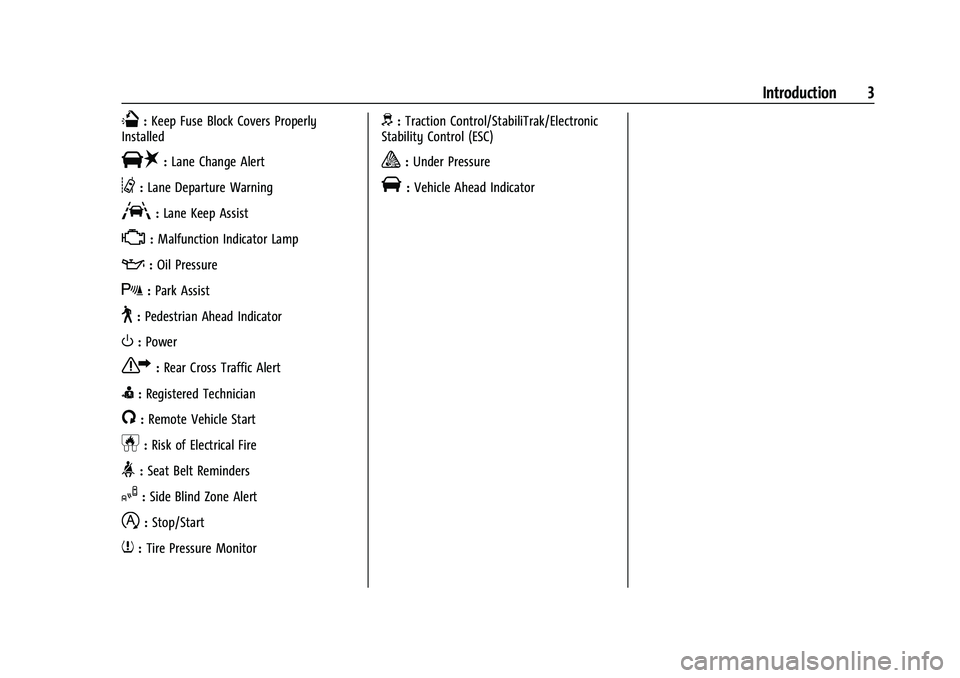
Q:Keep Fuse Block Covers Properly
Installed
|: Lane Change Alert
@:Lane Departure Warning
A:Lane Keep Assist
*: Malfunction Indicator Lamp
::Oil Pressure
X:Park Assist
~:Pedestrian Ahead Indicator
O:Power
7:Rear Cross Traffic Alert
I:Registered Technician
/:Remote Vehicle Start
h:Risk of Electrical Fire
>:Seat Belt Reminders
I:Side Blind Zone Alert
h:Stop/Start
7:Tire Pressure Monitor
d:Traction Control/StabiliTrak/Electronic
Stability Control (ESC)
a: Under Pressure
V: Vehicle Ahead Indicator
Page 68 of 270
Chevrolet Spark Owner Manual (GMNA-Localizing-U.S./Canada-14622955) -
2021 - CRC - 8/17/20
Instruments and Controls 67
Instruments and Controls
Controls
Steering Wheel Adjustment . . . . . . . . . . . . 68
Steering Wheel Controls . . . . . . . . . . . . . . . 68
Horn . . . . . . . . . . . . . . . . . . . . . . . . . . . . . . . . . . . 68
Windshield Wiper/Washer . . . . . . . . . . . . . 68
Rear Window Wiper/Washer . . . . . . . . . . . 69
Compass . . . . . . . . . . . . . . . . . . . . . . . . . . . . . . . 70
Clock . . . . . . . . . . . . . . . . . . . . . . . . . . . . . . . . . . . 70
Power Outlets . . . . . . . . . . . . . . . . . . . . . . . . . . 70
Warning Lights, Gauges, and Indicators
Warning Lights, Gauges, andIndicators . . . . . . . . . . . . . . . . . . . . . . . . . . . . . 71
Instrument Cluster . . . . . . . . . . . . . . . . . . . . . . 72
Speedometer . . . . . . . . . . . . . . . . . . . . . . . . . . . 72
Odometer . . . . . . . . . . . . . . . . . . . . . . . . . . . . . . 72
Trip Odometer . . . . . . . . . . . . . . . . . . . . . . . . . . 72
Tachometer . . . . . . . . . . . . . . . . . . . . . . . . . . . . . 72
Fuel Gauge . . . . . . . . . . . . . . . . . . . . . . . . . . . . . 73
Seat Belt Reminders . . . . . . . . . . . . . . . . . . . . 73
Airbag Readiness Light . . . . . . . . . . . . . . . . . 74
Passenger Airbag Status Indicator . . . . . . 74
Charging System Light . . . . . . . . . . . . . . . . . . 75
Malfunction Indicator Lamp (Check Engine Light) . . . . . . . . . . . . . . . . . . . . . . . . . . 75
Service Vehicle Soon Light . . . . . . . . . . . . . . 77
Owner Manual Indicator . . . . . . . . . . . . . . . . 77
Brake System Warning Light . . . . . . . . . . . . 77 Antilock Brake System (ABS) Warning
Light . . . . . . . . . . . . . . . . . . . . . . . . . . . . . . . . . . 78
Operate Pedal Light . . . . . . . . . . . . . . . . . . . . 78
Up-Shift Light . . . . . . . . . . . . . . . . . . . . . . . . . . . 78
Power Steering Warning Light . . . . . . . . . . 78
Lane Departure Warning (LDW) Light . . . 78
Vehicle Ahead Indicator . . . . . . . . . . . . . . . . 79
Ultrasonic Parking Sensor Light . . . . . . . . . 79
Traction Off Light . . . . . . . . . . . . . . . . . . . . . . 79
StabiliTrak OFF Light . . . . . . . . . . . . . . . . . . . . 79
Traction Control System (TCS)/StabiliTrak Light . . . . . . . . . . . . . . . . . . . . . . . . . . . . . . . . . 80
Engine Coolant Temperature Warning Light . . . . . . . . . . . . . . . . . . . . . . . . . . . . . . . . . 80
Tire Pressure Light . . . . . . . . . . . . . . . . . . . . . 80
Engine Oil Pressure Light . . . . . . . . . . . . . . . 81
Low Fuel Warning Light . . . . . . . . . . . . . . . . 81
Immobilizer Light . . . . . . . . . . . . . . . . . . . . . . . 81
Reduced Engine Power Light . . . . . . . . . . . . 82
High-Beam On Light . . . . . . . . . . . . . . . . . . . . 82
Front Fog Lamp Light . . . . . . . . . . . . . . . . . . . 82
Lamps On Reminder . . . . . . . . . . . . . . . . . . . . 82
Cruise Control Light . . . . . . . . . . . . . . . . . . . . 82
Hood Ajar Light . . . . . . . . . . . . . . . . . . . . . . . . 83
Door Ajar Light . . . . . . . . . . . . . . . . . . . . . . . . . 83
Information Displays
Driver Information Center (DIC) . . . . . . . . . 83
Vehicle Messages
Vehicle Messages (Base Level Cluster) . . . . . . . . . . . . . . . . . . . . . . . . . . . . . . . 87
Vehicle Messages (Uplevel Cluster) . . . . . 88
Engine Power Messages . . . . . . . . . . . . . . . . 88
Vehicle Speed Messages . . . . . . . . . . . . . . . . 88
Vehicle Personalization
Vehicle Personalization . . . . . . . . . . . . . . . . . 88
Page 81 of 270
Chevrolet Spark Owner Manual (GMNA-Localizing-U.S./Canada-14622955) -
2021 - CRC - 8/17/20
80 Instruments and Controls
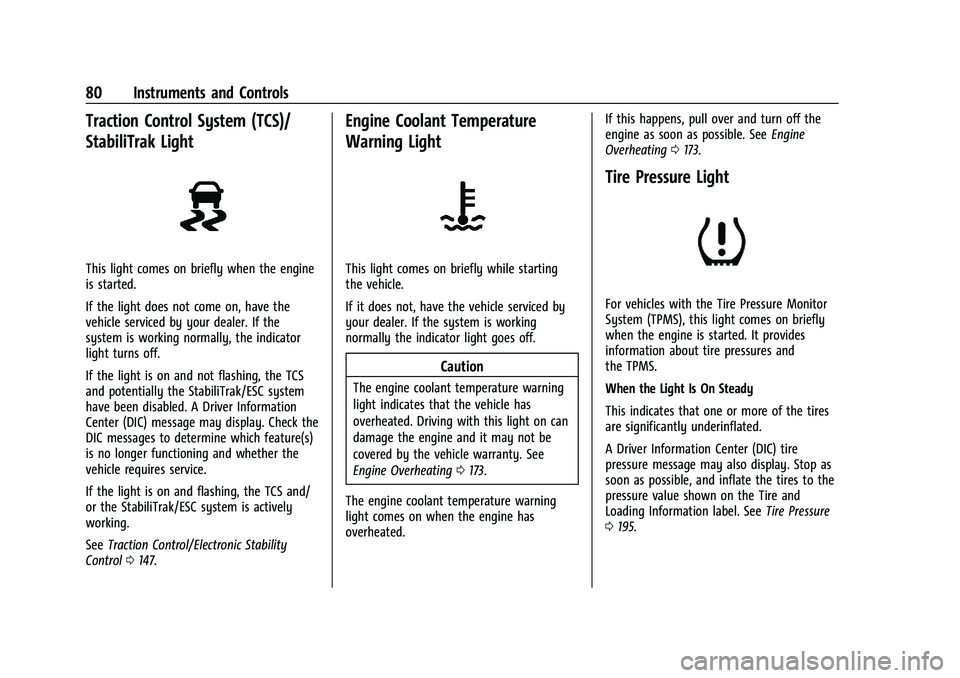
Traction Control System (TCS)/
StabiliTrak Light
This light comes on briefly when the engine
is started.
If the light does not come on, have the
vehicle serviced by your dealer. If the
system is working normally, the indicator
light turns off.
If the light is on and not flashing, the TCS
and potentially the StabiliTrak/ESC system
have been disabled. A Driver Information
Center (DIC) message may display. Check the
DIC messages to determine which feature(s)
is no longer functioning and whether the
vehicle requires service.
If the light is on and flashing, the TCS and/
or the StabiliTrak/ESC system is actively
working.
SeeTraction Control/Electronic Stability
Control 0147.
Engine Coolant Temperature
Warning Light
This light comes on briefly while starting
the vehicle.
If it does not, have the vehicle serviced by
your dealer. If the system is working
normally the indicator light goes off.
Caution
The engine coolant temperature warning
light indicates that the vehicle has
overheated. Driving with this light on can
damage the engine and it may not be
covered by the vehicle warranty. See
Engine Overheating 0173.
The engine coolant temperature warning
light comes on when the engine has
overheated. If this happens, pull over and turn off the
engine as soon as possible. See
Engine
Overheating 0173.
Tire Pressure Light
For vehicles with the Tire Pressure Monitor
System (TPMS), this light comes on briefly
when the engine is started. It provides
information about tire pressures and
the TPMS.
When the Light Is On Steady
This indicates that one or more of the tires
are significantly underinflated.
A Driver Information Center (DIC) tire
pressure message may also display. Stop as
soon as possible, and inflate the tires to the
pressure value shown on the Tire and
Loading Information label. See Tire Pressure
0 195.
Page 82 of 270
Chevrolet Spark Owner Manual (GMNA-Localizing-U.S./Canada-14622955) -
2021 - CRC - 8/17/20
Instruments and Controls 81
When the Light Flashes First and Then Is On
Steady
If the light flashes for about a minute and
then stays on, there may be a problem with
the TPMS. If the problem is not corrected,
the light will come on at every ignition
cycle. SeeTire Pressure Monitor Operation
0 197.
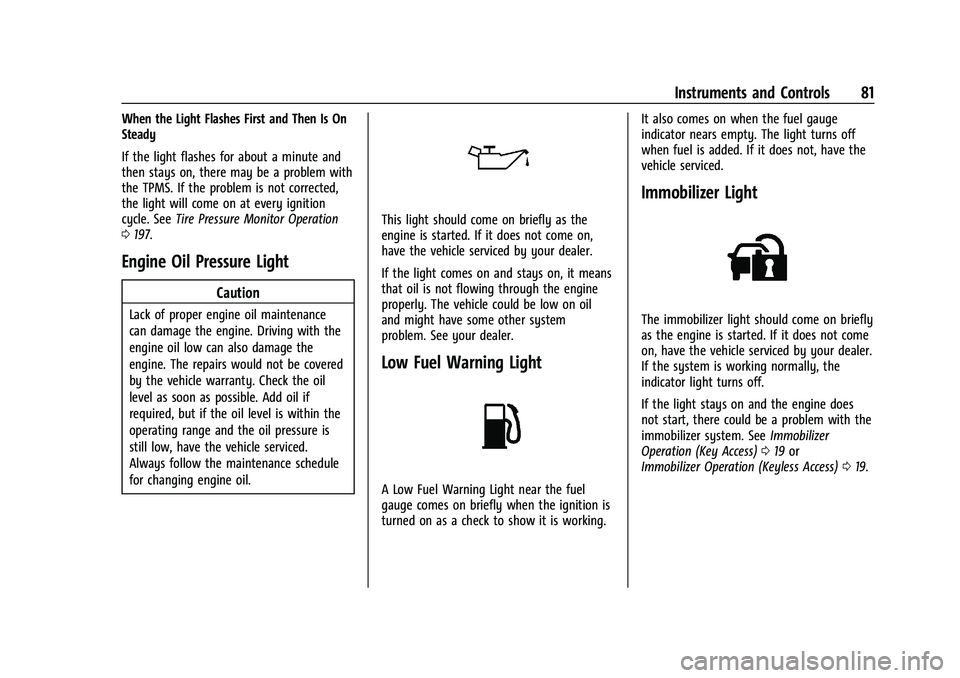
Engine Oil Pressure Light
Caution
Lack of proper engine oil maintenance
can damage the engine. Driving with the
engine oil low can also damage the
engine. The repairs would not be covered
by the vehicle warranty. Check the oil
level as soon as possible. Add oil if
required, but if the oil level is within the
operating range and the oil pressure is
still low, have the vehicle serviced.
Always follow the maintenance schedule
for changing engine oil.
This light should come on briefly as the
engine is started. If it does not come on,
have the vehicle serviced by your dealer.
If the light comes on and stays on, it means
that oil is not flowing through the engine
properly. The vehicle could be low on oil
and might have some other system
problem. See your dealer.
Low Fuel Warning Light
A Low Fuel Warning Light near the fuel
gauge comes on briefly when the ignition is
turned on as a check to show it is working. It also comes on when the fuel gauge
indicator nears empty. The light turns off
when fuel is added. If it does not, have the
vehicle serviced.
Immobilizer Light
The immobilizer light should come on briefly
as the engine is started. If it does not come
on, have the vehicle serviced by your dealer.
If the system is working normally, the
indicator light turns off.
If the light stays on and the engine does
not start, there could be a problem with the
immobilizer system. See
Immobilizer
Operation (Key Access) 019 or
Immobilizer Operation (Keyless Access) 019.
Page 85 of 270
Chevrolet Spark Owner Manual (GMNA-Localizing-U.S./Canada-14622955) -
2021 - CRC - 8/17/20
84 Instruments and Controls
the engine oil life system monitoring the oil
life, additional maintenance is
recommended. SeeMaintenance Schedule
0 226.
Remember, the Oil Life display must be
reset after each oil change. It will not reset
itself. Also, be careful not to reset the Oil
Life display accidentally at any time other
than when the oil has just been changed.
It cannot be reset accurately until the next
oil change. To reset the engine oil life
system, press SET/CLR while the Oil Life
display is active. See Engine Oil Life System
0 168.
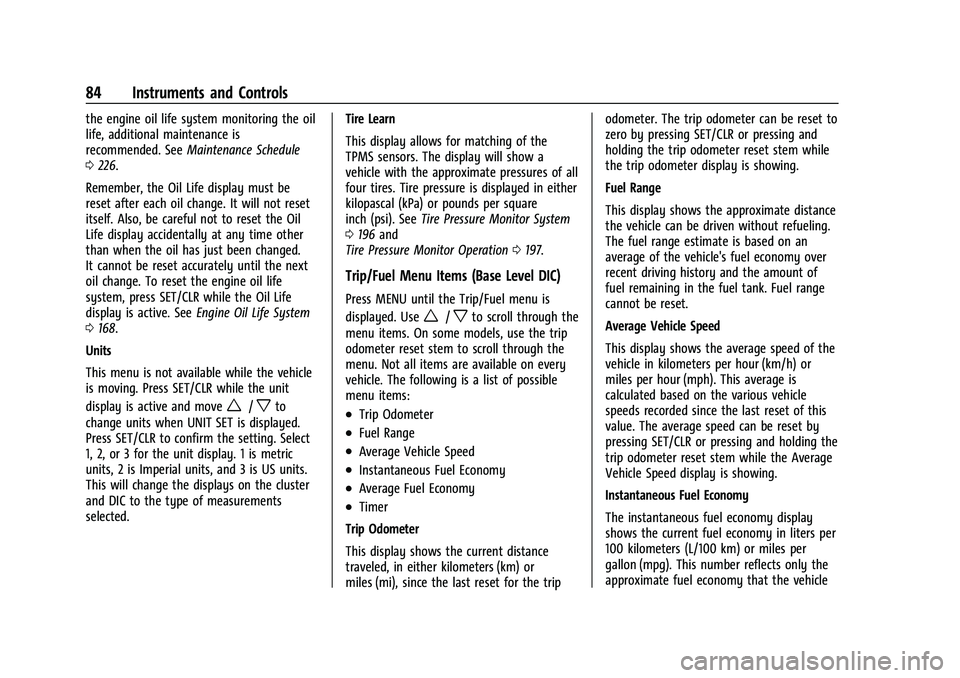
Units
This menu is not available while the vehicle
is moving. Press SET/CLR while the unit
display is active and move
w/xto
change units when UNIT SET is displayed.
Press SET/CLR to confirm the setting. Select
1, 2, or 3 for the unit display. 1 is metric
units, 2 is Imperial units, and 3 is US units.
This will change the displays on the cluster
and DIC to the type of measurements
selected. Tire Learn
This display allows for matching of the
TPMS sensors. The display will show a
vehicle with the approximate pressures of all
four tires. Tire pressure is displayed in either
kilopascal (kPa) or pounds per square
inch (psi). See
Tire Pressure Monitor System
0 196 and
Tire Pressure Monitor Operation 0197.
Trip/Fuel Menu Items (Base Level DIC)
Press MENU until the Trip/Fuel menu is
displayed. Use
w/xto scroll through the
menu items. On some models, use the trip
odometer reset stem to scroll through the
menu. Not all items are available on every
vehicle. The following is a list of possible
menu items:
.Trip Odometer
.Fuel Range
.Average Vehicle Speed
.Instantaneous Fuel Economy
.Average Fuel Economy
.Timer
Trip Odometer
This display shows the current distance
traveled, in either kilometers (km) or
miles (mi), since the last reset for the trip odometer. The trip odometer can be reset to
zero by pressing SET/CLR or pressing and
holding the trip odometer reset stem while
the trip odometer display is showing.
Fuel Range
This display shows the approximate distance
the vehicle can be driven without refueling.
The fuel range estimate is based on an
average of the vehicle's fuel economy over
recent driving history and the amount of
fuel remaining in the fuel tank. Fuel range
cannot be reset.
Average Vehicle Speed
This display shows the average speed of the
vehicle in kilometers per hour (km/h) or
miles per hour (mph). This average is
calculated based on the various vehicle
speeds recorded since the last reset of this
value. The average speed can be reset by
pressing SET/CLR or pressing and holding the
trip odometer reset stem while the Average
Vehicle Speed display is showing.
Instantaneous Fuel Economy
The instantaneous fuel economy display
shows the current fuel economy in liters per
100 kilometers (L/100 km) or miles per
gallon (mpg). This number reflects only the
approximate fuel economy that the vehicle
Page 87 of 270
Chevrolet Spark Owner Manual (GMNA-Localizing-U.S./Canada-14622955) -
2021 - CRC - 8/17/20
86 Instruments and Controls
Average Fuel Economy
This display shows the approximate average
liters per 100 kilometers (L/100 km) or miles
per gallon (mpg). This number is calculated
based on the number of L/100 km (mpg)
recorded since the last time this menu item
was reset. This number reflects only the
approximate average fuel economy that the
vehicle has right now, and will change as
driving conditions change. The fuel economy
can be reset by pressing SET/CLR while the
Average Fuel Economy display is showing.
Average Vehicle Speed
This display shows the average speed of the
vehicle in kilometers per hour (km/h) or
miles per hour (mph). This average is
calculated based on the various vehicle
speeds recorded since the last reset of this
value. The average speed can be reset by
pressing SET/CLR while the Average Vehicle
Speed display is showing.
Timer
Available on some vehicles, this display can
be used as a timer. To start the timer, press
SET/CLR while Timer is displayed. The
display will show the amount of time that
has passed since the timer was last reset,
not including time the ignition is off. Timewill continue to be counted as long as the
ignition is on, even if another display is
being shown on the DIC. The timer will
record up to 99 hours, 59 minutes, and
59 seconds (99:59:59) after which the
display will return to zero. To stop the
timer, press SET/CLR briefly while Timer is
displayed. To reset the timer to zero, press
and hold SET/CLR.
Vehicle Information Menu Items
(Uplevel DIC)
Press MENU on the turn signal lever until
Vehicle Information menu is displayed. Use
w/xto scroll through the following
possible menu items:
.Display Units
.Tire Pressure
.Remaining Oil Life
Display Units
Move
w/xto switch between metric or
US when the Unit display is active. Press
SET/CLR to confirm the setting. This will
change the displays on the cluster and DIC
to either metric or English (US)
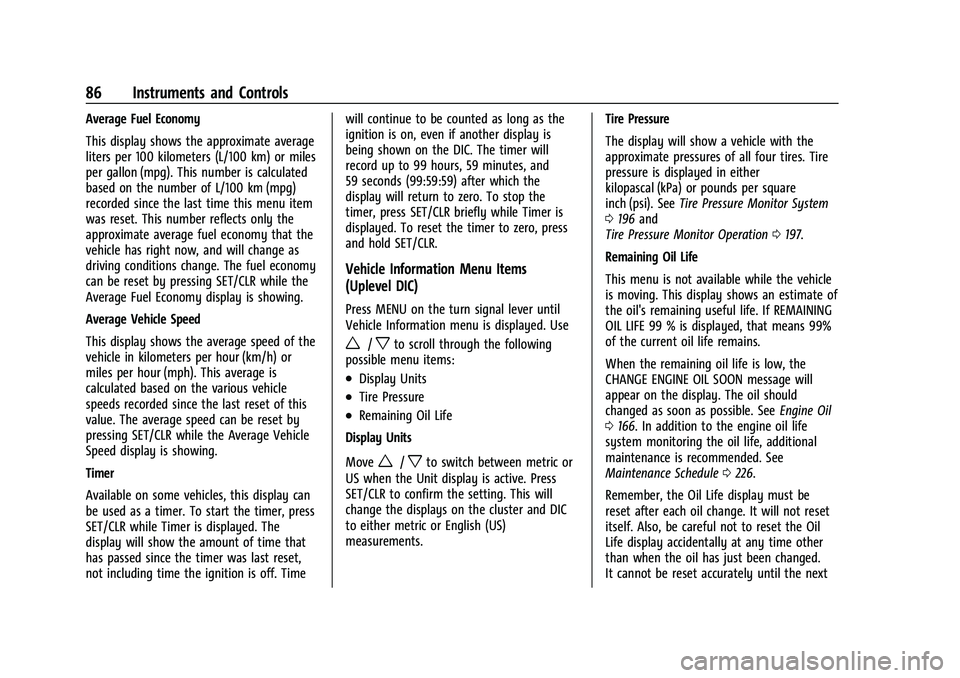
measurements. Tire Pressure
The display will show a vehicle with the
approximate pressures of all four tires. Tire
pressure is displayed in either
kilopascal (kPa) or pounds per square
inch (psi). See
Tire Pressure Monitor System
0 196 and
Tire Pressure Monitor Operation 0197.
Remaining Oil Life
This menu is not available while the vehicle
is moving. This display shows an estimate of
the oil's remaining useful life. If REMAINING
OIL LIFE 99 % is displayed, that means 99%
of the current oil life remains.
When the remaining oil life is low, the
CHANGE ENGINE OIL SOON message will
appear on the display. The oil should
changed as soon as possible. See Engine Oil
0 166. In addition to the engine oil life
system monitoring the oil life, additional
maintenance is recommended. See
Maintenance Schedule 0226.
Remember, the Oil Life display must be
reset after each oil change. It will not reset
itself. Also, be careful not to reset the Oil
Life display accidentally at any time other
than when the oil has just been changed.
It cannot be reset accurately until the next
Page 89 of 270
Chevrolet Spark Owner Manual (GMNA-Localizing-U.S./Canada-14622955) -
2021 - CRC - 8/17/20
88 Instruments and Controls
System. SeeEngine Oil Life System 0168,
Engine Oil 0166, and Maintenance Schedule
0 226.
Vehicle Messages (Uplevel
Cluster)
Messages displayed on the DIC indicate the
status of the vehicle or some action that
may be needed to correct a condition.
Multiple messages may appear one after
another.
The messages that do not require
immediate action can be acknowledged and
cleared by pressing SET/CLR. The messages
that require immediate action cannot be
cleared until that action is performed.
All messages should be taken seriously;
clearing the message does not correct the
problem.
If a SERVICE message appears, see your
dealer.
Follow the instructions given in the
messages. The system displays messages
regarding the following topics:
.Service Messages
.Fluid Levels
.Vehicle Security
.Brakes
.Steering
.Ride Control Systems
.Driver Assistance Systems
.Cruise Control
.Lighting and Bulb Replacement
.Wiper/Washer Systems
.Doors and Windows
.Seat Belts
.Airbag Systems
.Engine and Transmission
.Tire Pressure
.Battery
Engine Power Messages
ENGINE POWER IS REDUCED
This message displays when the vehicle's
propulsion power is reduced. A reduction in
propulsion power can affect the vehicle's
ability to accelerate. If this message is on,
but there is no observed reduction in
performance, proceed to your destination.
Under certain conditions the performance
may be reduced the next time the vehicle is
driven. The vehicle may be driven while this
message is on, but maximum acceleration
and speed may be reduced. Anytime this message stays on, or displays repeatedly,
the vehicle should be taken to your dealer
for service as soon as possible.
Under certain operating conditions,
propulsion will be disabled. Try restarting
after the ignition has been off for
30 seconds.
Vehicle Speed Messages
SPEED LIMITED TO XXX KM/H (MPH)
This message shows that the vehicle speed
has been limited to the speed displayed. The
limited speed is a protection for various
propulsion and vehicle systems, such as
lubrication, thermal, brakes, suspension,
Teen Driver if equipped, or tires.
Vehicle Personalization
The following are all possible vehicle
personalization features. Depending on the
vehicle, some may not be available.
For System and Apps features and functions,
see
Settings 0113.
To access the vehicle personalization menu: 1. Touch the Settings icon on the Home Page of the infotainment display.
Page 132 of 270
Chevrolet Spark Owner Manual (GMNA-Localizing-U.S./Canada-14622955) -
2021 - CRC - 8/17/20
Driving and Operating 131
Vehicle Load Limits
It is very important to know how much
weight the vehicle can carry. This
weight is called the vehicle capacity
weight and includes the weight of all
occupants, cargo, and all
nonfactory-installed options. Two labels
on the vehicle may show how much
weight it may properly carry: the Tire
and Loading Information label and the
Certification label.
{Warning
Do not load the vehicle any heavier
than the Gross Vehicle Weight Rating
(GVWR), or either the maximum
front or rear Gross Axle Weight
Rating (GAWR). This can cause
systems to break and change the
way the vehicle handles. This could
cause loss of control and a crash.
Overloading can also reduce stopping
performance, damage the tires, and
shorten the life of the vehicle. Tire and Loading Information LabelLabel Example
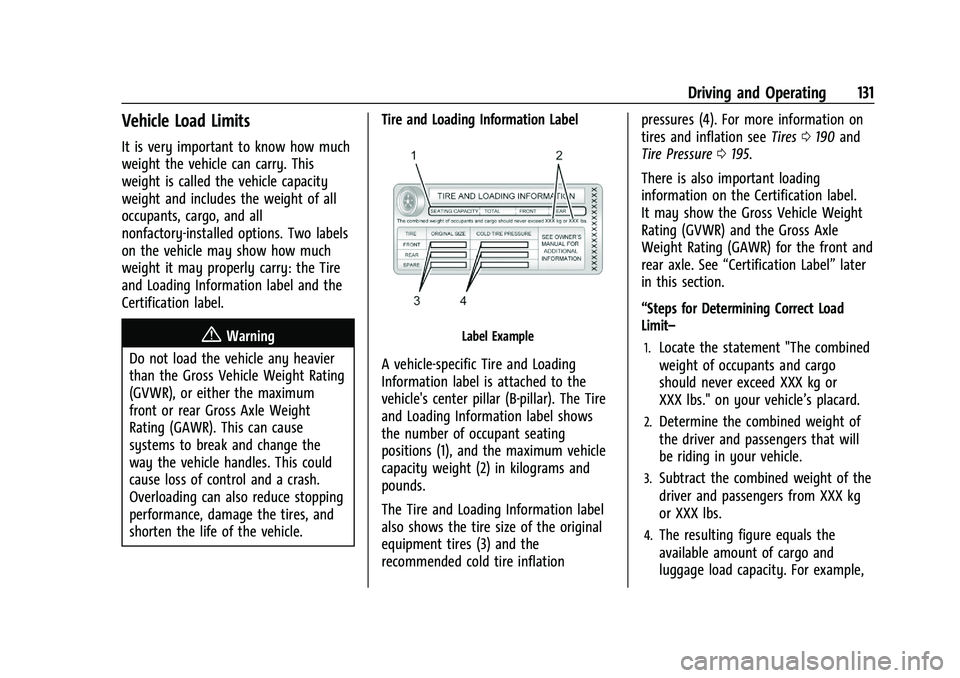
A vehicle-specific Tire and Loading
Information label is attached to the
vehicle's center pillar (B-pillar). The Tire
and Loading Information label shows
the number of occupant seating
positions (1), and the maximum vehicle
capacity weight (2) in kilograms and
pounds.
The Tire and Loading Information label
also shows the tire size of the original
equipment tires (3) and the
recommended cold tire inflation pressures (4). For more information on
tires and inflation see
Tires0190 and
Tire Pressure 0195.
There is also important loading
information on the Certification label.
It may show the Gross Vehicle Weight
Rating (GVWR) and the Gross Axle
Weight Rating (GAWR) for the front and
rear axle. See “Certification Label” later
in this section.
“Steps for Determining Correct Load
Limit–
1.Locate the statement "The combined
weight of occupants and cargo
should never exceed XXX kg or
XXX lbs." on your vehicle’s placard.
2.Determine the combined weight of
the driver and passengers that will
be riding in your vehicle.
3.Subtract the combined weight of the
driver and passengers from XXX kg
or XXX lbs.
4.The resulting figure equals the
available amount of cargo and
luggage load capacity. For example,
Page 162 of 270
Chevrolet Spark Owner Manual (GMNA-Localizing-U.S./Canada-14622955) -
2021 - CRC - 8/17/20
Vehicle Care 161
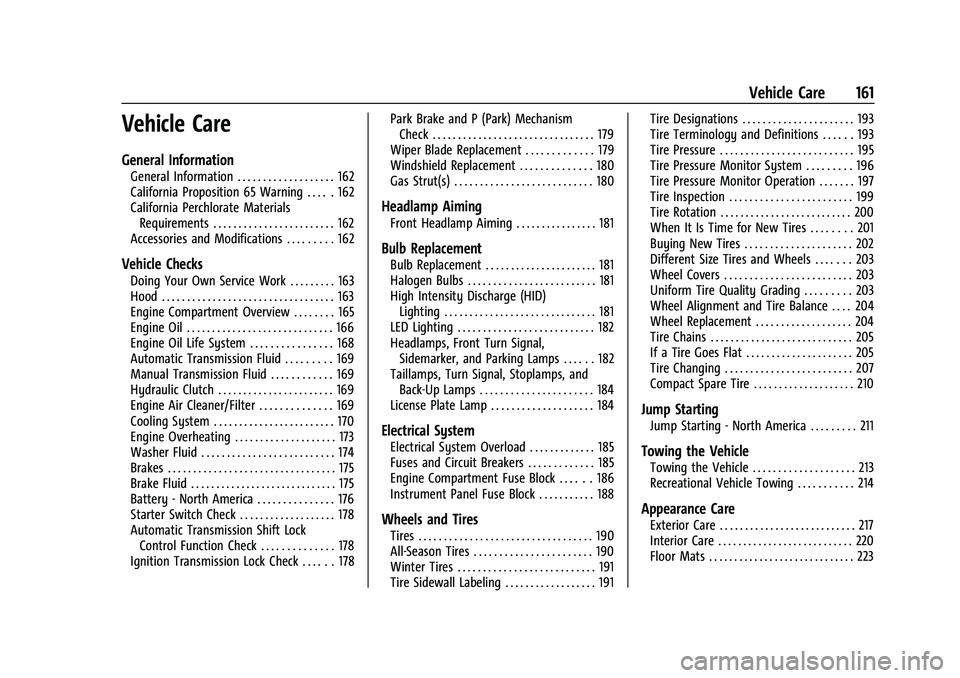
Vehicle Care
General Information
General Information . . . . . . . . . . . . . . . . . . . 162
California Proposition 65 Warning . . . . . 162
California Perchlorate MaterialsRequirements . . . . . . . . . . . . . . . . . . . . . . . . 162
Accessories and Modifications . . . . . . . . . 162
Vehicle Checks
Doing Your Own Service Work . . . . . . . . . 163
Hood . . . . . . . . . . . . . . . . . . . . . . . . . . . . . . . . . . 163
Engine Compartment Overview . . . . . . . . 165
Engine Oil . . . . . . . . . . . . . . . . . . . . . . . . . . . . . 166
Engine Oil Life System . . . . . . . . . . . . . . . . 168
Automatic Transmission Fluid . . . . . . . . . 169
Manual Transmission Fluid . . . . . . . . . . . . 169
Hydraulic Clutch . . . . . . . . . . . . . . . . . . . . . . . 169
Engine Air Cleaner/Filter . . . . . . . . . . . . . . 169
Cooling System . . . . . . . . . . . . . . . . . . . . . . . . 170
Engine Overheating . . . . . . . . . . . . . . . . . . . . 173
Washer Fluid . . . . . . . . . . . . . . . . . . . . . . . . . . 174
Brakes . . . . . . . . . . . . . . . . . . . . . . . . . . . . . . . . . 175
Brake Fluid . . . . . . . . . . . . . . . . . . . . . . . . . . . . . 175
Battery - North America . . . . . . . . . . . . . . . 176
Starter Switch Check . . . . . . . . . . . . . . . . . . . 178
Automatic Transmission Shift Lock Control Function Check . . . . . . . . . . . . . . 178
Ignition Transmission Lock Check . . . . . . 178 Park Brake and P (Park) Mechanism
Check . . . . . . . . . . . . . . . . . . . . . . . . . . . . . . . . 179
Wiper Blade Replacement . . . . . . . . . . . . . 179
Windshield Replacement . . . . . . . . . . . . . . 180
Gas Strut(s) . . . . . . . . . . . . . . . . . . . . . . . . . . . 180
Headlamp Aiming
Front Headlamp Aiming . . . . . . . . . . . . . . . . 181
Bulb Replacement
Bulb Replacement . . . . . . . . . . . . . . . . . . . . . . 181
Halogen Bulbs . . . . . . . . . . . . . . . . . . . . . . . . . 181
High Intensity Discharge (HID) Lighting . . . . . . . . . . . . . . . . . . . . . . . . . . . . . . 181
LED Lighting . . . . . . . . . . . . . . . . . . . . . . . . . . . 182
Headlamps, Front Turn Signal, Sidemarker, and Parking Lamps . . . . . . 182
Taillamps, Turn Signal, Stoplamps, and Back-Up Lamps . . . . . . . . . . . . . . . . . . . . . . 184
License Plate Lamp . . . . . . . . . . . . . . . . . . . . 184
Electrical System
Electrical System Overload . . . . . . . . . . . . . 185
Fuses and Circuit Breakers . . . . . . . . . . . . . 185
Engine Compartment Fuse Block . . . . . . 186
Instrument Panel Fuse Block . . . . . . . . . . . 188
Wheels and Tires
Tires . . . . . . . . . . . . . . . . . . . . . . . . . . . . . . . . . . 190
All-Season Tires . . . . . . . . . . . . . . . . . . . . . . . 190
Winter Tires . . . . . . . . . . . . . . . . . . . . . . . . . . . 191
Tire Sidewall Labeling . . . . . . . . . . . . . . . . . . 191 Tire Designations . . . . . . . . . . . . . . . . . . . . . . 193
Tire Terminology and Definitions . . . . . . 193
Tire Pressure . . . . . . . . . . . . . . . . . . . . . . . . . . 195
Tire Pressure Monitor System . . . . . . . . . 196
Tire Pressure Monitor Operation . . . . . . . 197
Tire Inspection . . . . . . . . . . . . . . . . . . . . . . . . 199
Tire Rotation . . . . . . . . . . . . . . . . . . . . . . . . . . 200
When It Is Time for New Tires . . . . . . . . 201
Buying New Tires . . . . . . . . . . . . . . . . . . . . . 202
Different Size Tires and Wheels . . . . . . . 203
Wheel Covers . . . . . . . . . . . . . . . . . . . . . . . . . 203
Uniform Tire Quality Grading . . . . . . . . . 203
Wheel Alignment and Tire Balance . . . . 204
Wheel Replacement . . . . . . . . . . . . . . . . . . . 204
Tire Chains . . . . . . . . . . . . . . . . . . . . . . . . . . . . 205
If a Tire Goes Flat . . . . . . . . . . . . . . . . . . . . . 205
Tire Changing . . . . . . . . . . . . . . . . . . . . . . . . . 207
Compact Spare Tire . . . . . . . . . . . . . . . . . . . . 210
Jump Starting
Jump Starting - North America . . . . . . . . . 211
Towing the Vehicle
Towing the Vehicle . . . . . . . . . . . . . . . . . . . . 213
Recreational Vehicle Towing . . . . . . . . . . . 214
Appearance Care
Exterior Care . . . . . . . . . . . . . . . . . . . . . . . . . . . 217
Interior Care . . . . . . . . . . . . . . . . . . . . . . . . . . . 220
Floor Mats . . . . . . . . . . . . . . . . . . . . . . . . . . . . . 223
Page 191 of 270
Chevrolet Spark Owner Manual (GMNA-Localizing-U.S./Canada-14622955) -
2021 - CRC - 8/17/20
190 Vehicle Care
FusesUsage
BCM2 (AT S&S) Body control module 2 (CVT stop and start)
Relays Usage
RLY1 Logistics
RLY2 Accessory/Retained accessory power
RLY3 Interruptible retained accessory power
RLY4 Run
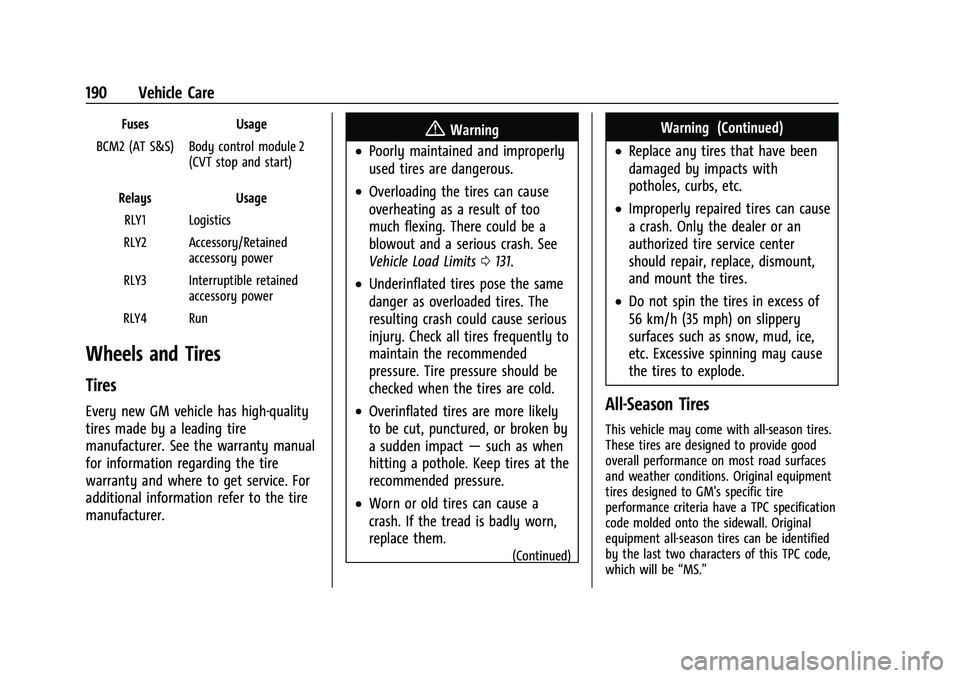
Wheels and Tires
Tires
Every new GM vehicle has high-quality
tires made by a leading tire
manufacturer. See the warranty manual
for information regarding the tire
warranty and where to get service. For
additional information refer to the tire
manufacturer.
{Warning
.Poorly maintained and improperly
used tires are dangerous.
.Overloading the tires can cause
overheating as a result of too
much flexing. There could be a
blowout and a serious crash. See
Vehicle Load Limits 0131.
.Underinflated tires pose the same
danger as overloaded tires. The
resulting crash could cause serious
injury. Check all tires frequently to
maintain the recommended
pressure. Tire pressure should be
checked when the tires are cold.
.Overinflated tires are more likely
to be cut, punctured, or broken by
a sudden impact —such as when
hitting a pothole. Keep tires at the
recommended pressure.
.Worn or old tires can cause a
crash. If the tread is badly worn,
replace them.
(Continued)
Warning (Continued)
.Replace any tires that have been
damaged by impacts with
potholes, curbs, etc.
.Improperly repaired tires can cause
a crash. Only the dealer or an
authorized tire service center
should repair, replace, dismount,
and mount the tires.
.Do not spin the tires in excess of
56 km/h (35 mph) on slippery
surfaces such as snow, mud, ice,
etc. Excessive spinning may cause
the tires to explode.
All-Season Tires
This vehicle may come with all-season tires.
These tires are designed to provide good
overall performance on most road surfaces
and weather conditions. Original equipment
tires designed to GM's specific tire
performance criteria have a TPC specification
code molded onto the sidewall. Original
equipment all-season tires can be identified
by the last two characters of this TPC code,
which will be “MS.”