instrument panel CHEVROLET SPARK 2022 User Guide
[x] Cancel search | Manufacturer: CHEVROLET, Model Year: 2022, Model line: SPARK, Model: CHEVROLET SPARK 2022Pages: 270, PDF Size: 8.57 MB
Page 93 of 270

Chevrolet Spark Owner Manual (GMNA-Localizing-U.S./Canada-14622955) -
2021 - CRC - 8/17/20
92 Lighting
Lighting
Exterior Lighting
Exterior Lamp Controls . . . . . . . . . . . . . . . . . 92
Exterior Lamps Off Reminder . . . . . . . . . . . 92
Headlamp High/Low-Beam Changer . . . . 92
Flash-to-Pass . . . . . . . . . . . . . . . . . . . . . . . . . . . . 93
Daytime Running Lamps (DRL) . . . . . . . . . 93
Automatic Headlamp System . . . . . . . . . . . 93
Hazard Warning Flashers . . . . . . . . . . . . . . . 94
Turn and Lane-Change Signals . . . . . . . . . . 94
Fog Lamps . . . . . . . . . . . . . . . . . . . . . . . . . . . . . . 95
Interior Lighting
Instrument Panel IlluminationControl . . . . . . . . . . . . . . . . . . . . . . . . . . . . . . . 95
Courtesy Lamps . . . . . . . . . . . . . . . . . . . . . . . . 95
Dome Lamps . . . . . . . . . . . . . . . . . . . . . . . . . . . 95
Reading Lamps . . . . . . . . . . . . . . . . . . . . . . . . . 96
Lighting Features
Entry Lighting . . . . . . . . . . . . . . . . . . . . . . . . . . 96
Exit Lighting . . . . . . . . . . . . . . . . . . . . . . . . . . . 96
Battery Power Protection . . . . . . . . . . . . . . 96
Exterior Lighting Battery Saver . . . . . . . . . 96
Exterior Lighting
Exterior Lamp Controls
The exterior lamp control is on the
instrument panel to the outboard side of
the steering column.
There are four positions:
O: Turns the exterior lamps off and
deactivates the AUTO mode. Turn to
O
again to reactivate the AUTO mode.
In Canada, the headlamps will automatically
reactivate when the vehicle is shifted out of
P (Park).
AUTO : If equipped, turns the exterior lamps
on and off automatically depending on
outside lighting.
;: Turns on the parking lamps including
all lamps except the headlamps.
5: Turns the headlamps on together with
the parking lamps and instrument panel
lights. A warning chime sounds if the driver
door is opened when the ignition switch is
off and the headlamps are on.
#: If equipped, press to turn the fog lamps
on or off.
See Fog Lamps 095.
When the lights are on,
;will be lit. See
Lamps On Reminder 082.
Exterior Lamps Off Reminder
A reminder chime will sound when the
headlamps or parking lamps are manually
turned on when the ignition is off and a
door is open. To disable the chime, turn the
light off.
Headlamp High/Low-Beam
Changer
The headlamps must be on for this feature
to work.
Push the turn signal lever away from you to
turn the high beams on.
Page 94 of 270

Chevrolet Spark Owner Manual (GMNA-Localizing-U.S./Canada-14622955) -
2021 - CRC - 8/17/20
Lighting 93
The3light comes on in the instrument
cluster while the high beams are on and the
ignition is on.
To return to low beams, push the lever
again or pull the lever toward you and
release.
Flash-to-Pass
This feature is used to signal to the vehicle
ahead that you want to pass.
Pull the turn signal lever toward you until
the high-beam headlamps come on, then
release the lever to turn them off.
Daytime Running Lamps (DRL)
DRL can make it easier for others to see the
front of your vehicle during the day. Fully
functional DRL are required on all vehicles
first sold in Canada.
The DRL system makes the headlamps come
on when the following conditions are met:
.The ignition is on.
.The exterior lamp control is in the AUTO.
.The vehicle is not parked.
.The light sensor determines it is daytime. When the DRL system is on, the taillamps,
sidemarker lamps, parking lamps, and
instrument panel lights do not come on
unless the exterior lamp control is turned to
the parking lamp or headlamp position.
The DRL system turns off when one of the
following conditions is met:
.The ignition is off.
.The vehicle is parked.
.The high-beam headlamps are on.
.The low-beam headlamps are on.
.The light sensor determines it is
nighttime.
For vehicles first sold in Canada, the DRL can
only be turned off when the vehicle is
parked.
The regular headlamp system should be
used when needed.
Automatic Headlamp System
When it is dark enough outside and the
exterior lamp control is in the automatic
position, the headlamps come on
automatically. See Exterior Lamp Controls
0 92.
The vehicle has a light sensor on top of the
instrument panel. Make sure it is not
covered, or the headlamps will be on when
they are not needed.
The system may also turn on the headlamps
when driving through a parking garage or
tunnel.
If the vehicle is started in a dark garage, the
automatic headlamp system comes on
immediately. If it is light outside when the
vehicle leaves the garage, there is a slight
delay before the automatic headlamp
system changes to the Daytime Running
Lamp (DRL). During that delay, the
instrument cluster may not be as bright as
usual. Make sure the instrument panel
Page 95 of 270

Chevrolet Spark Owner Manual (GMNA-Localizing-U.S./Canada-14622955) -
2021 - CRC - 8/17/20
94 Lighting
brightness control is in the full bright
position. SeeInstrument Panel Illumination
Control 095.
When it is bright enough outside, the
headlamps will turn off or may change
to DRL.
The automatic headlamp system turns off
when the exterior lamp control or the
ignition is off.
Lights On with Wipers
If the windshield wipers are activated in
daylight with the vehicle on, and the
exterior lamp control is in AUTO, the
headlamps, parking lamps, and other
exterior lamps come on. The transition time
for the lamps coming on varies based on
wiper speed. When the wipers are not
operating, these lamps turn off. Move the
exterior lamp control to
Por;to
disable this feature.
Hazard Warning Flashers
The hazard warning flasher button is on the
center stack.
|: Press to make the front and rear turn
signal lamps flash on and off. This warns
others that you are having trouble. Press
the button again to turn the flashers off.
When the hazard warning flashers are on,
the turn signals will not work.
Turn and Lane-Change Signals
Move the lever all the way up or down to
signal a turn.
An arrow on the instrument cluster flashes
in the direction of the turn or lane change.
Raise or lower the lever until the arrow
starts to flash to signal a lane change. Hold
it there until the lane change is completed.
If the lever is moved momentarily to the
lane change position, the arrow will flash
three times.
The lever returns to its starting position
whenever it is released.
If after signaling a turn or a lane change the
arrow flashes rapidly or does not come on, a
signal bulb may be burned out.
Page 96 of 270

Chevrolet Spark Owner Manual (GMNA-Localizing-U.S./Canada-14622955) -
2021 - CRC - 8/17/20
Lighting 95
Replace any burned out bulbs. If a bulb is
not burned out, check the fuse. SeeFuses
and Circuit Breakers 0185.
Fog Lamps
If equipped with front fog lamps, the button
is on the outboard side of the instrument
panel.
#:Press to turn the front fog lamps on or
off. An indicator light on the instrument
cluster comes on when the fog lamps
are on.
The fog lamps come on together with the
parking lamps.
If the high-beam headlamps are turned on,
the fog lamps will turn off. If the high-beam
headlamps are turned off, the fog lamps will
turn back on again. Some localities have laws that require the
headlamps to be on along with the fog
lamps.
Interior Lighting
Instrument Panel Illumination
Control
This feature controls the brightness of the
instrument panel controls and infotainment
display screen. The thumbwheel is to the
left of the steering column on the
instrument panel.
D:
Move the thumbwheel up or down to
brighten or dim the instrument panel
controls and infotainment display screen.
Courtesy Lamps
The courtesy lamps come on when any door
is opened and the dome lamp is in the
H
position.
Dome Lamps
The dome lamp controls are in the headliner
above the front seats.
(: Press to turn the lamps off, even when
a door is open.
H: When the button is returned to the
middle position, the lamps turn on
automatically when a door is opened.
': Press to turn on the dome lamps.
Page 121 of 270
Chevrolet Spark Owner Manual (GMNA-Localizing-U.S./Canada-14622955) -
2021 - CRC - 8/17/20
120 Climate Controls
Air Delivery Mode Control :Turn clockwise
or counterclockwise to change the current
airflow mode.
Select from the following air delivery
modes:
Y: Air is directed to the instrument panel
outlets.
\: Air is divided between the instrument
panel and floor outlets.
[: Air is directed to the floor outlets.
W:This mode clears the windows of fog
or moisture. Air is directed to the floor,
windshield, and side window outlets.
1: This mode clears the windshield of fog
or frost more quickly. Air is directed to the
windshield and side window outlets.
Do not drive the vehicle until all windows
are clear.
In defrost or defog mode, excessive air
conditioning use can cause the windows to
fog. If this happens, change the air delivery
mode to
Yand reduce the fan speed.
A/C : If equipped with air conditioning,
follow these steps to use the system. Turn
Ato the desired speed. The air conditioning does not operate when the fan
control knob is in the off position. Press A/C
to turn the air conditioning on and off.
When A/C is pressed, an indicator light
comes on to show that the air conditioning
is on.
For quick cool down on hot days:
1. Open the windows to let hot air escape.
2. Press
M.
3. Press A/C.
4. Select the coolest temperature.
5. Select the highest
Aspeed.
Using these settings together for long
periods of time may cause the air inside the
vehicle to become too dry. To prevent this
from happening, after the air in the vehicle
has cooled, turn the recirculation mode off.
M: This mode recirculates and helps to
quickly cool the air inside the vehicle. It can
be used to reduce the entry of outside air
and odors.
Press
Mto turn the recirculation mode
on. An indicator light comes on to show
that the recirculation is on. Press
Magain
to return to outside air mode. Using the recirculation mode for extended
periods may cause the windows to fog.
If this happens, select the defrost mode.
If the air delivery mode is set to
Wor1,
A/C operation and outside air mode will be
fixed to defog or defrost as quickly as
possible regardless of indicator status.
Rear Window and Outside Mirror
Defogger
1: Press to turn the rear window and
outside mirror defogger on or off. An
indicator light comes on to show that the
feature is on.
The rear window defogger can be turned off
by pressing
1again or by turning the
ignition off or to ACC/ACCESSORY.
If equipped with heated outside mirrors,
they turn on with the rear window defogger
and help to clear fog or frost from the
surface of the mirror. See Heated Mirrors
0 21.
Caution
Using a razor blade or sharp object to
clear the inside rear window can damage
the rear window defogger. Repairs would
(Continued)
Page 122 of 270

Chevrolet Spark Owner Manual (GMNA-Localizing-U.S./Canada-14622955) -
2021 - CRC - 8/17/20
Climate Controls 121
Caution (Continued)
not be covered by the vehicle warranty.
Do not clear the inside rear window with
sharp objects.
Air Vents
Adjustable air vents are in the center and on
the side of the instrument panel.
Move the slats to change the direction of
the airflow. The center air vent does not
close completely.
Additional air vents are located beneath the
windshield and the driver and passenger
side door windows, and in the footwells.
These are fixed and cannot be adjusted.
Operation Tips
.Clear away any ice, snow, or leaves from
air inlets at the base of the windshield
that could block the flow of air into the
vehicle.
.Clear snow off the hood to improve
visibility and help decrease moisture
drawn into the vehicle.
.Keep the path under the front seats clear
of objects to help circulate the air inside
of the vehicle more effectively.
.Use of non-GM approved hood deflectors
can adversely affect the performance of
the system. Check with your dealer
before adding equipment to the outside
of the vehicle.
Maintenance
Air Intake
The air intake at the base of the windshield
under the hood must be kept clear to allow
the flow of air into the vehicle. Clear away
any ice, snow, or leaves.
Page 131 of 270

Chevrolet Spark Owner Manual (GMNA-Localizing-U.S./Canada-14622955) -
2021 - CRC - 8/17/20
130 Driving and Operating
{Warning
Snow can trap engine exhaust under the
vehicle. This may cause exhaust gases to
get inside. Engine exhaust contains
carbon monoxide (CO), which cannot be
seen or smelled. It can cause
unconsciousness and even death.
If the vehicle is stuck in snow:
.Clear snow from the base of the
vehicle, especially any blocking the
exhaust pipe.
.Open a window about 5 cm (2 in) on
the vehicle side that is away from the
wind, to bring in fresh air.
.Fully open the air outlets on or under
the instrument panel.
.Adjust the climate control system to
circulate the air inside the vehicle and
set the fan speed to the highest
setting. See“Climate Control Systems.”
For more information about CO, see
Engine Exhaust 0142. To save fuel, run the engine for short
periods to warm the vehicle and then shut
the engine off and partially close the
window. Moving about to keep warm also
helps.
If it takes time for help to arrive, when
running the engine, push the accelerator
pedal slightly so the engine runs faster than
the idle speed. This keeps the battery
charged to restart the vehicle and to signal
for help with the headlamps. Do this as
little as possible, to save fuel.
If the Vehicle Is Stuck
Slowly and cautiously spin the wheels to
free the vehicle when stuck in sand, mud,
ice, or snow.
If stuck too severely for the traction system
to free the vehicle, turn the traction system
off and use the rocking method. See
Traction Control/Electronic Stability Control
0
147.
{Warning
If the vehicle's tires spin at high speed,
they can explode, and you or others
could be injured. The vehicle can
(Continued)
Warning (Continued)
overheat, causing an engine compartment
fire or other damage. Spin the wheels as
little as possible and avoid going above
56 km/h (35 mph).
Rocking the Vehicle to Get it Out
Turn the steering wheel left and right to
clear the area around the front wheels. Turn
off any traction system. Shift back and forth
between R (Reverse) and a low forward gear,
spinning the wheels as little as possible. To
prevent transmission wear, wait until the
wheels stop spinning before shifting gears.
Release the accelerator pedal while shifting,
and press lightly on the accelerator pedal
when the transmission is in gear. Slowly
spinning the wheels in the forward and
reverse directions causes a rocking motion
that could free the vehicle. If that does not
get the vehicle out after a few tries, it
might need to be towed out. If the vehicle
does need to be towed out, see Towing the
Vehicle 0213.
Page 139 of 270

Chevrolet Spark Owner Manual (GMNA-Localizing-U.S./Canada-14622955) -
2021 - CRC - 8/17/20
138 Driving and Operating
Manual Transmission
The shift lever should be in Neutral and the
parking brake engaged. Hold the clutch
pedal down to the floor, press the brake
pedal and start the engine.
Key Access1. With your foot off the accelerator pedal, turn the ignition key to START. When
the engine starts, let go of the key. The
idle speed will go down as the engine
warms. Do not race the engine
immediately after starting it. Allow the
oil to warm up and lubricate all moving
parts.
Caution
Cranking the engine for long periods of
time, by trying to start the engine
immediately after cranking has ended,
can overheat and damage the cranking
motor, and drain the battery. Wait at
least 15 seconds between each try, to let
the cranking motor cool down.
2. If the engine does not start after five to 10 seconds, especially in very cold
weather (below −18 °C or 0 °F), it could
be flooded with too much gasoline. Push
the accelerator pedal all the way to the floor and hold it there as you hold the
key in START for a maximum of
15 seconds. Wait at least 15 seconds
between each try, to allow the cranking
motor to cool. When the engine starts,
let go of the key and accelerator. If the
vehicle starts briefly but then stops
again, repeat the procedure. This clears
the extra gasoline from the engine. Do
not race the engine immediately after
starting it. Operate the engine and
transmission gently until the oil warms
up and lubricates all moving parts.
Keyless Access 1. With the Keyless Access system, the RKE transmitter must be in the vehicle. For
vehicles with an automatic transmission,
press the brake pedal, then press ENGINE
START/STOP on the instrument panel.
For vehicles with a manual transmission,
press the clutch pedal and the brake
pedal first, then press ENGINE
START/STOP.
The idle speed will go down as the
engine gets warm. Do not race the
engine immediately after starting it.
If the RKE transmitter is not in the
vehicle, if there is interference, or if the
RKE battery is low, a Driver Information Center (DIC) message will display. See
Driver Information Center (DIC)
083 and
Remote Keyless Entry (RKE) System
Operation (Key Access) 09or
Remote Keyless Entry (RKE) System
Operation (Keyless Access) 011.
Caution
Cranking the engine for long periods of
time, by trying to start the engine
immediately after cranking has ended,
can overheat and damage the cranking
motor, and drain the battery. Wait at
least 15 seconds between each try, to let
the cranking motor cool down.
2. If the engine does not start after five to 10 seconds, especially in very cold
weather (below −18 °C or 0 °F), it could
be flooded with too much gasoline. Try
pushing the accelerator pedal all the way
to the floor and holding it there as you
press ENGINE START/STOP, for up to a
maximum of 15 seconds. Wait at least
15 seconds between each try, to allow
the cranking motor to cool down. When
the engine starts, let go of the button
and the accelerator. If the vehicle starts
briefly but then stops again, do the
same thing. This clears the extra gasoline
Page 149 of 270
Chevrolet Spark Owner Manual (GMNA-Localizing-U.S./Canada-14622955) -
2021 - CRC - 8/17/20
148 Driving and Operating
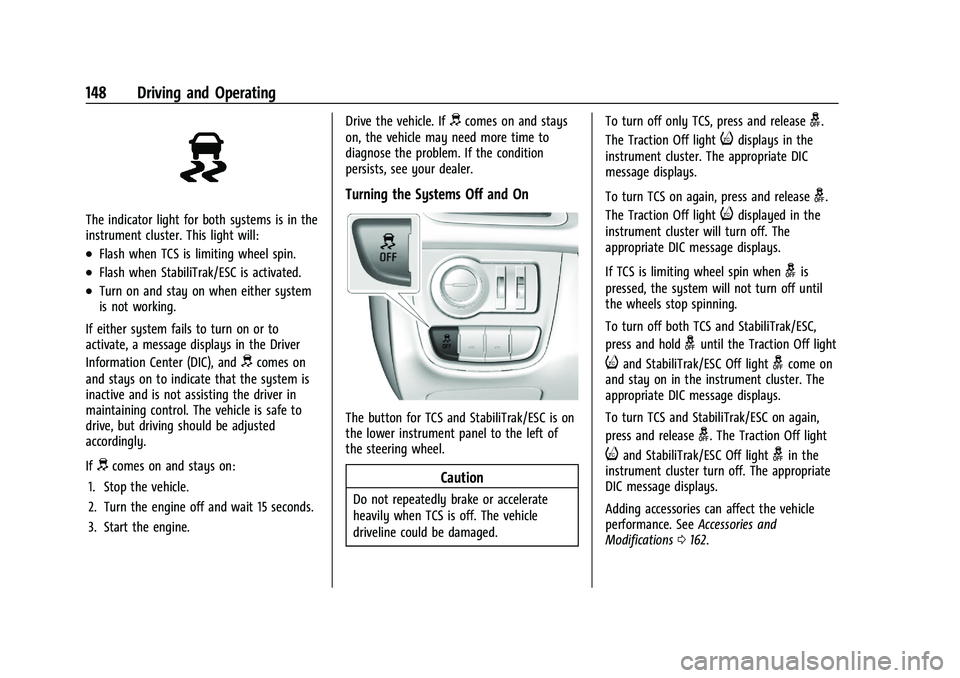
The indicator light for both systems is in the
instrument cluster. This light will:
.Flash when TCS is limiting wheel spin.
.Flash when StabiliTrak/ESC is activated.
.Turn on and stay on when either system
is not working.
If either system fails to turn on or to
activate, a message displays in the Driver
Information Center (DIC), and
dcomes on
and stays on to indicate that the system is
inactive and is not assisting the driver in
maintaining control. The vehicle is safe to
drive, but driving should be adjusted
accordingly.
If
dcomes on and stays on:
1. Stop the vehicle.
2. Turn the engine off and wait 15 seconds.
3. Start the engine. Drive the vehicle. If
dcomes on and stays
on, the vehicle may need more time to
diagnose the problem. If the condition
persists, see your dealer.
Turning the Systems Off and On
The button for TCS and StabiliTrak/ESC is on
the lower instrument panel to the left of
the steering wheel.
Caution
Do not repeatedly brake or accelerate
heavily when TCS is off. The vehicle
driveline could be damaged. To turn off only TCS, press and release
g.
The Traction Off light
idisplays in the
instrument cluster. The appropriate DIC
message displays.
To turn TCS on again, press and release
g.
The Traction Off light
idisplayed in the
instrument cluster will turn off. The
appropriate DIC message displays.
If TCS is limiting wheel spin when
gis
pressed, the system will not turn off until
the wheels stop spinning.
To turn off both TCS and StabiliTrak/ESC,
press and hold
guntil the Traction Off light
iand StabiliTrak/ESC Off lightgcome on
and stay on in the instrument cluster. The
appropriate DIC message displays.
To turn TCS and StabiliTrak/ESC on again,
press and release
g. The Traction Off light
iand StabiliTrak/ESC Off lightgin the
instrument cluster turn off. The appropriate
DIC message displays.
Adding accessories can affect the vehicle
performance. See Accessories and
Modifications 0162.
Page 158 of 270

Chevrolet Spark Owner Manual (GMNA-Localizing-U.S./Canada-14622955) -
2021 - CRC - 8/17/20
Driving and Operating 157
Warning (Continued)
the windshield, headlamps, and camera
sensors clean and in good repair. Do not
use LDW in bad weather conditions.
How the System Works
LDW utilizes camera sensor installed on the
windshield ahead of the rearview mirror to
detect lane markings. To turn LDW on and
off, press
@on the instrument panel to the
left of the steering wheel. The control
indicator will light when LDW is on. When
LDW is on,
@is green if LDW is available to
warn of a lane departure. If the vehicle
crosses a detected lane marking without
using the turn signal in that direction,
@
changes to amber and flashes.
Additionally, there will be three beeps on
the right or left, depending on the lane
departure direction. LDW will not alert if the turn signal is active
in the direction of lane departure, or if LDW
detects that you are accelerating, braking or
actively steering.
Fuel
Top Tier Fuel
GM recommends the use of TOP TIER
Detergent Gasoline to keep the engine clean,
reduce engine deposits, and maintain
optimal vehicle performance. Look for the
TOP TIER Logo or see www.toptiergas.com
for a list of TOP TIER Detergent Gasoline
marketers and applicable countries.
Recommended Fuel
Use regular unleaded gasoline meeting
ASTM specification D4814 with a posted
octane rating of 87
—(R+M)/2 —or higher.
Do not use gasoline with a posted octane
rating of less than 87, as this may cause
engine knock and will lower fuel economy.
Do not use any fuel labeled E85 or FlexFuel.
Do not use gasoline with ethanol levels
greater than 15% by volume.
Prohibited Fuels
Caution
Do not use fuels with any of the
following conditions; doing so may
damage the vehicle and void its
warranty:
(Continued)