radio CHEVROLET SPARK 2022 Owner's Manual
[x] Cancel search | Manufacturer: CHEVROLET, Model Year: 2022, Model line: SPARK, Model: CHEVROLET SPARK 2022Pages: 270, PDF Size: 8.57 MB
Page 198 of 270

Chevrolet Spark Owner Manual (GMNA-Localizing-U.S./Canada-14622955) -
2021 - CRC - 8/17/20
Vehicle Care 197
As an added safety feature, your vehicle has
been equipped with a tire pressure
monitoring system (TPMS) that illuminates a
low tire pressure telltale when one or more
of your tires is significantly under-inflated.
Accordingly, when the low tire pressure
telltale illuminates, you should stop and
check your tires as soon as possible, and
inflate them to the proper pressure. Driving
on a significantly under-inflated tire causes
the tire to overheat and can lead to tire
failure. Under-inflation also reduces fuel
efficiency and tire tread life, and may affect
the vehicle's handling and stopping ability.
Please note that the TPMS is not a
substitute for proper tire maintenance, and
it is the driver's responsibility to maintain
correct tire pressure, even if under-inflation
has not reached the level to trigger
illumination of the TPMS low tire pressure
telltale.
Your vehicle has also been equipped with a
TPMS malfunction indicator to indicate when
the system is not operating properly. The
TPMS malfunction indicator is combined
with the low tire pressure telltale. When the
system detects a malfunction, the telltale
will flash for approximately one minute and
then remain continuously illuminated. Thissequence will continue upon subsequent
vehicle start-ups as long as the malfunction
exists.
When the malfunction indicator is
illuminated, the system may not be able to
detect or signal low tire pressure as
intended. TPMS malfunctions may occur for
a variety of reasons, including the
installation of replacement or alternate tires
or wheels on the vehicle that prevent the
TPMS from functioning properly. Always
check the TPMS malfunction telltale after
replacing one or more tires or wheels on
your vehicle to ensure that the replacement
or alternate tires and wheels allow the
TPMS to continue to function properly.
See
Tire Pressure Monitor Operation 0197.
See Radio Frequency Statement 0248.
Tire Pressure Monitor Operation
This vehicle may have a Tire Pressure
Monitor System (TPMS). The TPMS is
designed to warn the driver when a low tire
pressure condition exists. TPMS sensors are
mounted onto each tire and wheel
assembly, excluding the spare tire and
wheel assembly. The TPMS sensors monitor the air pressure in the tires and transmit the
tire pressure readings to a receiver located
in the vehicle.
When a low tire pressure condition is
detected, the TPMS illuminates the low tire
pressure warning light located on the
instrument cluster. If the warning light
comes on, stop as soon as possible and
inflate the tires to the recommended
pressure shown on the Tire and Loading
Information label. See
Vehicle Load Limits
0 131.
A message to check the pressure in a
specific tire may display in the Driver
Information Center (DIC). The low tire
pressure warning light and the DIC warning
message, if equipped, come on at each
ignition cycle until the tires are inflated to
the correct inflation pressure. Using the DIC,
it may be possible to view the tire pressure
levels. For additional information and details
about the DIC operation and displays, see
Driver Information Center (DIC) 083.
Page 199 of 270

Chevrolet Spark Owner Manual (GMNA-Localizing-U.S./Canada-14622955) -
2021 - CRC - 8/17/20
198 Vehicle Care
The low tire pressure warning light may
come on in cool weather when the vehicle is
first started, and then turn off as the vehicle
is driven. This could be an early indicator
that the air pressure is getting low and
needs to be inflated to the proper pressure.
A Tire and Loading Information label shows
the size of the original equipment tires and
the correct inflation pressure for the tires
when they are cold. SeeVehicle Load Limits
0 131, for an example of the Tire and
Loading Information label and its location.
Also see Tire Pressure 0195.
The TPMS can warn about a low tire
pressure condition, but it does not replace
normal tire maintenance. See Tire Inspection
0 199, Tire Rotation 0200, and Tires0190.
Caution
Tire sealant materials are not all the
same. A non-approved tire sealant could
damage the TPMS sensors. TPMS sensor
damage caused by using an incorrect tire
sealant is not covered by the vehicle
warranty. Always use only the GM
approved tire sealant available through
your dealer or included in the vehicle.
TPMS Malfunction Light and Message
The TPMS will not function properly if one
or more of the TPMS sensors are missing or
inoperable. When the system detects a
malfunction, the low tire pressure warning
light, defined above, flashes for about
one minute and then stays on for the
remainder of the ignition cycle. A DIC
warning message may also display. The
malfunction light and DIC warning message,
if equipped, come on at each ignition cycle
until the problem is corrected. Some of the
conditions that can cause these to come
on are:
.One of the road tires has been replaced
with the spare tire. The spare tire does
not have a TPMS sensor. The malfunction
light and the DIC message, if equipped,
should go off after the road tire is
replaced and the sensor matching process
is performed successfully. See "TPMS
Sensor Matching Process" later in this
section.
.The TPMS sensor matching process was
not done or not completed successfully
after rotating the tires. The malfunction
light and the DIC message, if equipped,
should go off after successfully completing the sensor matching process.
See "TPMS Sensor Matching Process" later
in this section.
.One or more TPMS sensors are missing or
damaged. The malfunction light and the
DIC message, if equipped, should go off
when the TPMS sensors are installed and
the sensor matching process is performed
successfully. See your dealer for service.
.Replacement tires or wheels do not match
the original equipment tires or wheels.
Tires and wheels other than those
recommended could prevent the TPMS
from functioning properly. See
Buying
New Tires 0202.
.Operating electronic devices or being near
facilities using radio wave frequencies
similar to the TPMS could cause the TPMS
sensors to malfunction.
If the TPMS is not functioning properly, it
cannot detect or signal a low tire pressure
condition. See your dealer for service if the
TPMS malfunction light and DIC message,
if equipped, come on and stay on.
TPMS Sensor Matching Process
Each TPMS sensor has a unique
identification code. The identification code
needs to be matched to a new tire/wheel
Page 223 of 270

Chevrolet Spark Owner Manual (GMNA-Localizing-U.S./Canada-14622955) -
2021 - CRC - 8/17/20
222 Vehicle Care
3. Start on the outside edge of the soil andgently rub toward the center. Fold the
cleaning cloth to a clean area frequently
to prevent forcing the soil in to the
fabric.
4. Continue gently rubbing the soiled area until there is no longer any color
transfer from the soil to the cleaning
cloth.
5. If the soil is not completely removed, use a mild soap solution followed only
by plain water.
If the soil is not completely removed, it may
be necessary to use a commercial upholstery
cleaner or spot lifter. Test a small hidden
area for colorfastness before using a
commercial upholstery cleaner or spot lifter.
If ring formation occurs, clean the entire
fabric or carpet.
After cleaning, use a paper towel to blot
excess moisture.
Cleaning High Gloss Surfaces and Vehicle
Information and Radio Displays
Use a microfiber cloth on high gloss surfaces
or vehicle displays. First, use a soft bristle
brush to remove dirt that can scratch the
surface. Then gently clean by rubbing with a
microfiber cloth. Never use window cleaners or solvents. Periodically hand wash the
microfiber cloth separately, using mild soap.
Do not use bleach or fabric softener. Rinse
thoroughly and air dry before next use.
Caution
Do not attach a device with a suction cup
to the display. This may cause damage
and would not be covered by the vehicle
warranty.
Instrument Panel, Leather, Vinyl, Other
Plastic Surfaces, Low Gloss Paint
Surfaces, and Natural Open Pore Wood
Surfaces
Use a soft microfiber cloth dampened with
water to remove dust and loose dirt. For a
more thorough cleaning, use a soft
microfiber cloth dampened with a mild soap
solution.
Caution
Soaking or saturating leather, especially
perforated leather, as well as other
interior surfaces, may cause permanent
damage. Wipe excess moisture from
these surfaces after cleaning and allow
(Continued)
Caution (Continued)
them to dry naturally. Never use heat,
steam, or spot removers. Do not use
cleaners that contain silicone or
wax-based products. Cleaners containing
these solvents can permanently change
the appearance and feel of leather or soft
trim, and are not recommended.
Do not use cleaners that increase gloss,
especially on the instrument panel. Reflected
glare can decrease visibility through the
windshield under certain conditions.
Caution
Use of air fresheners may cause
permanent damage to plastics and
painted surfaces. If an air freshener
comes in contact with any plastic or
painted surface in the vehicle, blot
immediately and clean with a soft cloth
dampened with a mild soap solution.
Damage caused by air fresheners would
not be covered by the vehicle warranty.
Page 241 of 270
Chevrolet Spark Owner Manual (GMNA-Localizing-U.S./Canada-14622955) -
2021 - CRC - 8/17/20
240 Customer Information
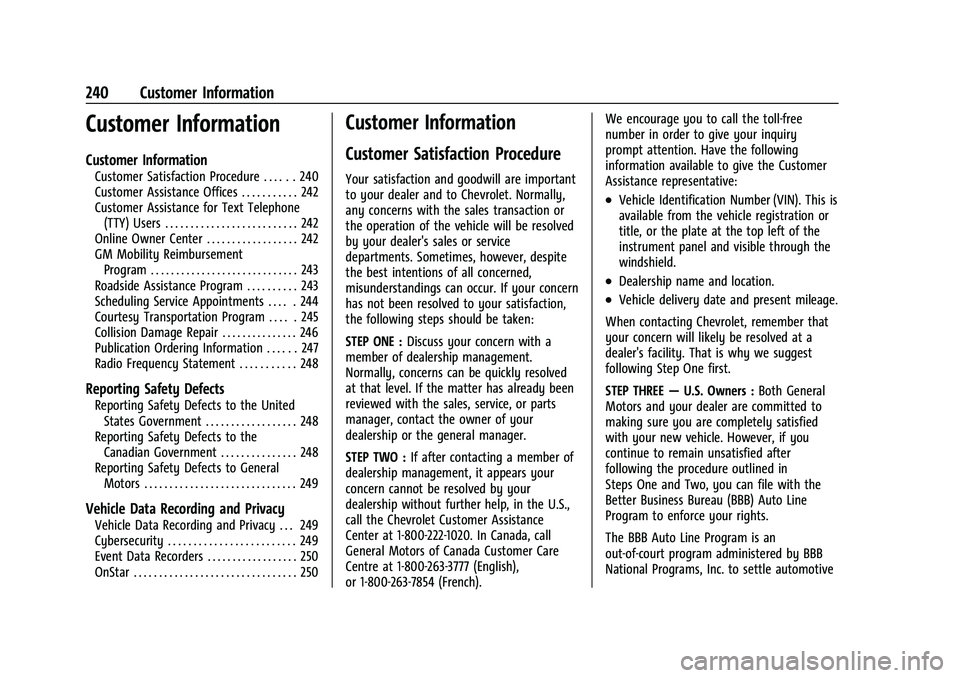
Customer Information
Customer Information
Customer Satisfaction Procedure . . . . . . 240
Customer Assistance Offices . . . . . . . . . . . 242
Customer Assistance for Text Telephone(TTY) Users . . . . . . . . . . . . . . . . . . . . . . . . . . 242
Online Owner Center . . . . . . . . . . . . . . . . . . 242
GM Mobility Reimbursement Program . . . . . . . . . . . . . . . . . . . . . . . . . . . . . 243
Roadside Assistance Program . . . . . . . . . . 243
Scheduling Service Appointments . . . . . 244
Courtesy Transportation Program . . . . . 245
Collision Damage Repair . . . . . . . . . . . . . . . 246
Publication Ordering Information . . . . . . 247
Radio Frequency Statement . . . . . . . . . . . 248
Reporting Safety Defects
Reporting Safety Defects to the United States Government . . . . . . . . . . . . . . . . . . 248
Reporting Safety Defects to the Canadian Government . . . . . . . . . . . . . . . 248
Reporting Safety Defects to General Motors . . . . . . . . . . . . . . . . . . . . . . . . . . . . . . 249
Vehicle Data Recording and Privacy
Vehicle Data Recording and Privacy . . . 249
Cybersecurity . . . . . . . . . . . . . . . . . . . . . . . . . 249
Event Data Recorders . . . . . . . . . . . . . . . . . . 250
OnStar . . . . . . . . . . . . . . . . . . . . . . . . . . . . . . . . 250
Customer Information
Customer Satisfaction Procedure
Your satisfaction and goodwill are important
to your dealer and to Chevrolet. Normally,
any concerns with the sales transaction or
the operation of the vehicle will be resolved
by your dealer's sales or service
departments. Sometimes, however, despite
the best intentions of all concerned,
misunderstandings can occur. If your concern
has not been resolved to your satisfaction,
the following steps should be taken:
STEP ONE : Discuss your concern with a
member of dealership management.
Normally, concerns can be quickly resolved
at that level. If the matter has already been
reviewed with the sales, service, or parts
manager, contact the owner of your
dealership or the general manager.
STEP TWO : If after contacting a member of
dealership management, it appears your
concern cannot be resolved by your
dealership without further help, in the U.S.,
call the Chevrolet Customer Assistance
Center at 1-800-222-1020. In Canada, call
General Motors of Canada Customer Care
Centre at 1-800-263-3777 (English),
or 1-800-263-7854 (French). We encourage you to call the toll-free
number in order to give your inquiry
prompt attention. Have the following
information available to give the Customer
Assistance representative:
.Vehicle Identification Number (VIN). This is
available from the vehicle registration or
title, or the plate at the top left of the
instrument panel and visible through the
windshield.
.Dealership name and location.
.Vehicle delivery date and present mileage.
When contacting Chevrolet, remember that
your concern will likely be resolved at a
dealer's facility. That is why we suggest
following Step One first.
STEP THREE —U.S. Owners : Both General
Motors and your dealer are committed to
making sure you are completely satisfied
with your new vehicle. However, if you
continue to remain unsatisfied after
following the procedure outlined in
Steps One and Two, you can file with the
Better Business Bureau (BBB) Auto Line
Program to enforce your rights.
The BBB Auto Line Program is an
out-of-court program administered by BBB
National Programs, Inc. to settle automotive
Page 249 of 270

Chevrolet Spark Owner Manual (GMNA-Localizing-U.S./Canada-14622955) -
2021 - CRC - 8/17/20
248 Customer Information
Customer literature publications available for
purchase include owner’s manuals, warranty
manuals, and portfolios. Portfolios include an
owner’s manual, warranty manual,
if applicable, and zip lock bag or pouch.
Current and Past Models
Service manuals and customer literature are
available for many current and past model
year GM vehicles.
To order, call 1-800-551-4123 Monday–Friday,
8:00 a.m.–6:00 p.m. eastern time
For credit card orders only (VISA,
MasterCard, or Discover), see Helm, Inc. at:
www.helminc.com.
To order by mail, write to:
Helm, Incorporated
Attention: Customer Service
47911 Halyard Drive
Plymouth, MI 48170
Make checks payable in U.S. funds.
Radio Frequency Statement
This vehicle uses license-exempt transmitters
/ receivers / systems that operate on a
radio frequency that complies with Part 15/
Part 18 of the Federal Communications
Commission (FCC) rules and with Innovation,Science and Economic Development (ISED)
Canada's license-exempt RSS(s) / RSP-100 /
ICES-GEN.
Operation is subject to the following two
conditions:
1. The device may not cause harmful interference.
2. The device must accept any interference received, including interference that may
cause undesired operation of the device.
Changes or modifications to any of these
systems by other than an authorized service
facility could void authorization to use this
equipment.
Reporting Safety Defects
Reporting Safety Defects to the
United States Government
If you believe that your vehicle has a
defect which could cause a crash or
could cause injury or death, you should
immediately inform the National
Highway Traffic Safety Administration
(NHTSA) in addition to notifying General
Motors. If NHTSA receives similar complaints, it
may open an investigation, and if it
finds that a safety defect exists in a
group of vehicles, it may order a recall
and remedy campaign. However, NHTSA
cannot become involved in individual
problems between you, your dealer,
or General Motors.
To contact NHTSA, you may call the
Vehicle Safety Hotline toll-free at
1-888-327-4236 (TTY: 1-800-424-9153); go
to
http://www.safercar.gov; or
write to:
Administrator, NHTSA
1200 New Jersey Avenue, S.E.
Washington, D.C. 20590
You can also obtain other information
about motor vehicle safety from
http://www.safercar.gov.
Reporting Safety Defects to the
Canadian Government
If you live in Canada, and you believe
that the vehicle has a safety defect,
notify Transport Canada immediately,
Page 250 of 270
Chevrolet Spark Owner Manual (GMNA-Localizing-U.S./Canada-14622955) -
2021 - CRC - 8/17/20
Customer Information 249
and notify General Motors of Canada
Company. Call Transport Canada at
1-800-333-0510; go to:
www.tc.gc.ca/recalls (English)
www.tc.gc.ca/rappels (French)
or write to:
Transport Canada
Motor Vehicle Safety Directorate
Defect Investigations and Recalls
Division
80 Noel Street
Gatineau
,QC J8Z 0A1
Reporting Safety Defects to
General Motors
In addition to notifying NHTSA (or Transport
Canada) in a situation like this, notify
General Motors.
In the U.S., call 1-800-222-1020, or write:
Chevrolet Motor Division
Chevrolet Customer Assistance Center
P.O. Box 33170
Detroit, MI 48232-5170In Canada, call 1-800-263-3777 (English) or
1-800-263-7854 (French), or write:
General Motors of Canada Company
Customer Care Centre, Mail Code:
CA1-163-005
1908 Colonel Sam Drive
Oshawa, Ontario L1H 8P7
In Mexico, call 800-466-0811 or
800-508-0000.
In other Central America and Caribbean
Countries, call 52-555-901-2369.
Vehicle Data Recording and
Privacy
The vehicle has a number of computers that
record information about the vehicle’s
performance and how it is driven or used.
For example, the vehicle uses computer
modules to monitor and control engine and
transmission performance, to monitor the
conditions for airbag deployment and
deploy them in a crash, and, if equipped, to
provide antilock braking to help the driver
control the vehicle. These modules may
store data to help the dealer technician
service the vehicle or to help GM improve
safety or features. Some modules may also
store data about how the vehicle isoperated, such as rate of fuel consumption
or average speed. These modules may retain
personal preferences, such as radio presets,
seat positions, and temperature settings.
Cybersecurity
GM collects information about the use of
your vehicle including operational and safety
related information. We collect this
information to provide, evaluate, improve,
and troubleshoot our products and services
and to develop new products and services.
The protection of vehicle electronics systems
and customer data from unauthorized
outside electronic access or control is
important to GM. GM maintains appropriate
security standards, practices, guidelines and
controls aimed at defending the vehicle and
the vehicle service ecosystem against
unauthorized electronic access, detecting
possible malicious activity in related
networks, and responding to suspected
cybersecurity incidents in a timely,
coordinated and effective manner. Security
incidents could impact your safety or
compromise your private data. To minimize
security risks, please do not connect your
vehicle electronic systems to unauthorized
devices or connect your vehicle to any
unknown or untrusted networks (such as
Page 254 of 270

Chevrolet Spark Owner Manual (GMNA-Localizing-U.S./Canada-14622955) -
2021 - CRC - 8/17/20
OnStar 253
Reactivation for Subsequent Owners
PressQand follow the prompts to speak to
an Advisor as soon as possible. The Advisor
will update vehicle records and explain
OnStar or connected service options.
How OnStar Service Works
Automatic Crash Response, Emergency
Services, Crisis Assist, Stolen Vehicle
Assistance, Remote Services, and Roadside
Assistance are available on most vehicles.
Not all OnStar services are available
everywhere or on all vehicles. For more
information, a full description of OnStar
services, system limitations, and OnStar User
Terms, Privacy Statement, and Software
Terms:
.Call 1-888-4ONSTAR (1-888-466-7827).
.See www.onstar.com (U.S.).
.See www.onstar.ca (Canada).
.Call TTY 1-877-248-2080.
.PressQto speak with an Advisor.
OnStar or connected services cannot work
unless the vehicle is in a place where OnStar
has an agreement with a wireless service
provider for service in that area. The
wireless service provider must also have
coverage, network capacity, reception, and technology compatible with OnStar or
connected services. Service involving location
information about the vehicle cannot work
unless GPS signals are available,
unobstructed, and compatible with the
OnStar hardware. OnStar or connected
services may not work if the OnStar
equipment is not properly installed or it has
not been properly maintained. If equipment
or software is added, connected,
or modified, OnStar or connected services
may not work. Other problems beyond the
control of OnStar
—such as hills, tall
buildings, tunnels, weather, electrical system
design and architecture of the vehicle,
damage to the vehicle in a crash, or wireless
phone network congestion or jamming —
may prevent service.
See Radio Frequency Statement 0248.
Services for People with Disabilities
Advisors provide services to help with
physical disabilities and medical conditions.
Press
Qto help:
.Locate a gas station with an attendant to
pump gas.
.Find a hotel, restaurant, etc., that meets
accessibility needs.
.Provide directions to the closest hospital
or pharmacy in urgent situations.
TTY Users
OnStar has the ability to communicate to
deaf, hard-of-hearing, or speech-impaired
customers while in the vehicle. The available
dealer-installed TTY system can provide
in-vehicle access to all OnStar services,
except Virtual Advisor and OnStar
Turn-by-Turn Navigation.
If equipped, TTY mode can be turned on or
off by touching Settings, then Apps, and
then Phone. When TTY mode is on, phone
calls can be made or received with OnStar
using the infotainment display.
OnStar Personal Identification
Number (PIN)
A PIN is needed to access some OnStar
services. The PIN will need to be changed
the first time when speaking with an
Advisor. To change the OnStar PIN, contact
an OnStar Advisor by pressing
Qor calling
1-888-4ONSTAR.
Warranty
OnStar equipment may be warranted as part
of the vehicle warranty.
Page 255 of 270

Chevrolet Spark Owner Manual (GMNA-Localizing-U.S./Canada-14622955) -
2021 - CRC - 8/17/20
254 OnStar
Languages
The vehicle can be programmed to respond
in multiple languages. Press
Qand ask for
an Advisor. Advisors are available in English,
Spanish, and French. Available languages
may vary by country.
Potential Issues
OnStar cannot perform Remote Door Unlock
or Stolen Vehicle Assistance after the vehicle
has been off continuously for 10 days
without an ignition cycle. If the vehicle has
not been started for 10 days, OnStar can
contact Roadside Assistance or a locksmith
to help gain access to the vehicle.
Global Positioning System (GPS)
.Obstruction of the GPS can occur in a
large city with tall buildings; in parking
garages; around airports; in tunnels and
underpasses; or in an area with very
dense trees. If GPS signals are not
available, the OnStar system should still
operate to call OnStar. However, OnStar
could have difficulty identifying the exact
location.
.In emergency situations, OnStar can use
the last stored GPS location to send to
emergency responders. A temporary loss of GPS can cause loss of
the ability to send a Turn-by-Turn
Navigation route. The Advisor may give a
verbal route or may ask for a call back after
the vehicle is driven into an open area.
Cellular and GPS Antennas
Cellular reception is required for OnStar to
send remote signals to the vehicle. Do not
place items over or near the antenna to
prevent blocking cellular and GPS signal
reception.
Unable to Connect to OnStar Message
If there is limited cellular coverage or the
cellular network has reached maximum
capacity, this message may come on. Press
Qto try the call again or try again after
driving a few miles into another
cellular area.
Vehicle and Power Issues
OnStar services require a vehicle electrical
system, wireless service, and GPS satellite
technologies to be available and operating
for features to function properly. These
systems may not operate if the battery is
discharged or disconnected.
Add-on Electrical Equipment
The OnStar system is integrated into the
electrical architecture of the vehicle. Do not
add any electrical equipment. See Add-On
Electrical Equipment 0160. Added electrical
equipment may interfere with the operation
of the OnStar system and cause it to not
operate.
Vehicle Software Updates
OnStar or GM may remotely deliver
software updates or changes to the vehicle
without further notice or consent. These
updates or changes may enhance or
maintain safety, security, or the operation
of the vehicle or the vehicle systems.
Software updates or changes may affect or
erase data or settings that are stored in the
vehicle, such as saved navigation
destinations or pre-set radio stations.
Neither OnStar nor GM is responsible for
any affected or erased data or settings.
These updates or changes may also collect
personal information. Such collection is
described in the OnStar privacy statement or
separately disclosed at the time of
installation. These updates or changes may
also cause a system to automatically
communicate with GM servers to collect
information about vehicle system status,
Page 260 of 270
Chevrolet Spark Owner Manual (GMNA-Localizing-U.S./Canada-14622955) -
2021 - CRC - 8/17/20
Index 259
IndexA
Accessories and Modifications . . . . . . . . . . . 162
Accessory Power . . . . . . . . . . . . . . . . . . . . . . . . . 140
Add-On Electrical Equipment . . . . . . . . . . . . . 160
Additional InformationOnStar . . . . . . . . . . . . . . . . . . . . . . . . . . . . . . . . . 252
Additional Maintenance and Care . . . . . . . . . 231
Agreements Trademarks and License . . . . . . . . . . . . . . . . 117
Air Cleaner/Filter, Engine . . . . . . . . . . . . . . . . 169
Air Conditioning . . . . . . . . . . . . . . . . . . . . . . . . . . 119
Air Conditioning Regular Operation . . . . . . . 122
Air Filter, Passenger Compartment . . . . . . . . 122
Air Intake . . . . . . . . . . . . . . . . . . . . . . . . . . . . . . . . . 121
Air Vents . . . . . . . . . . . . . . . . . . . . . . . . . . . . . . . . . 121
Airbag System
Check . . . . . . . . . . . . . . . . . . . . . . . . . . . . . . . . . . . 46
How Does an Airbag Restrain? . . . . . . . . . . 40
Passenger Sensing System . . . . . . . . . . . . . . 42
What Makes an Airbag Inflate? . . . . . . . . . 40
What Will You See after an AirbagInflates? . . . . . . . . . . . . . . . . . . . . . . . . . . . . . . 41
When Should an Airbag Inflate? . . . . . . . . 39
Where Are the Airbags? . . . . . . . . . . . . . . . . 38
Airbags Adding Equipment to the Vehicle . . . . . . . 45
Passenger Status Indicator . . . . . . . . . . . . . . 74
Readiness Light . . . . . . . . . . . . . . . . . . . . . . . . . 74 Airbags (cont'd)
Servicing Airbag-Equipped Vehicles . . . . . . 45
System Check . . . . . . . . . . . . . . . . . . . . . . . . . . . 37
Alarm Vehicle Security . . . . . . . . . . . . . . . . . . . . . . . . 18
All-Season Tires . . . . . . . . . . . . . . . . . . . . . . . . . . 190
AM-FM Radio . . . . . . . . . . . . . . . . . . . . . . . . . . . . .101
Antenna Multi-band . . . . . . . . . . . . . . . . . . . . . . . . . . . . . 103
Antilock Brake System (ABS) . . . . . . . . . . . . . 146 Warning Light . . . . . . . . . . . . . . . . . . . . . . . . . . 78
Appearance Care
Exterior . . . . . . . . . . . . . . . . . . . . . . . . . . . . . . . . . 217
Interior . . . . . . . . . . . . . . . . . . . . . . . . . . . . . . . . 220
Apple CarPlay and Android Auto . . . . . . . . . . 112
Armrest Front Seat . . . . . . . . . . . . . . . . . . . . . . . . . . . . . . 28
Assistance Program, Roadside . . . . . . . . . . . . 243
Audio Bluetooth . . . . . . . . . . . . . . . . . . . . . . . . . . . . . . 106
Automatic
Door Locks . . . . . . . . . . . . . . . . . . . . . . . . . . . . . . . 15
Emergency Braking (AEB) . . . . . . . . . . . . . . 155
Headlamp System . . . . . . . . . . . . . . . . . . . . . . 93
Transmission . . . . . . . . . . . . . . . . . . . . . . . . . . . 143
Transmission Fluid . . . . . . . . . . . . . . . . . . . . . 169
Automatic Transmission Shift Lock Control Function Check . . . . . . 178
Page 263 of 270
Chevrolet Spark Owner Manual (GMNA-Localizing-U.S./Canada-14622955) -
2021 - CRC - 8/17/20
262 Index
Engine (cont'd)Reduced Power Light . . . . . . . . . . . . . . . . . . . 82
Running While Parked . . . . . . . . . . . . . . . . . 142
Starting . . . . . . . . . . . . . . . . . . . . . . . . . . . . . . . . . 137
Entry Lighting . . . . . . . . . . . . . . . . . . . . . . . . . . . . 96
Event Data Recorders . . . . . . . . . . . . . . . . . . . . 250
Exit Lighting . . . . . . . . . . . . . . . . . . . . . . . . . . . . . . 96
Extended Parking . . . . . . . . . . . . . . . . . . . . . . . . .142
Extender, Seat Belt . . . . . . . . . . . . . . . . . . . . . . . .35
Exterior Lamp Controls . . . . . . . . . . . . . . . . . . . . 92
Exterior Lamps Off Reminder . . . . . . . . . . . . . 92
Exterior Lighting Battery Saver . . . . . . . . . . . 96
F
Filter, Engine Air Cleaner . . . . . . . . . . . . . . . . . . . . . 169
Flash-to-Pass . . . . . . . . . . . . . . . . . . . . . . . . . . . . . . 93
Flashers, Hazard Warning . . . . . . . . . . . . . . . . . 94
Flat Tire . . . . . . . . . . . . . . . . . . . . . . . . . . . . . . . . . 205
Changing . . . . . . . . . . . . . . . . . . . . . . . . . . . . . . 207
Floor Mats . . . . . . . . . . . . . . . . . . . . . . . . . . . . . . . 223
Fluid Automatic Transmission . . . . . . . . . . . . . . . 169
Brakes . . . . . . . . . . . . . . . . . . . . . . . . . . . . . . . . . . 175
Washer . . . . . . . . . . . . . . . . . . . . . . . . . . . . . . . . 174
Fog Lamps . . . . . . . . . . . . . . . . . . . . . . . . . . . . . . . . 95
Folding Mirrors . . . . . . . . . . . . . . . . . . . . . . . . . . . . 21
Forward Collision Alert (FCA) System . . . . .154 Frequency Statement
Radio . . . . . . . . . . . . . . . . . . . . . . . . . . . . . . . . . . 248
Front Fog Lamp Light . . . . . . . . . . . . . . . . . . . . . . . . . . . . . . . . . . . . 82
Front Seat Armrest . . . . . . . . . . . . . . . . . . . . . . . 28
Front Seats Adjustment . . . . . . . . . . . . . . . . . . . . . . . . . . . . . 26
Heated . . . . . . . . . . . . . . . . . . . . . . . . . . . . . . . . . 28
Fuel Additives . . . . . . . . . . . . . . . . . . . . . . . . . . . . . . 158
Economy, Driving for Better . . . . . . . . . . . 125
Filling a Portable Fuel Container . . . . . . . 160
Filling the Tank . . . . . . . . . . . . . . . . . . . . . . . . 158
Foreign Countries . . . . . . . . . . . . . . . . . . . . . . 158
Gauge . . . . . . . . . . . . . . . . . . . . . . . . . . . . . . . . . . 73
Low Fuel Warning Light . . . . . . . . . . . . . . . . 81
Prohibited Fuels . . . . . . . . . . . . . . . . . . . . . . . . 157
Recommended . . . . . . . . . . . . . . . . . . . . . . . . . . 157
Top Tier . . . . . . . . . . . . . . . . . . . . . . . . . . . . . . . . 157
Fuses Engine Compartment Fuse Block . . . . . . . 186
Fuses and Circuit Breakers . . . . . . . . . . . . . 185
Instrument Panel Fuse Block . . . . . . . . . . . 188
G
Gas Strut(s) . . . . . . . . . . . . . . . . . . . . . . . . . . . . . . 180
Gauges
Fuel . . . . . . . . . . . . . . . . . . . . . . . . . . . . . . . . . . . . . 73 Gauges (cont'd)
Odometer . . . . . . . . . . . . . . . . . . . . . . . . . . . . . . 72
Speedometer . . . . . . . . . . . . . . . . . . . . . . . . . . . 72
Tachometer . . . . . . . . . . . . . . . . . . . . . . . . . . . . . 72
Trip Odometer . . . . . . . . . . . . . . . . . . . . . . . . . . 72
Warning Lights and Indicators . . . . . . . . . . . 71
General Information
Service and Maintenance . . . . . . . . . . . . . . 225
Towing . . . . . . . . . . . . . . . . . . . . . . . . . . . . . . . . 160
Vehicle Care . . . . . . . . . . . . . . . . . . . . . . . . . . . 162
Glove Box . . . . . . . . . . . . . . . . . . . . . . . . . . . . . . . . 65
GM Mobility Reimbursement Program . . . . . . . . . . . . . . . . . . . . . . . . . . . . . . . 243
H
Halogen Bulbs . . . . . . . . . . . . . . . . . . . . . . . . . . . . 181
Hazard Warning Flashers . . . . . . . . . . . . . . . . . 94
Head Restraints . . . . . . . . . . . . . . . . . . . . . . . . . . . .25
HeadlampsAiming . . . . . . . . . . . . . . . . . . . . . . . . . . . . . . . . . 181
Automatic . . . . . . . . . . . . . . . . . . . . . . . . . . . . . . 93
Bulb Replacement . . . . . . . . . . . . . . . . . . . . . . . 181
Daytime Running Lamps (DRL) . . . . . . . . . . 93
Flash-to-Pass . . . . . . . . . . . . . . . . . . . . . . . . . . . . 93
Headlamps, Front Turn Signal,Sidemarker, and Parking Lamps . . . . . . 182
High Intensity Discharge (HID) Lighting . . . . . . . . . . . . . . . . . . . . . . . . . . . . . . . 181