ECO mode CHEVROLET SS 2014 User Guide
[x] Cancel search | Manufacturer: CHEVROLET, Model Year: 2014, Model line: SS, Model: CHEVROLET SS 2014Pages: 422, PDF Size: 6.18 MB
Page 213 of 422
Black plate (77,1)Chevrolet SS Sedan Owner Manual (GMNA-Localizing-U.S.-6014851) - 2014 -
1st Edition - 8/22/13
Infotainment System 7-77
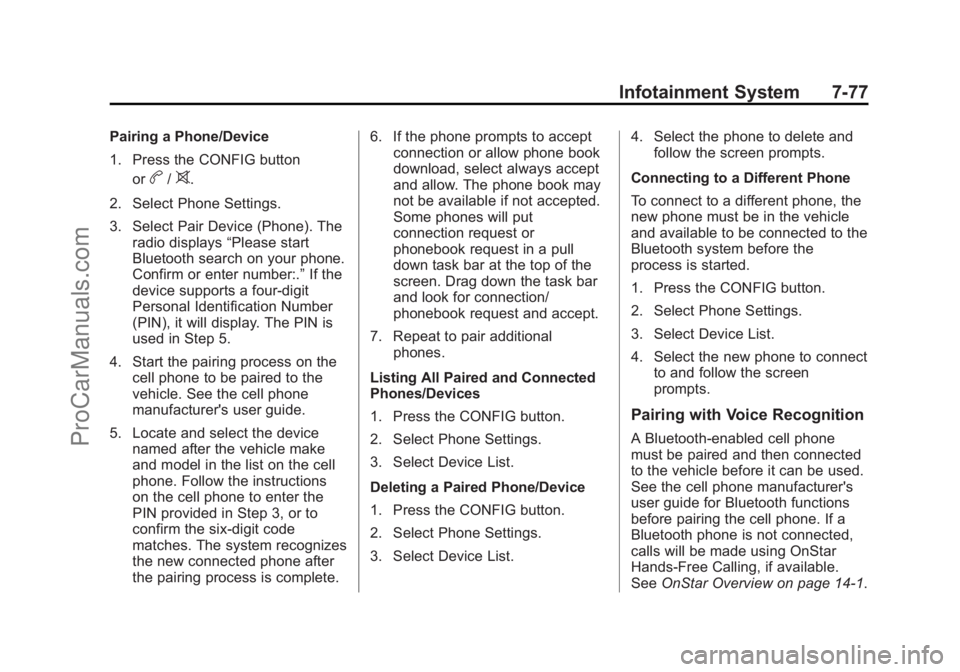
Pairing a Phone/Device
1. Press the CONFIG buttonor
b/>.
2. Select Phone Settings.
3. Select Pair Device (Phone). The radio displays “Please start
Bluetooth search on your phone.
Confirm or enter number:.” If the
device supports a four-digit
Personal Identification Number
(PIN), it will display. The PIN is
used in Step 5.
4. Start the pairing process on the cell phone to be paired to the
vehicle. See the cell phone
manufacturer's user guide.
5. Locate and select the device named after the vehicle make
and model in the list on the cell
phone. Follow the instructions
on the cell phone to enter the
PIN provided in Step 3, or to
confirm the six-digit code
matches. The system recognizes
the new connected phone after
the pairing process is complete. 6. If the phone prompts to accept
connection or allow phone book
download, select always accept
and allow. The phone book may
not be available if not accepted.
Some phones will put
connection request or
phonebook request in a pull
down task bar at the top of the
screen. Drag down the task bar
and look for connection/
phonebook request and accept.
7. Repeat to pair additional phones.
Listing All Paired and Connected
Phones/Devices
1. Press the CONFIG button.
2. Select Phone Settings.
3. Select Device List.
Deleting a Paired Phone/Device
1. Press the CONFIG button.
2. Select Phone Settings.
3. Select Device List. 4. Select the phone to delete and
follow the screen prompts.
Connecting to a Different Phone
To connect to a different phone, the
new phone must be in the vehicle
and available to be connected to the
Bluetooth system before the
process is started.
1. Press the CONFIG button.
2. Select Phone Settings.
3. Select Device List.
4. Select the new phone to connect to and follow the screen
prompts.
Pairing with Voice Recognition
A Bluetooth-enabled cell phone
must be paired and then connected
to the vehicle before it can be used.
See the cell phone manufacturer's
user guide for Bluetooth functions
before pairing the cell phone. If a
Bluetooth phone is not connected,
calls will be made using OnStar
Hands-Free Calling, if available.
See OnStar Overview on page 14-1.
ProCarManuals.com
Page 228 of 422
Black plate (2,1)Chevrolet SS Sedan Owner Manual (GMNA-Localizing-U.S.-6014851) - 2014 -
1st Edition - 8/22/13
8-2 Climate Controls
5. Front Defrost
6. ZONE
7. Passenger Temperature Control
8. Recirculation
9. Fan Control
10. Rear Window Defogger
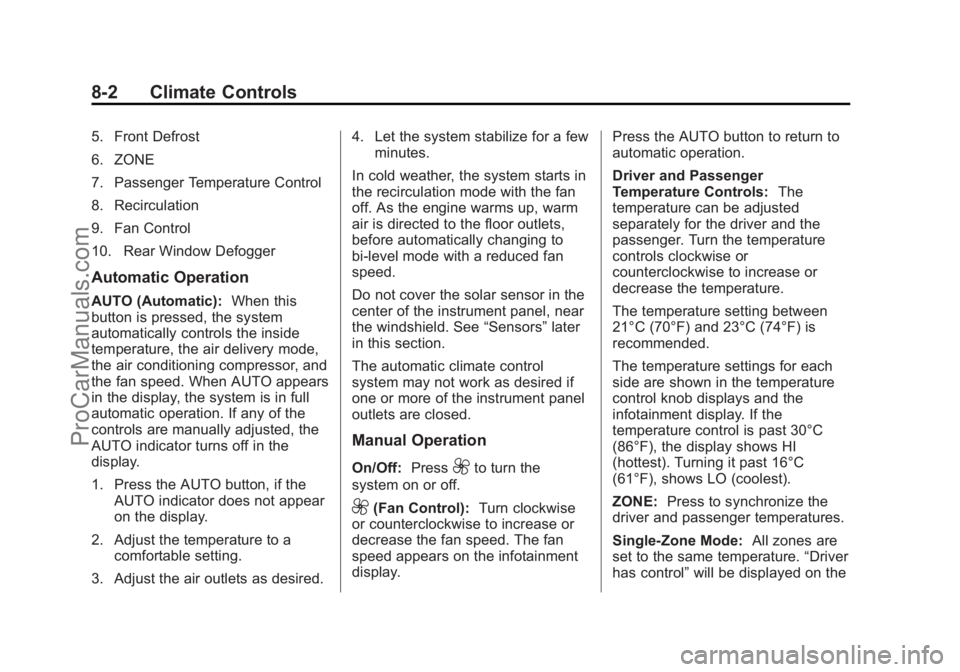
Automatic Operation
AUTO (Automatic):When this
button is pressed, the system
automatically controls the inside
temperature, the air delivery mode,
the air conditioning compressor, and
the fan speed. When AUTO appears
in the display, the system is in full
automatic operation. If any of the
controls are manually adjusted, the
AUTO indicator turns off in the
display.
1. Press the AUTO button, if the AUTO indicator does not appear
on the display.
2. Adjust the temperature to a comfortable setting.
3. Adjust the air outlets as desired. 4. Let the system stabilize for a few
minutes.
In cold weather, the system starts in
the recirculation mode with the fan
off. As the engine warms up, warm
air is directed to the floor outlets,
before automatically changing to
bi-level mode with a reduced fan
speed.
Do not cover the solar sensor in the
center of the instrument panel, near
the windshield. See “Sensors”later
in this section.
The automatic climate control
system may not work as desired if
one or more of the instrument panel
outlets are closed.
Manual Operation
On/Off: Press9to turn the
system on or off.
9(Fan Control): Turn clockwise
or counterclockwise to increase or
decrease the fan speed. The fan
speed appears on the infotainment
display. Press the AUTO button to return to
automatic operation.
Driver and Passenger
Temperature Controls:
The
temperature can be adjusted
separately for the driver and the
passenger. Turn the temperature
controls clockwise or
counterclockwise to increase or
decrease the temperature.
The temperature setting between
21°C (70°F) and 23°C (74°F) is
recommended.
The temperature settings for each
side are shown in the temperature
control knob displays and the
infotainment display. If the
temperature control is past 30°C
(86°F), the display shows HI
(hottest). Turning it past 16°C
(61°F), shows LO (coolest).
ZONE: Press to synchronize the
driver and passenger temperatures.
Single-Zone Mode: All zones are
set to the same temperature. “Driver
has control” will be displayed on the
ProCarManuals.com
Page 229 of 422
Black plate (3,1)Chevrolet SS Sedan Owner Manual (GMNA-Localizing-U.S.-6014851) - 2014 -
1st Edition - 8/22/13
Climate Controls 8-3
infotainment display. Turn the driver
temperature control to adjust the
system temperature.
Dual-Zone Mode:Allows different
temperatures to be set for the driver
and passenger sides.
Enter Dual-Zone mode by adjusting
the passenger side temperature
when in Single-Zone mode.
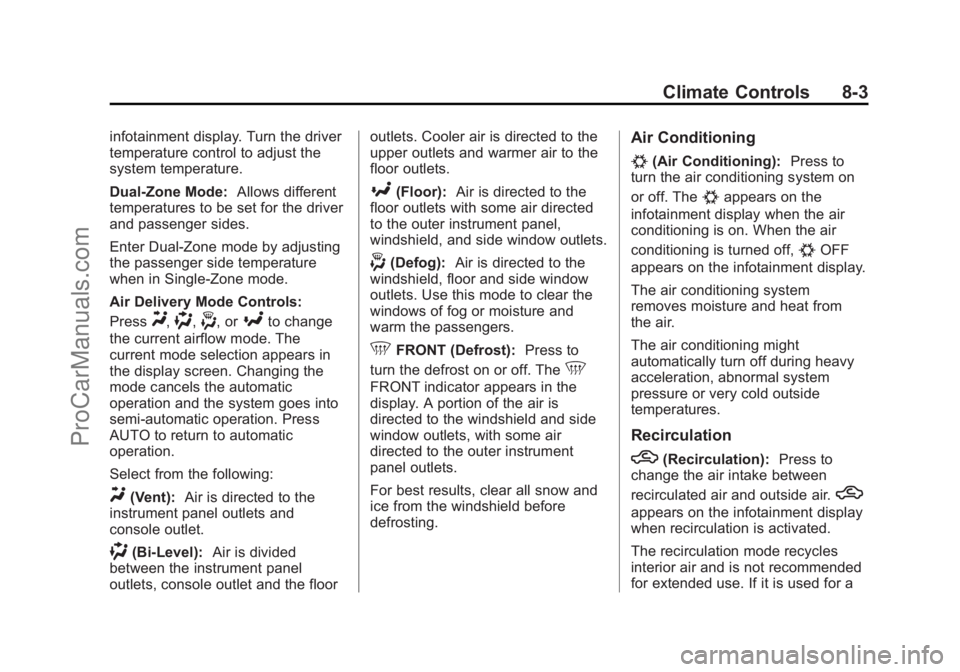
Air Delivery Mode Controls:
Press
Y,),-, or[to change
the current airflow mode. The
current mode selection appears in
the display screen. Changing the
mode cancels the automatic
operation and the system goes into
semi-automatic operation. Press
AUTO to return to automatic
operation.
Select from the following:
Y(Vent): Air is directed to the
instrument panel outlets and
console outlet.
)(Bi-Level): Air is divided
between the instrument panel
outlets, console outlet and the floor outlets. Cooler air is directed to the
upper outlets and warmer air to the
floor outlets.
[(Floor):
Air is directed to the
floor outlets with some air directed
to the outer instrument panel,
windshield, and side window outlets.
-(Defog): Air is directed to the
windshield, floor and side window
outlets. Use this mode to clear the
windows of fog or moisture and
warm the passengers.
5FRONT (Defrost): Press to
turn the defrost on or off. The
5
FRONT indicator appears in the
display. A portion of the air is
directed to the windshield and side
window outlets, with some air
directed to the outer instrument
panel outlets.
For best results, clear all snow and
ice from the windshield before
defrosting.
Air Conditioning
#(Air Conditioning): Press to
turn the air conditioning system on
or off. The
#appears on the
infotainment display when the air
conditioning is on. When the air
conditioning is turned off,
#OFF
appears on the infotainment display.
The air conditioning system
removes moisture and heat from
the air.
The air conditioning might
automatically turn off during heavy
acceleration, abnormal system
pressure or very cold outside
temperatures.
Recirculation
h(Recirculation): Press to
change the air intake between
recirculated air and outside air.
h
appears on the infotainment display
when recirculation is activated.
The recirculation mode recycles
interior air and is not recommended
for extended use. If it is used for a
ProCarManuals.com
Page 233 of 422
Black plate (1,1)Chevrolet SS Sedan Owner Manual (GMNA-Localizing-U.S.-6014851) - 2014 -
1st Edition - 8/22/13
Driving and Operating 9-1
Driving and
Operating
Driving Information
Distracted Driving . . . . . . . . . . . . . 9-2
Defensive Driving . . . . . . . . . . . . . 9-3
Drunk Driving . . . . . . . . . . . . . . . . . 9-3
Control of a Vehicle . . . . . . . . . . . 9-3
Braking . . . . . . . . . . . . . . . . . . . . . . . 9-3
Steering . . . . . . . . . . . . . . . . . . . . . . . 9-4
Off-Road Recovery . . . . . . . . . . . . 9-4
Loss of Control . . . . . . . . . . . . . . . . 9-5
Track Events and CompetitiveDriving . . . . . . . . . . . . . . . . . . . . . . . 9-5
Driving on Wet Roads . . . . . . . . . 9-6
Highway Hypnosis . . . . . . . . . . . . 9-7
Hill and Mountain Roads . . . . . . 9-7
Winter Driving . . . . . . . . . . . . . . . . . 9-8
If the Vehicle Is Stuck . . . . . . . . 9-10
Vehicle Load Limits . . . . . . . . . . 9-10
Starting and Operating
New Vehicle Break-In . . . . . . . . 9-15
Ignition Positions . . . . . . . . . . . . 9-15
Starting the Engine . . . . . . . . . . 9-17
Retained Accessory Power (RAP) . . . . . . . . . . . . . . . 9-18 Shifting Into Park . . . . . . . . . . . . 9-18
Shifting out of Park . . . . . . . . . . 9-19
Parking over Things
That Burn . . . . . . . . . . . . . . . . . . 9-21
Engine Exhaust
Engine Exhaust . . . . . . . . . . . . . . 9-21
Running the Vehicle WhileParked . . . . . . . . . . . . . . . . . . . . . 9-22
Automatic Transmission
Automatic Transmission . . . . . 9-22
Manual Mode . . . . . . . . . . . . . . . . 9-24
Brakes
Antilock BrakeSystem (ABS) . . . . . . . . . . . . . . 9-26
Electric Parking Brake . . . . . . . 9-27
Brake Assist . . . . . . . . . . . . . . . . . 9-29
Hill Start Assist (HSA) . . . . . . . 9-29
Ride Control Systems
Traction Control/Electronic Stability Control . . . . . . . . . . . . 9-30
Competitive Driving Mode . . . 9-31
Limited-Slip Rear Axle . . . . . . . 9-32
Cruise Control
Cruise Control . . . . . . . . . . . . . . . 9-32
Driver Assistance Systems
Driver Assistance Systems . . . . . . . . . . . . . . . . . . . . 9-35
Assistance Systems for Parking or Backing . . . . . . . . . 9-36
Assistance Systems for
Driving . . . . . . . . . . . . . . . . . . . . . 9-40
Forward Collision Alert (FCA) System . . . . . . . . . . . . . . . . . . . . . 9-40
Side Blind Zone Alert (SBZA) . . . . . . . . . . . . . . . 9-42
Lane Departure Warning (LDW) . . . . . . . . . . . . . 9-44
Fuel
Fuel . . . . . . . . . . . . . . . . . . . . . . . . . 9-46
Recommended Fuel . . . . . . . . . 9-46
Gasoline Specifications . . . . . . 9-47
California FuelRequirements . . . . . . . . . . . . . . 9-47
Fuels in Foreign Countries . . . 9-47
Fuel Additives . . . . . . . . . . . . . . . 9-48
Filling the Tank . . . . . . . . . . . . . . 9-48
Filling a Portable Fuel Container . . . . . . . . . . . . . . . . . . . 9-49
ProCarManuals.com
Page 248 of 422
Black plate (16,1)Chevrolet SS Sedan Owner Manual (GMNA-Localizing-U.S.-6014851) - 2014 -
1st Edition - 8/22/13
9-16 Driving and Operating
Center (DIC). SeeTransmission
Messages on page 5-32. When the
vehicle is shifted into P (Park), the
ignition system will switch to OFF.
Do not turn the engine off when the
vehicle is moving. This will cause a
loss of power assist in the brake
and steering systems and disable
the airbags.
If the vehicle must be shut off in an
emergency:
1. Brake using a firm and steady pressure. Do not pump the
brakes repeatedly. This may
deplete power assist, requiring
increased brake pedal force.
2. Shift the vehicle to N (Neutral). This can be done while the
vehicle is moving. After shifting
to N (Neutral), firmly apply the
brakes and steer the vehicle to a
safe location.
3. Come to a complete stop, shift to P (Park), and turn the ignition
to OFF. On vehicles with an
automatic transmission, the shift lever must be in P (Park) to turn
the ignition switch to the OFF
position.
4. Set the parking brake. See Electric Parking Brake on
page 9-27.
{Warning
Turning off the vehicle while
moving may cause loss of power
assist in the brake and steering
systems and disable the airbags.
While driving, only shut the
vehicle off in an emergency.
If the vehicle cannot be pulled over,
and must be shut off while driving,
press and hold the ENGINE START/
STOP button for longer than
two seconds, or press twice in
five seconds.
ACC/ACCESSORY (Amber
Indicator Light): This mode allows
you to use some electrical
accessories when the engine is off. With the ignition off, pressing the
button one time without the brake
pedal applied will place the ignition
system in ACC/ACCESSORY.
The ignition will switch from ACC/
ACCESSORY to OFF after
five minutes to prevent battery
rundown.
ON/RUN/START (Green Indicator
Light):
This mode is for driving and
starting. With the ignition off, and
the brake pedal applied, pressing
the button once will place the
ignition system in ON/RUN/START.
Once engine cranking begins,
release the button. Engine cranking
will continue until the engine starts.
See Starting the Engine on
page 9-17. The ignition will then
remain in ON/RUN.
Service Only Mode
This power mode is available for
service and diagnostics, and to
verify the proper operation of the
malfunction indicator lamp as may
be required for emission inspection
purposes. With the vehicle off, and
ProCarManuals.com
Page 249 of 422
Black plate (17,1)Chevrolet SS Sedan Owner Manual (GMNA-Localizing-U.S.-6014851) - 2014 -
1st Edition - 8/22/13
Driving and Operating 9-17
the brake pedal not applied,
pressing and holding the button for
more than five seconds will place
the vehicle in Service Only Mode.
The instruments and audio systems
will operate as they do in ON/RUN,
but the vehicle will not be able to be
driven. The engine will not start in
Service Only Mode. Press the
button again to turn the vehicle off.
Starting the Engine
Move the shift lever to P (Park) or
N (Neutral). The engine will not start
in any other position. To restart the
engine when the vehicle is already
moving, use N (Neutral) only.
{Caution
Do not try to shift to P (Park) if the
vehicle is moving. If you do, you
could damage the transmission.
Shift to P (Park) only when the
vehicle is stopped.
{Caution
If you add electrical parts or
accessories, you could change
the way the engine operates. Any
resulting damage would not be
covered by the vehicle warranty.
SeeAdd-On Electrical Equipment
on page 9-50.
Starting Procedure
1. With the Keyless Access system, the transmitter must be
in the vehicle. Put your foot on
the brake pedal and push the
START button. When the engine
begins cranking, let go of the
button.
The idle speed will go down as
the engine gets warm. Do not
race the engine immediately
after starting it. Operate the
engine and transmission gently
to allow the oil to warm up and
lubricate all moving parts. If the transmitter is not in the
vehicle or something is
interfering with the transmitter,
the Driver Information Center
(DIC) will display a message.
See
Key and Lock Messages on
page 5-29.
If the battery in the Remote
Keyless Entry (RKE) transmitter
needs replacing, the DIC will
display a message. The vehicle
can still be driven. See “Starting
the Vehicle with a Low
Transmitter Battery” inRemote
Keyless Entry (RKE) System
Operation on page 2-3.
The vehicle has a
Computer-Controlled Cranking
System. This feature assists in
starting the engine and protects
components. If the ENGINE
START/STOP button is pressed,
and then released when the
engine begins cranking, the
engine will continue cranking for
a few seconds or until the
vehicle starts. If the engine does
not start and the button is
ProCarManuals.com
Page 256 of 422
Black plate (24,1)Chevrolet SS Sedan Owner Manual (GMNA-Localizing-U.S.-6014851) - 2014 -
1st Edition - 8/22/13
9-24 Driving and Operating
{Caution
If the vehicle accelerates slowly,
or does not shift gears, the
transmission could be damaged.
Have the vehicle serviced
right away.
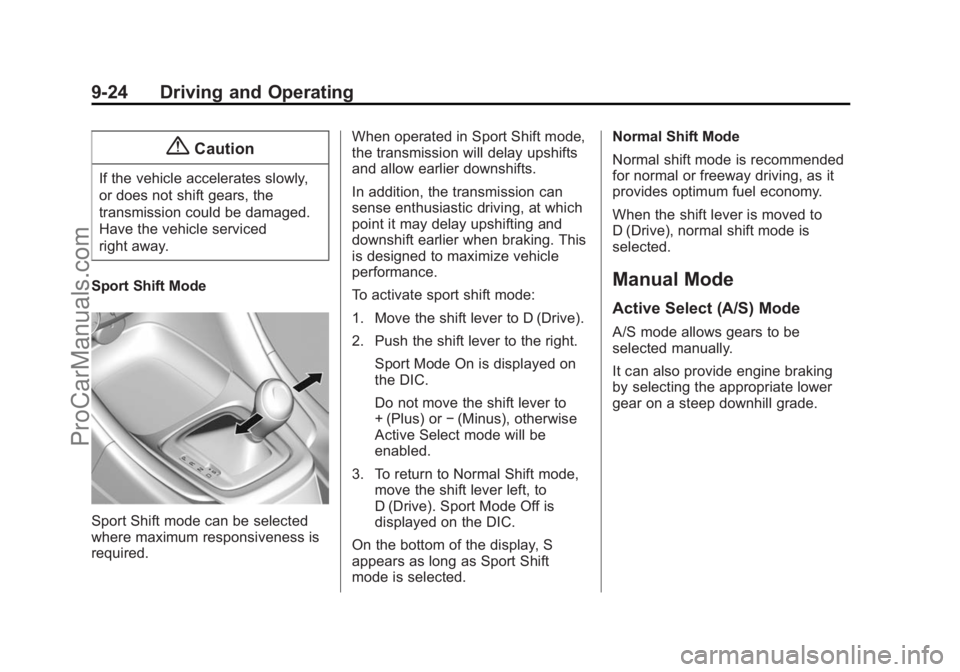
Sport Shift Mode
Sport Shift mode can be selected
where maximum responsiveness is
required. When operated in Sport Shift mode,
the transmission will delay upshifts
and allow earlier downshifts.
In addition, the transmission can
sense enthusiastic driving, at which
point it may delay upshifting and
downshift earlier when braking. This
is designed to maximize vehicle
performance.
To activate sport shift mode:
1. Move the shift lever to D (Drive).
2. Push the shift lever to the right.
Sport Mode On is displayed on
the DIC.
Do not move the shift lever to
+ (Plus) or −(Minus), otherwise
Active Select mode will be
enabled.
3. To return to Normal Shift mode, move the shift lever left, to
D (Drive). Sport Mode Off is
displayed on the DIC.
On the bottom of the display, S
appears as long as Sport Shift
mode is selected. Normal Shift Mode
Normal shift mode is recommended
for normal or freeway driving, as it
provides optimum fuel economy.
When the shift lever is moved to
D (Drive), normal shift mode is
selected.
Manual Mode
Active Select (A/S) Mode
A/S mode allows gears to be
selected manually.
It can also provide engine braking
by selecting the appropriate lower
gear on a steep downhill grade.
ProCarManuals.com
Page 257 of 422
Black plate (25,1)Chevrolet SS Sedan Owner Manual (GMNA-Localizing-U.S.-6014851) - 2014 -
1st Edition - 8/22/13
Driving and Operating 9-25
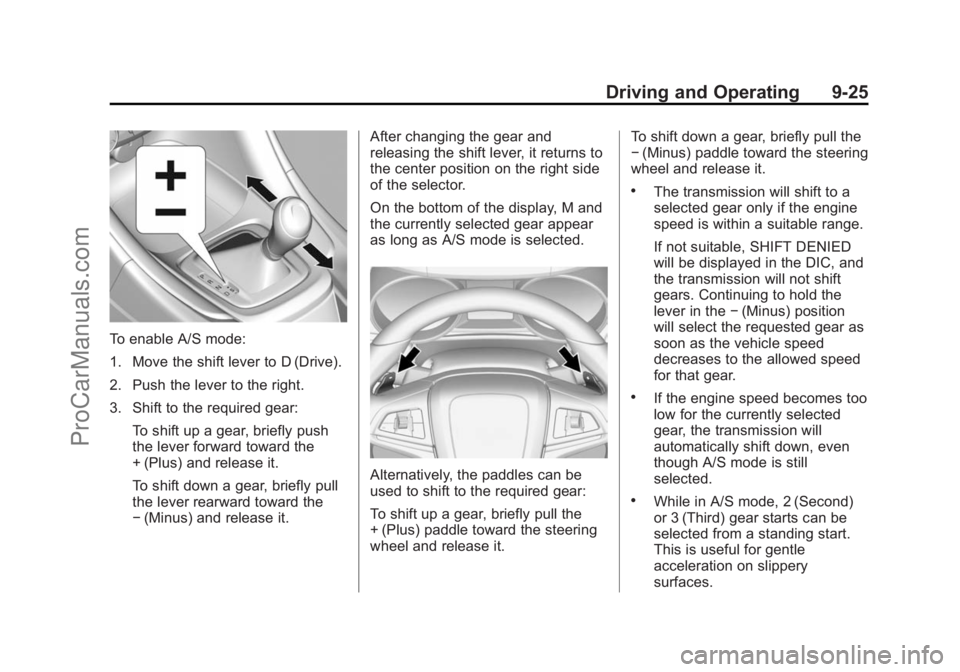
To enable A/S mode:
1. Move the shift lever to D (Drive).
2. Push the lever to the right.
3. Shift to the required gear:To shift up a gear, briefly push
the lever forward toward the
+ (Plus) and release it.
To shift down a gear, briefly pull
the lever rearward toward the
−(Minus) and release it. After changing the gear and
releasing the shift lever, it returns to
the center position on the right side
of the selector.
On the bottom of the display, M and
the currently selected gear appear
as long as A/S mode is selected.
Alternatively, the paddles can be
used to shift to the required gear:
To shift up a gear, briefly pull the
+ (Plus) paddle toward the steering
wheel and release it. To shift down a gear, briefly pull the
−
(Minus) paddle toward the steering
wheel and release it.
.The transmission will shift to a
selected gear only if the engine
speed is within a suitable range.
If not suitable, SHIFT DENIED
will be displayed in the DIC, and
the transmission will not shift
gears. Continuing to hold the
lever in the −(Minus) position
will select the requested gear as
soon as the vehicle speed
decreases to the allowed speed
for that gear.
.If the engine speed becomes too
low for the currently selected
gear, the transmission will
automatically shift down, even
though A/S mode is still
selected.
.While in A/S mode, 2 (Second)
or 3 (Third) gear starts can be
selected from a standing start.
This is useful for gentle
acceleration on slippery
surfaces.
ProCarManuals.com
Page 258 of 422
Black plate (26,1)Chevrolet SS Sedan Owner Manual (GMNA-Localizing-U.S.-6014851) - 2014 -
1st Edition - 8/22/13
9-26 Driving and Operating
To disable A/S mode and return to
Normal Shift mode, push the shift
lever to the left, to position D (Drive).
On the bottom of the display, D is
displayed.
To disable A/S mode and return to
Sport Shift mode, hold the shift lever
in the + (Plus) position for more than
one second. On the bottom of the
display, S is displayed.
Temporary Active Select
(A/S) Mode
A/S can also be operated from
D (Drive) using the steering wheel
paddles only. With the vehicle in
motion, briefly pulling the + (Plus) or
−(Minus) steering wheel paddles at
any time will engage Temporary
A/S mode. In this mode A/S functions as if
activated from Sport mode, except
that the transmission will
automatically exit Temporary A/S
mode to Normal Shift mode if any of
the following conditions are met:
.The vehicle speed drops below
approximately 10 km/h (6 mph).
.No shift paddle is pressed, and
steady driving without
accelerating, decelerating,
or cornering is detected for
approximately seven seconds.
.The + (Plus) steering wheel
paddle is pulled and held for
more than one second.
.The shift lever is moved out of
D (Drive) to Sport Shift mode.
Brakes
Antilock Brake
System (ABS)
This vehicle has ABS, an advanced
electronic braking system that helps
prevent a braking skid.
When the vehicle begins to drive
away, ABS checks itself.
A momentary motor or clicking noise
might be heard while this test is
going on, and it might even be
noticed that the brake pedal moves
a little. This is normal.
If there is a problem with ABS, this
warning light stays on. See
Antilock
Brake System (ABS) Warning Light
on page 5-16.
ProCarManuals.com
Page 263 of 422
Black plate (31,1)Chevrolet SS Sedan Owner Manual (GMNA-Localizing-U.S.-6014851) - 2014 -
1st Edition - 8/22/13
Driving and Operating 9-31
Ifdcomes on and stays on:
1. Stop the vehicle.
2. Turn the engine off and wait 15 seconds.
3. Start the engine.
Drive the vehicle. If
dcomes on
and stays on, the vehicle may need
more time to diagnose the problem.
If the condition persists, see your
dealer.
Turning the Systems Off
and On
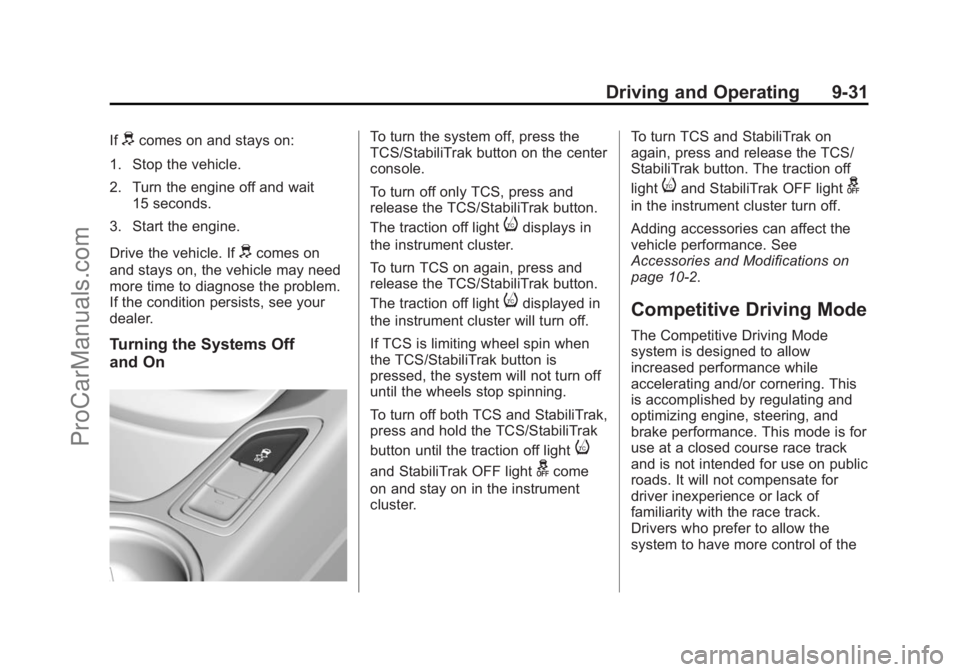
To turn the system off, press the
TCS/StabiliTrak button on the center
console.
To turn off only TCS, press and
release the TCS/StabiliTrak button.
The traction off light
idisplays in
the instrument cluster.
To turn TCS on again, press and
release the TCS/StabiliTrak button.
The traction off light
idisplayed in
the instrument cluster will turn off.
If TCS is limiting wheel spin when
the TCS/StabiliTrak button is
pressed, the system will not turn off
until the wheels stop spinning.
To turn off both TCS and StabiliTrak,
press and hold the TCS/StabiliTrak
button until the traction off light
i
and StabiliTrak OFF lightgcome
on and stay on in the instrument
cluster. To turn TCS and StabiliTrak on
again, press and release the TCS/
StabiliTrak button. The traction off
light
iand StabiliTrak OFF lightg
in the instrument cluster turn off.
Adding accessories can affect the
vehicle performance. See
Accessories and Modifications on
page 10-2.
Competitive Driving Mode
The Competitive Driving Mode
system is designed to allow
increased performance while
accelerating and/or cornering. This
is accomplished by regulating and
optimizing engine, steering, and
brake performance. This mode is for
use at a closed course race track
and is not intended for use on public
roads. It will not compensate for
driver inexperience or lack of
familiarity with the race track.
Drivers who prefer to allow the
system to have more control of the
ProCarManuals.com