fuel CHEVROLET SS 2014 User Guide
[x] Cancel search | Manufacturer: CHEVROLET, Model Year: 2014, Model line: SS, Model: CHEVROLET SS 2014Pages: 422, PDF Size: 6.18 MB
Page 113 of 422
Black plate (21,1)Chevrolet SS Sedan Owner Manual (GMNA-Localizing-U.S.-6014851) - 2014 -
1st Edition - 8/22/13
Instruments and Controls 5-21
Information Displays
Driver Information
Center (DIC)
The DIC displays information about
the vehicle. It also displays warning
messages if a system problem is
detected. SeeVehicle Messages on
page 5-26. All messages appear in
the DIC display in the center of the
instrument cluster.
The vehicle may also have features
that can be customized through the
controls on the radio. See Vehicle
Personalization on page 5-33.
DIC Operation and Displays
The DIC has different displays,
which can be accessed by using the
DIC buttons on the turn signal lever
to the left of the steering wheel. The
DIC displays trip, fuel, vehicle
system information, and warning
messages if a system problem is
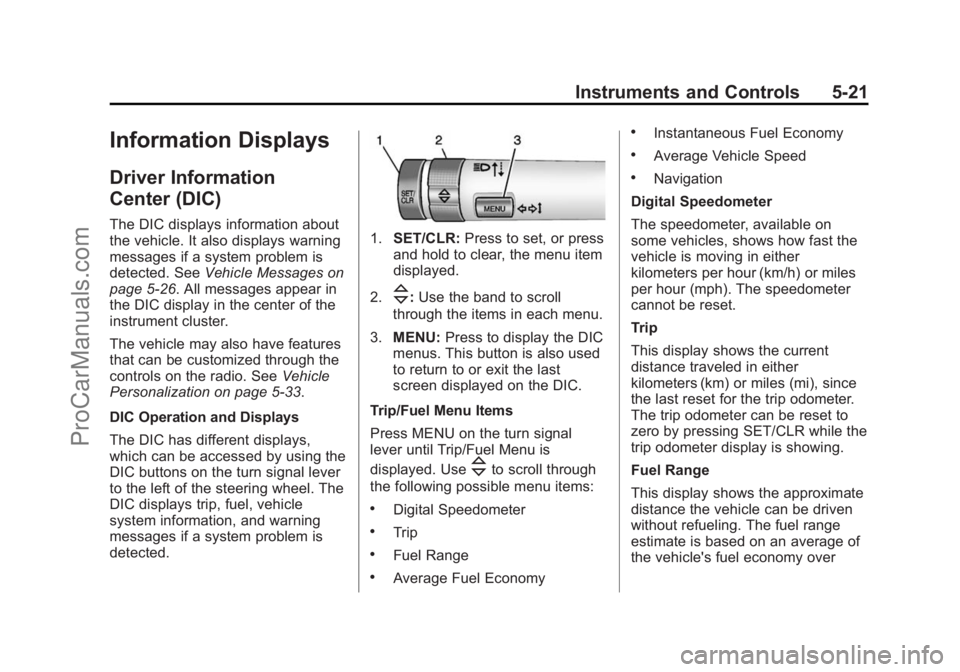
detected.1. SET/CLR: Press to set, or press
and hold to clear, the menu item
displayed.
2.
\: Use the band to scroll
through the items in each menu.
3. MENU: Press to display the DIC
menus. This button is also used
to return to or exit the last
screen displayed on the DIC.
Trip/Fuel Menu Items
Press MENU on the turn signal
lever until Trip/Fuel Menu is
displayed. Use
\to scroll through
the following possible menu items:
.Digital Speedometer
.Trip
.Fuel Range
.Average Fuel Economy
.Instantaneous Fuel Economy
.Average Vehicle Speed
.Navigation
Digital Speedometer
The speedometer, available on
some vehicles, shows how fast the
vehicle is moving in either
kilometers per hour (km/h) or miles
per hour (mph). The speedometer
cannot be reset.
Trip
This display shows the current
distance traveled in either
kilometers (km) or miles (mi), since
the last reset for the trip odometer.
The trip odometer can be reset to
zero by pressing SET/CLR while the
trip odometer display is showing.
Fuel Range
This display shows the approximate
distance the vehicle can be driven
without refueling. The fuel range
estimate is based on an average of
the vehicle's fuel economy over
ProCarManuals.com
Page 114 of 422
Black plate (22,1)Chevrolet SS Sedan Owner Manual (GMNA-Localizing-U.S.-6014851) - 2014 -
1st Edition - 8/22/13
5-22 Instruments and Controls
recent driving history and the
amount of fuel remaining in the fuel
tank. Fuel range cannot be reset.
Average Fuel Economy
This display shows the approximate
average liters per 100 kilometers
(L/100 km) or miles per gallon
(mpg). This number is calculated
based on the number of L/100 km
(mpg) recorded since the last time
this menu item was reset. The fuel
economy can be reset by pressing
SET/CLR while the Average Fuel
Economy display is showing. On
some models, this display is shown
on the same page with the
instantaneous fuel consumption
display.
Instantaneous Fuel Economy
The instantaneous fuel consumption
display shows the current fuel
economy in liters per
100 kilometers (L/100 km) or miles
per gallon (mpg). This number
reflects only the fuel economy that
the vehicle has right now and
changes frequently as drivingconditions change. Unlike average
fuel economy, this display cannot be
reset. On some models, this display
is shown on the same page with the
average fuel economy display.
Average Vehicle Speed
This display shows the average
speed of the vehicle in kilometers
per hour (km/h) or miles per
hour (mph). This average is
calculated based on the various
vehicle speeds recorded since the
last reset of this value. The average
speed can be reset by pressing
SET/CLR while the Average Vehicle
Speed display is showing.
Navigation
This display shows the Navigation
information when guidance is
selected.
Vehicle Information Menu Items
Press MENU on the turn signal
lever until Vehicle Information menu
is displayed. Use
\to scroll
through the following possible menu
items:
.Battery Voltage
.Speed Warning
.Tire Pressure Monitoring
.Remaining Oil Life
.Units
Battery Voltage
This display, available on some
vehicles, shows the current battery
voltage. If the voltage is in the
normal range, the value will display.
For example, the display may read
Battery Voltage 15.0 Volts. The
vehicle's charging system regulates
voltage based on the state of the
battery. The battery voltage can
fluctuate while viewing this
information on the DIC. This is
normal. See Charging System Light
ProCarManuals.com
Page 120 of 422
Black plate (28,1)Chevrolet SS Sedan Owner Manual (GMNA-Localizing-U.S.-6014851) - 2014 -
1st Edition - 8/22/13
5-28 Instruments and Controls
ENGINE OVERHEATED—
STOP ENGINE
This message displays and a
continuous chime sounds if the
engine cooling system reaches
unsafe temperatures for operation.
Stop and turn off the vehicle as
soon as it is safe to do so to avoid
severe damage. This message
clears when the engine has cooled
to a safe operating temperature.
Engine Oil Messages
CHANGE ENGINE OIL SOON
This message displays when
service is required for the vehicle.
See your dealer. See Engine Oil on
page 10-6 andMaintenance
Schedule on page 11-2.
Acknowledging the CHANGE
ENGINE OIL SOON message will
not reset the system. See
“Remaining Oil Life” underDriver
Information Center (DIC) on
page 5-21 andEngine Oil Life
System on page 10-8.
ENGINE OIL LOW —ADD OIL
On some vehicles, this message
displays when the engine oil level
may be too low. Check the oil level
before filling to the recommended
level. If the oil is not low and this
message remains on, take the
vehicle to your dealer for service.
See Engine Oil on page 10-6.
OIL PRESSURE LOW STOP
ENGINE
This message displays when the
vehicle's engine oil pressure is low.
The oil pressure light also appears
on the instrument cluster. See
Engine Oil Pressure Light on
page 5-18.
Stop the vehicle immediately, as
engine damage can result from
driving a vehicle with low oil
pressure. Have the vehicle serviced
by your dealer as soon as possible
when this message is displayed.
Engine Power Messages
ENGINE POWER IS REDUCED
This message displays when the
vehicle's engine power is reduced.
Reduced engine power can affect
the vehicle's ability to accelerate.
If this message is on, but there is no
reduction in performance, proceed
to your destination. The
performance may be reduced the
next time the vehicle is driven. The
vehicle may be driven at a reduced
speed while this message is on, but
maximum acceleration and speed
may be reduced. Anytime this
message stays on, the vehicle
should be taken to your dealer for
service as soon as possible.
Fuel System Messages
FUEL LEVEL LOW
This message displays when the
vehicle is low on fuel. Refuel as
soon as possible
ProCarManuals.com
Page 146 of 422
Black plate (10,1)Chevrolet SS Sedan Owner Manual (GMNA-Localizing-U.S.-6014851) - 2014 -
1st Edition - 8/22/13
7-10 Infotainment System
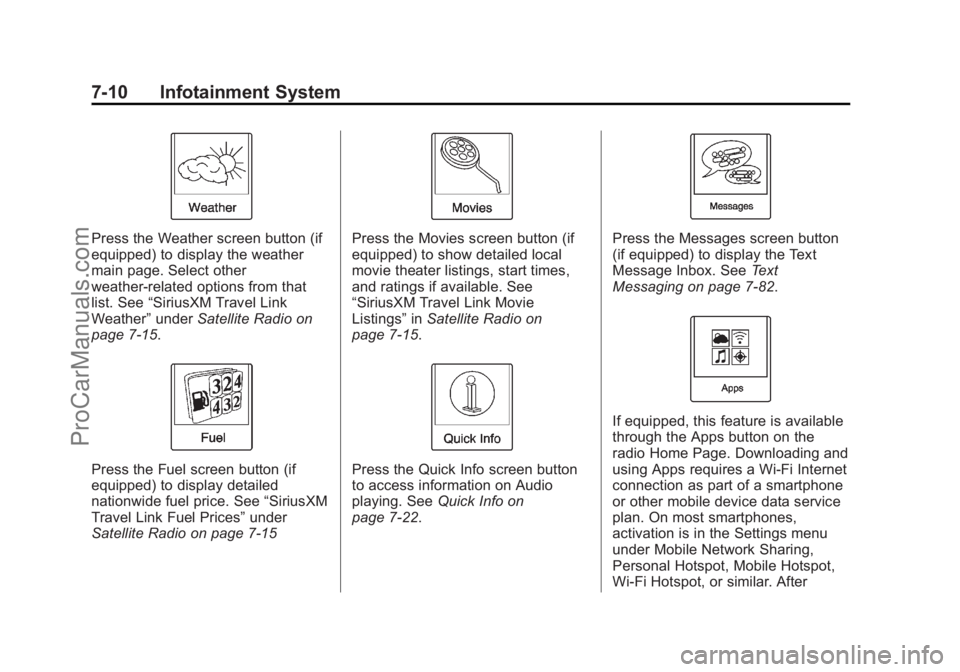
Press the Weather screen button (if
equipped) to display the weather
main page. Select other
weather-related options from that
list. See“SiriusXM Travel Link
Weather” underSatellite Radio on
page 7-15.
Press the Fuel screen button (if
equipped) to display detailed
nationwide fuel price. See “SiriusXM
Travel Link Fuel Prices” under
Satellite Radio on page 7-15
Press the Movies screen button (if
equipped) to show detailed local
movie theater listings, start times,
and ratings if available. See
“SiriusXM Travel Link Movie
Listings” inSatellite Radio on
page 7-15.
Press the Quick Info screen button
to access information on Audio
playing. See Quick Info on
page 7-22.
Press the Messages screen button
(if equipped) to display the Text
Message Inbox. See Text
Messaging on page 7-82.
If equipped, this feature is available
through the Apps button on the
radio Home Page. Downloading and
using Apps requires a Wi-Fi Internet
connection as part of a smartphone
or other mobile device data service
plan. On most smartphones,
activation is in the Settings menu
under Mobile Network Sharing,
Personal Hotspot, Mobile Hotspot,
Wi-Fi Hotspot, or similar. After
ProCarManuals.com
Page 153 of 422
Black plate (17,1)Chevrolet SS Sedan Owner Manual (GMNA-Localizing-U.S.-6014851) - 2014 -
1st Edition - 8/22/13
Infotainment System 7-17
A screen displays to indicate that
the SiriusXM NavTraffic subscription
is not activated.
If activated, traffic information
displays:
.Unscheduled traffic incident
data, such as accidents and
disabled vehicles.
.Scheduled traffic incident data,
such as road construction and
road closures.
.Traffic flow information (rate of
speed data). Flow data might not
be available in all markets.
Traffic information is delivered to the
vehicle by the SiriusXM Radio
satellites. SiriusXM NavTraffic
provides continuously updated
traffic information.
SiriusXM NavTraffic currently
broadcasts the traffic information for
many markets nationally. The
service may be available in more
cities in the future. Visit
www.xmnavtraffic.com for more
details on local coverage. To access the traffic features, press
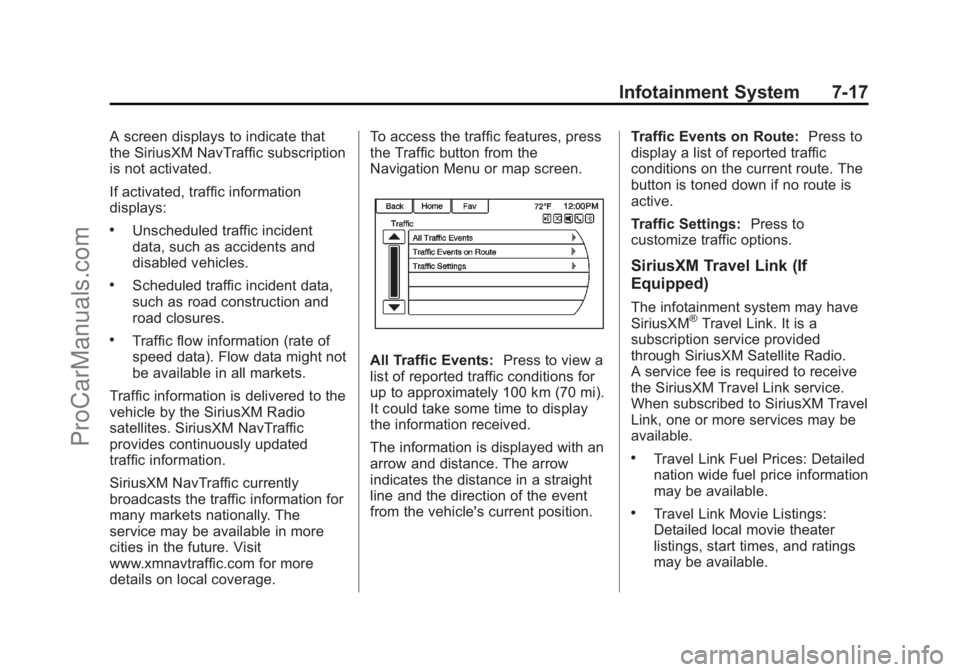
the Traffic button from the
Navigation Menu or map screen.
All Traffic Events:
Press to view a
list of reported traffic conditions for
up to approximately 100 km (70 mi).
It could take some time to display
the information received.
The information is displayed with an
arrow and distance. The arrow
indicates the distance in a straight
line and the direction of the event
from the vehicle's current position. Traffic Events on Route:
Press to
display a list of reported traffic
conditions on the current route. The
button is toned down if no route is
active.
Traffic Settings: Press to
customize traffic options.
SiriusXM Travel Link (If
Equipped)
The infotainment system may have
SiriusXM®Travel Link. It is a
subscription service provided
through SiriusXM Satellite Radio.
A service fee is required to receive
the SiriusXM Travel Link service.
When subscribed to SiriusXM Travel
Link, one or more services may be
available.
.Travel Link Fuel Prices: Detailed
nation wide fuel price information
may be available.
.Travel Link Movie Listings:
Detailed local movie theater
listings, start times, and ratings
may be available.
ProCarManuals.com
Page 154 of 422
Black plate (18,1)Chevrolet SS Sedan Owner Manual (GMNA-Localizing-U.S.-6014851) - 2014 -
1st Edition - 8/22/13
7-18 Infotainment System
.Travel Link Weather: National
and Local Weather gives current
and forecasted weather.
For more detailed information and
coverage details on SiriusXM Travel
Link go to www.siriusxm.com.
SiriusXM Travel Link Fuel Prices
When SiriusXM Travel Link
information is available, the system
will display a list of fuel stations
close to the vehicle location. The list
will include fuel station name,
direction, distance and price. The
list can be sorted by distance or
price and there are four different
fuel types to choose from. As the
vehicle is moving, a direction arrow
and distance to fuel station will
update. The arrow represents the
direction to the gas station from the
current vehicle position. The
distance represents the straight line
distance between the vehicle
location and the fuel station.
From the Home Page, press the
Fuel button. To change the fuel information on
the screen press the Fuel Menu
Button to:
.Sort Fuel Stations By Price or By
Distance: The default sort
method is by distance.
.Choose Fuel Type: The
available fuel types are Regular
(unleaded), Mid-Range,
Premium, and Diesel.
For more information on the fuel
station, select the fuel station name.
The screen will show the fuel station
name, address, phone number,
distance, amenities, and the last
time the fuel price was updated. If a
fuel station does not appear in the
list, it may be new or the price may
not have been updated in the past
24 hours.
If equipped with Navigation when
the fuel station is selected, see
Destination on page 7-48 for more
information of navigation routing
features. Allow up to five minutes after turning
on the vehicle for the fuel
information to appear.
SiriusXM Travel Link Movie
Listings
When SiriusXM Travel Link
information is available the movie
feature provides movie showtimes
and theater information for movies
close to the vehicle location. The
Movie feature provides detailed
theater and movie information
including showtimes.
From the Home Page, press the
SiriusXM
®Movie button. The
system displays the Movie and
Theater search page.
To search movies:
.Select the Movie field to choose
a movie name.
.Select the Theater field to
choose a specific theater.
.Select the Date field to choose
which date to search movies
and/or theaters.
ProCarManuals.com
Page 158 of 422
Black plate (22,1)Chevrolet SS Sedan Owner Manual (GMNA-Localizing-U.S.-6014851) - 2014 -
1st Edition - 8/22/13
7-22 Infotainment System
obstructions for clear reception.
If the vehicle has a sunroof, and it is
open, reception can also be
affected.
Quick Info
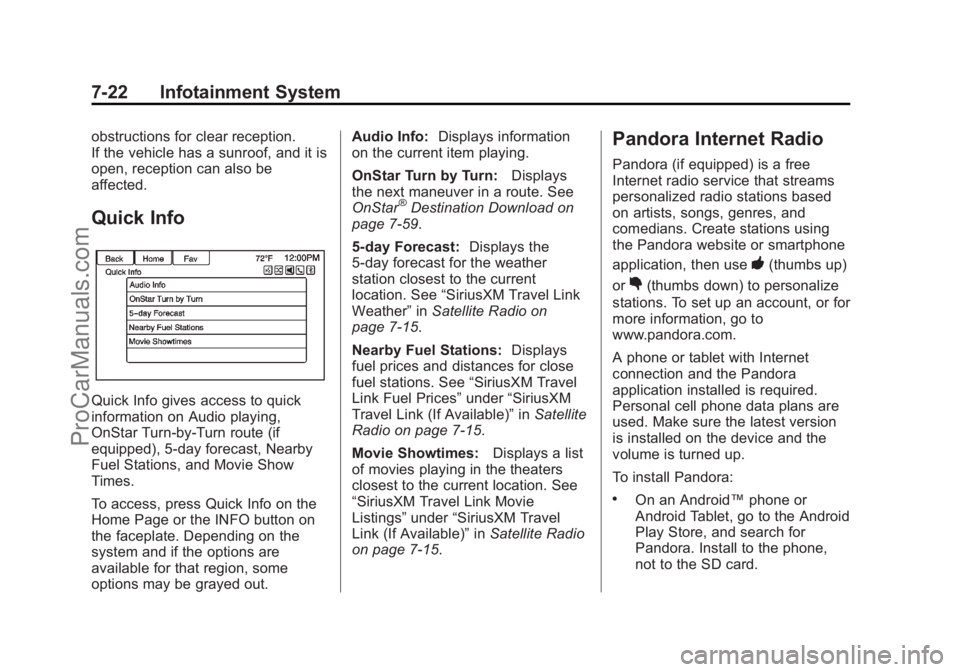
Quick Info gives access to quick
information on Audio playing,
OnStar Turn-by-Turn route (if
equipped), 5-day forecast, Nearby
Fuel Stations, and Movie Show
Times.
To access, press Quick Info on the
Home Page or the INFO button on
the faceplate. Depending on the
system and if the options are
available for that region, some
options may be grayed out.Audio Info:
Displays information
on the current item playing.
OnStar Turn by Turn: Displays
the next maneuver in a route. See
OnStar
®Destination Download on
page 7-59.
5-day Forecast: Displays the
5-day forecast for the weather
station closest to the current
location. See “SiriusXM Travel Link
Weather” inSatellite Radio on
page 7-15.
Nearby Fuel Stations: Displays
fuel prices and distances for close
fuel stations. See “SiriusXM Travel
Link Fuel Prices” under“SiriusXM
Travel Link (If Available)” inSatellite
Radio on page 7-15.
Movie Showtimes: Displays a list
of movies playing in the theaters
closest to the current location. See
“SiriusXM Travel Link Movie
Listings” under“SiriusXM Travel
Link (If Available)” inSatellite Radio
on page 7-15.
Pandora Internet Radio
Pandora (if equipped) is a free
Internet radio service that streams
personalized radio stations based
on artists, songs, genres, and
comedians. Create stations using
the Pandora website or smartphone
application, then use
-(thumbs up)
or
,(thumbs down) to personalize
stations. To set up an account, or for
more information, go to
www.pandora.com.
A phone or tablet with Internet
connection and the Pandora
application installed is required.
Personal cell phone data plans are
used. Make sure the latest version
is installed on the device and the
volume is turned up.
To install Pandora:
.On an Android™ phone or
Android Tablet, go to the Android
Play Store, and search for
Pandora. Install to the phone,
not to the SD card.
ProCarManuals.com
Page 193 of 422
Black plate (57,1)Chevrolet SS Sedan Owner Manual (GMNA-Localizing-U.S.-6014851) - 2014 -
1st Edition - 8/22/13
Infotainment System 7-57
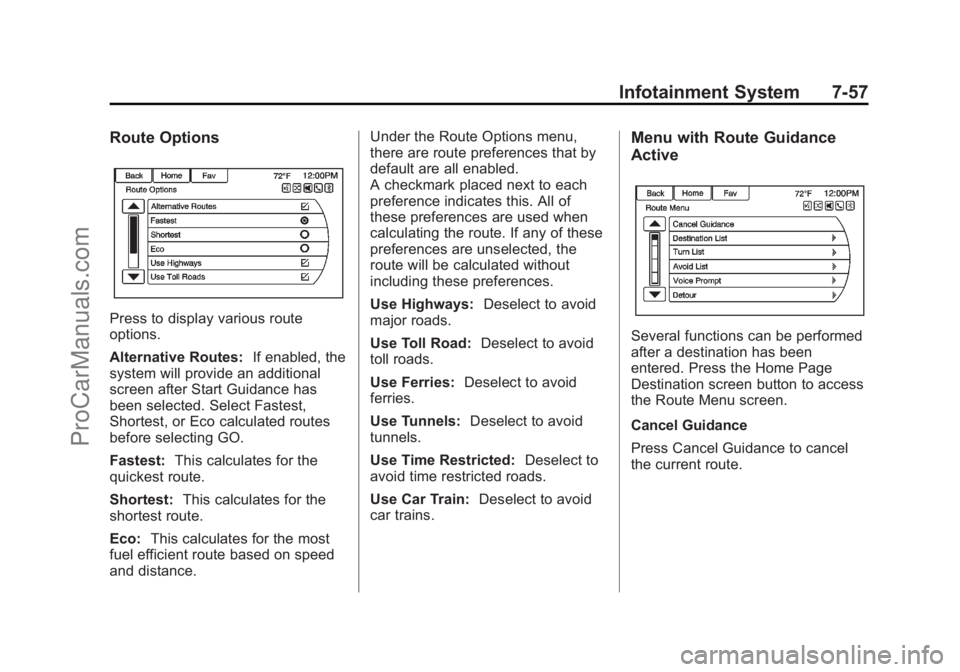
Route Options
Press to display various route
options.
Alternative Routes:If enabled, the
system will provide an additional
screen after Start Guidance has
been selected. Select Fastest,
Shortest, or Eco calculated routes
before selecting GO.
Fastest: This calculates for the
quickest route.
Shortest: This calculates for the
shortest route.
Eco: This calculates for the most
fuel efficient route based on speed
and distance. Under the Route Options menu,
there are route preferences that by
default are all enabled.
A checkmark placed next to each
preference indicates this. All of
these preferences are used when
calculating the route. If any of these
preferences are unselected, the
route will be calculated without
including these preferences.
Use Highways:
Deselect to avoid
major roads.
Use Toll Road: Deselect to avoid
toll roads.
Use Ferries: Deselect to avoid
ferries.
Use Tunnels: Deselect to avoid
tunnels.
Use Time Restricted: Deselect to
avoid time restricted roads.
Use Car Train: Deselect to avoid
car trains.
Menu with Route Guidance
Active
Several functions can be performed
after a destination has been
entered. Press the Home Page
Destination screen button to access
the Route Menu screen.
Cancel Guidance
Press Cancel Guidance to cancel
the current route.
ProCarManuals.com
Page 233 of 422
Black plate (1,1)Chevrolet SS Sedan Owner Manual (GMNA-Localizing-U.S.-6014851) - 2014 -
1st Edition - 8/22/13
Driving and Operating 9-1
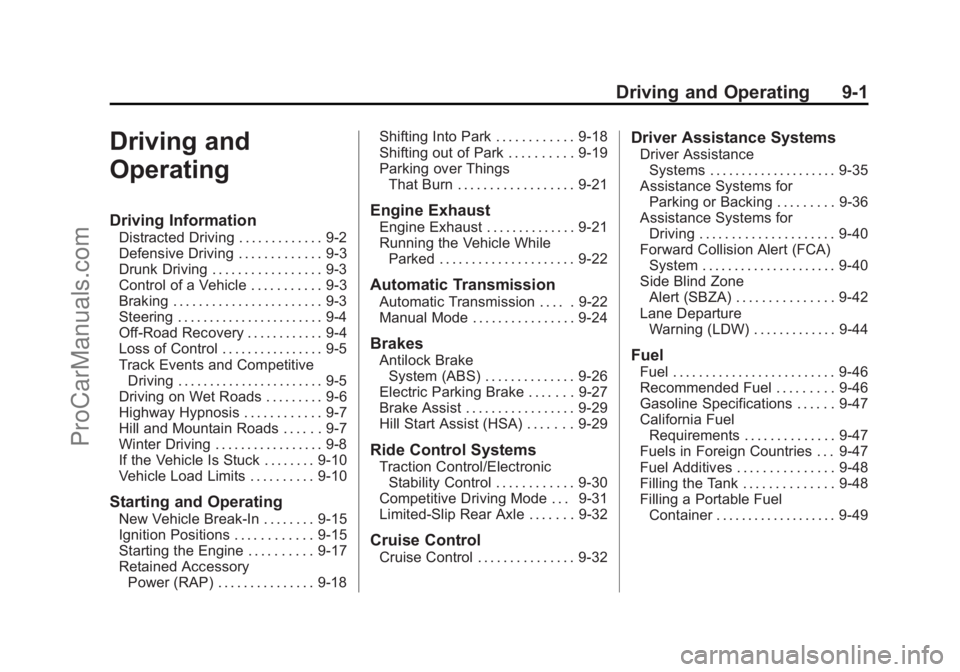
Driving and
Operating
Driving Information
Distracted Driving . . . . . . . . . . . . . 9-2
Defensive Driving . . . . . . . . . . . . . 9-3
Drunk Driving . . . . . . . . . . . . . . . . . 9-3
Control of a Vehicle . . . . . . . . . . . 9-3
Braking . . . . . . . . . . . . . . . . . . . . . . . 9-3
Steering . . . . . . . . . . . . . . . . . . . . . . . 9-4
Off-Road Recovery . . . . . . . . . . . . 9-4
Loss of Control . . . . . . . . . . . . . . . . 9-5
Track Events and CompetitiveDriving . . . . . . . . . . . . . . . . . . . . . . . 9-5
Driving on Wet Roads . . . . . . . . . 9-6
Highway Hypnosis . . . . . . . . . . . . 9-7
Hill and Mountain Roads . . . . . . 9-7
Winter Driving . . . . . . . . . . . . . . . . . 9-8
If the Vehicle Is Stuck . . . . . . . . 9-10
Vehicle Load Limits . . . . . . . . . . 9-10
Starting and Operating
New Vehicle Break-In . . . . . . . . 9-15
Ignition Positions . . . . . . . . . . . . 9-15
Starting the Engine . . . . . . . . . . 9-17
Retained Accessory Power (RAP) . . . . . . . . . . . . . . . 9-18 Shifting Into Park . . . . . . . . . . . . 9-18
Shifting out of Park . . . . . . . . . . 9-19
Parking over Things
That Burn . . . . . . . . . . . . . . . . . . 9-21
Engine Exhaust
Engine Exhaust . . . . . . . . . . . . . . 9-21
Running the Vehicle WhileParked . . . . . . . . . . . . . . . . . . . . . 9-22
Automatic Transmission
Automatic Transmission . . . . . 9-22
Manual Mode . . . . . . . . . . . . . . . . 9-24
Brakes
Antilock BrakeSystem (ABS) . . . . . . . . . . . . . . 9-26
Electric Parking Brake . . . . . . . 9-27
Brake Assist . . . . . . . . . . . . . . . . . 9-29
Hill Start Assist (HSA) . . . . . . . 9-29
Ride Control Systems
Traction Control/Electronic Stability Control . . . . . . . . . . . . 9-30
Competitive Driving Mode . . . 9-31
Limited-Slip Rear Axle . . . . . . . 9-32
Cruise Control
Cruise Control . . . . . . . . . . . . . . . 9-32
Driver Assistance Systems
Driver Assistance Systems . . . . . . . . . . . . . . . . . . . . 9-35
Assistance Systems for Parking or Backing . . . . . . . . . 9-36
Assistance Systems for
Driving . . . . . . . . . . . . . . . . . . . . . 9-40
Forward Collision Alert (FCA) System . . . . . . . . . . . . . . . . . . . . . 9-40
Side Blind Zone Alert (SBZA) . . . . . . . . . . . . . . . 9-42
Lane Departure Warning (LDW) . . . . . . . . . . . . . 9-44
Fuel
Fuel . . . . . . . . . . . . . . . . . . . . . . . . . 9-46
Recommended Fuel . . . . . . . . . 9-46
Gasoline Specifications . . . . . . 9-47
California FuelRequirements . . . . . . . . . . . . . . 9-47
Fuels in Foreign Countries . . . 9-47
Fuel Additives . . . . . . . . . . . . . . . 9-48
Filling the Tank . . . . . . . . . . . . . . 9-48
Filling a Portable Fuel Container . . . . . . . . . . . . . . . . . . . 9-49
ProCarManuals.com
Page 241 of 422
Black plate (9,1)Chevrolet SS Sedan Owner Manual (GMNA-Localizing-U.S.-6014851) - 2014 -
1st Edition - 8/22/13
Driving and Operating 9-9
Blizzard Conditions
Being stuck in snow can be a
serious situation. Stay with the
vehicle unless there is help nearby.
If possible, use Roadside
Assistance. SeeRoadside
Assistance Program on page 13-5.
To get help and keep everyone in
the vehicle safe:
.Turn on the hazard warning
flashers.
.Tie a red cloth to an outside
mirror.
{Warning
Snow can trap engine exhaust
under the vehicle. This may
cause exhaust gases to get
inside. Engine exhaust contains
carbon monoxide (CO) which
cannot be seen or smelled. It can
cause unconsciousness and even
death.
(Continued)
Warning (Continued)
If the vehicle is stuck in the snow:
.Clear away snow from around
the base of your vehicle,
especially any that is blocking
the exhaust pipe.
.Check again from time to
time to be sure snow does
not collect there.
.Open a window about 5 cm
(2 in) on the side of the
vehicle that is away from the
wind to bring in fresh air.
.Fully open the air outlets on
or under the instrument
panel.
.Adjust the climate control
system to a setting that
circulates the air inside the(Continued)
Warning (Continued)
vehicle and set the fan speed to
the highest setting. See “Climate
Control Systems”.
For more information about
carbon monoxide, see Engine
Exhaust on page 9-21.
To save fuel, run the engine for only
short periods as needed to warm
the vehicle and then shut the engine
off and close the window most of
the way to save heat. Repeat this
until help arrives but only when you
feel really uncomfortable from the
cold. Moving about to keep warm
also helps.
If it takes some time for help to
arrive, now and then when you run
the engine, push the accelerator
pedal slightly so the engine runs
faster than the idle speed. This
keeps the battery charged to restart
ProCarManuals.com