steering CHEVROLET SS 2014 Workshop Manual
[x] Cancel search | Manufacturer: CHEVROLET, Model Year: 2014, Model line: SS, Model: CHEVROLET SS 2014Pages: 422, PDF Size: 6.18 MB
Page 257 of 422
Black plate (25,1)Chevrolet SS Sedan Owner Manual (GMNA-Localizing-U.S.-6014851) - 2014 -
1st Edition - 8/22/13
Driving and Operating 9-25
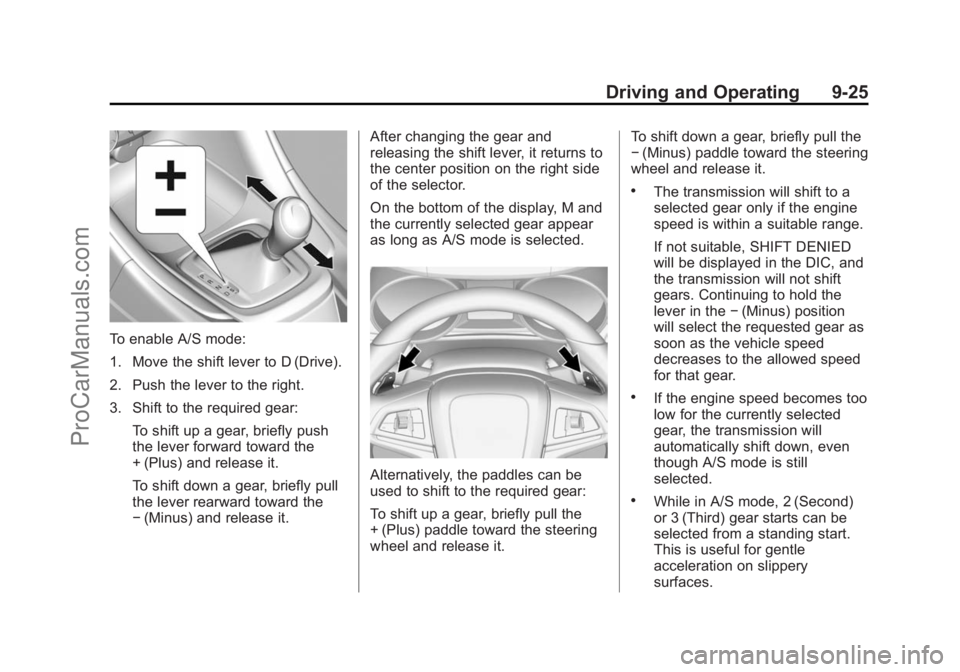
To enable A/S mode:
1. Move the shift lever to D (Drive).
2. Push the lever to the right.
3. Shift to the required gear:To shift up a gear, briefly push
the lever forward toward the
+ (Plus) and release it.
To shift down a gear, briefly pull
the lever rearward toward the
−(Minus) and release it. After changing the gear and
releasing the shift lever, it returns to
the center position on the right side
of the selector.
On the bottom of the display, M and
the currently selected gear appear
as long as A/S mode is selected.
Alternatively, the paddles can be
used to shift to the required gear:
To shift up a gear, briefly pull the
+ (Plus) paddle toward the steering
wheel and release it. To shift down a gear, briefly pull the
−
(Minus) paddle toward the steering
wheel and release it.
.The transmission will shift to a
selected gear only if the engine
speed is within a suitable range.
If not suitable, SHIFT DENIED
will be displayed in the DIC, and
the transmission will not shift
gears. Continuing to hold the
lever in the −(Minus) position
will select the requested gear as
soon as the vehicle speed
decreases to the allowed speed
for that gear.
.If the engine speed becomes too
low for the currently selected
gear, the transmission will
automatically shift down, even
though A/S mode is still
selected.
.While in A/S mode, 2 (Second)
or 3 (Third) gear starts can be
selected from a standing start.
This is useful for gentle
acceleration on slippery
surfaces.
ProCarManuals.com
Page 258 of 422
Black plate (26,1)Chevrolet SS Sedan Owner Manual (GMNA-Localizing-U.S.-6014851) - 2014 -
1st Edition - 8/22/13
9-26 Driving and Operating
To disable A/S mode and return to
Normal Shift mode, push the shift
lever to the left, to position D (Drive).
On the bottom of the display, D is
displayed.
To disable A/S mode and return to
Sport Shift mode, hold the shift lever
in the + (Plus) position for more than
one second. On the bottom of the
display, S is displayed.
Temporary Active Select
(A/S) Mode
A/S can also be operated from
D (Drive) using the steering wheel
paddles only. With the vehicle in
motion, briefly pulling the + (Plus) or
−(Minus) steering wheel paddles at
any time will engage Temporary
A/S mode. In this mode A/S functions as if
activated from Sport mode, except
that the transmission will
automatically exit Temporary A/S
mode to Normal Shift mode if any of
the following conditions are met:
.The vehicle speed drops below
approximately 10 km/h (6 mph).
.No shift paddle is pressed, and
steady driving without
accelerating, decelerating,
or cornering is detected for
approximately seven seconds.
.The + (Plus) steering wheel
paddle is pulled and held for
more than one second.
.The shift lever is moved out of
D (Drive) to Sport Shift mode.
Brakes
Antilock Brake
System (ABS)
This vehicle has ABS, an advanced
electronic braking system that helps
prevent a braking skid.
When the vehicle begins to drive
away, ABS checks itself.
A momentary motor or clicking noise
might be heard while this test is
going on, and it might even be
noticed that the brake pedal moves
a little. This is normal.
If there is a problem with ABS, this
warning light stays on. See
Antilock
Brake System (ABS) Warning Light
on page 5-16.
ProCarManuals.com
Page 259 of 422
Black plate (27,1)Chevrolet SS Sedan Owner Manual (GMNA-Localizing-U.S.-6014851) - 2014 -
1st Edition - 8/22/13
Driving and Operating 9-27
If driving safely on a wet road and it
becomes necessary to slam on the
brakes and continue braking to
avoid a sudden obstacle, a
computer senses that the wheels
are slowing down. If one of the
wheels is about to stop rolling, the
computer will separately work the
brakes at each wheel.
ABS can change the brake pressure
to each wheel, as required, faster
than any driver could. This can help
you steer around the obstacle while
braking hard.
As the brakes are applied, the
computer keeps receiving updates
on wheel speed and controls
braking pressure accordingly.
Remember: ABS does not change
the time needed to get a foot up to
the brake pedal or always decrease
stopping distance. If you get too
close to the vehicle in front of you,
there will not be enough time to
apply the brakes if that vehiclesuddenly slows or stops. Always
leave enough room up ahead to
stop, even with ABS.
Using ABS
Do not pump the brakes. Just hold
the brake pedal down firmly and let
ABS work. You might hear the ABS
pump or motor operating and feel
the brake pedal pulsate, but this is
normal.
Braking in Emergencies
ABS allows you to steer and brake
at the same time. In many
emergencies, steering can help
more than even the very best
braking.
Electric Parking Brake
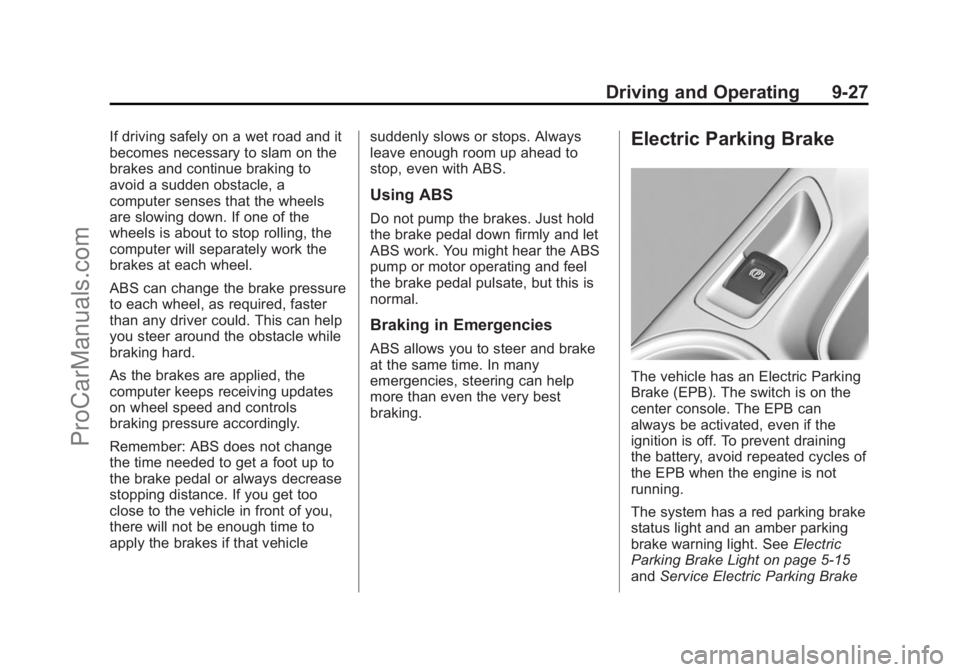
The vehicle has an Electric Parking
Brake (EPB). The switch is on the
center console. The EPB can
always be activated, even if the
ignition is off. To prevent draining
the battery, avoid repeated cycles of
the EPB when the engine is not
running.
The system has a red parking brake
status light and an amber parking
brake warning light. See
Electric
Parking Brake Light on page 5-15
and Service Electric Parking Brake
ProCarManuals.com
Page 263 of 422
Black plate (31,1)Chevrolet SS Sedan Owner Manual (GMNA-Localizing-U.S.-6014851) - 2014 -
1st Edition - 8/22/13
Driving and Operating 9-31
Ifdcomes on and stays on:
1. Stop the vehicle.
2. Turn the engine off and wait 15 seconds.
3. Start the engine.
Drive the vehicle. If
dcomes on
and stays on, the vehicle may need
more time to diagnose the problem.
If the condition persists, see your
dealer.
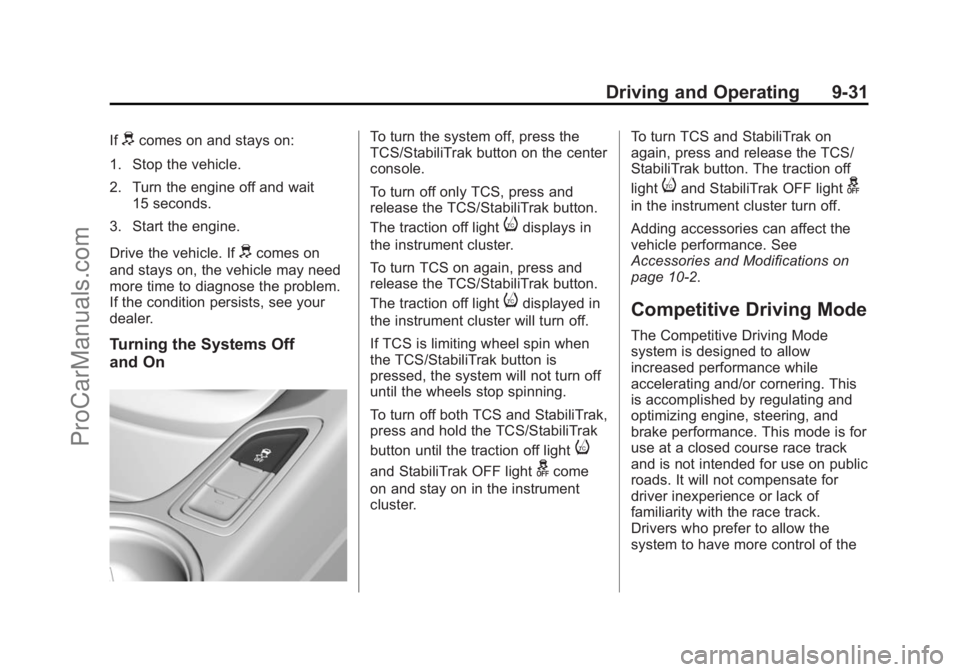
Turning the Systems Off
and On
To turn the system off, press the
TCS/StabiliTrak button on the center
console.
To turn off only TCS, press and
release the TCS/StabiliTrak button.
The traction off light
idisplays in
the instrument cluster.
To turn TCS on again, press and
release the TCS/StabiliTrak button.
The traction off light
idisplayed in
the instrument cluster will turn off.
If TCS is limiting wheel spin when
the TCS/StabiliTrak button is
pressed, the system will not turn off
until the wheels stop spinning.
To turn off both TCS and StabiliTrak,
press and hold the TCS/StabiliTrak
button until the traction off light
i
and StabiliTrak OFF lightgcome
on and stay on in the instrument
cluster. To turn TCS and StabiliTrak on
again, press and release the TCS/
StabiliTrak button. The traction off
light
iand StabiliTrak OFF lightg
in the instrument cluster turn off.
Adding accessories can affect the
vehicle performance. See
Accessories and Modifications on
page 10-2.
Competitive Driving Mode
The Competitive Driving Mode
system is designed to allow
increased performance while
accelerating and/or cornering. This
is accomplished by regulating and
optimizing engine, steering, and
brake performance. This mode is for
use at a closed course race track
and is not intended for use on public
roads. It will not compensate for
driver inexperience or lack of
familiarity with the race track.
Drivers who prefer to allow the
system to have more control of the
ProCarManuals.com
Page 271 of 422
Black plate (39,1)Chevrolet SS Sedan Owner Manual (GMNA-Localizing-U.S.-6014851) - 2014 -
1st Edition - 8/22/13
Driving and Operating 9-39
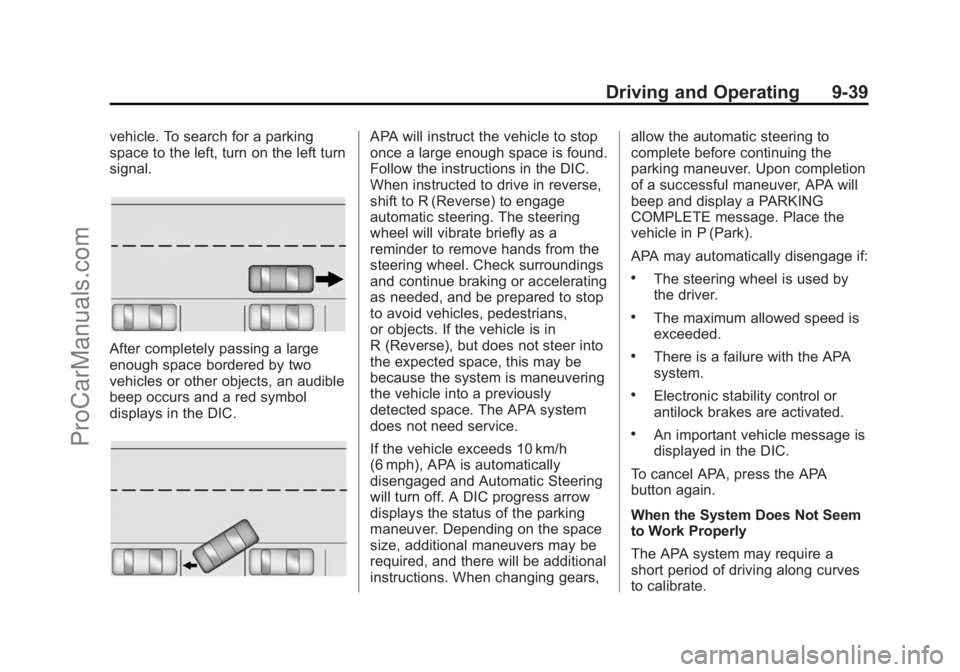
vehicle. To search for a parking
space to the left, turn on the left turn
signal.
After completely passing a large
enough space bordered by two
vehicles or other objects, an audible
beep occurs and a red symbol
displays in the DIC.
APA will instruct the vehicle to stop
once a large enough space is found.
Follow the instructions in the DIC.
When instructed to drive in reverse,
shift to R (Reverse) to engage
automatic steering. The steering
wheel will vibrate briefly as a
reminder to remove hands from the
steering wheel. Check surroundings
and continue braking or accelerating
as needed, and be prepared to stop
to avoid vehicles, pedestrians,
or objects. If the vehicle is in
R (Reverse), but does not steer into
the expected space, this may be
because the system is maneuvering
the vehicle into a previously
detected space. The APA system
does not need service.
If the vehicle exceeds 10 km/h
(6 mph), APA is automatically
disengaged and Automatic Steering
will turn off. A DIC progress arrow
displays the status of the parking
maneuver. Depending on the space
size, additional maneuvers may be
required, and there will be additional
instructions. When changing gears,allow the automatic steering to
complete before continuing the
parking maneuver. Upon completion
of a successful maneuver, APA will
beep and display a PARKING
COMPLETE message. Place the
vehicle in P (Park).
APA may automatically disengage if:
.The steering wheel is used by
the driver.
.The maximum allowed speed is
exceeded.
.There is a failure with the APA
system.
.Electronic stability control or
antilock brakes are activated.
.An important vehicle message is
displayed in the DIC.
To cancel APA, press the APA
button again.
When the System Does Not Seem
to Work Properly
The APA system may require a
short period of driving along curves
to calibrate.
ProCarManuals.com
Page 272 of 422
Black plate (40,1)Chevrolet SS Sedan Owner Manual (GMNA-Localizing-U.S.-6014851) - 2014 -
1st Edition - 8/22/13
9-40 Driving and Operating
Assistance Systems for
Driving
If equipped, when driving the
vehicle, Forward Collision Alert
(FCA), Lane Departure Warning
(LDW), and Side Blind Zone Alert
(SBZA) can help to avoid a crash or
reduce crash damage.
Forward Collision Alert
(FCA) System
If equipped, the FCA system may
help to avoid or reduce the harm
caused by front-end crashes. When
approaching a vehicle ahead too
quickly, FCA provides a red flashing
alert on the windshield and rapidly
beeps. FCA also lights an amber
visual alert if following another
vehicle much too closely.
FCA detects vehicles within a
distance of approximately 60 m
(197 ft) and operates at speeds
above 40 km/h (25 mph).
{Warning
FCA is a warning system and
does not apply the brakes. When
approaching a slower-moving or
stopped vehicle ahead too rapidly,
or when following a vehicle too
closely, FCA may not provide a
warning with enough time to help
avoid a crash. FCA does not warn
of pedestrians, animals, signs,
guardrails, bridges, construction
barrels, or other objects. Be ready
to take action and apply the
brakes. For more information, see
Defensive Driving on page 9-3.
FCA can be disabled with the FCA
steering wheel control.
Detecting the Vehicle Ahead
FCA warnings will not occur unless
the FCA system detects a vehicle
ahead. When a vehicle is detected,
the vehicle ahead indicator will
display green. Vehicles may not be
detected on curves, highway exit
ramps, or hills; or due to poor
visibility. FCA will not detect another
vehicle ahead until it is completely
in the driving lane.
{Warning
FCA does not provide a warning
to help avoid a crash, unless it
detects a vehicle. FCA may not
detect a vehicle ahead if the FCA
sensor is blocked by dirt, snow, (Continued)
ProCarManuals.com
Page 273 of 422
Black plate (41,1)Chevrolet SS Sedan Owner Manual (GMNA-Localizing-U.S.-6014851) - 2014 -
1st Edition - 8/22/13
Driving and Operating 9-41
Warning (Continued)
or ice, or if the windshield is
damaged. It may also not detect a
vehicle on winding or hilly roads,
or in conditions that can limit
visibility such as fog, rain,
or snow, or if the headlamps or
windshield are not cleaned or in
proper condition. Keep the
windshield, headlamps, and FCA
sensors clean and in good repair.
Collision Alert
When your vehicle approaches
another detected vehicle too rapidly,
the red FCA display will flash on the
windshield. Also, eight rapid
high-pitched beeps will sound from
the front. When this Collision Alert occurs, the brake system may
prepare for driver braking to occur
more rapidly which can cause a
brief, mild deceleration. Continue to
apply the brake pedal as needed.
Cruise control may be disengaged
when the Collision Alert occurs.
Tailgating Alert
The vehicle ahead indicator will
display amber when you are
following a detected vehicle ahead
much too closely.
Selecting the Alert Timing
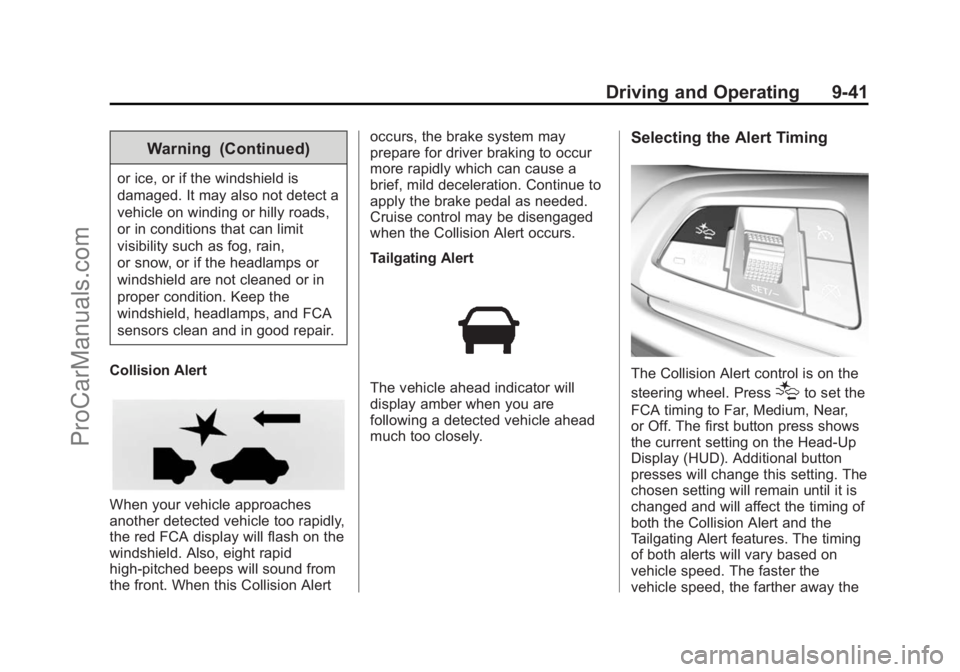
The Collision Alert control is on the
steering wheel. Press
[to set the
FCA timing to Far, Medium, Near,
or Off. The first button press shows
the current setting on the Head-Up
Display (HUD). Additional button
presses will change this setting. The
chosen setting will remain until it is
changed and will affect the timing of
both the Collision Alert and the
Tailgating Alert features. The timing
of both alerts will vary based on
vehicle speed. The faster the
vehicle speed, the farther away the
ProCarManuals.com
Page 277 of 422
Black plate (45,1)Chevrolet SS Sedan Owner Manual (GMNA-Localizing-U.S.-6014851) - 2014 -
1st Edition - 8/22/13
Driving and Operating 9-45
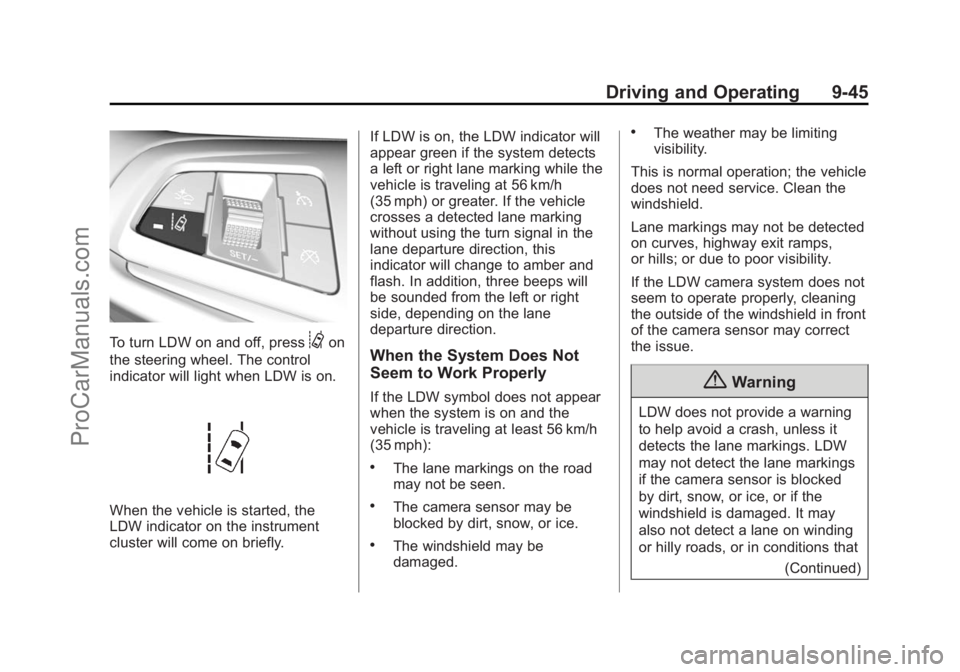
To turn LDW on and off, press@on
the steering wheel. The control
indicator will light when LDW is on.
When the vehicle is started, the
LDW indicator on the instrument
cluster will come on briefly. If LDW is on, the LDW indicator will
appear green if the system detects
a left or right lane marking while the
vehicle is traveling at 56 km/h
(35 mph) or greater. If the vehicle
crosses a detected lane marking
without using the turn signal in the
lane departure direction, this
indicator will change to amber and
flash. In addition, three beeps will
be sounded from the left or right
side, depending on the lane
departure direction.
When the System Does Not
Seem to Work Properly
If the LDW symbol does not appear
when the system is on and the
vehicle is traveling at least 56 km/h
(35 mph):
.The lane markings on the road
may not be seen.
.The camera sensor may be
blocked by dirt, snow, or ice.
.The windshield may be
damaged.
.The weather may be limiting
visibility.
This is normal operation; the vehicle
does not need service. Clean the
windshield.
Lane markings may not be detected
on curves, highway exit ramps,
or hills; or due to poor visibility.
If the LDW camera system does not
seem to operate properly, cleaning
the outside of the windshield in front
of the camera sensor may correct
the issue.
{Warning
LDW does not provide a warning
to help avoid a crash, unless it
detects the lane markings. LDW
may not detect the lane markings
if the camera sensor is blocked
by dirt, snow, or ice, or if the
windshield is damaged. It may
also not detect a lane on winding
or hilly roads, or in conditions that (Continued)
ProCarManuals.com
Page 286 of 422
Black plate (4,1)Chevrolet SS Sedan Owner Manual (GMNA-Localizing-U.S.-6014851) - 2014 -
1st Edition - 8/22/13
10-4 Vehicle Care
Hood
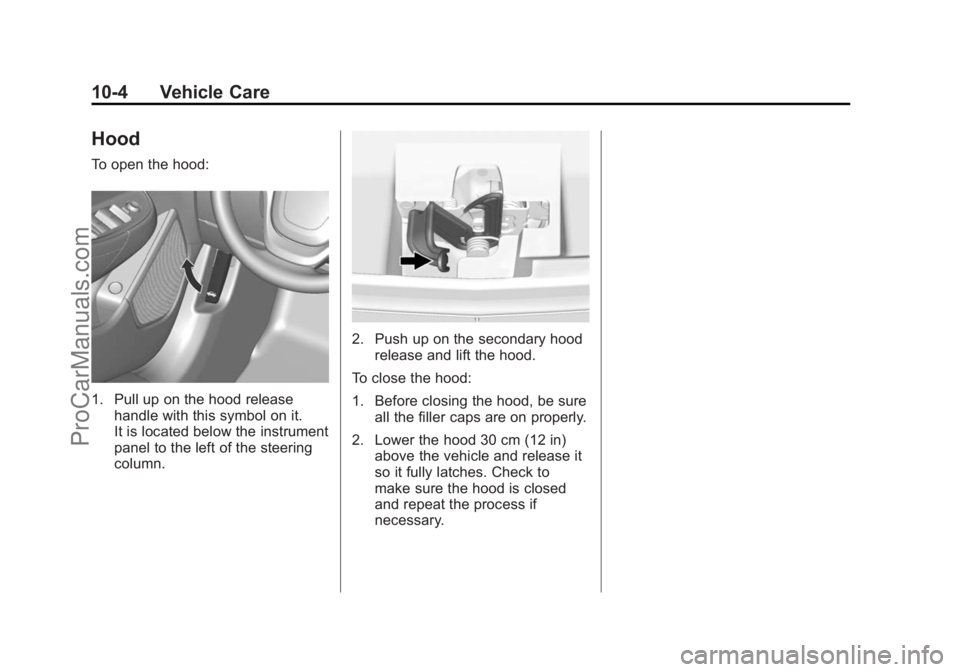
To open the hood:
1. Pull up on the hood releasehandle with this symbol on it.
It is located below the instrument
panel to the left of the steering
column.
2. Push up on the secondary hoodrelease and lift the hood.
To close the hood:
1. Before closing the hood, be sure all the filler caps are on properly.
2. Lower the hood 30 cm (12 in) above the vehicle and release it
so it fully latches. Check to
make sure the hood is closed
and repeat the process if
necessary.
ProCarManuals.com
Page 310 of 422
Black plate (28,1)Chevrolet SS Sedan Owner Manual (GMNA-Localizing-U.S.-6014851) - 2014 -
1st Edition - 8/22/13
10-28 Vehicle Care
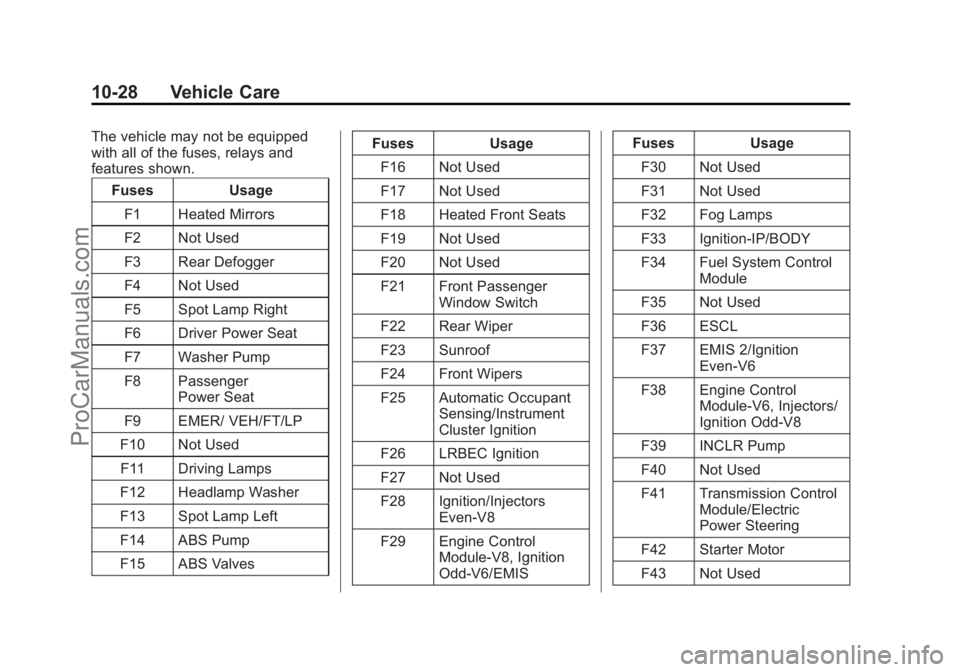
The vehicle may not be equipped
with all of the fuses, relays and
features shown.Fuses Usage
F1 Heated Mirrors
F2 Not Used
F3 Rear Defogger
F4 Not Used
F5 Spot Lamp Right
F6 Driver Power Seat
F7 Washer Pump
F8 Passenger Power Seat
F9 EMER/ VEH/FT/LP
F10 Not Used F11 Driving Lamps
F12 Headlamp Washer
F13 Spot Lamp Left
F14 ABS Pump
F15 ABS Valves Fuses Usage
F16 Not Used
F17 Not Used
F18 Heated Front Seats
F19 Not Used
F20 Not Used
F21 Front Passenger Window Switch
F22 Rear Wiper
F23 Sunroof
F24 Front Wipers
F25 Automatic Occupant Sensing/Instrument
Cluster Ignition
F26 LRBEC Ignition
F27 Not Used
F28 Ignition/Injectors Even-V8
F29 Engine Control Module-V8, Ignition
Odd-V6/EMIS Fuses Usage
F30 Not Used
F31 Not Used
F32 Fog Lamps
F33 Ignition-IP/BODY
F34 Fuel System Control Module
F35 Not Used
F36 ESCL
F37 EMIS 2/Ignition Even-V6
F38 Engine Control Module-V6, Injectors/
Ignition Odd-V8
F39 INCLR Pump
F40 Not Used
F41 Transmission Control Module/Electric
Power Steering
F42 Starter Motor
F43 Not Used
ProCarManuals.com