audio CHEVROLET SS 2014 Owners Manual
[x] Cancel search | Manufacturer: CHEVROLET, Model Year: 2014, Model line: SS, Model: CHEVROLET SS 2014Pages: 422, PDF Size: 6.18 MB
Page 1 of 422
Black plate (1,1)Chevrolet SS Sedan Owner Manual (GMNA-Localizing-U.S.-6014851) - 2014 -
1st Edition - 8/22/13
2014 Chevrolet SS Sedan Owner ManualM
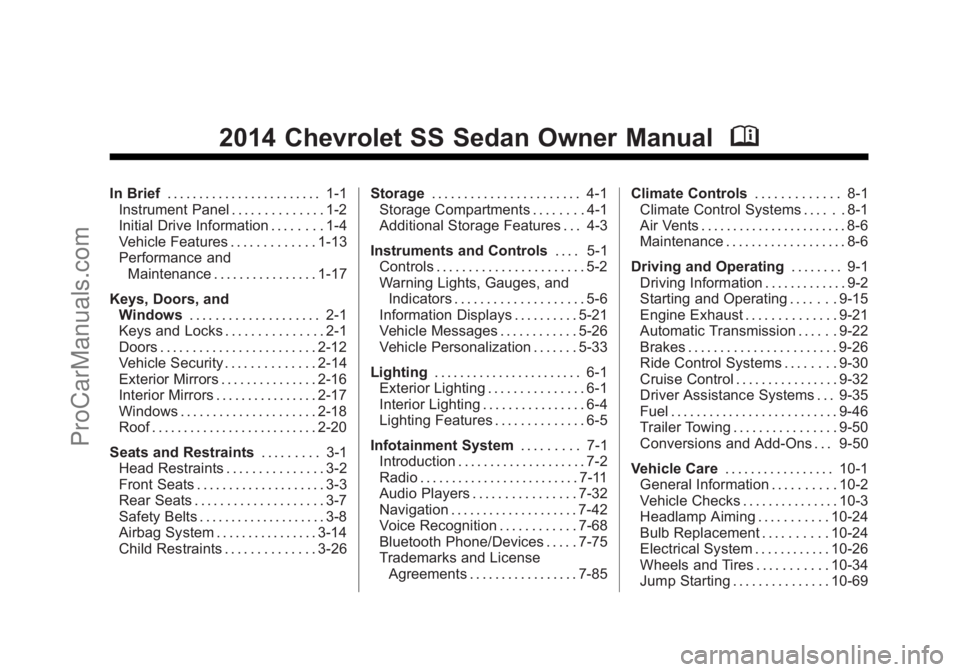
In Brief. . . . . . . . . . . . . . . . . . . . . . . . 1-1
Instrument Panel . . . . . . . . . . . . . . 1-2
Initial Drive Information . . . . . . . . 1-4
Vehicle Features . . . . . . . . . . . . . 1-13
Performance and Maintenance . . . . . . . . . . . . . . . . 1-17
Keys, Doors, and Windows . . . . . . . . . . . . . . . . . . . . 2-1
Keys and Locks . . . . . . . . . . . . . . . 2-1
Doors . . . . . . . . . . . . . . . . . . . . . . . . 2-12
Vehicle Security . . . . . . . . . . . . . . 2-14
Exterior Mirrors . . . . . . . . . . . . . . . 2-16
Interior Mirrors . . . . . . . . . . . . . . . . 2-17
Windows . . . . . . . . . . . . . . . . . . . . . 2-18
Roof . . . . . . . . . . . . . . . . . . . . . . . . . . 2-20
Seats and Restraints . . . . . . . . . 3-1
Head Restraints . . . . . . . . . . . . . . . 3-2
Front Seats . . . . . . . . . . . . . . . . . . . . 3-3
Rear Seats . . . . . . . . . . . . . . . . . . . . 3-7
Safety Belts . . . . . . . . . . . . . . . . . . . . 3-8
Airbag System . . . . . . . . . . . . . . . . 3-14
Child Restraints . . . . . . . . . . . . . . 3-26 Storage
. . . . . . . . . . . . . . . . . . . . . . . 4-1
Storage Compartments . . . . . . . . 4-1
Additional Storage Features . . . 4-3
Instruments and Controls . . . . 5-1
Controls . . . . . . . . . . . . . . . . . . . . . . . 5-2
Warning Lights, Gauges, and
Indicators . . . . . . . . . . . . . . . . . . . . 5-6
Information Displays . . . . . . . . . . 5-21
Vehicle Messages . . . . . . . . . . . . 5-26
Vehicle Personalization . . . . . . . 5-33
Lighting . . . . . . . . . . . . . . . . . . . . . . . 6-1
Exterior Lighting . . . . . . . . . . . . . . . 6-1
Interior Lighting . . . . . . . . . . . . . . . . 6-4
Lighting Features . . . . . . . . . . . . . . 6-5
Infotainment System . . . . . . . . . 7-1
Introduction . . . . . . . . . . . . . . . . . . . . 7-2
Radio . . . . . . . . . . . . . . . . . . . . . . . . . 7-11
Audio Players . . . . . . . . . . . . . . . . 7-32
Navigation . . . . . . . . . . . . . . . . . . . . 7-42
Voice Recognition . . . . . . . . . . . . 7-68
Bluetooth Phone/Devices . . . . . 7-75
Trademarks and License
Agreements . . . . . . . . . . . . . . . . . 7-85 Climate Controls
. . . . . . . . . . . . . 8-1
Climate Control Systems . . . . . . 8-1
Air Vents . . . . . . . . . . . . . . . . . . . . . . . 8-6
Maintenance . . . . . . . . . . . . . . . . . . . 8-6
Driving and Operating . . . . . . . . 9-1
Driving Information . . . . . . . . . . . . . 9-2
Starting and Operating . . . . . . . 9-15
Engine Exhaust . . . . . . . . . . . . . . 9-21
Automatic Transmission . . . . . . 9-22
Brakes . . . . . . . . . . . . . . . . . . . . . . . 9-26
Ride Control Systems . . . . . . . . 9-30
Cruise Control . . . . . . . . . . . . . . . . 9-32
Driver Assistance Systems . . . 9-35
Fuel . . . . . . . . . . . . . . . . . . . . . . . . . . 9-46
Trailer Towing . . . . . . . . . . . . . . . . 9-50
Conversions and Add-Ons . . . 9-50
Vehicle Care . . . . . . . . . . . . . . . . . 10-1
General Information . . . . . . . . . . 10-2
Vehicle Checks . . . . . . . . . . . . . . . 10-3
Headlamp Aiming . . . . . . . . . . . 10-24
Bulb Replacement . . . . . . . . . . 10-24
Electrical System . . . . . . . . . . . . 10-26
Wheels and Tires . . . . . . . . . . . 10-34
Jump Starting . . . . . . . . . . . . . . . 10-69
ProCarManuals.com
Page 4 of 422
Black plate (4,1)Chevrolet SS Sedan Owner Manual (GMNA-Localizing-U.S.-6014851) - 2014 -
1st Edition - 8/22/13
iv Introduction
A circle with a slash through it is a
safety symbol which means“Do
Not,” “Do not do this,” or“Do not let
this happen.”
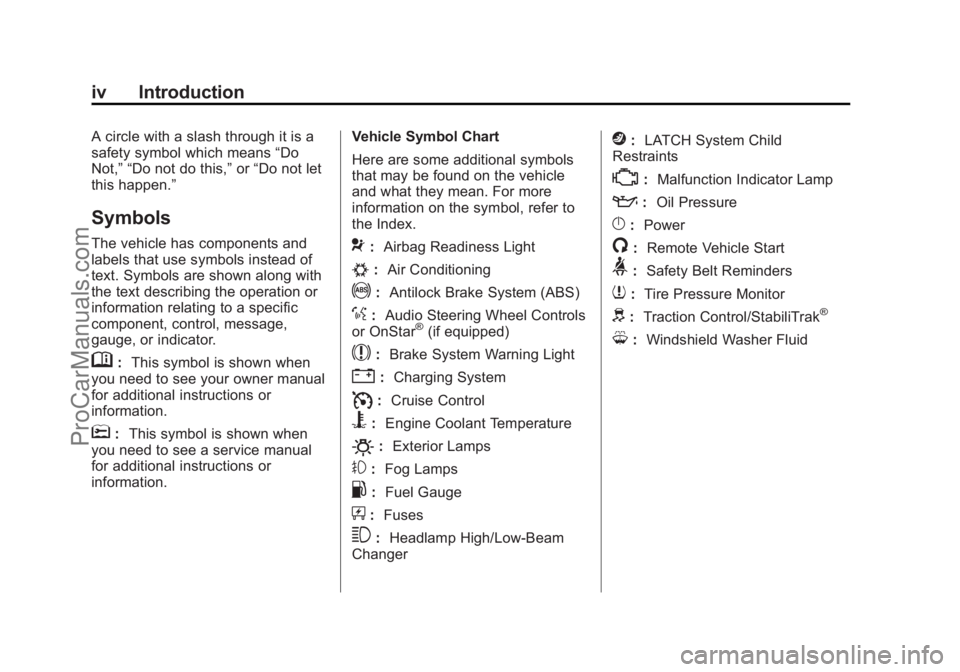
Symbols
The vehicle has components and
labels that use symbols instead of
text. Symbols are shown along with
the text describing the operation or
information relating to a specific
component, control, message,
gauge, or indicator.
M: This symbol is shown when
you need to see your owner manual
for additional instructions or
information.
*: This symbol is shown when
you need to see a service manual
for additional instructions or
information. Vehicle Symbol Chart
Here are some additional symbols
that may be found on the vehicle
and what they mean. For more
information on the symbol, refer to
the Index.
9:
Airbag Readiness Light
#:Air Conditioning
!:Antilock Brake System (ABS)
%:Audio Steering Wheel Controls
or OnStar®(if equipped)
$: Brake System Warning Light
":Charging System
I:Cruise Control
B: Engine Coolant Temperature
O:Exterior Lamps
#:Fog Lamps
.: Fuel Gauge
+:Fuses
3: Headlamp High/Low-Beam
Changer
j: LATCH System Child
Restraints
*: Malfunction Indicator Lamp
::Oil Pressure
}:Power
/:Remote Vehicle Start
>:Safety Belt Reminders
7:Tire Pressure Monitor
d:Traction Control/StabiliTrak®
M:Windshield Washer Fluid
ProCarManuals.com
Page 17 of 422
Black plate (13,1)Chevrolet SS Sedan Owner Manual (GMNA-Localizing-U.S.-6014851) - 2014 -
1st Edition - 8/22/13
In Brief 1-13
9. Fan Control
10. Rear Window Defogger
SeeDual Automatic Climate Control
System on page 8-1.
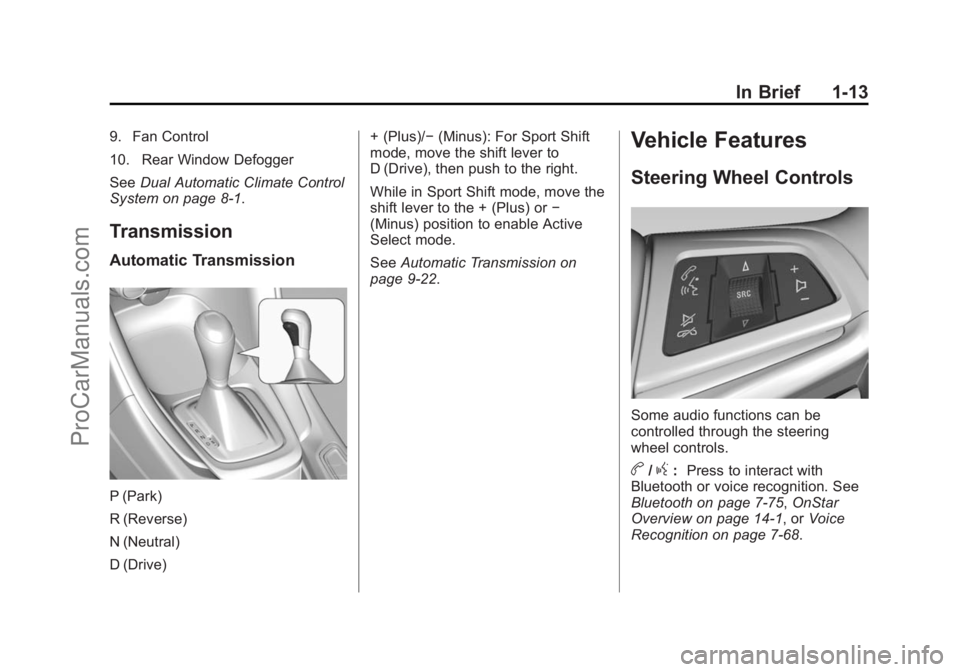
Transmission
Automatic Transmission
P (Park)
R (Reverse)
N (Neutral)
D (Drive) + (Plus)/−
(Minus): For Sport Shift
mode, move the shift lever to
D (Drive), then push to the right.
While in Sport Shift mode, move the
shift lever to the + (Plus) or −
(Minus) position to enable Active
Select mode.
See Automatic Transmission on
page 9-22.
Vehicle Features
Steering Wheel Controls
Some audio functions can be
controlled through the steering
wheel controls.
b/g: Press to interact with
Bluetooth or voice recognition. See
Bluetooth on page 7-75, OnStar
Overview on page 14-1, or Voice
Recognition on page 7-68.
ProCarManuals.com
Page 18 of 422
Black plate (14,1)Chevrolet SS Sedan Owner Manual (GMNA-Localizing-U.S.-6014851) - 2014 -
1st Edition - 8/22/13
1-14 In Brief
$/i:Press to decline an
incoming call, or to end a current
call. Press to silence the vehicle
speakers while using the
infotainment system. Press again to
turn the sound on. Press to cancel
voice recognition.
_SRC^: Press to select an
audio source.
Use the thumbwheel to select the
next or previous favorite radio
station, CD track, MP3 track, USB
track, and Bluetooth Audio track.
Use
_SRC to skip to the next song
or show using Pandora or Stitcher.
See Pandora Internet Radio on
page 7-22 orStitcher Internet Radio
on page 7-27.
+
x−: Press + to increase the
volume. Press −to decrease.
See Steering Wheel Controls on
page 5-2.
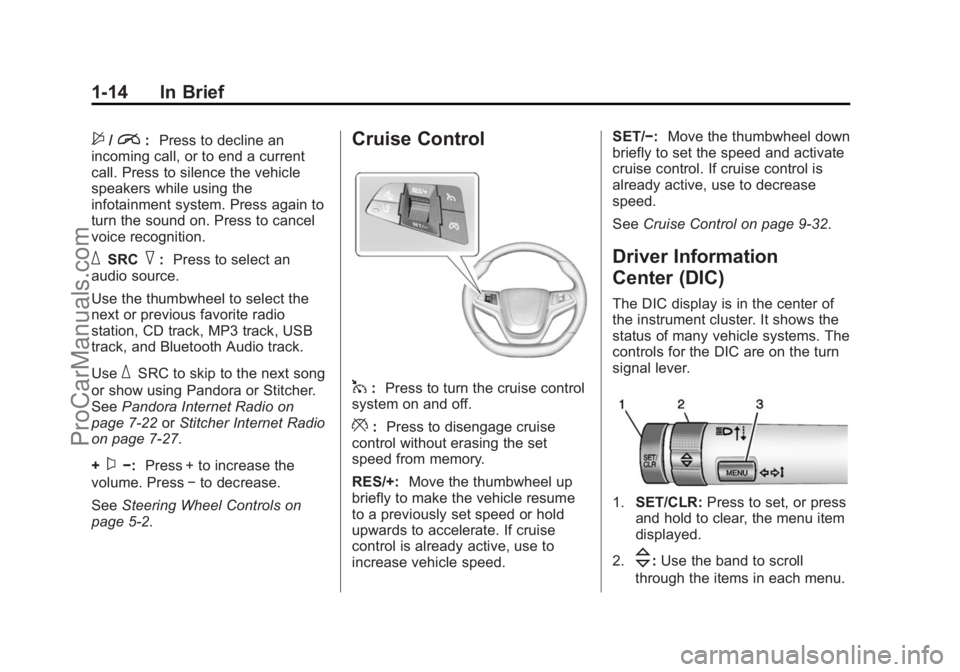
Cruise Control
1: Press to turn the cruise control
system on and off.
*: Press to disengage cruise
control without erasing the set
speed from memory.
RES/+: Move the thumbwheel up
briefly to make the vehicle resume
to a previously set speed or hold
upwards to accelerate. If cruise
control is already active, use to
increase vehicle speed. SET/−:
Move the thumbwheel down
briefly to set the speed and activate
cruise control. If cruise control is
already active, use to decrease
speed.
See Cruise Control on page 9-32.
Driver Information
Center (DIC)
The DIC display is in the center of
the instrument cluster. It shows the
status of many vehicle systems. The
controls for the DIC are on the turn
signal lever.
1.SET/CLR: Press to set, or press
and hold to clear, the menu item
displayed.
2.
\: Use the band to scroll
through the items in each menu.
ProCarManuals.com
Page 94 of 422

Black plate (2,1)Chevrolet SS Sedan Owner Manual (GMNA-Localizing-U.S.-6014851) - 2014 -
1st Edition - 8/22/13
5-2 Instruments and Controls
Tire Messages . . . . . . . . . . . . . . . 5-31
Transmission Messages . . . . . 5-32
Vehicle ReminderMessages . . . . . . . . . . . . . . . . . . 5-32
Washer Fluid Messages . . . . . 5-32
Window Messages . . . . . . . . . . . 5-32
Vehicle Personalization
Vehicle Personalization . . . . . . 5-33
Controls
Steering Wheel
Adjustment
To adjust the steering wheel:
1. Pull the lever down.
2. Move the steering wheel up or
down and in or out for a
comfortable position.
3. Pull the lever up to lock the steering wheel in place. Do not adjust the tilt and telescope
lever while driving.
Steering Wheel Controls
Some audio functions can be
controlled through the steering
wheel controls.
b/g(Push to Talk):
Press to
interact with Bluetooth or voice
recognition. See Bluetooth on
page 7-75, OnStar Overview on
page 14-1, or Voice Recognition on
page 7-68.
ProCarManuals.com
Page 95 of 422

Black plate (3,1)Chevrolet SS Sedan Owner Manual (GMNA-Localizing-U.S.-6014851) - 2014 -
1st Edition - 8/22/13
Instruments and Controls 5-3
$/i(Mute/End Call):Press to
decline an incoming call, or to end a
current call. Press to silence the
vehicle speakers while using the
infotainment system. Press again to
turn the sound on. Press to cancel
voice recognition.
_SRC^(Thumbwheel Control):
Press to select an audio source.
Use the thumbwheel to select the
next or previous favorite radio
station, CD track, MP3 track, USB
track, and Bluetooth Audio track.
Use
_SRC to skip to the next song
or show using Pandora or Stitcher.
See Pandora Internet Radio on
page 7-22 orStitcher Internet Radio
on page 7-27.
+
x− (Volume): Press + to
increase the volume. Press −to
decrease.
Horn
Pressaon the steering wheel pad
to sound the horn.
Windshield Wiper/Washer
With the ignition in ACC/
ACCESSORY or ON/RUN/START,
move the windshield wiper lever to
select the wiper speed.
HI: Use for fast wipes.
LO: Use for slow wipes.
INT (Rainsense Wipe Sensitivity
Control): Move the windshield
wiper lever to INT. Turn the
xINT
band on the wiper lever to adjust the
sensitivity.
OFF: Use to turn the wipers off.
8(Mist): For a single wipe, briefly
move the wiper lever down. For
several wipes, hold the wiper
lever down.
Clear snow and ice from the wiper
blades and windshield before using
them. If frozen to the windshield,
carefully loosen or thaw them.
Damaged blades should be
replaced. See Wiper Blade
Replacement on page 10-23.
Heavy snow or ice can overload the
wiper motor.
Rainsense™
With Rainsense, a sensor near the
top center of the windshield detects
the amount of water on the
windshield and controls the
frequency of the windshield wiper.
ProCarManuals.com
Page 116 of 422
Black plate (24,1)Chevrolet SS Sedan Owner Manual (GMNA-Localizing-U.S.-6014851) - 2014 -
1st Edition - 8/22/13
5-24 Instruments and Controls
{Caution
If you try to use the HUD image
as a parking aid, you may
misjudge the distance and
damage your vehicle. Do not use
the HUD image as a parking aid.
The HUD may display some of the
following alerts or information for
vehicles equipped with these
features:
.Speedometer
.Tachometer
.High Beam Indicator Symbol
.Forward Collision Alert Warnings
.Audio Functions
.Navigation
.Transmission Position
.Shift Up Meter
.Cruise Control Active
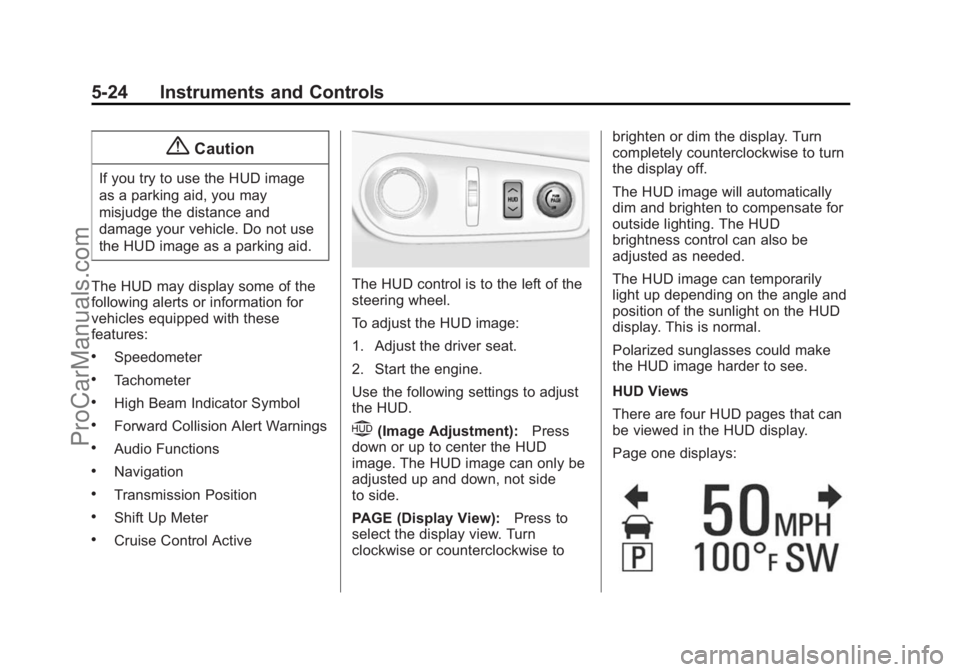
The HUD control is to the left of the
steering wheel.
To adjust the HUD image:
1. Adjust the driver seat.
2. Start the engine.
Use the following settings to adjust
the HUD.
$(Image Adjustment): Press
down or up to center the HUD
image. The HUD image can only be
adjusted up and down, not side
to side.
PAGE (Display View): Press to
select the display view. Turn
clockwise or counterclockwise to brighten or dim the display. Turn
completely counterclockwise to turn
the display off.
The HUD image will automatically
dim and brighten to compensate for
outside lighting. The HUD
brightness control can also be
adjusted as needed.
The HUD image can temporarily
light up depending on the angle and
position of the sunlight on the HUD
display. This is normal.
Polarized sunglasses could make
the HUD image harder to see.
HUD Views
There are four HUD pages that can
be viewed in the HUD display.
Page one displays:
ProCarManuals.com
Page 125 of 422
Black plate (33,1)Chevrolet SS Sedan Owner Manual (GMNA-Localizing-U.S.-6014851) - 2014 -
1st Edition - 8/22/13
Instruments and Controls 5-33
Vehicle
Personalization
Use the audio system controls to
access the personalization menus
for customizing vehicle features.
The following are all possible
personalization features. Depending
on the vehicle, some may not be
available.
HOME:Press to display the Home
Page screen.
TUNE/MENU: Press to enter
menus and select menu items. Turn
to scroll through the menus.
/BACK: Press to exit or move
backward in a menu.
Entering the Personalization
Menus
The ignition must be in the ON
position.
1. Press HOME.
2. Select the Config screen button. 3. Turn the TUNE/MENU knob to
highlight the desired setting.
4. Press the TUNE/MENU knob to select the desired setting menu.
The following list of menu items may
be available:
.Languages
.Time and Date
.Radio Settings
.Phone Settings
.Navigation Settings
.Display Settings
.Vehicle Settings
Each menu is detailed in the
following information. Alternatively,
the touch screen may be used to
select.
Languages
Select Languages, then select from
the available language(s).
Time and Date
To adjust the time and date settings,
see Clock on page 5-4.
Radio Settings
Select and the following may
display:
.Auto Volume
.Gracenote Options
.XM Channel Art
.Max Startup Volume
.Number of Favorite Pages
.XM Categories
.Software Version Menu
Auto Volume
When selected, this feature will
automatically adjust the volume to
minimize the effects of unwanted
background noise that can result
from changing road surfaces, driving
speeds, or open windows. This
feature works best at lower volume
ProCarManuals.com
Page 126 of 422
Black plate (34,1)Chevrolet SS Sedan Owner Manual (GMNA-Localizing-U.S.-6014851) - 2014 -
1st Edition - 8/22/13
5-34 Instruments and Controls
settings where background noise is
typically louder than the sound
system volume.
Select OFF, Low, Medium, or High.
Gracenote Options
Select to improve voice recognition
and media groupings.
Select to enable or disable. SeeCD
Player on page 7-32, USB on
page 7-34, Auxiliary Devices on
page 7-40, and Bluetooth Audio on
page 7-41.
XM Channel Art
When on, the radio will
automatically update the XM screen
and background graphics.
Select On or Off.
Max Startup Volume
Select the maximum volume level at
startup even if a higher volume had
been set when the radio was
turned off. Number of Favorite Pages
Select to set the number of FAV
pages to be displayed.
XM Categories
Select or deselect any category to
be used in XM mode.
Software Version Menu
Select to display information about
the system and software.
Phone Settings
See
“Phone” inConfigure Menu on
page 7-60.
Navigation Settings
See Configure Menu on page 7-60.
Display Settings
Select and the following may
display:
.Home Page Menu
.Rear Camera Options
.Display Off
.Map Settings Home Page Menu
Select to customize the first page of
the Home Page.
Rear Camera Options
Select to adjust the rear camera
options.
Display Off
Select to turn off the display. The
display will return when any button
is pressed or the screen is touched.
Map Settings
Select to enter the submenu to
change Automatic Zoom, enable
Speed Limit display on map, and
change Map Display settings.
.Map Display:
Select to change
the screen background.
To change the overall brightness
setting for the display, use the
vehicle interior lighting
instrument panel illumination
control.
ProCarManuals.com
Page 133 of 422
Black plate (3,1)Chevrolet SS Sedan Owner Manual (GMNA-Localizing-U.S.-6014851) - 2014 -
1st Edition - 8/22/13
Lighting 6-3
Hazard Warning Flashers
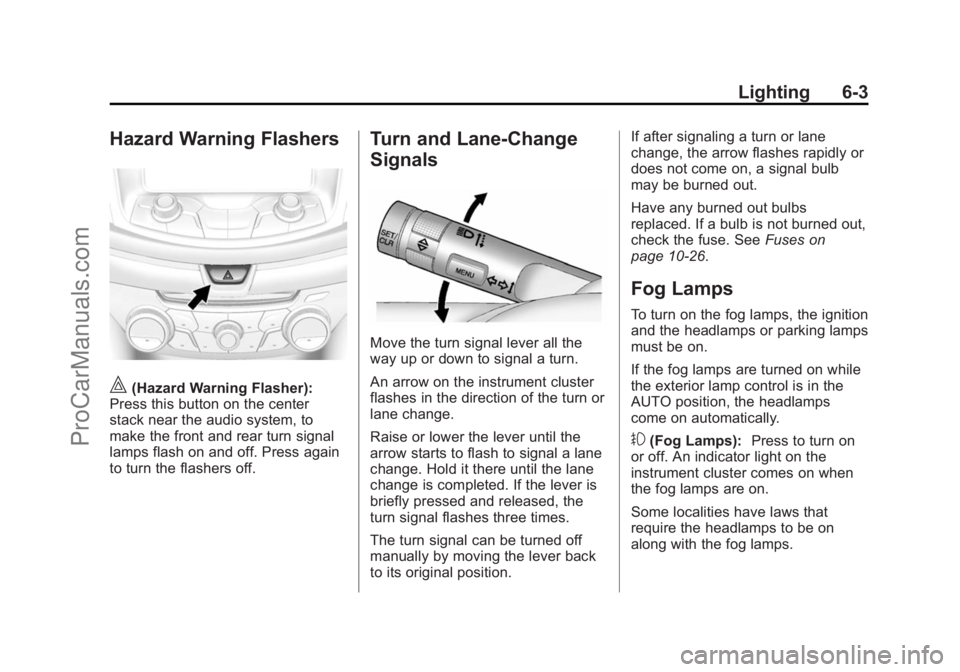
|(Hazard Warning Flasher):
Press this button on the center
stack near the audio system, to
make the front and rear turn signal
lamps flash on and off. Press again
to turn the flashers off.
Turn and Lane-Change
Signals
Move the turn signal lever all the
way up or down to signal a turn.
An arrow on the instrument cluster
flashes in the direction of the turn or
lane change.
Raise or lower the lever until the
arrow starts to flash to signal a lane
change. Hold it there until the lane
change is completed. If the lever is
briefly pressed and released, the
turn signal flashes three times.
The turn signal can be turned off
manually by moving the lever back
to its original position. If after signaling a turn or lane
change, the arrow flashes rapidly or
does not come on, a signal bulb
may be burned out.
Have any burned out bulbs
replaced. If a bulb is not burned out,
check the fuse. See
Fuses on
page 10-26.
Fog Lamps
To turn on the fog lamps, the ignition
and the headlamps or parking lamps
must be on.
If the fog lamps are turned on while
the exterior lamp control is in the
AUTO position, the headlamps
come on automatically.
#(Fog Lamps): Press to turn on
or off. An indicator light on the
instrument cluster comes on when
the fog lamps are on.
Some localities have laws that
require the headlamps to be on
along with the fog lamps.
ProCarManuals.com