center console CHEVROLET SS 2015 User Guide
[x] Cancel search | Manufacturer: CHEVROLET, Model Year: 2015, Model line: SS, Model: CHEVROLET SS 2015Pages: 435, PDF Size: 6.27 MB
Page 175 of 435
Black plate (34,1)Chevrolet SS Sedan Owner Manual (GMNA-Localizing-U.S.-7707491) - 2015 -
crc - 9/11/14
7-34 Infotainment System
.The air is very humid. Try the
disc again later.
.There was a problem while
burning the disc.
.The label is caught in the CD
player.
If the CD is not playing correctly, try
a known good CD.
If any error continues, contact your
dealer.
USB
Playing from a USB
A USB mass storage or Certified
Windows Vista®/Media Transfer
Protocol (MTP) device can be
connected to the USB port.
The USB port is in the center
console under the armrest.
The USB icon displays when the
USB device is connected.
USB Media Formats
The USB port will support the
following media formats:
.MP3
.Unprotected WMA
.Unprotected AAC
Other formats may be supported.
Gracenote®
Gracenote technology embedded
into the radio helps manage and
navigate the USB device music
collection. When a USB device is
connected to the radio, Gracenote
identifies the music collection and
delivers the correct album, artist
name, genres, and cover art on the
screen. If information is missing,
Gracenote will fill it in.
Searching Music Library Using
Voice Recognition
Voice Recognition: Gracenote
improves music search and
navigation by identifying bands,
artists, and albums names that may be hard to pronounce, irregular
spellings, and nicknames. For
example, Gracenote helps the
system understand artist names like
“INXS”
or“Mötley Crüe.” It also
allows the use of names like: “The
Boss,” “G.N.R,” “The Fab Four,” and
thousands of other famous artist
nicknames as voice commands to
access music. See Voice
Recognition on page 7-68.
Normalization: Normalization helps
to improve the voice recognition
accuracy for titles that sound similar.
It also helps group long lists of
genres into 10 common genres. For
example, there may be multiple rock
genres in the media library;
normalization will group all those
into one rock genre. Normalization
default is off.
ProCarManuals.com
Page 179 of 435
Black plate (38,1)Chevrolet SS Sedan Owner Manual (GMNA-Localizing-U.S.-7707491) - 2015 -
crc - 9/11/14
7-38 Infotainment System
Playing from an iPod®
This feature supports the following
iPod models:
.iPod classic®(6th generation)
.iPod nano®(3G, 4G, 5G,
and 6G)
.iPod touch®(1G, 2G, 3G,
and 4G)
There may be problems with the
operation and function in the
following situations:
.When connecting an iPod on
which a more recent version of
the firmware is installed than is
supported by the infotainment
system.
.When connecting an iPod on
which firmware from other
providers is installed.
To connect an iPod:
1. Connect one end of the standard iPod USB cable to the iPod's
dock connector. 2. Connect the other end to the
USB port in the center console.
iPod music information displays on
the radio’s display and begins
playing through the vehicle’s audio
system.
The iPod battery recharges
automatically while the vehicle is on.
The iPod shuts off and stops
charging when the vehicle is
shut off.
If the iPod is an unsupported model,
it can still be listened to in the
vehicle by connecting to the
auxiliary input jack using a standard
3.5 mm (1/8 in) stereo cable.
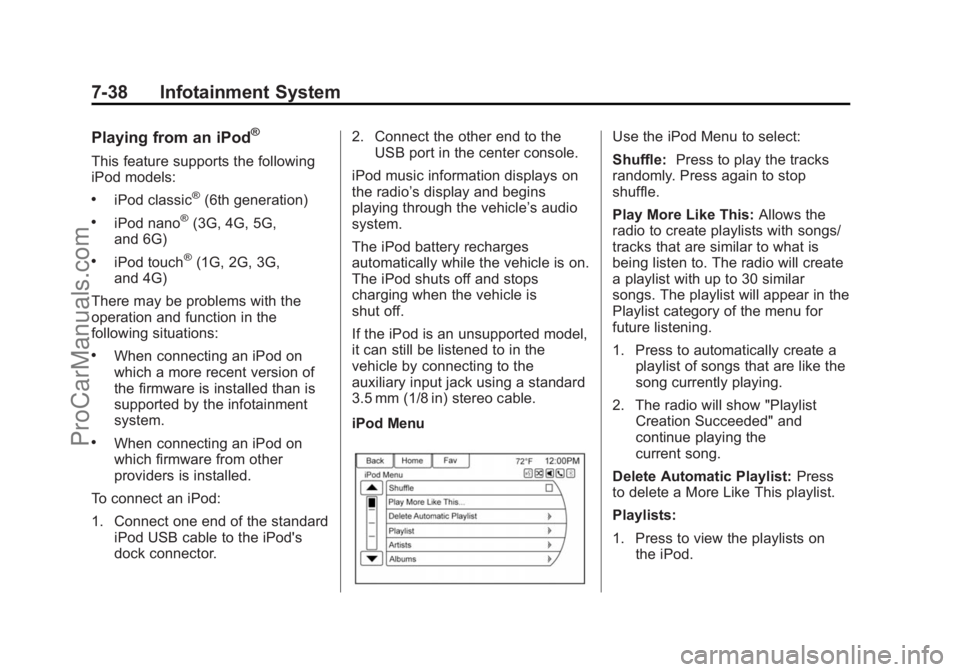
iPod Menu
Use the iPod Menu to select:
Shuffle: Press to play the tracks
randomly. Press again to stop
shuffle.
Play More Like This: Allows the
radio to create playlists with songs/
tracks that are similar to what is
being listen to. The radio will create
a playlist with up to 30 similar
songs. The playlist will appear in the
Playlist category of the menu for
future listening.
1. Press to automatically create a
playlist of songs that are like the
song currently playing.
2. The radio will show "Playlist Creation Succeeded" and
continue playing the
current song.
Delete Automatic Playlist: Press
to delete a More Like This playlist.
Playlists:
1. Press to view the playlists on the iPod.
ProCarManuals.com
Page 181 of 435
Black plate (40,1)Chevrolet SS Sedan Owner Manual (GMNA-Localizing-U.S.-7707491) - 2015 -
crc - 9/11/14
7-40 Infotainment System
radio is selected. If a phone call is
received while listening to the iPod
source and there is no audio for the
iPod after the source, then go to the
Airplay icon on the device and
select dock connector or disconnect
and reconnect the dock connector
on the device.
Some functionality may differ based
on operating system version on
device.
USB Troubleshooting
If the device is not being recognized
or the music is missing screen
information, restore the radio
defaults:
1. Press Config.
2. Press Radio Settings.
3. Press Software Versions Menu.
4. Press Clear and Reset Radio.
5. Press Yes.
Pair the phone again and the device
will have to index again.Bluetooth Audio and Voice
Recognition
See
Bluetooth Audio on page 7-40
and Voice Recognition on page 7-68
for information using voice
recognition with Bluetooth audio.
Make sure all devices have the
latest software downloaded.
Auxiliary Devices
This vehicle has an auxiliary input
jack in the center console. Possible
auxiliary audio sources include:
.Laptop computer
.MP3 player
.Tape player
This jack is not an audio output. Do
not plug headphones into the
auxiliary input jack. Set up any
auxiliary device while the vehicle is
parked.
Connect a 3.5 mm (1/8 in) cable
from the auxiliary device to the
auxiliary input jack. When a device
is connected, the system automatically begins playing audio
from the device over the vehicle
speakers.
If an auxiliary device has already
been connected, but a different
source is currently active, do one of
the following:
.Press SRCE to scroll all of the
available audio source screens,
until the AUX source screen is
selected.
.Say
“Play Front AUX” using
voice recognition to play the
auxiliary device. See Voice
Recognition on page 7-68.
.Press the AUX screen button on
the Home Page.
Bluetooth Audio
If equipped, music may be played
from a paired Bluetooth device. See
“Pairing a Phone/Device” under
Bluetooth on page 7-74.
ProCarManuals.com
Page 258 of 435
Black plate (21,1)Chevrolet SS Sedan Owner Manual (GMNA-Localizing-U.S.-7707491) - 2015 -
crc - 9/11/14
Driving and Operating 9-21
The shift lock release is always
functional except in the case of an
uncharged or low voltage (less than
9-volt) battery.
If the vehicle has an uncharged
battery or a battery with low voltage,
try charging or jump starting the
battery. SeeJump Starting on
page 10-71.
To shift out of P (Park):
1. Apply the brake pedal.
2. Place the ignition in ON/RUN.
3. Press the shift lever button.
4. Move the shift lever to the
desired position.
If still unable to shift out of P (Park):
1. Fully release the shift lever button.
2. Hold the brake pedal down and press the shift lever button
again.
3. Move the shift lever to the desired position. If you are still having a problem
shifting, see your dealer.
Shift Lock Manual Release
If jump starting the vehicle did not
work, the shift lock manual release
must be used.
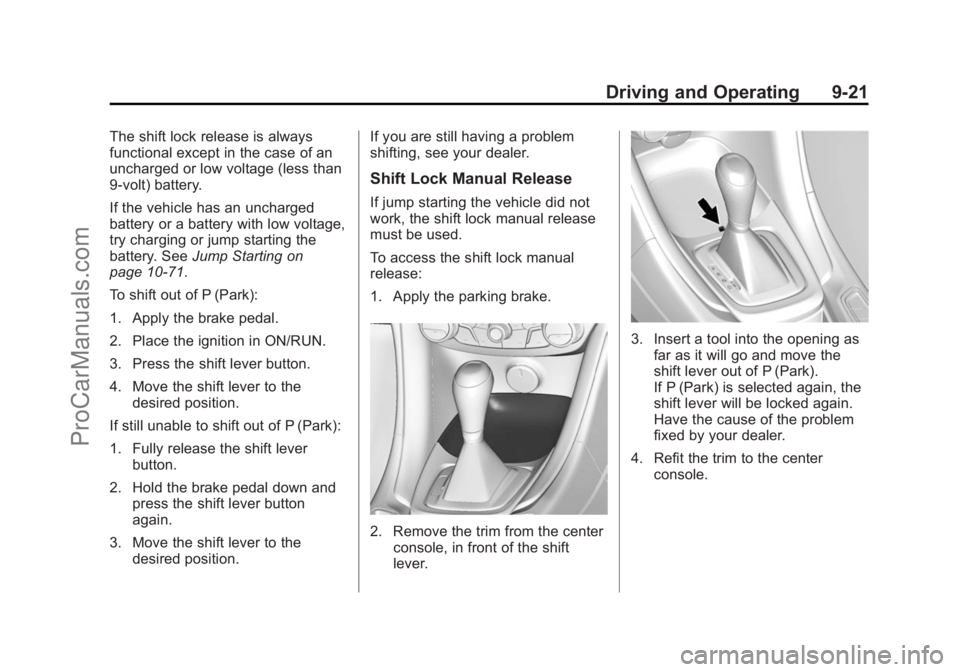
To access the shift lock manual
release:
1. Apply the parking brake.
2. Remove the trim from the center
console, in front of the shift
lever.
3. Insert a tool into the opening asfar as it will go and move the
shift lever out of P (Park).
If P (Park) is selected again, the
shift lever will be locked again.
Have the cause of the problem
fixed by your dealer.
4. Refit the trim to the center console.
ProCarManuals.com
Page 266 of 435
Black plate (29,1)Chevrolet SS Sedan Owner Manual (GMNA-Localizing-U.S.-7707491) - 2015 -
crc - 9/11/14
Driving and Operating 9-29
If driving safely on a wet road and it
becomes necessary to slam on the
brakes and continue braking to
avoid a sudden obstacle, a
computer senses the wheels are
slowing down. If one of the wheels
is about to stop rolling, the computer
will separately work the brakes at
each wheel.
ABS can change the brake pressure
to each wheel, as required, faster
than any driver could. This can help
you steer around the obstacle while
braking hard.
As the brakes are applied, the
computer keeps receiving updates
on wheel speed and controls
braking pressure accordingly.
Remember: ABS does not change
the time needed to get a foot up to
the brake pedal or always decrease
stopping distance. If you get too
close to the vehicle in front of you,
there will not be enough time to
apply the brakes if that vehiclesuddenly slows or stops. Always
leave enough room up ahead to
stop, even with ABS.
Using ABS
Do not pump the brakes. Just hold
the brake pedal down firmly and let
ABS work. You may hear the ABS
pump or motor operating and feel
the brake pedal pulsate. This is
normal.
Braking in Emergencies
ABS allows you to steer and brake
at the same time. In many
emergencies, steering can help
more than even the very best
braking.
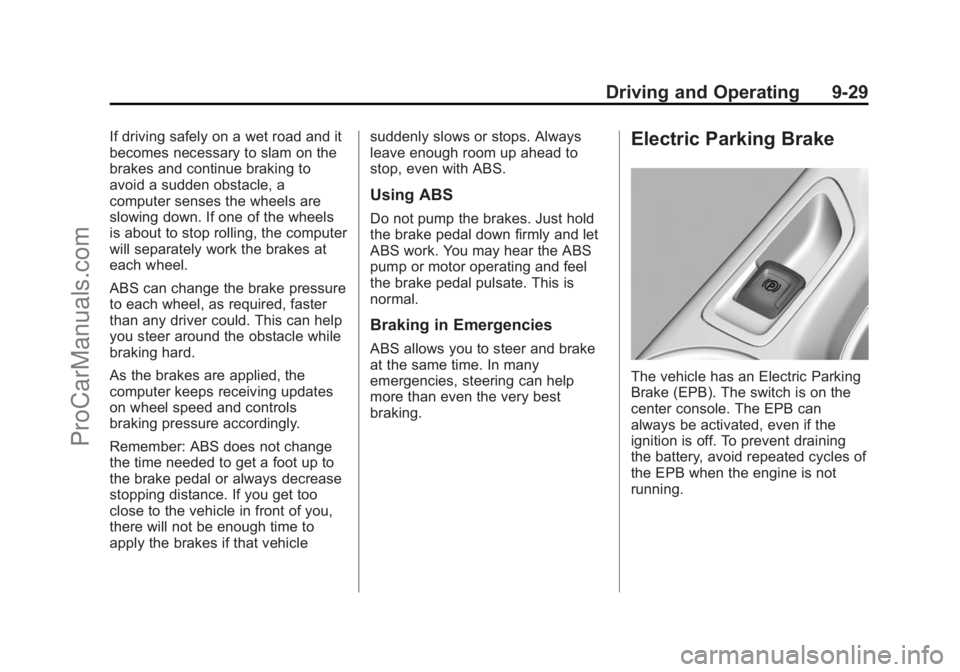
Electric Parking Brake
The vehicle has an Electric Parking
Brake (EPB). The switch is on the
center console. The EPB can
always be activated, even if the
ignition is off. To prevent draining
the battery, avoid repeated cycles of
the EPB when the engine is not
running.
ProCarManuals.com
Page 270 of 435
Black plate (33,1)Chevrolet SS Sedan Owner Manual (GMNA-Localizing-U.S.-7707491) - 2015 -
crc - 9/11/14
Driving and Operating 9-33
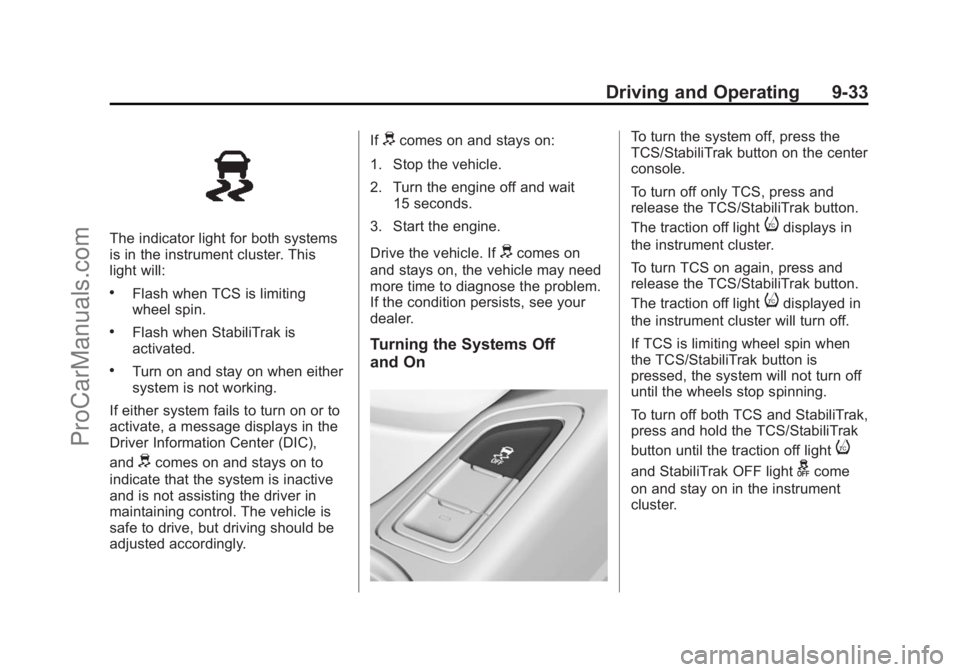
The indicator light for both systems
is in the instrument cluster. This
light will:
.Flash when TCS is limiting
wheel spin.
.Flash when StabiliTrak is
activated.
.Turn on and stay on when either
system is not working.
If either system fails to turn on or to
activate, a message displays in the
Driver Information Center (DIC),
and
dcomes on and stays on to
indicate that the system is inactive
and is not assisting the driver in
maintaining control. The vehicle is
safe to drive, but driving should be
adjusted accordingly. If
dcomes on and stays on:
1. Stop the vehicle.
2. Turn the engine off and wait 15 seconds.
3. Start the engine.
Drive the vehicle. If
dcomes on
and stays on, the vehicle may need
more time to diagnose the problem.
If the condition persists, see your
dealer.
Turning the Systems Off
and On
To turn the system off, press the
TCS/StabiliTrak button on the center
console.
To turn off only TCS, press and
release the TCS/StabiliTrak button.
The traction off light
idisplays in
the instrument cluster.
To turn TCS on again, press and
release the TCS/StabiliTrak button.
The traction off light
idisplayed in
the instrument cluster will turn off.
If TCS is limiting wheel spin when
the TCS/StabiliTrak button is
pressed, the system will not turn off
until the wheels stop spinning.
To turn off both TCS and StabiliTrak,
press and hold the TCS/StabiliTrak
button until the traction off light
i
and StabiliTrak OFF lightgcome
on and stay on in the instrument
cluster.
ProCarManuals.com
Page 271 of 435
Black plate (34,1)Chevrolet SS Sedan Owner Manual (GMNA-Localizing-U.S.-7707491) - 2015 -
crc - 9/11/14
9-34 Driving and Operating
To turn TCS and StabiliTrak on
again, press and release the TCS/
StabiliTrak button. The traction off
light
iand StabiliTrak OFF lightg
in the instrument cluster turn off.
Adding accessories can affect the
vehicle performance. See
Accessories and Modifications on
page 10-2.
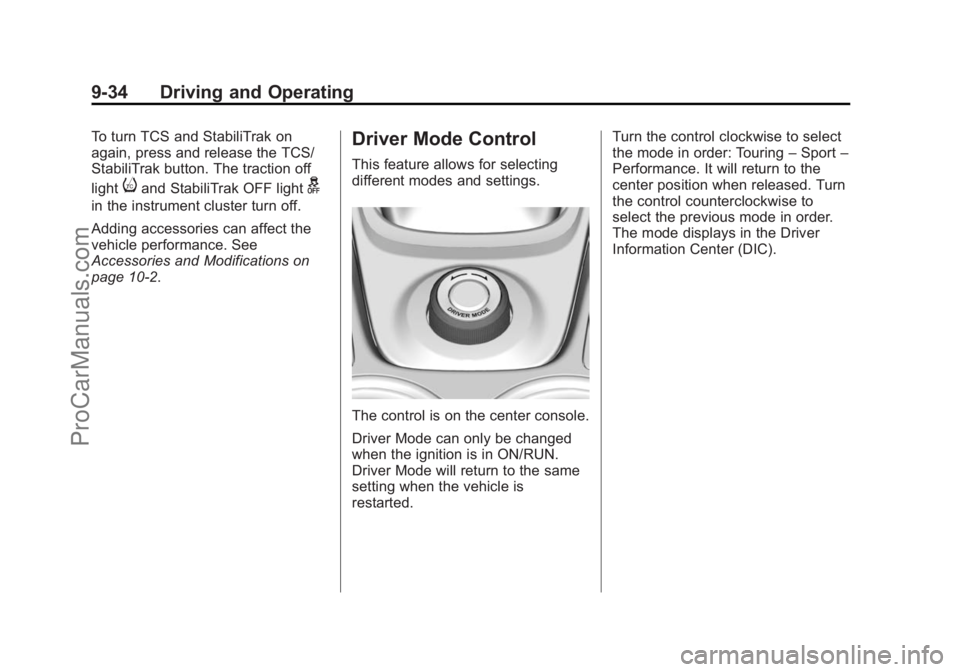
Driver Mode Control
This feature allows for selecting
different modes and settings.
The control is on the center console.
Driver Mode can only be changed
when the ignition is in ON/RUN.
Driver Mode will return to the same
setting when the vehicle is
restarted.Turn the control clockwise to select
the mode in order: Touring
–Sport –
Performance. It will return to the
center position when released. Turn
the control counterclockwise to
select the previous mode in order.
The mode displays in the Driver
Information Center (DIC).
ProCarManuals.com
Page 423 of 435
Black plate (2,1)Chevrolet SS Sedan Owner Manual (GMNA-Localizing-U.S.-7707491) - 2015 -
crc - 9/11/14
i-2 INDEX
B
Battery . . . . . . . . . . . . . . . . . . . . . . . 10-21Jump Starting . . . . . . . . . . . . . . . 10-71
Power Protection . . . . . . . . . . . . . . 6-5
Voltage and ChargingMessages . . . . . . . . . . . . . . . . . . . 5-26
Blade Replacement, Wiper . . . 10-24
Bluetooth . . . . . . . . . . . . . . . . . . . . . . 7-74
Bluetooth Audio . . . . . . . . . . . . . . . 7-40
Brake Parking, Electric . . . . . . . . . . . . . . 9-29
System Warning Light . . . . . . . . 5-14
Brakes . . . . . . . . . . . . . . . . . . . . . . . . 10-18 Antilock . . . . . . . . . . . . . . . . . . . . . . . 9-28
Assist . . . . . . . . . . . . . . . . . . . . . . . . . 9-31
Fluid . . . . . . . . . . . . . . . . . . . . . . . . 10-19
System Messages . . . . . . . . . . . . 5-26
Braking . . . . . . . . . . . . . . . . . . . . . . . . . 9-3
Break-In, New Vehicle . . . . . . . . . 9-16
Bulb Replacement . . . . . . . . . . . . 10-26 Headlamp Aiming . . . . . . . . . . . 10-25
Headlamps . . . . . . . . . . . . . . . . . 10-25
High Intensity Discharge(HID) Lighting . . . . . . . . . . . . . 10-25
License Plate Lamps . . . . . . . 10-26
Buying New Tires . . . . . . . . . . . . . 10-50
C
California Fuel Requirements . . . . . . . . . . . 9-52
Perchlorate MaterialsRequirements . . . . . . . . . . . . . . . 10-2
Warning . . . . . . . . . . . . . . . . . . . . . . 10-2
Capacities and
Specifications . . . . . . . . . . . . . . . . 12-2
Carbon Monoxide Engine Exhaust . . . . . . . . . . . . . . . 9-22
Trunk . . . . . . . . . . . . . . . . . . . . . . . . . 2-12
Winter Driving . . . . . . . . . . . . . . . . . 9-9
Cautions, Danger, and Warnings . . . . . . . . . . . . . . . . . . . . . . . . iii
CD Player . . . . . . . . . . . . . . . . . . . . . 7-32
Center Console Storage . . . . . . . . 4-2
Chains, Tire . . . . . . . . . . . . . . . . . . 10-55
Charging System Light . . . . . . . . 5-11
Check Engine Light . . . . . . . . . . . . . . . . . . 5-12 Child Restraints
Infants and Young
Children . . . . . . . . . . . . . . . . . . . . . 3-29
Lower Anchors and Tethers for Children . . . . . . . . . 3-35
Older Children . . . . . . . . . . . . . . . . 3-27
Securing . . . . . . . . . . . . . . . . 3-41, 3-43
Systems . . . . . . . . . . . . . . . . . . . . . . 3-32
Cleaning Exterior Care . . . . . . . . . . . . . . . 10-74
Interior Care . . . . . . . . . . . . . . . . 10-79
Climate Control Systems Dual Automatic . . . . . . . . . . . . . . . . 8-1
Clock . . . . . . . . . . . . . . . . . . . . . . . . . . . 5-4
Cluster, Instrument . . . . . . . . . . . . . 5-7
Clutch, Hydraulic . . . . . . . . . . . . . 10-10
Collision Damage Repair . . . . . . 13-8
Compartments Storage . . . . . . . . . . . . . . . . . . . . . . . . 4-1
Compressor Kit, Tire Sealant . . . . . . . . . . . . . . . . . . . . . . 10-57
Configure Menu . . . . . . . . . . . . . . . 7-60
Connections OnStar
®. . . . . . . . . . . . . . . . . . . . . . 14-4
ProCarManuals.com
Page 432 of 435

Black plate (11,1)Chevrolet SS Sedan Owner Manual (GMNA-Localizing-U.S.-7707491) - 2015 -
crc - 9/11/14
INDEX i-11
Sport Mode Light . . . . . . . . . . . . . . 5-16
StabiliTrakOFF Light . . . . . . . . . . . . . . . . . . . . . 5-17
Start Assist, Hills . . . . . . . . . . . . . . 9-31
Start Vehicle, Remote . . . . . . . . . . 2-8
Starter Switch Check . . . . . . . . . 10-22
Starting the Engine . . . . . . . . . . . . 9-18
Steering . . . . . . . . . . . . . . . . . . . . . . . . 9-4 Wheel Adjustment . . . . . . . . . . . . . 5-2
Wheel Controls . . . . . . . . . . . . . . . . 5-2
Steering Wheel Controls . . . . . . . . 7-5
Stitcher Internet Radio . . . . . . . . . 7-27
Storage Areas
Center Console . . . . . . . . . . . . . . . . 4-2
Convenience Net . . . . . . . . . . . . . . 4-2
Glove Box . . . . . . . . . . . . . . . . . . . . . 4-1
Roof Rack System . . . . . . . . . . . . . 4-3
Storage Compartments . . . . . . . . . 4-1
Storing the Tire Sealant and Compressor Kit . . . . . . . . . 10-64
Stuck Vehicle . . . . . . . . . . . . . . . . . . 9-11
Summer Tires . . . . . . . . . . . . . . . . 10-37
Sun Visors . . . . . . . . . . . . . . . . . . . . . 2-20
Sunroof . . . . . . . . . . . . . . . . . . . . . . . . 2-20
Symbols . . . . . . . . . . . . . . . . . . . . . . . . . . iv
Symbols, Navigation . . . . . . . . . . . 7-46 System
Forward Collision
Alert (FCA) . . . . . . . . . . . . . . . . . . 9-46
Infotainment . . . . . . . . . . . . 7-2, 13-15
Roof Rack . . . . . . . . . . . . . . . . . . . . . 4-3
System Needs Service, If . . . . . . 7-67
Systems Driver Assistance . . . . . . . . . . . . . 9-41
T
Tachometer . . . . . . . . . . . . . . . . . . . . . 5-8
Text . . . . . . . . . . . . . . . . . . . . . . . . . . . . 7-82
Text Telephone (TTY) Users . . . 13-4
Theft-Deterrent Systems . . . . . . . 2-15Immobilizer . . . . . . . . . . . . . . . . . . . 2-15
Time . . . . . . . . . . . . . . . . . . . . . . . . . . . . 5-4
Tires . . . . . . . . . . . . . . . . . . . . . . . . . . 10-35 Buying New Tires . . . . . . . . . . . 10-50
Chains . . . . . . . . . . . . . . . . . . . . . . 10-55
Changing . . . . . . . . . . . . . . . . . . . 10-65
Designations . . . . . . . . . . . . . . . 10-38
Different Size . . . . . . . . . . . . . . . 10-52
Full-Size Spare . . . . . . . . . . . . . 10-70
If a Tire Goes Flat . . . . . . . . . . 10-56
Inflation Monitor System . . . . 10-45
Inspection . . . . . . . . . . . . . . . . . . 10-48 Tires (cont'd)
Low Profile . . . . . . . . . . . . . . . . . 10-36
Messages . . . . . . . . . . . . . . . . . . . . 5-31
Pressure . . . . . . . . . . . . . . . . . . . . 10-43
Pressure Light . . . . . . . . . . . . . . . . 5-18
Pressure Monitor System . . . 10-44
Rotation . . . . . . . . . . . . . . . . . . . . 10-48
Sealant and
Compressor Kit . . . . . . . . . . . 10-57
Sealant and Compressor Kit, Storing . . . . . . . . . . . . . . . . 10-64
Sidewall Labeling . . . . . . . . . . . 10-37
Terminology and Definitions . . . . . . . . . . . . . . . . . 10-39
Uniform Tire Quality Grading . . . . . . . . . . . . . . . . . . . 10-52
Wheel Alignment and Tire Balance . . . . . . . . . . . . . . . . . . . 10-54
Wheel Replacement . . . . . . . . 10-54
When It Is Time for New Tires . . . . . . . . . . . . . . . . . . . . . . 10-49
Winter . . . . . . . . . . . . . . . . . . . . . . 10-36
Towing
Recreational Vehicle . . . . . . . . 10-74
Trailer . . . . . . . . . . . . . . . . . . . . . . . . 9-55
Vehicle . . . . . . . . . . . . . . . . . . . . . 10-73
Track Driver Mode . . . . . . . . . . . . . 9-36
ProCarManuals.com