change wheel CHEVROLET SS 2015 User Guide
[x] Cancel search | Manufacturer: CHEVROLET, Model Year: 2015, Model line: SS, Model: CHEVROLET SS 2015Pages: 435, PDF Size: 6.27 MB
Page 213 of 435
Black plate (72,1)Chevrolet SS Sedan Owner Manual (GMNA-Localizing-U.S.-7707491) - 2015 -
crc - 9/11/14
7-72 Infotainment System
Next Page, Page Down:Instructs
the system to scroll forward one
page in a list.
Previous Page, Page Up: Instructs
the system to scroll back one page
in a list.
Navigation Commands (If
Equipped)
To activate the navigation voice
recognition:
1. Press
b/gon the steering
wheel. The audio system mutes.
A voice prompt says, “Please
say a command.” Wait until the
tone is heard before speaking.
If there is no tone, make sure
the volume is turned up.
While voice recognition is active,
the system displays a symbol in
the top right of the screen.
2. Clearly speak the command “Navigation.”
3. Clearly speak one of the commands in this section. The following commands only apply
once the Navigation command is
given.
Change Country:
Changes the
country origin to input a destination
from that region. The system will
accept United States, Canada,
or Mexico.
Address or Destination: Allows
an address to be stated as a
one-shot method. The system will
recognize the address if stated all at
once or say a city center. An
example is to say, “200
Renaissance Street, Detroit,
Michigan” or“Detroit, Michigan.”
Directed Address: Allows an
address to be stated one step at a
time. The format will be State, City,
Street, then House Number.
Intersection: Allows an
Intersection to be stated as the
destination. The format will be
State, City, Street, then Intersection. Home:
Instructs the system to start
guidance to address saved as
My Home.
Contact: When a phone is paired
to the system, which contains
Address Information stored for
contacts, the address associated
with that contact can become a
route. If the system cannot resolve
the address, an error displays.
Points of Interest or POI: Allows a
Point of Interest to be stated as a
destination.
Say the name or list item number of
the category and subcategory to
return a list of POIs. Say the item
number to select a POI from the list.
POI commands for Nearby, Along
Route, and Around Destination will
be available if route guidance is
active.
Add Waypoint: Allows addition of
individual waypoints or the
destination. The system will ask for
ProCarManuals.com
Page 214 of 435
Black plate (73,1)Chevrolet SS Sedan Owner Manual (GMNA-Localizing-U.S.-7707491) - 2015 -
crc - 9/11/14
Infotainment System 7-73
the choice of entry method to
continue. An example is to say,“POI
Along Route” or“Intersection.”
Delete Waypoint: When guidance
is active, this command allows the
deletion of individual waypoints or
the destination. If guidance is not
active, the system will indicate the
destination list is empty.
Where Am I?, My Location,
or Current Position: Instructs the
system to give the current position
of the vehicle.
Help: The system plays back more
specific help commands associated
with Navigation or a Navigation
sub-feature.
Cancel Guidance or Cancel
Route: Instructs the system to
cancel guidance.
Entering a Destination in Other
Countries
For the voice recognition to respond
to a local address, the
corresponding country needs to be
set in the navigation system. The country can also be set using
voice commands. However, the
country will change back to the
default country when the vehicle is
keyed off.
1. Press
b/gon the steering
wheel.
2. Say “Navigation.”
3. Say “Change Country.”
4. Say the country name. For example, say “Canada.”
OnStar Command (If Equipped)
To activate OnStar voice
recognition, press
Qon the mirror
or press
b/gon the steering
wheel and say “OnStar”after the
beep. This will activate the OnStar
voice control. See OnStar Overview
on page 14-1.
Help Commands
.Help
.Hands-Free Calling (If Equipped)
.Turn-by-Turn Directions
.OnStar Info
After each list of help commands,
the following are available:
.Go Back
.Repeat
.Cancel
.Help
.Goodbye
Hands-Free Calling
.Call
.Store
.Commands
‐ Call
‐ Store
‐ My Number
‐ Minutes
‐ Store Last Number
‐ Digit Dial
‐ Redial
‐ Dial
‐ Number Recall
ProCarManuals.com
Page 216 of 435
Black plate (75,1)Chevrolet SS Sedan Owner Manual (GMNA-Localizing-U.S.-7707491) - 2015 -
crc - 9/11/14
Infotainment System 7-75
Bluetooth-enabled phones.
Available features and functions
may be dependent on the device.
On a current phone call screen, an
image of the contact from your
phone's contact list can be
displayed. Not all phones are
compatible with this feature.
Bluetooth Controls
Use the buttons on the infotainment
system and the steering wheel to
operate the Bluetooth system.
Steering Wheel Controls
b/g(Push to Talk):Press to
answer incoming calls and start
voice recognition.
$/i(Mute/End Call): Press to
end a call, decline an incoming call,
or cancel voice recognition.
+
x− (Volume): Press + or−to
increase or decrease the volume. Infotainment System Controls
For information about how to
navigate the menu system using the
infotainment controls, see
Overview
on page 7-3.
b/>(Phone/Mute): Press to
enter the Phone main menu. Press
and hold to mute or unmute.
Voice Recognition
The voice recognition system uses
commands to control the system
and dial phone numbers.
When using voice recognition:
.The system may not recognize
voice commands if there is too
much background noise.
.A tone sounds to indicate that
the system is ready for a voice
command. Wait for the tone and
then speak.
.Speak clearly in a calm and
natural voice.
See Voice Recognition on
page 7-68.
Audio System
Sound comes through the vehicle's
front audio system speakers and
overrides the audio system. Use the
VOL/
Oknob during a call to change
the volume level. The adjusted
volume level remains in memory for
later calls. The system maintains a
minimum volume level.
See Voice Recognition on
page 7-68.
Bluetooth Audio
See Bluetooth Audio on page 7-40.
Pairing with Infotainment
Controls
A Bluetooth-enabled cell phone
must be paired and then connected
to the vehicle before it can be used.
See your cell phone manufacturer's
user guide for Bluetooth functions
before pairing the cell phone. If a
Bluetooth phone is not connected,
calls will be made using OnStar
Hands-Free Calling, if available.
SeeOnStar Overview on page 14-1.
ProCarManuals.com
Page 219 of 435
Black plate (78,1)Chevrolet SS Sedan Owner Manual (GMNA-Localizing-U.S.-7707491) - 2015 -
crc - 9/11/14
7-78 Infotainment System
3. The system responds with:“To
delete a device, please touch its
name on the screen.” Select the
device to delete on the display
and it will be removed.
To cancel this command,
press
$/ion the steering wheel
control or press the
/BACK button
on the radio faceplate.
Connecting to a Different Phone
or Device
To connect to a different cell phone,
the system looks for the next
available cell phone. Depending on
the cell phone to be connected, this
command may need to be repeated.
1. Press
b/g. The system
responds “Please say a
command,” followed by a tone.
2. Say “Change Phone.”
.To select a device, press
the name on the display.
.If another cell phone is not
found, the original phone
remains connected.
Making a Call Using Phone
Book and Infotainment
Controls
For cell phones that support the
phone book feature, the Bluetooth
system can use the contacts stored
on the cell phone to make calls. See
the cell phone manufacturer‘s user
guide or contact the wireless
provider to find out if this feature is
supported.
When a cell phone supports the
phone book feature, the Phone
Book and Call Lists menus are
automatically available.
The Phone Book menu allows
access to the phone book stored in
the cell phone to make a call.
The Call Lists menu allows access
to the phone numbers from the
Incoming Calls, Outgoing Calls, and
Missed Calls menus on the cell
phone to make a call. The radio will display the first 1,000
contacts and the phone numbers for
each contact including Home, Work,
Mobile, and Other.
To make a call using the Phone
Book menu:
1. Press
b/>once on the radio
or the Phone screen button.
2. Select Phone Book.
3. Select the letter group of the phone book entry to scroll
through the list of names/
numbers.
4. Select the name.
5. Select the number to call.
To make a call using the Call
Lists menu:
1. Press
b/>once on the radio
or the Phone screen button.
2. Select Call Lists.
3. Select the Incoming Calls, Outgoing Calls, or Missed
Calls list.
ProCarManuals.com
Page 222 of 435
Black plate (81,1)Chevrolet SS Sedan Owner Manual (GMNA-Localizing-U.S.-7707491) - 2015 -
crc - 9/11/14
Infotainment System 7-81
Hands-Free Phone
Using Bluetooth Voice
Recognition
To use voice recognition, press
the
b/gbutton on the steering
wheel. Use the commands below for
the various voice features. For
additional information, say “Help”
while in a voice recognition menu.
Making a Call
Calls can be made using the
following commands.
Dial or Call: These commands can
be used interchangeably to dial a
phone number.
Digit Dial: This command allows a
phone number to be dialed by
entering the digits one at a time.
Re-dial: This command dials the
last number used on the cell phone. Using the
“Dial”or“Call”
Command
To call a number:
1. Press
b/g. The system
responds “Please say a
command,” followed by a tone.
2. Say “Dial”or“Call.”
3. Say the entire number without pausing, followed by “Dial.”
Once connected, the person called
will be heard through the audio
speakers.
To call using a name tag:
1. Press
b/g. The system
responds “Please say a
command,” followed by a tone.
2. Say “Dial”or“Call” and then say
the name tag. For example “Call
John at Work.”
Once connected, the person called
will be heard through the audio
speakers. Using the
“Digit Dial” Command
This allows a phone number to be
dialed by entering the digits one at
a time.
1. Press
b/g. The system
responds “Please say a
command,” followed by a tone.
2. Say “Digit Dial.”
3. Say each digit, one at a time, to dial. After each digit is entered,
the system repeats back the
digit it heard followed by a tone.
After the last digit has been
entered, say “Dial.”
If an unwanted number is repeated
back, say “Clear”to clear the last
number.
Once connected, the person called
will be heard through the audio
speakers.
Using the “Re-dial”Command
1. Press
b/g. The system
responds “Please say a
command,” followed by a tone.
ProCarManuals.com
Page 236 of 435
Black plate (5,1)Chevrolet SS Sedan Owner Manual (GMNA-Localizing-U.S.-7707491) - 2015 -
crc - 9/11/14
Climate Controls 8-5
Regular Operation
Adjusting the Temperature
When the climate control system
has stabilized, adjust the
temperature to a comfortable
setting.
Quick Cool Down
When entering the vehicle on a hot
day, open the windows for a short
time to allow the hot air to escape.
Automatic Transmission
If the vehicle is stopped for a long
time in hot weather and the engine
is running and the air conditioning is
operating, move the shift lever to
N (Neutral) or P (Park).
Hissing Sound
A slight hissing sound when the air
conditioning is turned off is normal.
Water
Water may drip from underneath the
vehicle, this is normal.Unsealed Dusty Roads
To help prevent dust from entering
your vehicle:
.When following other vehicles
on dusty roads and the dust is
airborne, select
h.
.If the dust is not airborne, select
outside air and set the fan
control to high speed.
.Close all windows.
.Do not use recirculation for long
periods of time.
Air Vents
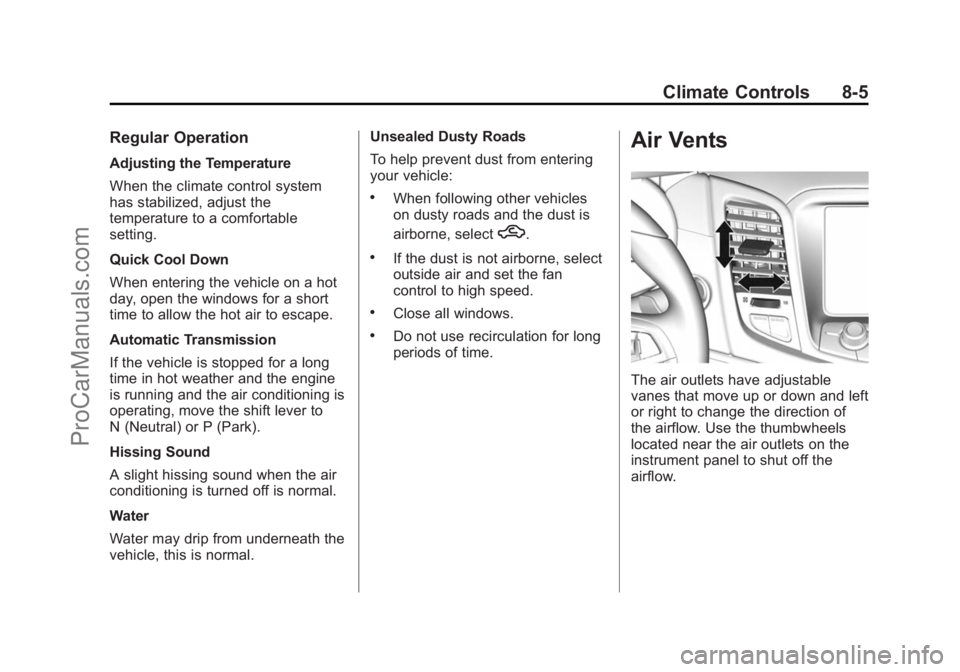
The air outlets have adjustable
vanes that move up or down and left
or right to change the direction of
the airflow. Use the thumbwheels
located near the air outlets on the
instrument panel to shut off the
airflow.
ProCarManuals.com
Page 242 of 435
Black plate (5,1)Chevrolet SS Sedan Owner Manual (GMNA-Localizing-U.S.-7707491) - 2015 -
crc - 9/11/14
Driving and Operating 9-5
The vehicle's right wheels can drop
off the edge of a road onto the
shoulder while driving. Follow
these tips:
1. Ease off the accelerator andthen, if there is nothing in the
way, steer the vehicle so that it
straddles the edge of the
pavement.
2. Turn the steering wheel about one-eighth of a turn, until the
right front tire contacts the
pavement edge.
3. Turn the steering wheel to go straight down the roadway.
Loss of Control
Skidding
There are three types of skids that
correspond to the vehicle's three
control systems:
.Braking Skid —wheels are not
rolling.
.Steering or Cornering Skid —
too much speed or steering in a
curve causes tires to slip and
lose cornering force.
.Acceleration Skid —too much
throttle causes the driving
wheels to spin.
Defensive drivers avoid most skids
by taking reasonable care suited to
existing conditions, and by not
overdriving those conditions. But
skids are always possible.
If the vehicle starts to slide, follow
these suggestions:
.Ease your foot off the
accelerator pedal and steer the
way you want the vehicle to go.
The vehicle may straighten out.
Be ready for a second skid if it
occurs.
.Slow down and adjust your
driving according to weather
conditions. Stopping distance
can be longer and vehicle
control can be affected when
traction is reduced by water,
snow, ice, gravel, or other material on the road. Learn to
recognize warning clues
—such
as enough water, ice, or packed
snow on the road to make a
mirrored surface —and slow
down when you have any doubt.
.Try to avoid sudden steering,
acceleration, or braking,
including reducing vehicle speed
by shifting to a lower gear. Any
sudden changes could cause
the tires to slide.
Remember: Antilock brakes help
avoid only the braking skid.
Track Events and
Competitive Driving
Track events or competitive driving
may affect the vehicle warranty. See
the warranty manual before using
the vehicle for track testing or other
competitive driving.
ProCarManuals.com
Page 260 of 435
Black plate (23,1)Chevrolet SS Sedan Owner Manual (GMNA-Localizing-U.S.-7707491) - 2015 -
crc - 9/11/14
Driving and Operating 9-23
Running the Vehicle
While Parked
It is better not to park with the
engine running.
If the vehicle is left with the engine
running, follow the proper steps to
be sure the vehicle will not move.
SeeShifting Into Park (Automatic
Transmission) on page 9-20 and
Engine Exhaust on page 9-22.
Automatic
Transmission
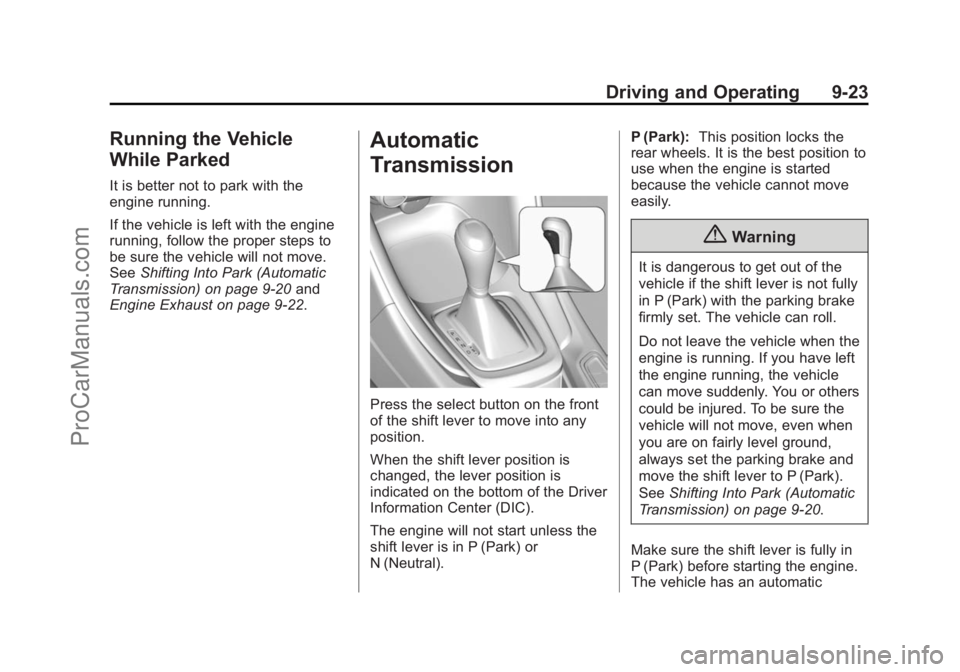
Press the select button on the front
of the shift lever to move into any
position.
When the shift lever position is
changed, the lever position is
indicated on the bottom of the Driver
Information Center (DIC).
The engine will not start unless the
shift lever is in P (Park) or
N (Neutral). P (Park):
This position locks the
rear wheels. It is the best position to
use when the engine is started
because the vehicle cannot move
easily.
{Warning
It is dangerous to get out of the
vehicle if the shift lever is not fully
in P (Park) with the parking brake
firmly set. The vehicle can roll.
Do not leave the vehicle when the
engine is running. If you have left
the engine running, the vehicle
can move suddenly. You or others
could be injured. To be sure the
vehicle will not move, even when
you are on fairly level ground,
always set the parking brake and
move the shift lever to P (Park).
See Shifting Into Park (Automatic
Transmission) on page 9-20.
Make sure the shift lever is fully in
P (Park) before starting the engine.
The vehicle has an automatic
ProCarManuals.com
Page 266 of 435
Black plate (29,1)Chevrolet SS Sedan Owner Manual (GMNA-Localizing-U.S.-7707491) - 2015 -
crc - 9/11/14
Driving and Operating 9-29
If driving safely on a wet road and it
becomes necessary to slam on the
brakes and continue braking to
avoid a sudden obstacle, a
computer senses the wheels are
slowing down. If one of the wheels
is about to stop rolling, the computer
will separately work the brakes at
each wheel.
ABS can change the brake pressure
to each wheel, as required, faster
than any driver could. This can help
you steer around the obstacle while
braking hard.
As the brakes are applied, the
computer keeps receiving updates
on wheel speed and controls
braking pressure accordingly.
Remember: ABS does not change
the time needed to get a foot up to
the brake pedal or always decrease
stopping distance. If you get too
close to the vehicle in front of you,
there will not be enough time to
apply the brakes if that vehiclesuddenly slows or stops. Always
leave enough room up ahead to
stop, even with ABS.
Using ABS
Do not pump the brakes. Just hold
the brake pedal down firmly and let
ABS work. You may hear the ABS
pump or motor operating and feel
the brake pedal pulsate. This is
normal.
Braking in Emergencies
ABS allows you to steer and brake
at the same time. In many
emergencies, steering can help
more than even the very best
braking.
Electric Parking Brake
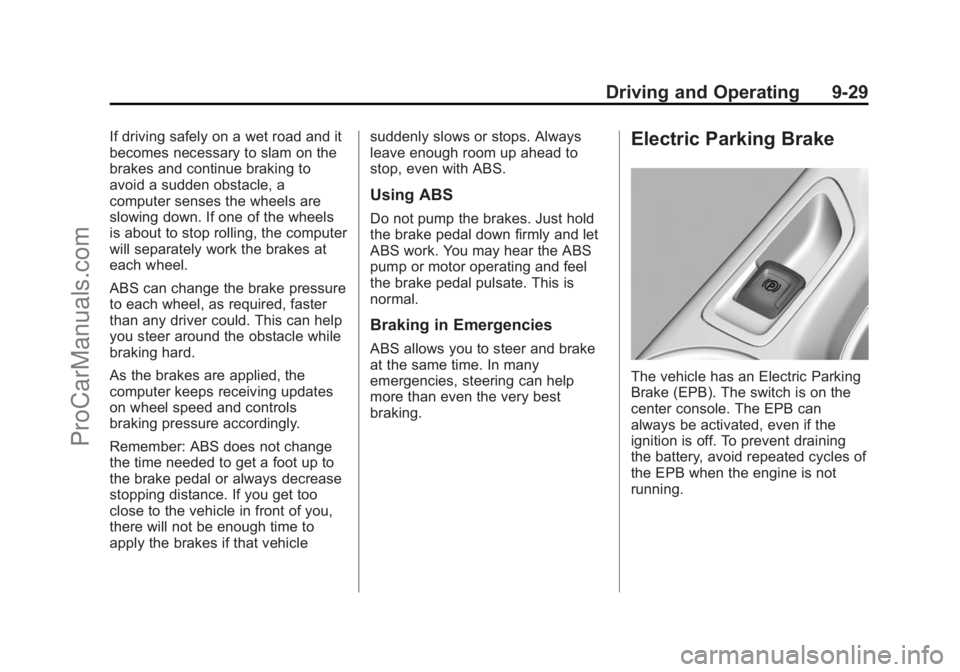
The vehicle has an Electric Parking
Brake (EPB). The switch is on the
center console. The EPB can
always be activated, even if the
ignition is off. To prevent draining
the battery, avoid repeated cycles of
the EPB when the engine is not
running.
ProCarManuals.com
Page 273 of 435
Black plate (36,1)Chevrolet SS Sedan Owner Manual (GMNA-Localizing-U.S.-7707491) - 2015 -
crc - 9/11/14
9-36 Driving and Operating
provide the best handling while
providing a smooth ride. The
Touring and Sport modes will feel
similar on a smooth road. These
settings can be changed when
driving conditions change.
If a malfunction occurs with the
MRC system, the appropriate
message will display in the DIC.
SeeRide Control System Messages
on page 5-30.
Electric Power Steering (EPS)
Sport: Adjusted for use with MRC
Touring and Sport Mode.
Competitive: For spirited and track
driving.
Pedal Mode
Standard: Default accelerator pedal
response.
Track: See Track Driver Mode on
page 9-36.Track Driver Mode
Track Driver Mode and Launch
Control are systems designed to
allow increased performance while
accelerating and/or cornering. This
is accomplished by regulating and
optimizing the engine, brakes, and
suspension performance. These
modes are for use at a closed
course race track and are not
intended for use on public roads.
These systems will not compensate
for driver inexperience or lack of
familiarity with the race track.
{Warning
Track Driver Mode and Launch
Control change the way
StabiliTrak and TCS perform and
should not be used on public
roads. These modes should only
be used on closed courses by
experienced drivers.
{Caution
Attempting to shift when the drive
wheels are spinning and do not
have traction may cause damage
to the transmission. Damage
caused by misuse of the vehicle
is not covered by the vehicle
warranty. Do not attempt to shift
when the drive wheels do not
have traction.
Racing will result in the premature
wear of brakes, tires, and driveline
components. Inspect and replace
components as necessary.
ProCarManuals.com