ignition CHEVROLET SS 2015 User Guide
[x] Cancel search | Manufacturer: CHEVROLET, Model Year: 2015, Model line: SS, Model: CHEVROLET SS 2015Pages: 435, PDF Size: 6.27 MB
Page 34 of 435
Black plate (9,1)Chevrolet SS Sedan Owner Manual (GMNA-Localizing-U.S.-7707491) - 2015 -
crc - 9/11/14
Keys, Doors, and Windows 2-9
Starting the Vehicle
To start the engine using the remote
start feature:
1. Aim the RKE transmitter at thevehicle.
2. Press and release
Q.
3. Immediately after completing Step 2, press and hold
/for at
least four seconds or until the
turn signal lamps flash. The turn
signal lamps flashing confirms
the request to remote start the
vehicle has been received.
When the engine starts, the parking
lamps will turn on and remain on as
long as the engine is running. The
doors will be locked and the climate
control system may come on.
The engine will continue to run for
10 minutes. After 30 seconds,
repeat the steps to extend to
20 minutes. Remote start can be
extended only once.
Start the vehicle before driving. Extending Engine Run Time
To extend to 20 minutes, repeat
Steps 1–3 while the engine is still
running. An extension can be
requested 30 seconds after starting.
The remote start can be
extended once.
For example, if the engine has been
running for five minutes, and the
remote start is extended, the engine
will run for a total of 20 minutes.
A maximum of two remote starts,
or a single start with an extension,
is allowed between ignition cycles.
The vehicle's ignition must be
turned on and then back off before
the remote start procedure can be
used again.
Canceling a Remote Start
To cancel a remote start, do one of
the following:
.Aim the RKE transmitter at the
vehicle and press and hold
/
until the parking lamps turn off.
.Turn on the hazard warning
flashers.
.Turn the vehicle on and then off.
Conditions in Which Remote Start
Will Not Work
The remote vehicle start feature will
not operate if:
.The vehicle is unlocked.
.The hood is not closed.
.The hazard warning flashers
are on.
.The malfunction indicator lamp
is on.
.The engine coolant temperature
is too high.
.The oil pressure is low.
.Two remote vehicle starts, or a
single remote start with an
extension, have already
been used.
.The vehicle is not in P (Park).
ProCarManuals.com
Page 36 of 435
Black plate (11,1)Chevrolet SS Sedan Owner Manual (GMNA-Localizing-U.S.-7707491) - 2015 -
crc - 9/11/14
Keys, Doors, and Windows 2-11
Power Door Locks
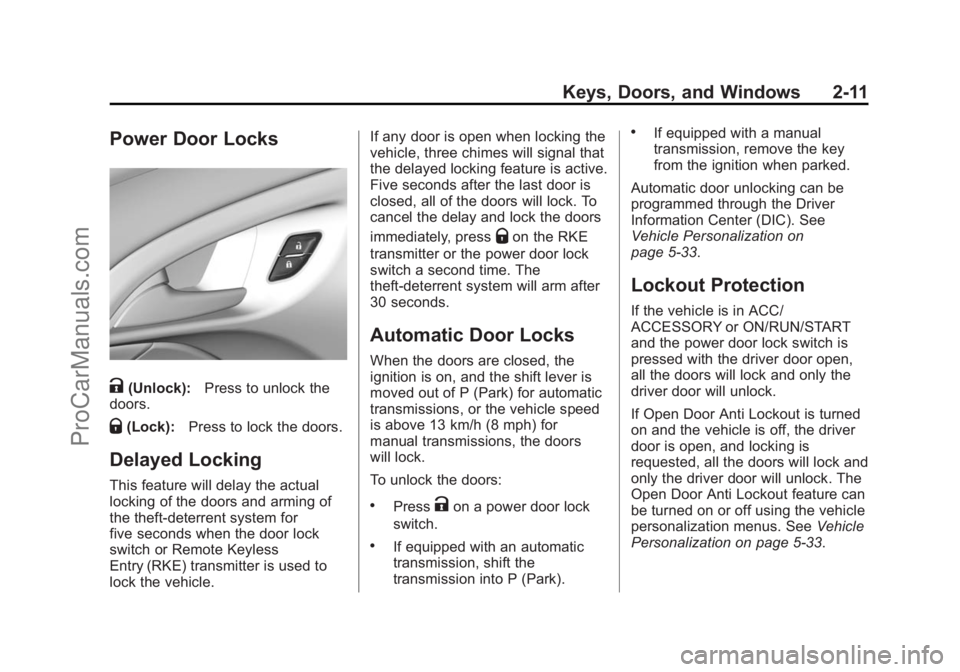
K(Unlock):Press to unlock the
doors.
Q(Lock): Press to lock the doors.
Delayed Locking
This feature will delay the actual
locking of the doors and arming of
the theft-deterrent system for
five seconds when the door lock
switch or Remote Keyless
Entry (RKE) transmitter is used to
lock the vehicle. If any door is open when locking the
vehicle, three chimes will signal that
the delayed locking feature is active.
Five seconds after the last door is
closed, all of the doors will lock. To
cancel the delay and lock the doors
immediately, press
Qon the RKE
transmitter or the power door lock
switch a second time. The
theft-deterrent system will arm after
30 seconds.
Automatic Door Locks
When the doors are closed, the
ignition is on, and the shift lever is
moved out of P (Park) for automatic
transmissions, or the vehicle speed
is above 13 km/h (8 mph) for
manual transmissions, the doors
will lock.
To unlock the doors:
.PressKon a power door lock
switch.
.If equipped with an automatic
transmission, shift the
transmission into P (Park).
.If equipped with a manual
transmission, remove the key
from the ignition when parked.
Automatic door unlocking can be
programmed through the Driver
Information Center (DIC). See
Vehicle Personalization on
page 5-33.
Lockout Protection
If the vehicle is in ACC/
ACCESSORY or ON/RUN/START
and the power door lock switch is
pressed with the driver door open,
all the doors will lock and only the
driver door will unlock.
If Open Door Anti Lockout is turned
on and the vehicle is off, the driver
door is open, and locking is
requested, all the doors will lock and
only the driver door will unlock. The
Open Door Anti Lockout feature can
be turned on or off using the vehicle
personalization menus. See Vehicle
Personalization on page 5-33.
ProCarManuals.com
Page 40 of 435
Black plate (15,1)Chevrolet SS Sedan Owner Manual (GMNA-Localizing-U.S.-7707491) - 2015 -
crc - 9/11/14
Keys, Doors, and Windows 2-15
The vehicle alarm system will not
arm if the doors are locked with
the key.
If the driver door is opened without
first unlocking with the RKE
transmitter, the horn will chirp and
the lights will flash to indicate a
pre-alarm. If the vehicle is not
started, or the door is not unlocked
by pressing
Kon the RKE
transmitter during the 10-second
pre-alarm, the alarm will be
activated.
The alarm will also be activated if
the passenger door, the trunk, or the
hood is opened without first
disarming the system. When the
alarm is activated, the turn signals
flash and the horn sounds for about
30 seconds. The alarm system will
then re-arm to monitor for the next
unauthorized event.
Disarming the System
To disarm the system, do one of the
following:
.PressKon the RKE transmitter.
.Start the engine.
To avoid setting off the alarm by
accident:
.Lock the vehicle with the RKE
transmitter after all occupants
have exited.
.Always unlock the vehicle with
the RKE transmitter, or use the
Keyless Access system.
Unlocking the driver door with
the key will not disarm the
system or turn off the alarm.
Immobilizer
See Radio Frequency Statement on
page 13-12.
Immobilizer Operation
This vehicle has a passive
theft-deterrent system.
The system does not have to be
manually armed or disarmed.
The immobilizer activates itself
automatically after the key has been
removed from the ignition switch,
if equipped with Keyless Access,
when the engine is switched off by
pressing the ENGINE START/STOP
button.
The system checks whether the
vehicle is allowed to start with the
key used. If the transponder in the
key is recognized, the vehicle can
be started.
ProCarManuals.com
Page 41 of 435
Black plate (16,1)Chevrolet SS Sedan Owner Manual (GMNA-Localizing-U.S.-7707491) - 2015 -
crc - 9/11/14
2-16 Keys, Doors, and Windows
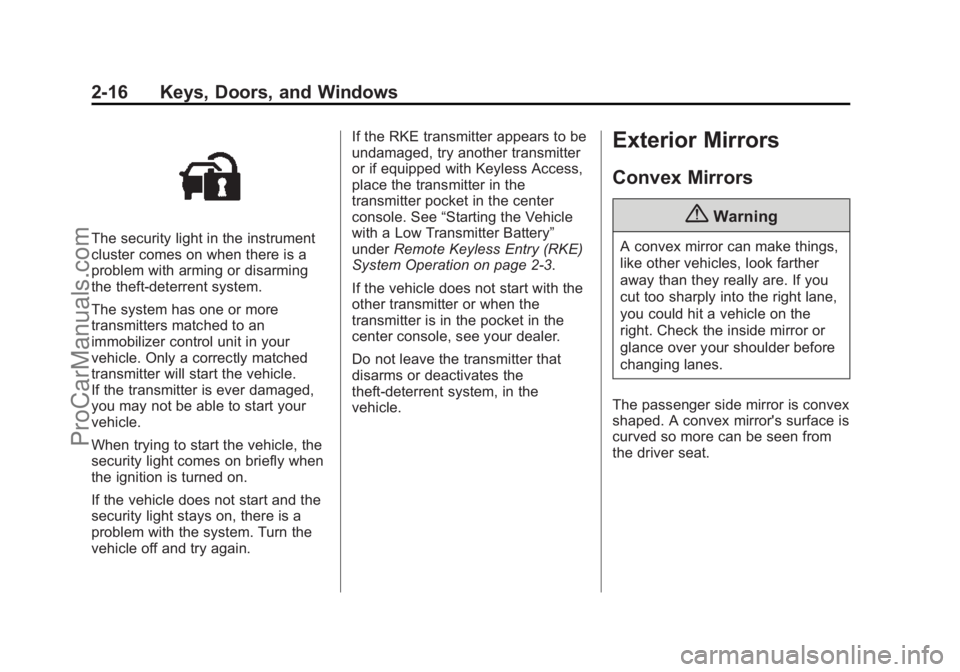
The security light in the instrument
cluster comes on when there is a
problem with arming or disarming
the theft-deterrent system.
The system has one or more
transmitters matched to an
immobilizer control unit in your
vehicle. Only a correctly matched
transmitter will start the vehicle.
If the transmitter is ever damaged,
you may not be able to start your
vehicle.
When trying to start the vehicle, the
security light comes on briefly when
the ignition is turned on.
If the vehicle does not start and the
security light stays on, there is a
problem with the system. Turn the
vehicle off and try again.If the RKE transmitter appears to be
undamaged, try another transmitter
or if equipped with Keyless Access,
place the transmitter in the
transmitter pocket in the center
console. See
“Starting the Vehicle
with a Low Transmitter Battery”
under Remote Keyless Entry (RKE)
System Operation on page 2-3.
If the vehicle does not start with the
other transmitter or when the
transmitter is in the pocket in the
center console, see your dealer.
Do not leave the transmitter that
disarms or deactivates the
theft-deterrent system, in the
vehicle.
Exterior Mirrors
Convex Mirrors
{Warning
A convex mirror can make things,
like other vehicles, look farther
away than they really are. If you
cut too sharply into the right lane,
you could hit a vehicle on the
right. Check the inside mirror or
glance over your shoulder before
changing lanes.
The passenger side mirror is convex
shaped. A convex mirror's surface is
curved so more can be seen from
the driver seat.
ProCarManuals.com
Page 42 of 435
Black plate (17,1)Chevrolet SS Sedan Owner Manual (GMNA-Localizing-U.S.-7707491) - 2015 -
crc - 9/11/14
Keys, Doors, and Windows 2-17
Power Mirrors
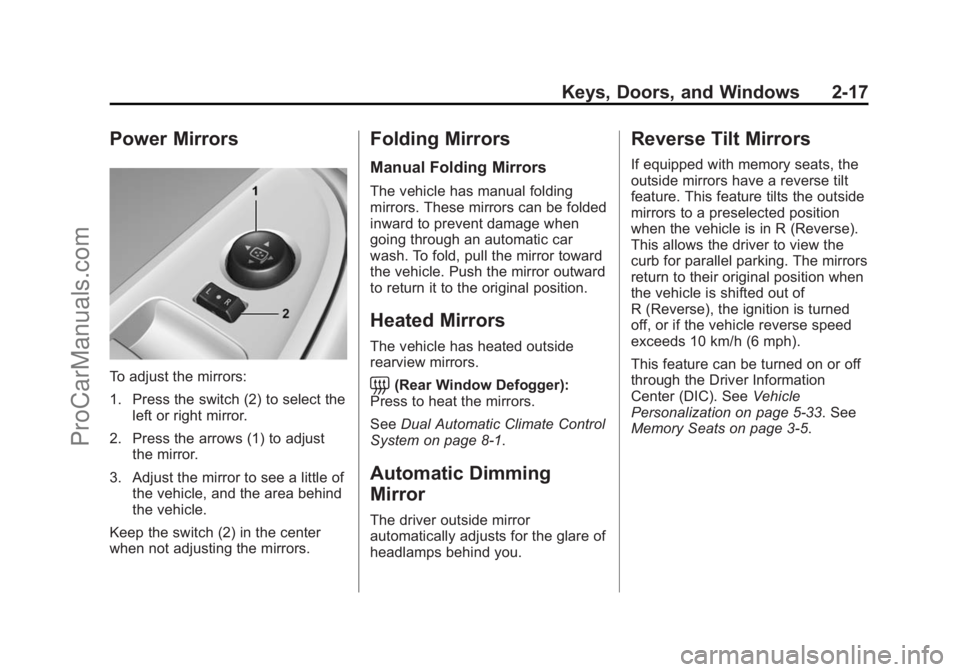
To adjust the mirrors:
1. Press the switch (2) to select theleft or right mirror.
2. Press the arrows (1) to adjust the mirror.
3. Adjust the mirror to see a little of the vehicle, and the area behind
the vehicle.
Keep the switch (2) in the center
when not adjusting the mirrors.
Folding Mirrors
Manual Folding Mirrors
The vehicle has manual folding
mirrors. These mirrors can be folded
inward to prevent damage when
going through an automatic car
wash. To fold, pull the mirror toward
the vehicle. Push the mirror outward
to return it to the original position.
Heated Mirrors
The vehicle has heated outside
rearview mirrors.
=(Rear Window Defogger):
Press to heat the mirrors.
See Dual Automatic Climate Control
System on page 8-1.
Automatic Dimming
Mirror
The driver outside mirror
automatically adjusts for the glare of
headlamps behind you.
Reverse Tilt Mirrors
If equipped with memory seats, the
outside mirrors have a reverse tilt
feature. This feature tilts the outside
mirrors to a preselected position
when the vehicle is in R (Reverse).
This allows the driver to view the
curb for parallel parking. The mirrors
return to their original position when
the vehicle is shifted out of
R (Reverse), the ignition is turned
off, or if the vehicle reverse speed
exceeds 10 km/h (6 mph).
This feature can be turned on or off
through the Driver Information
Center (DIC). See Vehicle
Personalization on page 5-33. See
Memory Seats on page 3-5.
ProCarManuals.com
Page 43 of 435
Black plate (18,1)Chevrolet SS Sedan Owner Manual (GMNA-Localizing-U.S.-7707491) - 2015 -
crc - 9/11/14
2-18 Keys, Doors, and Windows
Interior Mirrors
Interior Rearview Mirrors
Adjust the rearview mirror for a clear
view of the area behind your
vehicle.
If equipped with OnStar, there are
three buttons at the bottom of the
mirror. See your dealer for more
information on the system and how
to subscribe to OnStar. SeeOnStar
Overview on page 14-1.
To avoid accidental OnStar calls,
clean the mirror with the ignition off.
Do not spray glass cleaner directly
on the mirror. Use a soft towel
dampened with water.
Automatic Dimming
Rearview Mirror
The rearview mirror automatically
dims to reduce the glare of the
headlamps from behind. This
feature comes on when the vehicle
is started.
Windows
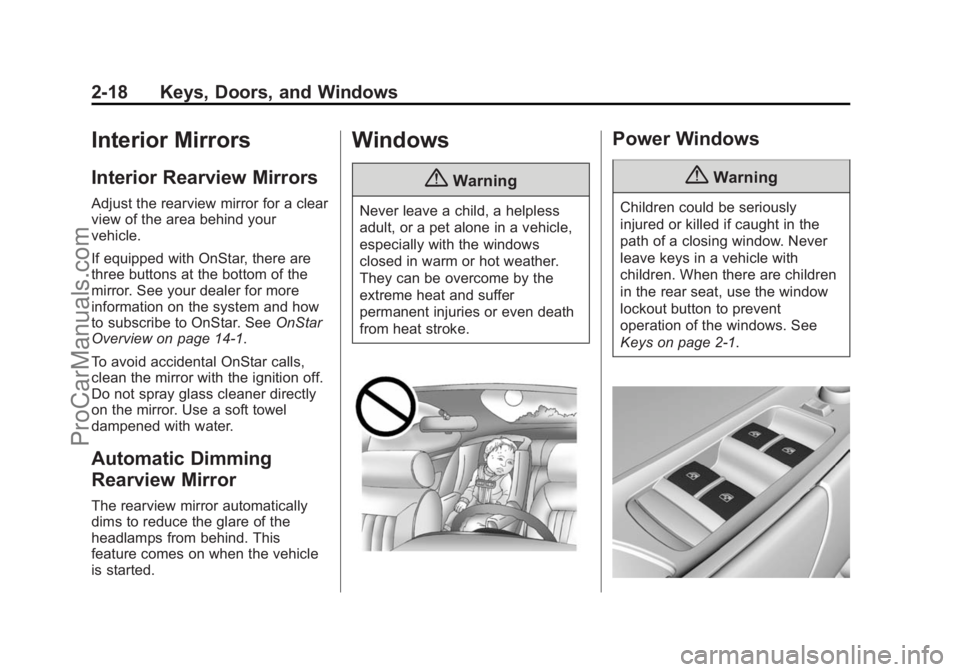
{Warning
Never leave a child, a helpless
adult, or a pet alone in a vehicle,
especially with the windows
closed in warm or hot weather.
They can be overcome by the
extreme heat and suffer
permanent injuries or even death
from heat stroke.
Power Windows
{Warning
Children could be seriously
injured or killed if caught in the
path of a closing window. Never
leave keys in a vehicle with
children. When there are children
in the rear seat, use the window
lockout button to prevent
operation of the windows. See
Keys on page 2-1.
ProCarManuals.com
Page 44 of 435

Black plate (19,1)Chevrolet SS Sedan Owner Manual (GMNA-Localizing-U.S.-7707491) - 2015 -
crc - 9/11/14
Keys, Doors, and Windows 2-19
The power window switches on the
driver door control all the windows.
Each passenger door has a switch
that controls only that window.
Power window switches work when
the ignition is in ON/RUN, ACC/
ACCESSORY, or Retained
Accessory Power (RAP). See
Retained Accessory Power (RAP)
on page 9-19.
Press the switch to lower the
window. Pull the switch to raise the
window.
Express Window Operation
Windows with an express-down or
express-up feature allow the window
to be lowered or raised without
holding the switch. Pull a window
switch up or press it down all the
way, release it, and the window
goes up or down automatically. Stop
the window by pressing or pulling
the switch in the same direction a
second time, or by briefly operating
the switch to the first detent in either
direction.
Express Window Anti-Pinch
Feature
If an object is in the path of the
window when the express-up is
active, the window will stop at the
obstruction and auto-reverse to a
preset factory position. Weather
conditions such as severe icing may
cause the window to auto-reverse.
The window will return to normal
operation after the obstruction or
condition is removed.
Rear Window Lockout
Pressoto prevent rear seat
passengers from operating the
windows. The indicator light
illuminates when on. Press again to
turn the feature off.
Programming the Power
Windows
If the battery on the vehicle has
been recharged or disconnected
and the windows cannot be closed
automatically, a warning message
will display in the Driver Information
Center (DIC). To reprogram the
windows:
1. The ignition must be in ON/RUN or ACC/ACCESSORY,
or Retained Accessory
Power (RAP).
2. Press and hold the power window switch until the window
is fully open.
3. Pull the power window switch up until the window is fully closed
and keep holding the switch up
for an additional two seconds.
ProCarManuals.com
Page 45 of 435
Black plate (20,1)Chevrolet SS Sedan Owner Manual (GMNA-Localizing-U.S.-7707491) - 2015 -
crc - 9/11/14
2-20 Keys, Doors, and Windows
4. Repeat for each window.
Sun Visors
Pull the sun visor down to block
glare. Detach the sun visor from the
center mount to pivot to the side
window or, if equipped, extend
along the rod.
Roof
Sunroof
On vehicles with a sunroof, the
switches used to operate it are on
the overhead console. The ignition
must be in ON/RUN or ACC/
ACCESSORY, or in Retained
Accessory Power (RAP) to operate
the sunroof. SeeIgnition Positions
on page 9-16 andRetained
Accessory Power (RAP) on
page 9-19.
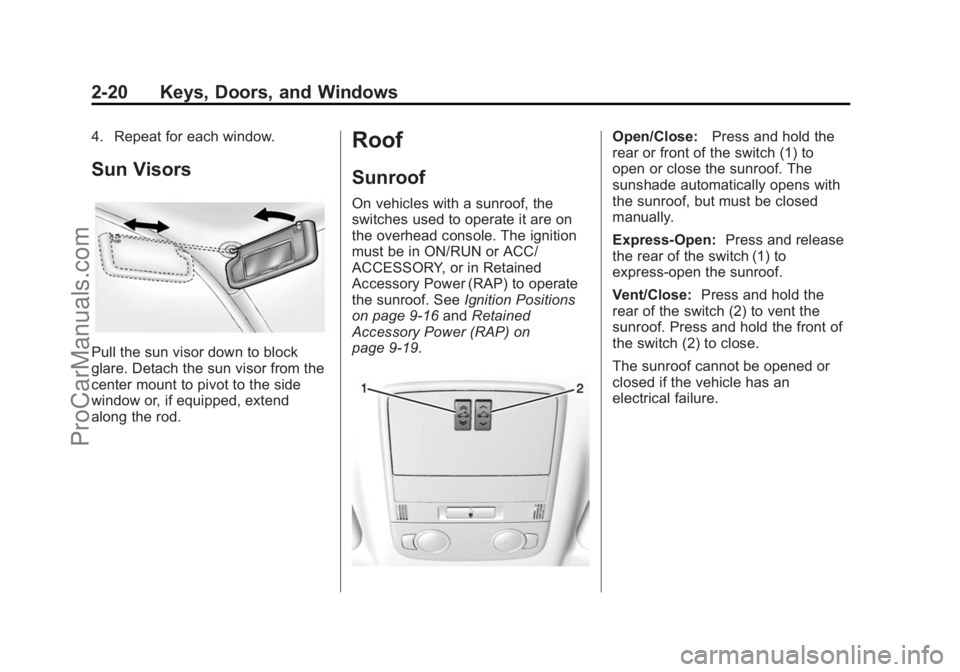
Open/Close: Press and hold the
rear or front of the switch (1) to
open or close the sunroof. The
sunshade automatically opens with
the sunroof, but must be closed
manually.
Express-Open: Press and release
the rear of the switch (1) to
express-open the sunroof.
Vent/Close: Press and hold the
rear of the switch (2) to vent the
sunroof. Press and hold the front of
the switch (2) to close.
The sunroof cannot be opened or
closed if the vehicle has an
electrical failure.
ProCarManuals.com
Page 54 of 435
Black plate (7,1)Chevrolet SS Sedan Owner Manual (GMNA-Localizing-U.S.-7707491) - 2015 -
crc - 9/18/14
Seats and Restraints 3-7
Warning (Continued)
the seat that insulates against
heat, such as a blanket, cushion,
cover, or similar item. This may
cause the seat heater to
overheat. An overheated seat
heater may cause a burn or may
damage the seat.
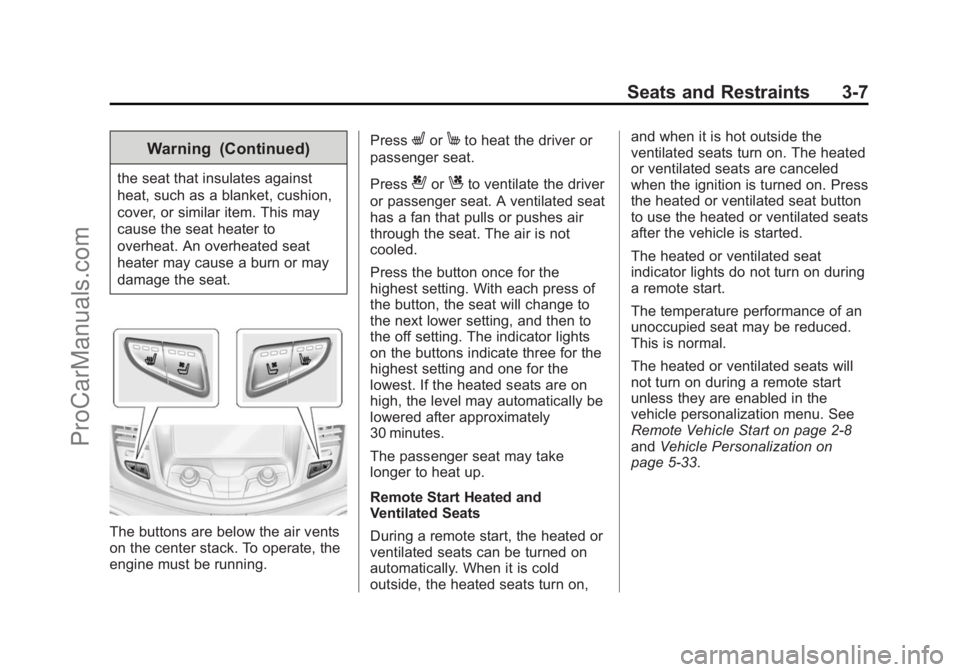
The buttons are below the air vents
on the center stack. To operate, the
engine must be running.Press
LorMto heat the driver or
passenger seat.
Press
{orCto ventilate the driver
or passenger seat. A ventilated seat
has a fan that pulls or pushes air
through the seat. The air is not
cooled.
Press the button once for the
highest setting. With each press of
the button, the seat will change to
the next lower setting, and then to
the off setting. The indicator lights
on the buttons indicate three for the
highest setting and one for the
lowest. If the heated seats are on
high, the level may automatically be
lowered after approximately
30 minutes.
The passenger seat may take
longer to heat up.
Remote Start Heated and
Ventilated Seats
During a remote start, the heated or
ventilated seats can be turned on
automatically. When it is cold
outside, the heated seats turn on, and when it is hot outside the
ventilated seats turn on. The heated
or ventilated seats are canceled
when the ignition is turned on. Press
the heated or ventilated seat button
to use the heated or ventilated seats
after the vehicle is started.
The heated or ventilated seat
indicator lights do not turn on during
a remote start.
The temperature performance of an
unoccupied seat may be reduced.
This is normal.
The heated or ventilated seats will
not turn on during a remote start
unless they are enabled in the
vehicle personalization menu. See
Remote Vehicle Start on page 2-8
and
Vehicle Personalization on
page 5-33.
ProCarManuals.com
Page 100 of 435
Black plate (3,1)Chevrolet SS Sedan Owner Manual (GMNA-Localizing-U.S.-7707491) - 2015 -
crc - 9/18/14
Instruments and Controls 5-3
$/i(Mute/End Call):Press to
decline an incoming call, or to end a
current call. Press to silence the
vehicle speakers while using the
infotainment system. Press again to
turn the sound on. Press to cancel
voice recognition.
_SRC^(Thumbwheel Control):
Press to select an audio source.
Use the thumbwheel to select the
next or previous favorite radio
station, CD track, MP3 track, USB
track, and Bluetooth Audio track.
Use
_SRC to skip to the next song
or show using Pandora or Stitcher®.
See Pandora Internet Radio on
page 7-22 orStitcher Internet Radio
on page 7-27.
+
x− (Volume): Press + to
increase the volume. Press −to
decrease.
Horn
Pressaon the steering wheel pad
to sound the horn.
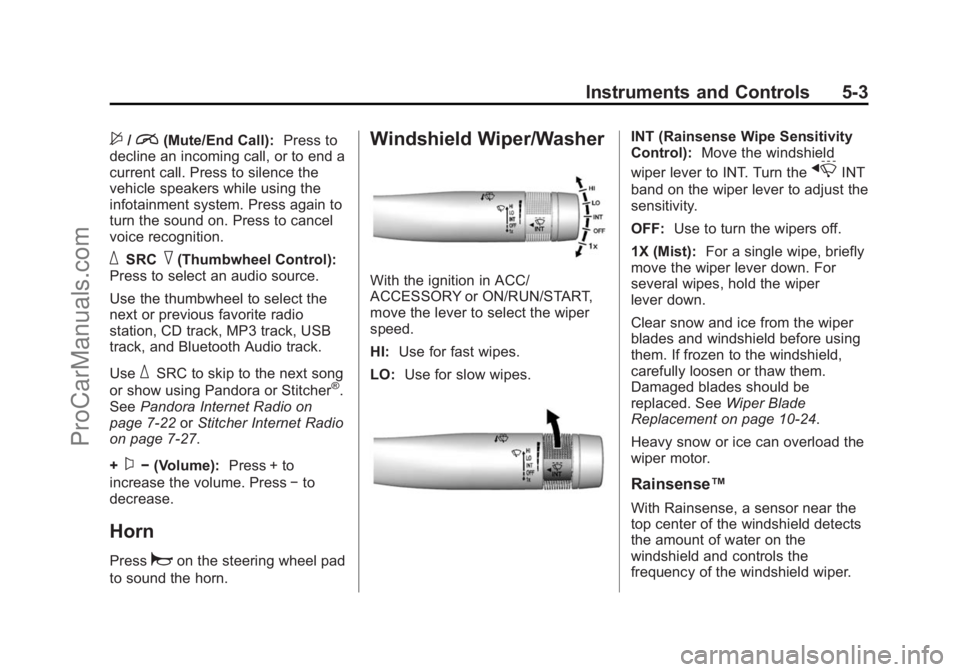
Windshield Wiper/Washer
With the ignition in ACC/
ACCESSORY or ON/RUN/START,
move the lever to select the wiper
speed.
HI: Use for fast wipes.
LO: Use for slow wipes.
INT (Rainsense Wipe Sensitivity
Control): Move the windshield
wiper lever to INT. Turn the
xINT
band on the wiper lever to adjust the
sensitivity.
OFF: Use to turn the wipers off.
1X (Mist): For a single wipe, briefly
move the wiper lever down. For
several wipes, hold the wiper
lever down.
Clear snow and ice from the wiper
blades and windshield before using
them. If frozen to the windshield,
carefully loosen or thaw them.
Damaged blades should be
replaced. See Wiper Blade
Replacement on page 10-24.
Heavy snow or ice can overload the
wiper motor.
Rainsense™
With Rainsense, a sensor near the
top center of the windshield detects
the amount of water on the
windshield and controls the
frequency of the windshield wiper.
ProCarManuals.com