mirror CHEVROLET SS 2016 User Guide
[x] Cancel search | Manufacturer: CHEVROLET, Model Year: 2016, Model line: SS, Model: CHEVROLET SS 2016Pages: 397, PDF Size: 7.17 MB
Page 63 of 397
Chevrolet SS Sedan Owner Manual (GMNA-Localizing-U.S.-9234782) - 2016 -
CRC - 8/24/15
62 Seats and Restraints
airbag modules and possibly
other parts. The service manual
for the vehicle covers the need
to replace other parts.
. The vehicle has a crash sensing
and diagnostic module which
records information after a
crash. See Vehicle Data
Recording and Privacy 0372
iiand Event Data Recorders
0 373ii.
. Let only qualified technicians
work on the airbag systems.
Improper service can mean that
an airbag system will not work
properly. See your dealer for
service.
Passenger Sensing
System
The vehicle has a passenger
sensing system for the front
outboard passenger position. The
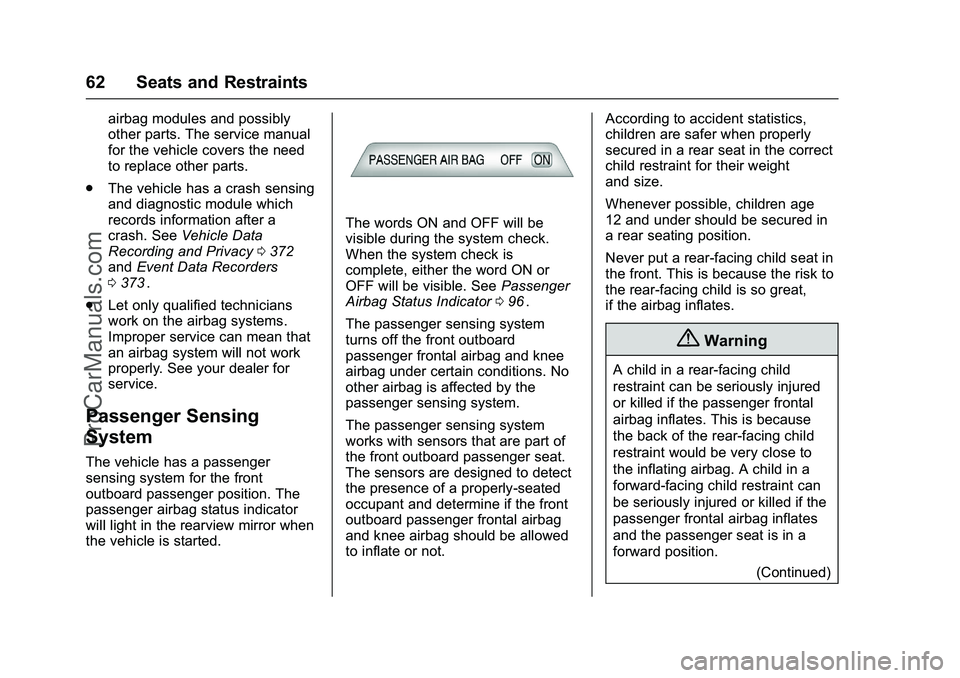
passenger airbag status indicator
will light in the rearview mirror when
the vehicle is started.
The words ON and OFF will be
visible during the system check.
When the system check is
complete, either the word ON or
OFF will be visible. See Passenger
Airbag Status Indicator 096
ii.
The passenger sensing system
turns off the front outboard
passenger frontal airbag and knee
airbag under certain conditions. No
other airbag is affected by the
passenger sensing system.
The passenger sensing system
works with sensors that are part of
the front outboard passenger seat.
The sensors are designed to detect
the presence of a properly-seated
occupant and determine if the front
outboard passenger frontal airbag
and knee airbag should be allowed
to inflate or not. According to accident statistics,
children are safer when properly
secured in a rear seat in the correct
child restraint for their weight
and size.
Whenever possible, children age
12 and under should be secured in
a rear seating position.
Never put a rear-facing child seat in
the front. This is because the risk to
the rear-facing child is so great,
if the airbag inflates.
{Warning
A child in a rear-facing child
restraint can be seriously injured
or killed if the passenger frontal
airbag inflates. This is because
the back of the rear-facing child
restraint would be very close to
the inflating airbag. A child in a
forward-facing child restraint can
be seriously injured or killed if the
passenger frontal airbag inflates
and the passenger seat is in a
forward position.
(Continued)
ProCarManuals.com
Page 67 of 397
Chevrolet SS Sedan Owner Manual (GMNA-Localizing-U.S.-9234782) - 2016 -
CRC - 8/24/15
66 Seats and Restraints
passenger airbag while a child
restraint or child occupant is on
the seat. If the passenger airbag
is turned on, the on indicator will
be lit.
If the front passenger seat gets wet,
dry it immediately. If the airbag
readiness light is lit, do not install a
child restraint or allow anyone to
occupy the seat. See Airbag
Readiness Light 096
iifor important
safety information.
The on indicator may be lit if an
object, such as a briefcase,
handbag, grocery bag, laptop,
or other electronic device, is put on
an unoccupied seat. If this is not
desired, remove the object from
the seat.
{Warning
Stowing of articles under the
passenger seat or between the
passenger seat cushion and
seatback may interfere with the
proper operation of the passenger
sensing system.
Servicing the
Airbag-Equipped Vehicle
Airbags affect how the vehicle
should be serviced. There are parts
of the airbag system in several
places around the vehicle. Your
dealer and the service manual have
information about servicing the
vehicle and the airbag system. To
purchase a service manual, see
Service Publications Ordering
Information 0370
ii.
{Warning
For up to 10 seconds after the
vehicle is turned off and the
battery is disconnected, an airbag
can still inflate during improper
service. You can be injured if you
are close to an airbag when it
inflates. Avoid yellow connectors.
They are probably part of the
airbag system. Be sure to follow
proper service procedures, and
make sure the person performing
work for you is qualified to do so.
Adding Equipment to the
Airbag-Equipped Vehicle
Adding accessories that change the
vehicle's frame, bumper system,
height, front end or side sheet
metal, may keep the airbag system
from working properly. The
operation of the airbag system can
also be affected by changing or
moving any parts of the front seats,
safety belts, the airbag sensing and
diagnostic module, steering wheel,
instrument panel, any airbag
module, ceiling or pillar garnish trim,
the inside rearview mirror, front
sensors, side impact sensors,
or airbag wiring.
Your dealer and the service manual
have information about the location
of the airbag sensors, sensing and
diagnostic module, and airbag
wiring.
In addition, the vehicle has a
passenger sensing system for the
front outboard passenger seat. The
passenger sensing system may not
operate properly if the original seat
trim is replaced with non-GM
covers, upholstery or trim, or with
ProCarManuals.com
Page 97 of 397
Chevrolet SS Sedan Owner Manual (GMNA-Localizing-U.S.-9234782) - 2016 -
CRC - 8/24/15
96 Instruments and Controls
reminder light and/or chime, remove
the object from the seat or buckle
the safety belt.
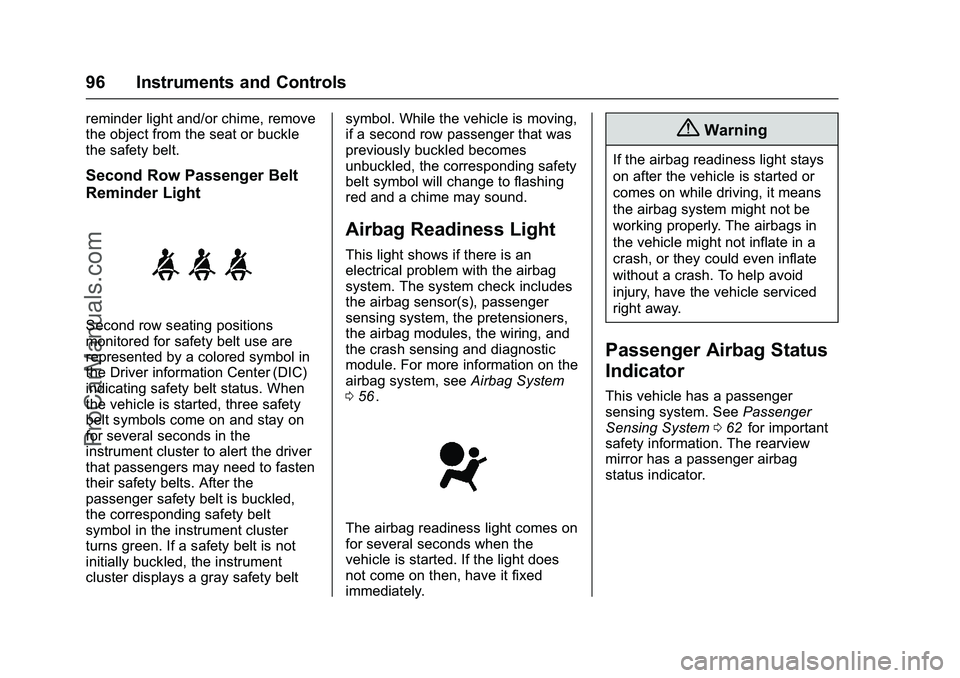
Second Row Passenger Belt
Reminder Light
Second row seating positions
monitored for safety belt use are
represented by a colored symbol in
the Driver information Center (DIC)
indicating safety belt status. When
the vehicle is started, three safety
belt symbols come on and stay on
for several seconds in the
instrument cluster to alert the driver
that passengers may need to fasten
their safety belts. After the
passenger safety belt is buckled,
the corresponding safety belt
symbol in the instrument cluster
turns green. If a safety belt is not
initially buckled, the instrument
cluster displays a gray safety beltsymbol. While the vehicle is moving,
if a second row passenger that was
previously buckled becomes
unbuckled, the corresponding safety
belt symbol will change to flashing
red and a chime may sound.
Airbag Readiness Light
This light shows if there is an
electrical problem with the airbag
system. The system check includes
the airbag sensor(s), passenger
sensing system, the pretensioners,
the airbag modules, the wiring, and
the crash sensing and diagnostic
module. For more information on the
airbag system, see
Airbag System
0 56
ii.
The airbag readiness light comes on
for several seconds when the
vehicle is started. If the light does
not come on then, have it fixed
immediately.
{Warning
If the airbag readiness light stays
on after the vehicle is started or
comes on while driving, it means
the airbag system might not be
working properly. The airbags in
the vehicle might not inflate in a
crash, or they could even inflate
without a crash. To help avoid
injury, have the vehicle serviced
right away.
Passenger Airbag Status
Indicator
This vehicle has a passenger
sensing system. See Passenger
Sensing System 062
iifor important
safety information. The rearview
mirror has a passenger airbag
status indicator.
ProCarManuals.com
Page 114 of 397
Chevrolet SS Sedan Owner Manual (GMNA-Localizing-U.S.-9234782) - 2016 -
CRC - 8/24/15
Instruments and Controls 113
NO REMOTE DETECTED
PRESS BRAKE TO RESTART
or NO REMOTE DETECTED
PRESS CLUTCH TO RESTART
This message displays if the RKE
transmitter is no longer detected in
the vehicle. Press the brake pedal
or clutch to restart the vehicle.
REPLACE BATTERY IN
REMOTE KEY
This message displays when the
battery in the Remote Keyless Entry
(RKE) transmitter needs to be
replaced. See“Battery
Replacement” underRemote
Keyless Entry (RKE) System
Operation 024
ii.
USE TRANSMITTER POCKET
TO START
This message displays when trying
to start the vehicle if an RKE
transmitter is not detected. The
transmitter battery may be weak.
See “Starting the Vehicle with a Low
Transmitter Battery” underRemote
Keyless Entry (RKE) System
Operation 024
ii.
Lamp Messages
AUTOMATIC LIGHT CONTROL
ON/OFF
This message is displayed when the
automatic light control has been
turned on or off. See Automatic
Headlamp System 0124
ii.
CHECK XXX TURN
SIGNAL LAMP
When one of the turn signals is out,
this message displays to show
which bulb needs to be replaced.
See Bulb Replacement 0289
iiand
Replacement Bulbs 0290ii.
TURN SIGNAL ON
This message is displayed if the
turn signal has been left on. Turn off
the turn signal.
Object Detection System
Messages
FORWARD COLLISION
ALERT OFF
This message displays when the
Forward Collision Alert has been
turned off.
FRONT CAMERA BLOCKED
CLEAN WINDSHIELD
This message displays when the
camera is blocked. Cleaning the
outside of the windshield behind the
rearview mirror may correct the
issue. The Lane Departure Warning
system will not operate. Forward
Collision Alert (FCA) may not work
or may not work as well.
LANE DEPARTURE WARNING
UNAVAILABLE
This message displays when
attempting to activate the Lane
Departure Warning (LDW) system
when it is temporarily unavailable.
The LDW system does not need
service.
ProCarManuals.com
Page 115 of 397
Chevrolet SS Sedan Owner Manual (GMNA-Localizing-U.S.-9234782) - 2016 -
CRC - 8/24/15
114 Instruments and Controls
This message could be due to the
camera being blocked. Cleaning the
outside of the windshield behind the
rearview mirror may correct the
issue.
PARK ASSIST OFF
This message displays when the
Parking Assist system has been
turned off or when there is a
temporary condition causing the
system to be disabled.
SERVICE FRONT CAMERA
If this message remains on after
continued driving, the vehicle needs
service. Do not use the Lane
Departure Warning (LDW) and
Forward Collision Alert (FCA)
features. Take the vehicle to your
dealer.
SERVICE PARKING ASSIST
This message displays if there is a
problem with the Parking Assist
system. Do not use this system to
help you park. See your dealer for
service.
SERVICE SIDE DETECTION
SYSTEM
If this message remains on after
continued driving, the vehicle needs
service. Side Blind Zone Alert
(SBZA) and Rear Cross Traffic Alert
(RCTA) features will not work. Take
the vehicle to your dealer.
SIDE BLIND ZONE ALERT OFF
This message indicates that the
driver has turned the Side Blind
Zone Alert (SBZA) system off.
SIDE DETECTION SYSTEM
UNAVAILABLE
This message indicates that Side
Blind Zone Alert (SBZA) and Rear
Cross Traffic Alert (RCTA) are
disabled either because the sensor
is blocked and cannot detect
vehicles in the blind zone, or the
vehicle is passing through an open
area, such as the desert, where
there is insufficient data for
operation. This message may also
activate during heavy rain or due to
road spray. The vehicle does notneed service. For cleaning, see
"Washing the Vehicle" under
Exterior Care
0335
ii.
Ride Control System
Messages
SERVICE TRACTION
CONTROL
This message displays when there
is a problem with the Traction
Control System (TCS). See Traction
Control/Electronic Stability Control
0 242
ii.
SERVICE STABILITRAK
This message displays if there is a
problem with the StabiliTrak system.
See Traction Control/Electronic
Stability Control 0242
ii.
Security Messages
THEFT ATTEMPTED
This message displays if the vehicle
detects a tamper condition.
ProCarManuals.com
Page 121 of 397
Chevrolet SS Sedan Owner Manual (GMNA-Localizing-U.S.-9234782) - 2016 -
CRC - 8/24/15
120 Instruments and Controls
Select High, Medium, or Low.
Remote Start Auto Cool Seat
When on and it is hot outside, the
ventilated seats will turn on
automatically.
Select to turn on or off.
Remote Start Auto Heat Seat
When on and it is cold outside, the
heated seats will turn on
automatically.
Select to turn on or off.
Comfort and Convenience
Select and the following may
display:
.Easy Exit Driver Seat
. Auto Memory Recall
. Chime Volume
. Button Chime
. Reverse Tilt Mirror
Easy Exit Driver Seat
This feature moves the seat
rearward allowing the driver more
room to exit the vehicle. See
“Easy Exit Driver Seat” under
Memory Seats 046ii.
Select On or Off.
Auto Memory Recall
When on, this feature will recall the
stored seat positions for the Remote
Keyless Entry (RKE) transmitter
being used. See Memory Seats
0 46
ii.
Select On or Off.
Chime Volume
This allows the selection of the
chime volume level.
Select Normal or High.
Button Chime
Select to turn this feature on or off.
Reverse Tilt Mirror
This allows the reverse tilt mirror to
be set to on or off.
Select On or Off. Collision/Detection Systems
Select and the following may
display, if equipped:
.
Side Blind Zone Alert
. Rear Cross Traffic Alert
Side Blind Zone Alert
This allows the Side Blind Zone
Alert feature to be turned on or off.
See Side Blind Zone Alert (SBZA)
0 257
ii.
Select On or Off.
Rear Cross Traffic Alert
This allows the Rear Cross Traffic
Alert feature to be turned on or off.
See Assistance Systems for Parking
or Backing 0251
ii.
Select On or Off.
Lighting
Select and the following may
display:
. Vehicle Locator Lights
. Exit Lighting
ProCarManuals.com
Page 193 of 397
Chevrolet SS Sedan Owner Manual (GMNA-Localizing-U.S.-9234782) - 2016 -
CRC - 8/24/15
192 Infotainment System
Delete Waypoint :When guidance
is active, this command allows the
deletion of individual waypoints or
the destination. If guidance is not
active, the system will indicate the
destination list is empty.
Where Am I?, My Location,
or Current Position : Instructs the
system to give the current position
of the vehicle.
Help : The system plays back more
specific help commands associated
with Navigation or a Navigation
sub-feature.
Cancel Guidance or Cancel
Route : Instructs the system to
cancel guidance.
Entering a Destination in Other
Countries
For the voice recognition to respond
to a local address, the
corresponding country needs to be
set in the navigation system.
The country can also be set using
voice commands. However, the
country will change back to the
default country when the vehicle is
keyed off. 1. Pressb/gon the steering
wheel.
2. Say “Navigation.”
3. Say “Change Country.”
4. Say the country name. For example, say “Canada.”
OnStar Command (If Equipped)
To activate OnStar voice
recognition, press
Qon the mirror
or press
b/gon the steering
wheel and say “OnStar”after the
beep. This will activate the OnStar
voice control. See OnStar Overview
0 375
ii.
Help Commands
. Help
. Hands-Free Calling (If Equipped)
. Turn-by-Turn Directions
. OnStar Info
After each list of help commands,
the following are available:
. Go Back
. Repeat .
Cancel
. Help
. Goodbye
Hands-Free Calling
. Call
. Store
. Commands
‐Call
‐ Store
‐ My Number
‐ Minutes
‐ Store Last Number
‐ Digit Dial
‐ Redial
‐ Dial
‐ Number Recall
‐ Directory
‐ Digit Store
Turn-by-Turn Directions
. Directory
. Plan Route
ProCarManuals.com
Page 212 of 397
Chevrolet SS Sedan Owner Manual (GMNA-Localizing-U.S.-9234782) - 2016 -
CRC - 8/24/15
Climate Controls 211
AUTOhis displayed when the
system is automatically controlling
the combination of outside and
recirculated air for best
performance.
Rear Window Defogger
The rear window defogger uses a
warming grid to remove fog or frost
from the rear window. It only works
when the ignition is in ON/RUN.
+REAR (Rear Window
Defogger) : Press to turn the rear
window defogger on or off. The
indicator on the button turns on. The
rear window defogger turns off
automatically if it is left on.
Caution
Using a razor blade or sharp
object on the inside rear window
can damage the antenna or
defogger. Repairs would not be
covered by the vehicle warranty.
Do not stick anything to the rear
window. Heated Mirrors :
If equipped with
heated outside rearview mirrors, the
mirrors heat to help clear fog or frost
from the surface of the mirror when
the rear window defog button is
pressed. See Heated Mirrors 038
ii.
Sensors
The automatic climate control
system uses sensors to maintain
temperatures. The solar sensor is
on the instrument panel near the
windshield, and the outside
temperature sensor is in front of the
radiator.
The solar sensor monitors the solar
radiation when operating in AUTO
mode, adjusting the temperature,
fan speed and air delivery.
The system may also supply cooler
air to the side of the vehicle facing
the sun. The recirculation mode will
also be activated, as necessary.
The outside temperature sensor can
be affected by radiant heat when
the vehicle is not moving. To prevent false temperature
readings, the displayed temperature
will not update at low vehicle
speeds.
If the vehicle has been turned off for
less than four hours, the
temperature at start up will be
recalled from previous operation.
Do not cover the sensors; otherwise
the automatic climate control system
will not work properly.
Remote Start Climate Control
Operation
If equipped with the remote start
feature, when it is activated, the
climate control system will use the
previous settings. See
Remote
Vehicle Start 029
ii.
Regular Operation
Adjusting the Temperature
When the climate control system
has stabilized, adjust the
temperature to a comfortable
setting.
ProCarManuals.com
Page 219 of 397
Chevrolet SS Sedan Owner Manual (GMNA-Localizing-U.S.-9234782) - 2016 -
CRC - 8/24/15
218 Driving and Operating
The vehicle may straighten out.
Be ready for a second skid if it
occurs.
. Slow down and adjust your
driving according to weather
conditions. Stopping distance
can be longer and vehicle
control can be affected when
traction is reduced by water,
snow, ice, gravel, or other
material on the road. Learn to
recognize warning clues —such
as enough water, ice, or packed
snow on the road to make a
mirrored surface —and slow
down when you have any doubt.
. Try to avoid sudden steering,
acceleration, or braking,
including reducing vehicle speed
by shifting to a lower gear. Any
sudden changes could cause
the tires to slide.
Remember: Antilock brakes help
avoid only the braking skid.Track Events and
Competitive Driving
Track events or competitive driving
may affect the vehicle warranty. See
the warranty manual before using
the vehicle for track testing or other
competitive driving.
Caution
If the vehicle is used for track
events and competitive driving,
the engine may use more oil than
it would with normal use. Low oil
levels can damage the engine.
Check the oil level often and
maintain the proper level. See
Engine Oil 0271
ii.
Engine Oil
Be sure to check the oil level often
during racing or other competitive
driving and keep the level at or near
the upper mark that shows the
proper operating range on the
engine oil dipstick. For track events or competitive
driving, it is recommended that the
brake fluid be replaced with a high
performance brake fluid that has a
dry boiling point greater than 279 °C
(534 °F). After conversion to the
high performance brake fluid, follow
the brake fluid service
recommendations outlined by the
fluid manufacturer. Do not use
silicone or DOT-5 brake fluids.
To prepare the brake systems for
track events and racing, complete
the appropriate high performance
brake burnishing procedure
described below.
Brake Burnishing
New brake pads must be burnished
before racing or other competitive
driving.
Caution
The new vehicle break-in period
should be completed before
performing the brake burnish
procedure, otherwise damage
(Continued)
ProCarManuals.com
Page 223 of 397
Chevrolet SS Sedan Owner Manual (GMNA-Localizing-U.S.-9234782) - 2016 -
CRC - 8/24/15
222 Driving and Operating
Winter Driving
Driving on Snow or Ice
Snow or ice between the tires and
the road creates less traction or
grip, so drive carefully. Wet ice can
occur at about 0 °C (32 °F) when
freezing rain begins to fall. Avoid
driving on wet ice or in freezing rain
until roads can be treated.
For Slippery Road Driving:
.Accelerate gently. Accelerating
too quickly causes the wheels to
spin and makes the surface
under the tires slick.
. Turn on Traction Control. See
Traction Control/Electronic
Stability Control 0242
ii.
. The Antilock Brake System
(ABS) improves vehicle stability
during hard stops, but the
brakes should be applied sooner
than when on dry pavement.
See Antilock Brake System
(ABS) 0239
ii.
. Allow greater following distance
and watch for slippery spots. Icy
patches can occur on otherwise clear roads in shaded areas.
The surface of a curve or an
overpass can remain icy when
the surrounding roads are clear.
Avoid sudden steering
maneuvers and braking while
on ice.
. Turn off cruise control.
Blizzard Conditions
Stop the vehicle in a safe place and
signal for help. Stay with the vehicle
unless there is help nearby.
If possible, use Roadside
Assistance. See Roadside
Assistance Program 0365
ii. To get
help and keep everyone in the
vehicle safe:
. Turn on the hazard warning
flashers.
. Tie a red cloth to an outside
mirror.
{Warning
Snow can trap engine exhaust
under the vehicle. This may
cause exhaust gases to get
inside. Engine exhaust contains
carbon monoxide (CO), which
cannot be seen or smelled. It can
cause unconsciousness and even
death.
If the vehicle is stuck in snow:
. Clear snow from the base of
the vehicle, especially any
blocking the exhaust pipe.
. Open a window about 5 cm
(2 in) on the vehicle side
that is away from the wind,
to bring in fresh air.
. Fully open the air outlets on
or under the instrument
panel.
. Adjust the climate control
system to circulate the air
inside the vehicle and set
(Continued)
ProCarManuals.com