brake CHEVROLET SS 2016 Owners Manual
[x] Cancel search | Manufacturer: CHEVROLET, Model Year: 2016, Model line: SS, Model: CHEVROLET SS 2016Pages: 397, PDF Size: 7.17 MB
Page 4 of 397
Chevrolet SS Sedan Owner Manual (GMNA-Localizing-U.S.-9234782) - 2016 -
CRC - 8/24/15
Introduction 3
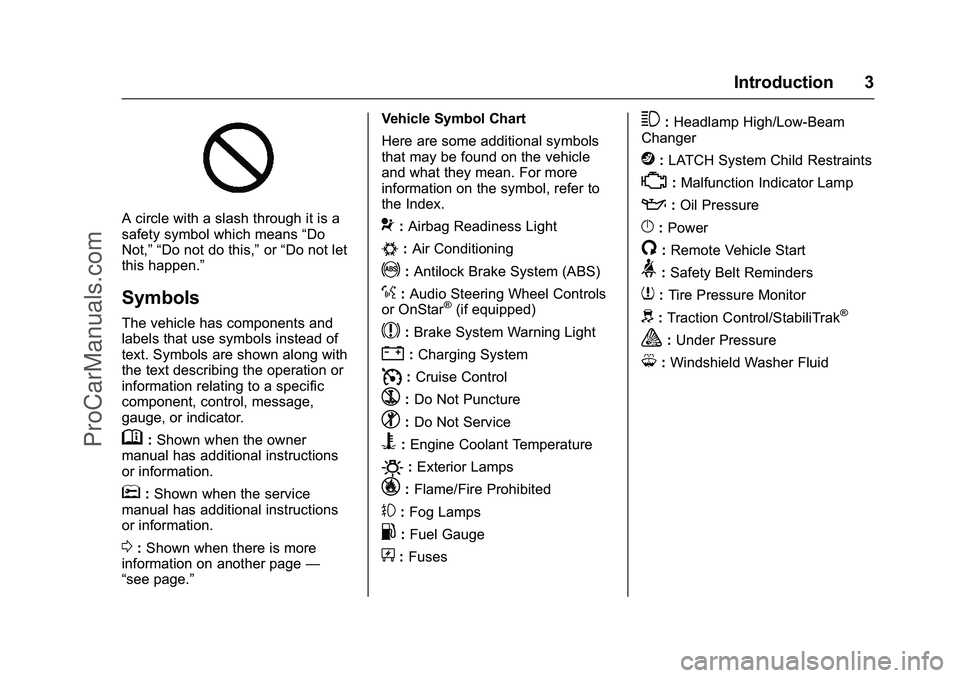
A circle with a slash through it is a
safety symbol which means“Do
Not,” “Do not do this,” or“Do not let
this happen.”
Symbols
The vehicle has components and
labels that use symbols instead of
text. Symbols are shown along with
the text describing the operation or
information relating to a specific
component, control, message,
gauge, or indicator.
M: Shown when the owner
manual has additional instructions
or information.
*: Shown when the service
manual has additional instructions
or information.
0: Shown when there is more
information on another page —
“see page.” Vehicle Symbol Chart
Here are some additional symbols
that may be found on the vehicle
and what they mean. For more
information on the symbol, refer to
the Index.
9:
Airbag Readiness Light
#:Air Conditioning
!:Antilock Brake System (ABS)
%:Audio Steering Wheel Controls
or OnStar®(if equipped)
$: Brake System Warning Light
":Charging System
I: Cruise Control
`:Do Not Puncture
^:Do Not Service
B:Engine Coolant Temperature
O:Exterior Lamps
_: Flame/Fire Prohibited
#:Fog Lamps
.:Fuel Gauge
+: Fuses
3:Headlamp High/Low-Beam
Changer
j: LATCH System Child Restraints
*:Malfunction Indicator Lamp
::Oil Pressure
}:Power
/:Remote Vehicle Start
>: Safety Belt Reminders
7:Tire Pressure Monitor
d:Traction Control/StabiliTrak®
a:Under Pressure
M: Windshield Washer Fluid
ProCarManuals.com
Page 8 of 397
Chevrolet SS Sedan Owner Manual (GMNA-Localizing-U.S.-9234782) - 2016 -
CRC - 8/24/15
In Brief 7
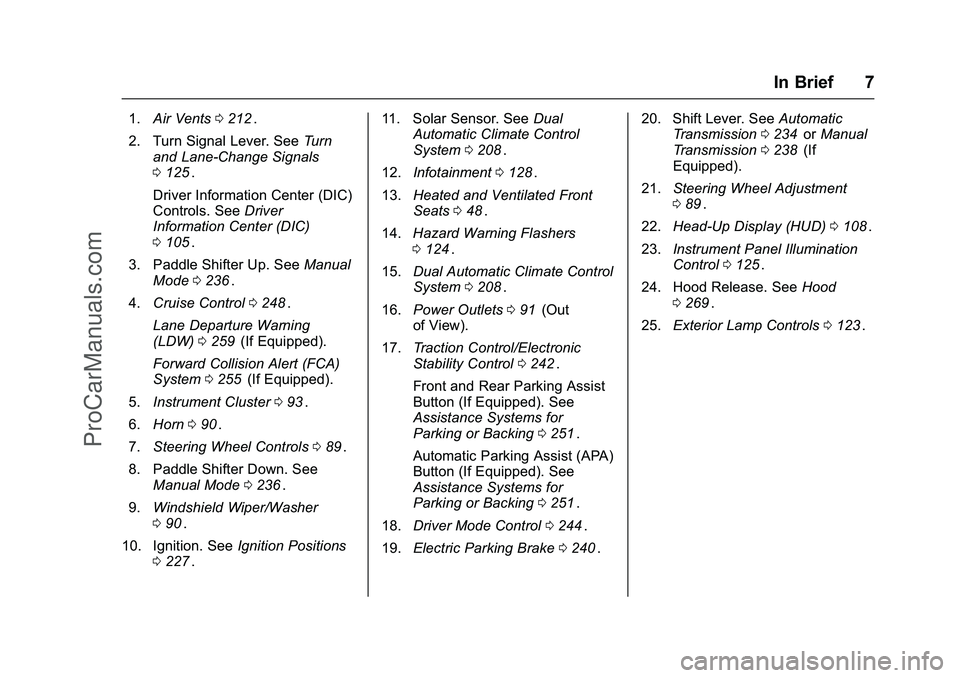
1.Air Vents 0212ii.
2. Turn Signal Lever. See Turn
and Lane-Change Signals
0 125
ii.
Driver Information Center (DIC)
Controls. See Driver
Information Center (DIC)
0 105
ii.
3. Paddle Shifter Up. See Manual
Mode 0236
ii.
4. Cruise Control 0248
ii.
Lane Departure Warning
(LDW) 0259
ii(If Equipped).
Forward Collision Alert (FCA)
System 0255
ii(If Equipped).
5. Instrument Cluster 093
ii.
6. Horn 090
ii.
7. Steering Wheel Controls 089
ii.
8. Paddle Shifter Down. See Manual Mode 0236
ii.
9. Windshield Wiper/Washer
090
ii.
10. Ignition. See Ignition Positions
0 227
ii. 11. Solar Sensor. See
Dual
Automatic Climate Control
System 0208
ii.
12. Infotainment 0128
ii.
13. Heated and Ventilated Front
Seats 048
ii.
14. Hazard Warning Flashers
0124
ii.
15. Dual Automatic Climate Control
System 0208
ii.
16. Power Outlets 091
ii(Out
of View).
17. Traction Control/Electronic
Stability Control 0242
ii.
Front and Rear Parking Assist
Button (If Equipped). See
Assistance Systems for
Parking or Backing 0251
ii.
Automatic Parking Assist (APA)
Button (If Equipped). See
Assistance Systems for
Parking or Backing 0251
ii.
18. Driver Mode Control 0244
ii.
19. Electric Parking Brake 0240
ii. 20. Shift Lever. See
Automatic
Transmission 0234
iior Manual
Transmission 0238ii(If
Equipped).
21. Steering Wheel Adjustment
089
ii.
22. Head-Up Display (HUD) 0108
ii.
23. Instrument Panel Illumination
Control 0125
ii.
24. Hood Release. See Hood
0 269
ii.
25. Exterior Lamp Controls 0123
ii.
ProCarManuals.com
Page 23 of 397
Chevrolet SS Sedan Owner Manual (GMNA-Localizing-U.S.-9234782) - 2016 -
CRC - 8/24/15
22 In Brief
Resetting the Oil Life System1. Display the REMAINING OIL LIFE on the DIC. See Driver
Information Center (DIC)
0 105
ii.
2. Press and hold the SET/CLR button on the DIC while the Oil
Life display is active. The oil
life will change to 100%.
The oil life system can also be reset
as follows: 1. Turn the ignition to ON/RUN with the engine off.
2. Fully press and release the accelerator pedal three times
within five seconds.
See Engine Oil Life System 0273
ii.
Driving for Better Fuel
Economy
Driving habits can affect fuel
mileage. Here are some driving tips
to get the best fuel economy
possible.
.
Avoid fast starts and accelerate
smoothly. .
Brake gradually and avoid
abrupt stops.
. Avoid idling the engine for long
periods of time.
. When road and weather
conditions are appropriate, use
cruise control.
. Always follow posted speed
limits or drive more slowly when
conditions require.
. Keep vehicle tires properly
inflated.
. Combine several trips into a
single trip.
. Replace the vehicle's tires with
the same TPC Spec number
molded into the tire's sidewall
near the size.
. Follow recommended scheduled
maintenance.
Battery
The battery is located in the trunk,
behind a trim panel, on the driver
side. When it is time for a new
battery, see your dealer for one that
has the replacement number shown
on the original battery's label.
See Battery - North America 0284
ii.
Roadside Assistance
Program
U.S.: 1-800-243-8872
TTY Users (U.S. Only):
1-888-889-2438
Canada: 1-800-268-6800
As the owner of a new Chevrolet,
you are automatically enrolled in the
Roadside Assistance program.
See Roadside Assistance Program
0 365
ii.
ProCarManuals.com
Page 30 of 397
Chevrolet SS Sedan Owner Manual (GMNA-Localizing-U.S.-9234782) - 2016 -
CRC - 8/24/15
Keys, Doors, and Windows 29
1. Open the center consolestorage and place the
transmitter in the transmitter
pocket.
2. With the vehicle in P (Park) or N (Neutral), press the brake
pedal and press the ENGINE
START/STOP button.
See Starting the Engine 0229
ii
Replace the transmitter battery as
soon as possible.
Battery Replacement
Replace the battery if the REPLACE
BATTERY IN REMOTE KEY
message displays in the DIC. See
Key and Lock Messages 0112
ii.
Caution
When replacing the battery, do
not touch any of the circuitry on
the transmitter. Static from your
body could damage the
transmitter. The battery is not rechargeable. To
replace the battery:
1. Press the button on the
transmitter to extend the key.
2. Remove the battery cover by prying with a finger.
3. Remove the battery by pushing on the battery and sliding it
toward the key blade.
4. Insert the new battery, positive side facing up. Push the
battery down until it is held in
place. Replace with a CR2032
or equivalent battery. 5. Snap the battery cover back on
to the transmitter.
Remote Vehicle Start
If equipped, remote start allows the
engine to be started from outside
the vehicle.
/(Remote Vehicle Start) : The
remote start button is on the RKE
transmitter.
The climate control system will use
the previous settings during a
remote start.
Laws in some local communities
may restrict the use of remote
starters. For example, some laws
require a person using remote start
to have the vehicle in view. Check
local regulations for any
requirements.
Other conditions can affect the
performance of the transmitter. See
Remote Keyless Entry (RKE)
System 024
ii.
ProCarManuals.com
Page 35 of 397
Chevrolet SS Sedan Owner Manual (GMNA-Localizing-U.S.-9234782) - 2016 -
CRC - 8/24/15
34 Keys, Doors, and Windows
Doors
Trunk
{Warning
Exhaust gases can enter the
vehicle if it is driven with the
liftgate or trunk/hatch open,
or with any objects that pass
through the seal between the
body and the trunk/hatch or
liftgate. Engine exhaust contains
carbon monoxide (CO) which
cannot be seen or smelled. It can
cause unconsciousness and even
death.
If the vehicle must be driven with
the liftgate or trunk/hatch open:. Close all of the windows.
. Fully open the air outlets on
or under the instrument
panel.
. Adjust the climate control
system to a setting that
brings in only outside air
(Continued)
Warning (Continued)
and set the fan speed to the
highest setting. See
“Climate Control Systems”
in the Index.
. If the vehicle is equipped
with a power liftgate, disable
the power liftgate function.
See Engine Exhaust 0233
ii.
Trunk Release
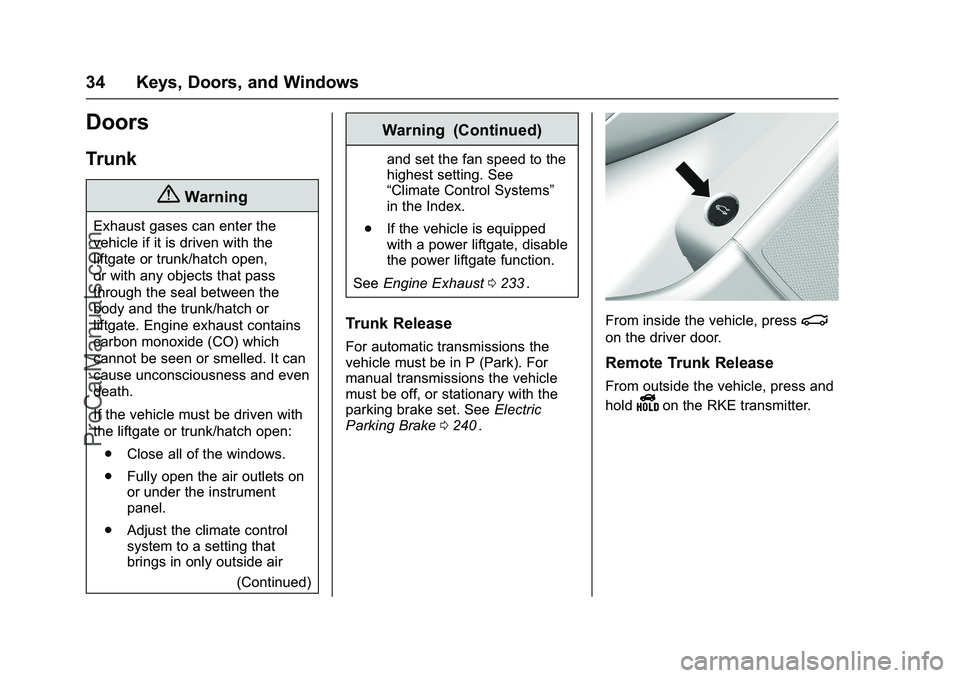
For automatic transmissions the
vehicle must be in P (Park). For
manual transmissions the vehicle
must be off, or stationary with the
parking brake set. See Electric
Parking Brake 0240
ii.
From inside the vehicle, press|
on the driver door.
Remote Trunk Release
From outside the vehicle, press and
hold
Yon the RKE transmitter.
ProCarManuals.com
Page 62 of 397
Chevrolet SS Sedan Owner Manual (GMNA-Localizing-U.S.-9234782) - 2016 -
CRC - 8/24/15
Seats and Restraints 61
the airbag module may be hot for
several minutes. For location of the
airbags, seeWhere Are the
Airbags? 057
ii.
The parts of the airbag that come
into contact with you may be warm,
but not too hot to touch. There may
be some smoke and dust coming
from the vents in the deflated
airbags. Airbag inflation does not
prevent the driver from seeing out of
the windshield or being able to steer
the vehicle, nor does it prevent
people from leaving the vehicle.
{Warning
When an airbag inflates, there
may be dust in the air. This dust
could cause breathing problems
for people with a history of
asthma or other breathing trouble.
To avoid this, everyone in the
vehicle should get out as soon as
it is safe to do so. If you have
breathing problems but cannot
get out of the vehicle after an
airbag inflates, then get fresh air (Continued)
Warning (Continued)
by opening a window or a door.
If you experience breathing
problems following an airbag
deployment, you should seek
medical attention.
The vehicle has a feature that may
automatically unlock the doors, turn
on the interior lamps and hazard
warning flashers, and shut off the
fuel system after the airbags inflate.
The feature may also activate,
without airbag inflation, after an
event that exceeds a predetermined
threshold. You can lock the doors,
and turn off the interior lamps, and
turn off the hazard warning flashers
by using the controls for those
features.
{Warning
A crash severe enough to inflate
the airbags may have also
damaged important functions in (Continued)
Warning (Continued)
the vehicle, such as the fuel
system, brake and steering
systems, etc. Even if the vehicle
appears to be drivable after a
moderate crash, there may be
concealed damage that could
make it difficult to safely operate
the vehicle.
Use caution if you should attempt
to restart the engine after a crash
has occurred.
In many crashes severe enough to
inflate the airbag, windshields are
broken by vehicle deformation.
Additional windshield breakage may
also occur from the front outboard
passenger airbag.
. Airbags are designed to inflate
only once. After an airbag
inflates, you will need some new
parts for the airbag system.
If you do not get them, the
airbag system will not be there
to help protect you in another
crash. A new system will include
ProCarManuals.com
Page 89 of 397
Chevrolet SS Sedan Owner Manual (GMNA-Localizing-U.S.-9234782) - 2016 -
CRC - 8/24/15
88 Instruments and Controls
Instruments and
Controls
Controls
Steering Wheel Adjustment . . . . 89
Steering Wheel Controls . . . . . . . 89
Horn . . . . . . . . . . . . . . . . . . . . . . . . . . . 90
Windshield Wiper/Washer . . . . . . 90
Clock . . . . . . . . . . . . . . . . . . . . . . . . . . 91
Power Outlets . . . . . . . . . . . . . . . . . 91
Warning Lights, Gauges, and
Indicators
Warning Lights, Gauges, andIndicators . . . . . . . . . . . . . . . . . . . . 92
Instrument Cluster . . . . . . . . . . . . . 93
Speedometer . . . . . . . . . . . . . . . . . . 94
Odometer . . . . . . . . . . . . . . . . . . . . . . 94
Trip Odometer . . . . . . . . . . . . . . . . . 94
Tachometer . . . . . . . . . . . . . . . . . . . . 94
Fuel Gauge . . . . . . . . . . . . . . . . . . . . 94
Engine Coolant Temperature Gauge . . . . . . . . . . . . . . . . . . . . . . . . 95
Safety Belt Reminders . . . . . . . . . 95
Airbag Readiness Light . . . . . . . . 96 Passenger Airbag Status
Indicator . . . . . . . . . . . . . . . . . . . . . . 96
Charging System Light . . . . . . . . . 97
Malfunction Indicator Lamp (Check Engine Light) . . . . . . . . . 97
Service Vehicle Soon Light . . . . 99
Brake System Warning Light . . . 99
Electric Parking Brake Light . . . . . . . . . . . . . . . . . . . . . . . . 100
Service Electric Parking Brake Light . . . . . . . . . . . . . . . . . . . . . . . . 100
Antilock Brake System (ABS) Warning Light . . . . . . . . . . . . . . . 101
Sport Mode Light . . . . . . . . . . . . . 101
Lane Departure Warning (LDW) Light . . . . . . . . . . . . . . . . . 101
Traction Off Light . . . . . . . . . . . . . 102
StabiliTrak
®OFF Light . . . . . . . . 102
Traction Control System (TCS)/ StabiliTrak
®Light . . . . . . . . . . . 102
Tire Pressure Light . . . . . . . . . . . 103
Engine Oil Pressure Light . . . . 103
Low Fuel Warning Light . . . . . . 103
Security Light . . . . . . . . . . . . . . . . . 104
High-Beam On Light . . . . . . . . . . 104
Lamps On Reminder . . . . . . . . . 104
Cruise Control Light . . . . . . . . . . 104
Door Ajar Light . . . . . . . . . . . . . . . 105
Information Displays
Driver Information Center (DIC) . . . . . . . . . . . . . . . . 105
Head-Up Display (HUD) . . . . . . 108
Vehicle Messages
Vehicle Messages . . . . . . . . . . . . 110
Battery Voltage and Charging Messages . . . . . . . . . . . . . . . . . . . 110
Brake System Messages . . . . . 110
Cruise Control Messages . . . . . 111
Door Ajar Messages . . . . . . . . . . 111
Engine Cooling System Messages . . . . . . . . . . . . . . . . . . . 111
Engine Oil Messages . . . . . . . . . 112
Engine Power Messages . . . . . 112
Fuel System Messages . . . . . . . 112
Key and Lock Messages . . . . . . 112
Lamp Messages . . . . . . . . . . . . . . 113
Object Detection System Messages . . . . . . . . . . . . . . . . . . . 113
Ride Control System Messages . . . . . . . . . . . . . . . . . . . 114
Security Messages . . . . . . . . . . . 114
Service Vehicle Messages . . . . 115
Starting the Vehicle Messages . . . . . . . . . . . . . . . . . . . 115
Tire Messages . . . . . . . . . . . . . . . . 115
Transmission Messages . . . . . . 116
ProCarManuals.com
Page 100 of 397
Chevrolet SS Sedan Owner Manual (GMNA-Localizing-U.S.-9234782) - 2016 -
CRC - 8/24/15
Instruments and Controls 99
If the light remains on, see your
dealer.
Emissions Inspection and
Maintenance Programs
If the vehicle requires an Emissions
Inspection/Maintenance test, the
test equipment will likely connect to
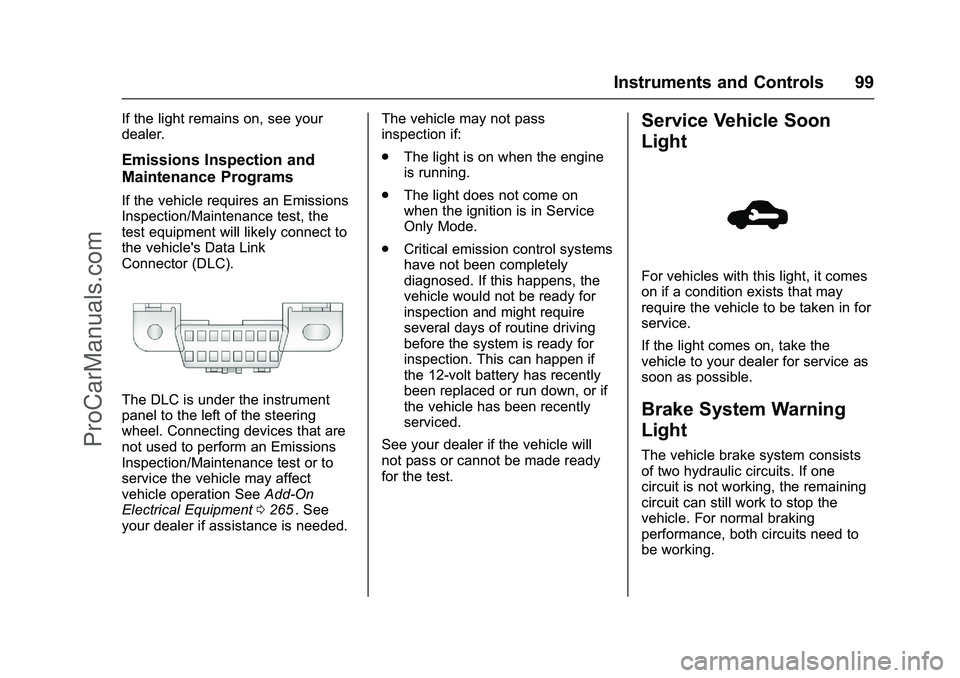
the vehicle's Data Link
Connector (DLC).
The DLC is under the instrument
panel to the left of the steering
wheel. Connecting devices that are
not used to perform an Emissions
Inspection/Maintenance test or to
service the vehicle may affect
vehicle operation SeeAdd-On
Electrical Equipment 0265
ii. See
your dealer if assistance is needed. The vehicle may not pass
inspection if:
.
The light is on when the engine
is running.
. The light does not come on
when the ignition is in Service
Only Mode.
. Critical emission control systems
have not been completely
diagnosed. If this happens, the
vehicle would not be ready for
inspection and might require
several days of routine driving
before the system is ready for
inspection. This can happen if
the 12-volt battery has recently
been replaced or run down, or if
the vehicle has been recently
serviced.
See your dealer if the vehicle will
not pass or cannot be made ready
for the test.
Service Vehicle Soon
Light
For vehicles with this light, it comes
on if a condition exists that may
require the vehicle to be taken in for
service.
If the light comes on, take the
vehicle to your dealer for service as
soon as possible.
Brake System Warning
Light
The vehicle brake system consists
of two hydraulic circuits. If one
circuit is not working, the remaining
circuit can still work to stop the
vehicle. For normal braking
performance, both circuits need to
be working.
ProCarManuals.com
Page 101 of 397
Chevrolet SS Sedan Owner Manual (GMNA-Localizing-U.S.-9234782) - 2016 -
CRC - 8/24/15
100 Instruments and Controls
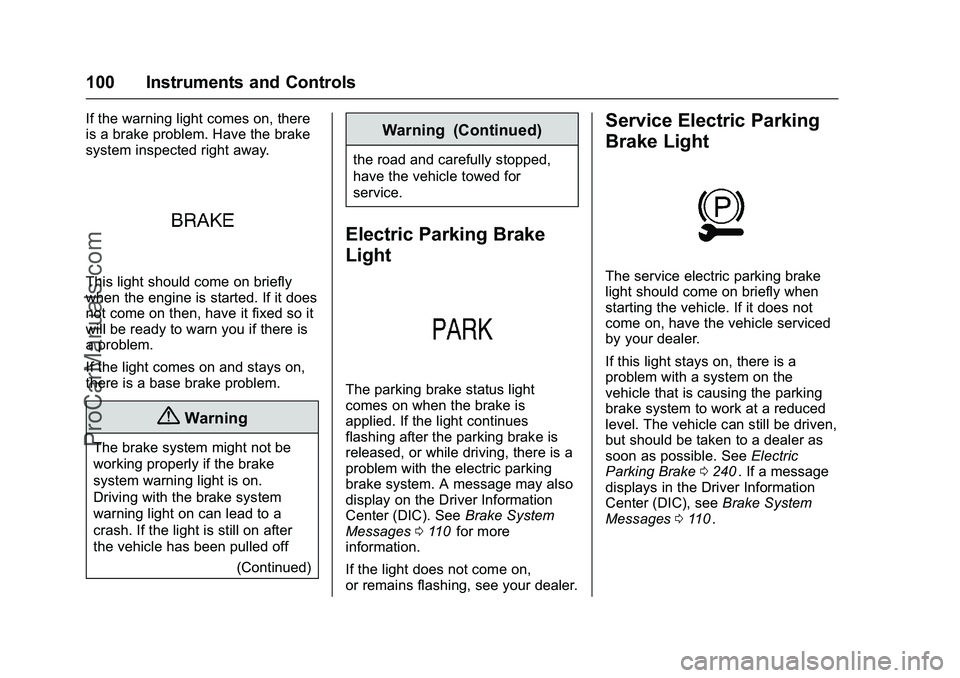
If the warning light comes on, there
is a brake problem. Have the brake
system inspected right away.
This light should come on briefly
when the engine is started. If it does
not come on then, have it fixed so it
will be ready to warn you if there is
a problem.
If the light comes on and stays on,
there is a base brake problem.
{Warning
The brake system might not be
working properly if the brake
system warning light is on.
Driving with the brake system
warning light on can lead to a
crash. If the light is still on after
the vehicle has been pulled off(Continued)
Warning (Continued)
the road and carefully stopped,
have the vehicle towed for
service.
Electric Parking Brake
Light
The parking brake status light
comes on when the brake is
applied. If the light continues
flashing after the parking brake is
released, or while driving, there is a
problem with the electric parking
brake system. A message may also
display on the Driver Information
Center (DIC). SeeBrake System
Messages 0110
iifor more
information.
If the light does not come on,
or remains flashing, see your dealer.
Service Electric Parking
Brake Light
The service electric parking brake
light should come on briefly when
starting the vehicle. If it does not
come on, have the vehicle serviced
by your dealer.
If this light stays on, there is a
problem with a system on the
vehicle that is causing the parking
brake system to work at a reduced
level. The vehicle can still be driven,
but should be taken to a dealer as
soon as possible. See Electric
Parking Brake 0240
ii. If a message
displays in the Driver Information
Center (DIC), see Brake System
Messages 0110
ii.
ProCarManuals.com
Page 102 of 397
Chevrolet SS Sedan Owner Manual (GMNA-Localizing-U.S.-9234782) - 2016 -
CRC - 8/24/15
Instruments and Controls 101
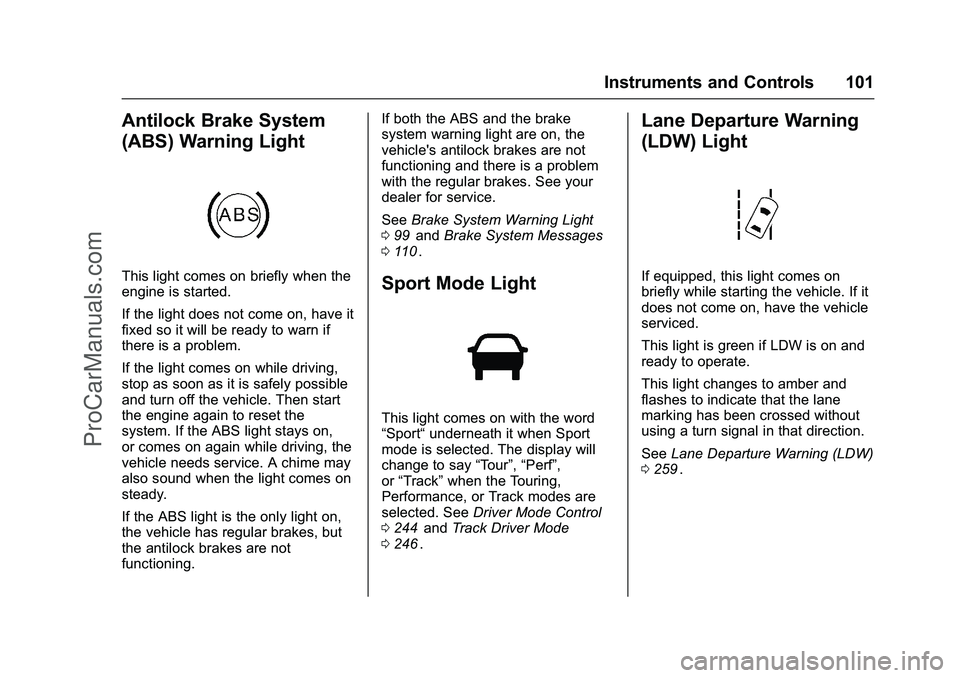
Antilock Brake System
(ABS) Warning Light
This light comes on briefly when the
engine is started.
If the light does not come on, have it
fixed so it will be ready to warn if
there is a problem.
If the light comes on while driving,
stop as soon as it is safely possible
and turn off the vehicle. Then start
the engine again to reset the
system. If the ABS light stays on,
or comes on again while driving, the
vehicle needs service. A chime may
also sound when the light comes on
steady.
If the ABS light is the only light on,
the vehicle has regular brakes, but
the antilock brakes are not
functioning.If both the ABS and the brake
system warning light are on, the
vehicle's antilock brakes are not
functioning and there is a problem
with the regular brakes. See your
dealer for service.
See
Brake System Warning Light
0 99
iiand Brake System Messages
0 110ii.
Sport Mode Light
This light comes on with the word
“Sport“ underneath it when Sport
mode is selected. The display will
change to say “Tour”,“Perf”,
or “Track” when the Touring,
Performance, or Track modes are
selected. See Driver Mode Control
0 244
iiand Track Driver Mode
0 246ii.
Lane Departure Warning
(LDW) Light
If equipped, this light comes on
briefly while starting the vehicle. If it
does not come on, have the vehicle
serviced.
This light is green if LDW is on and
ready to operate.
This light changes to amber and
flashes to indicate that the lane
marking has been crossed without
using a turn signal in that direction.
See Lane Departure Warning (LDW)
0 259
ii.
ProCarManuals.com