wheel CHEVROLET SSR 2003 1.G User Guide
[x] Cancel search | Manufacturer: CHEVROLET, Model Year: 2003, Model line: SSR, Model: CHEVROLET SSR 2003 1.GPages: 374, PDF Size: 2.55 MB
Page 107 of 374
A. Climate Control Vents. SeeClimate Control System
on page 3-18.
B. Instrument Panel Cluster. SeeInstrument Panel
Cluster on page 3-23.
C. Turn Signal/Multifunction Lever. SeeTurn
Signal/Multifunction Lever on page 3-5.
D. Exterior and Interior Lamps Control. SeeExterior
Lamps on page 3-11andInterior Lamps on
page 3-14.
E. Driver Information Center (DIC) buttons. SeeDriver
Information Center (DIC) on page 3-41.
F. Audio Steering Wheel Controls. SeeAudio Steering
Wheel Controls on page 3-80.
G. Storage Tray. SeeInstrument Panel Storage Area
on page 2-31.
H. Audio System. SeeAudio System(s) on page 3-58.
I. Climate Control System. SeeClimate Control
System on page 3-18.
J. Transmission Shift Lever. SeeAutomatic
Transmission Operation on page 2-17.
K. Cupholder. SeeCupholder(s) on page 2-31.
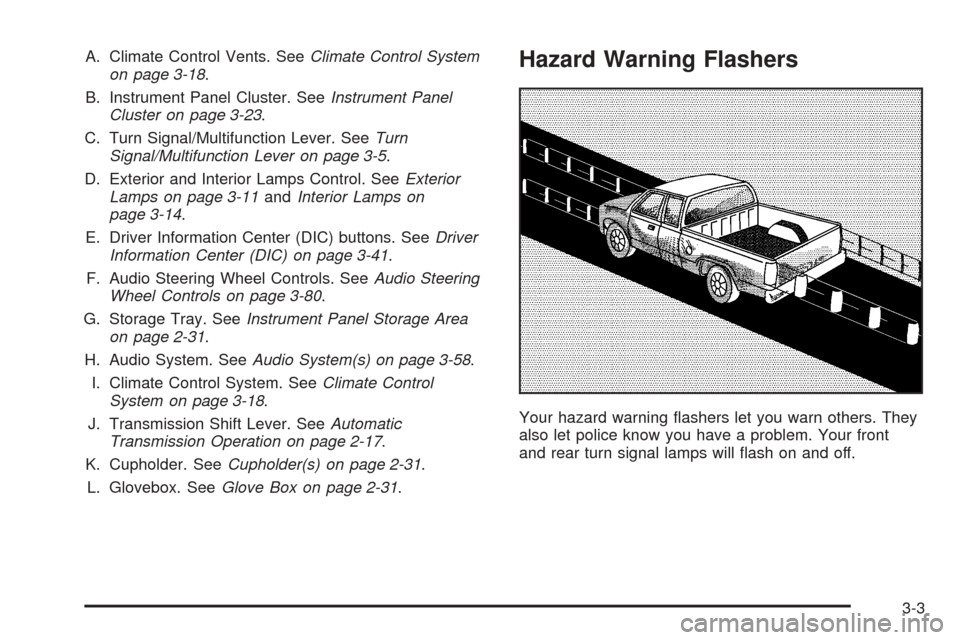
L. Glovebox. SeeGlove Box on page 2-31.Hazard Warning Flashers
Your hazard warning ashers let you warn others. They
also let police know you have a problem. Your front
and rear turn signal lamps will ash on and off.
3-3
Page 108 of 374
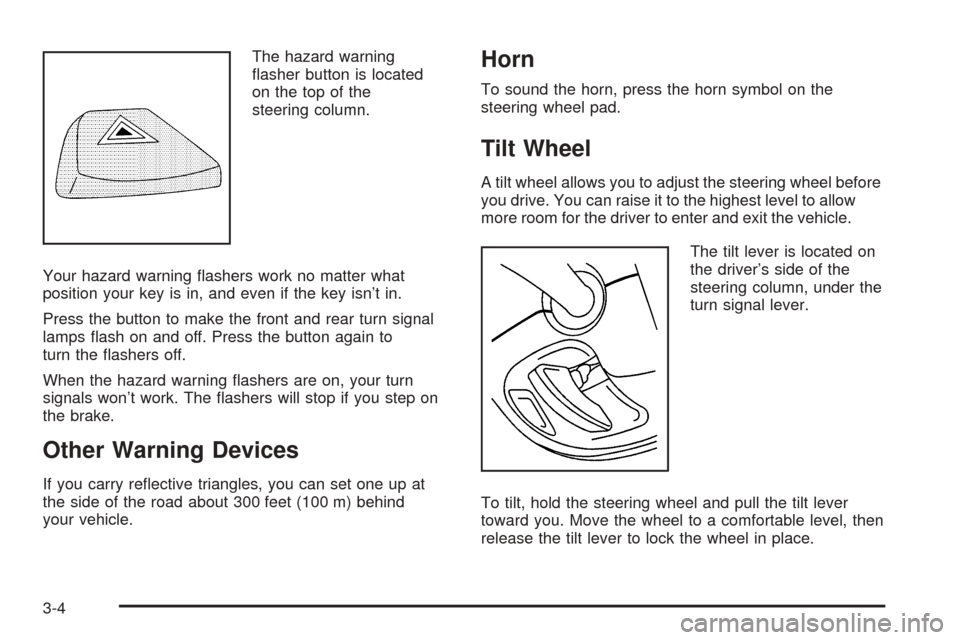
The hazard warning
asher button is located
on the top of the
steering column.
Your hazard warning ashers work no matter what
position your key is in, and even if the key isn’t in.
Press the button to make the front and rear turn signal
lamps ash on and off. Press the button again to
turn the ashers off.
When the hazard warning ashers are on, your turn
signals won’t work. The ashers will stop if you step on
the brake.
Other Warning Devices
If you carry reective triangles, you can set one up at
the side of the road about 300 feet (100 m) behind
your vehicle.
Horn
To sound the horn, press the horn symbol on the
steering wheel pad.
Tilt Wheel
A tilt wheel allows you to adjust the steering wheel before
you drive. You can raise it to the highest level to allow
more room for the driver to enter and exit the vehicle.
The tilt lever is located on
the driver’s side of the
steering column, under the
turn signal lever.
To tilt, hold the steering wheel and pull the tilt lever
toward you. Move the wheel to a comfortable level, then
release the tilt lever to lock the wheel in place.
3-4
Page 112 of 374
Cruise Control
With cruise control, you can maintain a speed of about
25 mph (40 km/h) or more without keeping your foot
on the accelerator. This can really help on long
trips. Cruise control does not work at speeds below
about 25 mph (40 km/h).
If you apply your brakes, the cruise control will shut off.
{CAUTION:
Cruise control can be dangerous where you
cannot drive safely at a steady speed. So, do
not use your cruise control on winding roads
or in heavy traffic.
Cruise control can be dangerous on slippery
roads. On such roads, fast changes in tire
traction can cause needless wheel spinning,
and you could lose control. Do not use cruise
control on slippery roads.
{CAUTION:
If you leave your cruise control on when you
are not using cruise, you might hit a button
and go into cruise when you do not want to.
You could be startled and even lose control.
Keep the cruise control switch off until you
want to use cruise control.
Setting Cruise Control
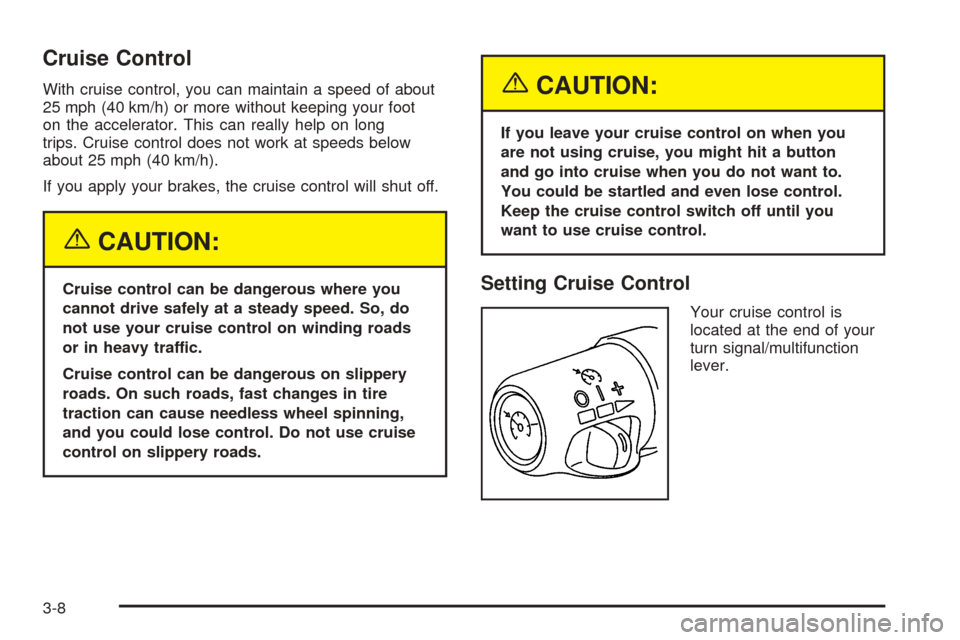
Your cruise control is
located at the end of your
turn signal/multifunction
lever.
3-8
Page 115 of 374
Exterior Lamps
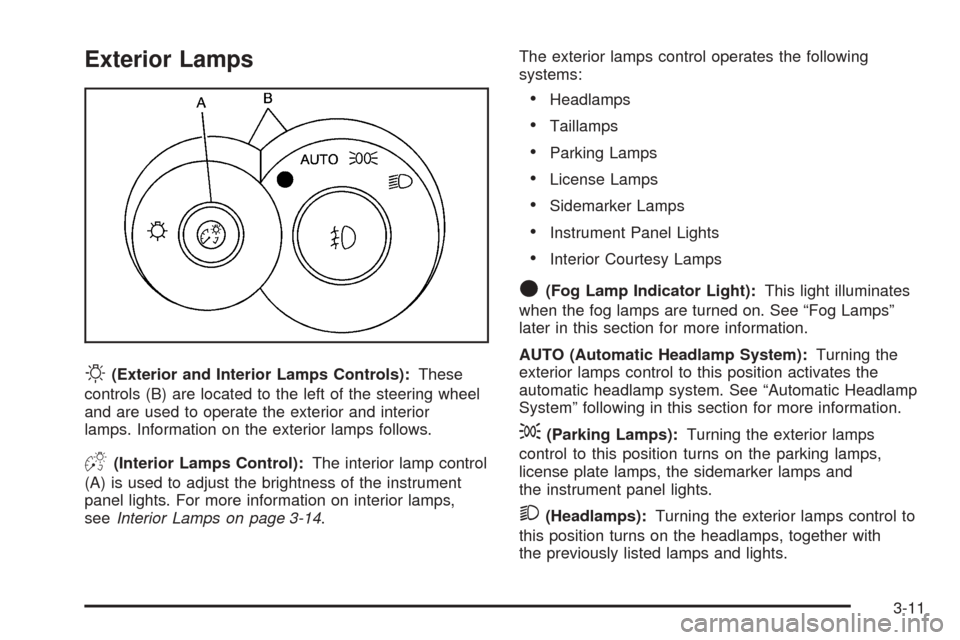
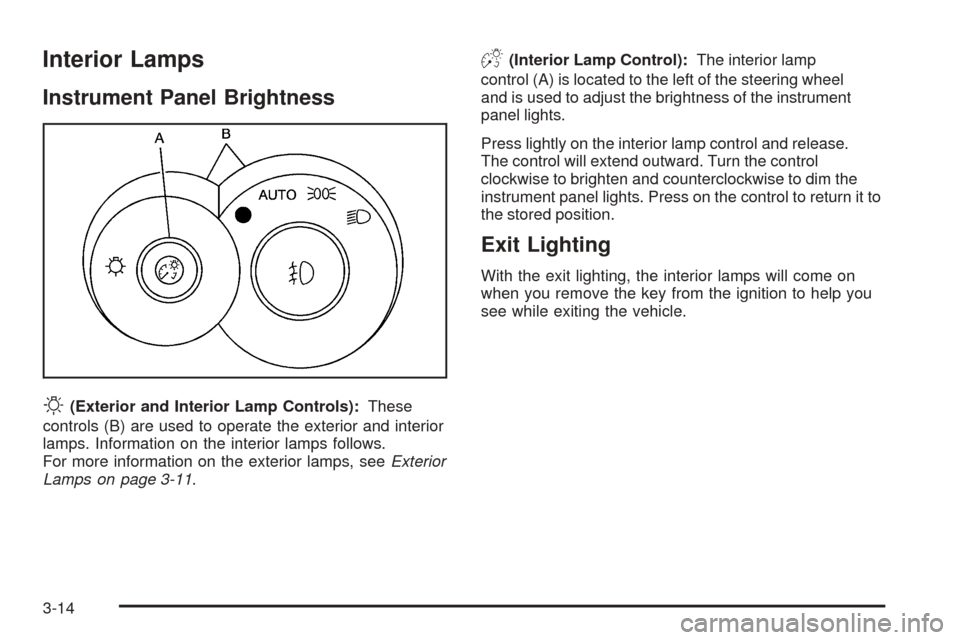
O(Exterior and Interior Lamps Controls):These
controls (B) are located to the left of the steering wheel
and are used to operate the exterior and interior
lamps. Information on the exterior lamps follows.
D(Interior Lamps Control):The interior lamp control
(A) is used to adjust the brightness of the instrument
panel lights. For more information on interior lamps,
seeInterior Lamps on page 3-14.The exterior lamps control operates the following
systems:
Headlamps
Taillamps
Parking Lamps
License Lamps
Sidemarker Lamps
Instrument Panel Lights
Interior Courtesy Lamps
O(Fog Lamp Indicator Light):This light illuminates
when the fog lamps are turned on. See “Fog Lamps”
later in this section for more information.
AUTO (Automatic Headlamp System):Turning the
exterior lamps control to this position activates the
automatic headlamp system. See “Automatic Headlamp
System” following in this section for more information.
;(Parking Lamps):Turning the exterior lamps
control to this position turns on the parking lamps,
license plate lamps, the sidemarker lamps and
the instrument panel lights.
2(Headlamps):Turning the exterior lamps control to
this position turns on the headlamps, together with
the previously listed lamps and lights.
3-11
Page 118 of 374
Interior Lamps
Instrument Panel Brightness
O
(Exterior and Interior Lamp Controls):These
controls (B) are used to operate the exterior and interior
lamps. Information on the interior lamps follows.
For more information on the exterior lamps, seeExterior
Lamps on page 3-11.
D(Interior Lamp Control):The interior lamp
control (A) is located to the left of the steering wheel
and is used to adjust the brightness of the instrument
panel lights.
Press lightly on the interior lamp control and release.
The control will extend outward. Turn the control
clockwise to brighten and counterclockwise to dim the
instrument panel lights. Press on the control to return it to
the stored position.
Exit Lighting
With the exit lighting, the interior lamps will come on
when you remove the key from the ignition to help you
see while exiting the vehicle.
3-14
Page 128 of 374
Speedometer and Odometer
The speedometer lets you see your speed in both miles
per hour (mph) and kilometers per hour (km/h).
The odometer shows how far your vehicle has been
driven, in either miles (used in the United States)
or kilometers (used in Canada).
The odometer mileage can be checked without the
vehicle running. Turn the ignition to RUN and press the
trip information button located on the steering wheel.
SeeDIC Controls and Displays on page 3-41for more
information.
You may wonder what happens if your vehicle needs a
new odometer installed. If the new one can be set to
the mileage total of the old odometer, then it must
be. But if it can’t, then it’s set at zero, and a label must
be put on the driver’s door to show the old mileage
reading when the new odometer was installed.
Trip Odometer
The trip odometer can tell you how far your vehicle has
been driven since you last set the trip odometer to zero.
Your trip odometer is part of your Driver Information
Center (DIC). The trip information button toggles
to display your trip odometer, Trip A, and Trip B
functions. See “Trip Odometer” underDIC Controls
and Displays on page 3-41for more information.
Tachometer
Notice:If you operate the engine with the
tachometer in the shaded warning area, your vehicle
could be damaged, and the damages would not be
covered by your warranty. Do not operate the engine
with the tachometer in the shaded warning area.
The tachometer displays the engine speed in revolutions
per minute (rpm).
Fuel will shut off at about 6500 rpm. It will turn back on
again once the vehicle rpm drops below 6500.
Safety Belt Reminder Light
When the key is turned to RUN or START, a chime will
come on for several seconds to remind people to
fasten their safety belts, unless the driver’s safety belt is
already buckled.
The safety belt light will
also come on and stay on
for several seconds,
then it will ash for
several more.
If the driver’s belt is already buckled, neither the chime
nor the light will come on.
3-24
Page 145 of 374
Driver Information Center (DIC)
The Driver Information Center (DIC) gives you the
status of many of your vehicle’s systems. It is also
used to display driver personalization features and
warning/status messages. The DIC display is located
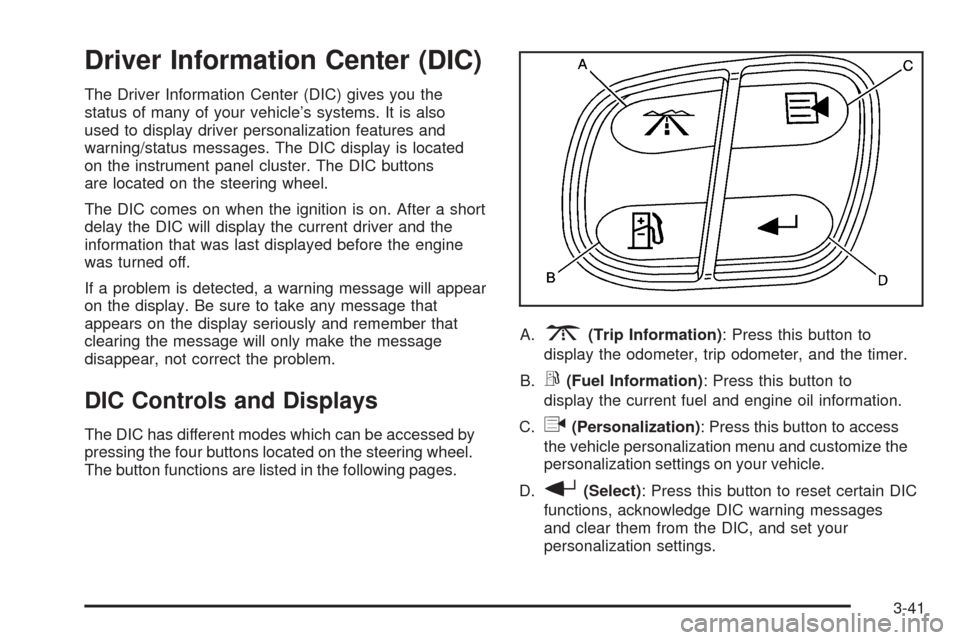
on the instrument panel cluster. The DIC buttons
are located on the steering wheel.
The DIC comes on when the ignition is on. After a short
delay the DIC will display the current driver and the
information that was last displayed before the engine
was turned off.
If a problem is detected, a warning message will appear
on the display. Be sure to take any message that
appears on the display seriously and remember that
clearing the message will only make the message
disappear, not correct the problem.
DIC Controls and Displays
The DIC has different modes which can be accessed by
pressing the four buttons located on the steering wheel.
The button functions are listed in the following pages.A.
3(Trip Information): Press this button to
display the odometer, trip odometer, and the timer.
B.
r(Fuel Information): Press this button to
display the current fuel and engine oil information.
C.
q(Personalization): Press this button to access
the vehicle personalization menu and customize the
personalization settings on your vehicle.
D.
r(Select): Press this button to reset certain DIC
functions, acknowledge DIC warning messages
and clear them from the DIC, and set your
personalization settings.
3-41
Page 156 of 374
DIC Vehicle Personalization
Your vehicle has a personalization feature that allows you
to program certain features to a preferred setting for up to
two drivers. The number of programmable features
varies depending upon which model of the vehicle you
purchased. Once the features are programmed, the
saved settings are recalled by pressing the unlock button
on the remote keyless entry transmitter, 1 or 2, or by
pressing the appropriate memory button, 1 or 2, located
on the outboard side of the driver’s seat. SeeMemory
Seat on page 2-44for more information.
The following is a list of available programmable options:
AUTOMATIC LOCKING
AUTOMATIC UNLOCKING
REMOTE LOCK FEEDBACK
REMOTE UNLOCK FEEDBACK
HEADLAMPS ON AT EXIT
PERIMETER LIGHTING
SEAT POSITION RECALL (If equipped)
DISPLAY LANGUAGE
DISPLAY UNITS (U.S./MET)
y(Personalization):Press this button located on the
steering wheel to access the vehicle personalization
menu and customize the personalization settings
on your vehicle.
Automatic Locking
This feature allows you to choose how the vehicle’s
doors are locked. Press the personalization button
until AUTOMATIC LOCKING appears in the display.
To access the modes for AUTOMATIC LOCKING,
press the select button. Once AUTOMATIC LOCKING is
selected, press the select button to scroll through the
following modes:
Mode 1:LOCK DOORS OUT OF PARK
Mode 2:LOCK DOORS WITH SPEED
If you choose Mode 1, the doors will lock when the
vehicle is shifted out of PARK (P).
If you choose Mode 2, the doors will lock when
the vehicle speed is above 8 mph (13 km/h) for
three seconds.
Scroll through the list of modes. When the mode you
want is displayed on the DIC, press personalization
button to set your choice, return to the personalization
menu, and advance to the next programmable feature.
For more information on automatic door locks see
Programmable Automatic Door Locks on page 2-8.
3-52
Page 184 of 374
CD Messages
CHECK CD:If this message appears on the display
and/or the CD comes out, it could be for one of the
following reasons:
It is very hot. When the temperature returns to
normal, the CD should play.
You are driving on a very rough road. When the
road becomes smoother, the CD should play.
The CD is dirty, scratched, wet, or upside down.
The air is very humid. If so, wait about an hour
and try again.
There may have been a problem while burning
the CD.
The label may be caught in the CD player.
If the CD is not playing correctly, for any other reason,
try a known good CD.
If any error occurs repeatedly or if an error cannot be
corrected, contact your dealer. If the radio displays
an error message, write it down and provide it to your
dealer when reporting the problem.
Theft-Deterrent Feature
THEFTLOCK®is designed to discourage theft of your
vehicle’s radio. The feature works automatically by
learning a portion of the Vehicle Identication Number
(VIN). If the radio is moved to a different vehicle, it will not
operate and LOCKED will appear on the display.
When the radio and vehicle are turned off, the blinking
red light indicates that THEFTLOCK
®is armed.
With THEFTLOCK®activated, the radio will not operate
if stolen.
Audio Steering Wheel Controls
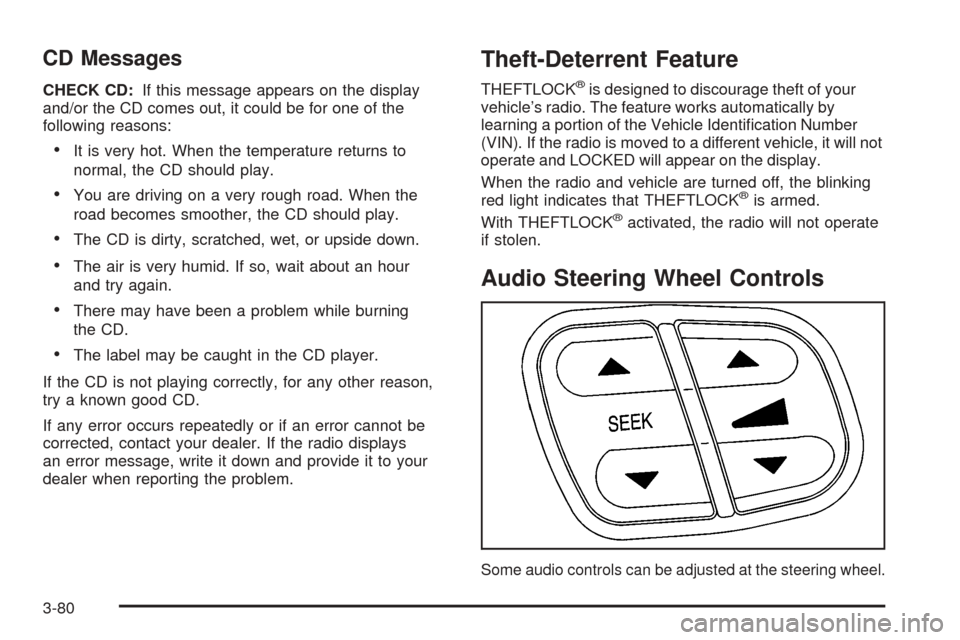
Some audio controls can be adjusted at the steering wheel.
3-80
Page 193 of 374
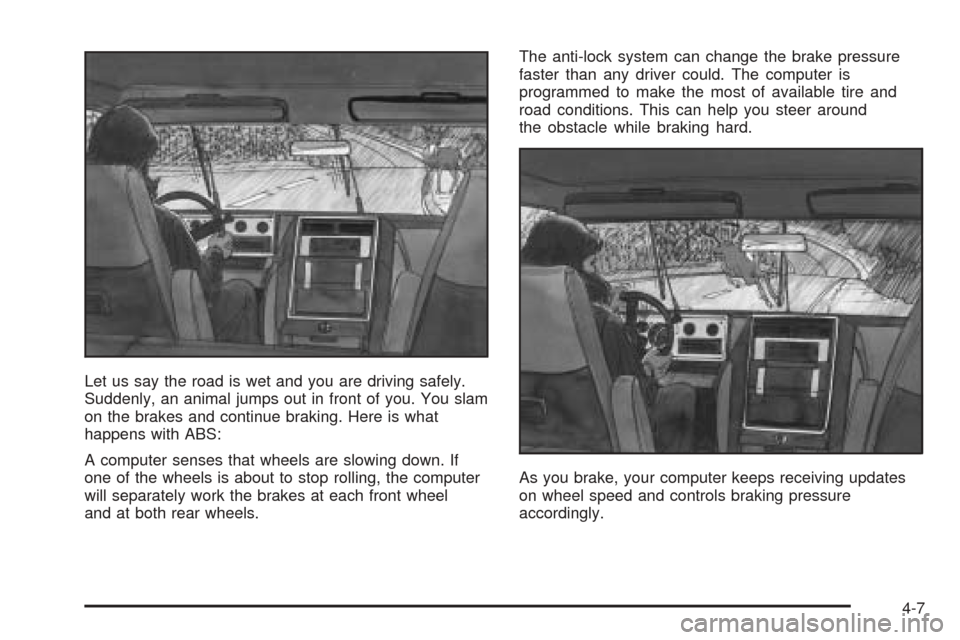
Let us say the road is wet and you are driving safely.
Suddenly, an animal jumps out in front of you. You slam
on the brakes and continue braking. Here is what
happens with ABS:
A computer senses that wheels are slowing down. If
one of the wheels is about to stop rolling, the computer
will separately work the brakes at each front wheel
and at both rear wheels.The anti-lock system can change the brake pressure
faster than any driver could. The computer is
programmed to make the most of available tire and
road conditions. This can help you steer around
the obstacle while braking hard.
As you brake, your computer keeps receiving updates
on wheel speed and controls braking pressure
accordingly.
4-7