ECU CHEVROLET SSR 2004 1.G Owner's Manual
[x] Cancel search | Manufacturer: CHEVROLET, Model Year: 2004, Model line: SSR, Model: CHEVROLET SSR 2004 1.GPages: 398, PDF Size: 2.49 MB
Page 74 of 398
Remember, the theft-deterrent system won’t activate if
you lock the doors with a key or use the manual
door lock. It activates only if you use a power door lock
switch with the door open, or with the remote keyless
entry transmitter. You should also remember that
you can start your vehicle with the correct ignition key if
the alarm has been set off.
Here’s how to avoid setting off the alarm by accident:
If you don’t want to activate the theft-deterrent
system, the vehicle should be locked with the door
keyafterthe doors are closed.
Always unlock a door with a key, or use the remote
keyless entry transmitter. Unlocking a door any
other way will set off the alarm.
If you set off the alarm by accident, unlock any door
with the key. You can also turn off the alarm by
pressing unlock on the remote keyless entry transmitter.
The alarm won’t stop if you try to unlock a door any
other way.
Testing the Alarm
The alarm can be tested by following these steps:
1. From inside the vehicle, lower the driver’s window
and open the driver’s door.
2. Activate the system by locking the doors with the
power door lock switch while the door is open, or
with the remote keyless entry transmitter.
3. Get out of the vehicle, close the door and wait for
the security light to go out.
4. Then reach in through the window, unlock the door
with the manual door lock and open the door. This
should set off the alarm.
When the alarm is set the power door unlock switch is
not operational.
If the alarm does not sound when it should but the
headlamps ash, check to see if the horn works. The
horn fuse may be blown. To replace the fuse, seeFuses
and Circuit Breakers on page 5-84.
If the alarm does not sound or the headlamps do not
ash, the vehicle should be serviced by your dealer.
2-12
Page 75 of 398
Passlock®
Your vehicle is equipped with the Passlock®
theft-deterrent system.
Passlock®is a passive theft-deterrent system.
Passlock®enables fuel if the ignition lock cylinder is
turned with a valid key. If a correct key is not used or the
ignition lock cylinder is tampered with, the fuel system
is disabled and the vehicle will not start.
During normal operation, the security light will turn off
approximately ve seconds after the key is turned
to RUN. SeeSecurity Light on page 3-37.
If the engine stalls and the security light ashes, wait
about 10 minutes until the light stops ashing before
trying to restart the engine. Remember to release
the key from START as soon as the engine starts.
If the engine does not start after three tries, the vehicle
needs service.
If the engine is running and the security light comes on,
you will be able to restart the engine if you turn the
engine off. However, your Passlock
®system is
not working properly and must be serviced by your
dealer. Your vehicle is not protected by Passlock
®at this
time. You may also want to check the fuse. See
Fuses and Circuit Breakers on page 5-84. See your
dealer for service.
In an emergency, call the GM Roadside Assistance
Center. SeeRoadside Assistance Program on page 7-6.
Starting and Operating Your
Vehicle
New Vehicle Break-In
Notice:Your vehicle does not need an elaborate
“break-in.” But it will perform better in the long run
if you follow these guidelines:
Keep your speed at 55 mph (88 km/h) or less for
the rst 500 miles (805 km).
Do not drive at any one speed — fast or
slow —for the rst 500 miles (805 km). Do not
make full-throttle starts.
Avoid making hard stops for the rst
200 miles (322 km) or so. During this time your
new brake linings are not yet broken in. Hard
stops with new linings can mean premature
wear and earlier replacement. Follow this
breaking-in guideline every time you get new
brake linings.
Do not tow a trailer during break-in. SeeTowing
a Trailer on page 4-39for more information.
2-13
Page 88 of 398
HomeLink®Transmitter
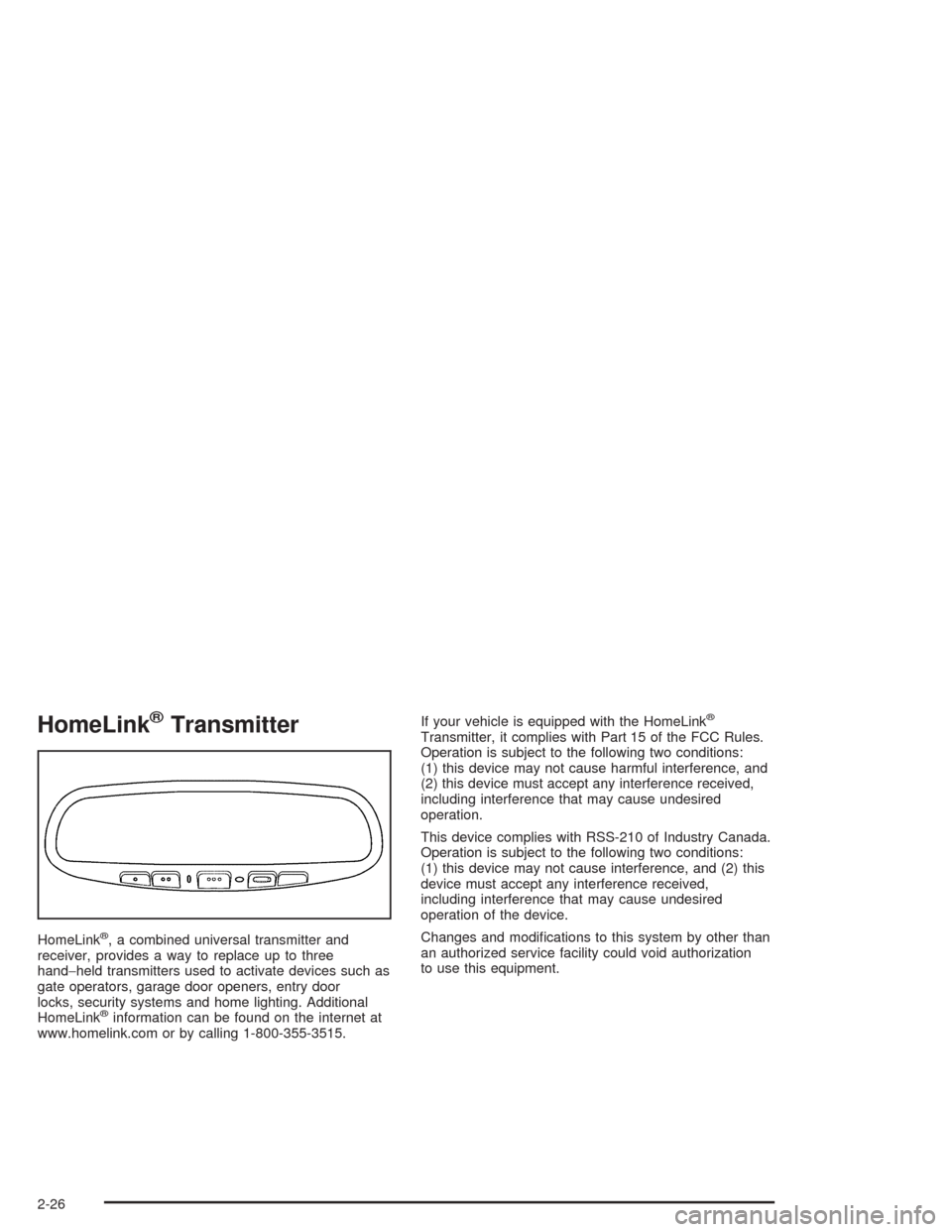
HomeLink®, a combined universal transmitter and
receiver, provides a way to replace up to three
hand−held transmitters used to activate devices such as
gate operators, garage door openers, entry door
locks, security systems and home lighting. Additional
HomeLink
®information can be found on the internet at
www.homelink.com or by calling 1-800-355-3515.If your vehicle is equipped with the HomeLink
®
Transmitter, it complies with Part 15 of the FCC Rules.
Operation is subject to the following two conditions:
(1) this device may not cause harmful interference, and
(2) this device must accept any interference received,
including interference that may cause undesired
operation.
This device complies with RSS-210 of Industry Canada.
Operation is subject to the following two conditions:
(1) this device may not cause interference, and (2) this
device must accept any interference received,
including interference that may cause undesired
operation of the device.
Changes and modications to this system by other than
an authorized service facility could void authorization
to use this equipment.
2-26
Page 89 of 398
Programming the HomeLink®
Transmitter
Do not use the HomeLink®Transmitter with any garage
door opener that does not have the “stop and reverse”
feature. This includes any garage door opener model
manufactured before April 1, 1982. If you have a newer
garage door opener with rolling codes, please be
sure to follow steps 6 through 8 to complete the
programming of your HomeLink
®Transmitter.
Read the instructions completely before attempting to
program the HomeLink
®Transmitter. Because of
the steps involved, it may be helpful to have another
person available to assist you in programming the
transmitter.
Keep the original transmitter for use in other vehicles as
well as for future HomeLink
®programming. It is also
recommended that upon the sale of the vehicle,
the programmed HomeLink
®buttons should be erased
for security purposes. Refer to “Erasing HomeLink®
Buttons” or, for assistance, contact HomeLink®on the
internet at: www.homelink.com or by calling
1-800-355-3515.
Be sure that people and objects are clear of the garage
door or gate operator you are programming. When
programming a garage door, it is advised to park outside
of the garage.It is recommended that a new battery be installed in
your hand-held transmitter for quicker and more
accurate transmission of the radio frequency.
Your vehicle’s engine should be turned off while
programming the transmitter. Follow these steps to
program up to three channels:
1. Press and hold down the two outside buttons,
releasing only when the indicator light begins to
ash, after 20 seconds. Do not hold down the
buttons for longer than 30 seconds and do not
repeat this step to program a second and/or third
transmitter to the remaining two HomeLink
®buttons.
2. Position the end of your hand-held transmitter about
1 to 3 inches (3 to 8 cm) away from the HomeLink
®
buttons while keeping the indicator light in view.
3. Simultaneously press and hold both the desired
button on HomeLink
®and the hand-held transmitter
button. Do not release the buttons until Step 4
has been completed.
Some entry gates and garage door openers may
require you to substitute Step 3 with the procedure
noted in “Gate Operator and Canadian
Programming” later in this section.
4. The indicator light will ash slowly at rst and then
rapidly after HomeLink
®successfully receives the
frequency signal from the hand-held transmitter.
Release both buttons.
2-27
Page 96 of 398
Emergency Cargo Cover Release
Handle
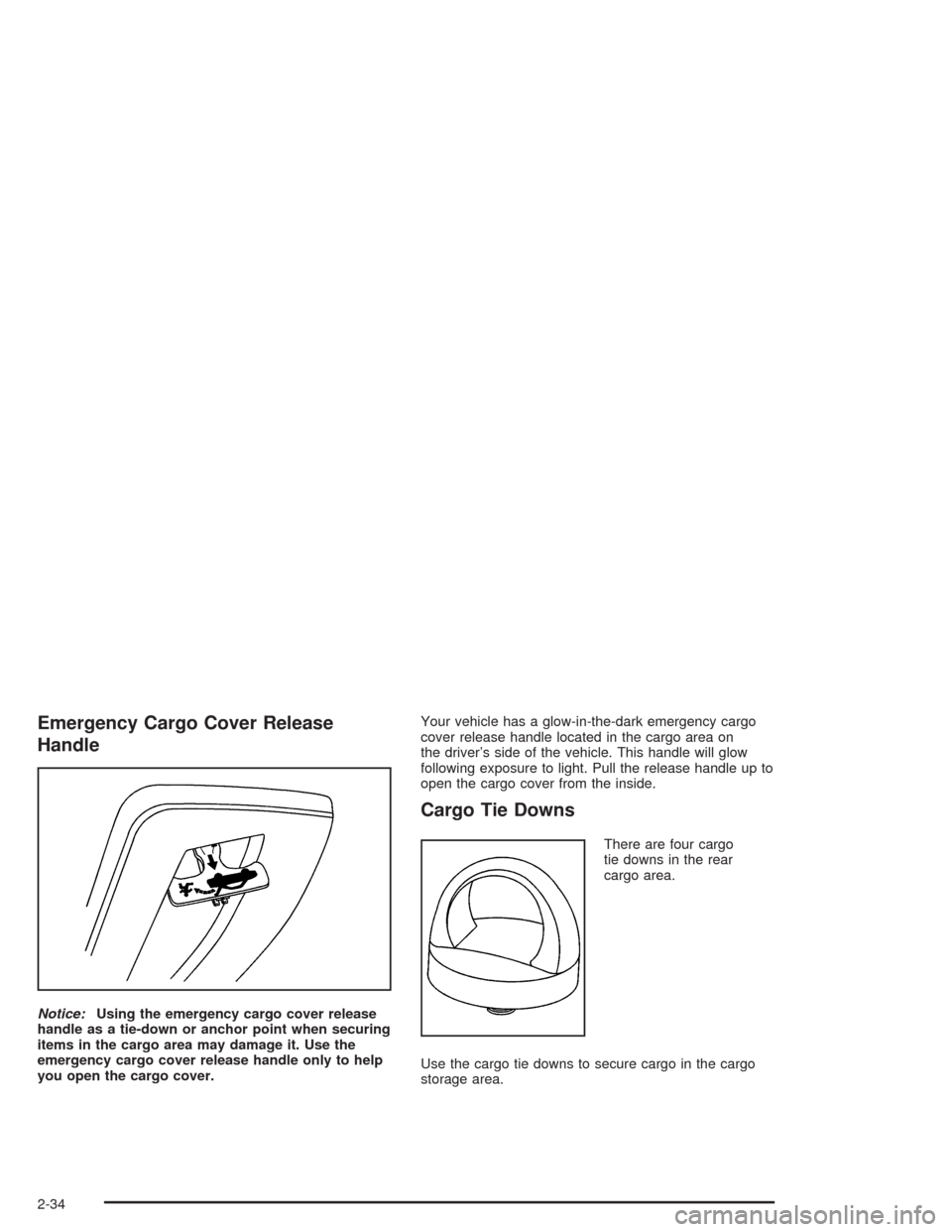
Notice:Using the emergency cargo cover release
handle as a tie-down or anchor point when securing
items in the cargo area may damage it. Use the
emergency cargo cover release handle only to help
you open the cargo cover.Your vehicle has a glow-in-the-dark emergency cargo
cover release handle located in the cargo area on
the driver’s side of the vehicle. This handle will glow
following exposure to light. Pull the release handle up to
open the cargo cover from the inside.
Cargo Tie Downs
There are four cargo
tie downs in the rear
cargo area.
Use the cargo tie downs to secure cargo in the cargo
storage area.
2-34
Page 102 of 398
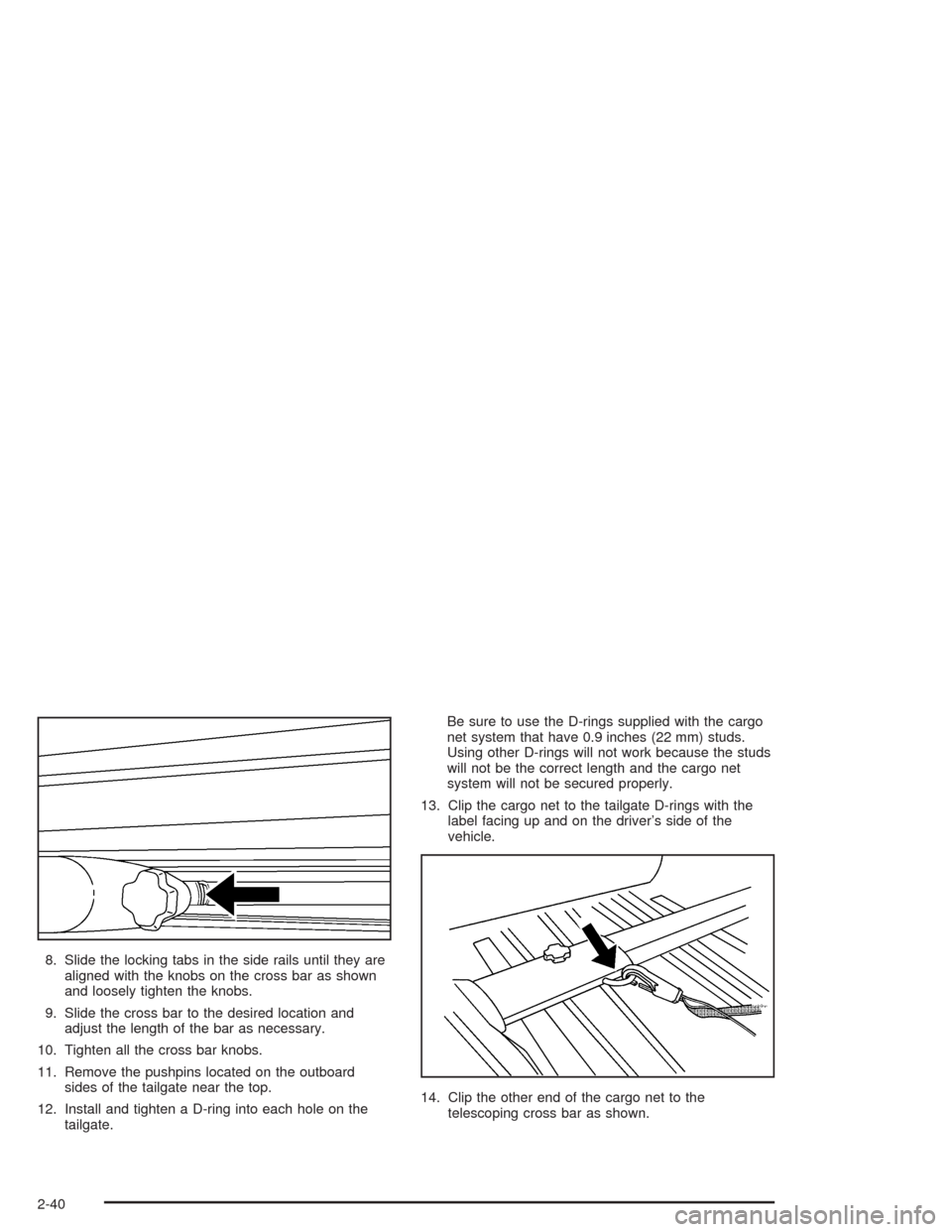
8. Slide the locking tabs in the side rails until they are
aligned with the knobs on the cross bar as shown
and loosely tighten the knobs.
9. Slide the cross bar to the desired location and
adjust the length of the bar as necessary.
10. Tighten all the cross bar knobs.
11. Remove the pushpins located on the outboard
sides of the tailgate near the top.
12. Install and tighten a D-ring into each hole on the
tailgate.Be sure to use the D-rings supplied with the cargo
net system that have 0.9 inches (22 mm) studs.
Using other D-rings will not work because the studs
will not be the correct length and the cargo net
system will not be secured properly.
13. Clip the cargo net to the tailgate D-rings with the
label facing up and on the driver’s side of the
vehicle.
14. Clip the other end of the cargo net to the
telescoping cross bar as shown.
2-40
Page 103 of 398
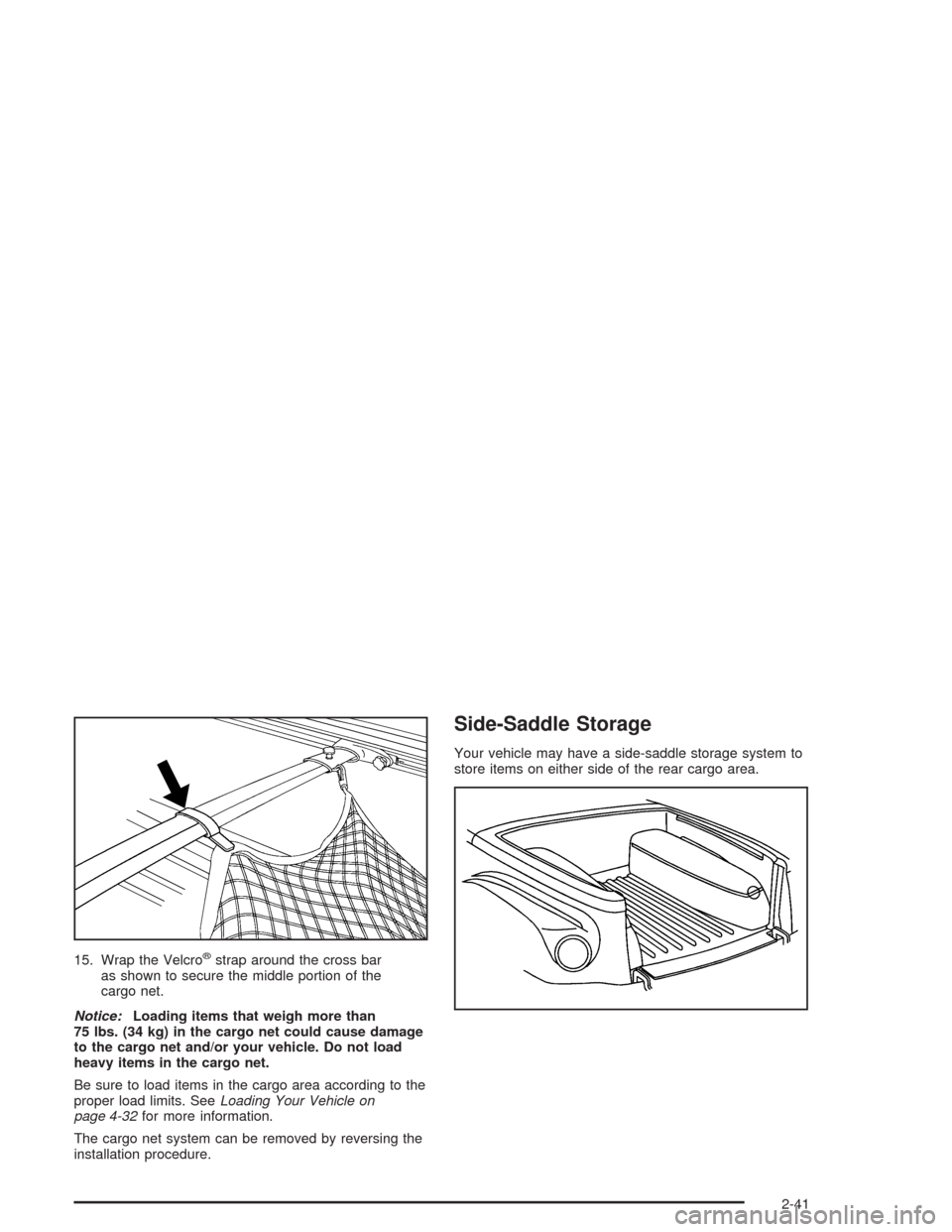
15. Wrap the Velcro®strap around the cross bar
as shown to secure the middle portion of the
cargo net.
Notice:Loading items that weigh more than
75 lbs. (34 kg) in the cargo net could cause damage
to the cargo net and/or your vehicle. Do not load
heavy items in the cargo net.
Be sure to load items in the cargo area according to the
proper load limits. SeeLoading Your Vehicle on
page 4-32for more information.
The cargo net system can be removed by reversing the
installation procedure.
Side-Saddle Storage
Your vehicle may have a side-saddle storage system to
store items on either side of the rear cargo area.
2-41
Page 107 of 398
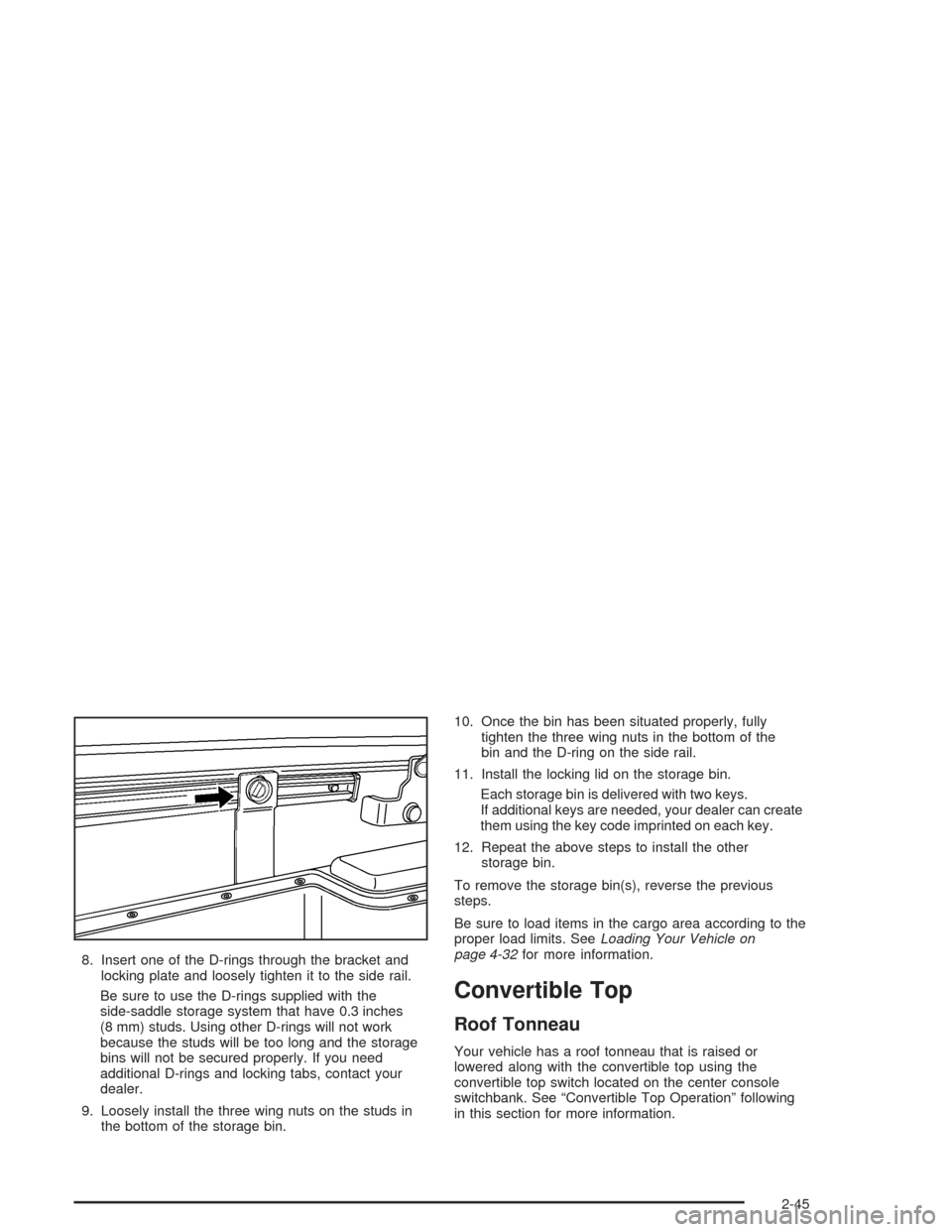
8. Insert one of the D-rings through the bracket and
locking plate and loosely tighten it to the side rail.
Be sure to use the D-rings supplied with the
side-saddle storage system that have 0.3 inches
(8 mm) studs. Using other D-rings will not work
because the studs will be too long and the storage
bins will not be secured properly. If you need
additional D-rings and locking tabs, contact your
dealer.
9. Loosely install the three wing nuts on the studs in
the bottom of the storage bin.10. Once the bin has been situated properly, fully
tighten the three wing nuts in the bottom of the
bin and the D-ring on the side rail.
11. Install the locking lid on the storage bin.
Each storage bin is delivered with two keys.
If additional keys are needed, your dealer can create
them using the key code imprinted on each key.
12. Repeat the above steps to install the other
storage bin.
To remove the storage bin(s), reverse the previous
steps.
Be sure to load items in the cargo area according to the
proper load limits. SeeLoading Your Vehicle on
page 4-32for more information.
Convertible Top
Roof Tonneau
Your vehicle has a roof tonneau that is raised or
lowered along with the convertible top using the
convertible top switch located on the center console
switchbank. See “Convertible Top Operation” following
in this section for more information.
2-45
Page 112 of 398
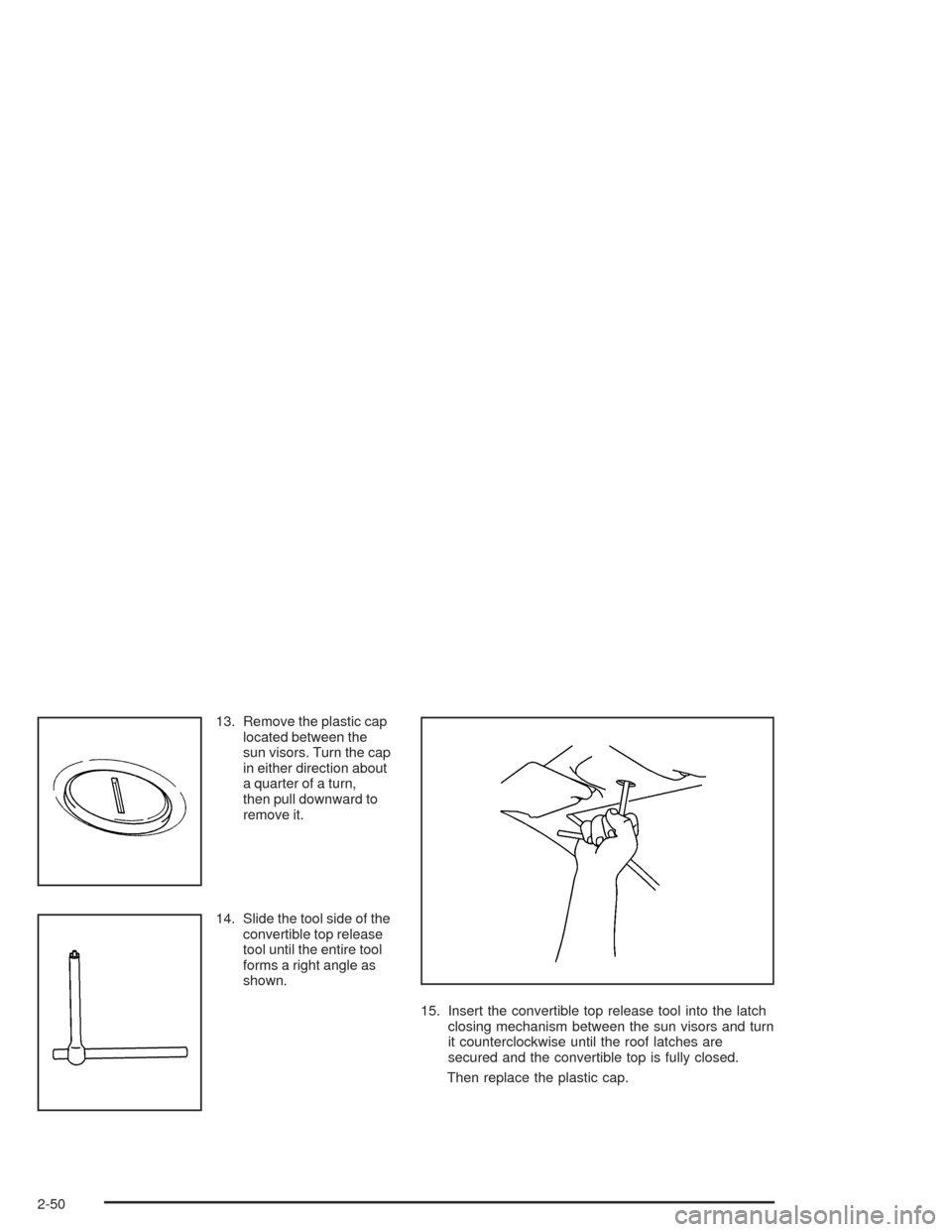
13. Remove the plastic cap
located between the
sun visors. Turn the cap
in either direction about
a quarter of a turn,
then pull downward to
remove it.
14. Slide the tool side of the
convertible top release
tool until the entire tool
forms a right angle as
shown.
15. Insert the convertible top release tool into the latch
closing mechanism between the sun visors and turn
it counterclockwise until the roof latches are
secured and the convertible top is fully closed.
Then replace the plastic cap.
2-50
Page 114 of 398
19. Repeat Step 18 on the other side of the vehicle.
20. You will know the latches are engaged if the
roof tonneau cannot be raised. If the roof tonneau
can be raised, repeat Step 18 on both sides of
the vehicle until the roof tonneau cannot be raised.
21. Once the roof tonneau is closed, adjust the cables
located behind the seats. Pull the cable with the red
band until both cables are the same length.
Repeat this step on the other side of the vehicle.
22. Check the roof tonneau to make sure it is secure
before driving.Vehicle Personalization
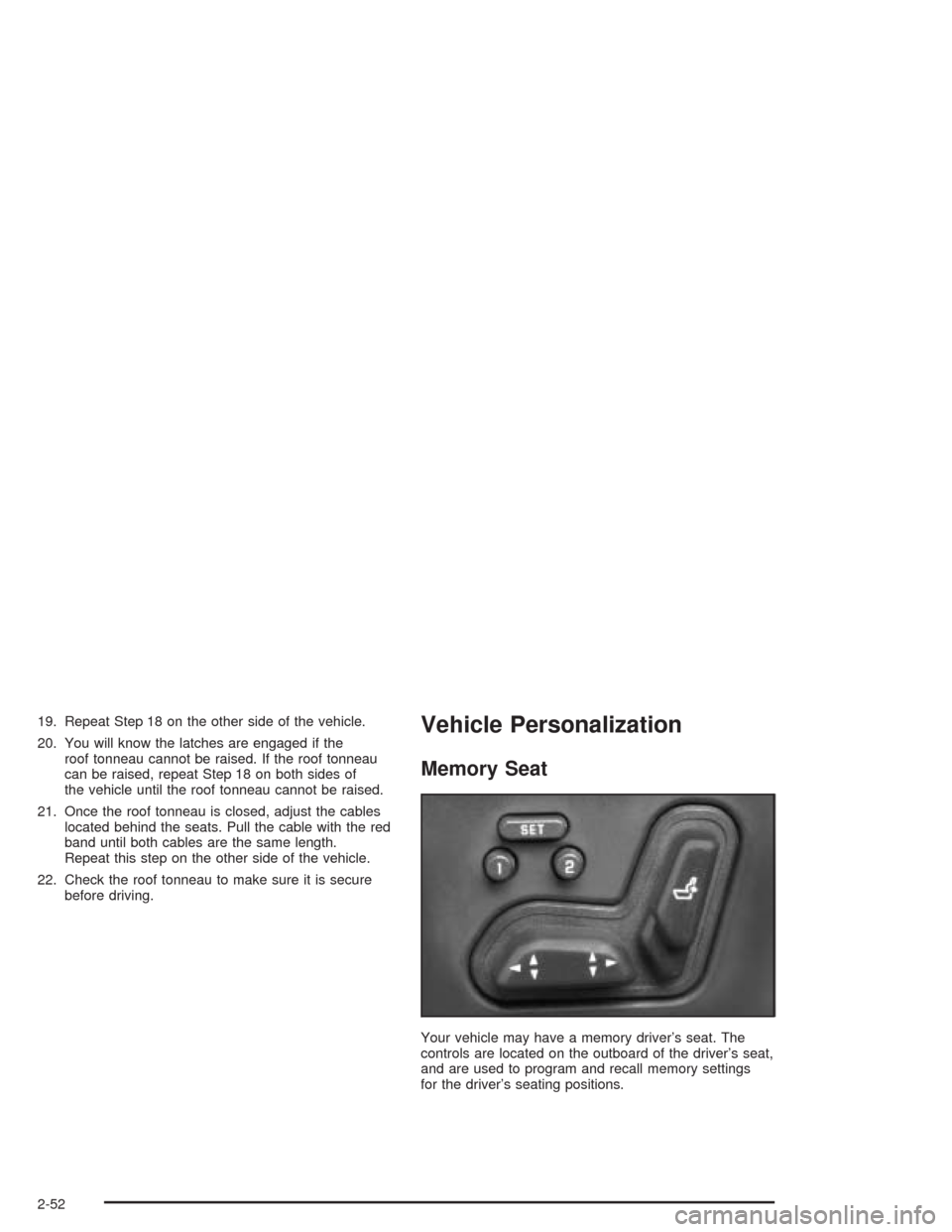
Memory Seat
Your vehicle may have a memory driver’s seat. The
controls are located on the outboard of the driver’s seat,
and are used to program and recall memory settings
for the driver’s seating positions.
2-52