brake light CHEVROLET SSR 2004 1.G Owners Manual
[x] Cancel search | Manufacturer: CHEVROLET, Model Year: 2004, Model line: SSR, Model: CHEVROLET SSR 2004 1.GPages: 398, PDF Size: 2.49 MB
Page 75 of 398
Passlock®
Your vehicle is equipped with the Passlock®
theft-deterrent system.
Passlock®is a passive theft-deterrent system.
Passlock®enables fuel if the ignition lock cylinder is
turned with a valid key. If a correct key is not used or the
ignition lock cylinder is tampered with, the fuel system
is disabled and the vehicle will not start.
During normal operation, the security light will turn off
approximately ve seconds after the key is turned
to RUN. SeeSecurity Light on page 3-37.
If the engine stalls and the security light ashes, wait
about 10 minutes until the light stops ashing before
trying to restart the engine. Remember to release
the key from START as soon as the engine starts.
If the engine does not start after three tries, the vehicle
needs service.
If the engine is running and the security light comes on,
you will be able to restart the engine if you turn the
engine off. However, your Passlock
®system is
not working properly and must be serviced by your
dealer. Your vehicle is not protected by Passlock
®at this
time. You may also want to check the fuse. See
Fuses and Circuit Breakers on page 5-84. See your
dealer for service.
In an emergency, call the GM Roadside Assistance
Center. SeeRoadside Assistance Program on page 7-6.
Starting and Operating Your
Vehicle
New Vehicle Break-In
Notice:Your vehicle does not need an elaborate
“break-in.” But it will perform better in the long run
if you follow these guidelines:
Keep your speed at 55 mph (88 km/h) or less for
the rst 500 miles (805 km).
Do not drive at any one speed — fast or
slow —for the rst 500 miles (805 km). Do not
make full-throttle starts.
Avoid making hard stops for the rst
200 miles (322 km) or so. During this time your
new brake linings are not yet broken in. Hard
stops with new linings can mean premature
wear and earlier replacement. Follow this
breaking-in guideline every time you get new
brake linings.
Do not tow a trailer during break-in. SeeTowing
a Trailer on page 4-39for more information.
2-13
Page 80 of 398
DRIVE (D) should not be used when towing a trailer,
carrying a heavy load, driving on steep hills or for
off-road driving. Select THIRD (3) when operating the
vehicle under any of these conditions.
THIRD (3):This position is also used for normal driving,
however, it offers more power and lower fuel economy
than DRIVE (D).
SECOND (2):This position gives you more power but
lower fuel economy than DRIVE (D) and THIRD (3). You
can use SECOND (2) on hills. It can help control your
speed as you go down steep mountain roads, but
then you would also want to use your brakes off and on.
You can also use SECOND (2) for starting your
vehicle from a stop on slippery road surfaces.
FIRST (1):This position gives you even more power
but lower fuel economy than THIRD (3) and
SECOND (2). You can use it on very steep hills, or in
deep snow or mud. If the shift lever is put in FIRST (1)
while the vehicle is moving forward, the transmission
won’t shift into rst gear until the vehicle is going slowly
enough.
Notice:Spinning the tires or holding the vehicle in
one place on a hill using only the accelerator
pedal may damage the transmission. If you are
stuck, do not spin the tires. When stopping on a hill,
use the brakes to hold the vehicle in place.Parking Brake
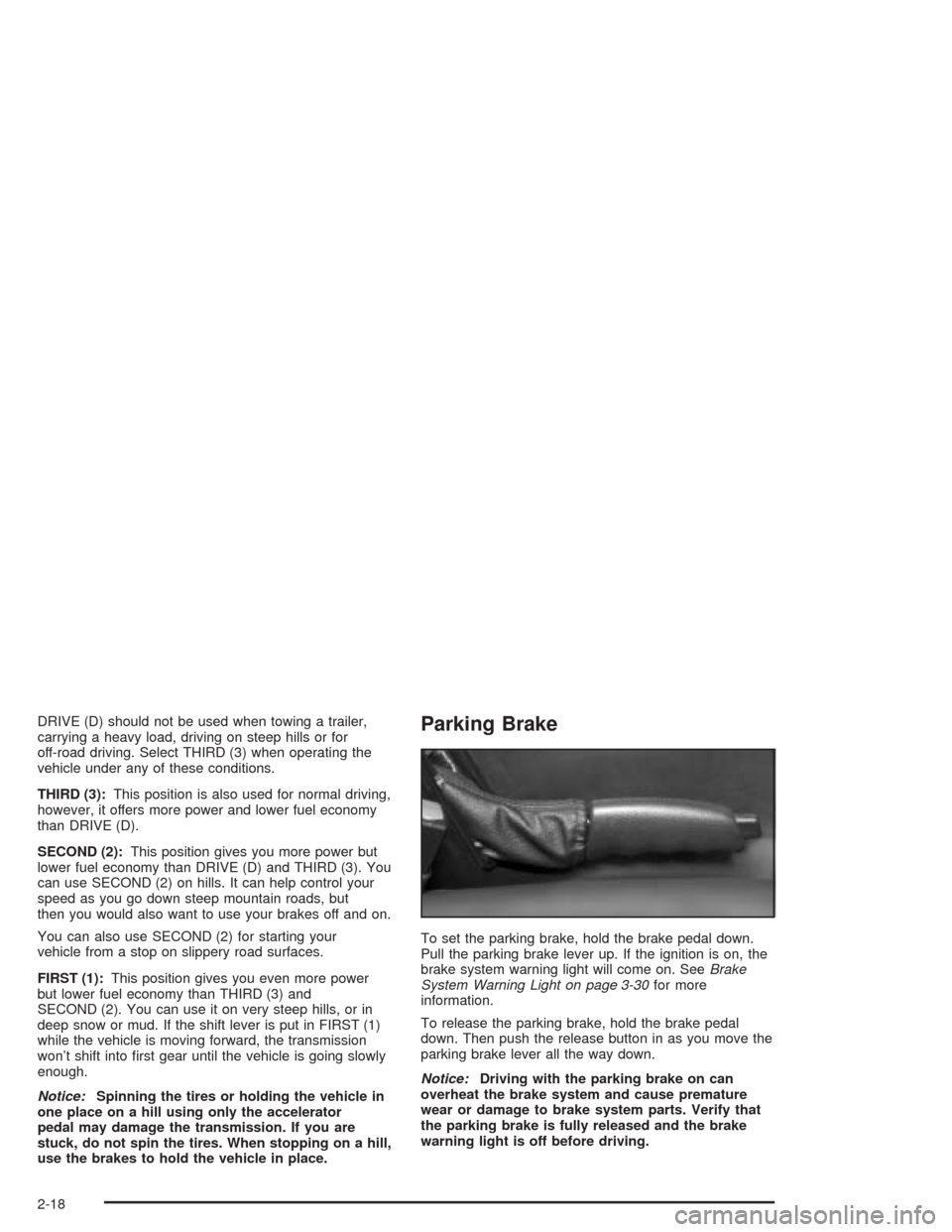
To set the parking brake, hold the brake pedal down.
Pull the parking brake lever up. If the ignition is on, the
brake system warning light will come on. SeeBrake
System Warning Light on page 3-30for more
information.
To release the parking brake, hold the brake pedal
down. Then push the release button in as you move the
parking brake lever all the way down.
Notice:Driving with the parking brake on can
overheat the brake system and cause premature
wear or damage to brake system parts. Verify that
the parking brake is fully released and the brake
warning light is off before driving.
2-18
Page 117 of 398
Instrument Panel Overview...............................3-2
Hazard Warning Flashers................................3-3
Other Warning Devices...................................3-4
Horn.............................................................3-4
Tilt Wheel.....................................................3-5
Turn Signal/Multifunction Lever.........................3-5
Exterior Lamps.............................................3-12
Interior Lamps..............................................3-15
Center Console Switchbank............................3-17
Accessory Power Outlets...............................3-17
Ashtrays and Cigarette Lighter........................3-18
Climate Controls............................................3-19
Climate Control System.................................3-19
Outlet Adjustment.........................................3-22
Warning Lights, Gages, and Indicators............3-23
Instrument Panel Cluster................................3-24
Speedometer and Odometer...........................3-25
Trip Odometer..............................................3-25
Tachometer.................................................3-25
Safety Belt Reminder Light.............................3-26
Air Bag Readiness Light................................3-26
Air Bag Off Light..........................................3-28
Charging System Light..................................3-29
Brake System Warning Light..........................3-30
Anti-Lock Brake System Warning Light.............3-31Traction Control System (TCS) Warning Light . . .3-31
Engine Coolant Temperature Gage..................3-32
Malfunction Indicator Lamp.............................3-32
Oil Pressure Gage........................................3-36
Change Engine Oil Light................................3-37
Security Light...............................................3-37
Cruise Control Light......................................3-38
Reduced Engine Power Light.........................3-38
Highbeam On Light.......................................3-39
Check Gages Warning Light...........................3-39
Fuel Gage...................................................3-40
Auxiliary Gage Package.................................3-41
Driver Information Center (DIC).......................3-44
DIC Controls and Displays.............................3-44
DIC Warnings and Messages.........................3-48
DIC Vehicle Personalization............................3-55
Audio System(s).............................................3-61
Setting the Time...........................................3-61
Radio with CD..............................................3-62
Radio with Six-Disc CD.................................3-71
Theft-Deterrent Feature..................................3-85
Audio Steering Wheel Controls.......................3-86
Radio Reception...........................................3-87
Care of Your CDs.........................................3-87
Care of Your CD Player................................3-87
Integrated Windshield Antenna........................3-87
Section 3 Instrument Panel
3-1
Page 127 of 398
Passing Another Vehicle While Using
Cruise Control
Use the accelerator pedal to increase your speed.
When you take your foot off the pedal, your vehicle will
slow down to the cruise control speed you set earlier.
Using Cruise Control on Hills
How well your cruise control will work on hills depends
upon your speed, load and the steepness of the
hills. When going up steep hills, you may want to step
on the accelerator pedal to maintain your speed.
When going downhill, you may have to brake or shift to
a lower gear to keep your speed down. Of course,
applying the brake takes you out of cruise control. Many
drivers nd this to be too much trouble and don’t use
cruise control on steep hills.
Ending Cruise Control
There are three ways to turn off the cruise control:
Step lightly on the brake pedal.
Move the cruise switch to off, or
Shift the transmission to NEUTRAL (N).
Erasing Speed Memory
When you turn off the cruise control or the ignition, your
cruise control set speed memory is erased.
3-11
Page 129 of 398

Automatic Headlamp System
When it is dark enough outside, your automatic
headlamp system will turn on your headlamps at the
normal brightness along with other lamps such as
the taillamps, sidemarker, parking lamps and the
instrument panel lights when the exterior lamps knob is
turned to AUTO. The radio lights will also be on.
Your vehicle is equipped with a light sensor on the top
of the instrument panel. Be sure it is not covered or
the system will be on whenever the ignition is on.
The system may also turn on your lights when driving
through a parking garage, heavy overcast weather
or a tunnel. This is normal.
There is a delay in the transition between the daytime
and nighttime operation of the Daytime Running
Lamps (DRL) and the automatic headlamp systems so
that driving under bridges or bright overhead street
lights does not affect the system. The DRL and
automatic headlamp system will only be affected when
the light sensor sees a change in lighting lasting
longer than the delay.
To idle your vehicle with the automatic headlamp
system off, set the parking brake while the ignition is off.
Then start your vehicle. The automatic headlamp
system will stay off until you release the parking brake,
or until you shift out of PARK (P).You may be able to turn off your automatic headlamp
system. See “Daytime Running Lamps (DRL)” later
in this section for more information.
If you start your vehicle in a dark garage, the automatic
headlamp system will come on immediately. Once
you leave the garage, it will take approximately
one minute for the automatic headlamp system to
change to DRL if it is light outside. During that delay,
your instrument panel cluster may not be as bright
as usual. Make sure your instrument panel brightness
control is in the full bright position. See “Instrument
Panel Brightness” underInterior Lamps on page 3-15.
As with any vehicle, you should turn on the regular
headlamp system when you need it.
Lamps On Reminder
A reminder tone will sound when your headlamps or
parking lamps are manually turned on, the driver’s door
is open and your ignition is in OFF or ACCESSORY.
To turn the tone off, turn the knob all the way
counterclockwise. In the automatic mode, the headlamps
turn off once the ignition key is in OFF.
3-13
Page 146 of 398

Brake System Warning Light
When the ignition is on, the brake system warning light
will come on when you set your parking brake. See
Parking Brake on page 2-18for more information. The
light will stay on if your parking brake doesn’t release
fully. If it stays on after your parking brake is fully
released, it means you have a brake problem.
Your vehicle’s hydraulic brake system is divided into two
parts. If one part isn’t working, the other part can still
work and stop you. For good braking, though, you need
both parts working well.
If the warning light comes on, there could be a brake
problem. Have your brake system inspected right away.
This light should come on briey when you turn the
ignition key to RUN. If it doesn’t come on then, have it
xed so it will be ready to warn you if there’s a
problem.If the light comes on while you are driving, pull off the
road and stop carefully. You may notice that the pedal is
harder to push. Or, the pedal may go closer to the
oor. It may take longer to stop. If the light is still on,
have the vehicle towed for service. SeeTowing
Your Vehicle on page 4-32.
{CAUTION:
Your brake system may not be working
properly if the brake system warning light is
on. Driving with the brake system warning light
on can lead to an accident. If the light is still
on after you have pulled off the road and
stopped carefully, have the vehicle towed for
service.
United States
Canada
3-30
Page 147 of 398

Anti-Lock Brake System Warning
Light
With the anti-lock brake
system, this light will come
on when you start your
engine and may stay on for
several seconds. That’s
normal.
If the light stays on, or comes on when you’re driving,
your vehicle needs service. If the regular brake
system warning light isn’t on, you still have brakes, but
you don’t have anti-lock brakes. If the regular brake
system warning light is also on, you don’t have anti-lock
brakes and there’s a problem with your regular
brakes. SeeBrake System Warning Light on page 3-30.
The anti-lock brake system warning light should come
on briey when you turn the ignition key to RUN. If
the light doesn’t come on then, have it xed so it will be
ready to warn you if there is a problem.
Traction Control System (TCS)
Warning Light
If the TC (traction control)
warning light comes on
and stays on, there may be
a problem with the
traction control system.
The TC (traction control) warning light will come on
briey when you turn the ignition to ON. If it doesn’t
come on then, have it xed so it will be ready to warn
you if there is a problem.
If the Traction Control System (TCS) is on and you drive
faster than 100 mph (161 km/h), the system will turn
off and the TC warning light will come on. The TCS will
turn back on and the TC warning light will go out
once the vehicle speed falls below 90 mph (145 km/h).
If the TC (traction control) warning light stays on or
comes on while you are driving, pull off the road as soon
as possible and stop carefully. Try resetting the
system by turning the ignition off then back on. If the
light still stays on or comes back on again while you are
driving, your vehicle needs service. Have the traction
control system inspected as soon as possible.
3-31
Page 165 of 398
Battery Voltage Too High
This message will be displayed when the battery
voltage is higher than normal and you try to raise or
lower the convertible top. The charging system light may
also be displayed on the instrument panel cluster.
SeeCharging System Light on page 3-29for more
information. Press the select button to acknowledge the
message and clear it from the DIC display.
Battery Voltage Too Low
This message will be displayed when the battery
voltage is lower than normal and you try to raise or
lower the convertible top. The charging system light may
also be displayed on the instrument panel cluster.
SeeCharging System Light on page 3-29for more
information. Press the select button to acknowledge the
message and clear it from the DIC display.
Cargo Cover Ajar
This message will be displayed when trying to open or
close the convertible top while the cargo cover is
open. Make sure the cargo cover is fully closed before
trying to open or close the convertible top. This
message will clear itself from the DIC once the cargo
cover is closed.
Change Trans (Transmission) Fluid
If your transmission uid in your vehicle needs to be
changed, this message will appear on the DIC.
SeeAutomatic Transmission Fluid on page 5-20and
Scheduled Maintenance on page 6-4for more
information.
Check Oil Level
If the oil level in the vehicle is low this message will
appear on the DIC. Check the oil level and add oil as
necessary. SeeEngine Oil on page 5-13for more
information. Press the select button to acknowledge this
message and clear it from the DIC display.
Depress Brake
This message will be displayed on the DIC when you try
to raise or lower the convertible top without rst
pressing the brake pedal. The brake pedal must be
pressed in order to operate the convertible top.
SeeConvertible Top on page 2-45for more information.
Pressing the brake pedal will clear the message, or
you can press the select button to acknowledge
and clear the message from the DIC display.
3-49
Page 169 of 398

Roof Cycle Timeout
This message will be displayed on the DIC when the
convertible top has not completed its movement
from one position to another within the programmed
time limit.
Notice:If you operate the convertible top switch
continuously while the ignition is in ACCESSORY,
the battery will drain and you might not be able
to start your vehicle. Do not use the convertible top
switch for extended periods of time when the
ignition is in ACCESSORY.
When this message appears, the convertible top will
stop moving. Release the convertible top switch
and make sure there is nothing blocking the path of the
top. If the path is clear, turn the ignition off and on
again. Then press the convertible top switch again. See
Convertible Top on page 2-45for more information.
Roof Hall Switch Fault
This message will be displayed on the DIC when trying
to raise or lower the convertible top and there is a
fault with this switch. If the message persists, see your
dealer for service.
Service Air Bag
If there is a problem with the air bag system this
message will be displayed on the DIC. The air bag
readiness light may also be displayed on the instrument
panel cluster. See your dealer for service. Press the
select button to acknowledge this message and clear it
from the display. SeeServicing Your Air Bag-Equipped
Vehicle on page 1-55andAir Bag Readiness Light
on page 3-26for more information.
Service Brake System
If a problem occurs with the brake system this message
will appear on the DIC. The brake system warning
light and the anti-lock brake system warning light may
also be displayed on the instrument panel cluster.
SeeBrake System Warning Light on page 3-30and
Anti-Lock Brake System Warning Light on page 3-31for
more information. If this message appears, stop as
soon as possible and turn off the vehicle. Restart the
vehicle and check for the message on the DIC display. If
the message is still displayed, or appears again when
you begin driving, the brake system needs service. See
Brakes on page 5-33for more information. Press the
select button to acknowledge this message and clear it
from the display.
3-53
Page 211 of 398

Avoid needless heavy braking. Some people drive
in spurts — heavy acceleration followed by heavy
braking — rather than keeping pace with traffic. This is
a mistake. Your brakes may not have time to cool
between hard stops. Your brakes will wear out much
faster if you do a lot of heavy braking. If you keep pace
with the traffic and allow realistic following distances,
you will eliminate a lot of unnecessary braking.
That means better braking and longer brake life.
If your engine ever stops while you are driving, brake
normally but do not pump your brakes. If you do,
the pedal may get harder to push down. If your engine
stops, you will still have some power brake assist.
But you will use it when you brake. Once the power
assist is used up, it may take longer to stop and
the brake pedal will be harder to push.Anti-lock Brake System
Your vehicle has anti-lock brakes. ABS is an advanced
electronic braking system that will help prevent a
braking skid.
When you start your engine and begin to drive away,
your anti-lock brake system will check itself. You
may hear a momentary motor or clicking noise while
this test is going on. This is normal.
If there is a problem with
the anti-lock brake system,
this warning light will
stay on. SeeAnti-Lock
Brake System Warning
Light on page 3-31.
4-7