keyless CHEVROLET SSR 2005 1.G User Guide
[x] Cancel search | Manufacturer: CHEVROLET, Model Year: 2005, Model line: SSR, Model: CHEVROLET SSR 2005 1.GPages: 388, PDF Size: 2.5 MB
Page 94 of 388
Cargo Cover
Opening the Cargo Cover
Notice:Opening the cargo cover manually when the
convertible top is not in the full-open or full-closed
position could damage the tonneau cover and the
convertible top. Always make sure the convertible
top is in the full-closed or full-opened position before
manually opening the cargo cover.
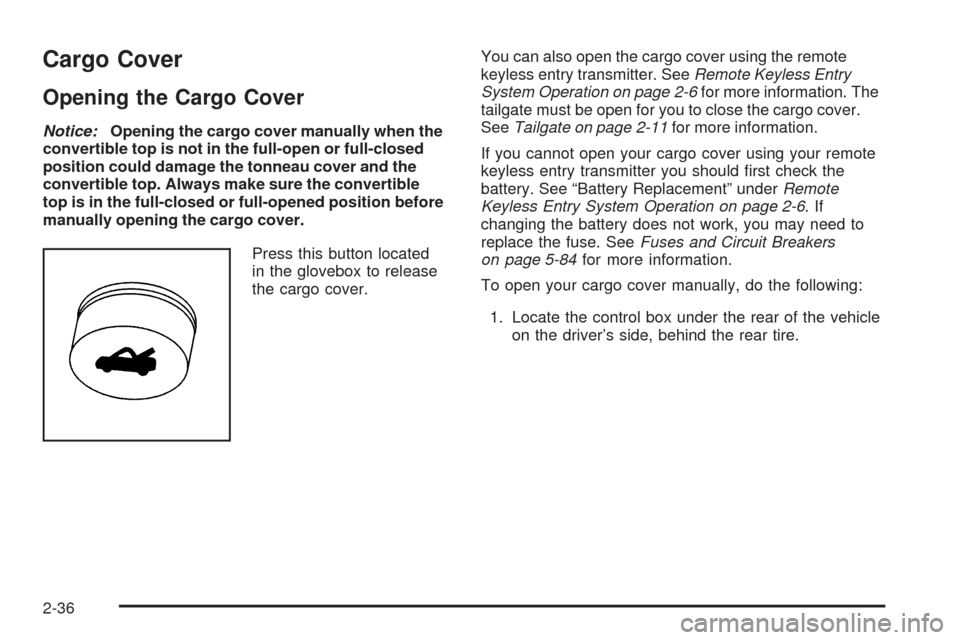
Press this button located
in the glovebox to release
the cargo cover.You can also open the cargo cover using the remote
keyless entry transmitter. SeeRemote Keyless Entry
System Operation on page 2-6for more information. The
tailgate must be open for you to close the cargo cover.
SeeTailgate on page 2-11for more information.
If you cannot open your cargo cover using your remote
keyless entry transmitter you should rst check the
battery. See “Battery Replacement” underRemote
Keyless Entry System Operation on page 2-6.If
changing the battery does not work, you may need to
replace the fuse. SeeFuses and Circuit Breakers
on page 5-84for more information.
To open your cargo cover manually, do the following:
1. Locate the control box under the rear of the vehicle
on the driver’s side, behind the rear tire.
2-36
Page 118 of 388

To program memory settings to each button, use the
following steps:
1. Adjust the driver’s seat to the desired position.
2. Press the SET button.
3. Press and hold button 1 (for Driver 1) for three
seconds. A double chime will sound to let you
know that the position has been stored.
A second seating position can be programmed by
repeating the procedure with a second driver and
pressing button 2 for three seconds.
To recall a memory position, do one of the following:
If you have an automatic transmission vehicle,
press and release the desired button 1 or 2
while the vehicle is in PARK (P). A single chime
will sound and the memory position will be recalled.
If the vehicle is not in PARK (P), the memory
position will not be recalled.
If you have a manual transmission vehicle, press
and release the desired button 1 or 2 while the
vehicle is off. A single chime will sound and
the memory position will be recalled. If the vehicle
is not off, the memory position will not be
recalled.If you use the unlock button on the remote keyless entry
transmitter to enter your vehicle, the preset driver’s
seat positions will be recalled if programmed to do so
through the Driver Information Center (DIC). The
numbers on the back of the transmitters, 1 or 2,
correspond to the numbers on the memory controls.
The seat positions can also be recalled by placing the
key in the ignition if programmed to do so through
the Driver Information Center (DIC).
To stop recall movement of the memory feature at any
time, press one of the power seat controls or memory
buttons.
Further programming for automatic seat can be
done through the Driver Information Center (DIC).
SeeDIC Vehicle Personalization on page 3-52for
more information.
2-60
Page 135 of 388

Theater Dimming
This feature allows for a three to ®ve-second fade out
of the courtesy lamps instead of immediate turn off.
Exit Lighting
With the exit lighting, the interior lamps will come on
when you remove the key from the ignition to help you
see while exiting the vehicle.
Perimeter Lighting
When the button with the unlock symbol on the remote
keyless entry transmitter is pressed, the DRL, parking
lamps and back-up lamps will come on if it is dark
enough outside.
This feature can be personalized for up to two drivers.
See
DIC Vehicle Personalization on page 3-52for
more information.
Map Lamps
If your vehicle has front map lamps, they are located on
the inside rearview mirror. They will automatically come
on for approximately 40 seconds when the doors are
unlocked with the remote keyless entry transmitter or
until the ignition key is turned to RUN or ACCESSORY.
The lamps will also stay on for approximately 40 seconds
after you exit the vehicle unless you lock the doors with
the remote keyless entry transmitter.
You can also turn the lamps on and off by pressing the
button near each lamp.
Battery Run-Down Protection
This feature shuts off all lamps that are left on for
more than 10 minutes when the ignition is off. This
will keep your battery from running down.
3-17
Page 167 of 388

Passenger Door Ajar
If the passenger's door is not fully closed, this message
will appear on the display and you will hear a chime.
Stop the vehicle, check the door for obstacles, and close
the door again. Fully closing the passenger's door will
clear this message from the display, or you can
press the select button to acknowledge the message
and clear it from the DIC display.
Reduce Speed
This message will be displayed on the DIC when trying
to raise or lower the convertible top while the vehicle
is in motion. Stop the vehicle and continue pressing the
brake pedal before trying to raise or lower the top
again. See
Convertible Top on page 2-51for more
information. The message will clear from the display
once the vehicle is stopped, or you can press the select
button to acknowledge this message and clear it from
the DIC display.
Rfa X Battery Low
If a remote keyless entry transmitter battery is low, this
message will appear on the DIC. The battery needs
to be replaced in the transmitter. Press the select button
to acknowledge this message and clear it from the
DIC display. See ªBattery Replacementº under
Remote
Keyless Entry System Operation on page 2-6for
battery replacement instructions.
Roof Ajar
This message will be displayed on the DIC when trying
to release the cargo cover and the convertible top is
not fully open or closed. Make sure your convertible
top is in the full-closed or full-open position before trying
to release your cargo cover. See
Convertible Top on
page 2-51andCargo Cover on page 2-36for more
information. This message will clear once the convertible
top is open or closed, or you can press the select
button to acknowledge the message and clear it from
the DIC display.
If this message repeatedly occurs while not trying to
release the cargo cover, see your GM dealer for service.
Roof Cycle Timeout
This message will be displayed on the DIC when the
convertible top has not completed its movement
from one position to another within the programmed
time limit. When this message appears, the convertible
top will stop moving. Release the convertible top
switch and make sure there is nothing blocking the
path of the top. If the path is clear, press the convertible
top switch again. See
Convertible Top on page 2-51for more information.
3-49
Page 170 of 388
Turn Signal On
If a turn signal is left on for 3/4 mile (1.2 km), this
message will appear on the display and you will hear a
chime. Move the turn signal/multifunction lever to the
off position. Press the select button to acknowledge this
message and clear it from the display. See
Turn
Signal/Multifunction Lever on page 3-6for more
information.
Unknown Speed
This message will be displayed when trying to raise or
lower the convertible top and the roof controller
cannot communicate with the Powertrain Control
Module (PCM). See your GM dealer for service.
DIC Vehicle Personalization
Your vehicle has a personalization feature that allows
you to program certain features to a preferred setting
for up to two drivers. The number of programmable
features varies depending upon which model of
the vehicle you purchased. Once the features are
programmed, the saved settings are recalled by
pressing the unlock button on the remote keyless entry
transmitter, 1 or 2, or by pressing the appropriate
memory button, 1 or 2, located on the outboard side of
the driver's seat. See
Memory Seat on page 2-59for more information. The following is a list of available programmable
options:
·AUTOMATIC LOCKING (Automatic
Transmission only)
·AUTOMATIC UNLOCKING
·REMOTE LOCK FEEDBACK
·REMOTE UNLOCK FEEDBACK
·HEADLAMPS ON AT EXIT
·PERIMETER LIGHTING
·SEAT POSITION RECALL, if equipped
·ALARM WARNING TYPE
·DISPLAY LANGUAGE
·DISPLAY UNITS ± U.S./MET
q(Personalization):
Press this button located on
the steering wheel to access the vehicle personalization
menu and customize the personalization settings on
your vehicle.
3-52
Page 172 of 388
Scroll through the list of modes. When the mode you
want is displayed on the DIC, press the personalization
button to set your choice, return to the personalization
menu, and advance to the next programmable feature.
For more information on automatic door locks, see
Programmable Automatic Door Locks on page 2-10.
Remote Lock Feedback
This feature allows you to choose whether or not the
horn chirps and the parking lamps ¯ash when you lock
the vehicle with the remote keyless entry transmitter.
Press the personalization button until REMOTE
LOCK FEEDBACK appears in the display. To access
the modes for REMOTE LOCK FEEDBACK, press
the select button. Once REMOTE LOCK FEEDBACK is
selected, press the select button to scroll through the
following modes:
Mode 1:LOCK FEEDBACK: BOTH
Mode 2: LOCK FEEDBACK: OFF
Mode 3: LOCK FEEDBACK: HORN
Mode 4: LOCK FEEDBACK: LAMPS If you choose Mode 1, the parking lamps will ¯ash each
time you press the lock button on the remote keyless
entry transmitter and the horn will chirp the second time
you press the lock button.
If you choose Mode 2, there will be no feedback when
locking the vehicle.
If you choose Mode 3, the horn will chirp the second
time you press the button with the lock symbol on
the remote keyless entry transmitter.
If you choose Mode 4, the parking lamps will ¯ash each
time you press the button with the lock symbol on
the remote keyless entry transmitter.
Scroll through the list of modes. When the mode you
want is displayed on the DIC, press the personalization
button to set your choice, return to the personalization
menu, and advance to the next programmable feature.
Remote Unlock Feedback
This feature allows you to choose whether or not the
parking lamps ¯ash and the horn chirps when you
unlock the vehicle with the remote keyless entry
transmitter. Press the personalization button until
REMOTE UNLOCK FEEDBACK appears in the display.
3-54
Page 173 of 388
To access the modes for REMOTE UNLOCK
FEEDBACK, press the select button. Once REMOTE
UNLOCK FEEDBACK is selected, press the select
button to scroll through the following modes:
Mode 1:UNLOCK FEEDBACK: BOTH
Mode 2: UNLOCK FEEDBACK: OFF
Mode 3: UNLOCK FEEDBACK: HORN
Mode 4: UNLOCK FEEDBACK: LAMPS
If you choose Mode 1, the parking lamps will ¯ash each
time you press the button with the unlock symbol on
the remote keyless entry transmitter. The horn will chirp
the second time you press the unlock button.
If you choose Mode 2, there will be no feedback when
unlocking the vehicle.
If you choose Mode 3, the horn will chirp the second
time you press the button with the unlock symbol on the
remote keyless entry transmitter.
If you choose Mode 4, the parking lamps will ¯ash each
time you press the button with the unlock symbol on
the remote keyless entry transmitter.
Scroll through the list of modes. When the mode you
want is displayed on the DIC, press the personalization
button to set your choice, return to the personalization
menu, and advance to the next programmable feature.Headlamps on at Exit
This feature allows you to set the amount of time you
want the headlamps to remain on after you exit the
vehicle. Press the personalization button until
HEADLAMPS ON AT EXIT appears in the display.
To access the modes for HEADLAMPS ON AT EXIT,
press the select button. Once HEADLAMPS ON
AT EXIT is selected, press the select button to scroll
through the following modes:
Mode 1: HEADLAMP DELAY 10 SEC
Mode 2: HEADLAMP DELAY 20 SEC
Mode 3: HEADLAMP DELAY 40 SEC
Mode 4: HEADLAMP DELAY 60 SEC
Mode 5: HEADLAMP DELAY 120 SEC
Mode 6: HEADLAMP DELAY 180 SEC
Mode 7: HEADLAMP DELAY OFF
If you choose Mode 7, the headlamps will turn off as
soon as you turn off the vehicle.
Scroll through the list of modes. When the mode you
want is displayed on the DIC, press the personalization
button to set your choice, return to the personalization
menu, and advance to the next programmable feature.
3-55
Page 174 of 388
Perimeter Lighting
This feature allows you to choose whether or not certain
exterior lamps turn on when the unlock button on the
remote keyless entry transmitter is pressed. Press
the personalization button until PERIMETER LIGHTING
appears in the display. To access the modes for
PERIMETER LIGHTING, press the select button. Once
PERIMETER LIGHTING is selected, press the select
button to scroll through the following modes:
Mode 1:PERIMETER LIGHTING ON
Mode 2: PERIMETER LIGHTING OFF
If you choose Mode 1, the headlamps and back-up
lamps will come on for 40 seconds, if it is dark enough
outside, when you unlock the vehicle with the remote
keyless entry transmitter.
Scroll through the list of modes. When the mode you
want is displayed on the DIC, press the personalization
button to set your choice, return to the personalization
menu, and advance to the next programmable feature.
Seat Position Recall
This feature allows you to choose how any previously
programmed seat position is recalled. Press the
personalization button until SEAT POSITION RECALL
appears in the display. To access the modes for
SEAT POSITION RECALL, press the select button.
Once SEAT POSITION RECALL is selected, press the
select button to scroll through the following modes:
Mode 1: SEAT RECALL: OFF
Mode 2: SEAT RECALL: AT KEY IN
Mode 3: SEAT RECALL: ON REMOTE
If you choose Mode 1, the memory seat position
you saved will only be recalled when the memory
button 1 or 2 is pressed.
If you choose Mode 2, the memory seat position you
saved will be recalled when you put the key in the
ignition.
If you choose Mode 3, the memory seat position you
saved will be recalled when you unlock the vehicle with
the remote keyless entry transmitter.
Scroll through the list of modes. When the mode you
want is displayed on the DIC, press the personalization
button to set your choice, return to the personalization
menu, and advance to the next programmable feature.
See
Memory Seat on page 2-59for more information.
3-56
Page 337 of 388

Fuses Usage
26 Blank
27 HomeLink
®System
28 Roof Door Module
29 Transmission Control Module
31 Truck Body Controller
32 Remote Keyless Entry (RKE)
33 Windshield Wipers
34 Stoplamps
35 Blank
36Climate Control System,
Driver’s Door Unlock
37 Front Parking Lamps
38 Driver’s Side Turn Signal
39 Climate Control System
40 Truck Body Controller
41 Radio
42 Trailer Parking Lamps
43 Passenger’s Side Turn Signal
44 Blank
46 Accessory Power Outlets
Fuses Usage
47 Ignition
48 Blank
49 Blank
50 Truck Body Controller, Ignition
51 Brakes
52 Blank
Relays Usage
18 Locks
24 Unlock
30 Parking Lamps
45Rear Window Defogger,
Outside Power Heated Mirrors
Circuit
BreakersUsage
01 Roof & Door Module
02 Roof Pump
08 Power Seats
5-87
Page 382 of 388

H
Hazard Warning Flashers................................... 3-5
Headlamp
Aiming.......................................................5-44
Headlamps....................................................5-44
Automatic Headlamp System.........................3-14
Bulb Replacement.......................................5-44
Daytime Running Lamps...............................3-14
Electrical System.........................................5-83
Flash-to-Pass............................................... 3-8
Front Turn Signal, Sidemarker and Parking
Lamps....................................................5-46
Halogen Bulbs............................................5-44
High/Low Beam Changer................................ 3-8
On Reminder..............................................3-13
Heated Seats................................................... 1-4
Heater...........................................................3-20
Highbeam On Light.........................................3-38
Highway Hypnosis...........................................4-21
Hill and Mountain Roads..................................4-22
HomeLink
®Transmitter....................................2-30
HomeLink®Transmitter, Programming................2-31
Hood
Checking Things Under................................5-10
Release.....................................................5-11
Horn............................................................... 3-6How to Use This Manual...................................... ii
How to Wear Safety Belts Properly...................1-12
Hydraulic Clutch.............................................5-25
I
Ignition Positions.............................................2-16
Infants and Young Children, Restraints...............1-22
Ination -- Tire Pressure..................................5-58
Inator Kit, Tire...............................................5-68
Instrument Panel
Brightness..................................................3-16
Cluster.......................................................3-24
Overview..................................................... 3-4
Storage Area..............................................2-35
Integrated Windshield Antenna..........................3-83
Interior Lamps................................................3-16
J
Jump Starting.................................................5-38
K
Keyless Entry System....................................... 2-5
Keys............................................................... 2-3
6