service CHEVROLET SSR 2006 1.G User Guide
[x] Cancel search | Manufacturer: CHEVROLET, Model Year: 2006, Model line: SSR, Model: CHEVROLET SSR 2006 1.GPages: 390, PDF Size: 2.44 MB
Page 76 of 390

Ignition Positions
Use the key to turn the ignition switch to four different
positions.Notice:Using a tool to force the key from the
ignition switch could cause damage or break the
key. Use the correct key and turn the key only with
your hand. Make sure the key is in all the way. If
none of this works, then your vehicle needs service.
A (OFF):This is the only position in which you can
insert or remove the key. This position locks the ignition
and transmission. It is a theft-deterrent feature.
Notice:Lengthy operation of features such as the
radio in the accessory ignition position may drain the
battery and prevent your vehicle from starting. Do not
operate your vehicle in the accessory ignition
position for a long period of time.
B (ACCESSORY):This position lets you use things like
the radio and the windshield wipers when the engine
is off.
C (RUN):This is the position for driving.
D (START):This position starts the engine.
2-16
Page 90 of 390

Universal Home Remote
System
If your vehicle has this feature, the Universal Home
Remote transmitter buttons are located on the automatic
dimming rearview mirror. The three buttons on the left
side of the mirror are the Universal Home Remote
transmitter buttons.
The Universal Home Remote Wireless Control System,
a combined universal transmitter and receiver,
provides a way to replace up to three hand-held
transmitters used to activate devices such as gate
operators, garage door openers, entry door locks,
security systems, and home lighting.If your vehicle is equipped with the Universal Home
Remote Transmitter, it complies with Part 15 of the
FCC Rules. Operation is subject to the following
two conditions: (1) this device may not cause harmful
interference, and (2) this device must accept any
interference received, including interference that may
cause undesired operation.
This device complies with RSS-210 of Industry Canada.
Operation is subject to the following two conditions:
(1) this device may not cause interference, and
(2) this device must accept any interference received,
including interference that may cause undesired
operation of the device.
Changes and modifications to this system by other than
an authorized service facility could void authorization
to use this equipment.
Universal Home Remote
System Operation
Do not use the Universal Home Remote with any garage
door opener that does not have the “stop and reverse”
feature. This includes any garage door opener model
manufactured before April 1, 1982. If you have a newer
garage door opener with rolling codes, please be sure to
follow Steps 6 through 8 to complete the programming of
your Universal Home Remote Transmitter.
2-30
Page 142 of 390

If the airbag readiness light stays on after you start the
vehicle or comes on when you are driving, your
airbag system may not work properly. Have your vehicle
serviced right away.
{CAUTION:
If the airbag readiness light stays on after you
start your vehicle, it means the airbag system
may not be working properly. The airbags in
your vehicle may not inate in a crash, or they
could even inate without a crash. To help avoid
injury to yourself or others, have your vehicle
serviced right away if the airbag readiness light
stays on after you start your vehicle.
The airbag readiness light should flash for a few
seconds when you turn the ignition key to RUN. If the
light doesn’t come on then, have it fixed so it will
be ready to warn you if there is a problem.
Airbag Off Light
When you turn the passenger’s frontal airbag off, the
airbag off light, located on the roof panel above the
rearview mirror, will come on and stay on to remind you
that the airbag has been turned off. This light will go
off when you turn the passenger’s frontal airbag back on
again. SeeAirbag Off Switch on page 1-48for more
on this, including important safety information.
United States
Canada
3-28
Page 143 of 390
{CAUTION:
If the passenger’s frontal airbag is turned off
for a person who is not in a risk group
identied by the national government, that
person will not have the extra protection of a
frontal airbag. In a crash, the airbag would not
be able to inate and help protect the person
sitting there. Do not turn off the passenger’s
frontal airbag unless the person sitting there is
in a risk group. SeeAirbag Off Switch on
page 1-48for more on this, including important
safety information.
{CAUTION:
If the airbag readiness light ever comes on
when you have turned off the passenger’s
frontal airbag, it means that something may be
wrong with the airbag system. The passenger’s
frontal airbag could inate even though the
switch is off. If this ever happens, do not let
anyone whom the national government has
identied as a member of a passenger airbag
risk group sit in the passenger’s position (for
example, do not secure a rear-facing child
restraint in your vehicle) until you have your
vehicle serviced. SeeAirbag Off Switch on
page 1-48.
3-29
Page 145 of 390
If the light comes on while you are driving, pull off the
road and stop carefully. You may notice that the pedal is
harder to push. Or, the pedal may go closer to the
floor. It may take longer to stop. If the light is still on,
have the vehicle towed for service. SeeTowing
Your Vehicle on page 4-35.
{CAUTION:
Your brake system may not be working properly
if the brake system warning light is on. Driving
with the brake system warning light on can lead
to an accident. If the light is still on after you
have pulled off the road and stopped carefully,
have the vehicle towed for service.
Anti-Lock Brake System
Warning Light
With the anti-lock brake
system, this light will come
on when you start your
engine and may stay on
for several seconds.
That’s normal.
If the light stays on, or comes on when you’re driving,
your vehicle needs service. If the regular brake
system warning light isn’t on, you still have brakes, but
you don’t have anti-lock brakes. If the regular brake
system warning light is also on, you don’t have anti-lock
brakes and there’s a problem with your regular
brakes. SeeBrake System Warning Light on page 3-30.
The anti-lock brake system warning light should come
on briefly when you turn the ignition key to RUN. If
the light doesn’t come on then, have it fixed so it will be
ready to warn you if there is a problem.
3-31
Page 146 of 390

Traction Control System (TCS)
Warning Light
If the TC (traction control)
warning light comes on
and stays on, there may be
a problem with the
traction control system.
The TC (traction control) warning light will come on
briefly when you turn the ignition to RUN. If it does not
come on then, have it fixed so it will be ready to
warn you if there is a problem.
If the Traction Control System (TCS) is on and you drive
faster than 100 mph (161 km/h), the system will turn
off and the TC warning light will come on. The TCS will
turn back on and the TC warning light will go out
once the vehicle speed falls below 90 mph (145 km/h).
If the TC (traction control) warning light stays on or
comes on while you are driving, pull off the road as soon
as possible and stop carefully. Try resetting the
system by turning the ignition off then back on. If the
light still stays on or comes back on again while you are
driving, your vehicle needs service. Have the traction
control system inspected as soon as possible.
Engine Coolant Temperature Gage
This gage shows the engine coolant temperature. If the
gage pointer is near 260 °F (125 °C), the engine is
too hot.
It means that your engine coolant has overheated. If
you have been operating your vehicle under normal
driving conditions, you should pull off the road, stop your
vehicle and turn off the engine as soon as possible.
SeeEngine Overheating on page 5-27for
more information.
United StatesCanada
3-32
Page 147 of 390
Malfunction Indicator Lamp
Check Engine Light
Your vehicle is equipped
with a computer which
monitors operation of the
fuel, ignition, and emission
control systems.
This system is called OBD II (On-Board
Diagnostics-Second Generation) and is intended to
assure that emissions are at acceptable levels for the
life of the vehicle, helping to produce a cleaner
environment. The check engine light comes on to
indicate that there is a problem and service is required.
Malfunctions often will be indicated by the system
before any problem is apparent. This may prevent more
serious damage to your vehicle. This system is also
designed to assist your service technician in correctly
diagnosing any malfunction.
Notice:If you keep driving your vehicle with this
light on, after awhile, your emission controls
may not work as well, your fuel economy may not
be as good, and your engine may not run as
smoothly. This could lead to costly repairs that may
not be covered by your warranty.Notice:Modications made to the engine,
transmission, exhaust, intake, or fuel system of
your vehicle or the replacement of the original tires
with other than those of the same Tire Performance
Criteria (TPC) can affect your vehicle’s emission
controls and may cause this light to come on.
Modications to these systems could lead to costly
repairs not covered by your warranty. This may
also result in a failure to pass a required Emission
Inspection/Maintenance test. SeeAccessories
and Modifications on page 5-3.
This light should come on, as a check to show you it is
working, when the ignition is on and the engine is
not running. If the light does not come on, have it
repaired. This light will also come on during a
malfunction in one of two ways:
•Light Flashing— A misfire condition has been
detected. A misfire increases vehicle emissions and
may damage the emission control system on your
vehicle. Diagnosis and service may be required.
•Light On Steady— An emission control system
malfunction has been detected on your vehicle.
Diagnosis and service may be required.
3-33
Page 148 of 390

If the Light is Flashing
The following may prevent more serious damage to
your vehicle:
•Reducing vehicle speed
•Avoiding hard accelerations
•Avoiding steep uphill grades
•If you are towing a trailer, reduce the amount of
cargo being hauled as soon as it is possible
If the light stops flashing and remains on steady, see “If
the Light Is On Steady” following.
If the light continues to flash, when it is safe to do so,
stop the vehicle. Find a safe place to park your vehicle.
Turn the key off, wait at least 10 seconds and restart
the engine. If the light remains on steady, see “If
the Light Is On Steady” following. If the light is still
flashing, follow the previous steps, and see your dealer
for service as soon as possible.
If the Light Is On Steady
You may be able to correct the emission system
malfunction by considering the following:
Did you recently put fuel into your vehicle?
If so, reinstall the fuel cap, making sure to fully install
the cap. SeeFilling the Tank on page 5-8. The
diagnostic system can determine if the fuel cap has
been left off or improperly installed. A loose or missing
fuel cap will allow fuel to evaporate into the atmosphere.
A few driving trips with the cap properly installed
should turn the light off.
Did you just drive through a deep puddle of water?
If so, your electrical system may be wet. The condition
will usually be corrected when the electrical system
dries out. A few driving trips should turn the light off.
3-34
Page 150 of 390
Oil Pressure Gage
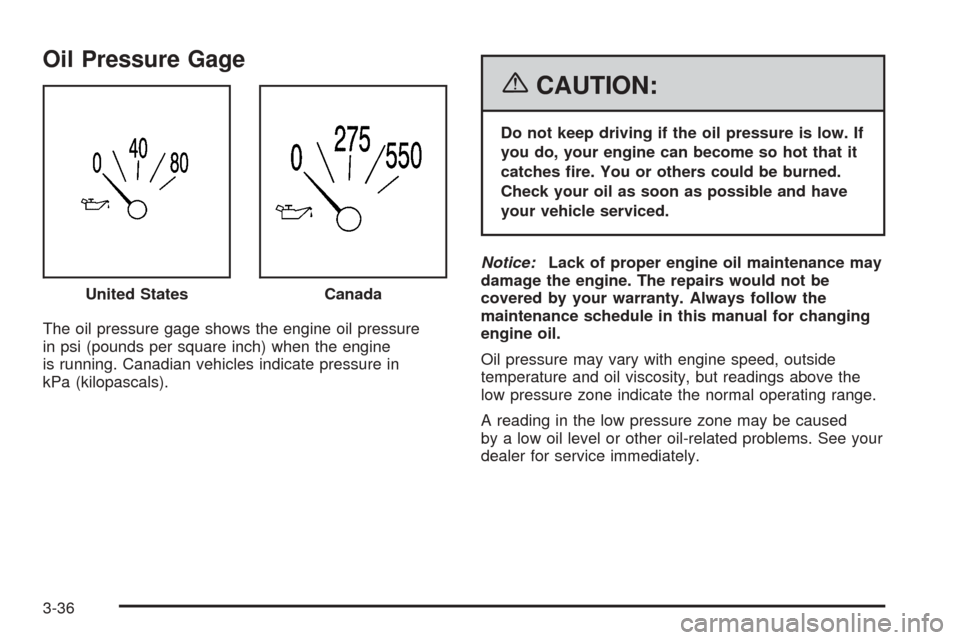
The oil pressure gage shows the engine oil pressure
in psi (pounds per square inch) when the engine
is running. Canadian vehicles indicate pressure in
kPa (kilopascals).
{CAUTION:
Do not keep driving if the oil pressure is low. If
you do, your engine can become so hot that it
catches re. You or others could be burned.
Check your oil as soon as possible and have
your vehicle serviced.
Notice:Lack of proper engine oil maintenance may
damage the engine. The repairs would not be
covered by your warranty. Always follow the
maintenance schedule in this manual for changing
engine oil.
Oil pressure may vary with engine speed, outside
temperature and oil viscosity, but readings above the
low pressure zone indicate the normal operating range.
A reading in the low pressure zone may be caused
by a low oil level or other oil-related problems. See your
dealer for service immediately. United States
Canada
3-36
Page 152 of 390
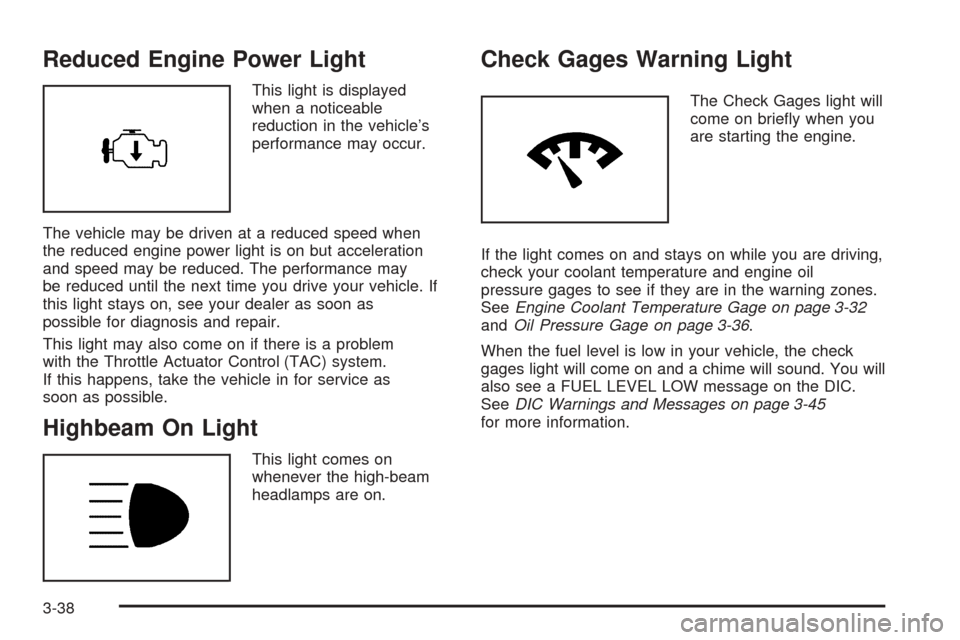
Reduced Engine Power Light
This light is displayed
when a noticeable
reduction in the vehicle’s
performance may occur.
The vehicle may be driven at a reduced speed when
the reduced engine power light is on but acceleration
and speed may be reduced. The performance may
be reduced until the next time you drive your vehicle. If
this light stays on, see your dealer as soon as
possible for diagnosis and repair.
This light may also come on if there is a problem
with the Throttle Actuator Control (TAC) system.
If this happens, take the vehicle in for service as
soon as possible.
Highbeam On Light
This light comes on
whenever the high-beam
headlamps are on.
Check Gages Warning Light
The Check Gages light will
come on briefly when you
are starting the engine.
If the light comes on and stays on while you are driving,
check your coolant temperature and engine oil
pressure gages to see if they are in the warning zones.
SeeEngine Coolant Temperature Gage on page 3-32
andOil Pressure Gage on page 3-36.
When the fuel level is low in your vehicle, the check
gages light will come on and a chime will sound. You will
also see a FUEL LEVEL LOW message on the DIC.
SeeDIC Warnings and Messages on page 3-45
for more information.
3-38