brake CHEVROLET SSR 2006 1.G Owner's Manual
[x] Cancel search | Manufacturer: CHEVROLET, Model Year: 2006, Model line: SSR, Model: CHEVROLET SSR 2006 1.GPages: 390, PDF Size: 2.44 MB
Page 144 of 390
Charging System Light
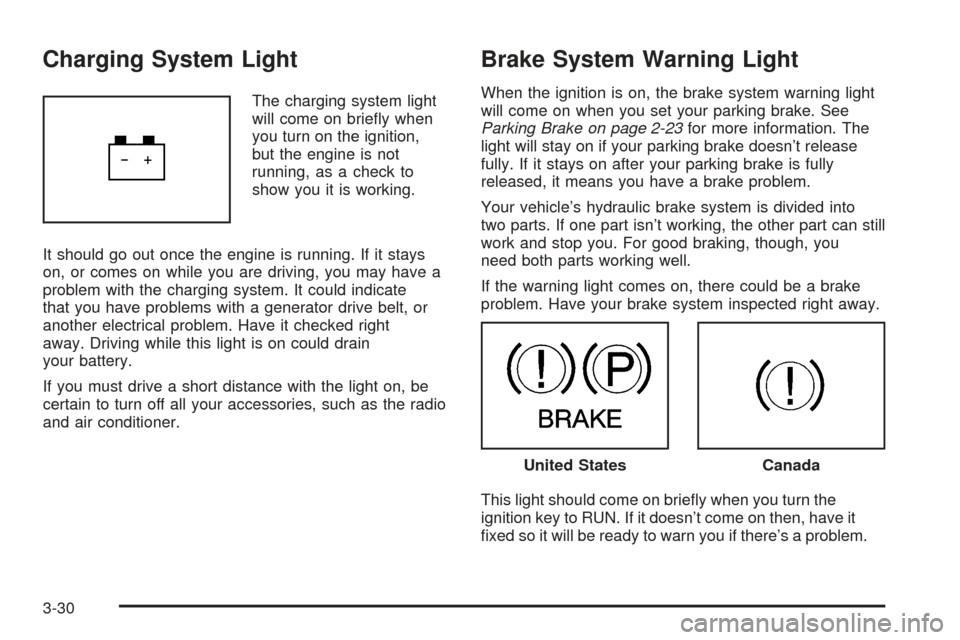
The charging system light
will come on briefly when
you turn on the ignition,
but the engine is not
running, as a check to
show you it is working.
It should go out once the engine is running. If it stays
on, or comes on while you are driving, you may have a
problem with the charging system. It could indicate
that you have problems with a generator drive belt, or
another electrical problem. Have it checked right
away. Driving while this light is on could drain
your battery.
If you must drive a short distance with the light on, be
certain to turn off all your accessories, such as the radio
and air conditioner.
Brake System Warning Light
When the ignition is on, the brake system warning light
will come on when you set your parking brake. See
Parking Brake on page 2-23for more information. The
light will stay on if your parking brake doesn’t release
fully. If it stays on after your parking brake is fully
released, it means you have a brake problem.
Your vehicle’s hydraulic brake system is divided into
two parts. If one part isn’t working, the other part can still
work and stop you. For good braking, though, you
need both parts working well.
If the warning light comes on, there could be a brake
problem. Have your brake system inspected right away.
This light should come on briefly when you turn the
ignition key to RUN. If it doesn’t come on then, have it
fixed so it will be ready to warn you if there’s a problem.
United StatesCanada
3-30
Page 145 of 390
If the light comes on while you are driving, pull off the
road and stop carefully. You may notice that the pedal is
harder to push. Or, the pedal may go closer to the
floor. It may take longer to stop. If the light is still on,
have the vehicle towed for service. SeeTowing
Your Vehicle on page 4-35.
{CAUTION:
Your brake system may not be working properly
if the brake system warning light is on. Driving
with the brake system warning light on can lead
to an accident. If the light is still on after you
have pulled off the road and stopped carefully,
have the vehicle towed for service.
Anti-Lock Brake System
Warning Light
With the anti-lock brake
system, this light will come
on when you start your
engine and may stay on
for several seconds.
That’s normal.
If the light stays on, or comes on when you’re driving,
your vehicle needs service. If the regular brake
system warning light isn’t on, you still have brakes, but
you don’t have anti-lock brakes. If the regular brake
system warning light is also on, you don’t have anti-lock
brakes and there’s a problem with your regular
brakes. SeeBrake System Warning Light on page 3-30.
The anti-lock brake system warning light should come
on briefly when you turn the ignition key to RUN. If
the light doesn’t come on then, have it fixed so it will be
ready to warn you if there is a problem.
3-31
Page 161 of 390

Depress Brake
This message will be displayed on the DIC when you try
to raise or lower the convertible top without first
pressing the brake pedal. The brake pedal must be
pressed in order to operate the convertible top.
SeeConvertible Top on page 2-45for more information.
Pressing the brake pedal will clear the message, or
you can press the select button to acknowledge
and clear the message from the DIC display.
Driver Door Ajar
This message will be displayed on the DIC and a chime
will sound when the driver’s door is not closed
completely. Stop the vehicle, check the door for
obstacles, and close the door again. Fully closing the
driver’s door will clear this message from the display, or
you can press the select button to acknowledge the
message and clear it from the DIC display.
Engine Coolant Hot Idle Engine
Notice:If your engine catches re because you
keep driving with no coolant, your vehicle can
be badly damaged. The costly repairs would not be
covered by your warranty.
If the cooling system temperature becomes too hot, this
message will appear in the DIC and you will hear a
chime. Stop the vehicle and let the engine idle inPARK (P) to allow the coolant to reach a safe
temperature. You may need to add more coolant to your
vehicle before driving again. SeeEngine Coolant on
page 5-24andEngine Coolant Temperature Gage
on page 3-32for more information. This message will
clear from the DIC display when the coolant temperature
drops to a safe operating temperature.
Engine Overheated Stop Engine
Notice:If your engine catches re because you
keep driving with no coolant, your vehicle can
be badly damaged. The costly repairs would not be
covered by your warranty.
If your engine is overheated, this message will be
displayed on the DIC. Stop the vehicle as soon as
possible and do not drive it until the engine cools down.
You may need to add more coolant to your vehicle
before driving again. SeeEngine Overheating on
page 5-27andEngine Coolant Temperature Gage on
page 3-32for more information. This message will clear
from the DIC display when the coolant temperature
drops to a safe operating temperature.
Flip Hall Switch Fault
This message will be displayed on the DIC when trying
to raise or lower the convertible top and there is a
fault with this switch. If the message persists, see your
GM dealer for service.
3-47
Page 163 of 390
Passenger Door Ajar
If the passenger’s door is not fully closed, this message
will appear on the display and you will hear a chime.
Stop the vehicle, check the door for obstacles, and close
the door again. Fully closing the passenger’s door will
clear this message from the display, or you can
press the select button to acknowledge the message
and clear it from the DIC display.
Reduce Speed
This message will be displayed on the DIC when trying
to raise or lower the convertible top while the vehicle
is in motion. Stop the vehicle and continue pressing the
brake pedal before trying to raise or lower the top
again. SeeConvertible Top on page 2-45for more
information. The message will clear from the display
once the vehicle is stopped, or you can press the select
button to acknowledge this message and clear it from
the DIC display.
Rfa X Battery Low
If a remote keyless entry transmitter battery is low, this
message will appear on the DIC. The battery needs
to be replaced in the transmitter. Press the select button
to acknowledge this message and clear it from the
DIC display. See “Battery Replacement” underRemote
Keyless Entry System Operation on page 2-6for
battery replacement instructions.
Roof Ajar
This message will be displayed on the DIC when trying
to release the cargo cover and the convertible top is
not fully open or closed. Make sure your convertible top
is in the full-closed or full-open position before trying
to release your cargo cover. SeeConvertible Top
on page 2-45andCargo Cover on page 2-35for more
information. This message will clear once the
convertible top is open or closed, or you can press the
select button to acknowledge the message and clear
it from the DIC display.
If this message repeatedly occurs while not trying to
release the cargo cover, see your GM dealer for service.
Roof Cycle Timeout
This message will be displayed on the DIC when the
convertible top has not completed its movement
from one position to another within the programmed
time limit. When this message appears, the convertible
top will stop moving. Release the convertible top
switch and make sure there is nothing blocking the path
of the top. If the path is clear, press the convertible
top switch again. SeeConvertible Top on page 2-45for
more information.
3-49
Page 164 of 390
When operating the top in low temperatures, such as
below 32°F (0°C), the time needed to cycle the top will
increase. This may cause the top movement to stop
and the Roof Cycle Timeout message to appear on the
DIC display. If this occurs, you may release the
convertible top switch and press it again to continue the
cycle. Make sure nothing is blocking the path of the
top before pressing the switch again. It may be
necessary to do this several times to complete the
cycle, depending on the outside temperature. See
Convertible Top on page 2-45for more information.
Notice:If you operate the convertible top switch
continuously while the ignition is in ACCESSORY,
the battery will drain and you might not be able
to start your vehicle. Do not use the convertible top
switch for extended periods of time when the
ignition is in ACCESSORY.
Roof Hall Switch Fault
This message will be displayed on the DIC when trying
to raise or lower the convertible top and there is a
fault with this switch. If the message persists, see your
GM dealer for service.
Service Air Bag
If there is a problem with the airbag system, this
message will be displayed on the DIC. The airbag
readiness light may also be displayed on the instrument
panel cluster. See your GM dealer for service. Press
the select button to acknowledge this message and clear
it from the display. SeeServicing Your Airbag-Equipped
Vehicle on page 1-51andAirbag Readiness Light on
page 3-27for more information.
Service Brake System
If a problem occurs with the brake system, this message
will appear on the DIC. The brake system warning
light and the anti-lock brake system warning light may
also be displayed on the instrument panel cluster.
SeeBrake System Warning Light on page 3-30and
Anti-Lock Brake System Warning Light on page 3-31for
more information. If this message appears, stop as
soon as possible and turn off the vehicle. Restart the
vehicle and check for the message on the DIC display. If
the message is still displayed, or appears again when
you begin driving, the brake system needs service. See
your GM dealer. SeeBrakes on page 5-32for more
information. Press the select button to acknowledge this
message and clear it from the display.
3-50
Page 173 of 390
{CAUTION:
This system provides you with a far greater
access to audio stations and song listings.
Giving extended attention to entertainment
tasks while driving can cause a crash and you
or others can be injured or killed. Always keep
your eyes on the road and your mind on the
drive — avoid engaging in extended searching
while driving.
Keeping your mind on the drive is important for safe
driving. For more information, seeDefensive Driving on
page 4-2.
Here are some ways in which you can help avoid
distraction while driving.
While your vehicle is parked:
•Familiarize yourself with all of its controls.
•Familiarize yourself with its operation.
•Set up your audio system by presetting your
favorite radio stations, setting the tone, and
adjusting the speakers. Then, when driving
conditions permit, you can tune to your favorite
radio stations using the presets and steering wheel
controls (if equipped).Notice:Before adding any sound equipment to
your vehicle, such as an audio system, CD player,
CB radio, mobile telephone, or two-way radio, make
sure that it can be added by checking with your
dealer. Also, check federal rules covering mobile
radio and telephone units. If sound equipment can
be added, it is very important to do it properly.
Added sound equipment may interfere with
the operation of your vehicle’s engine, radio, or
other systems, and even damage them. Your
vehicle’s systems may interfere with the operation
of sound equipment that has been added.
Notice:The chime signals related to safety belts,
parking brake, and other functions of your vehicle
operate through the GM radio/entertainment system.
If that equipment is replaced or additional
equipment is added to your vehicle, the chimes may
not work. Make sure that replacement or additional
equipment is compatible with your vehicle before
installing it. SeeAccessories and Modifications on
page 5-3.
3-59
Page 201 of 390
Your Driving, the Road, and Your Vehicle..........4-2
Defensive Driving...........................................4-2
Drunken Driving.............................................4-3
Control of a Vehicle........................................4-6
Braking.........................................................4-6
Anti-Lock Brake System (ABS).........................4-7
Braking in Emergencies...................................4-9
Traction Control System (TCS)
(Automatic Transmission).............................4-9
Steering......................................................4-11
Off-Road Recovery.......................................4-13
Passing.......................................................4-13
Loss of Control.............................................4-15
Driving at Night............................................4-16
Driving in Rain and on Wet Roads..................4-17
City Driving..................................................4-19Freeway Driving...........................................4-20
Before Leaving on a Long Trip.......................4-21
Highway Hypnosis........................................4-21
Hill and Mountain Roads................................4-22
Winter Driving..............................................4-24
If Your Vehicle is Stuck in Sand, Mud,
Ice or Snow..............................................4-28
Rocking Your Vehicle to Get It Out.................4-28
Loading Your Vehicle....................................4-29
Truck-Camper Loading Information..................4-34
Towing..........................................................4-35
Towing Your Vehicle.....................................4-35
Recreational Vehicle Towing...........................4-35
Towing a Trailer...........................................4-35
Trailer Recommendations...............................4-47
Section 4 Driving Your Vehicle
4-1
Page 206 of 390
Control of a Vehicle
You have three systems that make your vehicle go where
you want it to go. They are the brakes, the steering, and
the accelerator. All three systems have to do their work at
the places where the tires meet the road.
Sometimes, as when you are driving on snow or ice, it
is easy to ask more of those control systems than
the tires and road can provide. That means you can
lose control of your vehicle.
Adding non-GM accessories can affect your vehicle’s
performance. SeeAccessories and Modications
on page 5-3.
Braking
SeeBrake System Warning Light on page 3-30.
Braking action involves perception time and
reaction time.First, you have to decide to push on the brake pedal.
That is perception time. Then you have to bring up your
foot and do it. That is reaction time.
Average reaction time is about three-fourths of a
second. But that is only an average. It might be less
with one driver and as long as two or three seconds or
more with another. Age, physical condition, alertness,
coordination, and eyesight all play a part. So do alcohol,
drugs, and frustration. But even in three-fourths of a
second, a vehicle moving at 60 mph (100 km/h) travels
66 feet (20 m). That could be a lot of distance in an
emergency, so keeping enough space between
your vehicle and others is important.
And, of course, actual stopping distances vary greatly
with the surface of the road, whether it is pavement
or gravel; the condition of the road, whether it is
wet, dry, or icy; tire tread; the condition of your brakes;
the weight of the vehicle; and the amount of brake
force applied.
4-6
Page 207 of 390

Avoid needless heavy braking. Some people drive
in spurts — heavy acceleration followed by heavy
braking — rather than keeping pace with traffic. This is
a mistake. Your brakes may not have time to cool
between hard stops. Your brakes will wear out much
faster if you do a lot of heavy braking. If you keep pace
with the traffic and allow realistic following distances,
you will eliminate a lot of unnecessary braking.
That means better braking and longer brake life.
If your engine ever stops while you are driving, brake
normally but do not pump your brakes. If you do,
the pedal may get harder to push down. If your engine
stops, you will still have some power brake assist.
But you will use it when you brake. Once the power
assist is used up, it may take longer to stop and
the brake pedal will be harder to push.
Adding non-GM accessories can affect your vehicle’s
performance. SeeAccessories and Modications
on page 5-3.Anti-Lock Brake System (ABS)
Your vehicle has anti-lock brakes. ABS is an advanced
electronic braking system that will help prevent a
braking skid.
When you start your engine and begin to drive away,
your anti-lock brake system will check itself. You
may hear a momentary motor or clicking noise while
this test is going on. This is normal.
If there is a problem with
the anti-lock brake system,
this warning light will
stay on. SeeAnti-Lock
Brake System Warning
Light on page 3-31.
4-7
Page 208 of 390
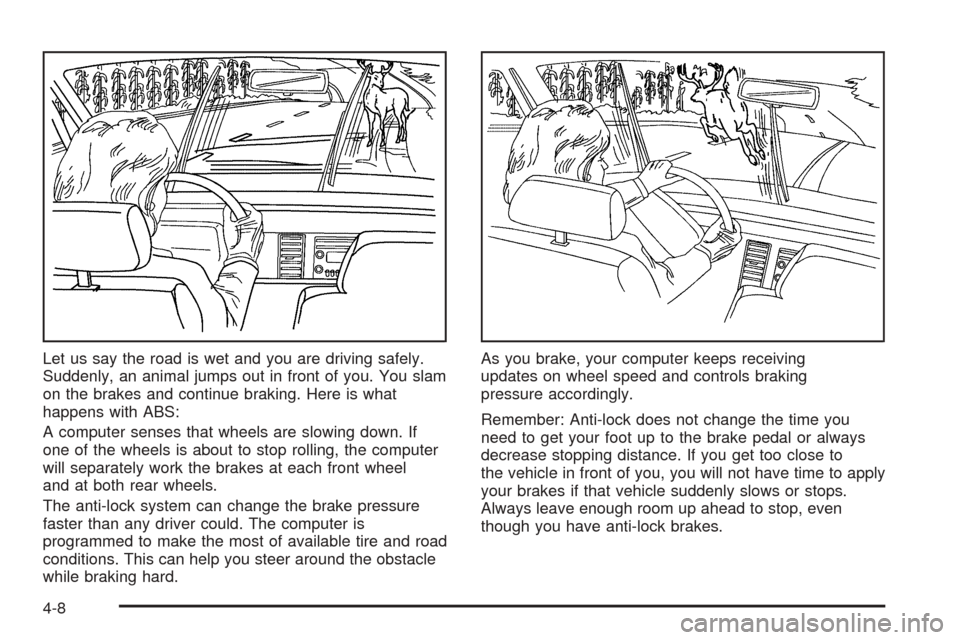
Let us say the road is wet and you are driving safely.
Suddenly, an animal jumps out in front of you. You slam
on the brakes and continue braking. Here is what
happens with ABS:
A computer senses that wheels are slowing down. If
one of the wheels is about to stop rolling, the computer
will separately work the brakes at each front wheel
and at both rear wheels.
The anti-lock system can change the brake pressure
faster than any driver could. The computer is
programmed to make the most of available tire and road
conditions. This can help you steer around the obstacle
while braking hard.As you brake, your computer keeps receiving
updates on wheel speed and controls braking
pressure accordingly.
Remember: Anti-lock does not change the time you
need to get your foot up to the brake pedal or always
decrease stopping distance. If you get too close to
the vehicle in front of you, you will not have time to apply
your brakes if that vehicle suddenly slows or stops.
Always leave enough room up ahead to stop, even
though you have anti-lock brakes.
4-8