turn signal CHEVROLET SSR 2006 1.G Owners Manual
[x] Cancel search | Manufacturer: CHEVROLET, Model Year: 2006, Model line: SSR, Model: CHEVROLET SSR 2006 1.GPages: 390, PDF Size: 2.44 MB
Page 66 of 390

At times you may notice a decrease in range. This is
normal for any remote keyless entry system. If the
transmitter does not work or if you have to stand closer
to your vehicle for the transmitter to work, try this:
•Check the distance. You may be too far from your
vehicle. You may need to stand closer during
rainy or snowy weather.
•Check the location. Other vehicles or objects may
be blocking the signal. Take a few steps to the
left or right, hold the transmitter higher, and
try again.
•Check to determine if battery replacement is
necessary. See “Battery Replacement” under
Remote Keyless Entry System Operation on
page 2-6.
•If you are still having trouble, see your dealer or a
qualified technician for service.
Remote Keyless Entry System
Operation
You can lock and unlock your doors and cargo area
from about 3 feet (1 m) up to 30 feet (9 m) away using
the remote keyless entry transmitter supplied with
your vehicle.
W(Unlock):When
you press unlock, the
driver’s door will unlock
automatically, the parking
lamps may flash, the
horn may sound, and the
interior lights will turn on.
2-6
Page 115 of 390

Instrument Panel Overview...............................3-4
Hazard Warning Flashers................................3-6
Other Warning Devices...................................3-6
Horn.............................................................3-6
Tilt Wheel.....................................................3-6
Turn Signal/Multifunction Lever.........................3-7
Turn and Lane-Change Signals........................3-7
Headlamp High/Low-Beam Changer..................3-8
Flash-to-Pass.................................................3-8
Windshield Wipers..........................................3-9
Windshield Washer.........................................3-9
Cruise Control..............................................3-10
Exterior Lamps.............................................3-13
Headlamps on Reminder................................3-14
Daytime Running Lamps (DRL).......................3-14
Automatic Headlamp System..........................3-15
Fog Lamps..................................................3-16
Interior Lamps..............................................3-17
Instrument Panel Brightness...........................3-17
Theater Dimming..........................................3-17
Exit Lighting.................................................3-17
Perimeter Lighting.........................................3-18
Parade Dimming...........................................3-18Map Lamps.................................................3-18
Battery Run-Down Protection..........................3-18
Center Console Switchbank............................3-19
Accessory Power Outlet(s).............................3-19
Ashtray(s) and Cigarette Lighter......................3-20
Climate Controls............................................3-21
Climate Control System.................................3-21
Outlet Adjustment.........................................3-23
Warning Lights, Gages, and Indicators............3-24
Instrument Panel Cluster................................3-25
Speedometer and Odometer...........................3-26
Trip Odometer..............................................3-26
Tachometer.................................................3-26
Engine Speed Limiter....................................3-27
Safety Belt Reminder Light.............................3-27
Airbag Readiness Light..................................3-27
Airbag Off Light............................................3-28
Charging System Light..................................3-30
Brake System Warning Light..........................3-30
Anti-Lock Brake System Warning Light.............3-31
Traction Control System (TCS)
Warning Light...........................................3-32
Section 3 Instrument Panel
3-1
Page 119 of 390
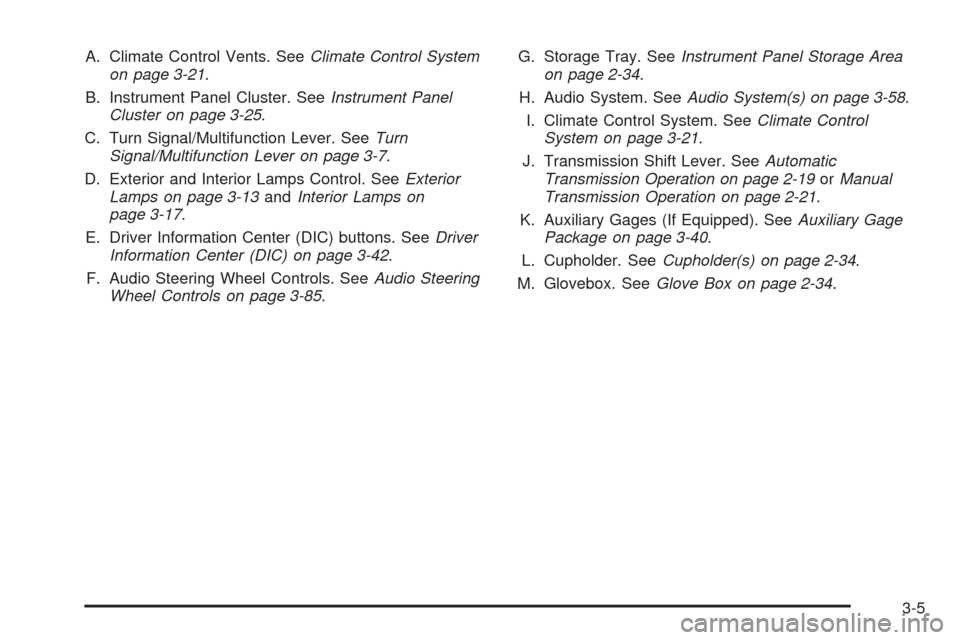
A. Climate Control Vents. SeeClimate Control System
on page 3-21.
B. Instrument Panel Cluster. SeeInstrument Panel
Cluster on page 3-25.
C. Turn Signal/Multifunction Lever. SeeTurn
Signal/Multifunction Lever on page 3-7.
D. Exterior and Interior Lamps Control. SeeExterior
Lamps on page 3-13andInterior Lamps on
page 3-17.
E. Driver Information Center (DIC) buttons. SeeDriver
Information Center (DIC) on page 3-42.
F. Audio Steering Wheel Controls. SeeAudio Steering
Wheel Controls on page 3-85.G. Storage Tray. SeeInstrument Panel Storage Area
on page 2-34.
H. Audio System. SeeAudio System(s) on page 3-58.
I. Climate Control System. SeeClimate Control
System on page 3-21.
J. Transmission Shift Lever. SeeAutomatic
Transmission Operation on page 2-19orManual
Transmission Operation on page 2-21.
K. Auxiliary Gages (If Equipped). SeeAuxiliary Gage
Package on page 3-40.
L. Cupholder. SeeCupholder(s) on page 2-34.
M. Glovebox. SeeGlove Box on page 2-34.
3-5
Page 120 of 390

Hazard Warning Flashers
Your hazard warning flashers let you warn others. They
also let police know you have a problem. Your front
and rear turn signal lamps will flash on and off.
The hazard warning flasher
button is located on top of
the steering column.
Your hazard warning flashers work no matter what
position your key is in, and even if the key is not in
the ignition.
Press the button to make the front and rear turn signal
lamps flash on and off. Press the button again to
turn the flashers off.
When the hazard warning flashers are on, your turn
signals will not work.
Other Warning Devices
If you carry reflective triangles, you can set them up at
the side of the road about 300 feet (100 m) behind
your vehicle.
Horn
To sound the horn, press the horn symbol on the
steering wheel pad.
Tilt Wheel
A tilt wheel allows you to adjust the steering wheel
before you drive. You can raise it to the highest level
to allow more room for the driver to enter and exit
the vehicle.
The tilt lever is located on
the driver’s side of the
steering column, under
the turn signal lever.
To tilt, hold the steering wheel and pull the tilt lever
toward you. Move the wheel to a comfortable level, then
release the tilt lever to lock the wheel in place.
3-6
Page 121 of 390

Turn Signal/Multifunction Lever
The lever on the left side of the steering column
includes the following:
•GTurn and Lane Change Signals.Turn and
Lane-Change Signals on page 3-7.
•53Headlamp High/Low-Beam Changer.
Headlamp High/Low-Beam Changer on page 3-8.
•Flash-to-Pass Feature. SeeFlash-to-Pass on
page 3-8.
•NWindshield Wipers. SeeWindshield Wipers on
page 3-9.
•LWindshield Washer. SeeWindshield Washer
on page 3-9.
•ICruise Control.Cruise Control on page 3-10.
For information on the exterior lamps, seeExterior
Lamps on page 3-13later in this section.
Turn and Lane-Change Signals
The turn signal has two upward (for right) and
two downward (for left) positions. These positions
allow you to signal a turn or a lane change.
To signal a turn, move the lever all the way up
or down. When the turn is finished, the lever will
return automatically.
An arrow on the instrument
panel cluster will flash in
the direction of the
turn or lane change.
3-7
Page 122 of 390

To signal a lane change, just raise or lower the lever
until the arrow starts to flash. Hold it there until you
complete your lane change. The lever will return by
itself when you release it.
As you signal a turn or a lane change, if the arrows
flash more quickly than normal, a signal bulb may
be burned out and other drivers won’t see your
turn signal.
If a bulb is burned out, replace it to help avoid an
accident. If the arrows do not go on at all when you
signal a turn, check the fuse and for burned out bulbs.
SeeFuses and Circuit Breakers on page 5-86.
Turn Signal On Chime
If your turn signal is left on for more than 3/4 of a
mile (1.2 km), a chime will sound at each flash of the
turn signal and a message will display on the DIC.
SeeDIC Warnings and Messages on page 3-45
for additional information. To turn off the chime,
move the turn signal lever to the off position.
Headlamp High/Low-Beam Changer
To change the headlamps from low to high beam,
push the lever toward the instrument panel. To return to
low-beam headlamps, pull the multifunction lever
toward you. Then release it.
When the high beams are
on, this indicator light on
the instrument panel
cluster will also be on.
Flash-to-Pass
This feature lets you use your high-beam headlamps
to signal a driver in front of you that you want to
pass. It works even if your headlamps are in the
automatic position.
To use it, pull the turn signal lever toward you, then
release it.
If your headlamps are in the automatic position or on
low beam, your high-beam headlamps will turn on.
They’ll stay on as long as you hold the lever toward you.
The high-beam indicator on the instrument panel
cluster will come on. Release the lever to return to
normal operation.
3-8
Page 124 of 390
Cruise Control
With cruise control, you can maintain a speed of about
25 mph (40 km/h) or more without keeping your foot
on the accelerator. This can really help on long
trips. Cruise control does not work at speeds below
about 25 mph (40 km/h).
If you apply your brakes, the cruise control will shut off.
{CAUTION:
Cruise control can be dangerous where you
cannot drive safely at a steady speed. So, do
not use your cruise control on winding roads
or in heavy traffic.
Cruise control can be dangerous on slippery
roads. On such roads, fast changes in tire
traction can cause excessive wheel slip, and
you could lose control. Do not use cruise
control on slippery roads.
{CAUTION:
If you leave your cruise control on when you
are not using cruise, you might hit a button
and go into cruise when you do not want to.
You could be startled and even lose control.
Keep the cruise control switch off until you
want to use cruise control.
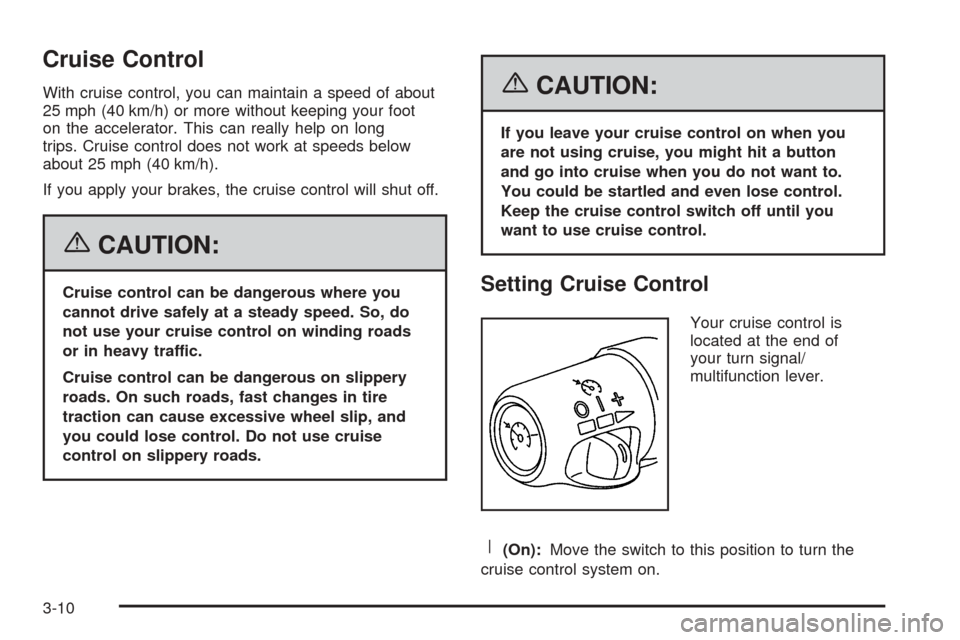
Setting Cruise Control
Your cruise control is
located at the end of
your turn signal/
multifunction lever.
R(On):Move the switch to this position to turn the
cruise control system on.
3-10
Page 166 of 390

Turn Signal On
If a turn signal is left on for 3/4 mile (1.2 km), this
message will appear on the display and you will hear a
chime. Move the turn signal/multifunction lever to the
off position. Press the select button to acknowledge this
message and clear it from the display. SeeTurn
Signal/Multifunction Lever on page 3-7for more
information.
Unknown Speed
This message will be displayed when trying to raise or
lower the convertible top and the roof controller
cannot communicate with the Powertrain Control
Module (PCM). See your GM dealer for service.
DIC Vehicle Personalization
Your vehicle has a personalization feature that allows
you to program certain features to a preferred setting for
up to two drivers. The number of programmable
features varies depending upon which model of the
vehicle you purchased. Once the features are
programmed, the saved settings are recalled by pressing
the unlock button on the remote keyless entry
transmitter, 1 or 2, or by pressing the appropriate
memory button, 1 or 2, located on the outboard side of
the driver’s seat. SeeMemory Seat on page 2-53
for more information.The following is a list of available
programmable options:
•AUTOMATIC LOCKING (Automatic
Transmission only)
•AUTOMATIC UNLOCKING
•REMOTE LOCK FEEDBACK
•REMOTE UNLOCK FEEDBACK
•HEADLAMPS ON AT EXIT
•PERIMETER LIGHTING
•SEAT POSITION RECALL, if equipped
•ALARM WARNING TYPE
•DISPLAY LANGUAGE
•DISPLAY UNITS – U.S./MET
q(Personalization):Press this button located on the
steering wheel to access the vehicle personalization
menu and customize the personalization settings
on your vehicle.
3-52
Page 175 of 390
DISPL (Display):Press this knob to switch the display
between the radio station frequency and the time.
When the ignition is turned off, press this knob to display
the time.
For RDS, press the DISPL knob to change what
appears on the display while using RDS. The display
options are station name, RDS station frequency, PTY,
and the name of the program (if available).
To change the default on the display, press the DISPL
knob until you see the display you want, then hold this
knob for two seconds. The radio will produce one beep
and the selected display will now be the default.
AUTO VOL (Automatic Volume):With automatic
volume, the audio system adjusts automatically to make
up for road and wind noise as you drive.
Set the volume at the desired level. Press this button to
select LOW, MEDIUM, or HIGH. AVOL will appear
on the display. Each higher setting will allow for more
volume compensation at faster vehicle speeds. Then as
you drive, automatic volume increases the volume,
as necessary, to overcome noise at any speed.
The volume level should always sound the same to you
as you drive. NONE will appear on the display if the
radio cannot determine the vehicle speed. To turn
automatic volume off, press this button until OFF
appears on the display.Finding a Station
BAND:Press this button to switch between FM1, FM2,
or AM. The display will show the selection.
oTUNEp:Turn this knob to select radio stations.
oSEEKp:Press the right or the left arrow to
go to the next or to the previous station and stay there.
The radio will only seek stations with a strong signal
that are in the selected band.
oSCANp:Press and hold either arrow for more
than two seconds. SCAN will appear on the display and
the radio will produce one beep. The radio will go to
a station, play for a few seconds, then go on to the next
station. Press either arrow again or one of the
pushbuttons to stop scanning presets.
To scan preset stations, press and hold either arrow for
more than four seconds. PSCN will appear on the display
and the radio will produce one beep. The radio will go to a
preset station, play for a few seconds, then go on to the
next preset station. Press either arrow again or one of the
pushbuttons to stop scanning presets.
The radio will only scan stations with a strong signal that
are in the selected band.
3-61
Page 187 of 390
INFO (Information):Press this knob to switch the
display between the radio station frequency and
the time. When the ignition is off, press this knob to
display the time.
For RDS, press the INFO knob to change what appears
on the display while using RDS. The display options
are station name, RDS station frequency, PTY, and the
name of the program (if available).
To change the default on the display, press the INFO
knob until you see the display you want, then hold
the knob until you hear a beep. The selected display will
now be the default.
AUTO VOL (Automatic Volume):Your vehicle has a
Bose
®audio system, it includes Bose AudioPilot®
noise compensation technology. When turned on,
AudioPilot®continuously adjusts the audio system
equalization, to compensate for background noise, so
that your music always sounds the same at the set
volume level.
This feature is most effective at lower radio volume
settings where background noise can affect how well
you hear the music being played through your vehicle’s
audio system. At higher volume settings, where the
music is much louder than the background noise, there
may be little or no adjustments by AudioPilot
®.To use AudioPilot
®, set the radio volume at a low to
moderate listening level. Begin listening while the vehicle
is stopped with the motor running; turn the AudioPilot
®
on by pressing the AUTO VOL button until AVOL
ON appears on the display. Then, resume driving,
gradually increasing the vehicle speed. You will notice
that your music sounds the same regardless of
background noises; such as road noise, tire hum, or
wind. With the AudioPilot
®turned off, repeat this process
again without adjusting the volume or tone controls.
You will notice that background noise is now audible,
and will prevent you from hearing softer passages of the
music. To turn AudioPilot
®off, press AUTO VOL until
AVOL OFF appears on the display. For additional
information on AudioPilot
®, please visit www.bose.com.
Finding a Station
BAND:Press this button to switch between FM1, FM2,
or AM. The display will show the selection.
oTUNEp:Turn this knob to select radio stations.
©SEEK¨:Press either the SEEK or the TYPE
arrows to go to the next or to the previous station and
stay there.
The radio will only seek stations with a strong signal
that are in the selected band.
3-73