ECU CHEVROLET SUBURBAN 2006 9.G Repair Manual
[x] Cancel search | Manufacturer: CHEVROLET, Model Year: 2006, Model line: SUBURBAN, Model: CHEVROLET SUBURBAN 2006 9.GPages: 540, PDF Size: 3.06 MB
Page 447 of 540
Tire Chains
{CAUTION:
If your vehicle has P265/75R16, LT265/75R16,
P265/70R16, P265/70R17, or P275/55R20 size
tires, do not use tire chains. They can damage
your vehicle because there is not enough
clearance. Tire chains used on a vehicle
without the proper amount of clearance can
cause damage to the brakes, suspension, or
other vehicle parts. The area damaged by the
tire chains could cause you to lose control of
your vehicle and you or others may be injured
in a crash.
Use another type of traction device only if its
manufacturer recommends it for use on your
vehicle and tire size combination and road
conditions. Follow that manufacturer’s
CAUTION: (Continued)
CAUTION: (Continued)
instructions. To help avoid damage to your
vehicle, drive slowly, readjust or remove
the device if it is contacting your vehicle,
and do not spin your vehicle’s wheels.
If you do nd traction devices that will t,
install them on the rear tires.
Notice:If you have a tire size other than
P265/75R16, LT265/75R16, P265/70R16, P265/70R17,
or P275/55R20 use tire chains only where legal
and only when you must. Use chains that are the
proper size for your tires. Install them on the
rear tires only.
Do not use chains on the front tires.
Tighten them as tightly as possible with the ends
securely fastened. Drive slowly and follow the chain
manufacturer’s instructions. If you can hear the
chains contacting your vehicle, stop and retighten
them. If the contact continues, slow down until
it stops. Driving too fast or spinning the wheels
with chains on will damage your vehicle.
5-77
Page 461 of 540
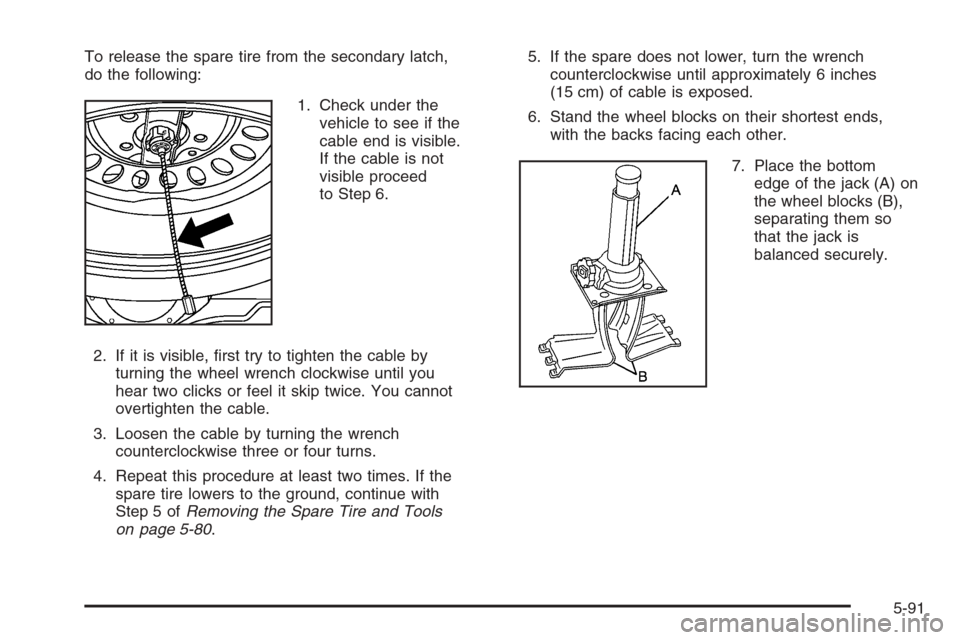
To release the spare tire from the secondary latch,
do the following:
1. Check under the
vehicle to see if the
cable end is visible.
If the cable is not
visible proceed
to Step 6.
2. If it is visible, rst try to tighten the cable by
turning the wheel wrench clockwise until you
hear two clicks or feel it skip twice. You cannot
overtighten the cable.
3. Loosen the cable by turning the wrench
counterclockwise three or four turns.
4. Repeat this procedure at least two times. If the
spare tire lowers to the ground, continue with
Step 5 ofRemoving the Spare Tire and Tools
on page 5-80.5. If the spare does not lower, turn the wrench
counterclockwise until approximately 6 inches
(15 cm) of cable is exposed.
6. Stand the wheel blocks on their shortest ends,
with the backs facing each other.
7. Place the bottom
edge of the jack (A) on
the wheel blocks (B),
separating them so
that the jack is
balanced securely.
5-91
Page 466 of 540
6. Turn the wheel wrench clockwise to raise the tire.
After raising the tire halfway upward, check to
make sure the retainer is still seated properly across
the wheel opening and that the tire is level with
the underside of the vehicle.
7. Continue raising the tire until it is fully against the
underside of the vehicle and you hear two clicks
or feel it skip twice. You cannot overtighten
the cable.
8. For the Z71 model, to ensure that the tire is level
and positioned properly in the spare tire well, turn
the wheel wrench counterclockwise two turns
to slightly loosen the tire and wheel assembly.
Grasp the tire and make needed adjustments
to ensure that the tire is completely level and
properly positioned in the spare tire well.
Repeat Step 7.
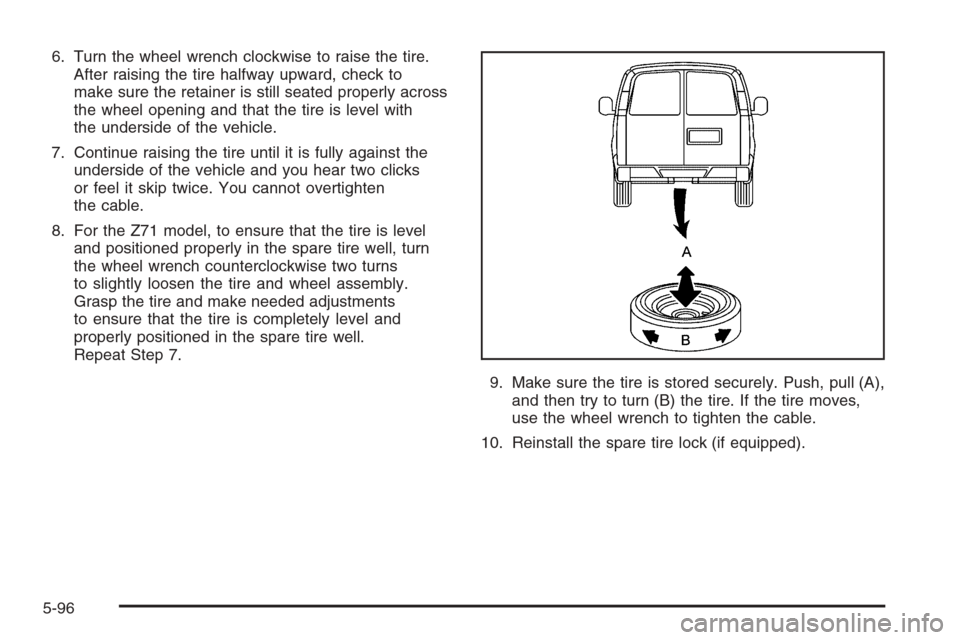
9. Make sure the tire is stored securely. Push, pull (A),
and then try to turn (B) the tire. If the tire moves,
use the wheel wrench to tighten the cable.
10. Reinstall the spare tire lock (if equipped).
5-96
Page 467 of 540
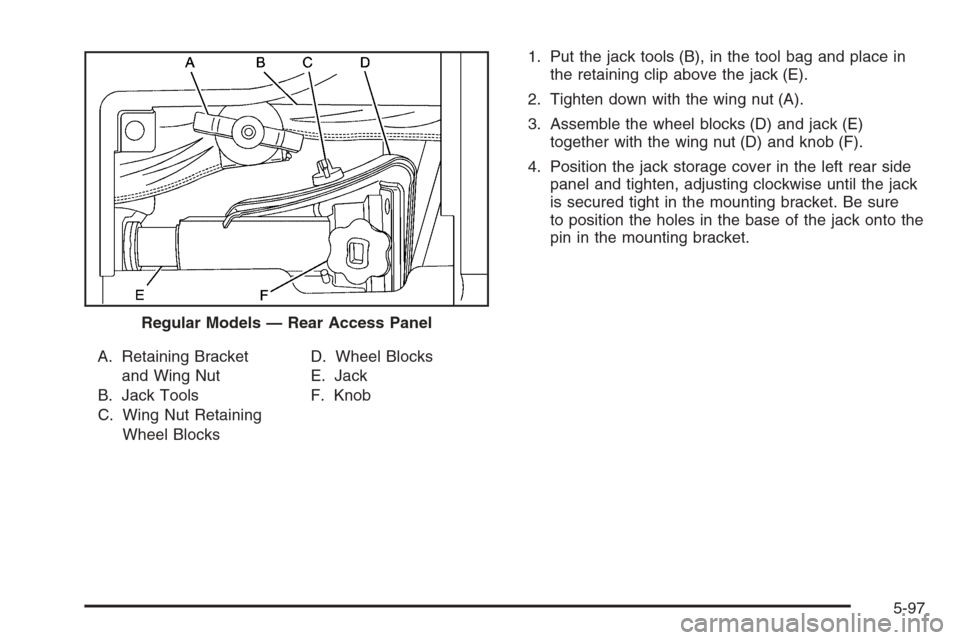
A. Retaining Bracket
and Wing Nut
B. Jack Tools
C. Wing Nut Retaining
Wheel BlocksD. Wheel Blocks
E. Jack
F. Knob1. Put the jack tools (B), in the tool bag and place in
the retaining clip above the jack (E).
2. Tighten down with the wing nut (A).
3. Assemble the wheel blocks (D) and jack (E)
together with the wing nut (D) and knob (F).
4. Position the jack storage cover in the left rear side
panel and tighten, adjusting clockwise until the jack
is secured tight in the mounting bracket. Be sure
to position the holes in the base of the jack onto the
pin in the mounting bracket.
Regular Models — Rear Access Panel
5-97
Page 468 of 540
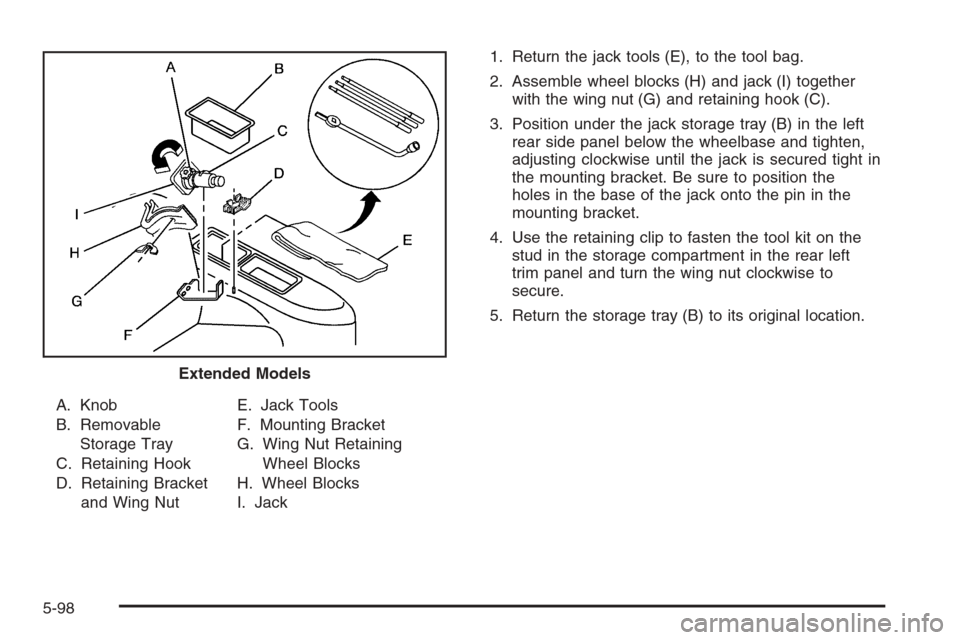
A. Knob
B. Removable
Storage Tray
C. Retaining Hook
D. Retaining Bracket
and Wing NutE. Jack Tools
F. Mounting Bracket
G. Wing Nut Retaining
Wheel Blocks
H. Wheel Blocks
I. Jack1. Return the jack tools (E), to the tool bag.
2. Assemble wheel blocks (H) and jack (I) together
with the wing nut (G) and retaining hook (C).
3. Position under the jack storage tray (B) in the left
rear side panel below the wheelbase and tighten,
adjusting clockwise until the jack is secured tight in
the mounting bracket. Be sure to position the
holes in the base of the jack onto the pin in the
mounting bracket.
4. Use the retaining clip to fasten the tool kit on the
stud in the storage compartment in the rear left
trim panel and turn the wing nut clockwise to
secure.
5. Return the storage tray (B) to its original location.
Extended Models
5-98
Page 500 of 540
At Least Once a Month
Tire Ination Check
Visually inspect your vehicle’s tires and make sure they
are inated to the correct pressures. Do not forget to
check the spare tire. SeeTires on page 5-59for further
details. Check to make sure the spare tire is stored
securely. SeeChanging a Flat Tire on page 5-79.
Tire Wear Inspection
Tire rotation may be required for high mileage highway
drivers prior to the Engine Oil Life System service
notication. Check the tires for wear and, if necessary,
rotate the tires. SeeTire Inspection and Rotation on
page 5-70.
At Least Once a Year
Starter Switch Check
{CAUTION:
When you are doing this inspection, the
vehicle could move suddenly. If the vehicle
moves, you or others could be injured.
1. Before you start, be sure you have enough room
around the vehicle.
2. Firmly apply both the parking brake and the regular
brake. SeeParking Brake on page 2-32.
Do not use the accelerator pedal, and be ready to
turn off the engine immediately if it starts.
3. Try to start the engine in each gear. The vehicle
should start only in PARK (P) or NEUTRAL (N).
If the vehicle starts in any other position, contact
your GM Goodwrench
®dealer for service.
6-10
Page 515 of 540
Flat Tire Change:Installation of a spare tire will be
covered at no charge. The customer is responsible
for the repair or replacement of the tire if not covered
by a warrantable failure.
Jump Start:No-start occurrences which require a
battery jump start will be covered at no charge.
Dealer Locator Service
In many instances, mechanical failures are covered
under Chevrolet’s Bumper-to-Bumper warranty.
However, when other services are utilized, our Roadside
Assistance Representatives will explain any payment
obligations you might incur.
For prompt and efficient assistance when calling, please
provide the following to the Roadside Assistance
Representative:
Your name, home address, and home telephone
number.
Telephone number of your location.
Location of the vehicle.
Model, year, color, and license plate number.
Mileage, Vehicle Identication Number (VIN),
and delivery date of the vehicle.
Description of the problem.While we hope you never have the occasion to use our
service, it is added security while traveling for you and
your family. Remember, we are only a phone call away.
Chevrolet Roadside Assistance:1-800-CHEV-USA
(1-800-243-8872), text telephone (TTY) users,
call1-888-889-2438.
Chevrolet reserves the right to limit services or
reimbursement to an owner or driver when, in
Chevrolet’s judgement, the claims become excessive
in frequency or type of occurrence.
Roadside Assistance is not part of or included in the
coverage provided by the New Vehicle Limited Warranty.
Chevrolet reserves the right to make any changes or
discontinue the Roadside Assistance program at
any time without notication.
Canadian Roadside Assistance
Vehicles purchased in Canada have an extensive
roadside assistance program accessible from anywhere
in Canada or the United States. Please refer to the
Warranty and Owner Assistance Information book.
7-7
Page 527 of 540
Bulb Replacement (cont.)
Side Identication Marker Lamps...................5-54
Taillamps, Turn Signal, Stoplamps and
Back-up Lamps........................................5-56
Buying New Tires...........................................5-72
C
California Fuel.................................................. 5-5
California Proposition 65 Warning....................... 5-3
Canadian Owners................................................ ii
Capacities and Specications..........................5-118
Carbon Monoxide...................2-13, 2-36, 4-42, 4-62
Care of
Safety Belts..............................................5-102
Your Cassette Tape Player..........................3-131
Your CD and DVD Player...........................3-133
Your CDs and DVDs ..................................3-132
Cargo Cover..................................................2-58
Center Console Storage Area...........................2-56
Center Passenger Position, Safety Belts.............1-41
Chains, Tire...................................................5-77
Check
Engine Light...............................................3-45
Checking Things Under the Hood......................5-10
Chemical Paint Spotting.................................5-106Child Restraints
Child Restraint Systems...............................1-54
Infants and Young Children...........................1-51
Lower Anchors and Tethers for Children..........1-59
Older Children.............................................1-48
Securing a Child Restraint in a Rear
Outside Seat Position...............................1-66
Securing a Child Restraint in the Center
Front Seat Position...................................1-70
Securing a Child Restraint in the Center
Rear Seat Position...................................1-68
Securing a Child Restraint in the Right
Front Seat Position...................................1-70
Where to Put the Restraint...........................1-58
Chime Level Adjustment.................................3-133
Cigarette Lighter.............................................3-21
Cleaning
Aluminum or Chrome-Plated Wheels.............5-105
Exterior Lamps/Lenses................................5-103
Fabric/Carpet............................................5-101
Finish Care...............................................5-103
Inside of Your Vehicle..................................5-99
Instrument Panel, Vinyl, and Other Plastic
Surfaces...............................................5-102
Leather....................................................5-101
Tires........................................................5-106
3
Page 529 of 540
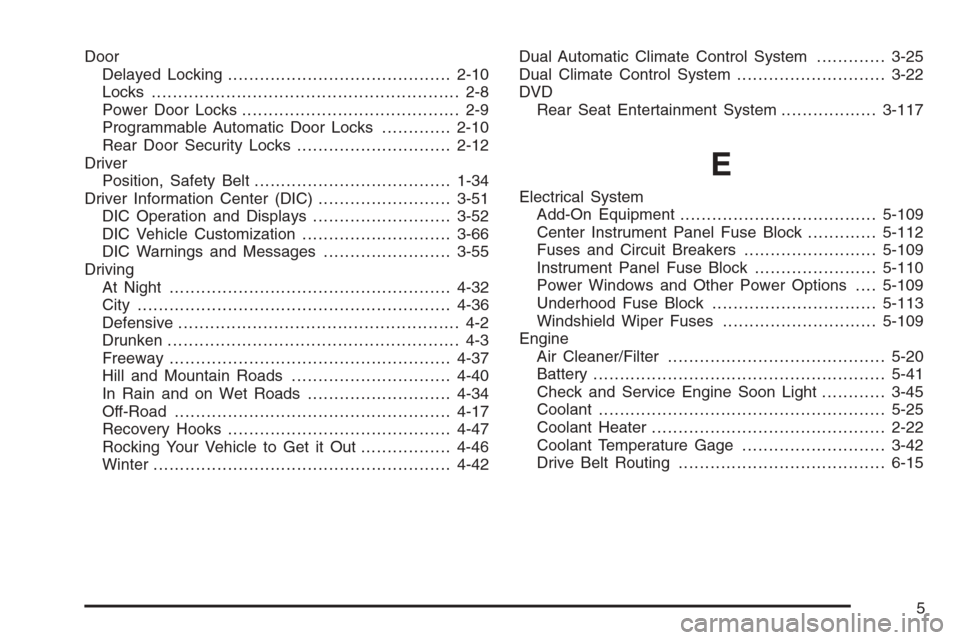
Door
Delayed Locking..........................................2-10
Locks.......................................................... 2-8
Power Door Locks......................................... 2-9
Programmable Automatic Door Locks.............2-10
Rear Door Security Locks.............................2-12
Driver
Position, Safety Belt.....................................1-34
Driver Information Center (DIC).........................3-51
DIC Operation and Displays..........................3-52
DIC Vehicle Customization............................3-66
DIC Warnings and Messages........................3-55
Driving
At Night.....................................................4-32
City ...........................................................4-36
Defensive..................................................... 4-2
Drunken....................................................... 4-3
Freeway.....................................................4-37
Hill and Mountain Roads..............................4-40
In Rain and on Wet Roads...........................4-34
Off-Road ....................................................4-17
Recovery Hooks..........................................4-47
Rocking Your Vehicle to Get it Out.................4-46
Winter........................................................4-42Dual Automatic Climate Control System.............3-25
Dual Climate Control System............................3-22
DVD
Rear Seat Entertainment System..................3-117
E
Electrical System
Add-On Equipment.....................................5-109
Center Instrument Panel Fuse Block.............5-112
Fuses and Circuit Breakers.........................5-109
Instrument Panel Fuse Block.......................5-110
Power Windows and Other Power Options....5-109
Underhood Fuse Block...............................5-113
Windshield Wiper Fuses.............................5-109
Engine
Air Cleaner/Filter.........................................5-20
Battery.......................................................5-41
Check and Service Engine Soon Light............3-45
Coolant......................................................5-25
Coolant Heater............................................2-22
Coolant Temperature Gage...........................3-42
Drive Belt Routing.......................................6-15
5
Page 533 of 540
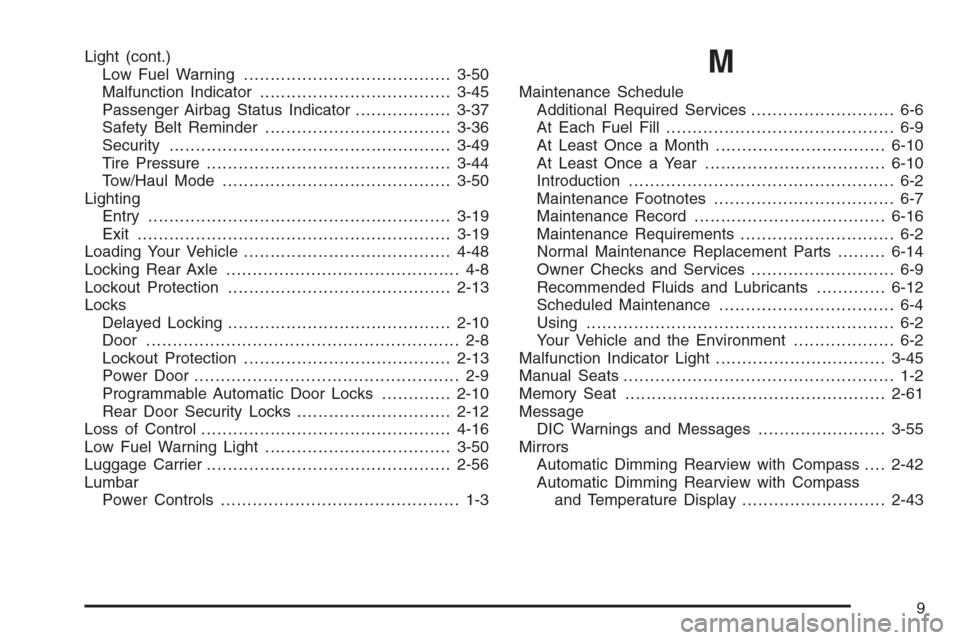
Light (cont.)
Low Fuel Warning.......................................3-50
Malfunction Indicator....................................3-45
Passenger Airbag Status Indicator..................3-37
Safety Belt Reminder...................................3-36
Security.....................................................3-49
Tire Pressure..............................................3-44
Tow/Haul Mode ...........................................3-50
Lighting
Entry.........................................................3-19
Exit ...........................................................3-19
Loading Your Vehicle.......................................4-48
Locking Rear Axle............................................ 4-8
Lockout Protection..........................................2-13
Locks
Delayed Locking..........................................2-10
Door ........................................................... 2-8
Lockout Protection.......................................2-13
Power Door .................................................. 2-9
Programmable Automatic Door Locks.............2-10
Rear Door Security Locks.............................2-12
Loss of Control...............................................4-16
Low Fuel Warning Light...................................3-50
Luggage Carrier..............................................2-56
Lumbar
Power Controls............................................. 1-3M
Maintenance Schedule
Additional Required Services........................... 6-6
At Each Fuel Fill........................................... 6-9
At Least Once a Month................................6-10
At Least Once a Year..................................6-10
Introduction.................................................. 6-2
Maintenance Footnotes.................................. 6-7
Maintenance Record....................................6-16
Maintenance Requirements............................. 6-2
Normal Maintenance Replacement Parts.........6-14
Owner Checks and Services........................... 6-9
Recommended Fluids and Lubricants.............6-12
Scheduled Maintenance................................. 6-4
Using.......................................................... 6-2
Your Vehicle and the Environment................... 6-2
Malfunction Indicator Light................................3-45
Manual Seats................................................... 1-2
Memory Seat.................................................2-61
Message
DIC Warnings and Messages........................3-55
Mirrors
Automatic Dimming Rearview with Compass....2-42
Automatic Dimming Rearview with Compass
and Temperature Display...........................2-43
9