Theft CHEVROLET SUBURBAN 2009 User Guide
[x] Cancel search | Manufacturer: CHEVROLET, Model Year: 2009, Model line: SUBURBAN, Model: CHEVROLET SUBURBAN 2009Pages: 578, PDF Size: 3.04 MB
Page 258 of 578
SERVICE STABILITRAK
If your vehicle has StabiliTrak®and this message
displays, it means there may be a problem with the
StabiliTrak system. If you see this message, try to reset
the system. Stop; turn off the engine for at least
15 seconds; then start the engine again. If this message
still comes on, it means there is a problem. You
should see your dealer/retailer for service. The vehicle
is safe to drive, however, you do not have the benet
of StabiliTrak, so reduce your speed and drive
accordingly.
SERVICE SUSPENSION SYSTEM
If your vehicle has the Autoride®suspension system,
this message displays when the Autoride suspension
system is not operating properly. Have your vehicle
serviced by your dealer/retailer.
SERVICE THEFT DETERRENT SYSTEM
This message displays when there is a problem with
the theft-deterrent system. The vehicle may or may not
restart so you may want to take the vehicle to your
dealer/retailer before turning off the engine. See
PASS-Key
®III+ Electronic Immobilizer Operation on
page 2-24for more information.
SERVICE TIRE MONITOR SYSTEM
On vehicles with the Tire Pressure Monitor System
(TPMS), this message displays if a part on the TPMS is
not working properly. The tire pressure light also
ashes and then remains on during the same ignition
cycle. SeeTire Pressure Light on page 3-43. Several
conditions may cause this message to appear. SeeTire
Pressure Monitor Operation on page 5-73for more
information. If the warning comes on and stays on, there
may be a problem with the TPMS. See your
dealer/retailer.
SERVICE TRACTION CONTROL
If your vehicle has StabiliTrak, this message displays
when there is a problem with the Traction Control
System (TCS). When this message displays, the system
will not limit wheel spin. Adjust your driving accordingly.
See your dealer/retailer for service. SeeStabiliTrak
®
System on page 4-6for more information.
3-70
Page 280 of 578
Undesired XM categories can be removed through the
setup menu. To remove an undesired category:
1. Press the MENU button to display the radio
setup menu.
2. Press the pushbutton located below the
XM CAT label.
3. Turn the
fknob to display the category to be
removed.
4. Press the pushbutton located under the Remove
label until the category name along with the word
Removed displays.
5. Repeat the steps to remove more categories.
Removed categories can be restored by pressing the
pushbutton under the Add label when a removed
category is displayed or by pressing the pushbutton
under the Restore All label.
Categories cannot be removed or added while the
vehicle is moving faster than 5 mph (8 km/h).
Radio Messages
Calibration Error:The audio system has been
calibrated for the vehicle from the factory. If Calibration
Error displays, it means that the radio has not been
congured properly for the vehicle and it must be
returned to your dealer/retailer for service.
Locked:This message displays when the
THEFTLOCK
®system has locked up the radio. Take
the vehicle to your dealer/retailer for service.
If any error occurs repeatedly or if an error cannot be
corrected, contact your dealer/retailer.
XM™ Satellite Radio Service
XM is a satellite radio service that is based in the
48 contiguous United States and 10 Canadian
provinces. XM Satellite Radio has a wide variety of
programming and commercial-free music,
coast-to-coast, and in digital-quality sound. During your
trial or when you subscribe, you will get unlimited
access to XM Radio Online for when you are not in the
vehicle. A service fee is required to receive the XM
service. For more information, contact XM at
xmradio.com or call 1-800-929-2100 in the U.S. and
xmradio.ca or call 1-877-438-9677 in Canada.
3-92
Page 303 of 578
No Artist Info:No artist information is available at this
time on this channel. The system is working properly.
No Title Info:No song title information is available
at this time on this channel. The system is working
properly.
No CAT Info:No category information is available at
this time on this channel. The system is working
properly.
No Information:No text or informational messages are
available at this time on this channel. The system is
working properly.
CAT Not Found:There are no channels available for
the selected category. The system is working properly.
XM Theftlocked:The XM receiver in the vehicle
could have previously been in another vehicle. For
security purposes, XM receivers cannot be swapped
between vehicles. If this message is received after
having the vehicle serviced, check with your
dealer/retailer.
XM Radio ID:If tuned to channel 0, this message
alternates with the XM™ Radio 8 digit radio ID label.
This label is needed to activate the service.Unknown:If this message is received when tuned to
channel 0, there could be a receiver fault. Consult
with your dealer/retailer.
Check XM Receivr:If this message does not clear
within a short period of time, the receiver could have a
fault. Consult with your dealer/retailer.
XM Not Available:If this message does not clear
within a short period of time, the receiver could have a
fault. Consult with your dealer/retailer.
Navigation/Radio System
For vehicles with a navigation radio system, see the
separate Navigation System manual.
Bluetooth®
Vehicles with a Bluetooth system can use a Bluetooth
capable cell phone with a Hands Free Prole to
make and receive phone calls. The system can be used
while the key is in ON/RUN or ACC/ACCESSORY
position. The range of the Bluetooth system can be up
to 30 ft. (9.1 m). Not all phones support all functions,
and not all phones are guaranteed to work with
the in-vehicle Bluetooth system. See gm.com/bluetooth
for more information on compatible phones.
3-115
Page 326 of 578
Theft-Deterrent Feature
THEFTLOCK®is designed to discourage theft of the
vehicle’s radio by learning a portion of the Vehicle
Identication Number (VIN). The radio does not operate
if it is stolen or moved to a different vehicle.
Audio Steering Wheel Controls
Vehicles with audio
steering wheel controls
could differ depending on
the vehicle’s options.
Some audio controls can
be adjusted at the steering
wheel.
w(Next):Press to go to the next radio station stored
as a favorite, or the next track if a CD/DVD is playing.
xc(Previous/End):Press to go to the previous
radio station stored as a favorite, the next track if
a CD/DVD is playing, to reject an incoming call, or end
a current call.
bg(Mute/Push to Talk):Press to silence the vehicle
speakers only. Press again to turn the sound on.
For vehicles with OnStar
®or Bluetooth®systems press
and hold
bgfor longer than two seconds to interact
with those systems. SeeOnStar®System on page 2-68
andBluetooth®on page 3-115in this manual for
more information.
SRCE (Source/Voice Recognition):Press to switch
between the radio (AM, FM, XM), CD, DVD (if equipped),
front auxiliary (if equipped), and rear auxiliary
(if equipped).
For vehicles with the navigation system, press and hold
this button for longer than one second to initiate voice
recognition. See “Voice Recognition” in the Navigation
System manual for more information.
+
e−e(Volume): Press to increase or to decrease
the radio volume.
3-138
Page 520 of 578
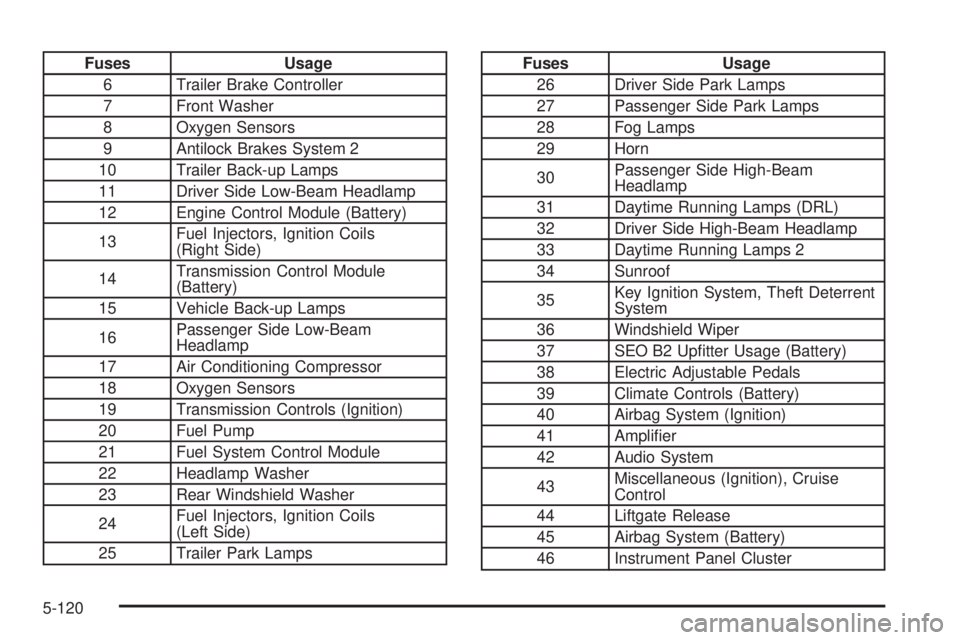
Fuses Usage
6 Trailer Brake Controller
7 Front Washer
8 Oxygen Sensors
9 Antilock Brakes System 2
10 Trailer Back-up Lamps
11 Driver Side Low-Beam Headlamp
12 Engine Control Module (Battery)
13Fuel Injectors, Ignition Coils
(Right Side)
14Transmission Control Module
(Battery)
15 Vehicle Back-up Lamps
16Passenger Side Low-Beam
Headlamp
17 Air Conditioning Compressor
18 Oxygen Sensors
19 Transmission Controls (Ignition)
20 Fuel Pump
21 Fuel System Control Module
22 Headlamp Washer
23 Rear Windshield Washer
24Fuel Injectors, Ignition Coils
(Left Side)
25 Trailer Park LampsFuses Usage
26 Driver Side Park Lamps
27 Passenger Side Park Lamps
28 Fog Lamps
29 Horn
30Passenger Side High-Beam
Headlamp
31 Daytime Running Lamps (DRL)
32 Driver Side High-Beam Headlamp
33 Daytime Running Lamps 2
34 Sunroof
35Key Ignition System, Theft Deterrent
System
36 Windshield Wiper
37 SEO B2 Uptter Usage (Battery)
38 Electric Adjustable Pedals
39 Climate Controls (Battery)
40 Airbag System (Ignition)
41 Amplier
42 Audio System
43Miscellaneous (Ignition), Cruise
Control
44 Liftgate Release
45 Airbag System (Battery)
46 Instrument Panel Cluster
5-120
Page 564 of 578
Appearance Care (cont.)
Washing Your Vehicle.................................5-110
Weatherstrips............................................5-109
Windshield, Backglass, and Wiper Blades......5-111
Ashtray.........................................................3-21
Assistance Program, Roadside........................... 7-7
Audio System.................................................3-83
Audio Steering Wheel Controls....................3-138
Navigation/Radio System, see Navigation
Manual.................................................3-115
Setting the Clock.........................................3-84
XM™ Satellite Radio Antenna System...........3-140
Audio System(s).............................................3-86
Audio Systems
Radio Reception........................................3-139
Rear Seat (RSA).......................................3-136
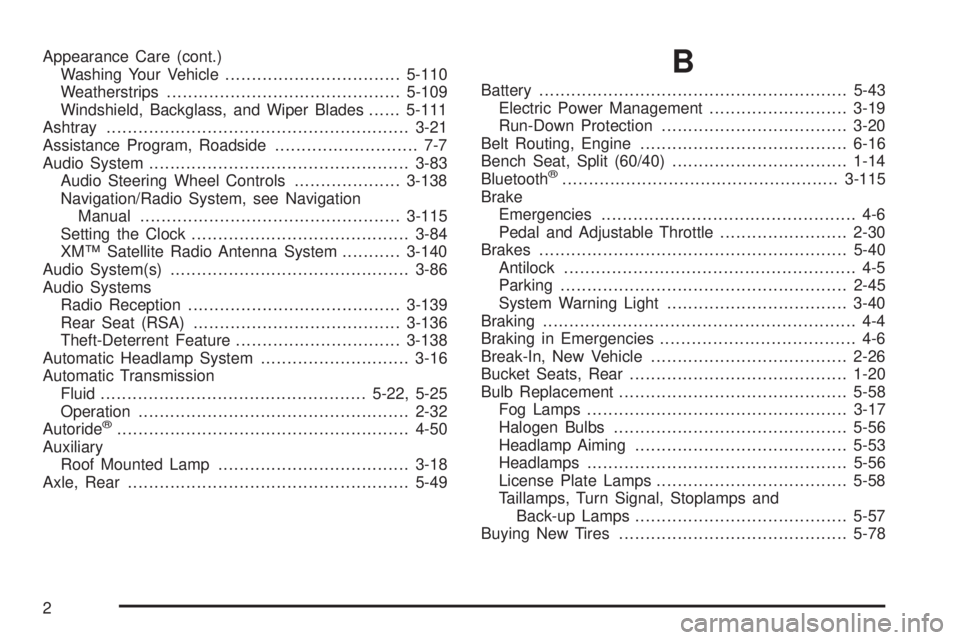
Theft-Deterrent Feature...............................3-138
Automatic Headlamp System............................3-16
Automatic Transmission
Fluid..................................................5-22, 5-25
Operation...................................................2-32
Autoride
®.......................................................4-50
Auxiliary
Roof Mounted Lamp....................................3-18
Axle, Rear.....................................................5-49
B
Battery..........................................................5-43
Electric Power Management..........................3-19
Run-Down Protection...................................3-20
Belt Routing, Engine.......................................6-16
Bench Seat, Split (60/40).................................1-14
Bluetooth
®....................................................3-115
Brake
Emergencies................................................ 4-6
Pedal and Adjustable Throttle........................2-30
Brakes..........................................................5-40
Antilock....................................................... 4-5
Parking......................................................2-45
System Warning Light..................................3-40
Braking........................................................... 4-4
Braking in Emergencies..................................... 4-6
Break-In, New Vehicle.....................................2-26
Bucket Seats, Rear.........................................1-20
Bulb Replacement...........................................5-58
Fog Lamps .................................................3-17
Halogen Bulbs............................................5-56
Headlamp Aiming........................................5-53
Headlamps.................................................5-56
License Plate Lamps....................................5-58
Taillamps, Turn Signal, Stoplamps and
Back-up Lamps........................................5-57
Buying New Tires...........................................5-78
2
Page 566 of 578
Climate Control System...................................3-22
Dual Automatic............................................3-24
Outlet Adjustment........................................3-30
Rear Air Conditioning and Heating System......3-31
Rear Air Conditioning and Heating System,
Electronic................................................3-32
Clock, Setting.................................................3-84
Collision Damage Repair..................................7-11
Compass.......................................................3-61
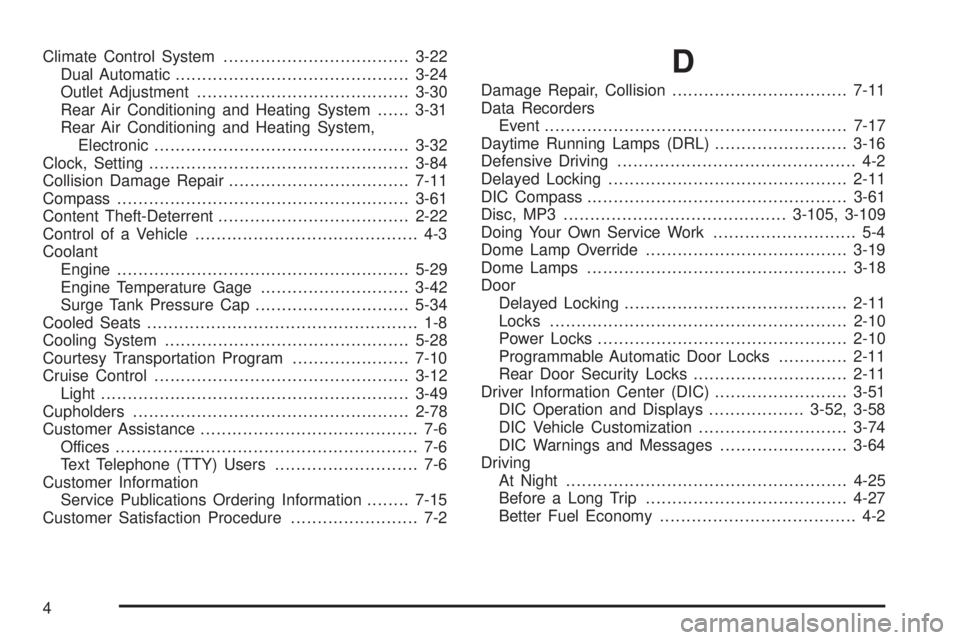
Content Theft-Deterrent....................................2-22
Control of a Vehicle.......................................... 4-3
Coolant
Engine.......................................................5-29
Engine Temperature Gage............................3-42
Surge Tank Pressure Cap.............................5-34
Cooled Seats................................................... 1-8
Cooling System..............................................5-28
Courtesy Transportation Program......................7-10
Cruise Control................................................3-12
Light..........................................................3-49
Cupholders....................................................2-78
Customer Assistance......................................... 7-6
Offices......................................................... 7-6
Text Telephone (TTY) Users........................... 7-6
Customer Information
Service Publications Ordering Information........7-15
Customer Satisfaction Procedure........................ 7-2D
Damage Repair, Collision.................................7-11
Data Recorders
Event.........................................................7-17
Daytime Running Lamps (DRL).........................3-16
Defensive Driving............................................. 4-2
Delayed Locking.............................................2-11
DIC Compass.................................................3-61
Disc, MP3..........................................3-105, 3-109
Doing Your Own Service Work........................... 5-4
Dome Lamp Override......................................3-19
Dome Lamps .................................................3-18
Door
Delayed Locking..........................................2-11
Locks........................................................2-10
Power Locks...............................................2-10
Programmable Automatic Door Locks.............2-11
Rear Door Security Locks.............................2-11
Driver Information Center (DIC).........................3-51
DIC Operation and Displays..................3-52, 3-58
DIC Vehicle Customization............................3-74
DIC Warnings and Messages........................3-64
Driving
At Night.....................................................4-25
Before a Long Trip......................................4-27
Better Fuel Economy..................................... 4-2
4
Page 573 of 578
Phone
Bluetooth®................................................3-115
Power
Door Locks.................................................2-10
Electrical System.......................................5-115
Liftgate......................................................2-15
Lumbar Controls........................................... 1-6
Retained Accessory (RAP)............................2-28
Seat ............................................................ 1-5
Steering Fluid.............................................5-38
Windows....................................................2-20
Power Assist Steps.........................................2-18
Pregnancy, Using Safety Belts..........................1-52
Privacy..........................................................7-16
Navigation System.......................................7-18
OnStar.......................................................7-18
Radio Frequency Identication (RFID).............7-18
Program
Courtesy Transportation................................7-10
Programmable Automatic Door Locks.................2-11
Proposition 65 Warning, California....................... 5-4R
Radio Frequency
Identication (RFID).....................................7-18
Radio(s)........................................................3-86
Radios
Navigation/Radio System, see Navigation
Manual.................................................3-115
Reception.................................................3-139
Setting the Clock.........................................3-84
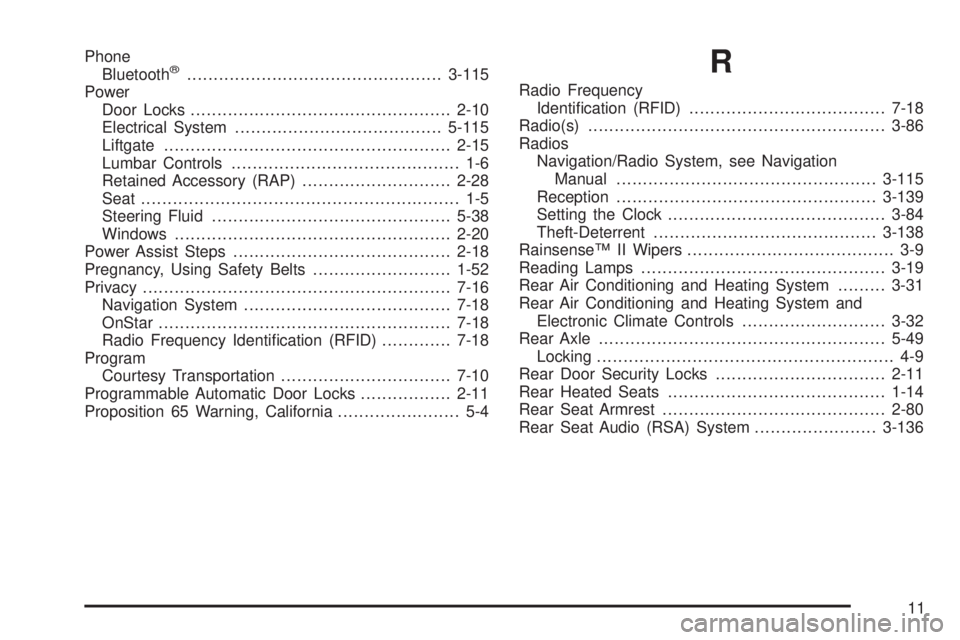
Theft-Deterrent..........................................3-138
Rainsense™ II Wipers....................................... 3-9
Reading Lamps..............................................3-19
Rear Air Conditioning and Heating System.........3-31
Rear Air Conditioning and Heating System and
Electronic Climate Controls...........................3-32
Rear Axle......................................................5-49
Locking........................................................ 4-9
Rear Door Security Locks................................2-11
Rear Heated Seats.........................................1-14
Rear Seat Armrest..........................................2-80
Rear Seat Audio (RSA) System.......................3-136
11
Page 576 of 578
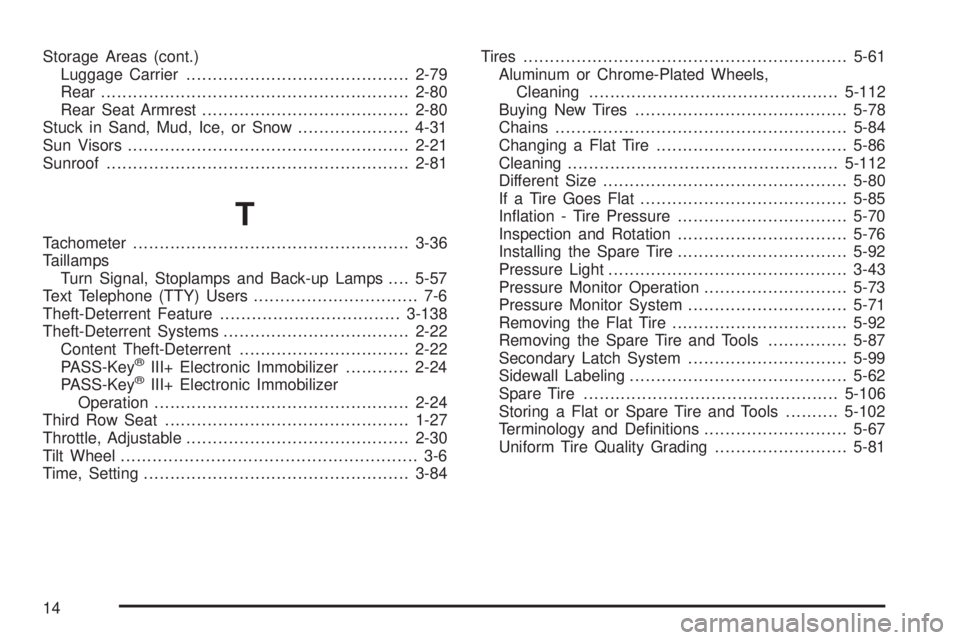
Storage Areas (cont.)
Luggage Carrier..........................................2-79
Rear ..........................................................2-80
Rear Seat Armrest.......................................2-80
Stuck in Sand, Mud, Ice, or Snow.....................4-31
Sun Visors.....................................................2-21
Sunroof.........................................................2-81
T
Tachometer....................................................3-36
Taillamps
Turn Signal, Stoplamps and Back-up Lamps....5-57
Text Telephone (TTY) Users............................... 7-6
Theft-Deterrent Feature..................................3-138
Theft-Deterrent Systems...................................2-22
Content Theft-Deterrent................................2-22
PASS-Key
®III+ Electronic Immobilizer............2-24
PASS-Key®III+ Electronic Immobilizer
Operation................................................2-24
Third Row Seat..............................................1-27
Throttle, Adjustable..........................................2-30
Tilt Wheel........................................................ 3-6
Time, Setting..................................................3-84Tires.............................................................5-61
Aluminum or Chrome-Plated Wheels,
Cleaning...............................................5-112
Buying New Tires........................................5-78
Chains.......................................................5-84
Changing a Flat Tire....................................5-86
Cleaning...................................................5-112
Different Size..............................................5-80
If a Tire Goes Flat.......................................5-85
Ination - Tire Pressure................................5-70
Inspection and Rotation................................5-76
Installing the Spare Tire................................5-92
Pressure Light.............................................3-43
Pressure Monitor Operation...........................5-73
Pressure Monitor System..............................5-71
Removing the Flat Tire.................................5-92
Removing the Spare Tire and Tools...............5-87
Secondary Latch System..............................5-99
Sidewall Labeling.........................................5-62
Spare Tire................................................5-106
Storing a Flat or Spare Tire and Tools..........5-102
Terminology and Denitions...........................5-67
Uniform Tire Quality Grading.........................5-81
14