oil CHEVROLET SUBURBAN 2020 Owners Manual
[x] Cancel search | Manufacturer: CHEVROLET, Model Year: 2020, Model line: SUBURBAN, Model: CHEVROLET SUBURBAN 2020Pages: 438, PDF Size: 6.76 MB
Page 4 of 438
Chevrolet Tahoe/Suburban Owner Manual (GMNA-Localizing-U.S./Canada/
Mexico-13566622) - 2020 - CRC - 4/15/19
Introduction 3
{Danger
Danger indicates a hazard with a
high level of risk which will result
in serious injury or death.
{Warning
Warning indicates a hazard that
could result in injury or death.
Caution
Caution indicates a hazard that
could result in property or vehicle
damage.
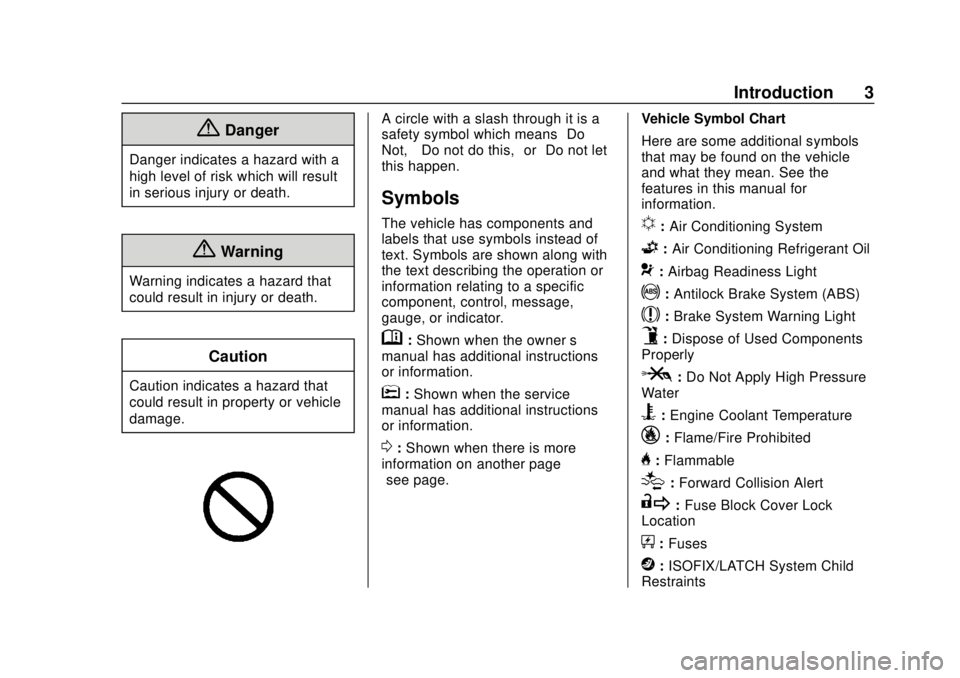
A circle with a slash through it is a
safety symbol which means“Do
Not,” “Do not do this,” or“Do not let
this happen.”
Symbols
The vehicle has components and
labels that use symbols instead of
text. Symbols are shown along with
the text describing the operation or
information relating to a specific
component, control, message,
gauge, or indicator.
M: Shown when the owner ’s
manual has additional instructions
or information.
*: Shown when the service
manual has additional instructions
or information.
0: Shown when there is more
information on another page —
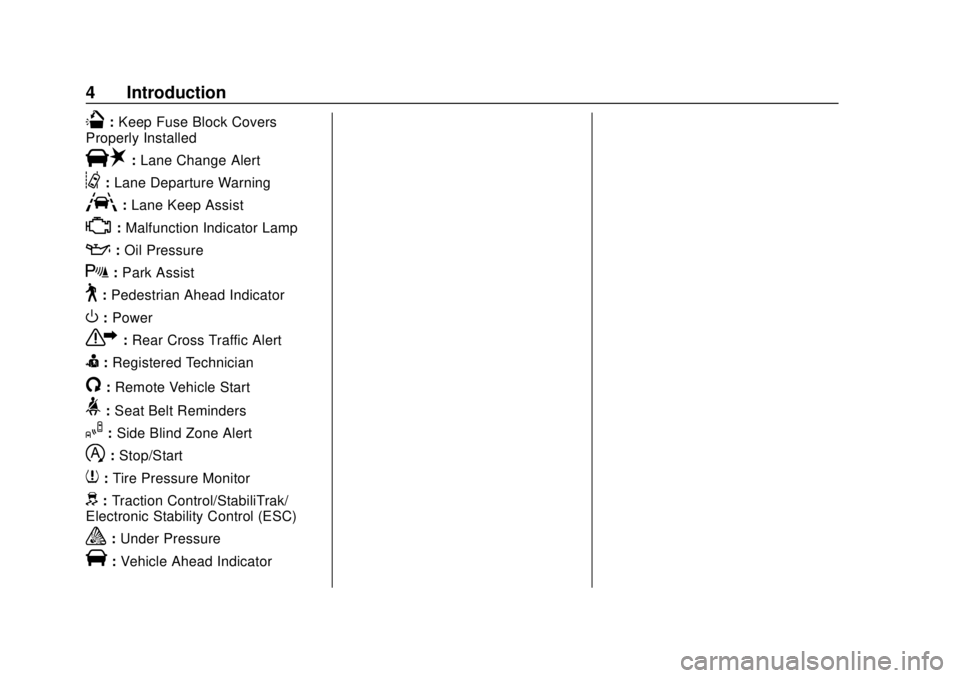
“see page.” Vehicle Symbol Chart
Here are some additional symbols
that may be found on the vehicle
and what they mean. See the
features in this manual for
information.
u:
Air Conditioning System
G:Air Conditioning Refrigerant Oil
9:Airbag Readiness Light
!:Antilock Brake System (ABS)
$:Brake System Warning Light
9:Dispose of Used Components
Properly
P: Do Not Apply High Pressure
Water
B: Engine Coolant Temperature
_: Flame/Fire Prohibited
H:Flammable
[:Forward Collision Alert
R: Fuse Block Cover Lock
Location
+: Fuses
j:ISOFIX/LATCH System Child
Restraints
Page 5 of 438
Chevrolet Tahoe/Suburban Owner Manual (GMNA-Localizing-U.S./Canada/
Mexico-13566622) - 2020 - CRC - 4/15/19
4 Introduction
Q:Keep Fuse Block Covers
Properly Installed
|: Lane Change Alert
@:Lane Departure Warning
A:Lane Keep Assist
*:Malfunction Indicator Lamp
::Oil Pressure
X:Park Assist
~:Pedestrian Ahead Indicator
O:Power
7: Rear Cross Traffic Alert
I:Registered Technician
/:Remote Vehicle Start
>: Seat Belt Reminders
I:Side Blind Zone Alert
h:Stop/Start
7: Tire Pressure Monitor
d:Traction Control/StabiliTrak/
Electronic Stability Control (ESC)
a: Under Pressure
V:Vehicle Ahead Indicator
Page 24 of 438
Chevrolet Tahoe/Suburban Owner Manual (GMNA-Localizing-U.S./Canada/
Mexico-13566622) - 2020 - CRC - 4/15/19
Keys, Doors, and Windows 23
Remote Vehicle Start
If equipped with the remote start
feature, the climate control system
will come on when the vehicle is
started remotely depending on the
outside temperature.
The rear defog and heated and
ventilated seats, if equipped, may
also come on. SeeHeated and
Ventilated Front Seats 053 and
Vehicle Personalization 0154.
Laws in some communities may
restrict the use of remote starters.
Check local regulations for any
requirements on remote starting of
vehicles.
Do not use remote start if the
vehicle is low on fuel. The vehicle
may run out of fuel.
The vehicle cannot be remote
started if:
. The key is in the ignition (Key
Access) or the transmitter is in
the vehicle (Keyless Access).
. The hood is not closed. .
There is an emission control
system malfunction and the
malfunction indicator lamp is on.
. The hazard flashers are on.
. Two remote vehicle starts or a
start with an extension have
already been used.
. The vehicle is not in P (Park).
. The vehicle is not off.
The engine will turn off during a
remote vehicle start if:
. The coolant temperature gets
too high.
. The oil pressure gets low.
The RKE transmitter range may be
reduced while the vehicle is running.
Other conditions can affect the
performance of the transmitter. See
Remote Keyless Entry (RKE)
System 013 or
Vehicle Personalization 0154.
Starting the Engine Using Remote
Start
1. Press and release
Q. 2. Immediately press and hold
/
until the turn signal lamps flash
or for at least four seconds.
When the vehicle starts, the
parking lamps will turn on. The
doors will be locked and the
climate control system may
come on.
The engine will continue to run
for 15 minutes. Repeat
Steps 1 and 2 for a 15-minute
time extension.
Turn the ignition on to operate the
vehicle.
Extending Engine Run Time
The engine run time can be
extended by 15 minutes, for a total
of 30 minutes, if during the first
15 minutes Steps 1 and 2 are
repeated while the engine is still
running. An extension can be
requested, 30 seconds after
starting.
A maximum of two remote starts,
or a single start with an extension,
is allowed between ignition cycles.
Page 116 of 438
Chevrolet Tahoe/Suburban Owner Manual (GMNA-Localizing-U.S./Canada/
Mexico-13566622) - 2020 - CRC - 4/15/19
Instruments and Controls 115
Instruments and
Controls
Controls
Steering Wheel Adjustment . . . 116
Steering Wheel Controls . . . . . . 117
Heated Steering Wheel . . . . . . . 117
Horn . . . . . . . . . . . . . . . . . . . . . . . . . . 117
Windshield Wiper/Washer . . . . 117
Rear Window Wiper/Washer . . . . . . . . . . . . . . . . . . . . . . 119
Compass . . . . . . . . . . . . . . . . . . . . . 120
Clock . . . . . . . . . . . . . . . . . . . . . . . . . 120
Power Outlets . . . . . . . . . . . . . . . . 121
Wireless Charging . . . . . . . . . . . . 123
Warning Lights, Gauges, and
Indicators
Warning Lights, Gauges, and Indicators . . . . . . . . . . . . . . . . . . . 126
Instrument Cluster . . . . . . . . . . . . 127
Speedometer . . . . . . . . . . . . . . . . . 131
Odometer . . . . . . . . . . . . . . . . . . . . . 131
Trip Odometer . . . . . . . . . . . . . . . . 131
Tachometer . . . . . . . . . . . . . . . . . . . 131
Fuel Gauge . . . . . . . . . . . . . . . . . . . 132
Engine Oil Pressure
Gauge . . . . . . . . . . . . . . . . . . . . . . 133 Engine Coolant Temperature
Gauge . . . . . . . . . . . . . . . . . . . . . . 134
Voltmeter Gauge . . . . . . . . . . . . . 134
Seat Belt Reminders . . . . . . . . . 135
Airbag Readiness Light . . . . . . . 136
Passenger Airbag Status Indicator . . . . . . . . . . . . . . . . . . . . 136
Charging System Light . . . . . . . 137
Malfunction Indicator Lamp (Check Engine Light) . . . . . . . . 137
Brake System Warning Light . . . . . . . . . . . . . . . . . . . . . . . . 139
Antilock Brake System (ABS) Warning Light . . . . . . . . . . . . . . . 140
Tow/Haul Mode Light . . . . . . . . . 140
Hill Descent Control Light . . . . 141
Lane Keep Assist (LKA) Light . . . . . . . . . . . . . . . . . . . . . . . . 141
Vehicle Ahead Indicator . . . . . . 141
Traction Off Light . . . . . . . . . . . . . 141
StabiliTrak OFF Light . . . . . . . . . 142
Traction Control System (TCS)/ StabiliTrak Light . . . . . . . . . . . . . 142
Tire Pressure Light . . . . . . . . . . . 142
Low Fuel Warning Light . . . . . . 143
Security Light . . . . . . . . . . . . . . . . . 143
High-Beam On Light . . . . . . . . . . 143
Front Fog Lamp Light . . . . . . . . . 144
Lamps On Reminder . . . . . . . . . 144
Cruise Control Light . . . . . . . . . . 144 Door Ajar Light . . . . . . . . . . . . . . . 144
Information Displays
Driver Information Center (DIC)
(Base Level) . . . . . . . . . . . . . . . . 145
Driver Information Center (DIC) (Uplevel) . . . . . . . . . . . . . . . . . . . . 147
Head-Up Display (HUD) . . . . . . 150
Vehicle Messages
Vehicle Messages . . . . . . . . . . . . 153
Engine Power Messages . . . . . 154
Vehicle Speed Messages . . . . . 154
Vehicle Personalization
Vehicle Personalization . . . . . . . 154
Universal Remote System
Universal Remote System . . . . 163
Universal Remote System Programming . . . . . . . . . . . . . . . 163
Universal Remote System Operation . . . . . . . . . . . . . . . . . . . 165
Page 120 of 438
Chevrolet Tahoe/Suburban Owner Manual (GMNA-Localizing-U.S./Canada/
Mexico-13566622) - 2020 - CRC - 4/15/19
Instruments and Controls 119
whenzAUTO is turned on or off,
a message may display indicating if
Rainsense was turned on or off.
If the ignition is on and
zFRONT
is not in one of the sensitivity
settings when
zAUTO is turned
on, a message may display
indicating that the wiper band must
be in one of the sensitivity settings
for Rainsense to operate.
Wiper Arm Assembly Protection
When using an automatic car wash,
move the windshield wiper lever to
OFF. This disables the automatic
Rainsense windshield wipers.
With Rainsense, if the transmission
is in N (Neutral) and the vehicle
speed is very slow, the wipers will
automatically stop at the base of the
windshield.
The wiper operations return to
normal when the transmission is no
longer in N (Neutral) or the vehicle
speed has increased.
Windshield Washer
L m:Push the paddle marked with
the windshield washer symbol at the
top of the turn signal lever to spray
washer fluid and activate the wipers.
The wipers will continue until the
paddle is released or the maximum
wash time is reached. When the
paddle is released, additional wipes
may occur depending on how long
the windshield washer had been
activated. See Washer Fluid0306
for information on filling the
windshield washer fluid reservoir.
Rear Window Wiper/
Washer
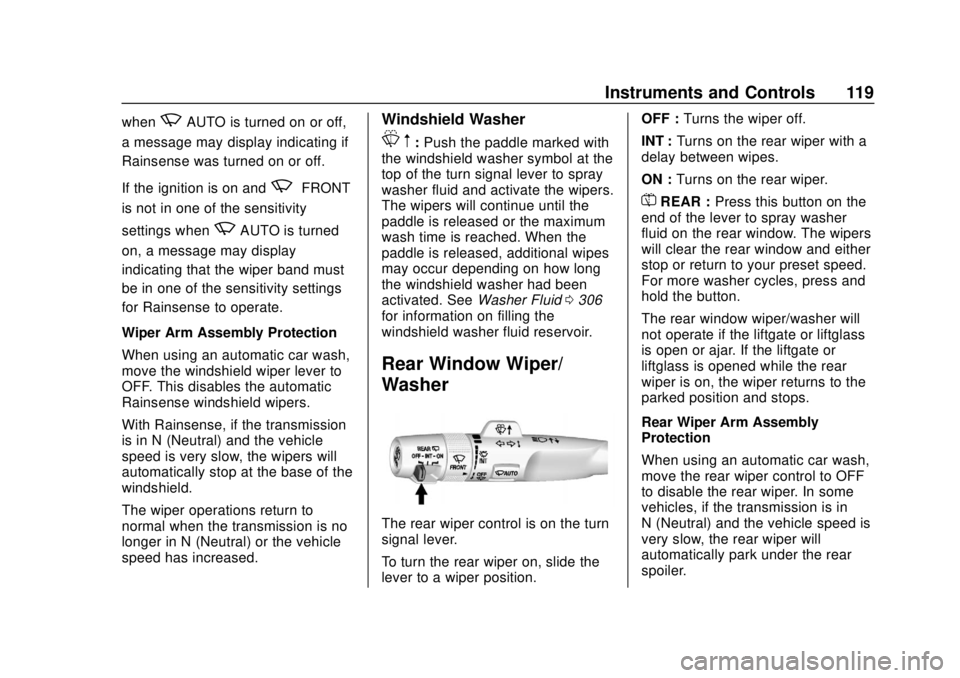
The rear wiper control is on the turn
signal lever.
To turn the rear wiper on, slide the
lever to a wiper position. OFF :
Turns the wiper off.
INT : Turns on the rear wiper with a
delay between wipes.
ON : Turns on the rear wiper.
=REAR : Press this button on the
end of the lever to spray washer
fluid on the rear window. The wipers
will clear the rear window and either
stop or return to your preset speed.
For more washer cycles, press and
hold the button.
The rear window wiper/washer will
not operate if the liftgate or liftglass
is open or ajar. If the liftgate or
liftglass is opened while the rear
wiper is on, the wiper returns to the
parked position and stops.
Rear Wiper Arm Assembly
Protection
When using an automatic car wash,
move the rear wiper control to OFF
to disable the rear wiper. In some
vehicles, if the transmission is in
N (Neutral) and the vehicle speed is
very slow, the rear wiper will
automatically park under the rear
spoiler.
Page 134 of 438
Chevrolet Tahoe/Suburban Owner Manual (GMNA-Localizing-U.S./Canada/
Mexico-13566622) - 2020 - CRC - 4/15/19
Instruments and Controls 133
Engine Oil Pressure
Gauge
Metric
English
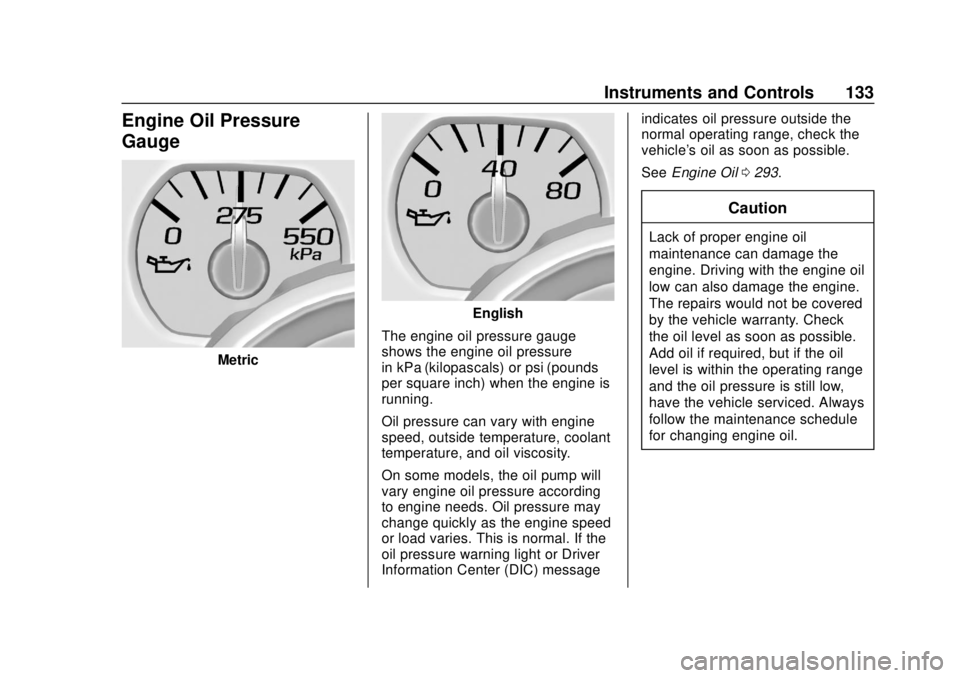
The engine oil pressure gauge
shows the engine oil pressure
in kPa (kilopascals) or psi (pounds
per square inch) when the engine is
running.
Oil pressure can vary with engine
speed, outside temperature, coolant
temperature, and oil viscosity.
On some models, the oil pump will
vary engine oil pressure according
to engine needs. Oil pressure may
change quickly as the engine speed
or load varies. This is normal. If the
oil pressure warning light or Driver
Information Center (DIC) message indicates oil pressure outside the
normal operating range, check the
vehicle's oil as soon as possible.
See
Engine Oil 0293.
Caution
Lack of proper engine oil
maintenance can damage the
engine. Driving with the engine oil
low can also damage the engine.
The repairs would not be covered
by the vehicle warranty. Check
the oil level as soon as possible.
Add oil if required, but if the oil
level is within the operating range
and the oil pressure is still low,
have the vehicle serviced. Always
follow the maintenance schedule
for changing engine oil.
Page 146 of 438
Chevrolet Tahoe/Suburban Owner Manual (GMNA-Localizing-U.S./Canada/
Mexico-13566622) - 2020 - CRC - 4/15/19
Instruments and Controls 145
Information Displays
Driver Information Center
(DIC) (Base Level)
The DIC displays are shown in the
center of the instrument cluster. The
displays show the status of many
vehicle systems. The trip odometer
reset stem in the instrument cluster
is used to access the DIC menu
items.
DIC Menu Items
Turn the trip odometer reset stem to
scroll through the following menu
items:
.Digital Speedometer
. Trip
. Fuel Range
. Average Fuel Economy
. Tire Pressure
. Remaining Oil Life .
Transmission Fluid Temperature
. Trailer Brake
. Hourmeter
. Unit
Digital Speedometer
The speedometer shows how fast
the vehicle is moving in either
kilometers per hour (km/h) or miles
per hour (mph). The speedometer
cannot be reset.
Trip
Turn the trip odometer reset stem
until TRIP displays. The current
distance traveled, in either
kilometers (km) or miles (mi), since
the last reset for the trip odometer is
shown. The trip odometer can be
reset to zero by pressing and
holding the trip odometer reset stem
while the trip odometer is displayed. Fuel Range
This display shows the approximate
distance the vehicle can be driven
without refueling. The fuel range
estimate is based on an average of
the vehicle's fuel economy over
recent driving history and the
amount of fuel remaining in the fuel
tank. Fuel range cannot be reset.
Average Fuel Economy
The Average Fuel Economy display
shows the approximate average
liters per 100 kilometers (L/100 km)
or miles per gallon (mpg). This
number reflects only the
approximate average fuel economy
that the vehicle has right now, and
will change as driving conditions
change. This number is based on
the number of L/100 km (mpg)
recorded since the last time this
menu item was reset. Reset this
display by pressing the trip
odometer reset stem.
Page 147 of 438
Chevrolet Tahoe/Suburban Owner Manual (GMNA-Localizing-U.S./Canada/
Mexico-13566622) - 2020 - CRC - 4/15/19
146 Instruments and Controls
Tire Pressure
Turn the trip odometer reset stem
until a vehicle with the approximate
pressures of all four tires displays.
Tire pressure is displayed in either
kilopascal (kPa) or in pounds per
square inch (psi).
SeeTire Pressure Monitor System
0 339 and
Tire Pressure Monitor Operation
0 340.
Remaining Oil Life
Turn the trip odometer reset stem
until REMAINING OIL LIFE
displays. An estimate of the oil's
remaining useful life is shown.
REMAINING OIL LIFE 99% means
99% of the current oil life remains.
When the remaining oil life is low,
the CHANGE ENGINE OIL SOON
message will appear on the display.
The oil should be changed as soon
as possible. See Engine Oil0293.
In addition to the engine oil life
system monitoring the oil life,
additional maintenance is recommended in the Maintenance
Schedule. See
Maintenance
Schedule 0383.
The Oil Life display must be reset
after each oil change. It will not
reset itself. Do not reset the Oil Life
display at any time other than when
the oil has just been changed.
It cannot be reset accurately until
the next oil change. To reset the
engine oil life system, see Engine
Oil Life System 0295.
Transmission Fluid Temperature
The temperature of the automatic
transmission fluid displays in either
degrees Celsius (°C) or degrees
Fahrenheit (°F).
Trailer Brake
On vehicles with the Integrated
Trailer Brake Control (ITBC) system,
turn the trip odometer reset stem
until TRAILER GAIN and TRAILER
OUTPUT displays. TRAILER GAIN shows the Trailer
Gain setting. This setting can be
adjusted from 0.0 to 10.0 with either
a trailer connected or disconnected.
TRAILER OUTPUT shows the
power output to the trailer anytime a
trailer with electric brakes is
connected. Output is displayed as a
bar graph. Dashes may appear in
the TRAILER OUTPUT display if a
trailer is not connected.
Hourmeter
This display shows the total number
of hours the engine has run.
Unit
This will change the displays on the
instrument cluster and DIC to either
metric or English (US)
measurements. To change the units,
press the trip odometer reset stem
when UNITS is displayed to enter
the Unit menu. Turn the trip
odometer reset stem to switch
between English and metric. Press
the trip odometer reset stem when
the desired setting is displayed.
Page 149 of 438
Chevrolet Tahoe/Suburban Owner Manual (GMNA-Localizing-U.S./Canada/
Mexico-13566622) - 2020 - CRC - 4/15/19
148 Instruments and Controls
Trip A or Trip B :Shows the
current distance traveled, in either
kilometers (km) or miles (mi), since
the trip odometer was last reset.
This also shows the approximate
average liters per 100 kilometers (L/
100 km) or miles per gallon (mpg).
This number is calculated based on
the number of L/100 km (mpg)
recorded since the last time this
menu item was reset. This number
reflects only the approximate
average fuel economy that the
vehicle has right now, and will
change as driving conditions
change.
Press and hold
Vwhile this display
is active to reset the trip odometer
and the average fuel economy. Trip
A and Trip B can also be reset by
pressing
pand choosing reset. Fuel Range :
Shows the
approximate distance the vehicle
can be driven without refueling.
LOW will be displayed when the
vehicle is low on fuel. The fuel
range estimate is based on an
average of the vehicle's fuel
economy over recent driving history
and the amount of fuel remaining in
the fuel tank.
Oil Life : Shows an estimate of the
oil's remaining useful life.
If REMAINING OIL LIFE 99% is
displayed, that means 99% of the
current oil life remains.
When the remaining oil life is low,
the CHANGE ENGINE OIL SOON
message will appear on the display.
The oil should be changed as soon
as possible. See Engine Oil0293.
In addition to the engine oil life
system monitoring the oil life,
additional maintenance is
recommended in the Maintenance
Schedule. See Maintenance
Schedule 0383. The Oil Life display must be reset
after each oil change. It will not
reset itself. Do not reset the Oil Life
display at any time other than when
the oil has just been changed.
It cannot be reset accurately until
the next oil change. To reset the
engine oil life system, press and
hold
Vfor several seconds while
the Oil Life display is active. See
Engine Oil Life System 0295.
Tire Pressure : Shows the
approximate pressures of all four
tires. Tire pressure is displayed in
either kilopascal (kPa) or in pounds
per square inch (psi). If the pressure
is low, the value for that tire is
shown in amber. See Tire Pressure
Monitor System 0339 and
Tire Pressure Monitor Operation
0 340.
Fuel Economy : The center
displays the approximate
instantaneous fuel economy as a
number and bar graph. Displayed
above the bar graph is a running
average of fuel economy for the
most recently traveled selected
Page 210 of 438
Chevrolet Tahoe/Suburban Owner Manual (GMNA-Localizing-U.S./Canada/
Mexico-13566622) - 2020 - CRC - 4/24/19
Driving and Operating 209
operation of the malfunction
indicator lamp as may be required
for emission inspection purposes.
The switch stays in this position
when the engine is running. The
transmission is also unlocked in this
position.
If the key is left in ON/RUN with the
engine off, the battery could drain
and the vehicle may not start. The
transmission can be shifted in this
position.
3 (START) :This is the position that
starts the engine. When the engine
starts, release the key. The ignition
returns to ON/RUN for driving.
Starting the Engine
Move the shift lever to P (Park) or
N (Neutral). The engine will not start
in any other position. To restart the
engine when the vehicle is already
moving, use N (Neutral) only.
Caution
Do not try to shift to P (Park) if the
vehicle is moving. If you do, you
could damage the transmission.
Shift to P (Park) only when the
vehicle is stopped.
Caution
If you add electrical parts or
accessories, you could change
the way the engine operates. Any
resulting damage would not be
covered by the vehicle warranty.
See Add-On Electrical Equipment
0 282.
Starting Procedure (Key
Access)
1. With your foot off the
accelerator pedal, turn the
ignition key to START. When
the engine starts, let go of the key. The idle speed will go
down as the engine gets warm.
Do not race the engine
immediately after starting it.
Operate the engine and
transmission gently to allow the
oil to warm up and lubricate all
moving parts.
When the low fuel warning light
is on and the FUEL LEVEL
LOW message is displayed in
the Driver Information
Center (DIC), hold the ignition
switch in the START position to
continue engine cranking.
Caution
Cranking the engine for long
periods of time, by returning the
ignition to the START position
immediately after cranking has
ended, can overheat and damage
the cranking motor, and drain the
battery. Wait at least 15 seconds
between each try, to let the
cranking motor cool down.