android auto CHEVROLET SUBURBAN 2022 User Guide
[x] Cancel search | Manufacturer: CHEVROLET, Model Year: 2022, Model line: SUBURBAN, Model: CHEVROLET SUBURBAN 2022Pages: 438, PDF Size: 14.08 MB
Page 189 of 438
Chevrolet Tahoe/Suburban Owner Manual (GMNA-Localizing-U.S./Canada/
Mexico-15555985) - 2022 - CRC - 12/3/21
188 Infotainment System
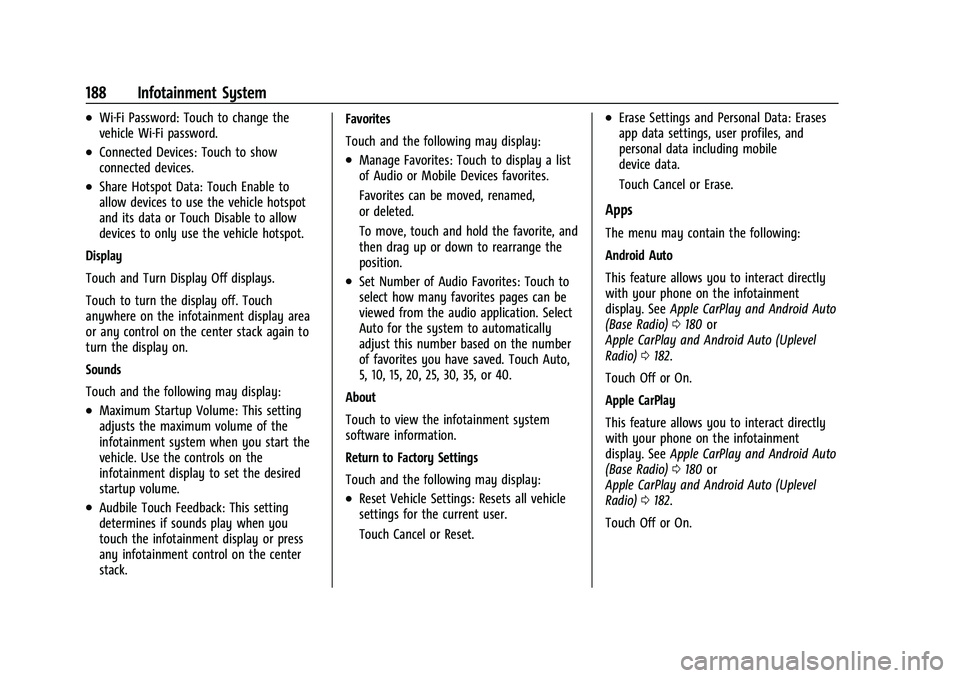
.Wi-Fi Password: Touch to change the
vehicle Wi-Fi password.
.Connected Devices: Touch to show
connected devices.
.Share Hotspot Data: Touch Enable to
allow devices to use the vehicle hotspot
and its data or Touch Disable to allow
devices to only use the vehicle hotspot.
Display
Touch and Turn Display Off displays.
Touch to turn the display off. Touch
anywhere on the infotainment display area
or any control on the center stack again to
turn the display on.
Sounds
Touch and the following may display:
.Maximum Startup Volume: This setting
adjusts the maximum volume of the
infotainment system when you start the
vehicle. Use the controls on the
infotainment display to set the desired
startup volume.
.Audbile Touch Feedback: This setting
determines if sounds play when you
touch the infotainment display or press
any infotainment control on the center
stack. Favorites
Touch and the following may display:
.Manage Favorites: Touch to display a list
of Audio or Mobile Devices favorites.
Favorites can be moved, renamed,
or deleted.
To move, touch and hold the favorite, and
then drag up or down to rearrange the
position.
.Set Number of Audio Favorites: Touch to
select how many favorites pages can be
viewed from the audio application. Select
Auto for the system to automatically
adjust this number based on the number
of favorites you have saved. Touch Auto,
5, 10, 15, 20, 25, 30, 35, or 40.
About
Touch to view the infotainment system
software information.
Return to Factory Settings
Touch and the following may display:
.Reset Vehicle Settings: Resets all vehicle
settings for the current user.
Touch Cancel or Reset.
.Erase Settings and Personal Data: Erases
app data settings, user profiles, and
personal data including mobile
device data.
Touch Cancel or Erase.
Apps
The menu may contain the following:
Android Auto
This feature allows you to interact directly
with your phone on the infotainment
display. See Apple CarPlay and Android Auto
(Base Radio) 0180 or
Apple CarPlay and Android Auto (Uplevel
Radio) 0182.
Touch Off or On.
Apple CarPlay
This feature allows you to interact directly
with your phone on the infotainment
display. See Apple CarPlay and Android Auto
(Base Radio) 0180 or
Apple CarPlay and Android Auto (Uplevel
Radio) 0182.
Touch Off or On.
Page 424 of 438
Chevrolet Tahoe/Suburban Owner Manual (GMNA-Localizing-U.S./Canada/
Mexico-15555985) - 2022 - CRC - 12/3/21
Connected Services 423
Ensuring Security
.Change the default passwords for the
Wi-Fi hotspot and myChevrolet mobile
application. Make these passwords
different from each other and use a
combination of letters and numbers to
increase the security.
.Change the default name of the SSID
(Service Set Identifier). This is your
network’s name that is visible to other
wireless devices. Choose a unique name
and avoid family names or vehicle
descriptions.
Wi-Fi Hotspot (If Equipped)
The vehicle may have a built-in Wi-Fi
hotspot that provides access to the Internet
and web content at 4G LTE speed. Up to
seven mobile devices can be connected.
A data plan is required. Use the in-vehicle
controls only when it is safe to do so. 1. To retrieve Wi-Fi hotspot information, press
=to open the OnStar app on the
infotainment display, then select Wi-Fi
Hotspot. On some vehicles, touch Wi-Fi
or Wi-Fi Settings on the screen.
2. The Wi-Fi settings will display the Wi-Fi hotspot name (SSID), password, and on
some vehicles, the connection type (no Internet connection, 3G, 4G, 4G LTE), and
signal quality (poor, good, excellent). The
LTE icon shows connection to Wi-Fi. It is
possible that the icon may not illuminate
even though the vehicle has an active
connection.
3. To change the SSID or password, press
Qor call 1-888-4ONSTAR to connect
with an Advisor. On some vehicles, the
SSID and password can be changed in
the Wi-Fi Hotspot menu.
After initial set-up, your vehicle’s Wi-Fi
hotspot will connect automatically to your
mobile devices. Manage data usage by
turning Wi-Fi on or off on your mobile
device, using the myChevrolet mobile app,
or by contacting an OnStar Advisor. On
some vehicles, Wi-Fi can also be managed
from the Wi-Fi Hotspot menu.
MyChevrolet Mobile App (If Available)
Download the myChevrolet mobile app to
compatible Apple and Android smartphones.
Chevrolet users can access the following
services from a smartphone:
.Remotely start/stop the vehicle,
if factory-equipped.
.Lock/unlock doors, if equipped with
automatic locks.
.Activate the horn and lamps.
.Check the vehicle’s fuel level, oil life,
or tire pressure, if factory-equipped with
the Tire Pressure Monitor System.
.Send destinations to the vehicle.
.Locate the vehicle on a map (U.S.
market only).
.Turn the vehicle's Wi-Fi hotspot on/off,
manage settings, and monitor data
consumption, if equipped.
.Locate a dealer and schedule service.
.Request Roadside Assistance.
.Set a parking reminder with pin drop,
take a photo, make a note, and set a
timer.
.Connect with Chevrolet on social media.
Features are subject to change. For
myChevrolet mobile app information and
compatibility, see my.chevrolet.com.
An active OnStar or connected service plan
may be required. A compatible device,
factory-installed remote start, and power
locks are required. Data rates apply. See
www.onstar.com for details and system
limitations.
Page 426 of 438
Chevrolet Tahoe/Suburban Owner Manual (GMNA-Localizing-U.S./Canada/-
Mexico-15555985) - 2022 - CRC - 12/3/21
Index 425
IndexA
Accessories and Modifications . . . . . . . . . . . 309
Accessory Power . . . . . . . . . . . . . . . . . . . . . . . . . . 221
Adaptive Cruise Control . . . . . . . . . . . . . . . . . . 245
Add-On Electrical Equipment . . . . . . . . . . . . . 307
Additional InformationOnStar . . . . . . . . . . . . . . . . . . . . . . . . . . . . . . . . . 418
Additional Maintenance and Care . . . . . . . . 396
Adjustments Lumbar, Front Seats . . . . . . . . . . . . . . . . . . . . 38
Agreements Trademarks and License . . . . . . . . . . . . . . . 192
Air Cleaner/Filter, Engine . . . . . . . . . . . . . . . . .318
Air Conditioning . . . . . . . . . . . . . . . . . . . . .195, 198
Air Filter Life System . . . . . . . . . . . . . . . . . . . . . . . . . . . . 318
Air Filter, Passenger Compartment . . . . . . . 200
Air Suspension Four Corner . . . . . . . . . . . . . . . . . . . . . . . . . . . . 240
Air Vents . . . . . . . . . . . . . . . . . . . . . . . . . . . . . . . . 199
Airbag System Check . . . . . . . . . . . . . . . . . . . . . . . . . . . . . . . . . . . 68
How Does an Airbag Restrain? . . . . . . . . . . 62
Passenger Sensing System . . . . . . . . . . . . . . 64
What Makes an Airbag Inflate? . . . . . . . . . 62
What Will You See after an AirbagInflates? . . . . . . . . . . . . . . . . . . . . . . . . . . . . . . 62
When Should an Airbag Inflate? . . . . . . . . 61 Airbag System (cont'd)
Where Are the Airbags? . . . . . . . . . . . . . . . . 60
Airbags Adding Equipment to the Vehicle . . . . . . . 67
Passenger Status Indicator . . . . . . . . . . . . . . 113
Readiness Light . . . . . . . . . . . . . . . . . . . . . . . . . 112
Servicing Airbag-Equipped Vehicles . . . . . . 67
System Check . . . . . . . . . . . . . . . . . . . . . . . . . . . 58
Alarm Vehicle Security . . . . . . . . . . . . . . . . . . . . . . . . 23
Alert Lane Change . . . . . . . . . . . . . . . . . . . . . . . . . . . 272
Rear Cross Traffic . . . . . . . . . . . . . . . . . . . . . . 266
Rear Pedestrian . . . . . . . . . . . . . . . . . . . . . . . . 265
Side Blind Zone (SBZA) . . . . . . . . . . . . . . . . . 272
All-Season Tires . . . . . . . . . . . . . . . . . . . . . . . . . . 344
All-Terrain Tires . . . . . . . . . . . . . . . . . . . . . . . . . . 345
AM-FM Radio . . . . . . . . . . . . . . . . . . . . . . . . 154, 155
Antenna
Multi-band . . . . . . . . . . . . . . . . . . . . . . . . . . . . . 159
Antilock Brake System (ABS) . . . . . . . . . . . . . . 231
Warning Light . . . . . . . . . . . . . . . . . . . . . . . . . . 116
Appearance Care Exterior . . . . . . . . . . . . . . . . . . . . . . . . . . . . . . . . 381
Interior . . . . . . . . . . . . . . . . . . . . . . . . . . . . . . . . 385
Apple CarPlay and Android Auto . . . . .180, 182
Assistance Program, Roadside . . . . . . . . . . . . 409
Assistance Systems for Driving . . . . . . . . . . 267
Page 433 of 438
Chevrolet Tahoe/Suburban Owner Manual (GMNA-Localizing-U.S./Canada/-
Mexico-15555985) - 2022 - CRC - 12/3/21
432 Index
OutletsPower . . . . . . . . . . . . . . . . . . . . . . . . . . . . . . . . . . 98
Overheating, Engine . . . . . . . . . . . . . . . . . . . . . 322
Overview . . . . . . . . . . . . . . . . . . . . . . . . . . . . . . . . 149 Instrument Panel . . . . . . . . . . . . . . . . . . . . . . . . 4
P
ParkShifting Into . . . . . . . . . . . . . . . . . . . . . . . . . . . 221
Shifting Out of . . . . . . . . . . . . . . . . . . . . . . . . 222
Park Assist . . . . . . . . . . . . . . . . . . . . . . . . . . 256, 263
Parking Brake and P (Park) MechanismCheck . . . . . . . . . . . . . . . . . . . . . . . . . . . . . . . . 328
Extended . . . . . . . . . . . . . . . . . . . . . . . . . . . . . . 223
Over Things That Burn . . . . . . . . . . . . . . . . . 222
Parking or Backing
Assistance Systems . . . . . . . . . . . . . . . . . . . . 256
Passenger Airbag Status Indicator . . . . . . . . . 113
Passenger Compartment Air Filter . . . . . . . 200
Passenger Sensing System . . . . . . . . . . . . . . . . 64
Pedestrian Ahead Indicator . . . . . . . . . . . . . . . 118
Perchlorate Materials Requirements, California . . . . . . . . . . . . . . . . . . . . . . . . . . . . . . 309
Personalization Vehicle . . . . . . . . . . . . . . . . . . . . . . . . . . . . . . . . 133 Phone
Apple CarPlay and
Android Auto . . . . . . . . . . . . . . . . . . . 180, 182
Bluetooth . . . . . . . . . . . . . . . . . . . . . . . . . . 173, 177
Port USB . . . . . . . . . . . . . . . . . . . . . . . . . . . . . . . . . . . . 159
Positioning
Vehicle . . . . . . . . . . . . . . . . . . . . . . . . . . . . . . . . 170
Power Door Locks . . . . . . . . . . . . . . . . . . . . . . . . . . . . . . 14
Mirrors . . . . . . . . . . . . . . . . . . . . . . . . . . . . . . . . . 26
Outlets . . . . . . . . . . . . . . . . . . . . . . . . . . . . . . . . . 98
Protection, Battery . . . . . . . . . . . . . . . . . . . . . 147
Retained Accessory (RAP) . . . . . . . . . . . . . . 221
Seat Adjustment . . . . . . . . . . . . . . . . . . . . . . . . 37
Windows . . . . . . . . . . . . . . . . . . . . . . . . . . . . . . . 30
Power Assist Steps . . . . . . . . . . . . . . . . . . . . . . . . .23
Pregnancy, Using Seat Belts . . . . . . . . . . . . . . 56
Privacy Vehicle Data Recording . . . . . . . . . . . . . . . . 415
Problems with Route Guidance . . . . . . . . . . . 171
Program
Courtesy Transportation . . . . . . . . . . . . . . . . 411
Prohibited Fuels . . . . . . . . . . . . . . . . . . . . . . . . . 277
Proposition 65 Warning, California . . . . . . . . . . . . . . . . . . . . . . . . . .327, 373, Back Cover
Publication Ordering Information . . . . . . . . .413
R
Radio Data System (RDS) . . . . . . . . . . . . . . . . . 157
Radio Frequency Statement . . . . . . . . . . . . . . 414
Radio Reception . . . . . . . . . . . . . . . . . . . . . . . . . .158
Radios AM-FM Radio . . . . . . . . . . . . . . . . . . . . . . 154, 155
Satellite . . . . . . . . . . . . . . . . . . . . . . . . . . . . . . . . . 157
Reading Lamps . . . . . . . . . . . . . . . . . . . . . . . . . . 146
Rear Seat Infotainment (RSI) System . . . . . . . . . 161
Rear Axle . . . . . . . . . . . . . . . . . . . . . . . . . . . . . . . . 328 Locking . . . . . . . . . . . . . . . . . . . . . . . . . . . . . . . . 240
Rear Camera Mirror . . . . . . . . . . . . . . . . . . . . . . . 28
Rear Climate Control System . . . . . . . . . . . . 198
Rear Cross Traffic Alert System . . . . . . . . . . 266
Rear Pedestrian Alert . . . . . . . . . . . . . . . . . . . . 265
Rear Seats . . . . . . . . . . . . . . . . . . . . . . . . . . . . . . . . 42 Heated . . . . . . . . . . . . . . . . . . . . . . . . . . . . . . . . . 47
Rear Storage . . . . . . . . . . . . . . . . . . . . . . . . . . . . . . 89
Rear Vision Camera (RVC) . . . . . . . . . . . . . . . . 256
Rear Window Washer/Wiper . . . . . . . . . . . . . 96
Rearview Mirrors . . . . . . . . . . . . . . . . . . . . . . . . . 28
Automatic Dimming . . . . . . . . . . . . . . . . . . . . 28
Reclining Seatbacks . . . . . . . . . . . . . . . . . . . . . . . 38
Recognition
Voice . . . . . . . . . . . . . . . . . . . . . . . . . . . . . . . . . . . 171
Recommended Fuel . . . . . . . . . . . . . . . . . . . . . . . . . . . . . . . 276, 277