sunroof CHEVROLET SUBURBAN 2022 Owners Manual
[x] Cancel search | Manufacturer: CHEVROLET, Model Year: 2022, Model line: SUBURBAN, Model: CHEVROLET SUBURBAN 2022Pages: 438, PDF Size: 14.08 MB
Page 7 of 438
Chevrolet Tahoe/Suburban Owner Manual (GMNA-Localizing-U.S./Canada/
Mexico-15555985) - 2022 - CRC - 12/3/21
6 Keys, Doors, and Windows
Keys, Doors, and
Windows
Keys and Locks
Keys . . . . . . . . . . . . . . . . . . . . . . . . . . . . . . . . . . . . . 6
Remote Keyless Entry (RKE) System . . . . . 7
Remote Keyless Entry (RKE) SystemOperation . . . . . . . . . . . . . . . . . . . . . . . . . . . . . . 7
Remote Vehicle Start . . . . . . . . . . . . . . . . . . . 12
Door Locks . . . . . . . . . . . . . . . . . . . . . . . . . . . . . . 13
Power Door Locks . . . . . . . . . . . . . . . . . . . . . . . 14
Delayed Locking . . . . . . . . . . . . . . . . . . . . . . . . 15
Automatic Door Locks . . . . . . . . . . . . . . . . . . . 15
Lockout Protection . . . . . . . . . . . . . . . . . . . . . . 15
Safety Locks . . . . . . . . . . . . . . . . . . . . . . . . . . . . 16
Doors
Liftgate . . . . . . . . . . . . . . . . . . . . . . . . . . . . . . . . . 16
Power Assist Steps . . . . . . . . . . . . . . . . . . . . . 23
Vehicle Security
Vehicle Security . . . . . . . . . . . . . . . . . . . . . . . . 23
Vehicle Alarm System . . . . . . . . . . . . . . . . . . 23
Steering Column Lock . . . . . . . . . . . . . . . . . . 24
Immobilizer . . . . . . . . . . . . . . . . . . . . . . . . . . . . . 25
Immobilizer Operation . . . . . . . . . . . . . . . . . . 25
Exterior Mirrors
Convex Mirrors . . . . . . . . . . . . . . . . . . . . . . . . . 25
Power Mirrors . . . . . . . . . . . . . . . . . . . . . . . . . . 26 Folding Mirrors . . . . . . . . . . . . . . . . . . . . . . . . . 26
Heated Mirrors . . . . . . . . . . . . . . . . . . . . . . . . . 27
Automatic Dimming Mirror . . . . . . . . . . . . . 27
Reverse Tilt Mirrors . . . . . . . . . . . . . . . . . . . . . 27
Interior Mirrors
Interior Rearview Mirrors . . . . . . . . . . . . . . . 28
Manual Rearview Mirror . . . . . . . . . . . . . . . . 28
Automatic Dimming Rearview Mirror . . . 28
Rear Camera Mirror . . . . . . . . . . . . . . . . . . . . 28
Windows
Windows . . . . . . . . . . . . . . . . . . . . . . . . . . . . . . . 30
Power Windows . . . . . . . . . . . . . . . . . . . . . . . . 30
Sun Visors . . . . . . . . . . . . . . . . . . . . . . . . . . . . . . 32
Roof
Sunroof . . . . . . . . . . . . . . . . . . . . . . . . . . . . . . . . . 32
Keys and Locks
Keys
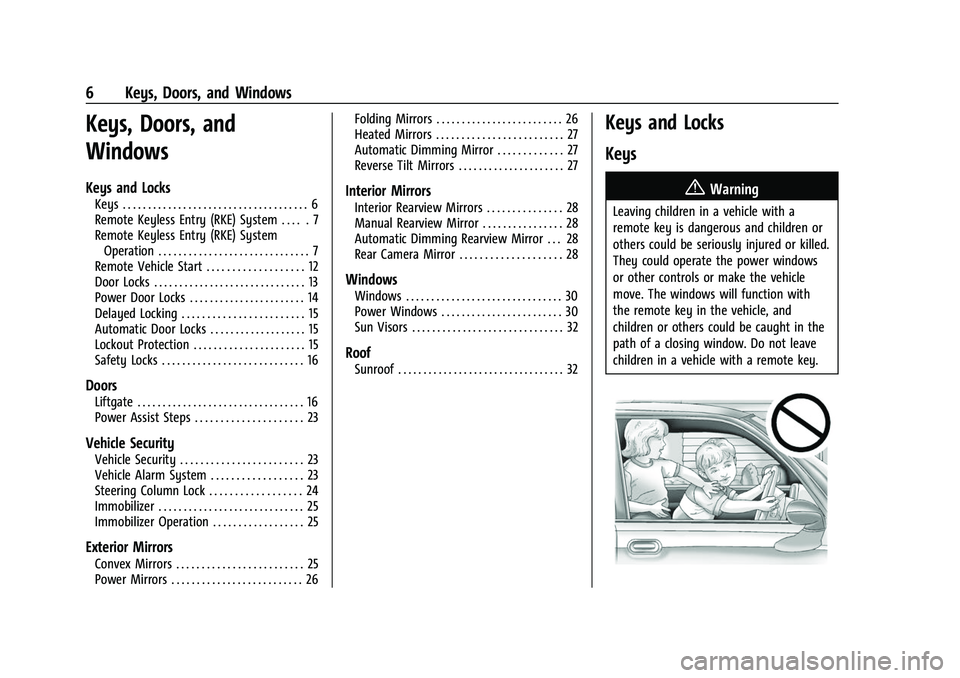
{Warning
Leaving children in a vehicle with a
remote key is dangerous and children or
others could be seriously injured or killed.
They could operate the power windows
or other controls or make the vehicle
move. The windows will function with
the remote key in the vehicle, and
children or others could be caught in the
path of a closing window. Do not leave
children in a vehicle with a remote key.
Page 31 of 438
Chevrolet Tahoe/Suburban Owner Manual (GMNA-Localizing-U.S./Canada/
Mexico-15555985) - 2022 - CRC - 12/3/21
30 Keys, Doors, and Windows
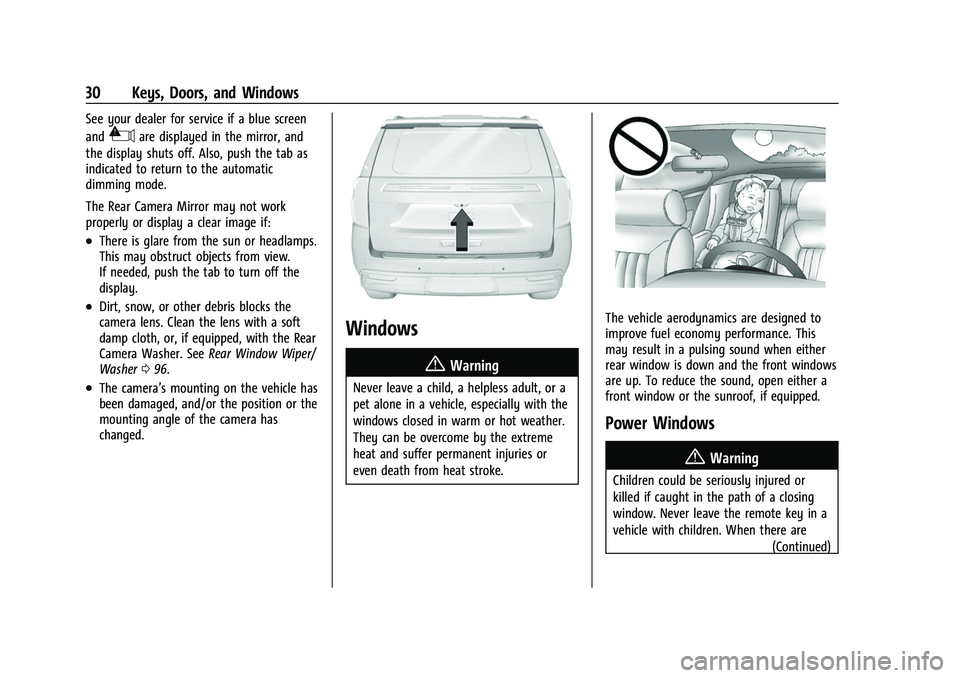
See your dealer for service if a blue screen
and
3are displayed in the mirror, and
the display shuts off. Also, push the tab as
indicated to return to the automatic
dimming mode.
The Rear Camera Mirror may not work
properly or display a clear image if:
.There is glare from the sun or headlamps.
This may obstruct objects from view.
If needed, push the tab to turn off the
display.
.Dirt, snow, or other debris blocks the
camera lens. Clean the lens with a soft
damp cloth, or, if equipped, with the Rear
Camera Washer. See Rear Window Wiper/
Washer 096.
.The camera’s mounting on the vehicle has
been damaged, and/or the position or the
mounting angle of the camera has
changed.
Windows
{
Warning
Never leave a child, a helpless adult, or a
pet alone in a vehicle, especially with the
windows closed in warm or hot weather.
They can be overcome by the extreme
heat and suffer permanent injuries or
even death from heat stroke.
The vehicle aerodynamics are designed to
improve fuel economy performance. This
may result in a pulsing sound when either
rear window is down and the front windows
are up. To reduce the sound, open either a
front window or the sunroof, if equipped.
Power Windows
{Warning
Children could be seriously injured or
killed if caught in the path of a closing
window. Never leave the remote key in a
vehicle with children. When there are (Continued)
Page 33 of 438
Chevrolet Tahoe/Suburban Owner Manual (GMNA-Localizing-U.S./Canada/
Mexico-15555985) - 2022 - CRC - 12/3/21
32 Keys, Doors, and Windows
Briefly press or pull the window switch in
the same direction to stop that window’s
express movement.
Window Automatic Reversal System
The express-close feature will reverse
window movement if it comes in contact
with an object. Extreme cold or ice could
cause the window to auto-reverse. The
window will operate normally after the
object or condition is removed.
Automatic Reversal System Override
{Warning
If automatic reversal system override is
active, the window will not reverse
automatically. You or others could be
injured and the window could be
damaged. Before using automatic reversal
system override, make sure that all
people and obstructions are clear of the
window path.
When the engine is on, override the
automatic reversal system by pulling and
holding the window switch if conditions
prevent it from closing.
Programming the Power Windows
Programming may be necessary if the
vehicle battery has been disconnected or
discharged. If the window is unable to
express-up, program each express-close
window: 1. Close all doors.
2. Turn the ignition on or to ACC/ ACCESSORY.
3. Partially open the window to be programmed. Then close it and continue
to pull the switch briefly after the
window has fully closed.
4. Open the window and continue to press the switch briefly after the window has
fully opened.
Remote Window Operation
If equipped, this feature allows the windows
to be opened remotely. If enabled in vehicle
personalization, press and hold
Kon the
remote key. See Vehicle Personalization
0 133.
Sun Visors
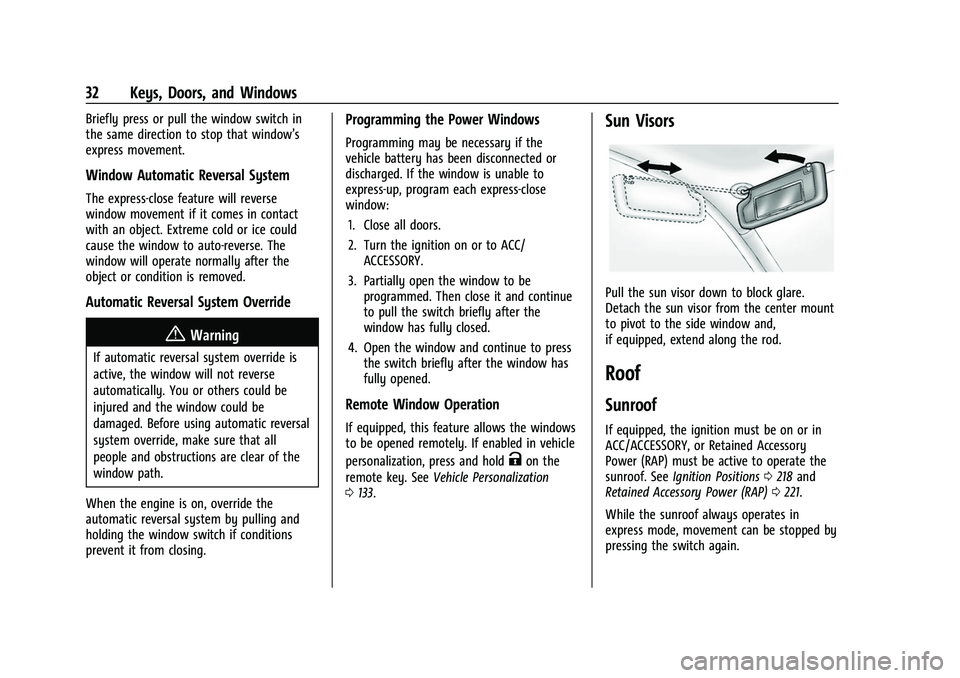
Pull the sun visor down to block glare.
Detach the sun visor from the center mount
to pivot to the side window and,
if equipped, extend along the rod.
Roof
Sunroof
If equipped, the ignition must be on or in
ACC/ACCESSORY, or Retained Accessory
Power (RAP) must be active to operate the
sunroof. See Ignition Positions 0218 and
Retained Accessory Power (RAP) 0221.
While the sunroof always operates in
express mode, movement can be stopped by
pressing the switch again.
Page 34 of 438
Chevrolet Tahoe/Suburban Owner Manual (GMNA-Localizing-U.S./Canada/
Mexico-15555985) - 2022 - CRC - 12/3/21
Keys, Doors, and Windows 33
The sunroof cannot be opened or closed if
the vehicle has an electrical failure.
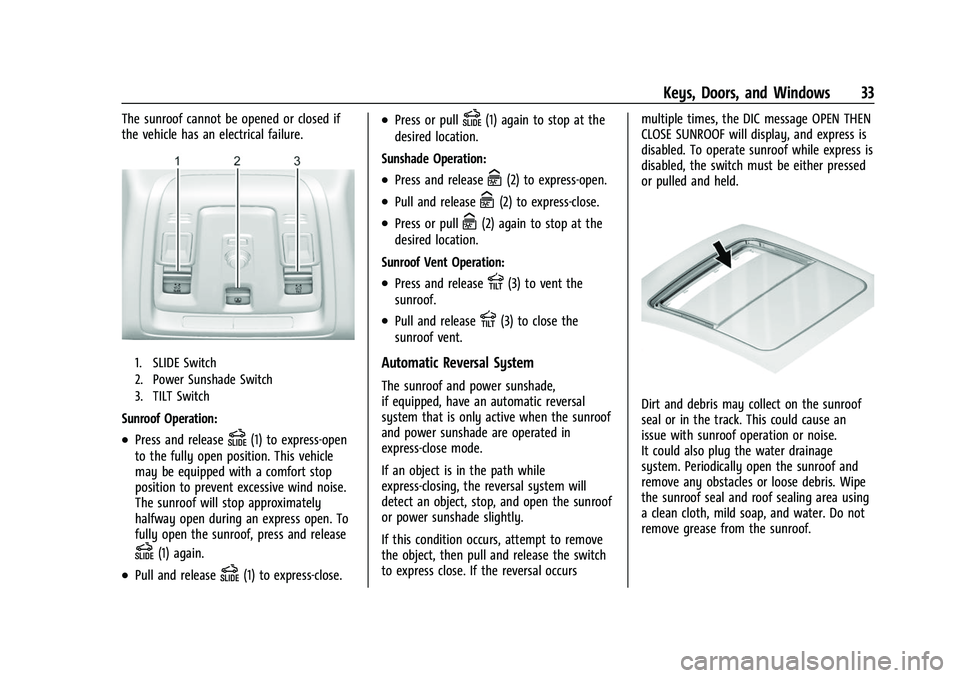
1. SLIDE Switch
2. Power Sunshade Switch
3. TILT Switch
Sunroof Operation:
.Press and releaseD(1) to express-open
to the fully open position. This vehicle
may be equipped with a comfort stop
position to prevent excessive wind noise.
The sunroof will stop approximately
halfway open during an express open. To
fully open the sunroof, press and release
D(1) again.
.Pull and releaseD(1) to express-close.
.Press or pullD(1) again to stop at the
desired location.
Sunshade Operation:
.Press and releaseC(2) to express-open.
.Pull and releaseC(2) to express-close.
.Press or pullC(2) again to stop at the
desired location.
Sunroof Vent Operation:
.Press and releaseE(3) to vent the
sunroof.
.Pull and releaseE(3) to close the
sunroof vent.
Automatic Reversal System
The sunroof and power sunshade,
if equipped, have an automatic reversal
system that is only active when the sunroof
and power sunshade are operated in
express-close mode.
If an object is in the path while
express-closing, the reversal system will
detect an object, stop, and open the sunroof
or power sunshade slightly.
If this condition occurs, attempt to remove
the object, then pull and release the switch
to express close. If the reversal occurs multiple times, the DIC message OPEN THEN
CLOSE SUNROOF will display, and express is
disabled. To operate sunroof while express is
disabled, the switch must be either pressed
or pulled and held.
Dirt and debris may collect on the sunroof
seal or in the track. This could cause an
issue with sunroof operation or noise.
It could also plug the water drainage
system. Periodically open the sunroof and
remove any obstacles or loose debris. Wipe
the sunroof seal and roof sealing area using
a clean cloth, mild soap, and water. Do not
remove grease from the sunroof.
Page 147 of 438
Chevrolet Tahoe/Suburban Owner Manual (GMNA-Localizing-U.S./Canada/
Mexico-15555985) - 2022 - CRC - 12/3/21
146 Lighting
will come on when any door is opened,K
on the RKE transmitter is pressed, or when
the ignition is switched off.
Press and hold any of the overhead console
lens to turn all dome lamps on or off
manually.
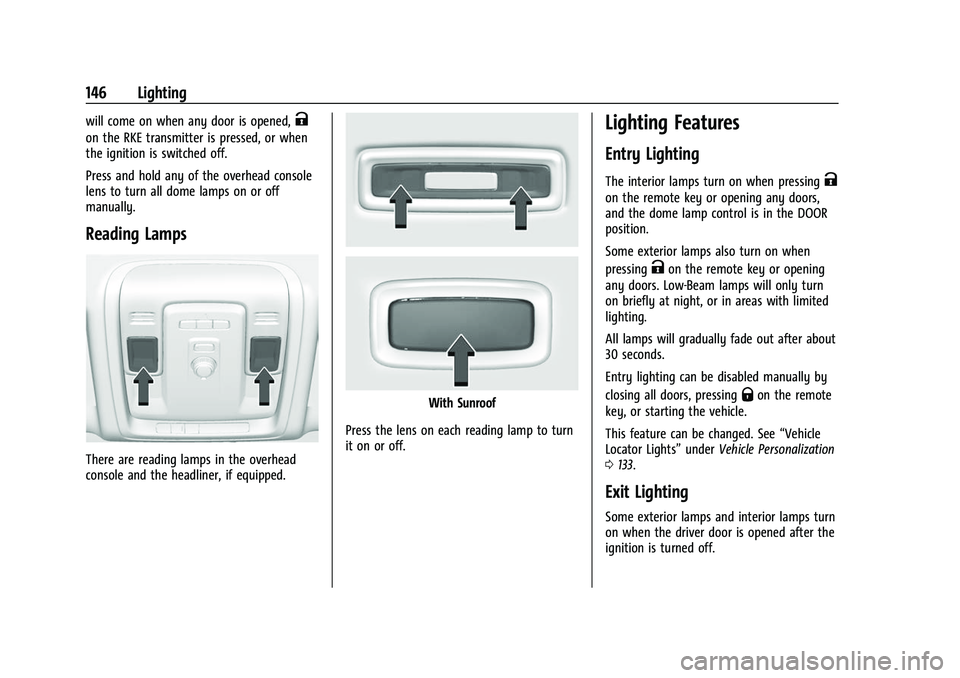
Reading Lamps
There are reading lamps in the overhead
console and the headliner, if equipped.
With Sunroof
Press the lens on each reading lamp to turn
it on or off.
Lighting Features
Entry Lighting
The interior lamps turn on when pressingK
on the remote key or opening any doors,
and the dome lamp control is in the DOOR
position.
Some exterior lamps also turn on when
pressing
Kon the remote key or opening
any doors. Low-Beam lamps will only turn
on briefly at night, or in areas with limited
lighting.
All lamps will gradually fade out after about
30 seconds.
Entry lighting can be disabled manually by
closing all doors, pressing
Qon the remote
key, or starting the vehicle.
This feature can be changed. See “Vehicle
Locator Lights” underVehicle Personalization
0 133.
Exit Lighting
Some exterior lamps and interior lamps turn
on when the driver door is opened after the
ignition is turned off.
Page 160 of 438
Chevrolet Tahoe/Suburban Owner Manual (GMNA-Localizing-U.S./Canada/
Mexico-15555985) - 2022 - CRC - 12/3/21
Infotainment System 159
Multi-Band Antenna
The roof antenna may be used for radio,
navigation, and OnStar, depending on the
equipped options. Keep clear of obstructions
for clear reception. If the vehicle has a
sunroof, and it is open, reception can also
be affected.
Audio Players
Avoiding Untrusted Media Devices
When using media devices such as USB and
mobile devices, consider the source.
Untrusted media devices could contain files
that affect system operation or performance
and should be avoided.
USB Port
The vehicle may be equipped with two USB
ports in the center console under the
armrest and another two on the center
stack. These ports are for data and charging.
There may also be two USB ports at the
rear of the center console and a USB port on
each side of the third row seats for
charging only.
Caution
To avoid vehicle damage, unplug all
accessories and disconnect all accessory
cables from the vehicle when not in use.
Accessory cables left plugged into the
vehicle, unconnected to a device, could be
damaged or cause an electrical short if
the unconnected end comes in contact
with liquids or another power source such
as the accessory power outlet.
Playing from a USB
A USB mass storage device can be connected
to the USB port.
USB MP3 Player and USB Devices
The USB MP3 players and USB devices
connected must comply with the USB Mass
Storage Class specification (USB MSC).
To play a USB device on the uplevel radio:1. Connect the USB.
2. Touch Audio.
3. Touch Source from the top left of the main audio page.
4. Touch USB.
Use the following infotainment controls
when playing an active USB source:
r: Touch to play the current media source.
j: Touch to pause playback of the current
media source.
g:
.Press to seek to the beginning of the
current or previous track.
d:
.Press to seek to the next track.
Touch the Now Playing Icon in the upper
left of the now playing screen to Browse
USB content. While in Browse Mode you can
view media sorted by Playlists, Artists,
Songs, or Albums.
To play a USB device on the base radio: 1. Connect the USB.
2. Touch Audio.
3. Touch More.
4. Touch USB.
Use the following when playing an active
USB source:
r: Touch to play the current media source.
j: Touch to pause playback of the current
media source.
Page 222 of 438
Chevrolet Tahoe/Suburban Owner Manual (GMNA-Localizing-U.S./Canada/
Mexico-15555985) - 2022 - CRC - 12/3/21
Driving and Operating 221
Auto Stops may not occur and/or Auto
Starts may occur because:
.The climate control settings require the
engine to be running to cool or heat the
vehicle interior.
.The vehicle battery needs to charge.
.The vehicle battery has recently been
disconnected.
.Minimum vehicle speed has not been
reached since the last Auto Stop.
.The accelerator pedal is pressed.
.The engine or transmission is not at the
required operating temperature.
.The outside temperature is not in the
required operating range.
.The vehicle is shifted out of D (Drive) to
any gear other than P (Park).
.Certain driver modes have been selected.
SeeDriver Mode Control 0236 and
Four-Wheel Drive 0227.
.The vehicle is on a steep hill or grade.
.The driver door has been opened or the
driver seat belt has been unbuckled.
.The hood has been opened.
.The Auto Stop has reached the maximum
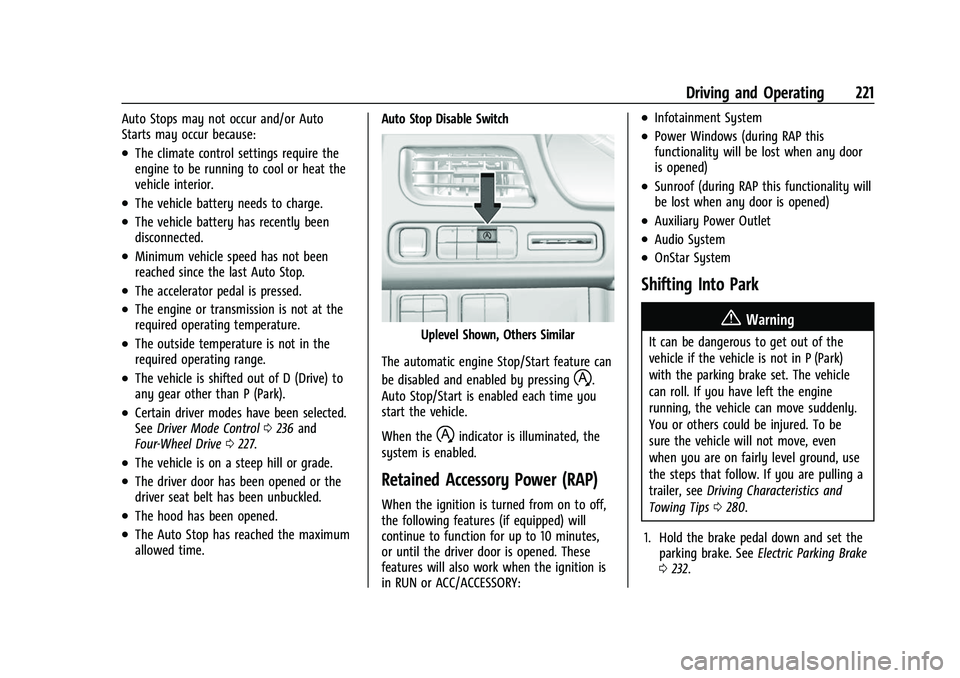
allowed time. Auto Stop Disable Switch
Uplevel Shown, Others Similar
The automatic engine Stop/Start feature can
be disabled and enabled by pressing
h.
Auto Stop/Start is enabled each time you
start the vehicle.
When the
hindicator is illuminated, the
system is enabled.
Retained Accessory Power (RAP)
When the ignition is turned from on to off,
the following features (if equipped) will
continue to function for up to 10 minutes,
or until the driver door is opened. These
features will also work when the ignition is
in RUN or ACC/ACCESSORY:
.Infotainment System
.Power Windows (during RAP this
functionality will be lost when any door
is opened)
.Sunroof (during RAP this functionality will
be lost when any door is opened)
.Auxiliary Power Outlet
.Audio System
.OnStar System
Shifting Into Park
{Warning
It can be dangerous to get out of the
vehicle if the vehicle is not in P (Park)
with the parking brake set. The vehicle
can roll. If you have left the engine
running, the vehicle can move suddenly.
You or others could be injured. To be
sure the vehicle will not move, even
when you are on fairly level ground, use
the steps that follow. If you are pulling a
trailer, see Driving Characteristics and
Towing Tips 0280.
1. Hold the brake pedal down and set the parking brake. See Electric Parking Brake
0 232.
Page 341 of 438
Chevrolet Tahoe/Suburban Owner Manual (GMNA-Localizing-U.S./Canada/
Mexico-15555985) - 2022 - CRC - 12/3/21
340 Vehicle Care
FusesUsage
F2 Left Door
F3 Universal Garage Door Opener (UGDO)/OnStar
Hands-free Calling (OHC)/
Camera
F4 BCM 2 –Body Control
Module 2
F5 Displays
F6 Front Blower
F8 Left Door Panel
F10 Tilt/Column Lock F11 USB/Data Link Connector (DLC)
F12 Central Gateway Module (CGM)/Onstar
F14 Right Door Panel F17 Steering Wheel Control
F18 AVM 1 –Active Vibration
Module 1
F19 –
F20 –
F21 – Fuses
Usage
F22 Heated Wheel
F23 –
F24 –
F25 Search Engine Optimization (SEO)/UPFITTER
F26 USB/Search Engine Optimization (SEO)
Retained Accessory
Power (RAP)
F27 Auxiliary Power Outlet (APO)/Retained Accessory
Power
F28 Spare
F30 SDM/AOS –Sensing and
Diagnostic Module/
Automatic Occupant
Sensing
F31 BCM 3 –Body Control
Module 3
F32 Center Stack Module (CSM)/USB
F33 BCM 4 –Body Control
Module 4
F34 Out of Park Fuses
Usage
F40 –
F41 –
F42 Electric Park Brake Switch
F43 RSE –Road Side Equipment
F44 AVM 2 –Active Vibration
Module 2
F45 Radio Module
F46 BCM 1A –Body Control
Module 1A
F47 –
F48 TCM –Telematics Control
Module
F49 BCM 1 –Body Control
Module 1
F50 DMS –Driver Monitoring
System
F51 –
F52 –
F53 –
F54 Sunroof F55 APO 3 –Auxiliary Power
Outlet 3
Page 393 of 438
Chevrolet Tahoe/Suburban Owner Manual (GMNA-Localizing-U.S./Canada/
Mexico-15555985) - 2022 - CRC - 12/3/21
392 Service and Maintenance
.Visually inspect halfshafts and drive
shafts for excessive wear, lubricant leaks,
and/or damage including: tube dents or
cracks, constant velocity joint or universal
joint looseness, cracked or missing boots,
loose or missing boot clamps, center
bearing excessive looseness, loose or
missing fasteners, and axle seal leaks.
.Check restraint system components. See
Safety System Check057.
.Visually inspect the fuel system including
the evaporative (EVAP) system for
damage or leaks. Visually check all fuel
pipes, vapor lines, and hoses for proper
attachment, connection, routing, and
condition.
.Visually inspect exhaust system and
nearby heat shields for loose or damaged
parts.
.Lubricate body components. See Exterior
Care 0381.
.Check parking brake and automatic
transmission park mechanism. See Park
Brake and P (Park) Mechanism Check
0 328.
.Check accelerator pedal for damage, high
effort, or binding. Replace if needed.
.Visually inspect gas strut for signs of
wear, cracks, or other damage. Check the
hold open ability of the strut. If the hold
open is low, service the gas strut. See Gas
Strut(s) 0330.
.Inspect sunroof track and seal,
if equipped. See Sunroof032.
.Verify spare tire key lock operation and
lubricate as needed. See Tire Changing
0 363.
.Visually inspect the spare tire to ensure
that it is tightly stowed under the vehicle.
Push, pull, and try to turn the tire. If the
spare tire moves, tighten as necessary.
See Tire Changing 0363.
Page 434 of 438
Chevrolet Tahoe/Suburban Owner Manual (GMNA-Localizing-U.S./Canada/-
Mexico-15555985) - 2022 - CRC - 12/3/21
Index 433
Recommended Fluids and Lubricants . . . . . 399
RecordsMaintenance . . . . . . . . . . . . . . . . . . . . . . . . . . . 401
Recreational Vehicle Towing . . . . . . . . . . . . . 377
Reimbursement Program, GM Mobility . . . . . . . . . . . . . . . . . . . . . . . . . . . . . . . 409
Remote Keyless Entry (RKE) System . . . . . . . .7
Remote Vehicle Start . . . . . . . . . . . . . . . . . . . . . . 12
Replacement
Glass . . . . . . . . . . . . . . . . . . . . . . . . . . . . . . . . . . 330
Replacement Parts
Airbags . . . . . . . . . . . . . . . . . . . . . . . . . . . . . . . . . 68
Maintenance . . . . . . . . . . . . . . . . . . . . . . . . . . 400
Replacing Airbag System . . . . . . . . . . . . . . . . . . 68
Replacing LATCH System Parts after a Crash . . . . . . . . . . . . . . . . . . . . . . . . . . . . . . . . . . . 82
Replacing Seat Belt System Parts after a Crash . . . . . . . . . . . . . . . . . . . . . . . . . . . . . . . . . 58
Reporting Safety Defects Canadian Government . . . . . . . . . . . . . . . . . 414
General Motors . . . . . . . . . . . . . . . . . . . . . . . . 415
U.S. Government . . . . . . . . . . . . . . . . . . . . . . . 414
Restraints Where to Put . . . . . . . . . . . . . . . . . . . . . . . . . . . 74
Retained Accessory Power (RAP) . . . . . . . . . . 221
Reverse Automatic Braking . . . . . . . . . . . . . . 264
Reverse Tilt Mirrors . . . . . . . . . . . . . . . . . . . . . . . .27 Ride Control Systems
Magnetic . . . . . . . . . . . . . . . . . . . . . . . . . . . . . . 239
Roads Driving, Wet . . . . . . . . . . . . . . . . . . . . . . . . . . . 210
Roadside Assistance Program . . . . . . . . . . . . 409
Roof Sunroof . . . . . . . . . . . . . . . . . . . . . . . . . . . . . . . . . 32
Roof Rack System . . . . . . . . . . . . . . . . . . . . . . . . . 92
Rotation, Tires . . . . . . . . . . . . . . . . . . . . . . . . . . . 356
Routing, Engine Drive Belt . . . . . . . . . . . . . . . 405
Running the Vehicle While Parked . . . . . . . 223
S
Safety Defects Reporting Canadian Government . . . . . . . . . . . . . . . . . 414
General Motors . . . . . . . . . . . . . . . . . . . . . . . . 415
U.S. Government . . . . . . . . . . . . . . . . . . . . . . . 414
Safety Locks . . . . . . . . . . . . . . . . . . . . . . . . . . . . . . .16
Safety System Check . . . . . . . . . . . . . . . . . . . . . .57
Satellite Radio . . . . . . . . . . . . . . . . . . . . . . . . . . . . 157
Scheduling Appointments . . . . . . . . . . . . . . . . . 411
Seat Belts . . . . . . . . . . . . . . . . . . . . . . . . . . . . . . . . . . 51 Buckle To Drive . . . . . . . . . . . . . . . . . . . . . . . . . 52
Care . . . . . . . . . . . . . . . . . . . . . . . . . . . . . . . . . . . . 57
Extender . . . . . . . . . . . . . . . . . . . . . . . . . . . . . . . . 57
How to Wear Seat Belts Properly . . . . . . . 52
Lap-Shoulder Belt . . . . . . . . . . . . . . . . . . . . . . . 54
Reminders . . . . . . . . . . . . . . . . . . . . . . . . . . . . . . 111 Seat Belts (cont'd)
Replacing after a Crash . . . . . . . . . . . . . . . . . 58
Use During Pregnancy . . . . . . . . . . . . . . . . . . 56
Seats Head Restraints . . . . . . . . . . . . . . . . . . . . . . . . . 35
Heated and Ventilated Front . . . . . . . . . . . . 41
Heated, Rear . . . . . . . . . . . . . . . . . . . . . . . . . . . . 47
Lumbar Adjustment, Front . . . . . . . . . . . . . . 38
Memory . . . . . . . . . . . . . . . . . . . . . . . . . . . . . . . . 39
Power Adjustment, Front . . . . . . . . . . . . . . . 37
Rear . . . . . . . . . . . . . . . . . . . . . . . . . . . . . . . . . . . . 42
Reclining Seatbacks . . . . . . . . . . . . . . . . . . . . . 38
Second Row . . . . . . . . . . . . . . . . . . . . . . . . . . . . 43
Third Row Seat . . . . . . . . . . . . . . . . . . . . . . . . . 47
Second Row Seats . . . . . . . . . . . . . . . . . . . . . . . . 43
Securing Child Restraints . . . . . . . . . . . 83, 85, 87
Security Light . . . . . . . . . . . . . . . . . . . . . . . . . . . . . . . . . . . 122
OnStar . . . . . . . . . . . . . . . . . . . . . . . . . . . . . . . . . 418
Vehicle . . . . . . . . . . . . . . . . . . . . . . . . . . . . . . . . . 23
Vehicle Alarm . . . . . . . . . . . . . . . . . . . . . . . . . . . 23
Service . . . . . . . . . . . . . . . . . . . . . . . . . . . . . . . . . . . 201 Accessories and Modifications . . . . . . . . . 309
Doing Your Own Work . . . . . . . . . . . . . . . . . 309
Maintenance Records . . . . . . . . . . . . . . . . . . 401
Maintenance, General Information . . . . . 389
Parts Identification . . . . . . . . . . . . . . . . . . . . . 402
Scheduling Appointments . . . . . . . . . . . . . . . 411