lights CHEVROLET SUBURBAN 2023 Owner's Manual
[x] Cancel search | Manufacturer: CHEVROLET, Model Year: 2023, Model line: SUBURBAN, Model: CHEVROLET SUBURBAN 2023Pages: 443, PDF Size: 18.73 MB
Page 308 of 443
Chevrolet Tahoe/Suburban Owner Manual (GMNA-Localizing-U.S./Canada/
Mexico-16416971) - 2023 - CRC - 5/16/22
Driving and Operating 307
Always know the maximum speed rating for
the trailer tires before driving. This may be
significantly lower than the vehicle tire
speed rating. The speed rating may be on
the trailer tire sidewall. If the speed rating is
not shown, the default trailer tire speed
rating is 105 km/h (65 mph).
Trailering App
Trailer Lights App
If equipped, the Trailer Lights App is on the
home page of the infotainment screen.
Touch Start to cycle the trailer lamps on and
off to determine if they are working. The
test follows this sequence:1. The running lights turn on first and remain on throughout the sequence.
2. The brake lights turn on for about two seconds.
3. The left turn signal light flashes three times.
4. The right turn signal light flashes three times.
5. The reverse lights turn on for about two seconds. 6. Steps 2–5 repeat for approximately
one minute and 45 seconds, or until the
test deactivates.
Touch Stop to stop the test. The test will
automatically end after one minute and
45 seconds.
The sequence deactivates when any of the
following occur:
.The vehicle is turned off.
.The transmission is shifted out of P (Park).
.The brake pedal is pressed.
.The turn signal is activated.
.The hazard warning lights are activated.
Trailering App
If equipped, the Trailering App is on the
home page of the infotainment screen.
If equipped, this feature allows profiles for
connected trailers to be created to view
status, to store and track trailer usage
information, and to set up towing assist
features.
The Trailering App welcome page will appear
when the Trailering App is opened for the
first time from the Home Page. When a trailer is electrically connected and
a trailer profile has not been created, there
will be an option to create a profile, use a
guest profile, or select Accessory/No trailer.
When a trailer is electrically connected and
after a Trailer Profile has been created, the
trailer detection pop-up will appear with a
list of all of the custom Trailer Profiles made
on the vehicle. To load an existing Trailer
Profile, select one of the Trailer Profiles
listed, or load the Guest Trailer Profile by
selecting GUEST TRAILER. Touching
Accessory/No trailer will select Accessory/No
trailer as the active Trailer Profile and will
dismiss the pop-up. Shifting the vehicle from
P (Park) selects Guest Trailer as the active
Trailer Profile and will dismiss the pop-up.
Create a Trailer Profile
Touch Add Trailer on the trailer detection
pop-up or touch + Add Trailer in the
Trailering App.
Follow on-screen instructions to set up
profile.
After a profile is created, set up for
additional features may become available,
such as Tow/Haul mode reminder, Trailer
Tire Pressure Monitoring System,
maintenance reminders, or towing assist.
Page 309 of 443
Chevrolet Tahoe/Suburban Owner Manual (GMNA-Localizing-U.S./Canada/
Mexico-16416971) - 2023 - CRC - 5/16/22
308 Driving and Operating
Import a Trailer Profile
Touch Import on the trailer detection pop-up
or touch Import in the Trailering App.
Follow on-screen instructions to import
profile.
After a profile is imported, it can be selected
from the trailer list. If equipped, the Tow/
Haul mode reminder, Brake Gain Setting,
and Trailer Tire Pressure sensor learning do
not import.
Trailer Feature Setup
Tow/Haul Mode Reminder
To turn the Tow/Haul Mode Reminder
setting on, touch Yes. To turn it off,
touch No.
Trailer Tire Pressure Setup
If the Trailer Tire Pressure Monitoring
System (TTPMS) is detected, touch the Tire
Pressure Monitoring icon to set up tire
pressure monitoring.
The trailer tire pressure sensors transmits up
to 7 m (23 feet) from the hitch receiver of
the vehicle.
A trailer must be electrically connected to
the vehicle before starting the
sensor-to-vehicle learn process.After selecting Start from the Learn Sensors
screen, use the Tool Method or the Manual
Method (described below) to learn each tire
sensor, during which the current tire number
will be highlighted.
Each sensor has a maximum of two minutes
to learn. After a sensor is learned, a
checkmark appears next to the tire, the
vehicle horn will sound, the vehicle’s brake
lamps will flash, and all working trailer
lamps will flash. It then moves to the next
sensor.
To cancel the process, touch Stop.
The recommended tire pressure must be
entered for the trailer tires. This allows the
vehicle to alert when the tire pressure is
high or low.
TTPMS must learn the location of the
installed tire sensors to show correct air
pressure and temperature for each tire. To
set up, use one of the following options or
see a tire or trailer dealer for service. The
learning process must be repeated when the
trailer tires are rotated or replaced.
Tool Method: A TTPMS activation tool can
be purchased separately to learn the sensor
locations.
Manual Method: Without the tool, the air
pressure can be increased or decreased in
each tire for 10 seconds. Do not exceed the
maximum inflation pressure found on the
tire sidewalls. Make sure to re-adjust tire
pressure to the recommended level when
the process is complete.
Sensor Learning Steps
To complete the sensor-to-vehicle learn
process:
1. Touch Start on the Learn Sensors screen. The horn chirps twice and the Learning
Active screen appears on the
infotainment display.
2. Start with the driver side front trailer tire.
3. Activate the tool near the valve stem or adjust the air pressure of this tire until
the horn chirps and all working vehicle
and trailer lights flash.
The process stops without saving the
sensor locations if this step takes more
than two minutes.
4. Move to the next tire and repeat Step 3 for each sensor. The horn chirps twice
when all sensors are completed.
5. Return to the vehicle to complete the setup.
Page 311 of 443
Chevrolet Tahoe/Suburban Owner Manual (GMNA-Localizing-U.S./Canada/
Mexico-16416971) - 2023 - CRC - 5/16/22
310 Driving and Operating
.Trailer Length: 300 cm (118.1 in)–
1200 cm (472.4 in). Measure from center
of coupler to furthest rear point on the
trailer.
If trailer dimensions are out of range, this
feature will be unavailable.
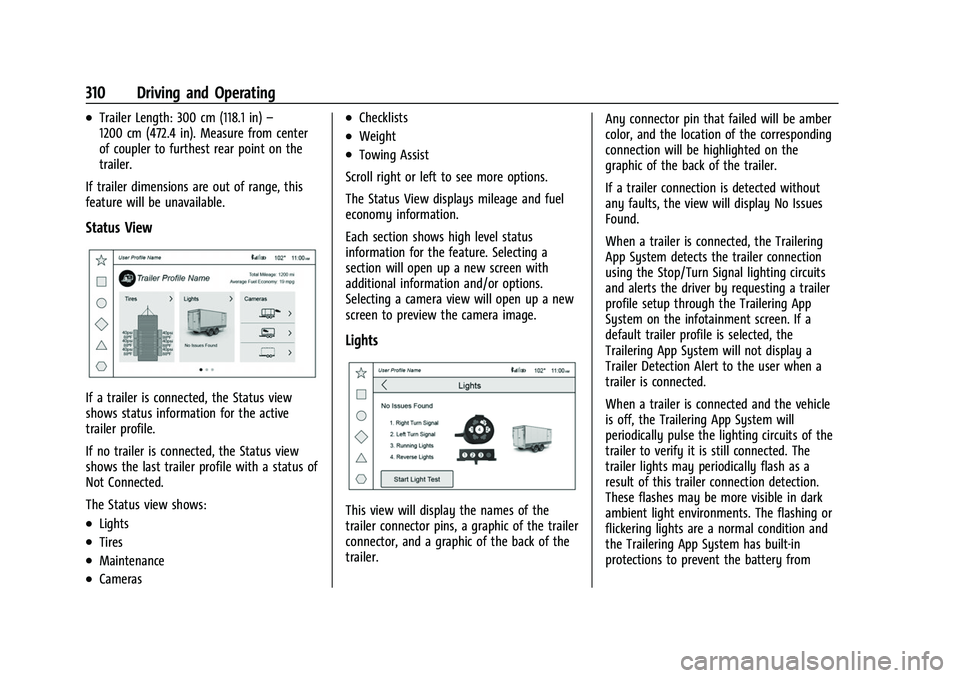
Status View
If a trailer is connected, the Status view
shows status information for the active
trailer profile.
If no trailer is connected, the Status view
shows the last trailer profile with a status of
Not Connected.
The Status view shows:
.Lights
.Tires
.Maintenance
.Cameras
.Checklists
.Weight
.Towing Assist
Scroll right or left to see more options.
The Status View displays mileage and fuel
economy information.
Each section shows high level status
information for the feature. Selecting a
section will open up a new screen with
additional information and/or options.
Selecting a camera view will open up a new
screen to preview the camera image.
Lights
This view will display the names of the
trailer connector pins, a graphic of the trailer
connector, and a graphic of the back of the
trailer. Any connector pin that failed will be amber
color, and the location of the corresponding
connection will be highlighted on the
graphic of the back of the trailer.
If a trailer connection is detected without
any faults, the view will display No Issues
Found.
When a trailer is connected, the Trailering
App System detects the trailer connection
using the Stop/Turn Signal lighting circuits
and alerts the driver by requesting a trailer
profile setup through the Trailering App
System on the infotainment screen. If a
default trailer profile is selected, the
Trailering App System will not display a
Trailer Detection Alert to the user when a
trailer is connected.
When a trailer is connected and the vehicle
is off, the Trailering App System will
periodically pulse the lighting circuits of the
trailer to verify it is still connected. The
trailer lights may periodically flash as a
result of this trailer connection detection.
These flashes may be more visible in dark
ambient light environments. The flashing or
flickering lights are a normal condition and
the Trailering App System has built-in
protections to prevent the battery from
Page 312 of 443
Chevrolet Tahoe/Suburban Owner Manual (GMNA-Localizing-U.S./Canada/
Mexico-16416971) - 2023 - CRC - 5/16/22
Driving and Operating 311
draining. When Theft Alert is enabled, the
frequency and pattern of this flashing will
change.
If a connected trailer becomes disconnected,
a message about the trailer disconnect will
appear on the DIC immediately (if vehicle is
on) or the next time the vehicle is turned on
(if trailer was disconnected while vehicle is
off). Check your trailer connection if needed.
Connection Problem
If any of the trailer connections are lost, a
message about the connection issue will
appear on the Driver Information Center
(DIC). The infotainment display will also
show the connection issue in the Lights
Status view.
Connection Trailer Lighting Faults Detected
The Trailering App System monitors for
electrical faults on the trailer lights.
A message about the lighting issue will
appear on the DIC. The infotainment display
will also show the lighting issue in the
Lights Status view. Repair your trailer lights
if needed. A trailer lighting issue is not
covered by your GM warranty.The Running Lights connection may not
detect partial outages. Activate the light test
to check all trailer lamps. See
“Light Test”
following.
Light Test
Touch Start Light Test to cycle the trailer
lights on and off to determine if they are
working. The test follows this sequence:
1. The running lights turn on first and remain on throughout the sequence.
2. The brake lights turn on for about two seconds.
3. The left turn signal light flashes three times.
4. The right turn signal light flashes three times.
5. The reverse lights turn on for about two seconds.
6. Steps 2-5 repeat for approximately on minute and 45 seconds, or until the test
deactivates.
Touch Stop to stop the test. The test will
automatically end after one minute and
45 seconds.
The sequence also deactivates when any of
the following occur:
.The vehicle is turned off.
.The transmission is shifted out of
P (Park).
.The brake pedal is pressed.
.The turn signal is activated.
.The hazard warning lights are activated.
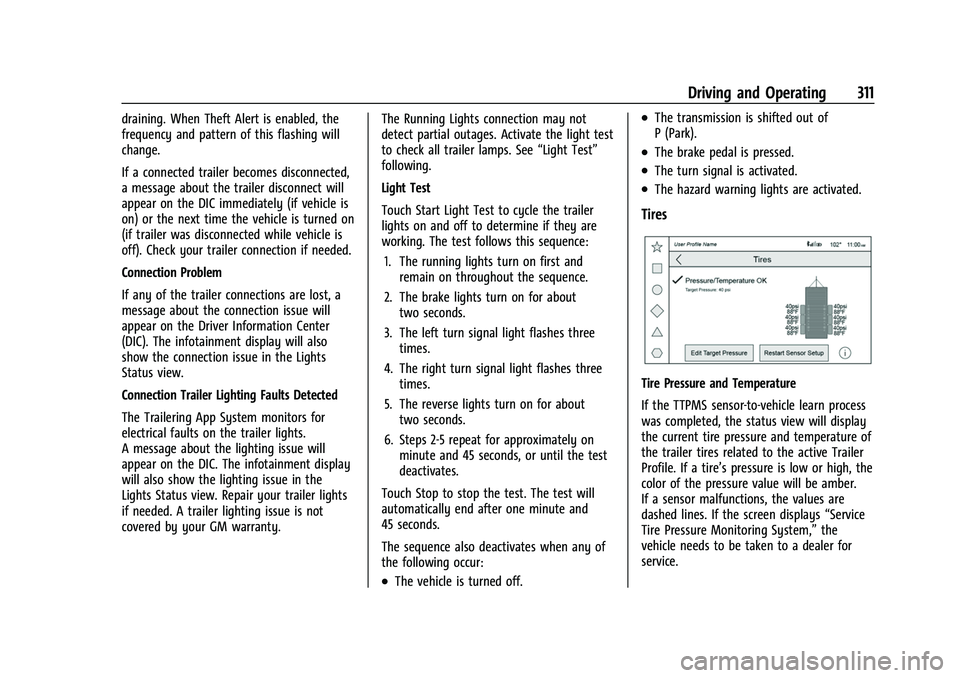
Tires
Tire Pressure and Temperature
If the TTPMS sensor-to-vehicle learn process
was completed, the status view will display
the current tire pressure and temperature of
the trailer tires related to the active Trailer
Profile. If a tire’s pressure is low or high, the
color of the pressure value will be amber.
If a sensor malfunctions, the values are
dashed lines. If the screen displays “Service
Tire Pressure Monitoring System,” the
vehicle needs to be taken to a dealer for
service.
Page 314 of 443
Chevrolet Tahoe/Suburban Owner Manual (GMNA-Localizing-U.S./Canada/
Mexico-16416971) - 2023 - CRC - 5/16/22
Driving and Operating 313
This view shows the recommended steps to
take before towing a trailer.
Touch the box next to each item if that step
has been completed.
Touch
4to access a detailed view of each
step. Within each detailed view, touch Next
and Previous to navigate between steps.
Touch Clear All to clear the completed
statuses from all items in the current
checklist.
Custom Checklist Items
For each of the Trailer Profile checklists,
there is an option to create custom items to
view in the checklist. The custom item will
appear at the bottom of the checklist.
Guest Trailer and No Trailer Connected
If a Guest Trailer Profile is active, or if no
trailer is connected, the checklist will show
all of the checklists associated with Custom
Trailer Profiles in addition to default
checklist.
Weight
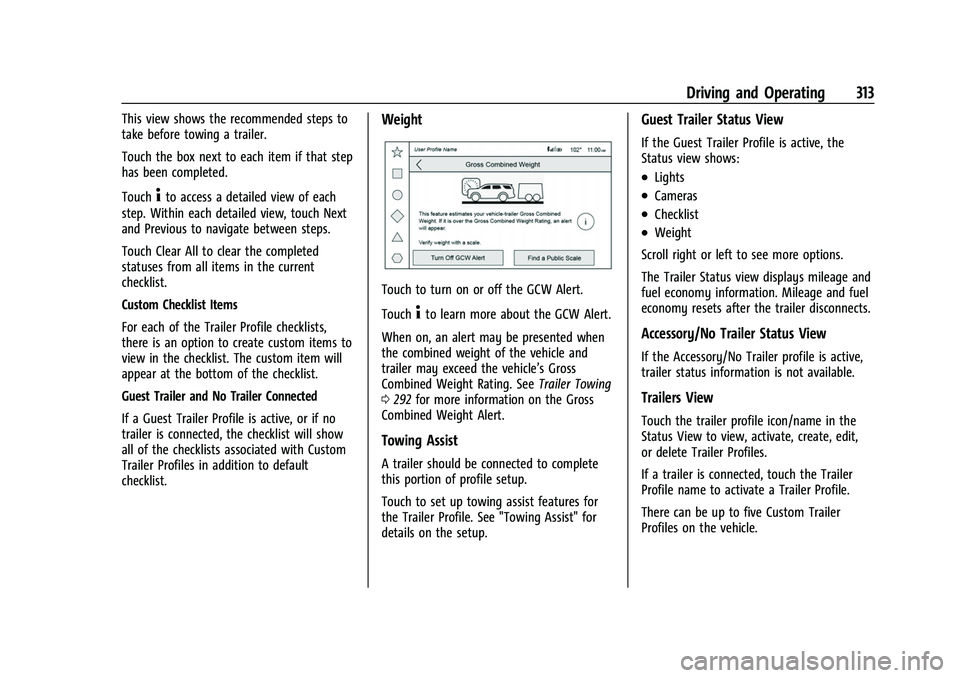
Touch to turn on or off the GCW Alert.
Touch
4to learn more about the GCW Alert.
When on, an alert may be presented when
the combined weight of the vehicle and
trailer may exceed the vehicle’s Gross
Combined Weight Rating. See Trailer Towing
0 292 for more information on the Gross
Combined Weight Alert.
Towing Assist
A trailer should be connected to complete
this portion of profile setup.
Touch to set up towing assist features for
the Trailer Profile. See "Towing Assist" for
details on the setup.
Guest Trailer Status View
If the Guest Trailer Profile is active, the
Status view shows:
.Lights
.Cameras
.Checklist
.Weight
Scroll right or left to see more options.
The Trailer Status view displays mileage and
fuel economy information. Mileage and fuel
economy resets after the trailer disconnects.
Accessory/No Trailer Status View
If the Accessory/No Trailer profile is active,
trailer status information is not available.
Trailers View
Touch the trailer profile icon/name in the
Status View to view, activate, create, edit,
or delete Trailer Profiles.
If a trailer is connected, touch the Trailer
Profile name to activate a Trailer Profile.
There can be up to five Custom Trailer
Profiles on the vehicle.
Page 315 of 443
Chevrolet Tahoe/Suburban Owner Manual (GMNA-Localizing-U.S./Canada/
Mexico-16416971) - 2023 - CRC - 5/16/22
314 Driving and Operating
The Custom Trailer Profiles and Guest Trailer
are in order of the most frequently used.
The Accessory/No Trailer profile is shown
below the Custom Trailer Profiles and Guest
Trailer Profile.
All personalization features are based on the
settings for each driver in vehicle
personalization. The list of Trailer Profiles is
based on vehicle personalization settings.
Guest Trailer
If the Guest Trailer Profile is the active
Trailer Profile, trailer detection, lights/
connections status, theft, and the tow/haul
reminder alerts can be sent. The system will
not track total mileage and fuel economy,
but the system will track trip mileage and
fuel economy if the Guest Trailer Profile is
active. The Trailer Tire Pressure Monitoring
System or maintenance reminders cannot be
set up for a Guest Trailer Profile. The Guest
Trailer Profile cannot be edited.
Touch
4to learn more about the Guest
Trailer option.
Accessory/No Trailer
If the Accessory/No Trailer Profile is active,
alerts will not be sent and the system will
not track mileage and fuel economy. The Trailer Tire Pressure Monitoring System or
maintenance reminders cannot be set up for
the Accessory/No Trailer Profile. The
Accessory/No Trailer profile cannot be
edited.
No Trailer Connected
When there is no trailer connected, Trailer
Profiles cannot be activated but most
options can be edited.
Trailer Brake Gain Memory
The system can store the brake gain setting
of a Trailer Profile or a Guest Trailer Profile.
When a Trailer Profile or Guest Trailer Profile
is selected, and a brake gain setting is set
for that Trailer Profile, a quick notice will
appear to indicate that the system has
recalled that profile's brake gain setting.
If a Trailer Profile is already active and the
brake gain setting had been set for that
Trailer Profile, the quick notice will trigger
whenever the vehicle is turned on.
If there was an error in setting the brake
gain for a Trailer Profile, there will be a
notification. This pop-up will not appear if
the Guest Trailer Profile is active or if there
is no trailer connected.
Trailer brake gain should be set for a specific
trailering condition and must be adjusted
anytime vehicle loading, trailer loading,
or road surface conditions change.
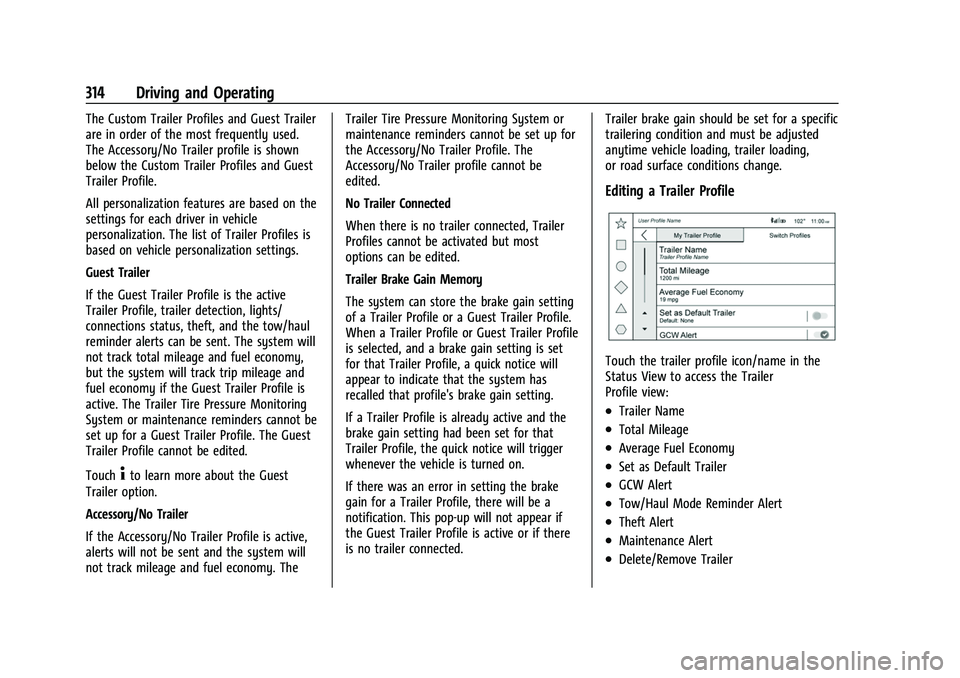
Editing a Trailer Profile
Touch the trailer profile icon/name in the
Status View to access the Trailer
Profile view:
.Trailer Name
.Total Mileage
.Average Fuel Economy
.Set as Default Trailer
.GCW Alert
.Tow/Haul Mode Reminder Alert
.Theft Alert
.Maintenance Alert
.Delete/Remove Trailer
Page 403 of 443
Chevrolet Tahoe/Suburban Owner Manual (GMNA-Localizing-U.S./Canada/
Mexico-16416971) - 2023 - CRC - 4/25/22
402 Service and Maintenance
.Vehicles that are regularly used for short
trips of 6 km (4 mi) or less.
The oil life indicator will show you when
to change the oil and filter. Under severe
conditions the indicator may come on
before 12 000 km (7,500 mi).
* Footnote: Under extreme driving
conditions listed above, it may be
necessary to replace your spark plugs at
more frequent intervals. For further
assistance in determining the most
suitable service maintenance intervals for
your vehicle, please contact your
authorized GM Dealer.
Extreme service is for vehicles mainly
driven off-road in four-wheel drive or used
in farming, mining, forestry, or snow
plowing.
Additional Required Services—Severe
Service
Every 72 000 km (45,000 mi)
.Change automatic transmission fluid and
filter.
.Change transfer case fluid, if equipped
with 4WD. Do not directly power wash
the transfer case and/or front/rear axle
output seals. High pressure water can
overcome the seals and contaminate the transfer case fluid. Contaminated fluid will
decrease the life of the transfer case and/
or axles and should be replaced.
Owner Checks and Services
Every Five Years
.Replace brake fluid.
Every Seven Years
.Replace Air Conditioning Desiccant every
seven years. The air conditioning system
requires maintenance every seven years.
This service requires replacement of the
desiccant to help the longevity and
efficient operation of the air conditioning
system. This service can be complex. See
your dealer.
Multi-Point Vehicle
Inspection (MPVI)
A Multi Point Vehicle Inspection (MPVI)
completed by a GM dealer technician is a
maintenance assessment of your vehicle.
The benefit of the MPVI is to identify and
inform the customer of service items that
require immediate attention and those that
may require attention in the future. The technician will perform the following
checks on your vehicle. For a complete list
of checks, inspections, and services, see your
dealer.
Some items may not apply to your vehicle
and/or region.
Diagnostics
.OnStar active, if equipped
.Service history/recall check
Engine Oil and Filter
.Engine oil
.Oil life monitor
‐
Reset oil life monitor
Exterior Lights
.Visual inspection
Windshield and Wipers
.Visual inspection
Battery
.Battery visual inspection
.Battery test results
.Battery cables and connections
Page 435 of 443
Chevrolet Tahoe/Suburban Owner Manual (GMNA-Localizing-U.S./Canada/-
Mexico-16416971) - 2023 - CRC - 4/25/22
434 Index
Fluid (cont'd)Brakes . . . . . . . . . . . . . . . . . . . . . . . . . . . . . . . . . 336
Washer . . . . . . . . . . . . . . . . . . . . . . . . . . . . . . . . 334
Folding Mirrors . . . . . . . . . . . . . . . . . . . . . . . . . . . .27
Forward Collision Alert (FCA) System . . . . . . . . . . . 275
Four Corner Air Suspension Light . . . . . . . . 120
Four Corner Air Suspension System . . . . . . . 231
Four-Wheel Drive . . . . . . . . . . . . . . . . . . . .219, 338
Four-Wheel-Drive
Light . . . . . . . . . . . . . . . . . . . . . . . . . . . . . . . . . . . . 116
Frequency Statement
Radio . . . . . . . . . . . . . . . . . . . . . . . . . . . . . . . . . . 419
Front Axle . . . . . . . . . . . . . . . . . . . . . . . . . . . . . . . . . . . 338
Heated and Ventilated Seats . . . . . . . . . . . . 42
Pedestrian Braking (FPB) System . . . . . . . 278
Fuel Additives . . . . . . . . . . . . . . . . . . . . . . . . . . . . . . 286
Dynamic Management . . . . . . . . . . . . . . . . . 214
Economy, Driving for Better . . . . . . . . . . . 195
Filling a Portable Fuel Container . . . . . . . 287
Filling the Tank . . . . . . . . . . . . . . . . . . . . . . . . 286
Foreign Countries . . . . . . . . . . . . . . . . . . . . . . 286
Gauge . . . . . . . . . . . . . . . . . . . . . . . . . . . . . . . . . 107
Low Fuel Warning Light . . . . . . . . . . . . . . . 122
Prohibited Fuels . . . . . . . . . . . . . . . . . . . . . . . 285
Recommended . . . . . . . . . . . . . . . . . . . . . . . . . 285 Fuel (cont'd)
Top Tier . . . . . . . . . . . . . . . . . . . . . . . . . . . . . . . 285
Full-Size Spare Tire . . . . . . . . . . . . . . . . . . . . . . . 382
Fuses Engine Compartment Fuse Block . . . . . . . 345
Fuses and Circuit Breakers . . . . . . . . . . . . . 344
Instrument Panel Fuse Block . . . . . . . . . . . 349
Rear Compartment Fuse Block . . . . . . . . . 351
G
Garage Door Opener . . . . . . . . . . . . . . . . . . . . . . 132Programming . . . . . . . . . . . . . . . . . . . . . . . . . . 133
Gas Strut(s) . . . . . . . . . . . . . . . . . . . . . . . . . . . . . . 340
Gauges Engine Coolant Temperature . . . . . . . . . . . 109
Engine Oil Pressure . . . . . . . . . . . . . . . . . . . . 108
Fuel . . . . . . . . . . . . . . . . . . . . . . . . . . . . . . . . . . . . 107
Odometer . . . . . . . . . . . . . . . . . . . . . . . . . . . . . 107
Speedometer . . . . . . . . . . . . . . . . . . . . . . . . . . 107
Tachometer . . . . . . . . . . . . . . . . . . . . . . . . . . . . 107
Transmission Temperature . . . . . . . . . . . . . 110
Trip Odometer . . . . . . . . . . . . . . . . . . . . . . . . . 107
Voltmeter . . . . . . . . . . . . . . . . . . . . . . . . . . . . . . 110
Warning Lights and Indicators . . . . . . . . . 101
General Information Service and Maintenance . . . . . . . . . . . . . . 399
Towing . . . . . . . . . . . . . . . . . . . . . . . . . . . . . . . . 288
Vehicle Care . . . . . . . . . . . . . . . . . . . . . . . . . . . 319 Glass Replacement . . . . . . . . . . . . . . . . . . . . . . . 340
Global Positioning System (GPS) . . . . . . . . . 163
Glove Box . . . . . . . . . . . . . . . . . . . . . . . . . . . . . . . . 88
GM Mobility Reimbursement
Program . . . . . . . . . . . . . . . . . . . . . . . . . . . . . . . 414
Guidance Problems with the Route . . . . . . . . . . . . . . 164
H
Hazard Warning Flashers . . . . . . . . . . . . . . . . 139
Head Restraints . . . . . . . . . . . . . . . . . . . . . . . . . . . 36
Head-Up Display (HUD) . . . . . . . . . . . . . . . . . . .128
Headlamps
Aiming . . . . . . . . . . . . . . . . . . . . . . . . . . . . . . . . 341
Automatic . . . . . . . . . . . . . . . . . . . . . . . . . . . . . 138
Bulb Replacement . . . . . . . . . . . . . . . . . . . . . . 341
Daytime Running Lamps (DRL) . . . . . . . . . 138
Flash-to-Pass . . . . . . . . . . . . . . . . . . . . . . . . . . . 138
High-Beam On Light . . . . . . . . . . . . . . . . . . . 122
High/Low Beam Changer . . . . . . . . . . . . . . 138
Lamps On Reminder . . . . . . . . . . . . . . . . . . . 122
Heated Mirrors . . . . . . . . . . . . . . . . . . . . . . . . . . . . . . . . . 28
Rear Seats . . . . . . . . . . . . . . . . . . . . . . . . . . . . . . 48
Steering Wheel . . . . . . . . . . . . . . . . . . . . . . . . . 94
Ventilated Front Seats . . . . . . . . . . . . . . . . . . 42
Heating . . . . . . . . . . . . . . . . . . . . . . . . . . . . . 186, 189
High-Beam On Light . . . . . . . . . . . . . . . . . . . . . . 122
Page 436 of 443
Chevrolet Tahoe/Suburban Owner Manual (GMNA-Localizing-U.S./Canada/-
Mexico-16416971) - 2023 - CRC - 4/25/22
Index 435
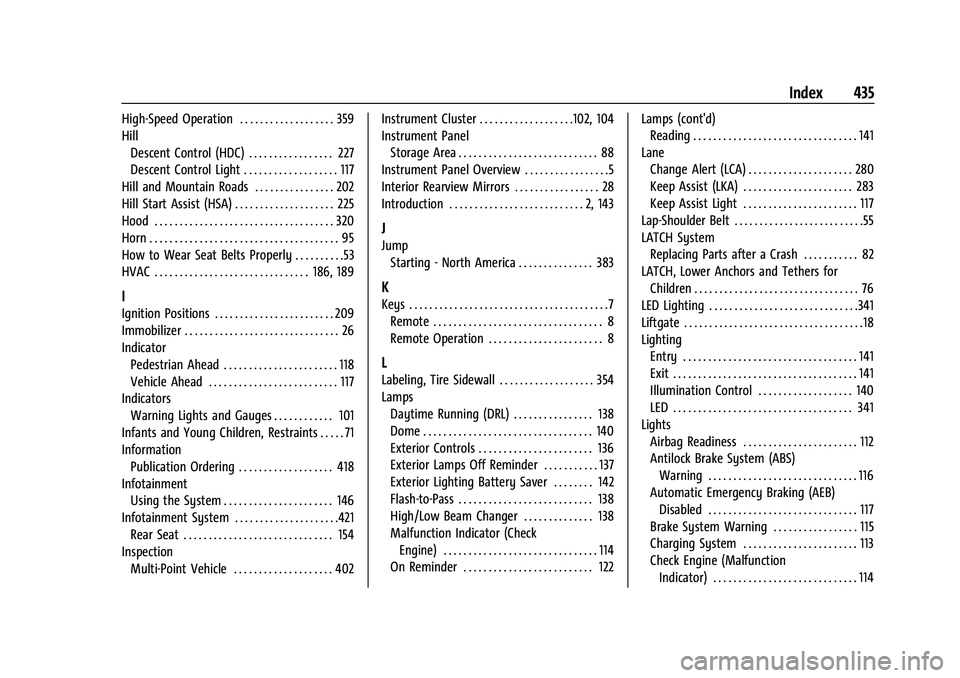
High-Speed Operation . . . . . . . . . . . . . . . . . . . 359
HillDescent Control (HDC) . . . . . . . . . . . . . . . . . 227
Descent Control Light . . . . . . . . . . . . . . . . . . . 117
Hill and Mountain Roads . . . . . . . . . . . . . . . . 202
Hill Start Assist (HSA) . . . . . . . . . . . . . . . . . . . . 225
Hood . . . . . . . . . . . . . . . . . . . . . . . . . . . . . . . . . . . . 320
Horn . . . . . . . . . . . . . . . . . . . . . . . . . . . . . . . . . . . . . . 95
How to Wear Seat Belts Properly . . . . . . . . . .53
HVAC . . . . . . . . . . . . . . . . . . . . . . . . . . . . . . . 186, 189
I
Ignition Positions . . . . . . . . . . . . . . . . . . . . . . . . 209
Immobilizer . . . . . . . . . . . . . . . . . . . . . . . . . . . . . . . 26
Indicator Pedestrian Ahead . . . . . . . . . . . . . . . . . . . . . . . 118
Vehicle Ahead . . . . . . . . . . . . . . . . . . . . . . . . . . 117
Indicators Warning Lights and Gauges . . . . . . . . . . . . 101
Infants and Young Children, Restraints . . . . . 71
Information Publication Ordering . . . . . . . . . . . . . . . . . . . 418
Infotainment Using the System . . . . . . . . . . . . . . . . . . . . . . 146
Infotainment System . . . . . . . . . . . . . . . . . . . . .421 Rear Seat . . . . . . . . . . . . . . . . . . . . . . . . . . . . . . 154
Inspection Multi-Point Vehicle . . . . . . . . . . . . . . . . . . . . 402 Instrument Cluster . . . . . . . . . . . . . . . . . . .102, 104
Instrument Panel
Storage Area . . . . . . . . . . . . . . . . . . . . . . . . . . . . 88
Instrument Panel Overview . . . . . . . . . . . . . . . . .5
Interior Rearview Mirrors . . . . . . . . . . . . . . . . . 28
Introduction . . . . . . . . . . . . . . . . . . . . . . . . . . . 2, 143
J
Jump Starting - North America . . . . . . . . . . . . . . . 383
K
Keys . . . . . . . . . . . . . . . . . . . . . . . . . . . . . . . . . . . . . . . .7Remote . . . . . . . . . . . . . . . . . . . . . . . . . . . . . . . . . . 8
Remote Operation . . . . . . . . . . . . . . . . . . . . . . . 8
L
Labeling, Tire Sidewall . . . . . . . . . . . . . . . . . . . 354
LampsDaytime Running (DRL) . . . . . . . . . . . . . . . . 138
Dome . . . . . . . . . . . . . . . . . . . . . . . . . . . . . . . . . . 140
Exterior Controls . . . . . . . . . . . . . . . . . . . . . . . 136
Exterior Lamps Off Reminder . . . . . . . . . . . 137
Exterior Lighting Battery Saver . . . . . . . . 142
Flash-to-Pass . . . . . . . . . . . . . . . . . . . . . . . . . . . 138
High/Low Beam Changer . . . . . . . . . . . . . . 138
Malfunction Indicator (CheckEngine) . . . . . . . . . . . . . . . . . . . . . . . . . . . . . . . 114
On Reminder . . . . . . . . . . . . . . . . . . . . . . . . . . 122 Lamps (cont'd)
Reading . . . . . . . . . . . . . . . . . . . . . . . . . . . . . . . . . 141
Lane Change Alert (LCA) . . . . . . . . . . . . . . . . . . . . . 280
Keep Assist (LKA) . . . . . . . . . . . . . . . . . . . . . . 283
Keep Assist Light . . . . . . . . . . . . . . . . . . . . . . . 117
Lap-Shoulder Belt . . . . . . . . . . . . . . . . . . . . . . . . . .55
LATCH System
Replacing Parts after a Crash . . . . . . . . . . . 82
LATCH, Lower Anchors and Tethers for Children . . . . . . . . . . . . . . . . . . . . . . . . . . . . . . . . . 76
LED Lighting . . . . . . . . . . . . . . . . . . . . . . . . . . . . . .341
Liftgate . . . . . . . . . . . . . . . . . . . . . . . . . . . . . . . . . . . .18
Lighting
Entry . . . . . . . . . . . . . . . . . . . . . . . . . . . . . . . . . . . 141
Exit . . . . . . . . . . . . . . . . . . . . . . . . . . . . . . . . . . . . . 141
Illumination Control . . . . . . . . . . . . . . . . . . . 140
LED . . . . . . . . . . . . . . . . . . . . . . . . . . . . . . . . . . . . 341
Lights Airbag Readiness . . . . . . . . . . . . . . . . . . . . . . . 112
Antilock Brake System (ABS)Warning . . . . . . . . . . . . . . . . . . . . . . . . . . . . . . 116
Automatic Emergency Braking (AEB) Disabled . . . . . . . . . . . . . . . . . . . . . . . . . . . . . . 117
Brake System Warning . . . . . . . . . . . . . . . . . 115
Charging System . . . . . . . . . . . . . . . . . . . . . . . 113
Check Engine (Malfunction Indicator) . . . . . . . . . . . . . . . . . . . . . . . . . . . . . 114
Page 437 of 443
Chevrolet Tahoe/Suburban Owner Manual (GMNA-Localizing-U.S./Canada/-
Mexico-16416971) - 2023 - CRC - 4/25/22
436 Index
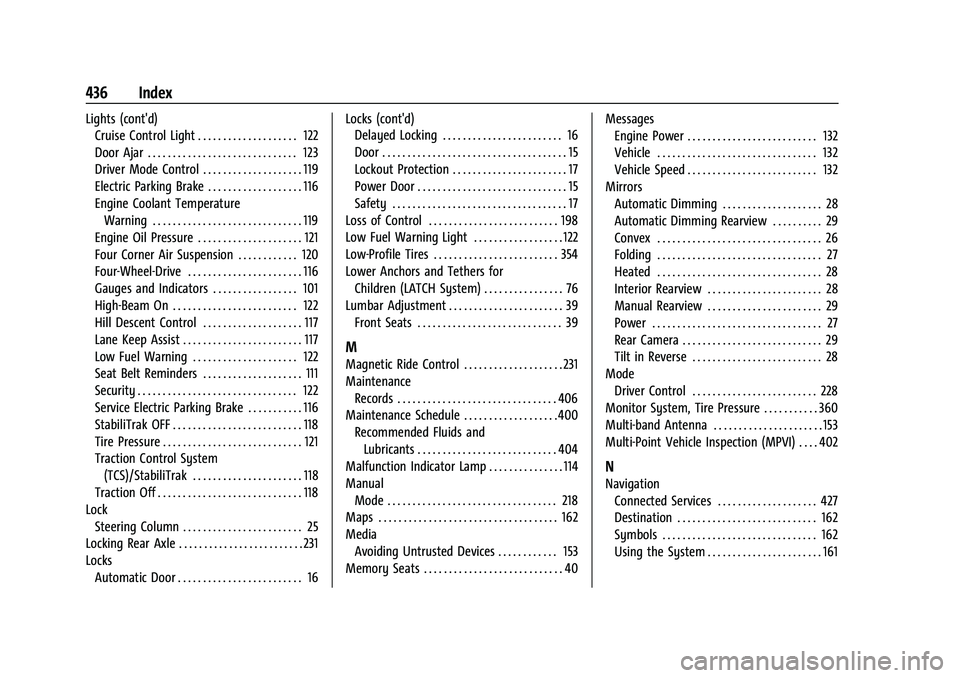
Lights (cont'd)Cruise Control Light . . . . . . . . . . . . . . . . . . . . 122
Door Ajar . . . . . . . . . . . . . . . . . . . . . . . . . . . . . . 123
Driver Mode Control . . . . . . . . . . . . . . . . . . . . 119
Electric Parking Brake . . . . . . . . . . . . . . . . . . . 116
Engine Coolant Temperature
Warning . . . . . . . . . . . . . . . . . . . . . . . . . . . . . . 119
Engine Oil Pressure . . . . . . . . . . . . . . . . . . . . . 121
Four Corner Air Suspension . . . . . . . . . . . . 120
Four-Wheel-Drive . . . . . . . . . . . . . . . . . . . . . . . 116
Gauges and Indicators . . . . . . . . . . . . . . . . . 101
High-Beam On . . . . . . . . . . . . . . . . . . . . . . . . . 122
Hill Descent Control . . . . . . . . . . . . . . . . . . . . 117
Lane Keep Assist . . . . . . . . . . . . . . . . . . . . . . . . 117
Low Fuel Warning . . . . . . . . . . . . . . . . . . . . . 122
Seat Belt Reminders . . . . . . . . . . . . . . . . . . . . 111
Security . . . . . . . . . . . . . . . . . . . . . . . . . . . . . . . . 122
Service Electric Parking Brake . . . . . . . . . . . 116
StabiliTrak OFF . . . . . . . . . . . . . . . . . . . . . . . . . . 118
Tire Pressure . . . . . . . . . . . . . . . . . . . . . . . . . . . . 121
Traction Control System (TCS)/StabiliTrak . . . . . . . . . . . . . . . . . . . . . . 118
Traction Off . . . . . . . . . . . . . . . . . . . . . . . . . . . . . 118
Lock Steering Column . . . . . . . . . . . . . . . . . . . . . . . . 25
Locking Rear Axle . . . . . . . . . . . . . . . . . . . . . . . . . 231
Locks
Automatic Door . . . . . . . . . . . . . . . . . . . . . . . . . 16 Locks (cont'd)
Delayed Locking . . . . . . . . . . . . . . . . . . . . . . . . 16
Door . . . . . . . . . . . . . . . . . . . . . . . . . . . . . . . . . . . . . 15
Lockout Protection . . . . . . . . . . . . . . . . . . . . . . . 17
Power Door . . . . . . . . . . . . . . . . . . . . . . . . . . . . . . 15
Safety . . . . . . . . . . . . . . . . . . . . . . . . . . . . . . . . . . . 17
Loss of Control . . . . . . . . . . . . . . . . . . . . . . . . . . 198
Low Fuel Warning Light . . . . . . . . . . . . . . . . . . 122
Low-Profile Tires . . . . . . . . . . . . . . . . . . . . . . . . . 354
Lower Anchors and Tethers for
Children (LATCH System) . . . . . . . . . . . . . . . . 76
Lumbar Adjustment . . . . . . . . . . . . . . . . . . . . . . . 39
Front Seats . . . . . . . . . . . . . . . . . . . . . . . . . . . . . 39
M
Magnetic Ride Control . . . . . . . . . . . . . . . . . . . . 231
MaintenanceRecords . . . . . . . . . . . . . . . . . . . . . . . . . . . . . . . . 406
Maintenance Schedule . . . . . . . . . . . . . . . . . . .400 Recommended Fluids andLubricants . . . . . . . . . . . . . . . . . . . . . . . . . . . . 404
Malfunction Indicator Lamp . . . . . . . . . . . . . . . 114
Manual
Mode . . . . . . . . . . . . . . . . . . . . . . . . . . . . . . . . . . 218
Maps . . . . . . . . . . . . . . . . . . . . . . . . . . . . . . . . . . . . 162
Media Avoiding Untrusted Devices . . . . . . . . . . . . 153
Memory Seats . . . . . . . . . . . . . . . . . . . . . . . . . . . . 40 Messages
Engine Power . . . . . . . . . . . . . . . . . . . . . . . . . . 132
Vehicle . . . . . . . . . . . . . . . . . . . . . . . . . . . . . . . . 132
Vehicle Speed . . . . . . . . . . . . . . . . . . . . . . . . . . 132
Mirrors Automatic Dimming . . . . . . . . . . . . . . . . . . . . 28
Automatic Dimming Rearview . . . . . . . . . . 29
Convex . . . . . . . . . . . . . . . . . . . . . . . . . . . . . . . . . 26
Folding . . . . . . . . . . . . . . . . . . . . . . . . . . . . . . . . . 27
Heated . . . . . . . . . . . . . . . . . . . . . . . . . . . . . . . . . 28
Interior Rearview . . . . . . . . . . . . . . . . . . . . . . . 28
Manual Rearview . . . . . . . . . . . . . . . . . . . . . . . 29
Power . . . . . . . . . . . . . . . . . . . . . . . . . . . . . . . . . . 27
Rear Camera . . . . . . . . . . . . . . . . . . . . . . . . . . . . 29
Tilt in Reverse . . . . . . . . . . . . . . . . . . . . . . . . . . 28
Mode
Driver Control . . . . . . . . . . . . . . . . . . . . . . . . . 228
Monitor System, Tire Pressure . . . . . . . . . . . 360
Multi-band Antenna . . . . . . . . . . . . . . . . . . . . . . 153
Multi-Point Vehicle Inspection (MPVI) . . . . 402
N
Navigation Connected Services . . . . . . . . . . . . . . . . . . . . 427
Destination . . . . . . . . . . . . . . . . . . . . . . . . . . . . 162
Symbols . . . . . . . . . . . . . . . . . . . . . . . . . . . . . . . 162
Using the System . . . . . . . . . . . . . . . . . . . . . . . 161