lock CHEVROLET TAHOE 1996 1.G Workshop Manual
[x] Cancel search | Manufacturer: CHEVROLET, Model Year: 1996, Model line: TAHOE, Model: CHEVROLET TAHOE 1996 1.GPages: 403, PDF Size: 20.63 MB
Page 151 of 403
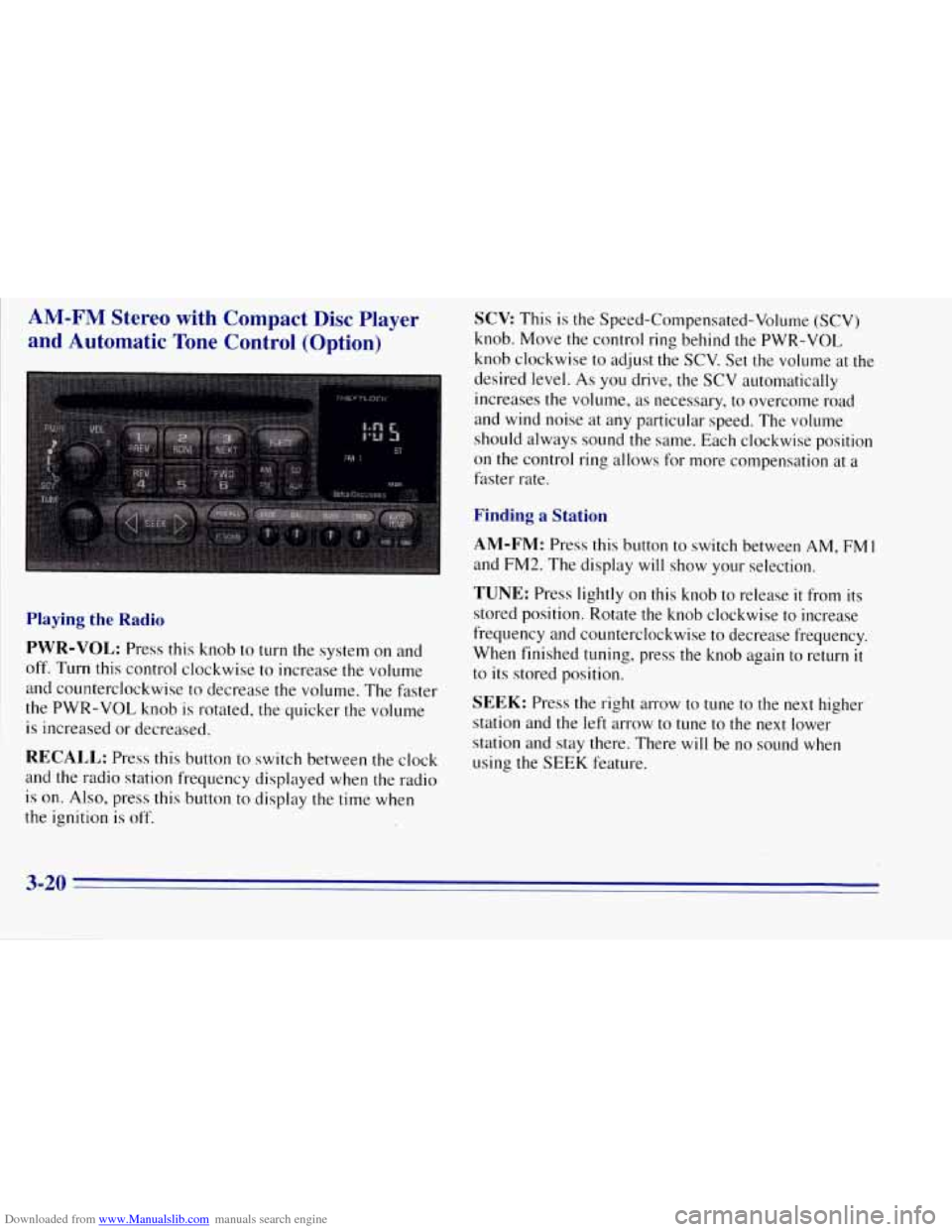
Downloaded from www.Manualslib.com manuals search engine AM-FM Stereo with Compact Disc Player
and Automatic Tone Control (Option)
Playing the Radio
PWR-VOL:
Press this knob to turn the system on and
off. Turn this control clockwise to increase the volume
and counterclockwise to decrease the volume. The faster
the
PWR-VOL knob is rotated, the quicker the volume
is increased or decreased.
RECALL: Press this button to switch between the clock
and the radio station frequency displayed when the radio
is
on. Also, press this button to display the time when
the ignition
is off.
SCV This is the Speed-Compensated-Volume (SCV)
knob. Move the control ring behind the PWR-VOL
knob clockwise to adjust the SCV. Set the volume at the
desired level.
As you drive, the SCV automatically
increases the volume, as necessary, to overcome road
and wind noise at any particular speed. The volume
should always sound the same. Each clockwise position
on the control ring allows for more compensation at a
faster rate.
Finding a Station
AM-FM: Press this button to switch between AM, FMI
and EM2. The display will show your selection.
TUNE: Press lightly on this knob to release it from its
stored position. Rotate the knob clockwise to increase
frequency and counterclockwise to decrease frequency.
When finished tuning, press the knob again to return
it
to its stored position.
SEEK: Press the right arrow to tune to the next higher
station and the left arrow to tune to the next lower
station and stay there. There will be no sound when
using the SEEK feature.
3-20
Page 153 of 403
Downloaded from www.Manualslib.com manuals search engine BASS: Press lightly on this knob to release it from its
stored position. Turn the knob clockwise to increase the
bass and counterclockwise to decrease the bass. When
the BASS control is rotated, the AUTO TONE setting
will change to MAN. Push the knob back in to its stored
position when done.
TREB: Press lightly on the TREB knob to release it
from its stored position. Turn the knob clockwise to
increase the treble and counterclockwise to decrease the
treble. When the TREB control is rotated, the AUTO
TONE setting will change to MAN. Push the knob back
in
to its stored position when done.
Adjusting the Speakers
BAL: Press this button to remove the control from its
stored position. Turn the control clockwise
to adjust
sound to the right speakers and counterclockwise to
adjust sound to the
left speakers. Press the button again
to return BAL to its stored position.
FADE: Press this button to remove the control from its
stored position. Turn the control clockwise
to adjust the
sound
to the front and counterclockwise for rear
speakers. Press the button again to return FADE to its
stored position.
Playing a Compact Disc
PWR: Press this knob to turn the system on.
(Please note that you can also turn the system on
when you insert a compact disc into the player with
the ignition on.)
Insert a disc partway into the slot, label side up. The
player will pull it in. Wait a few seconds and the disc
should play. CD and a CD symbol will also appear on
the display. Anytime you are playing a CD, the letters
CD will be next to the CD symbol.
If the disc comes back out and ERR appears on the
display, it could be that:
0 You are driving on a very rough road. (The disc
should play when the road gets smoother.)
0 The disc is upside down.
0 It is dirty, scratched or wet.
It is very humid. (If so, wait about an hour and
try again.)
0 The disc player is very hot.
Press RECALL to make ERR go off the display.
3-22 P
Page 155 of 403
Downloaded from www.Manualslib.com manuals search engine Theft-Deterrent Feature
THEFTLOCK is designed to discourage theft of your
radio. It works by using a secret code to disable all radio
functions whenever battery power is removed.
The THEFTLOCK feature for the radio may be used or
ignored. If ignored, the system plays normally and the
radio is
not protected by the feature. If THEFTLOCK is
activated, your radio will
not operate if stolen.
When THEFTLOCK is activated, the radio will display
LOC
to indicate a locked condition anytime battery
power is removed. If your battery loses power for any
reason, you must unlock the radio with the secret code
before
it will operate.
Activating the Theft-Deterrent Feature
The instructions which follow, explain how to enter your
secret code to activate the THEFTLOCK system. It is
recommended that you read through all nine steps
before starting the procedure.
NOTE: If you allow more than 15 seconds to elapse
between any steps, the radio automatically reverts
to
time and you must start the procedure over at Step 4.
1.
2.
3.
4.
5.
6.
9.
Write down any three or four-digit number from
000 to 1999 and keep it in a safe place separate from
the vehicle.
Turn the ignition to the ACCESSORY or
RUN position.
Turn the radio off.
Press the
1 and 4 buttons together. Hold them down
until --- shows on the display. Next you will use the
secret code number which you have written down.
Press MN and
000 will appear on the display.
Press MN again
to make the last two digits agree
with your code.
Press
HR to make the first one or two digits agree
with your code.
Press AM-FM after you have confirmed that the
code matches
the secret code you have written down.
The display
will show REP to let you know that you
need to repeat Steps 5 through 7 to confirm your
secret code.
Press AM-FM and this time the display will show
SEC
to let you know that your radio is secure. The
indicator by the volume control will begin flashing
when the ignition
is turned off.
3-24
Page 156 of 403
Downloaded from www.Manualslib.com manuals search engine Unlocking the Theft-Deterrent Feature After a
Power Loss
Enter your secret code as follows; pause no more than
15 seconds between steps:
1.
2.
3.
4.
5.
LOC appears when the ignition is on.
Press MN and
000 will appear on the display.
Press MN again to make the last two digits agree
with your code.
Press
HR to make the first one or two digits agree
with your code.
Press AM-FM after yod have confirmed that
the
code matches the secret code you have written down.
The display will show
SEC, indicating the radio is
now operable and secure.
If
you enter the wrong.code eight times, INOP will
appear on the display.
You will have to wait an hour
with the ignition on before
you can try again. When you
try again, you will only have three chances to enter the
correct code before INOP appears.
If you lose or forget your code, contact your dealer.
Disabling the Theft-Deterrent Feature
Enter your secret code as follows; pause no more than
15 seconds between steps:
1.
2.
3.
4.
5.
6.
7.
Turn the ignition to the ACCESSORY or
RUN position.
Turn the radio off.
Press the
1 and 4 buttons together. Hold them down
until SEC shows on the display.
Press MN and
000 will appear on the display.
Press MN again
to make the last two digits agree
with your code.
Press .HR to make the first one or two digits agree
with your code.
Press AM-FM after you have confirmed that the
code matches the secret code you have written down.
The display will show
---, indicating that the radio is
no longer secured.
If the code entered is incorrect, SEC will appear on the
display. The radio 'will remain secured until the correct
code is entered.
When battery power is disconnected from a secured
radio, the radio won't turn
on and LOC will appear on
the display.
Page 157 of 403
Downloaded from www.Manualslib.com manuals search engine To unlock a secured radio, see “Unlocking the
Theft-Deterrent Feature After a Power
Loss” earlier in
this section.
Understanding Radio Reception
FM Stereo
FM stereo will give you the best sound. But FM signals
will reach only about
10 to 40 miles (16 to 65 krn). Tall
buildings or hills can interfere with
FM signals, causing
the sound to come and go.
AM
The range for most AM stations is greater than for FM,
especially at night. The longer range, however, can
cause stations to interfere with each other. AM can pick
’ up noise from things like storms and power lines. Try
reducing the treble
to reduce this noise if you ever get it.
Tips About Your Audio System
Hearing damage from loud noise is almost undetectable
until it
is too late. Your hearing can adapt to higher
volumes
of sound. Sound that seems normal can be loud
and harmful
to your hearing. Take precautions by
adjusting the volume control on your radio to a safe
sound level before your hearing adapts to it. To
help avoid hearing loss or damage:
Adjust the volume control to the lowest setting.
Increase volume slowly until you hear comfortably
and clearly.
NOTICE:
Before you add any sound equipment to your
vehicle
-- like a tape player, CB radio, mobile
telephone or two-way radio
-- be sure you can add
what you want.
If you can, it’s very important to
do it properly. Added sound equipment may
interfere with the operation of your vehicle’s
engine, Delco radio
or other systems, and even
damage them. Your vehicle’s systems may interfere
with the operation
of sound equipment that has
been added improperly.
So, before adding sound equipment, check with
your dealer and be sure to check Federal rules
I covering mobile radio and telephone units.
3-26
Page 165 of 403
Downloaded from www.Manualslib.com manuals search engine Avoid needless heavy braking. Some people drive in
spurts
-- heavy acceleration followed by heavy
braking
-- rather than keeping pace with traffic. This is a
mistake. Your brakes may not have time
to cool between
hard stops. Your brakes will wear out much faster if you
do a lot of heavy braking. If you keep pace with the
traffic and allow realistic following distances,
you will
eliminate a lot of unnecessary braking. That means
better braking and longer brake life.
Ilf your engine ever stops while you’re driving, brake
normally but don’t pump your brakes. If you do, the
pedal may get harder
to push down. If your engine
sto’ps,
you will still have some power brake assist. But
you will use it when you brake. Once the power assist is
used
up, it‘may take longer to stop and the brake pedal
will be harder to push.
Anti-Lock Brakes
Your vehicle has anti-lock brakes (ABS). ABS is an
advanced electronic braking system that will help
prevent a braking skid.
When you start your engine and begin to drive away,
your anti-lock brake system will check itself.
You may
hear a momentary motor or clicking noise while this test
is going on. This
is normal.
ANTI -
LOCK
If there’s a problem with the
anti-lock brake system, this
warning light will stay on.
See “Anti-Lock Brake
System Warning Light” in
the Index.
4-6
Page 166 of 403
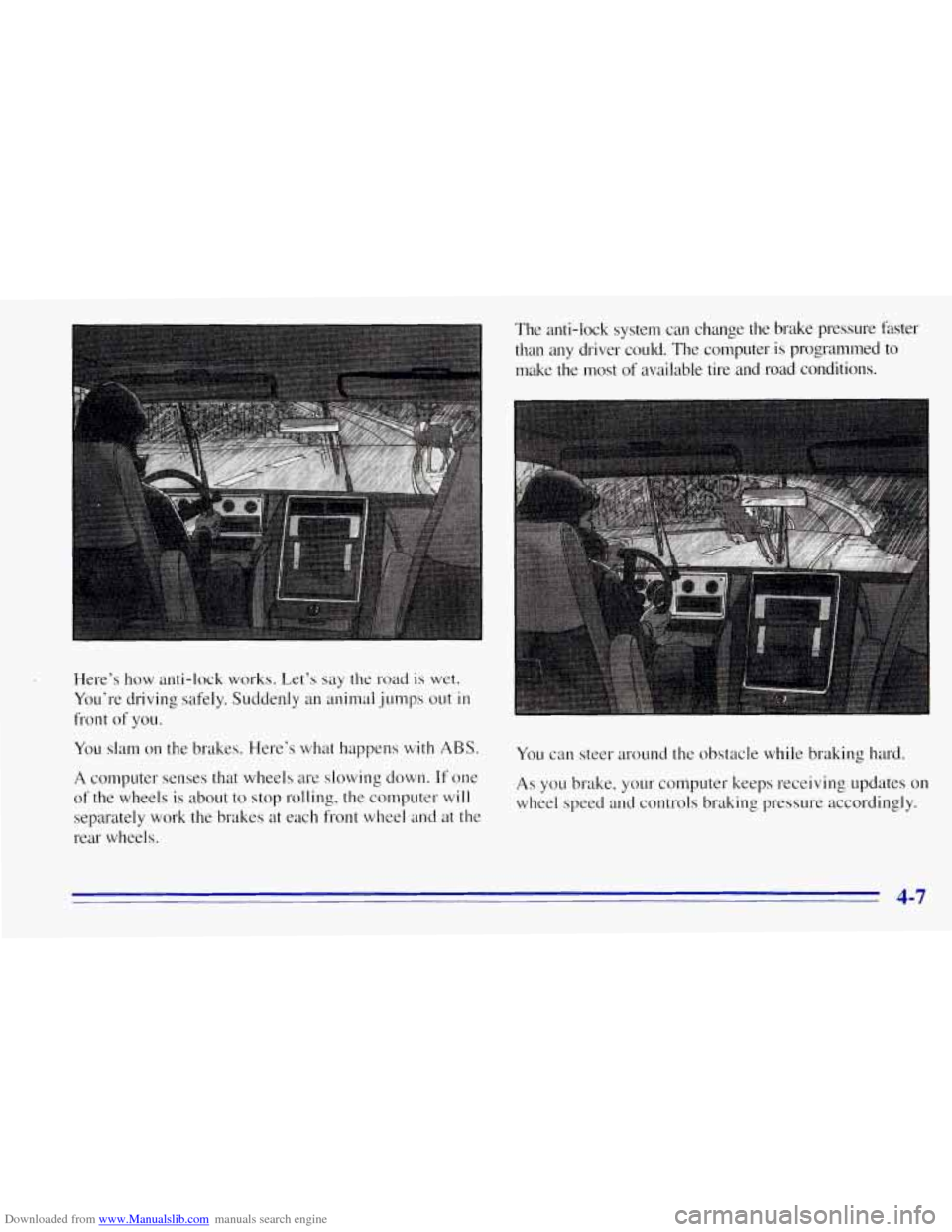
Downloaded from www.Manualslib.com manuals search engine Here’s how anti-lock works. Let’s say the road is wet.
You’re driving safely. Suddenly an animal jumps out
in
front of you.
You slam on the brakes. Here’s what happens
with ABS.
A computer senses that wheels are slowing down. If one
of the wheels is about to stop rolling, the computer will
separately work the brakes at each front wheel and at the
rear wheels. The anti-lock system can change the brake pressure faster
than any driver could. The computer
is programmed to
make the most
of available tire and road conditions.
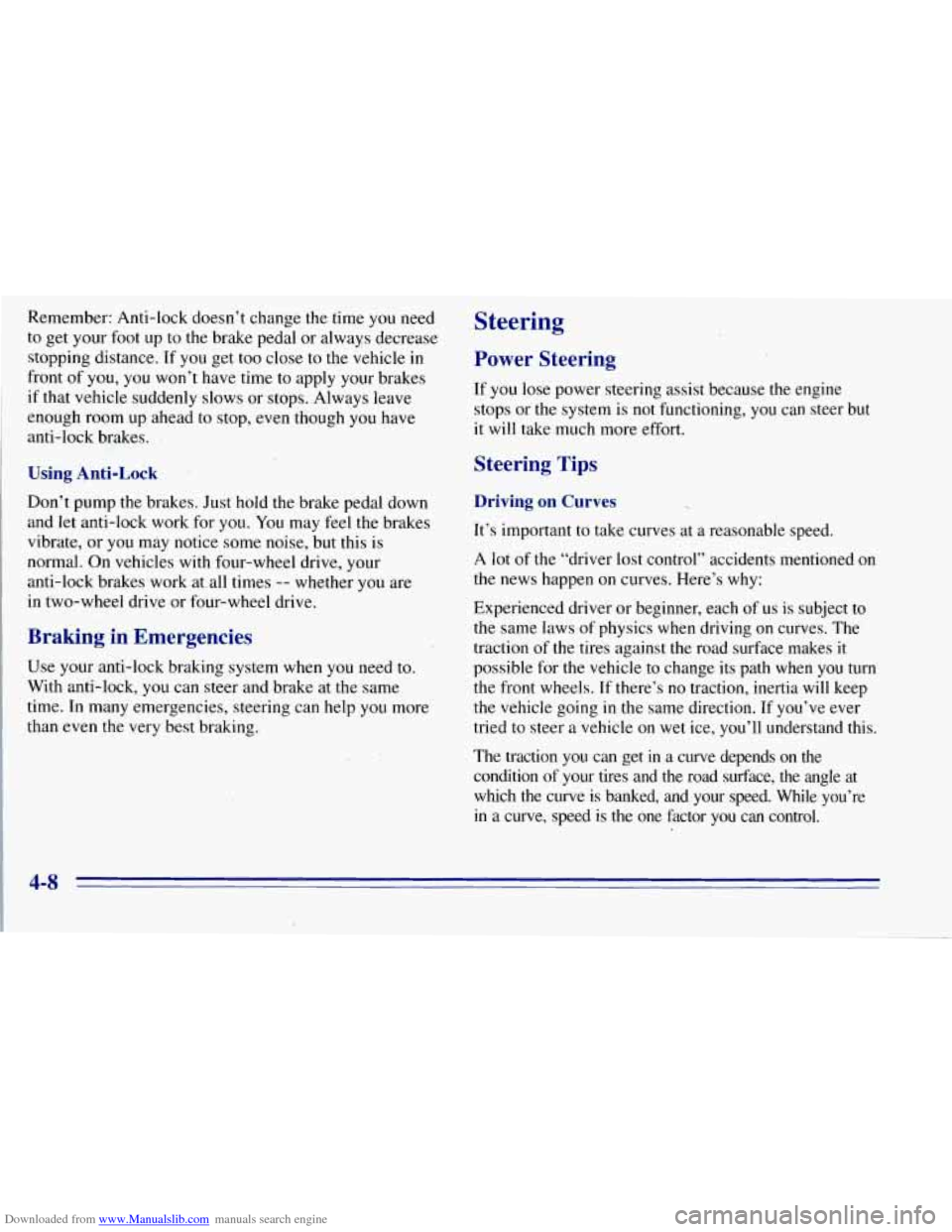
You can steer around the obstacle while braking hard.
As you brake, your computer keeps receiving updates on
wheel speed and controls braking pressure accordingly.
4-7
Page 167 of 403
Downloaded from www.Manualslib.com manuals search engine Remember: Anti-lock doesn’t change the time you need
to get your
foot up to the brake pedal or always decrease
stopping distance.
If you get too close to the vehicle in
front of you,
you won’t have time to apply your brakes
if that vehicle suddenly slows or stops. Always leave
enough room up ahead
to stop, even though you have
anti-lock brakes.
Using Anti-Lock
Don’t pump the brakes. Just hold the brake pedal down
and let anti-lock work for
you. You may feel the brakes
vibrate,
or you may notice some noise, but this is
normal. On vehicles with four-wheel drive, your
anti-lock brakes wark at all times
-- whether you are
in two-wheel drive or four-wheel drive.
Braking in Emergencies
Use your anti-lock braking system when you need to.
With anti-lock, you can steer and brake at the same
time. In many emergencies, steering can help
you more
than even the very best braking.
Steering
Power Steering
If you lose power steering assist because the engine
stops
.or the system is not functioning, you can steer but
it will take much more eftort.
Steering Tips
Driving on Curves
It’s important to take curves at a reasonable speed.
A lot
of the “driver lost control” accidents mentioned on
the news happen on curves. Here’s why:
Experienced driver or beginner, each of us is subject to
the same laws
of physics when driving on curves. The
traction of
the tires against the road surface makes it
possible for the vehicle to change its path when you
turn
the front wheels. If there’s no traction, inertia will keep
the vehicle going in the same direction. If you’ve ever
tried to steer a vehicle on wet ice, you’ll understand this.
The traction
you can get in a curve depends on the
condition of your tires and the road surface, the angle at
which the curve is banked, and your speed. While you’re in a curve, speed is the one factor you can control.
Page 169 of 403
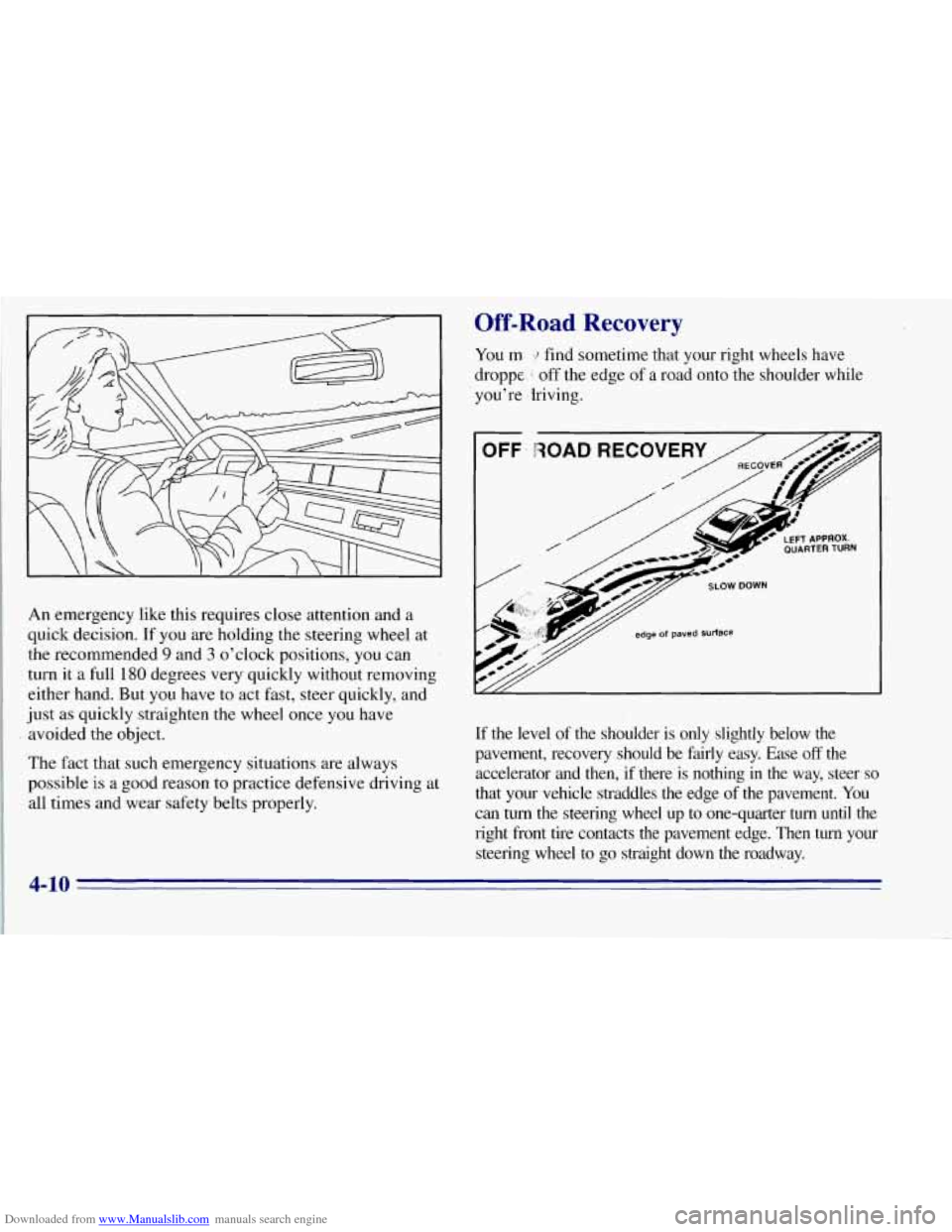
Downloaded from www.Manualslib.com manuals search engine An emergency like this, requires close attention and a
quick decision. If
you are holding the steering wheel at
the recommended
9 and 3 o’clock positions, you can
turn it a full
180 degrees very quickly without removing
either hand. But
you have to act fast, steer quickly, and
just as quickly straighten the wheel once
you have
avoided the object.
The fact that such emergency situations are always
possible
is a good reason to practice defensive driving at
all times and wear safety belts properly.
Off-Road Recovery
You m find sometime that your right wheels have
droppe
1 off the edge of a road onto the shoulder while
you’re ,Iriving.
If the level of the shoulder is only slightly below the
pavement, recovery should be fairly easy. Ease
off the
accelerator and then, if there is nothing
in the way, steer so
that your vehicle straddles the edge of the pavement. You
can
turn the steering wheel up to one-quarter turn until the
right front tire contacts the pavement edge. Then
turn your
steering wheel to
go straight down the roadway.
4-10
Page 172 of 403
Downloaded from www.Manualslib.com manuals search engine If your vehicle starts to slide, ease your foot off the
accelerator pedal and quickly steer the way
you want the
vehicle to go. If you start steering quickly enough, your
vehicle may straighten out. Always be ready for a
second skid if
it occurs.
Of course, traction is reduced when water, snow, ice,
gravel or other material is on the road. For safety, you’ll
want to slow down and adjust your driving to these
conditions. It
is important to slow down on slippery
surfaces because stopping distance will be longer and
vehicle control more limited.
While driving on a surface with reduced traction, try
your best to avoid sudden steering, acceleration or
braking (including engine braking by shifting to a lower
gear). Any sudden changes could cause the tires to slide.
You may not realize the surface is slippery until your
vehicle is skidding. Learn to recognize warning
clues
-- such as enough water, ice or packed snow
on the road to make a “mirrored surface’’
-- and
slow down when you have any doubt.
Remember: Any anti-lock brake system (ABS) helps
avoid only the braking skid.
Driving Guidelines
This multipurpose passenger vehicle is defined as a
utility vehicle in Consumer Information Regulations
issued by the National Highway Traffic Safety
Administration
(NHTSA) of the United States
Department of Transportation. Utility vehicles have
higher ground clearance and a narrower track
to make
them capable
of performing in a wide variety of off-road
applications. Specific design characteristics give them a
higher center of gravity than ordinary cars. An
advantage of the higher ground clearance is a better
view of the road allowing you
to anticipate problems.
They are not designed for cornering at the same speeds
as conventional two-wheel-drive vehicles any more than
low-slung sports cars
are designed to perform
satisfactorily under off-road conditions. If at all
possible, avoid sharp turns or abrupt maneuvers.
As with other vehicles of this type, failure to operate
this vehicle correctly may result in loss
of control or
vehicle rollover.
4-13