check engine CHEVROLET TAHOE 1997 1.G User Guide
[x] Cancel search | Manufacturer: CHEVROLET, Model Year: 1997, Model line: TAHOE, Model: CHEVROLET TAHOE 1997 1.GPages: 433, PDF Size: 22.05 MB
Page 107 of 433
Downloaded from www.Manualslib.com manuals search engine Rear Window Wiper and Washer
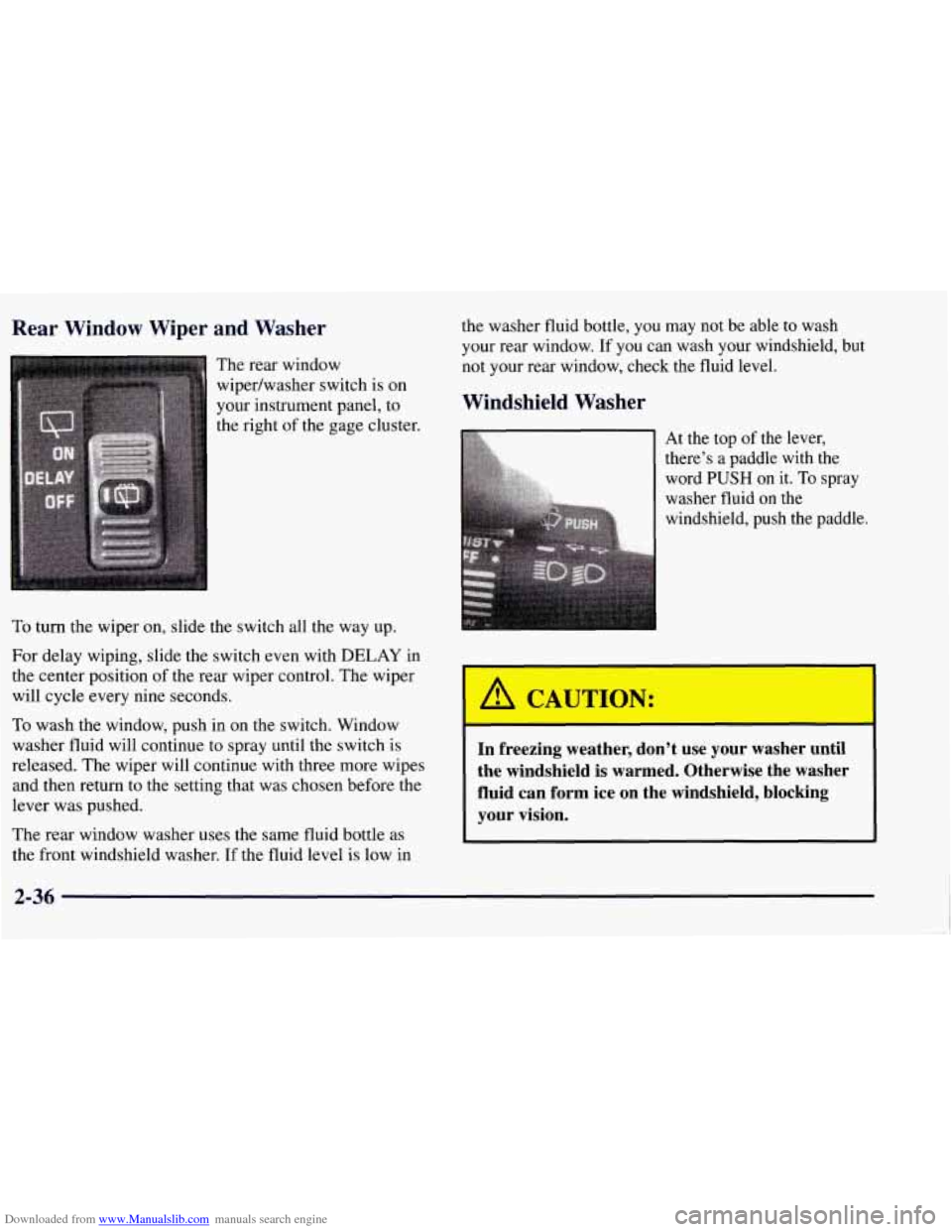
The rear window
wipedwasher switch is on
your instrument panel, to
the right of the gage cluster.
To turn the wiper on, slide the switch all the way up.
For delay wiping, slide the switch even with DELAY in
the center position of the rear wiper control. The wiper
will cycle every nine seconds.
To wash the window, push in on the switch. Window
washer fluid will continue
to spray until the switch is
released. The wiper will continue with three more wipes
and then return to the setting that was chosen before the
lever was pushed.
The rear window washer uses the same fluid bottle as
the front windshield washer. If the fluid level is low
in
the washer fluid bottle, you may not be able to wash
your rear window. If you can wash your windshield, but
not your rear window, check the fluid level.
Windshield Washer
At the top of the lever,
word
PUSH on it. To spray
washer fluid on the
windshield, push the paddle.
i there’s a paddle with the &
A CAUTION:
I
-I
In freezing weather, don’t use your washer until
the windshield is warmed. Otherwise the washer
fluid can form ice on the windshield, blocking
your vision.
Page 111 of 433
Downloaded from www.Manualslib.com manuals search engine Erasing Speed Memory
When you turn off the cruise control or the ignition,
your cruise control set speed memory is erased.
Lamps
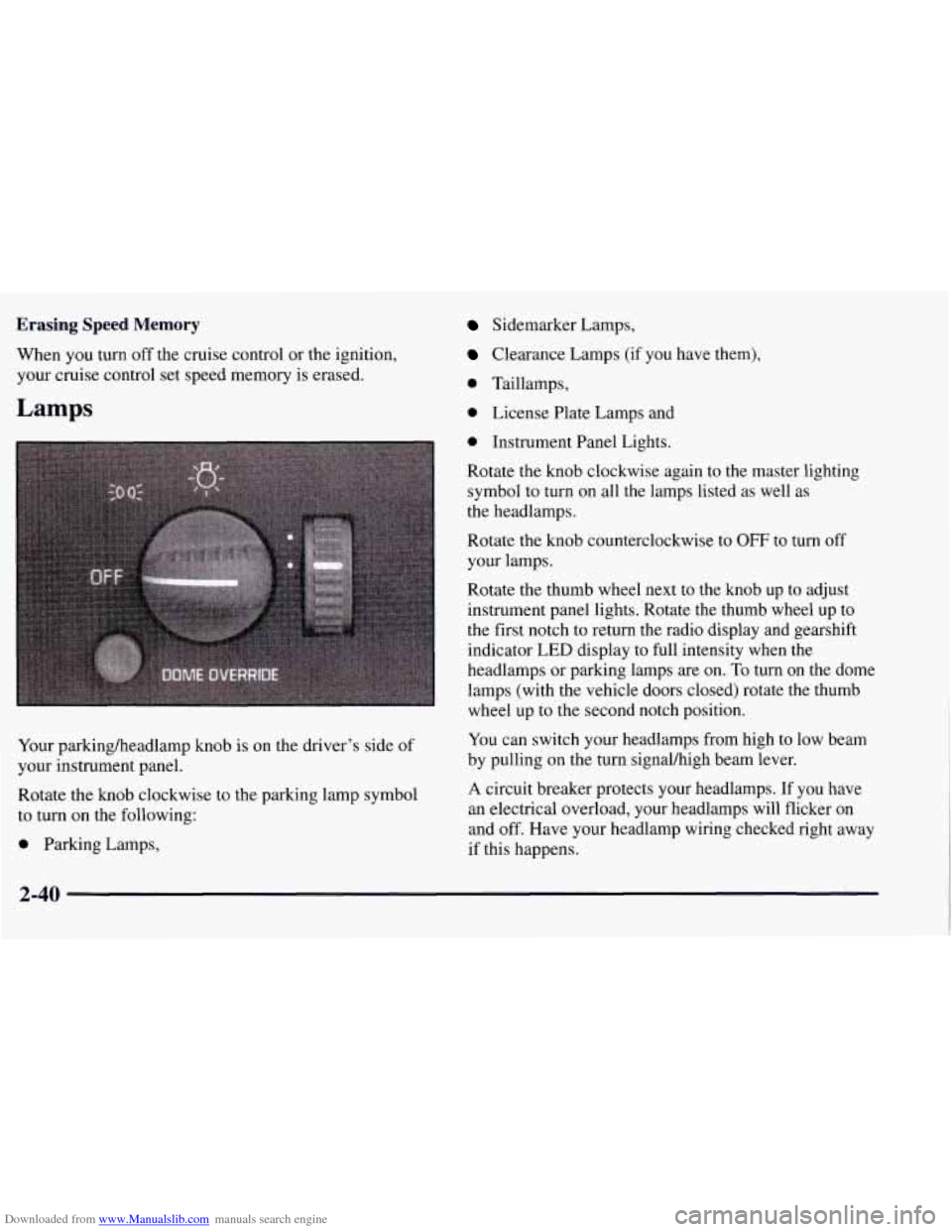
Your parkingheadlamp knob is on the driver’s side of
your instrument panel.
Rotate the knob clockwise to the parking lamp symbol
to turn on the following:
0 Parking Lamps,
Sidemarker Lamps,
Clearance Lamps (if you have them),
0 Taillamps,
0 License Plate Lamps and
0 Instrument Panel Lights.
Rotate the knob clockwise again to the master lighting
symbol to turn on all the lamps listed as well as
the headlamps.
Rotate the knob counterclockwise to
OFF to turn off
your lamps.
Rotate the thumb wheel next to the knob up to adjust
instrument panel lights. Rotate the thumb wheel up to
the first notch to return the radio display and gearshift
indicator LED display to full intensity when the
headlamps or parking lamps are on.
To turn on the dome
lamps (with the vehicle doors closed) rotate the thumb
wheel up to the second notch position.
You can switch your headlamps from high to low beam
by pulling on the turn signal/high beam lever.
A circuit breaker protects your headlamps. If you have
an electrical overload, your headlamps will flicker
on
and off. Have your headlamp wiring checked right away
if this happens.
2-40
Page 118 of 433
Downloaded from www.Manualslib.com manuals search engine Outside Mirrors
Adjust your outside mirrors so you can just see the side
of your vehicle and have a clear view of objects behind
you. Some mirrors can be folded in to enter
narrow doorways.
Electric Outside Rearview Mirrors
(If Equipped)
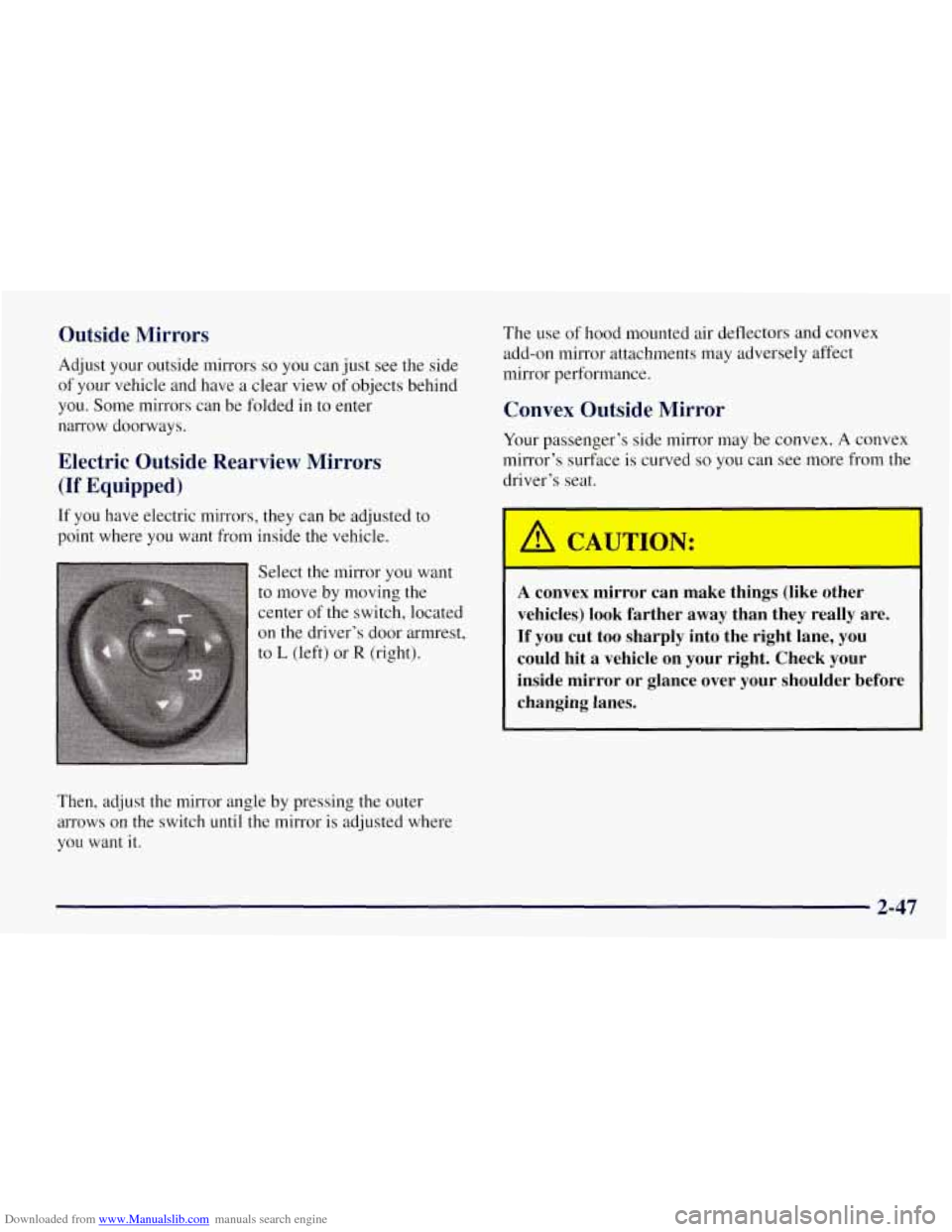
If you have electric mirrors, they can be adjusted to
point where you want from inside the vehicle.
Select the mirror you want
to move by moving the
center
of the switch, located
on the driver’s door armrest,
to
L (left) or R (right).
Then, adjust the mirror angle by pressing the outer
arrows on the switch until the mirror is adjusted where
you want it.
The use of hood mounted air deflectors and convex
add-on mirror attachments may adversely affect
mirror performance.
Convex Outside Mirror
Your passenger’s side mirror may be convex. A convex
mirror’s surface is curved
so you can see more from the
driver’s seat.
1
A convex mirror can make things (like other
vehicles) look farther away than they really are.
If you cut too sharply into the right lane, you could hit a vehicle on your right. Check your
inside mirror or glance over your shoulder before
changing lanes.
2-47
Page 128 of 433
Downloaded from www.Manualslib.com manuals search engine Luggage Carrier (If Equipped)
If you have the optional luggage carrier, you can load
things on top of your vehicle.
The luggage carrier has slats and side rails attached to
the roof, and crossrails which can be moved toward the
front or the rear in the side rails
to help secure cargo. Tie
the load to the side rails or side rail supports.
NOTICE:
Loading cargo that weighs more than 200 lbs.
(90.6 kg) on the luggage carrier may damage
your vehicle. When
you carry large things, never
let them hang over the rear or the sides
of your
vehicle. Load your cargo
so that it rests on the
slats and does not scratch or damage the vehicle.
Put the cargo against the side rails and fasten
it
securely to the luggage carrier.
Don’t exceed the maximum vehicle capacity when
loading your vehicle. For more information on vehicle
capacity and loading, see “Loading Your Vehicle”
in
the Index. To
prevent damage or loss of cargo as you’re driving,
check now and then to make sure the luggage carrier and
cargo are still securely fastened.
Be sure the cargo is properly loaded.
If small heavy objects are placed on the roof, place
the load in the area over the rear wheels (behind
the
rear side door on Suburbans). If you need to, cut a
piece of 3/8 inch plywood to fit inside the crossrails
and side rails to spread the load, If plywood is used,
tie it to the side rail supports.
Tie the load to the crossrails or the side rail supports.
Use the crossrails only to keep the load from sliding.
0 If you need to carry long items, move the crossrails
as far apart as they will go. Tie the load to the
crossrails and the side rails or side rail supports. Also
tie the load to the bumpers. Do not tie the load
so
tightly that the crossrails or side rails are damaged.
0 After moving the crossrails, be sure to tighten all the
slider screws.
For the purpose of wind noise reduction, locate
the front crossrail approximately
18-24 inches
(46 cm to 58 cm) rearward of the front supports.
2-57
Page 133 of 433
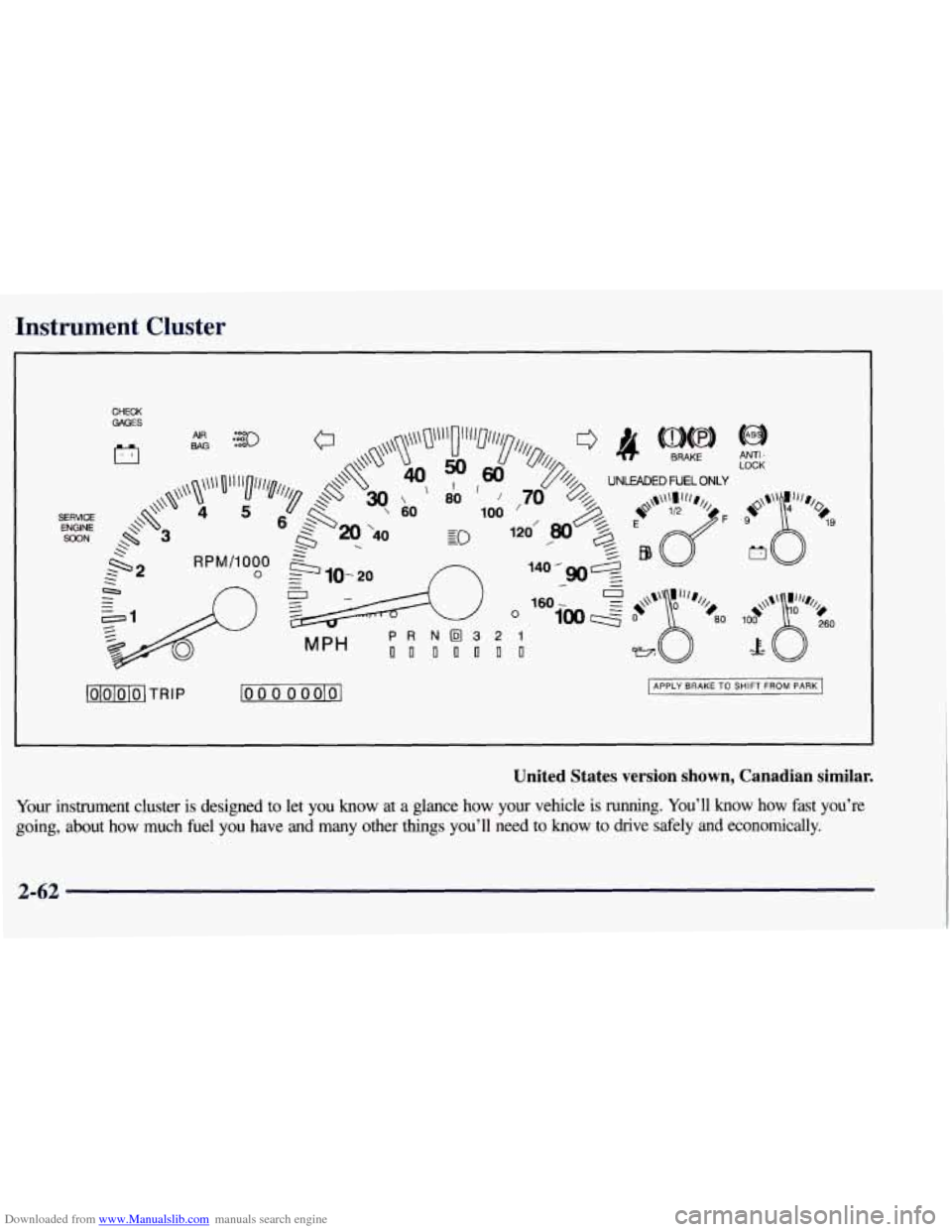
Downloaded from www.Manualslib.com manuals search engine Instrument Cluster
CHECK GAGES
c7
lOlblolol TRIP lo 0 0 0 oolol APPLY BRAKE TO SHIFT FROM PARK
United States version shown, Canadian similar.
Your instrument cluster is designed to let you know at a glance how your vehicle is running. You’ll know how fast you’re
going, about
how much fuel you have and many other things you’ll need to know to drive safely and economically.
2-62
Page 134 of 433
Downloaded from www.Manualslib.com manuals search engine Speedometer and Odometer
Your speedometer lets you see your speed in both miles
per hour (mph) and kilometers per hour
(km/h). Your
odometer shows how far your vehicle has been driven,
in either miles (used in the United States) or kilometers
(used in Canada).
Tamper-Resistant Odometer
Your odometer is tamper-resistant. The odometer will
show silver lines between the numbers if someone tries
to turn it back.
You may wonder what happens if your vehicle needs a
new odometer installed. Laws vary as to the procedure
that must be followed,
so check with your state or
provincial vehicle registration office. But generally, if
the new odometer can be set to the mileage total of the
old odometer, then it must be. But if it can’t, then it’s set
at zero, and a label must be put on the driver’s door to
show the old mileage reading when the new odometer
was installed.
Trip Odometer
The trip odometer can tell you how far your vehicle has
been driven since you last set the trip odometer to zero.
To reset the trip odometer, fully press the reset button
located near the trip odometer readout. If the reset
button is not fully pressed, the trip odometer may not go
all the way back to zero. If it doesn’t, you may have to
press the reset button again
to reset the readout to zero.
Tachometer
Your’tachometer displays the engine speed in
revolutions per minute (rpm).
2-63
Page 135 of 433
Downloaded from www.Manualslib.com manuals search engine Warning Lights, Gages and Indicators
This part describes the warning lights and gages that
may be on your vehicle. The pictures will help
you
locate them.
Warning lights and gages can signal that something is
wrong before it becomes serious enough to cause an
expensive repair or replacement. Paying attention to
your warning lights and gages could also save you
or
others from injury.
Warning lights come on when there may be or is a
problem with one
of your vehicle’s functions. As you
will see in the details on the next few pages, some
warning lights come on briefly when you start the
engine just to let you know they’re working. If
you are
familiar with this section, you should not be alarmed
when this happens.
Gages can indicate when there may be or is a problem
with one of your vehicle’s functions. Often gages and
warning lights work together to let you know when
there’s a problem with your vehicle. When
one of the warning lights comes on and stays on
when you are driving, or when one of the gages shows
there may be a problem, check the section that tells you
what to do about it. Please follow this manual’s advice.
Waiting
to do repairs can be costly -- and even
dangerous.
So please get to know your warning lights
and gages. They’re a big help.
Safety Belt Reminder Light .
When the key is turned to RUN or START, a tone will
come on for about eight seconds to remind people to
fasten their safety belts, unless the driver’s safety belt is
already buckled.
The safety belt light will
also come on and stay on
for about
20 seconds, then it
will flash for about
55 seconds. If the driver’s
belt is already buckled,
neither the tone nor the light
will come on.
2-64
Page 136 of 433
Downloaded from www.Manualslib.com manuals search engine Air Bag Readiness Light
There is an air bag readiness light on the instrument
panel, which shows
AIR BAG. The system checks the
air bag’s electrical system for malfunctions. The light
tells you if there is an electrical problem. The system
check includes the air bag sensors, the air bag module,
the wiring and the diagnostic module. For more
information on the air bag system, see “Air Bag” in
the Index.
AIR
BAG
This light will come on
when
you start your engine,
and it will flash for a few
seconds. Then the light
should go out. This means
the system is ready. If
the air bag readiness light stays on after you start the
engine or comes on when you are driving, your air bag
system may not work properly. Have your vehicle
serviced right away.
The air bag readiness light should flash for a few
seconds when you turn the ignition key to
RUN. If the
light doesn’t come on then, have it fixed
so it will be
ready to warn you
if there is a problem.
Charging System Warning Light
The charging system
warning light should come
on briefly when you turn on
the ignition, before starting
the engine, as a check to
show you it is working.
2-65
Page 137 of 433
Downloaded from www.Manualslib.com manuals search engine After the engine starts, the light should go out. If it stays
on or comes on while you are driving,
you may have a
problem with your charging system. It could indicate a
problem with the generator drive belt, or some other
charging system problem. Have it checked right away.
Driving while this light is on could drain your battery.
If you must drive a short distance with this light on, it
helps to turn
off all your accessories, such as the radio
and the air conditioner.
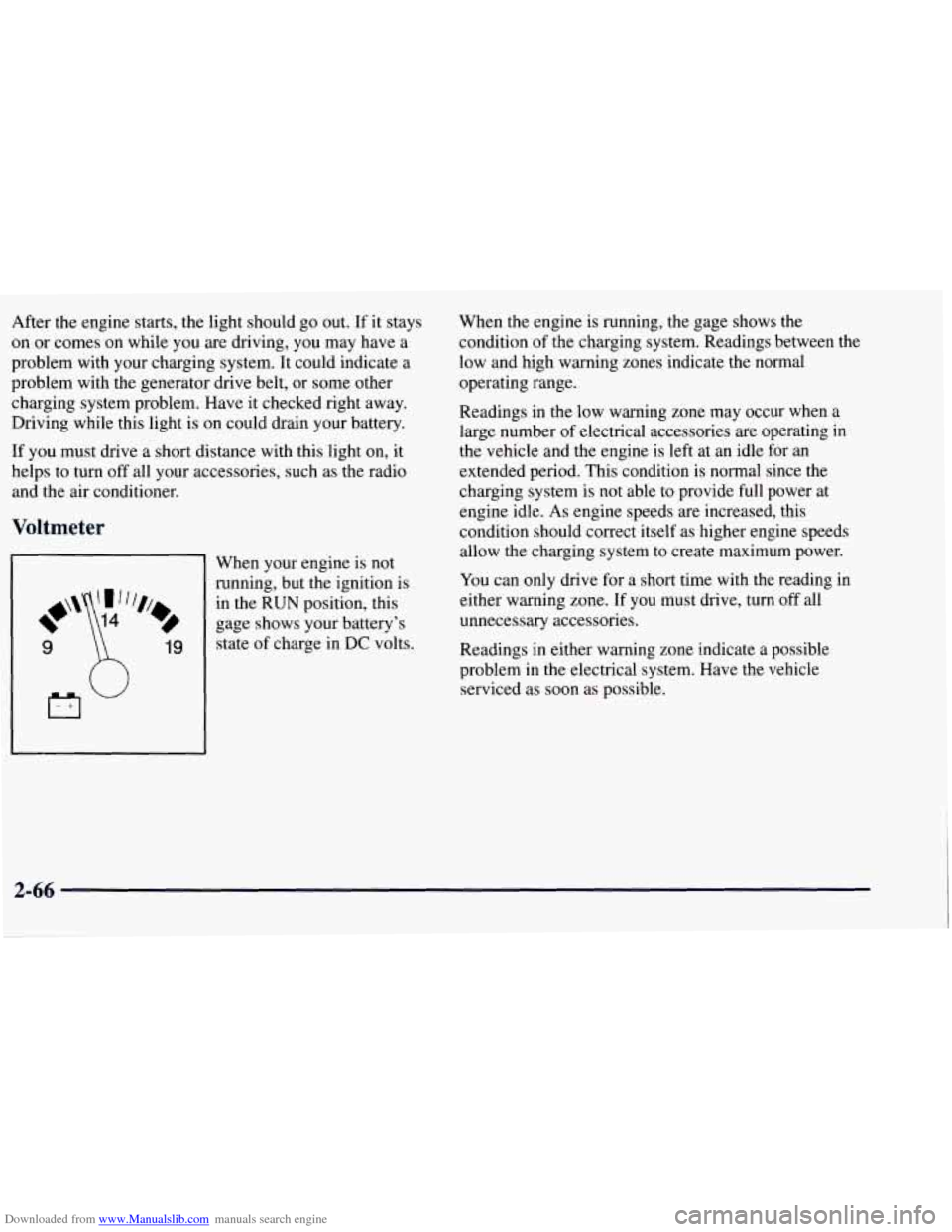
Voltmeter
9 19
When your engine is not
running, but the ignition is
in the RUN position, this
gage shows your battery's
state of charge in
DC volts. When
the engine is running, the gage shows the
condition of the charging system. Readings between the
low and high warning zones indicate the normal
operating range.
Readings in the low warning zone may occur when a
large number of electrical accessories are operating in
the vehicle and the engine is left at an idle for an
extended period. This condition is normal since the
charging system is not able to provide full power at
engine idle.
As engine speeds are increased, this
condition should correct itself as higher engine speeds
allow the charging system to create maximum power.
You can only drive for a short time with the reading
in
either warning zone. If you must drive, turn off all
unnecessary accessories.
Readings in either warning zone indicate a possible
problem in the electrical system. Have the vehicle
serviced as soon as possible.
2-66
Page 140 of 433
Downloaded from www.Manualslib.com manuals search engine Malfunction Indicator Lamp (Service
Engine Soon Light) (Gasoline Engine)
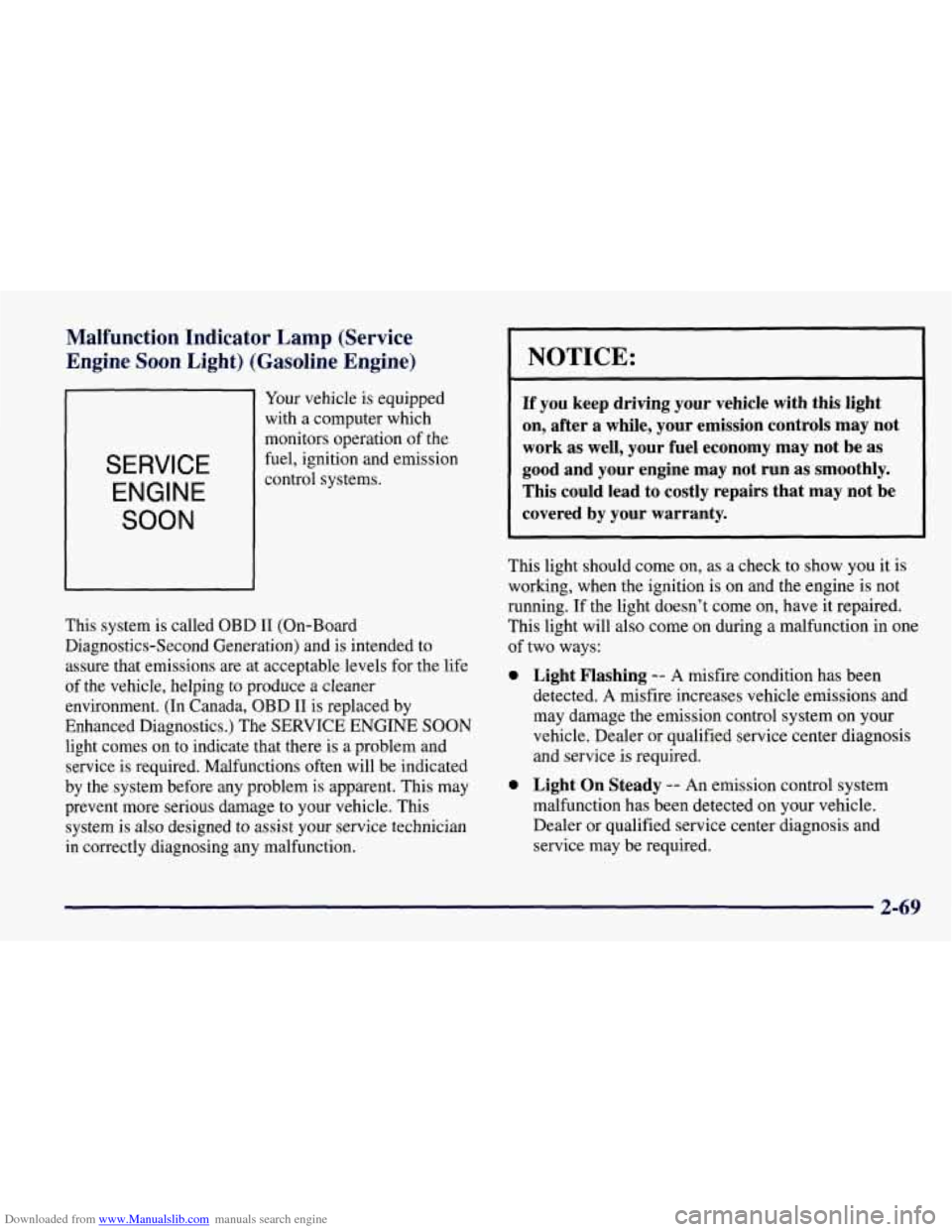
SERVICE
ENGINE
SOON
Your vehicle is equipped
with a computer which
monitors operation of the
fuel, ignition and emission
control systems.
This system is called OBD I1 (On-Board
Diagnostics-Second Generation) and is intended to
assure that emissions are at acceptable levels for the life
of the vehicle, helping
to produce a cleaner
environment. (In Canada, OBD I1 is replaced by
Enhanced Diagnostics.) The SERVICE ENGINE SOON
light comes on to indicate that there is a problem and
service is required. Malfunctions often will be indicated
by the system before any problem is apparent. This may
prevent more serious damage to your vehicle. This
system is also designed to assist your service technician
in correctly diagnosing any malfunction.
I NOTICE:
If you keep driving your vehicle with this light
on, after a while, your emission controls may not
work as well, your fuel economy may not be as
good and your engine may not run as smoothly.
This could lead
to costly repairs that may not be
covered by your warranty.
This light should come on, as a check to show you it is
working, when the ignition is on and the engine is not
running.
If the light doesn’t come on, have it repaired.
This light will also come on during a malfunction in one
of two ways:
0 Light Flashing -- A misfire condition has been
detected. A misfire increases vehicle emissions and
may damage the emission control system on your
vehicle. Dealer or qualified service center diagnosis
and service
is required.
0 Light On Steady -- An emission control system
malfunction has been detected on your vehicle.
Dealer or qualified service center diagnosis and
service may be required.
2-69