instrument panel CHEVROLET TAHOE 2006 2.G Owner's Guide
[x] Cancel search | Manufacturer: CHEVROLET, Model Year: 2006, Model line: TAHOE, Model: CHEVROLET TAHOE 2006 2.GPages: 540, PDF Size: 3.06 MB
Page 183 of 540
To avoid blowing cold air in cold weather, the system
will delay turning on the fan until warm air is available.
The length of delay depends on the engine coolant
temperature. Pressing the fan switch will override this
delay and change the fan to a selected speed.
9(Off):Press this button to turn off the entire climate
control system. Outside air will still enter the vehicle, and
will be directed to the oor. This direction can be changed
by pressing the mode button. The temperature can also
be adjusted using either temperature knob. Press the up
or down arrows on the fan switch, the defrost button, the
AUTO button, or the air conditioning button to turn the
system on when it is off.
Manual Operation
You may manually adjust the air delivery mode or
fan speed.
w9x(Fan):The switch with the fan symbol allows
you to manually adjust the fan speed. Press the up
arrow to increase fan speed and the down arrow
to decrease fan speed.
Pressing this button when the system is off will turn
the system on.
C(Mode):Press this button to manually change the
direction of the airow in your vehicle; repeatedly press
the button until the desired mode appears on the
display.
If you press the mode button to select an air delivery
mode, the display will change to show you the selected
air mode delivery. The display will then show the
current status of the system. When the system is turned
off, the display will go blank after displaying the
current status of the system.
H(Panel):This setting will deliver air to the instrument
panel outlets.
)(Bi-Level):This setting will deliver warmer air to
the oor and cooler air to the instrument panel outlets.
6(Floor):This setting will deliver air to the
oor outlets.
-(Defog):See “Defogging and Defrosting” later in
this section.
@(Recirculation):Press this button to limit the
amount of outside air entering your vehicle. The light on
the recirculation button will glow. This is helpful when you
are trying to limit odors entering your vehicle and for
maximum air conditioning performance in hot weather.
Press this button again to allow outside air to enter the
vehicle. The light on the recirculation button will go off.
3-27
Page 185 of 540
Air Conditioning
#
(Air Conditioning):Press this button to turn the
air conditioning (A/C) compressor on and off. The
snowake symbol will appear on the display when the
A/C is on and will turn off when the air conditioning is off.
Pressing this button when the outside temperature is
too cool for air conditioning will make the snowake
symbol ash three times and then turn off to let
you know the air conditioning mode is not available. If
the air conditioning is on and the outside temperature
drops below a temperature which is too cool for air
conditioning to be effective, the snowake symbol will
turn off to let you know the air conditioning mode
has been canceled.
When air conditioning is selected or in AUTO mode, the
system will run the air conditioning automatically to cool
and dehumidify the air entering the vehicle. If you select
A/C off while in front defrost, defog or recirculation, the
A/C snowake symbol will turn off, but the A/C
compressor will still run to help prevent fogging.
On hot days, open the windows long enough to let hot
inside air escape. This reduces the time it takes for
your vehicle to cool down. Then keep your windows
closed for the air conditioner to work its best.On cool, but sunny days while using manual operation
of the automatic system, use bi-level to deliver warm
air to the oor and cooler air to the instrument
panel outlets. To warm or cool the air delivered, turn
the temperature knob to the desired setting.
In AUTO mode the system will cool and dehumidify the
air inside the vehicle. Also while in AUTO mode, the
system will maximize its performance by using
recirculation as necessary.
Defogging and Defrosting
You can use either defog or front defrost to clear fog or
frost from your windshield. Use the defog mode to
clear the windows of fog or moisture. Use the front
defrost button to defrost the front windshield.
-(Defog):Use this setting to clear the windows of
fog or moisture. Press the mode button to select
this setting. This setting will deliver air to the oor and
windshield outlets.
0(Defrost):Press the front defrost button to defrost
the windshield. The system will automatically control
the fan speed if you select defrost from AUTO mode.
If the outside temperature is 40°F (4°C) or warmer, your
air conditioning compressor will automatically run to
help dehumidify the air and dry the windshield.
3-29
Page 186 of 540
Rear Window Defogger
If your vehicle has this feature, the lines you see on
the rear window warm the glass. The rear window
defogger uses a warming grid to remove fog from the
rear window.
<(Rear):Press this button to turn the rear window
defogger on or off. An indicator light in the button
will come on to let you know that the rear window
defogger is activated.
The rear window defogger will turn off about 10 minutes
after the button is pressed. If you need additional
warming time, press the button again.
If your vehicle is equipped with heated mirrors, this
button will activate them.
Notice:Do not use a razor blade or sharp object
to clear the inside rear window. Do not adhere
anything to the defogger grid lines in the rear glass.
These actions may damage the rear defogger.
Repairs would not be covered by your warranty.
Outlet Adjustment
Use the air outlets located in the center and on the side
of your instrument panel to direct the airow.
Operation Tips
Keep the hood and front air inlets free of ice, snow,
or any other obstruction (such as leaves). The
heater and defroster will work far better, reducing
the chance of fogging the inside of your windows.
When you enter a vehicle in cold weather, turn the
fan knob all the way to the right for a few moments
before driving. This helps clear the intake ducts
of snow and moisture, and reduces the chance of
fogging the inside of your window.
Keep the air path under the front seats clear of
objects. This helps air to circulate throughout
your vehicle.
Adding outside equipment to the front of your
vehicle, such as hood-air deectors, may affect the
performance of the heating and air conditioning
system. Check with your dealer before adding
equipment to the outside of your vehicle.
3-30
Page 191 of 540

Instrument Panel Cluster
Your instrument cluster is designed to let you know at a glance how your vehicle is running. You’ll know how fast you’re
going, about how much fuel you have and many other things you’ll need to know to drive safely and economically.United States Heavy Duty Transmission version shown. Canada and Light Duty Transmission Clusters similar.
3-35
Page 192 of 540
Speedometer and Odometer
Your speedometer lets you see your speed in both
miles per hour (mph) and kilometers per hour (km/h).
Your odometer shows how far your vehicle has
been driven, in either miles (used in the United States)
or kilometers (used in Canada).
Engine Hour Meter Display
The Driver Information Center (DIC) can also display
the number of hours the engine has run. To display the
engine hours, turn the ignition off, press and hold the
reset button for at least four seconds. The hour
meter will be displayed for up to 30 seconds, or until the
ignition is turned on. SeeDIC Operation and Displays
on page 3-52for more information.
Trip Odometer
The trip odometer can tell you how far your vehicle has
been driven since you last set the trip odometer to zero.
Press the reset button, located on the instrument panel
cluster next to the trip odometer display, to toggle
between the trip odometer and the regular odometer.
Holding the reset button for approximately one second
while the trip odometer is displayed will reset it.
To display the odometer reading with the ignition off,
press the reset button.
Tachometer
Your tachometer displays the engine speed in
revolutions per minute (rpm).
Safety Belt Reminder Light
When the key is turned to RUN or START, a chime will
be provided for several seconds to remind people to
buckle their safety belts. The driver safety belt light will
also be provided and stay on for several seconds,
then it will ash for several more. You should buckle
your seat belt.
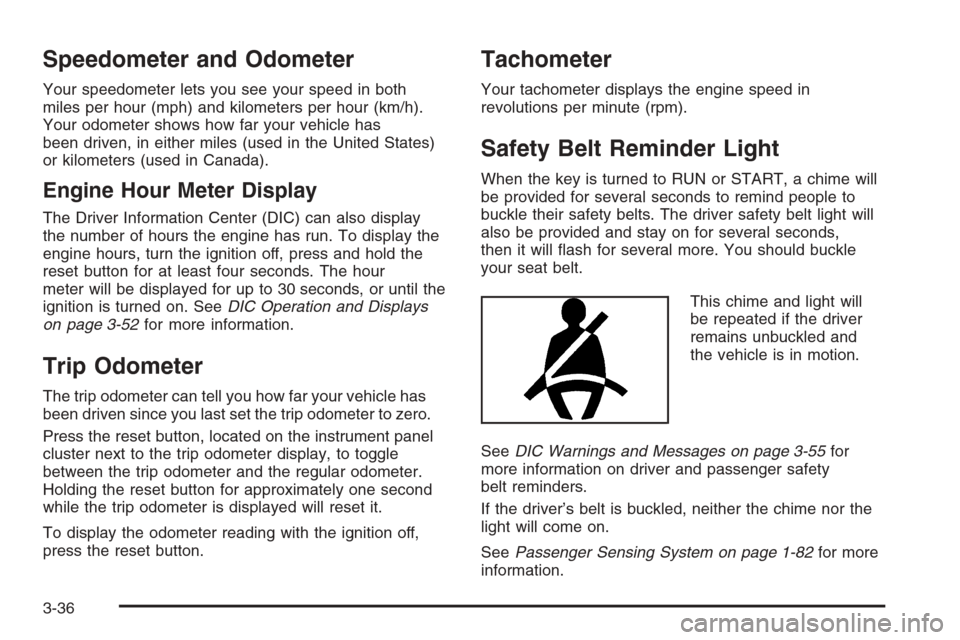
This chime and light will
be repeated if the driver
remains unbuckled and
the vehicle is in motion.
SeeDIC Warnings and Messages on page 3-55for
more information on driver and passenger safety
belt reminders.
If the driver’s belt is buckled, neither the chime nor the
light will come on.
SeePassenger Sensing System on page 1-82for more
information.
3-36
Page 193 of 540
Airbag Readiness Light
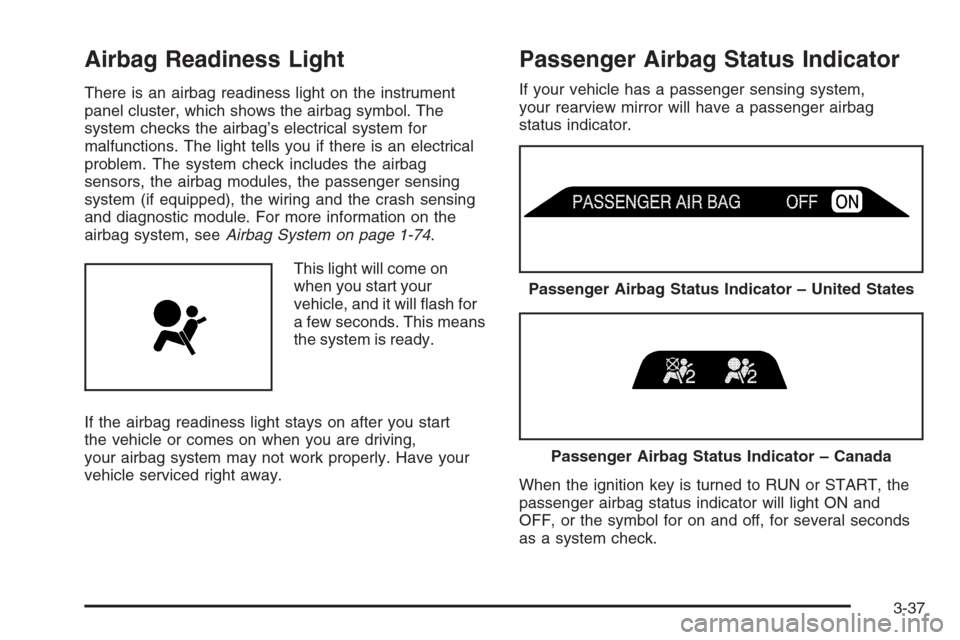
There is an airbag readiness light on the instrument
panel cluster, which shows the airbag symbol. The
system checks the airbag’s electrical system for
malfunctions. The light tells you if there is an electrical
problem. The system check includes the airbag
sensors, the airbag modules, the passenger sensing
system (if equipped), the wiring and the crash sensing
and diagnostic module. For more information on the
airbag system, seeAirbag System on page 1-74.
This light will come on
when you start your
vehicle, and it will ash for
a few seconds. This means
the system is ready.
If the airbag readiness light stays on after you start
the vehicle or comes on when you are driving,
your airbag system may not work properly. Have your
vehicle serviced right away.
Passenger Airbag Status Indicator
If your vehicle has a passenger sensing system,
your rearview mirror will have a passenger airbag
status indicator.
When the ignition key is turned to RUN or START, the
passenger airbag status indicator will light ON and
OFF, or the symbol for on and off, for several seconds
as a system check.
Passenger Airbag Status Indicator – United States
Passenger Airbag Status Indicator – Canada
3-37
Page 207 of 540
Driver Information Center (DIC)
The Driver Information Center (DIC) display is located
on the instrument panel cluster, below the speedometer.
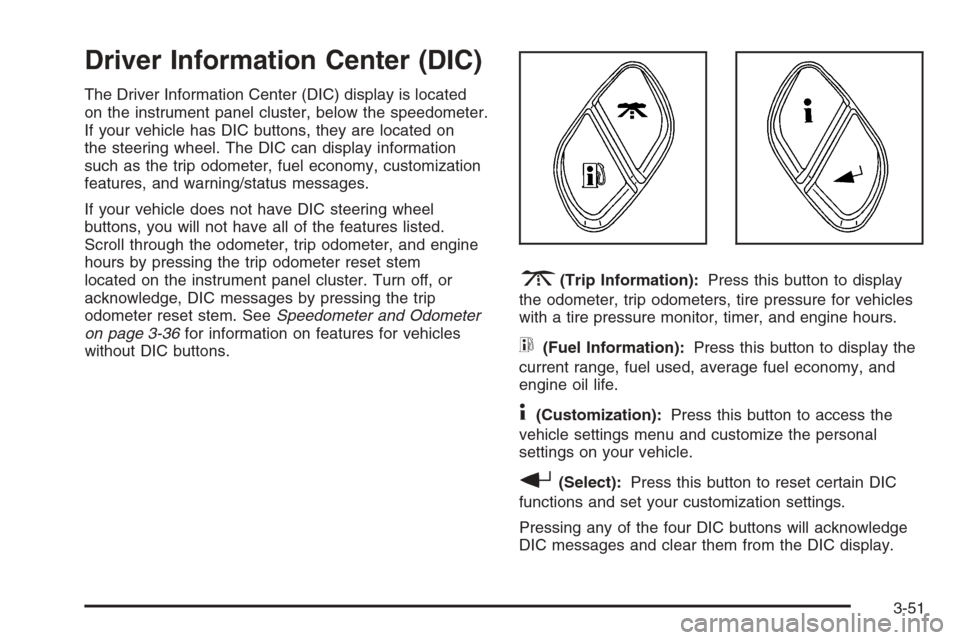
If your vehicle has DIC buttons, they are located on
the steering wheel. The DIC can display information
such as the trip odometer, fuel economy, customization
features, and warning/status messages.
If your vehicle does not have DIC steering wheel
buttons, you will not have all of the features listed.
Scroll through the odometer, trip odometer, and engine
hours by pressing the trip odometer reset stem
located on the instrument panel cluster. Turn off, or
acknowledge, DIC messages by pressing the trip
odometer reset stem. SeeSpeedometer and Odometer
on page 3-36for information on features for vehicles
without DIC buttons.
3(Trip Information):Press this button to display
the odometer, trip odometers, tire pressure for vehicles
with a tire pressure monitor, timer, and engine hours.
t(Fuel Information):Press this button to display the
current range, fuel used, average fuel economy, and
engine oil life.
4(Customization):Press this button to access the
vehicle settings menu and customize the personal
settings on your vehicle.
r(Select):Press this button to reset certain DIC
functions and set your customization settings.
Pressing any of the four DIC buttons will acknowledge
DIC messages and clear them from the DIC display.
3-51
Page 211 of 540
DIC Warnings and Messages
Warning messages are displayed on the Driver
Information Center (DIC) to notify the driver that the
status of the vehicle has changed and that some action
may be needed by the driver to correct the condition.
If there is more than one message that needs to
be displayed, they will appear one after another. Some
messages may not require immediate action, but
you should press any of the four DIC buttons on the
steering wheel to acknowledge that you received
the messages and clear them from the display. If your
vehicle does not have DIC buttons on the steering
wheel, press the trip odometer reset stem located on
the instrument panel cluster to acknowledge messages
and clear them from the display. Some messages
cannot be cleared from the display because they are
more urgent. These messages require action before they
can be removed from the DIC display. You should
take any messages that appear on the display seriously
and remember that clearing the messages will only
make the messages disappear, not correct the problem.
The following are the possible messages that can be
displayed and some information about them.
BATTERY NOT CHARGING
On some vehicles, if the battery is not charging during
operation, this message will appear on the DIC.
Driving with this problem could drain your battery. Have
the electrical system checked by your GM dealer as
soon as possible. SeeBattery Warning Light on
page 3-39andVoltmeter Gage on page 3-40. Pressing
any of the four DIC buttons will acknowledge the
message and clear it from the DIC display. If your
vehicle does not have the four DIC buttons, pressing
the trip odometer reset stem will acknowledge the
message and clear it from the DIC display.
BUCKLE PASSENGER
If your vehicle has the passenger sensing system, this
message reminds you to buckle the passenger’s
seat belt. SeePassenger Sensing System on page 1-82.
This message will display and a chime will sound when
the ignition is on, the driver’s seat belt is buckled, the
passenger’s seat belt is unbuckled with the passenger
airbag enabled, and the vehicle is in motion. You should
have the passenger buckle their seat belt.
This reminder will be repeated if the ignition is on, the
vehicle is in motion, the driver is buckled and the
passenger is still unbuckled, and the passenger airbag
is enabled. If the passenger’s seat belt is already
buckled, this message and chime will not come on.
3-55
Page 212 of 540
Pressing any of the four DIC buttons will acknowledge
the message and clear it from the DIC display. If
your vehicle does not have the four DIC buttons,
pressing the trip odometer reset stem will acknowledge
the message and clear it from the DIC display.
BUCKLE SEATBELT
If your vehicle has the passenger sensing system, this
message reminds you to buckle the driver’s seat
belt. SeePassenger Sensing System on page 1-82.
This message will display and a chime will sound when
the ignition is on, the driver’s seat belt is unbuckled,
and the vehicle is in motion. You should buckle
your seat belt.
If the driver remains unbuckled when the ignition is
on and the vehicle is in motion, the reminder will
be repeated. If the driver’s seat belt is already buckled,
this message and chime will not come on.
This message is an additional reminder to the Safety
Belt Reminder Light in the instrument panel cluster.
SeeSafety Belt Reminder Light on page 3-36.
Pressing any of the four DIC buttons will acknowledge
the message and clear it from the DIC display. If
your vehicle does not have the four DIC buttons,
pressing the trip odometer reset stem will acknowledge
the message and clear it from the DIC display.
CHANGE ENGINE OIL
This message is displayed when the engine oil needs
to be changed. When you change the engine oil, be sure
to reset the CHANGE ENGINE OIL message. See
Engine Oil Life System on page 5-18for information on
how to reset the message. This message will clear
itself after 10 seconds until the next ignition cycle or until
the message is reset. SeeEngine Oil on page 5-15
andScheduled Maintenance on page 6-4for more
information.
CHARGING SYSTEM FAILURE
On some vehicles, if there is a problem with the
generator and battery charging system, this message
will appear on the DIC, a chime will sound, and the
battery warning light on the instrument panel cluster will
come on. Driving with this problem could drain your
battery. Turn off all unnecessary accessories. Stop and
turn off the vehicle as soon as it is safe to do so.
Have the electrical system checked by your GM dealer
immediately. SeeBattery Warning Light on page 3-39
andVoltmeter Gage on page 3-40for more information.
3-56
Page 214 of 540
ENGINE COOLANT HOT
If the cooling system temperature gets hot, this message
will appear in the DIC. Turn off the air conditioning.
If the message is still on, or if the engine coolant
temperature gage continues to rise, pull the vehicle
over when it is safe to do so. SeeEngine Coolant
Temperature Gage on page 3-42for more information.
Stop the vehicle and let the engine idle in PARK (P)
for a few minutes to allow the coolant to reach a
safe temperature. This message will clear when the
coolant temperature drops to a safe operating
temperature. Pressing any of the four DIC buttons will
acknowledge the message and clear it from the DIC
display. If your vehicle does not have the four DIC
buttons, pressing the trip odometer reset stem will
acknowledge the message and clear it from the
DIC display.
ENGINE OVERHEATED
Notice:If you drive your vehicle while the engine
is overheating, severe engine damage may occur.
If an overheat warning appears on the instrument
panel cluster and/or DIC, stop the vehicle as soon as
possible. Do not increase the engine speed above
normal idling speed. SeeEngine Overheating
on page 5-28for more information.If the engine cooling system reaches unsafe
temperatures for operation, this message will appear in
the DIC and you will hear a chime. Stop and turn off
the vehicle as soon as it is safe to do so to avoid severe
damage. This message will clear when the engine
has cooled to a safe operating temperature.
FUEL LEVEL LOW
If the fuel level is low, this message will appear on the
DIC and you will hear a chime. Refuel as soon as
possible. Pressing any of the four DIC buttons will
acknowledge the message and clear it from the
DIC display. If your vehicle does not have the four DIC
buttons, pressing the trip odometer reset stem will
acknowledge the message and clear it from the DIC
display. SeeFuel Gage on page 3-50,Fuel on page 5-5,
andLow Fuel Warning Light on page 3-50.
KEYFOB X BATTERY LOW
If a remote keyless entry transmitter battery is low,
this message will appear on the DIC. The battery
needs to be replaced in the transmitter. See “Battery
Replacement” underRemote Keyless Entry System
Operation on page 2-5. Pressing any of the four
DIC buttons will acknowledge the message and clear
it from the DIC display. If your vehicle does not have
the four DIC buttons, pressing the trip odometer
reset stem will acknowledge the message and clear it
from the DIC display.
3-58