ECU CHEVROLET TAHOE 2007 3.G Service Manual
[x] Cancel search | Manufacturer: CHEVROLET, Model Year: 2007, Model line: TAHOE, Model: CHEVROLET TAHOE 2007 3.GPages: 634, PDF Size: 3.18 MB
Page 188 of 634
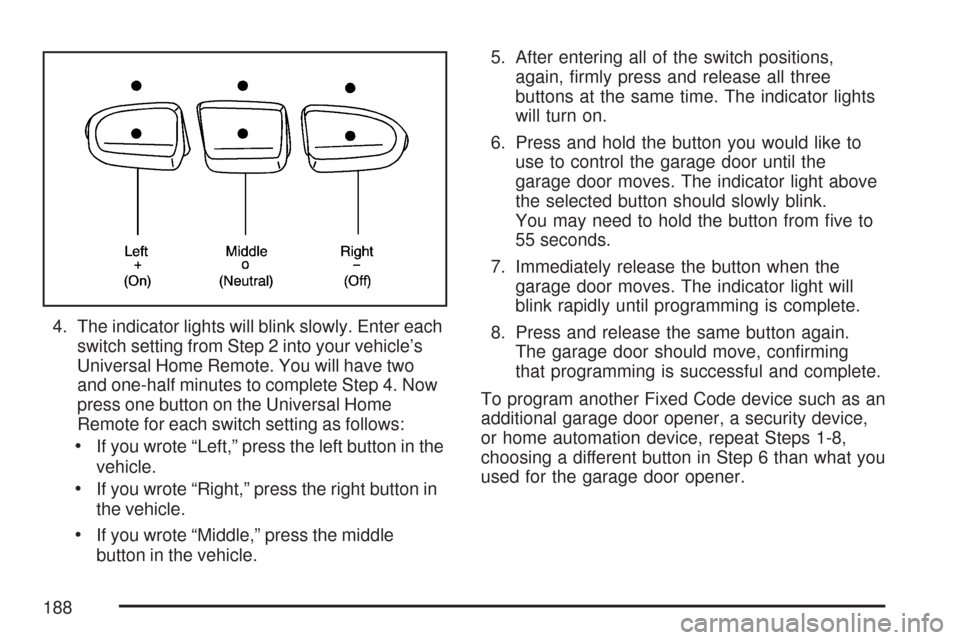
4. The indicator lights will blink slowly. Enter each
switch setting from Step 2 into your vehicle’s
Universal Home Remote. You will have two
and one-half minutes to complete Step 4. Now
press one button on the Universal Home
Remote for each switch setting as follows:
If you wrote “Left,” press the left button in the
vehicle.
If you wrote “Right,” press the right button in
the vehicle.
If you wrote “Middle,” press the middle
button in the vehicle.5. After entering all of the switch positions,
again, rmly press and release all three
buttons at the same time. The indicator lights
will turn on.
6. Press and hold the button you would like to
use to control the garage door until the
garage door moves. The indicator light above
the selected button should slowly blink.
You may need to hold the button from ve to
55 seconds.
7. Immediately release the button when the
garage door moves. The indicator light will
blink rapidly until programming is complete.
8. Press and release the same button again.
The garage door should move, conrming
that programming is successful and complete.
To program another Fixed Code device such as an
additional garage door opener, a security device,
or home automation device, repeat Steps 1-8,
choosing a different button in Step 6 than what you
used for the garage door opener.
188
Page 191 of 634
Luggage Carrier
The vehicle may have a luggage carrier that can be
used to load things on top of the vehicle.
The luggage carrier has siderails attached to the
roof. It may also have crossrails which can be
moved back and forth to help secure cargo. Tie the
load to the siderails or siderail supports.
Notice:Loading cargo on the luggage carrier
that weighs more than 200 lbs (91 kg) or
hangs over the rear or sides of the vehicle
may damage your vehicle. Load cargo so that
it rests on the slats as far forward as
possible and against the side rails, making
sure to fasten it securely.
Do not exceed the maximum vehicle capacity when
loading your vehicle. For more information on
vehicle capacity and loading, seeLoading Your
Vehicle on page 407.
To prevent damage or loss of cargo while you are
driving, check to make sure the luggage and cargo
are still securely fastened.
Be sure the cargo is properly loaded.
If small heavy objects are placed on the roof,
cut a piece of 3/8 inch plywood to t inside the
crossrails and siderails to spread the load. Tie
the plywood to the siderail supports.
Tie the load to the crossrails or the siderail
supports. Use the crossrails only to keep the
load from sliding. To move a crossrail, lift the
release lever, on both sides of the rail, up to
loosen it. Slide the crossrail to the desired
position balancing the force side to side. Press
the release lever on both sides of the rail, down
to tighten it. Try to slide the crossrail back and
forth slightly to be sure it is tight.
If you need to carry long items, move the
crossrails as far apart as they will go. Tie the
load to the crossrails and the siderails or
siderail supports. Also tie the load to the
bumpers. Do not tie the load so tightly that the
crossrails or siderails are damaged.
After moving a crossrail, be sure it is securely
locked into the siderail.
Your vehicle has a Center High-Mounted Stoplamp
(CHMSL) located above the rear glass.
If items are loaded on the roof of the vehicle, care
should be taken not to block or damage the
CHMSL unit.
191
Page 192 of 634
Rear Storage Area
Your vehicle may have a storage compartment
located in the rear cargo area of the vehicle in the
driver’s side trim panel.
To open the utility compartment, turn the knobs
and swing the compartment door open. The
compartment door can be removed.
Rear Seat Armrest
Your vehicle may be equipped with a rear seat
armrest. Pull the loop at the top of the armrest
down to access the cupholders.
Cargo Cover
{CAUTION:
An improperly stored cargo cover could
be thrown about the vehicle during a
collision or sudden maneuver. You or
others could be injured. If you remove the
cover, always store it in the proper
storage location. When you put it back,
always be sure that it is securely
reattached.
If your vehicle has a cargo cover, you can use it
to cover items in the cargo area of your vehicle.
To use the cover, do the following:
1. Pull the cover handle toward the rear of the
vehicle.
2. Latch the cover posts into the retaining
sockets on the cargo area trim panels.
192
Page 193 of 634
To return the cover to the retracted position, do
the following:
1. Pull up on the cover handle to release the
cover posts from the retaining sockets.
2. Let the cover move forward to the full retracted
position.
To remove the cover, from a regular wheelbase
model, do the following:
1. Let the cover go all the way into the holder.
2. Then, grasping the driver’s side cover
end cap, push the cover end cap toward the
passenger’s side of the vehicle.
3. Swing the cover rearward and take it out of
the vehicle.To put the cover in the vehicle, do the following:
1. Make sure the cover slot in the holder faces
rearward with the round surface facing down.
2. Then, hold the cover at an angle and place
the cover end cap into the slot in the
passenger’s side trim panel.
3. Move the other end of the cover forward and
hold it next to the driver’s side trim panel slot.
4. Press the end caps in, this will allow the cover
to t into the trim slot.
5. Lightly pull on the cover holder to make sure
it is secure.
On the extended wheelbase models there are
two cover positions. The slots furthest
forward allow the cover to be used if the third
seat is removed or folded down. The cover
can be installed and removed from either side.
193
Page 200 of 634
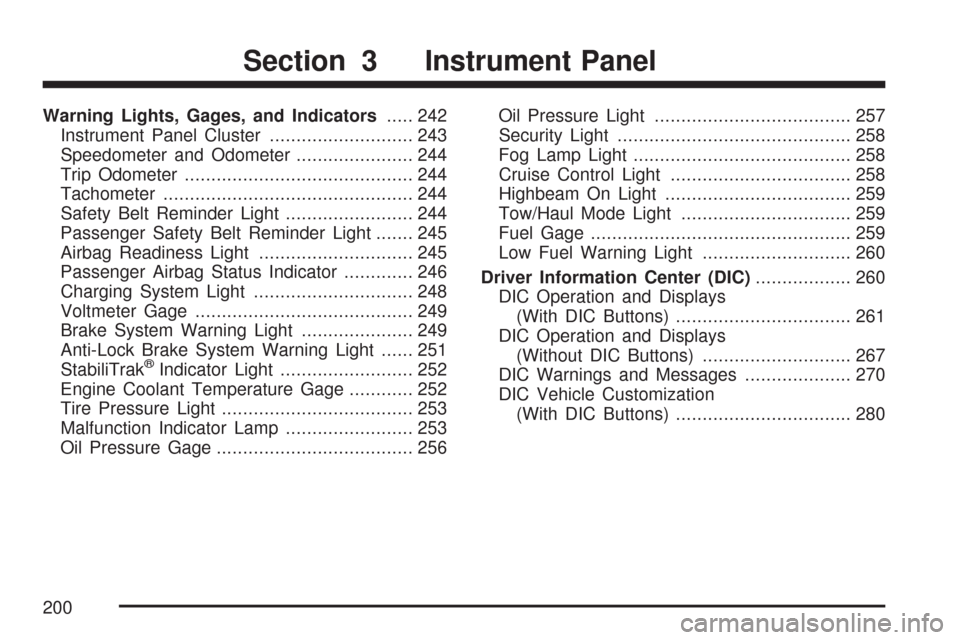
Warning Lights, Gages, and Indicators..... 242
Instrument Panel Cluster........................... 243
Speedometer and Odometer...................... 244
Trip Odometer........................................... 244
Tachometer............................................... 244
Safety Belt Reminder Light........................ 244
Passenger Safety Belt Reminder Light....... 245
Airbag Readiness Light............................. 245
Passenger Airbag Status Indicator............. 246
Charging System Light.............................. 248
Voltmeter Gage......................................... 249
Brake System Warning Light..................... 249
Anti-Lock Brake System Warning Light...... 251
StabiliTrak
®Indicator Light......................... 252
Engine Coolant Temperature Gage............ 252
Tire Pressure Light.................................... 253
Malfunction Indicator Lamp........................ 253
Oil Pressure Gage..................................... 256Oil Pressure Light..................................... 257
Security Light............................................ 258
Fog Lamp Light......................................... 258
Cruise Control Light.................................. 258
Highbeam On Light................................... 259
Tow/Haul Mode Light................................ 259
Fuel Gage................................................. 259
Low Fuel Warning Light............................ 260
Driver Information Center (DIC).................. 260
DIC Operation and Displays
(With DIC Buttons)................................. 261
DIC Operation and Displays
(Without DIC Buttons)............................ 267
DIC Warnings and Messages.................... 270
DIC Vehicle Customization
(With DIC Buttons)................................. 280
Section 3 Instrument Panel
200
Page 247 of 634
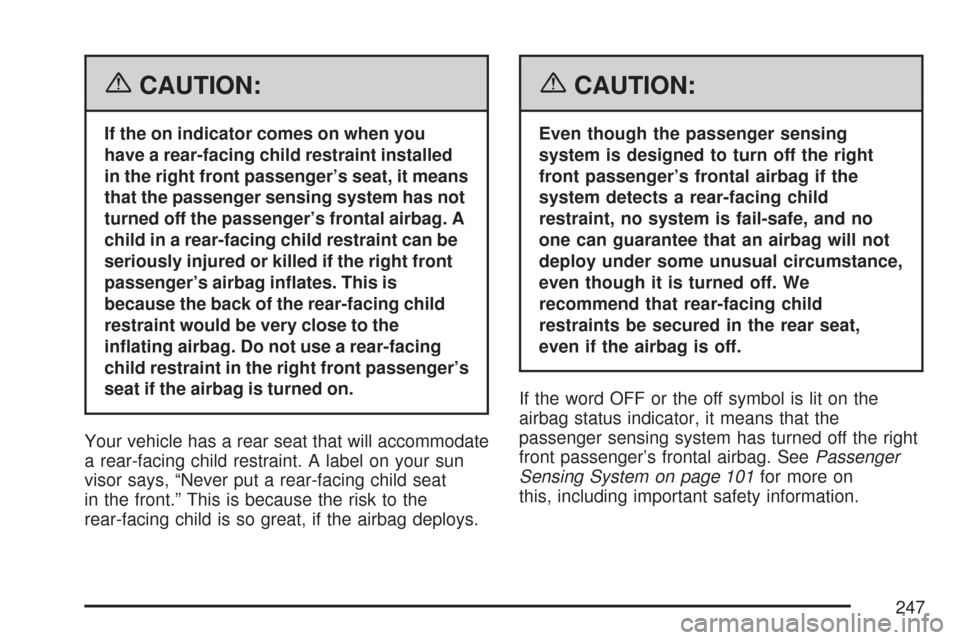
{CAUTION:
If the on indicator comes on when you
have a rear-facing child restraint installed
in the right front passenger’s seat, it means
that the passenger sensing system has not
turned off the passenger’s frontal airbag. A
child in a rear-facing child restraint can be
seriously injured or killed if the right front
passenger’s airbag inates. This is
because the back of the rear-facing child
restraint would be very close to the
inating airbag. Do not use a rear-facing
child restraint in the right front passenger’s
seat if the airbag is turned on.
Your vehicle has a rear seat that will accommodate
a rear-facing child restraint. A label on your sun
visor says, “Never put a rear-facing child seat
in the front.” This is because the risk to the
rear-facing child is so great, if the airbag deploys.
{CAUTION:
Even though the passenger sensing
system is designed to turn off the right
front passenger’s frontal airbag if the
system detects a rear-facing child
restraint, no system is fail-safe, and no
one can guarantee that an airbag will not
deploy under some unusual circumstance,
even though it is turned off. We
recommend that rear-facing child
restraints be secured in the rear seat,
even if the airbag is off.
If the word OFF or the off symbol is lit on the
airbag status indicator, it means that the
passenger sensing system has turned off the right
front passenger’s frontal airbag. SeePassenger
Sensing System on page 101for more on
this, including important safety information.
247
Page 258 of 634
That is a check to be sure the light works. If it
does not come on, be sure to have it xed so it will
be there to warn you if something goes wrong.
When the light comes on and stays on, it means
that oil is not owing through your engine
properly. You could be low on oil and you might
have some other system problem.
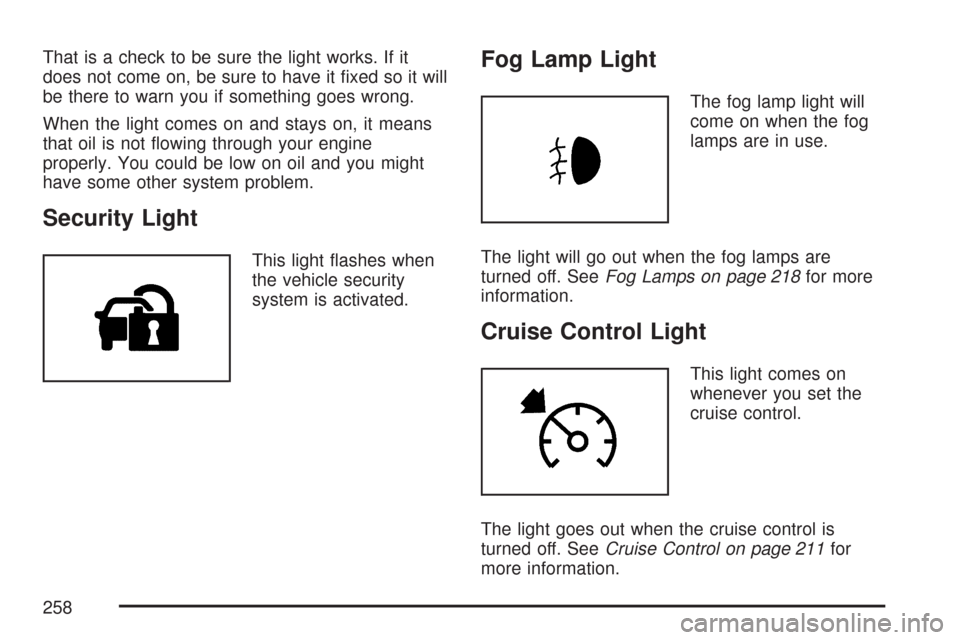
Security Light
This light ashes when
the vehicle security
system is activated.
Fog Lamp Light
The fog lamp light will
come on when the fog
lamps are in use.
The light will go out when the fog lamps are
turned off. SeeFog Lamps on page 218for more
information.
Cruise Control Light
This light comes on
whenever you set the
cruise control.
The light goes out when the cruise control is
turned off. SeeCruise Control on page 211for
more information.
258
Page 336 of 634
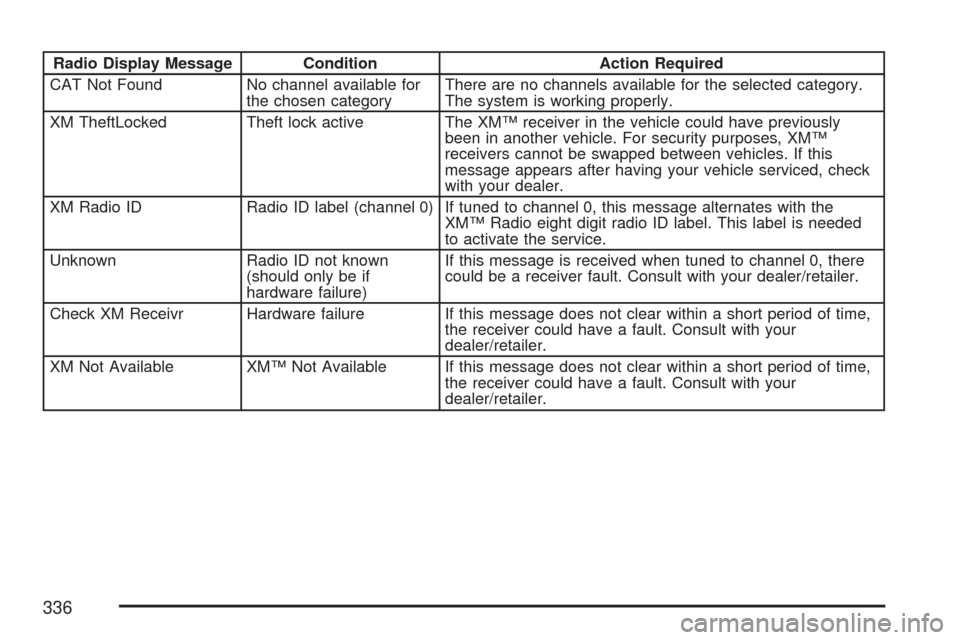
Radio Display Message Condition Action Required
CAT Not Found No channel available for
the chosen categoryThere are no channels available for the selected category.
The system is working properly.
XM TheftLocked Theft lock active The XM™ receiver in the vehicle could have previously
been in another vehicle. For security purposes, XM™
receivers cannot be swapped between vehicles. If this
message appears after having your vehicle serviced, check
with your dealer.
XM Radio ID Radio ID label (channel 0) If tuned to channel 0, this message alternates with the
XM™ Radio eight digit radio ID label. This label is needed
to activate the service.
Unknown Radio ID not known
(should only be if
hardware failure)If this message is received when tuned to channel 0, there
could be a receiver fault. Consult with your dealer/retailer.
Check XM Receivr Hardware failure If this message does not clear within a short period of time,
the receiver could have a fault. Consult with your
dealer/retailer.
XM Not Available XM™ Not Available If this message does not clear within a short period of time,
the receiver could have a fault. Consult with your
dealer/retailer.
336
Page 346 of 634
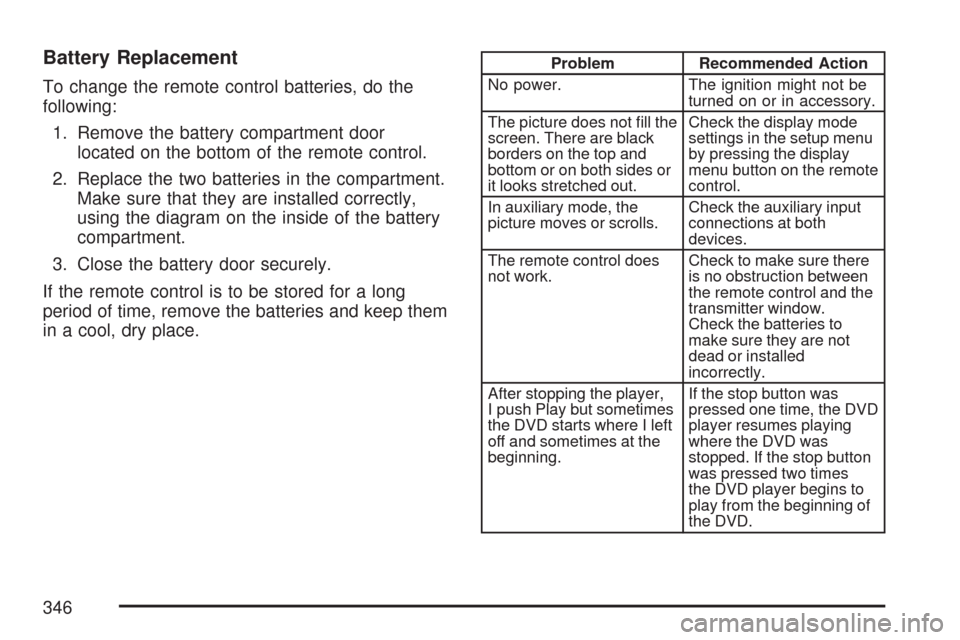
Battery Replacement
To change the remote control batteries, do the
following:
1. Remove the battery compartment door
located on the bottom of the remote control.
2. Replace the two batteries in the compartment.
Make sure that they are installed correctly,
using the diagram on the inside of the battery
compartment.
3. Close the battery door securely.
If the remote control is to be stored for a long
period of time, remove the batteries and keep them
in a cool, dry place.
Problem Recommended Action
No power. The ignition might not be
turned on or in accessory.
The picture does not ll the
screen. There are black
borders on the top and
bottom or on both sides or
it looks stretched out.Check the display mode
settings in the setup menu
by pressing the display
menu button on the remote
control.
In auxiliary mode, the
picture moves or scrolls.Check the auxiliary input
connections at both
devices.
The remote control does
not work.Check to make sure there
is no obstruction between
the remote control and the
transmitter window.
Check the batteries to
make sure they are not
dead or installed
incorrectly.
After stopping the player,
I push Play but sometimes
the DVD starts where I left
off and sometimes at the
beginning.If the stop button was
pressed one time, the DVD
player resumes playing
where the DVD was
stopped. If the stop button
was pressed two times
the DVD player begins to
play from the beginning of
the DVD.
346
Page 374 of 634
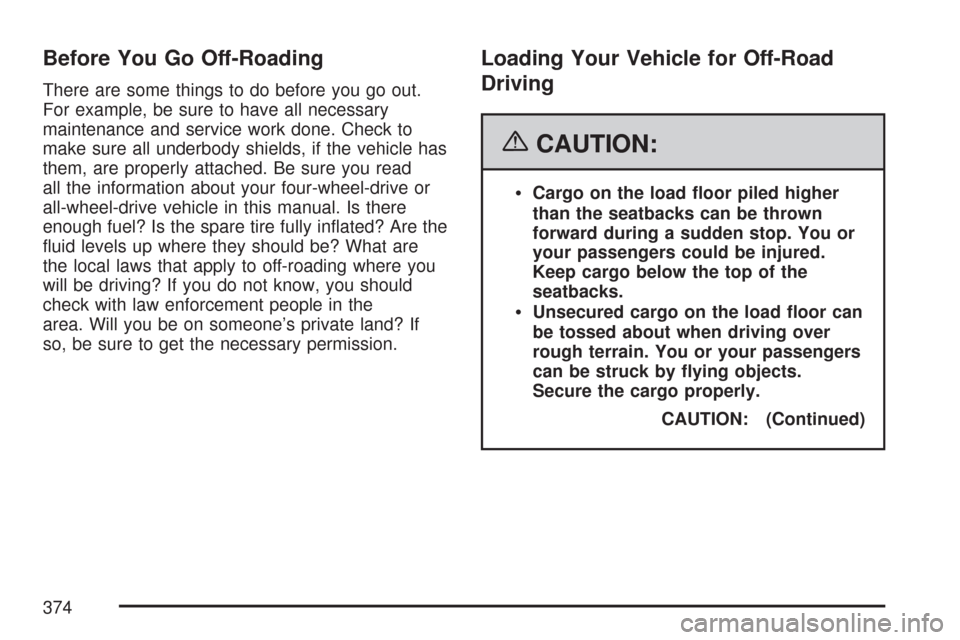
Before You Go Off-Roading
There are some things to do before you go out.
For example, be sure to have all necessary
maintenance and service work done. Check to
make sure all underbody shields, if the vehicle has
them, are properly attached. Be sure you read
all the information about your four-wheel-drive or
all-wheel-drive vehicle in this manual. Is there
enough fuel? Is the spare tire fully inated? Are the
uid levels up where they should be? What are
the local laws that apply to off-roading where you
will be driving? If you do not know, you should
check with law enforcement people in the
area. Will you be on someone’s private land? If
so, be sure to get the necessary permission.
Loading Your Vehicle for Off-Road
Driving
{CAUTION:
Cargo on the load oor piled higher
than the seatbacks can be thrown
forward during a sudden stop. You or
your passengers could be injured.
Keep cargo below the top of the
seatbacks.
Unsecured cargo on the load oor can
be tossed about when driving over
rough terrain. You or your passengers
can be struck by ying objects.
Secure the cargo properly.
CAUTION: (Continued)
374