infotainment CHEVROLET TAHOE 2016 4.G Owners Manual
[x] Cancel search | Manufacturer: CHEVROLET, Model Year: 2016, Model line: TAHOE, Model: CHEVROLET TAHOE 2016 4.GPages: 453, PDF Size: 6.23 MB
Page 2 of 453

Chevrolet Tahoe/Suburban Owner Manual (GMNA-Localizing-U.S./Canada/
Mexico-9159366) - 2016 - crc - 5/19/15
ContentsIntroduction . . . . . . . . . . . . . . . . . . . . . . 2
In Brief . . . . . . . . . . . . . . . . . . . . . . . . . . . 5
Keys, Doors, and Windows . . . . . 31
Seats and Restraints . . . . . . . . . . . 63
Storage . . . . . . . . . . . . . . . . . . . . . . . 122
Instruments and Controls . . . . . . 126
Lighting . . . . . . . . . . . . . . . . . . . . . . . 183
Infotainment System . . . . . . . . . . 192
Climate Controls . . . . . . . . . . . . . . 220
Driving and Operating . . . . . . . . . 227
Vehicle Care . . . . . . . . . . . . . . . . . . 310
Service and Maintenance . . . . . 400
Technical Data . . . . . . . . . . . . . . . . 414
Customer Information . . . . . . . . . 417
Reporting Safety Defects . . . . . . 427
OnStar . . . . . . . . . . . . . . . . . . . . . . . . 431
Index . . . . . . . . . . . . . . . . . . . . 441
Page 6 of 453
Chevrolet Tahoe/Suburban Owner Manual (GMNA-Localizing-U.S./Canada/
Mexico-9159366) - 2016 - crc - 5/19/15
In Brief 5
In Brief
Instrument Panel
Instrument Panel Overview . . . . . . 6
Initial Drive Information
Initial Drive Information . . . . . . . . . . 8
Remote Keyless Entry (RKE)System . . . . . . . . . . . . . . . . . . . . . . . . 8
Remote Vehicle Start . . . . . . . . . . . 9
Door Locks . . . . . . . . . . . . . . . . . . . . . 9
Liftgate . . . . . . . . . . . . . . . . . . . . . . . . 10
Windows . . . . . . . . . . . . . . . . . . . . . . . 11
Seat Adjustment . . . . . . . . . . . . . . . 11
Memory Features . . . . . . . . . . . . . . 13
Second Row Seats . . . . . . . . . . . . 13
Third Row Seats . . . . . . . . . . . . . . . 13
Heated and Cooled Front Seats . . . . . . . . . . . . . . . . . . . . . . . . . 14
Head Restraint Adjustment . . . . 14
Safety Belts . . . . . . . . . . . . . . . . . . . . 15
Passenger Sensing System . . . 15
Mirror Adjustment . . . . . . . . . . . . . . 15
Steering Wheel Adjustment . . . . 16
Throttle and Brake Pedal Adjustment . . . . . . . . . . . . . . . . . . . 17
Interior Lighting . . . . . . . . . . . . . . . . 18
Exterior Lighting . . . . . . . . . . . . . . . 18
Windshield Wiper/Washer . . . . . . 19
Climate Controls . . . . . . . . . . . . . . . 20 Transmission . . . . . . . . . . . . . . . . . . 20
Four-Wheel Drive . . . . . . . . . . . . . . 21
Vehicle Features
Infotainment System . . . . . . . . . . . 22
Radio(s) . . . . . . . . . . . . . . . . . . . . . . . 22
Satellite Radio . . . . . . . . . . . . . . . . . 22
Portable Audio Devices . . . . . . . . 23
Bluetooth
®. . . . . . . . . . . . . . . . . . . . . 23
Steering Wheel Controls . . . . . . . 23
Cruise Control . . . . . . . . . . . . . . . . . 24
Driver Information Center (DIC) . . . . . . . . . . . . . . . . . 24
Forward Collision Alert (FCA) System . . . . . . . . . . . . . . . . . . . . . . . 25
Front Automatic Braking (FAB) System . . . . . . . . . . . . . . . . . . . . . . . 25
Lane Keep Assist (LKA) . . . . . . . 25
Lane Change Alert (LCA) . . . . . . 25
Rear Vision Camera (RVC) . . . . 26
Rear Cross Traffic Alert (RCTA) System . . . . . . . . . . . . . . . . . . . . . . . 26
Parking Assist . . . . . . . . . . . . . . . . . 26
Power Outlets . . . . . . . . . . . . . . . . . 26
Universal Remote System . . . . . 27
Sunroof . . . . . . . . . . . . . . . . . . . . . . . . 27
Performance and Maintenance
Traction Control/Electronic Stability Control . . . . . . . . . . . . . . 28
Tire Pressure Monitor . . . . . . . . . . 28 Engine Oil Life System . . . . . . . . 28
E85 or FlexFuel . . . . . . . . . . . . . . . . 29
Driving for Better Fuel
Economy . . . . . . . . . . . . . . . . . . . . . 29
Roadside Assistance
Program . . . . . . . . . . . . . . . . . . . . . . 30
Page 8 of 453

Chevrolet Tahoe/Suburban Owner Manual (GMNA-Localizing-U.S./Canada/
Mexico-9159366) - 2016 - crc - 5/19/15
In Brief 7
1.Air Vents 0225.
2.
gTraction Control/Electronic
Stability Control 0267.
jPower Assist Steps 051 (If
Equipped).
XParking Assist Button (If
Equipped). See Assistance
Systems for Parking or Backing
0 281.
ALane Keep Assist (LKA)
0 289 (If Equipped).
0Pedal Adjust Switch (If
Equipped). See Adjustable
Throttle and Brake Pedal
0 244.
3. Turn Signal Lever. See Turn
and Lane-Change Signals
0 187.
Windshield Wiper/Washer
0 129.
4. Favorite Switches (Out of View). See Steering Wheel
Controls 0128. Volume Switches (Out of View).
See
Steering Wheel Controls
0 128.
5. Instrument Cluster 0137.
6. Hazard Warning Flashers
0187.
7. Shift Lever. See Automatic
Transmission 0255.
Tow/Haul Selector Button. See
Tow/Haul Mode 0259.
Range Selection Mode (If
Equipped). See Manual Mode
0 257.
8. Light Sensor. See Automatic
Headlamp System 0186.
9. Infotainment 0192.
10. Dual Automatic Climate Control
System 0220.
11. Heated and Cooled Front
Seats 070 (If Equipped).
12. 110 Volt Power Outlet (If Equipped). See Power Outlets
0 133.
13. Power Outlets 0133 (If
Equipped). 14. Rear Climate Control Buttons.
SeeDual Automatic Climate
Control System 0220.
15. Steering Wheel Controls 0128.
16. Horn 0129.
17. Steering Wheel Adjustment
0127.
18. Hood Release. See Hood
0 313.
19. Cruise Control 0271.
Adaptive Cruise Control 0273
(If Equipped).
Forward Collision Alert (FCA)
System 0283 (If Equipped).
Heated Steering Wheel 0129
(If Equipped).
20. Trailer Brake Control Panel (If Equipped). See Towing
Equipment 0302.
21. Data Link Connector (DLC) (Out of View). See Malfunction
Indicator Lamp (Check Engine
Light) 0146.
22. Four-Wheel Drive 0260 (If
Equipped).
Page 23 of 453
Chevrolet Tahoe/Suburban Owner Manual (GMNA-Localizing-U.S./Canada/
Mexico-9159366) - 2016 - crc - 5/19/15
22 In Brief
Vehicle Features
Infotainment System
The base radio information is
included in this manual. See the
infotainment manual for information
on the uplevel radios, audio players,
phone, navigation system, Rear
Seat Entertainment (RSE), and
voice or speech recognition,
if equipped.
Radio(s)
O
:Press to turn the system on.
Press and hold to turn it off. When
on, press to mute; press again to
unmute. Turn to increase or
decrease the volume.
RADIO : Press to choose between
FM, AM, and SiriusXM
®,
if equipped.
MEDIA : Press to change the audio
source between CD, USB,
and AUX.
{: Press to go to the Home Page.
MENU : Press to select a menu.
g:Press to seek the previous
station or track.
l: Press to seek the next station
or track.
See Overview 0193 about these
and other radio features.
Storing Radio Station Presets
Up to 25 preset stations from all
bands can be stored in the favorite
lists in any order. Up to five stations
can be stored in each favorite page
and the number of favorite pages
can be set.
To store the station to a position in
the list, while on the active source
main page, such as AM, FM,
or SiriusXM (if equipped), press and
hold a favorites/soft key button on
the faceplate.
See “Storing Radio Station Presets”
under AM-FM Radio 0198.
Setting the Clock
See Clock 0132.
Satellite Radio
Vehicles with a SiriusXM®satellite
radio tuner and a valid SiriusXM
satellite radio subscription can
receive SiriusXM programming.
SiriusXM Satellite Radio
Service
SiriusXM is a satellite radio service
based in the 48 contiguous United
States and 10 Canadian provinces.
SiriusXM satellite radio has a wide
variety of programming and
commercial-free music, coast to
coast, and in digital-quality sound.
A fee is required to receive the
SiriusXM service.
For more information refer to:
. www.siriusxm.com or call
1-866-635-2349 (U.S.).
. www.xmradio.ca or call
1-877-209-0079 (Canada).
See Satellite Radio 0200.
Page 24 of 453
Chevrolet Tahoe/Suburban Owner Manual (GMNA-Localizing-U.S./Canada/
Mexico-9159366) - 2016 - crc - 5/19/15
In Brief 23
Portable Audio Devices
This vehicle may have a 3.5 mm
(1/8 in) auxiliary input jack and two
USB ports in the center stack or
inside the front seat armrest.
External devices such as iPods
®,
laptop computers, MP3 players, CD
changers, and USB storage devices
may be connected, depending on
the audio system.
See USB Port 0204 andAuxiliary
Jack 0207.
Bluetooth®
The Bluetooth®system allows users
with a Bluetooth-enabled cell phone
to make and receive hands-free
calls using the vehicle audio system
and controls.
The Bluetooth-enabled cell phone
must be paired with the in-vehicle
Bluetooth system before it can be
used in the vehicle. Not all phones
will support all functions. See
Bluetooth (Overview) 0208 or
Bluetooth (Infotainment Controls -
Base Radio) 0209 orBluetooth
(Voice Recognition - Base Radio)
0 213.
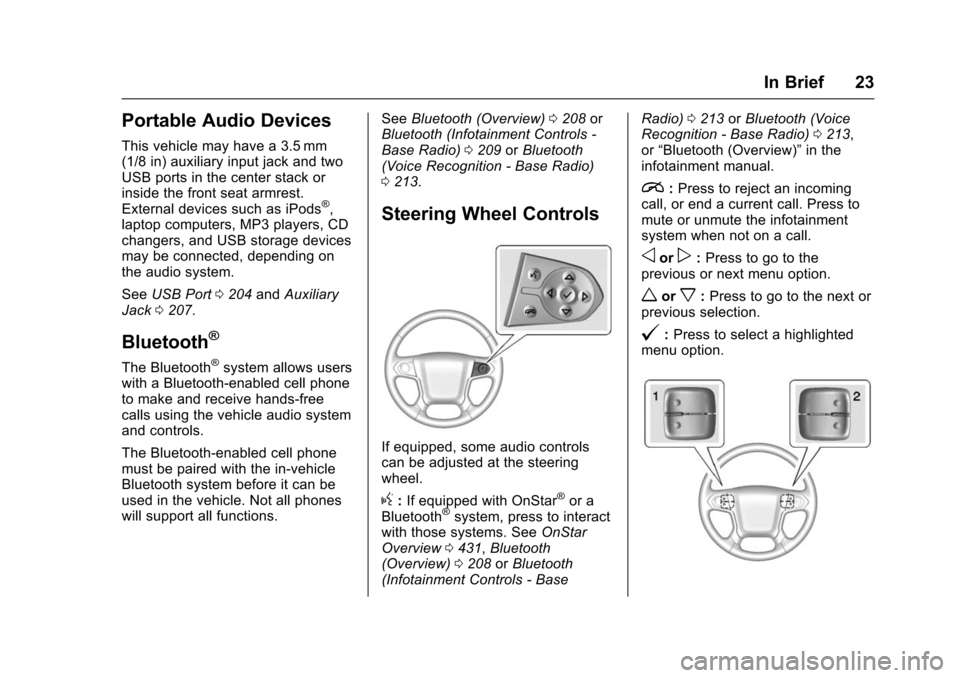
Steering Wheel Controls
If equipped, some audio controls
can be adjusted at the steering
wheel.
g:If equipped with OnStar®or a
Bluetooth®system, press to interact
with those systems. See OnStar
Overview 0431, Bluetooth
(Overview) 0208 orBluetooth
(Infotainment Controls - Base Radio)
0213 orBluetooth (Voice
Recognition - Base Radio) 0213,
or “Bluetooth (Overview)” in the
infotainment manual.
i: Press to reject an incoming
call, or end a current call. Press to
mute or unmute the infotainment
system when not on a call.
oorp: Press to go to the
previous or next menu option.
worx: Press to go to the next or
previous selection.
@: Press to select a highlighted
menu option.
Page 123 of 453
Chevrolet Tahoe/Suburban Owner Manual (GMNA-Localizing-U.S./Canada/
Mexico-9159366) - 2016 - crc - 5/19/15
122 Storage
Storage
Storage Compartments
Storage Compartments . . . . . . . 122
Instrument Panel Storage . . . . 122
Glove Box . . . . . . . . . . . . . . . . . . . . 122
Sunglasses Storage . . . . . . . . . . 123
Armrest Storage . . . . . . . . . . . . . . 123
Rear Storage . . . . . . . . . . . . . . . . . 123
Center Console Storage . . . . . . 123
Additional Storage Features
Cargo Cover . . . . . . . . . . . . . . . . . . 124
Roof Rack System
Roof Rack System . . . . . . . . . . . 125
Storage
Compartments
{Warning
Do not store heavy or sharp
objects in storage compartments.
In a crash, these objects may
cause the cover to open and
could result in injury.
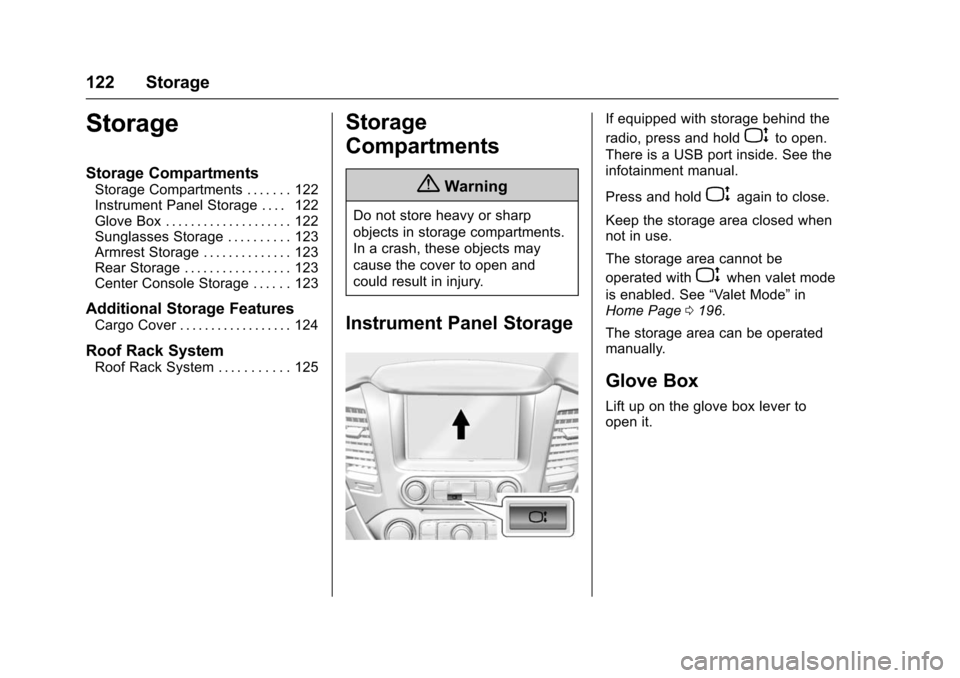
Instrument Panel Storage
If equipped with storage behind the
radio, press and hold
Pto open.
There is a USB port inside. See the
infotainment manual.
Press and hold
Pagain to close.
Keep the storage area closed when
not in use.
The storage area cannot be
operated with
Pwhen valet mode
is enabled. See “Valet Mode”in
Home Page 0196.
The storage area can be operated
manually.
Glove Box
Lift up on the glove box lever to
open it.
Page 124 of 453
Chevrolet Tahoe/Suburban Owner Manual (GMNA-Localizing-U.S./Canada/
Mexico-9159366) - 2016 - crc - 5/19/15
Storage 123
Sunglasses Storage
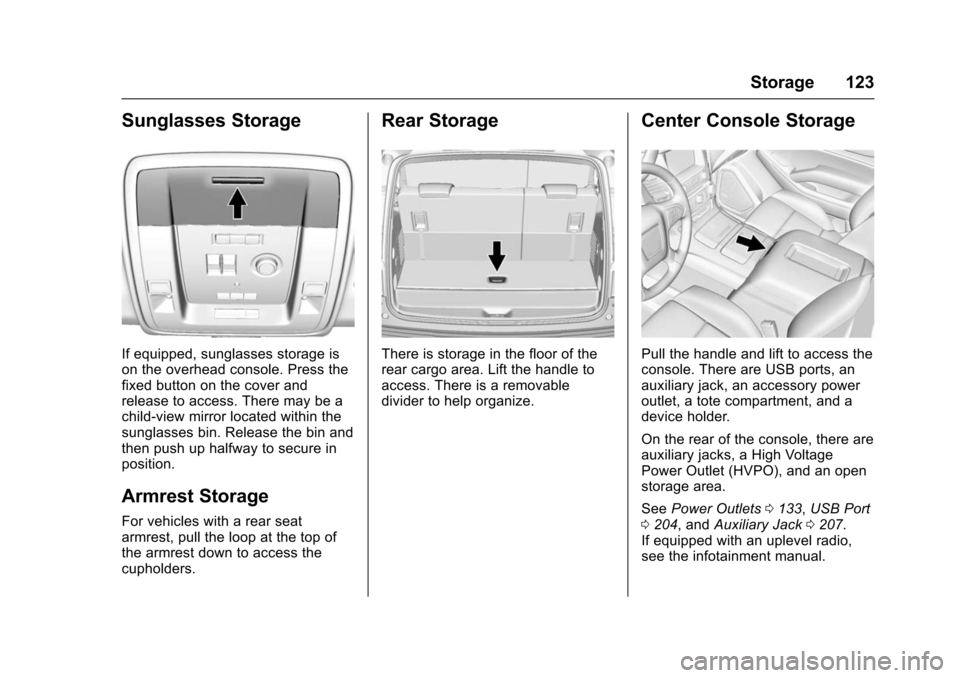
If equipped, sunglasses storage is
on the overhead console. Press the
fixed button on the cover and
release to access. There may be a
child-view mirror located within the
sunglasses bin. Release the bin and
then push up halfway to secure in
position.
Armrest Storage
For vehicles with a rear seat
armrest, pull the loop at the top of
the armrest down to access the
cupholders.
Rear Storage
There is storage in the floor of the
rear cargo area. Lift the handle to
access. There is a removable
divider to help organize.
Center Console Storage
Pull the handle and lift to access the
console. There are USB ports, an
auxiliary jack, an accessory power
outlet, a tote compartment, and a
device holder.
On the rear of the console, there are
auxiliary jacks, a High Voltage
Power Outlet (HVPO), and an open
storage area.
SeePower Outlets 0133, USB Port
0 204, and Auxiliary Jack 0207.
If equipped with an uplevel radio,
see the infotainment manual.
Page 129 of 453
Chevrolet Tahoe/Suburban Owner Manual (GMNA-Localizing-U.S./Canada/
Mexico-9159366) - 2016 - crc - 5/20/15
128 Instruments and Controls
Power Tilt and Telescoping
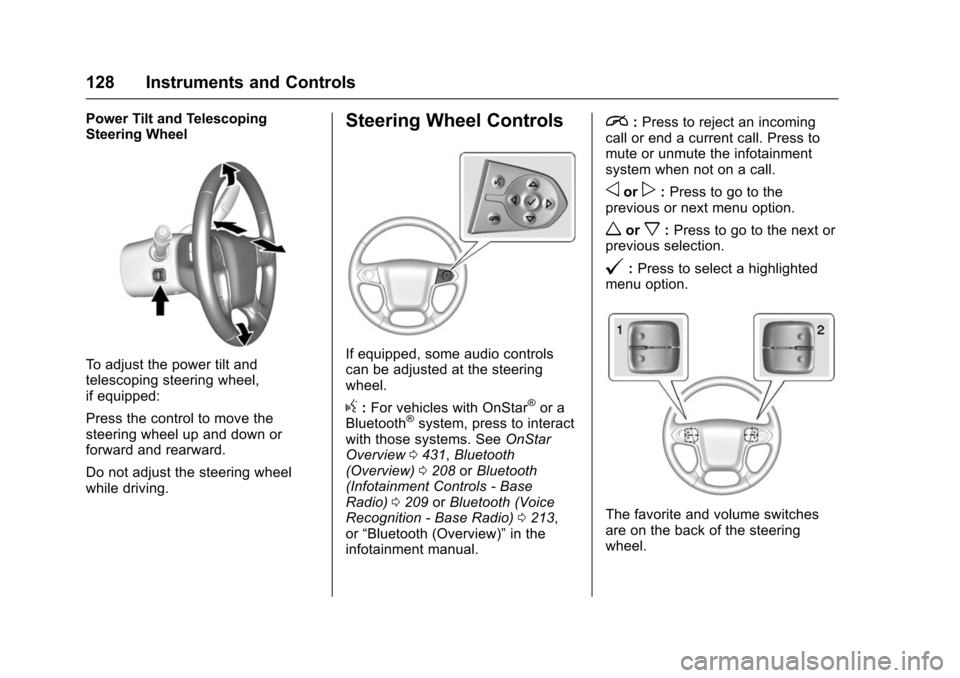
Steering Wheel
To adjust the power tilt and
telescoping steering wheel,
if equipped:
Press the control to move the
steering wheel up and down or
forward and rearward.
Do not adjust the steering wheel
while driving.
Steering Wheel Controls
If equipped, some audio controls
can be adjusted at the steering
wheel.
g:For vehicles with OnStar®or a
Bluetooth®system, press to interact
with those systems. See OnStar
Overview 0431, Bluetooth
(Overview) 0208 orBluetooth
(Infotainment Controls - Base
Radio) 0209 orBluetooth (Voice
Recognition - Base Radio) 0213,
or “Bluetooth (Overview)” in the
infotainment manual.
i: Press to reject an incoming
call or end a current call. Press to
mute or unmute the infotainment
system when not on a call.
oorp: Press to go to the
previous or next menu option.
worx: Press to go to the next or
previous selection.
@: Press to select a highlighted
menu option.
The favorite and volume switches
are on the back of the steering
wheel.
Page 137 of 453
Chevrolet Tahoe/Suburban Owner Manual (GMNA-Localizing-U.S./Canada/
Mexico-9159366) - 2016 - crc - 5/20/15
136 Instruments and Controls
Warning (Continued)
such as coins, keys, rings,
or paper clips, between the phone
and charging pad will become
very hot. On the rare occasion
that the charging system does not
detect a metal object, and the
object gets wedged between the
phone and charger, remove the
phone and allow the metallic
object to cool before removing it
from the charging pad, to prevent
burns.
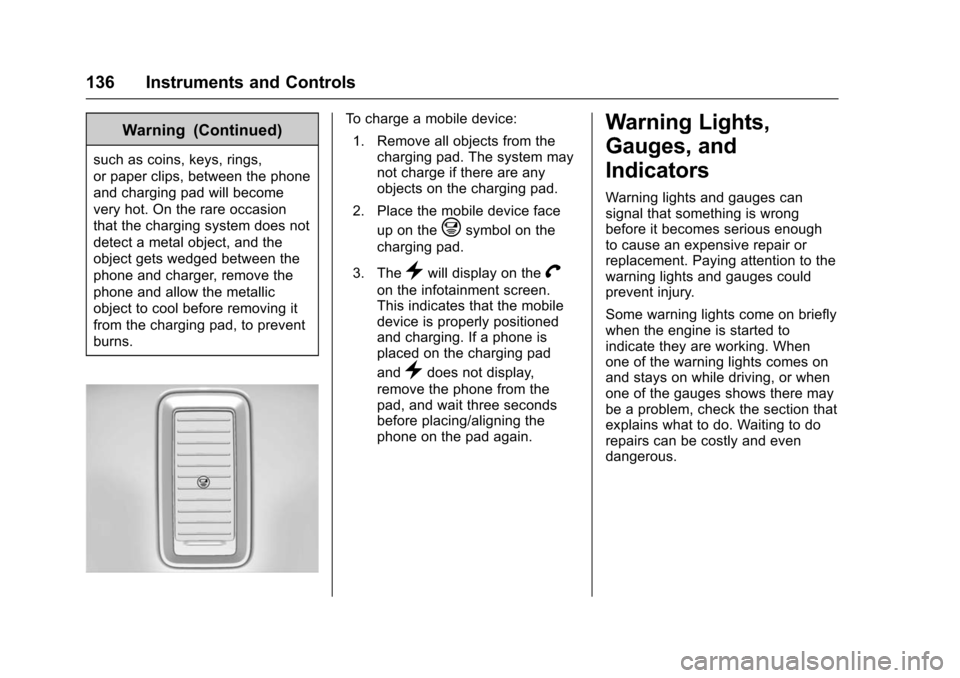
To charge a mobile device:1. Remove all objects from the charging pad. The system may
not charge if there are any
objects on the charging pad.
2. Place the mobile device face up on the
@symbol on the
charging pad.
3. The
}will display on theV
on the infotainment screen.
This indicates that the mobile
device is properly positioned
and charging. If a phone is
placed on the charging pad
and
}does not display,
remove the phone from the
pad, and wait three seconds
before placing/aligning the
phone on the pad again.
Warning Lights,
Gauges, and
Indicators
Warning lights and gauges can
signal that something is wrong
before it becomes serious enough
to cause an expensive repair or
replacement. Paying attention to the
warning lights and gauges could
prevent injury.
Some warning lights come on briefly
when the engine is started to
indicate they are working. When
one of the warning lights comes on
and stays on while driving, or when
one of the gauges shows there may
be a problem, check the section that
explains what to do. Waiting to do
repairs can be costly and even
dangerous.
Page 174 of 453
Chevrolet Tahoe/Suburban Owner Manual (GMNA-Localizing-U.S./Canada/
Mexico-9159366) - 2016 - crc - 5/20/15
Instruments and Controls 173
Vehicle
Personalization
Use the audio system controls to
access the personalization menus
for customizing vehicle features.
The following are all possible
personalization features. Depending
on the vehicle, some may not be
available.
Base Radio Audio System
Controls
MENU :Press the center of the
knob to enter menus and select
menu items. Turn the knob to scroll
through the menus.
oBACK : Press to return to the
previous menu or exit.
Uplevel Radio Audio System
Controls
1. Press the desired feature to display a list of available
options.
2. Press to select the desired feature setting. 3. Press
oBACK on the
faceplate or the
0screen
button to return to the previous
menu or exit.
Turn the vehicle to ON/RUN to
access the Settings menu, then
select SETTINGS from the Home
Page on the infotainment system
display.
Personalization Menus
The following list of menu items may
be available:
. Time and Date
. Language (Language)
. Valet Mode
. Radio
. Vehicle
. Bluetooth
. Voice
. Display
. Rear Camera
. Return to Factory Settings
. Software Information Detailed information for each menu
follows.
Time and Date
Manually set the time and date. See
Clock
0132.
Language (Language)
Select Language, then select from
the available language(s).
The selected language will display
on the system, and voice
recognition will reflect the selected
language.
Valet Mode (If Equipped)
This will lock the infotainment
system and steering wheel controls.
It may also limit access to vehicle
storage locations (if equipped).
To enable valet mode:
1. Enter a four-digit code on the keypad.
2. Select Enter to go to the confirmation screen.
3. Re-enter the four-digit code.