vehicle is moving CHEVROLET TAHOE 2022 Owners Manual
[x] Cancel search | Manufacturer: CHEVROLET, Model Year: 2022, Model line: TAHOE, Model: CHEVROLET TAHOE 2022Pages: 433, PDF Size: 7.37 MB
Page 10 of 433
Chevrolet Tahoe/Suburban Owner Manual (GMNA-Localizing-U.S./Canada/
Mexico-13690484) - 2021 - crc - 8/17/20
Keys, Doors, and Windows 9
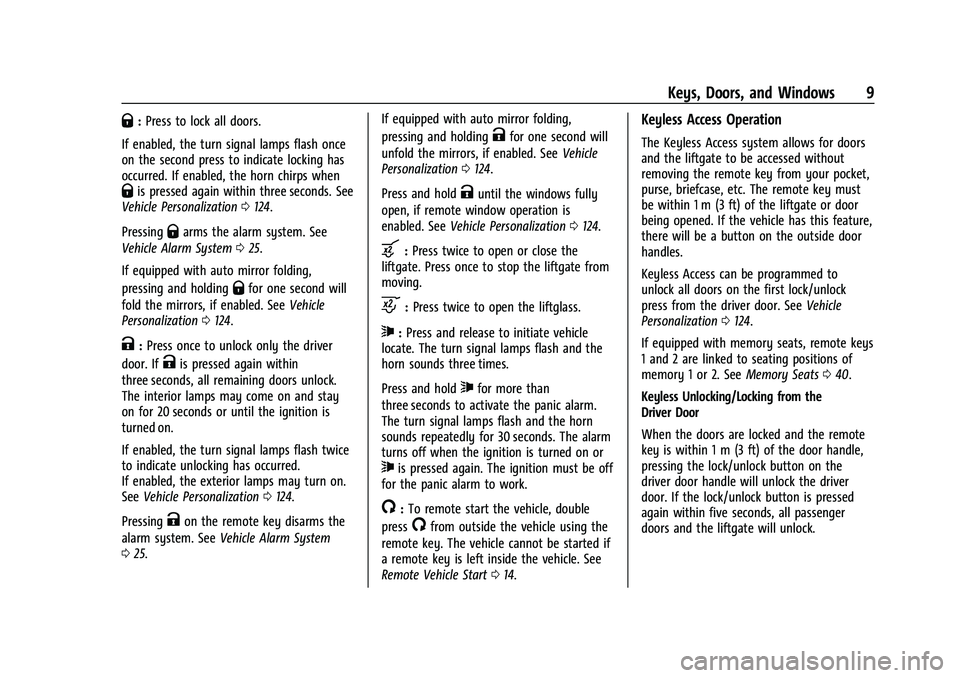
Q:Press to lock all doors.
If enabled, the turn signal lamps flash once
on the second press to indicate locking has
occurred. If enabled, the horn chirps when
Qis pressed again within three seconds. See
Vehicle Personalization 0124.
Pressing
Qarms the alarm system. See
Vehicle Alarm System 025.
If equipped with auto mirror folding,
pressing and holding
Qfor one second will
fold the mirrors, if enabled. See Vehicle
Personalization 0124.
K:Press once to unlock only the driver
door. If
Kis pressed again within
three seconds, all remaining doors unlock.
The interior lamps may come on and stay
on for 20 seconds or until the ignition is
turned on.
If enabled, the turn signal lamps flash twice
to indicate unlocking has occurred.
If enabled, the exterior lamps may turn on.
See Vehicle Personalization 0124.
Pressing
Kon the remote key disarms the
alarm system. See Vehicle Alarm System
0 25. If equipped with auto mirror folding,
pressing and holding
Kfor one second will
unfold the mirrors, if enabled. See Vehicle
Personalization 0124.
Press and hold
Kuntil the windows fully
open, if remote window operation is
enabled. See Vehicle Personalization 0124.
b:Press twice to open or close the
liftgate. Press once to stop the liftgate from
moving.
c: Press twice to open the liftglass.
7:Press and release to initiate vehicle
locate. The turn signal lamps flash and the
horn sounds three times.
Press and hold
7for more than
three seconds to activate the panic alarm.
The turn signal lamps flash and the horn
sounds repeatedly for 30 seconds. The alarm
turns off when the ignition is turned on or
7is pressed again. The ignition must be off
for the panic alarm to work.
/: To remote start the vehicle, double
press
/from outside the vehicle using the
remote key. The vehicle cannot be started if
a remote key is left inside the vehicle. See
Remote Vehicle Start 014.
Keyless Access Operation
The Keyless Access system allows for doors
and the liftgate to be accessed without
removing the remote key from your pocket,
purse, briefcase, etc. The remote key must
be within 1 m (3 ft) of the liftgate or door
being opened. If the vehicle has this feature,
there will be a button on the outside door
handles.
Keyless Access can be programmed to
unlock all doors on the first lock/unlock
press from the driver door. See Vehicle
Personalization 0124.
If equipped with memory seats, remote keys
1 and 2 are linked to seating positions of
memory 1 or 2. See Memory Seats040.
Keyless Unlocking/Locking from the
Driver Door
When the doors are locked and the remote
key is within 1 m (3 ft) of the door handle,
pressing the lock/unlock button on the
driver door handle will unlock the driver
door. If the lock/unlock button is pressed
again within five seconds, all passenger
doors and the liftgate will unlock.
Page 16 of 433
Chevrolet Tahoe/Suburban Owner Manual (GMNA-Localizing-U.S./Canada/
Mexico-13690484) - 2021 - crc - 8/17/20
Keys, Doors, and Windows 15
The engine will turn off during a remote
vehicle start if:
.The coolant temperature gets too high.
.The oil pressure gets low.
The remote key range may be reduced
while the vehicle is running.
Other conditions can affect the performance
of the remote key. See Remote Keyless Entry
(RKE) System 08or
Vehicle Personalization 0124.
Starting the Engine Using Remote Start
1. Press
Stwice on the remote key. The
turn signal lamps will flash. The lamps
flash to confirm the request to remote
start the vehicle has been received.
During the remote start, the doors will
be locked and the parking lamps will
remain on as long as the engine is
running.
2. The engine will shut off after 15 minutes or after the remainder of the 30 minute
total running time is used, unless you
stop the remote start before engine
running has completed or the vehicle is
turned on.
3. Press the brake pedal and turn the ignition on to drive the vehicle. Extending Engine Run Time
Remote start can be used for up to
30 minutes of total engine run time.
After two remote starts of 15 minutes,
or multiple shorter time starts totaling
30 minutes have been used, the vehicle
must be started and then turned off before
the remote start can be used again.
Canceling a Remote Start
To cancel a remote start, do one of the
following:.Press and holdSuntil the parking
lamps turn off.
.Turn on the hazard warning flashers.
.Turn the ignition on and then off.
Door Locks
{Warning
Unlocked doors can be dangerous.
.Passengers, especially children, can
easily open the doors and fall out of a
moving vehicle. The doors can be
unlocked and opened while the vehicle
is moving. The chance of being thrown
out of the vehicle in a crash is (Continued)
Warning (Continued)
increased if the doors are not locked.
So, all passengers should wear seat
belts properly and the doors should be
locked whenever the vehicle is driven.
.Young children who get into unlocked
vehicles may be unable to get out.
A child can be overcome by extreme
heat and can suffer permanent injuries
or even death from heat stroke.
Always lock the vehicle whenever
leaving it.
.Outsiders can easily enter through an
unlocked door when you slow down
or stop the vehicle. Locking the doors
can help prevent this from happening.
To lock or unlock the doors from outside the
vehicle:
.PressQorKon the remote key. See
Remote Keyless Entry (RKE) System
Operation 08.
.Use the mechanical key in the
driver door.
To lock or unlock the doors from inside the
vehicle:
Page 21 of 433
Chevrolet Tahoe/Suburban Owner Manual (GMNA-Localizing-U.S./Canada/
Mexico-13690484) - 2021 - crc - 8/17/20
20 Keys, Doors, and Windows
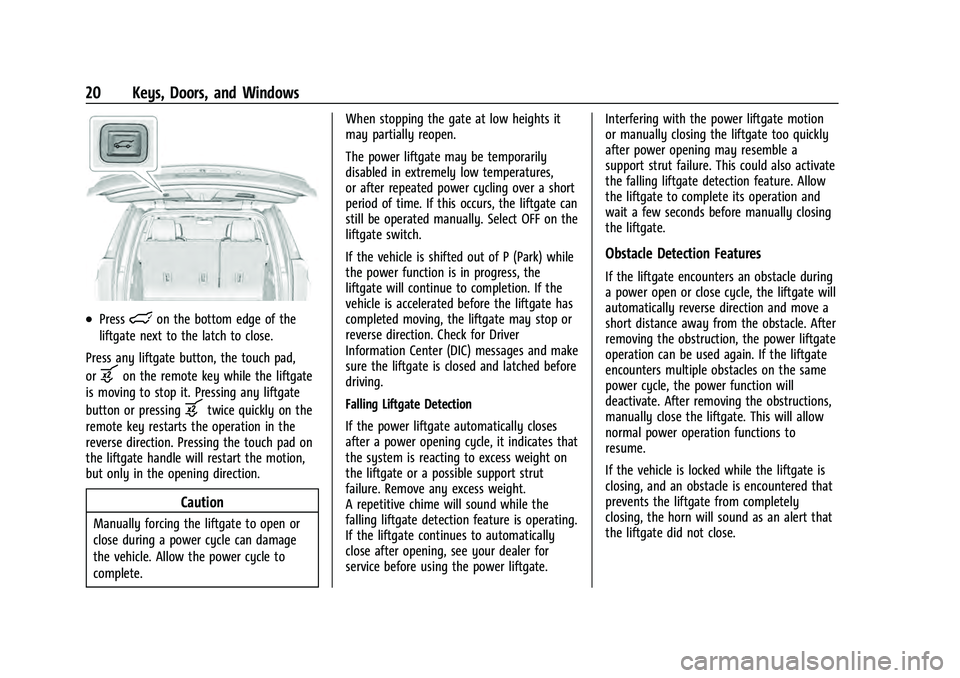
.Presslon the bottom edge of the
liftgate next to the latch to close.
Press any liftgate button, the touch pad,
or
bon the remote key while the liftgate
is moving to stop it. Pressing any liftgate
button or pressing
btwice quickly on the
remote key restarts the operation in the
reverse direction. Pressing the touch pad on
the liftgate handle will restart the motion,
but only in the opening direction.
Caution
Manually forcing the liftgate to open or
close during a power cycle can damage
the vehicle. Allow the power cycle to
complete. When stopping the gate at low heights it
may partially reopen.
The power liftgate may be temporarily
disabled in extremely low temperatures,
or after repeated power cycling over a short
period of time. If this occurs, the liftgate can
still be operated manually. Select OFF on the
liftgate switch.
If the vehicle is shifted out of P (Park) while
the power function is in progress, the
liftgate will continue to completion. If the
vehicle is accelerated before the liftgate has
completed moving, the liftgate may stop or
reverse direction. Check for Driver
Information Center (DIC) messages and make
sure the liftgate is closed and latched before
driving.
Falling Liftgate Detection
If the power liftgate automatically closes
after a power opening cycle, it indicates that
the system is reacting to excess weight on
the liftgate or a possible support strut
failure. Remove any excess weight.
A repetitive chime will sound while the
falling liftgate detection feature is operating.
If the liftgate continues to automatically
close after opening, see your dealer for
service before using the power liftgate.
Interfering with the power liftgate motion
or manually closing the liftgate too quickly
after power opening may resemble a
support strut failure. This could also activate
the falling liftgate detection feature. Allow
the liftgate to complete its operation and
wait a few seconds before manually closing
the liftgate.
Obstacle Detection Features
If the liftgate encounters an obstacle during
a power open or close cycle, the liftgate will
automatically reverse direction and move a
short distance away from the obstacle. After
removing the obstruction, the power liftgate
operation can be used again. If the liftgate
encounters multiple obstacles on the same
power cycle, the power function will
deactivate. After removing the obstructions,
manually close the liftgate. This will allow
normal power operation functions to
resume.
If the vehicle is locked while the liftgate is
closing, and an obstacle is encountered that
prevents the liftgate from completely
closing, the horn will sound as an alert that
the liftgate did not close.
Page 22 of 433
Chevrolet Tahoe/Suburban Owner Manual (GMNA-Localizing-U.S./Canada/
Mexico-13690484) - 2021 - crc - 8/17/20
Keys, Doors, and Windows 21
Setting the 3/4 Mode
To change the position the liftgate stops at
when opening:1. Select MAX or 3/4 mode and power open the liftgate.
2. Stop the liftgate movement at the desired height by pressing any liftgate
button. Manually adjust the liftgate
position if needed.
3. Press and hold
lon the bottom edge
of the liftgate next to the latch on the
outside of the liftgate until the turn
signals flash and a beep sounds. This
indicates the setting has been recorded.
The liftgate cannot be set below a minimum
programmable height. If there is no light
flash or sound, then the height adjustment
may be too low.
Manual Operation
Select OFF to manually operate the liftgate.
See “Manual Liftgate” at the beginning of
this section.
Caution
Attempting to move the liftgate too
quickly and with excessive force may
result in damage to the vehicle.
Operate the liftgate manually with a
smooth motion and moderate speed. The
system includes a feature which limits the
manual closing speed to protect the
components.
Hands-Free Operation
If equipped with Hands-Free Vehicle Access,
the liftgate may be operated with a kicking
motion under the rear bumper at the
location of the projected logo. The remote
key must be within 1m (3ft) of the rear
bumper to use hands-free feature.
Splashing water may cause the liftgate to
open. Keep the remote key away from the
rear bumper detection area or turn the
liftgate mode to OFF when cleaning or
working near the rear bumper to avoid
accidental opening.
The hands-free feature will not work while
the liftgate is moving. To stop the liftgate
while in motion use one of the liftgate
switches.
The hands-free feature can be customized.
See Vehicle Personalization 0124. Choose
from the following:
On-Open and Close : The kicking motion is
activated to both open and close the
liftgate.
On-Open Only : The kicking motion is
activated to only open the liftgate.
Off : The feature is disabled.
Page 23 of 433
Chevrolet Tahoe/Suburban Owner Manual (GMNA-Localizing-U.S./Canada/
Mexico-13690484) - 2021 - crc - 8/17/20
22 Keys, Doors, and Windows
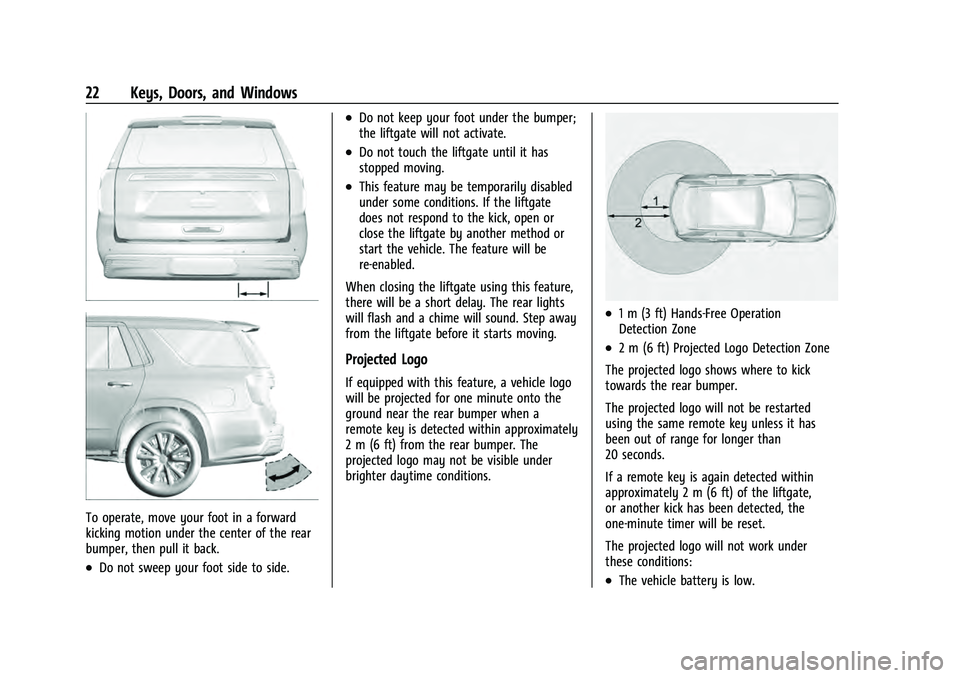
To operate, move your foot in a forward
kicking motion under the center of the rear
bumper, then pull it back.
.Do not sweep your foot side to side.
.Do not keep your foot under the bumper;
the liftgate will not activate.
.Do not touch the liftgate until it has
stopped moving.
.This feature may be temporarily disabled
under some conditions. If the liftgate
does not respond to the kick, open or
close the liftgate by another method or
start the vehicle. The feature will be
re-enabled.
When closing the liftgate using this feature,
there will be a short delay. The rear lights
will flash and a chime will sound. Step away
from the liftgate before it starts moving.
Projected Logo
If equipped with this feature, a vehicle logo
will be projected for one minute onto the
ground near the rear bumper when a
remote key is detected within approximately
2 m (6 ft) from the rear bumper. The
projected logo may not be visible under
brighter daytime conditions.
.1 m (3 ft) Hands-Free Operation
Detection Zone
.2 m (6 ft) Projected Logo Detection Zone
The projected logo shows where to kick
towards the rear bumper.
The projected logo will not be restarted
using the same remote key unless it has
been out of range for longer than
20 seconds.
If a remote key is again detected within
approximately 2 m (6 ft) of the liftgate,
or another kick has been detected, the
one-minute timer will be reset.
The projected logo will not work under
these conditions:
.The vehicle battery is low.
Page 26 of 433
Chevrolet Tahoe/Suburban Owner Manual (GMNA-Localizing-U.S./Canada/
Mexico-13690484) - 2021 - crc - 8/17/20
Keys, Doors, and Windows 25
Power Assist Steps
{Warning
To avoid personal injury or property
damage, before entering or exiting the
vehicle, be sure the power assist step is
fully extended. Do not step on the power
assist step while it is moving. Never place
hands or other body parts between the
extended power assist step and the
vehicle.
If equipped, the power assist steps will
deploy when the door is opened and
automatically retract three seconds after the
door is closed. The power assist steps will
retract immediately if the vehicle starts
moving.
Disable the power assist steps before jacking
or placing any object under the vehicle. Too
much ice buildup may prevent deployment
of the power assist steps. Check the step
position before exiting the vehicle. If this
happens, disable the power assist steps,
clear the ice, then enable the assist steps
and confirm normal function prior to use. Keep hands, children, pets, objects, and
clothing clear of the power assist steps
when in motion. The steps will reverse
direction if they encounter an obstruction
when opening or closing. Remove the
obstruction, then open and close the door
on the same side to complete the motion of
the assist steps. If the obstruction is not
cleared, the assist steps remain extended
while driving.
To extend or retract both power assist steps
for cleaning, see
Vehicle Personalization
0 124.
Enable/Disable
To enable or disable the power assist steps,
see Vehicle Personalization 0124.
Vehicle Security
This vehicle has theft-deterrent features;
however, they do not make the vehicle
impossible to steal.
Vehicle Alarm System
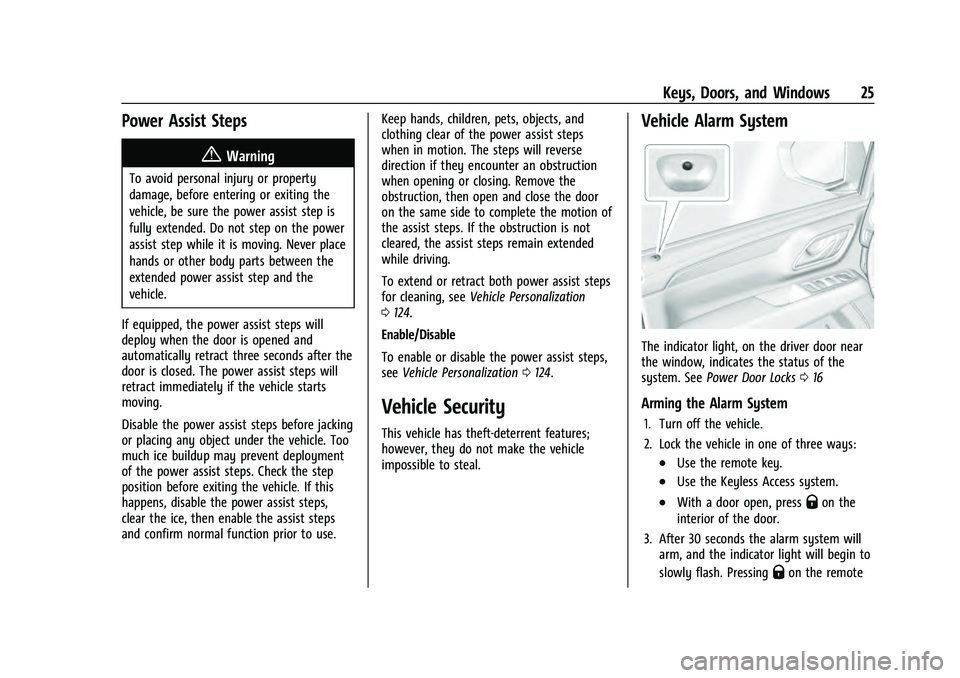
The indicator light, on the driver door near
the window, indicates the status of the
system. See Power Door Locks 016
Arming the Alarm System
1. Turn off the vehicle.
2. Lock the vehicle in one of three ways:
.Use the remote key.
.Use the Keyless Access system.
.With a door open, pressQon the
interior of the door.
3. After 30 seconds the alarm system will arm, and the indicator light will begin to
slowly flash. Pressing
Qon the remote
Page 40 of 433
Chevrolet Tahoe/Suburban Owner Manual (GMNA-Localizing-U.S./Canada/
Mexico-13690484) - 2021 - crc - 8/17/20
Seats and Restraints 39
When an occupant or child restraint is in the
seat, always return the head restraint to the
full upright position. Push the head restraint
up and rearward until it locks into place.
Push and pull on the head restraint to make
sure that it is locked.
Front Seats
Power Seat Adjustment
{Warning
You can lose control of the vehicle if you
try to adjust a driver seat while the
vehicle is moving. Adjust the driver seat
only when the vehicle is not moving.
{Warning
The power seats will work with the
ignition off. Children could operate the
power seats and be injured. Never leave
children alone in the vehicle.
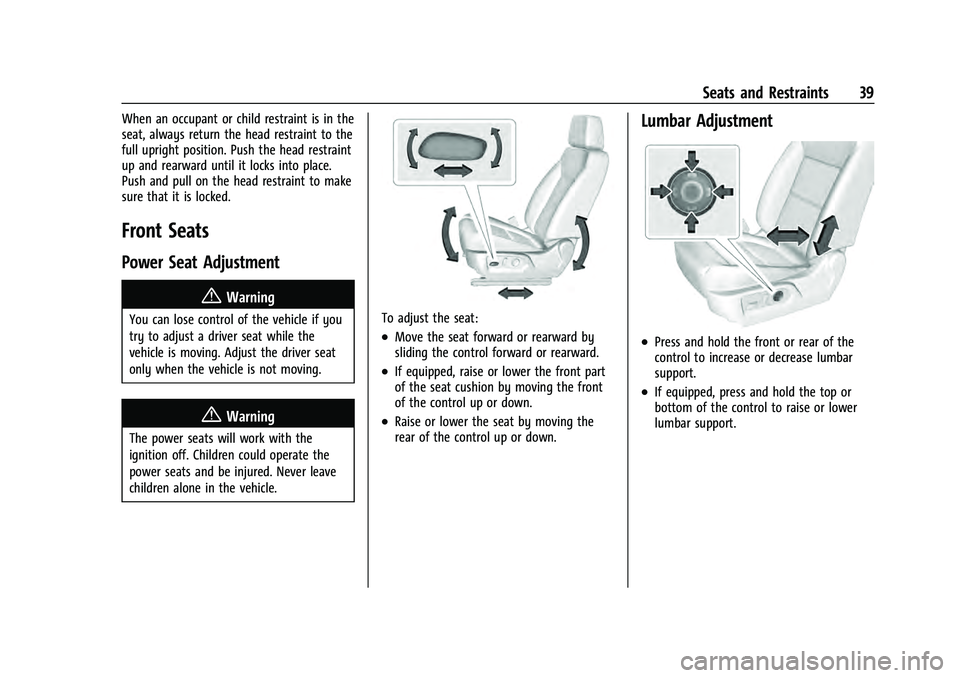
To adjust the seat:
.Move the seat forward or rearward by
sliding the control forward or rearward.
.If equipped, raise or lower the front part
of the seat cushion by moving the front
of the control up or down.
.Raise or lower the seat by moving the
rear of the control up or down.
Lumbar Adjustment
.Press and hold the front or rear of the
control to increase or decrease lumbar
support.
.If equipped, press and hold the top or
bottom of the control to raise or lower
lumbar support.
Page 41 of 433
Chevrolet Tahoe/Suburban Owner Manual (GMNA-Localizing-U.S./Canada/
Mexico-13690484) - 2021 - crc - 8/17/20
40 Seats and Restraints
Reclining Seatbacks
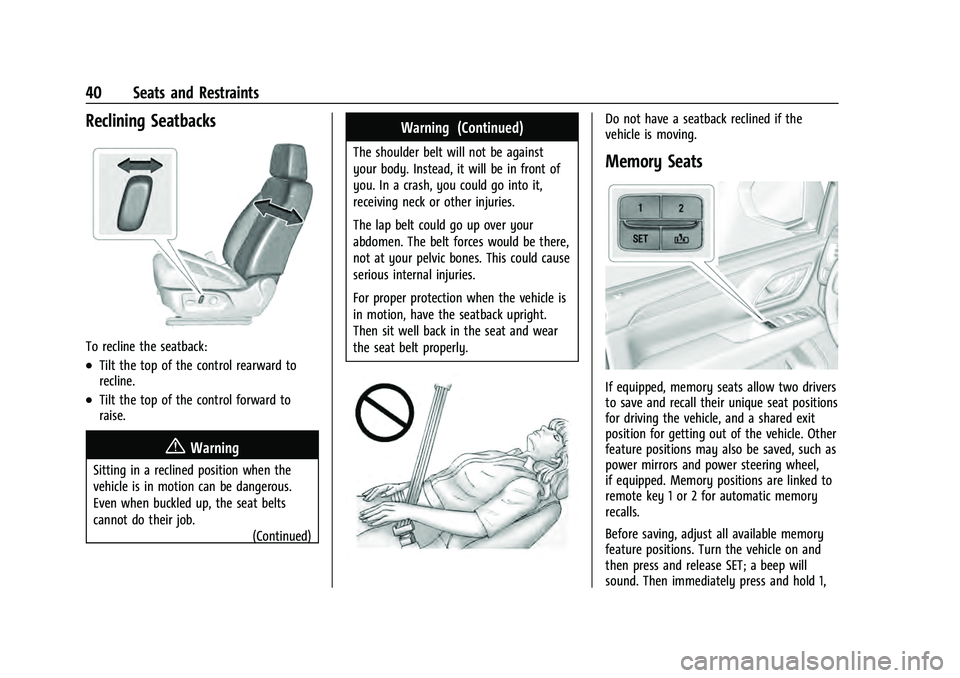
To recline the seatback:
.Tilt the top of the control rearward to
recline.
.Tilt the top of the control forward to
raise.
{Warning
Sitting in a reclined position when the
vehicle is in motion can be dangerous.
Even when buckled up, the seat belts
cannot do their job.(Continued)
Warning (Continued)
The shoulder belt will not be against
your body. Instead, it will be in front of
you. In a crash, you could go into it,
receiving neck or other injuries.
The lap belt could go up over your
abdomen. The belt forces would be there,
not at your pelvic bones. This could cause
serious internal injuries.
For proper protection when the vehicle is
in motion, have the seatback upright.
Then sit well back in the seat and wear
the seat belt properly.
Do not have a seatback reclined if the
vehicle is moving.
Memory Seats
If equipped, memory seats allow two drivers
to save and recall their unique seat positions
for driving the vehicle, and a shared exit
position for getting out of the vehicle. Other
feature positions may also be saved, such as
power mirrors and power steering wheel,
if equipped. Memory positions are linked to
remote key 1 or 2 for automatic memory
recalls.
Before saving, adjust all available memory
feature positions. Turn the vehicle on and
then press and release SET; a beep will
sound. Then immediately press and hold 1,
Page 48 of 433
Chevrolet Tahoe/Suburban Owner Manual (GMNA-Localizing-U.S./Canada/
Mexico-13690484) - 2021 - crc - 8/17/20
Seats and Restraints 47
If the seatback cannot fold flat, try
moving the front seat forward and/or
put the front seatback in the upright
position.
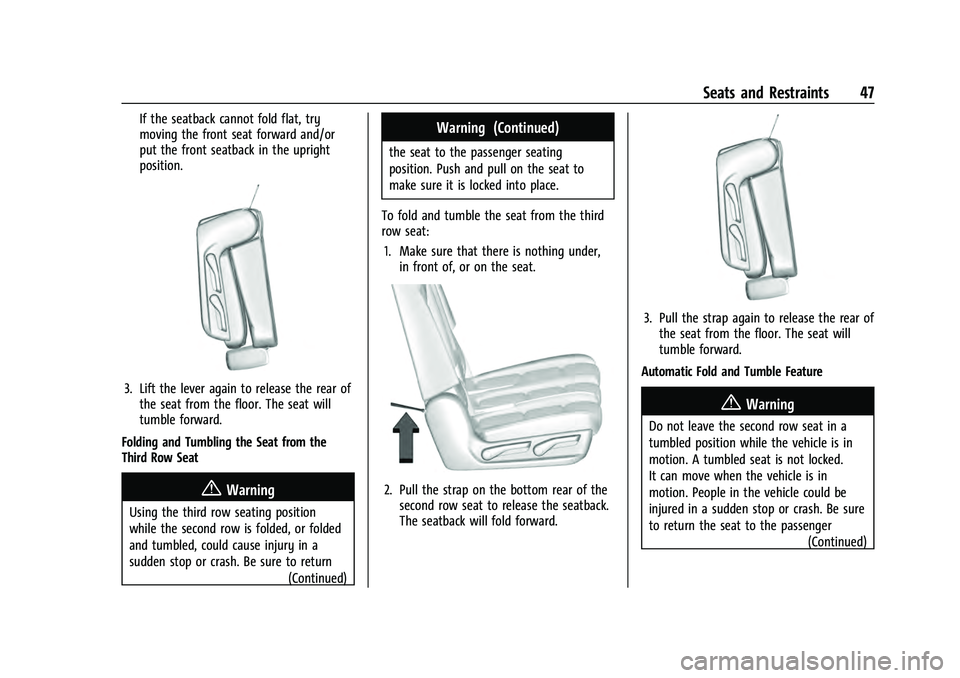
3. Lift the lever again to release the rear ofthe seat from the floor. The seat will
tumble forward.
Folding and Tumbling the Seat from the
Third Row Seat
{Warning
Using the third row seating position
while the second row is folded, or folded
and tumbled, could cause injury in a
sudden stop or crash. Be sure to return (Continued)
Warning (Continued)
the seat to the passenger seating
position. Push and pull on the seat to
make sure it is locked into place.
To fold and tumble the seat from the third
row seat: 1. Make sure that there is nothing under, in front of, or on the seat.
2. Pull the strap on the bottom rear of thesecond row seat to release the seatback.
The seatback will fold forward.
3. Pull the strap again to release the rear ofthe seat from the floor. The seat will
tumble forward.
Automatic Fold and Tumble Feature
{Warning
Do not leave the second row seat in a
tumbled position while the vehicle is in
motion. A tumbled seat is not locked.
It can move when the vehicle is in
motion. People in the vehicle could be
injured in a sudden stop or crash. Be sure
to return the seat to the passenger (Continued)
Page 63 of 433
Chevrolet Tahoe/Suburban Owner Manual (GMNA-Localizing-U.S./Canada/
Mexico-13690484) - 2021 - crc - 8/17/20
62 Seats and Restraints
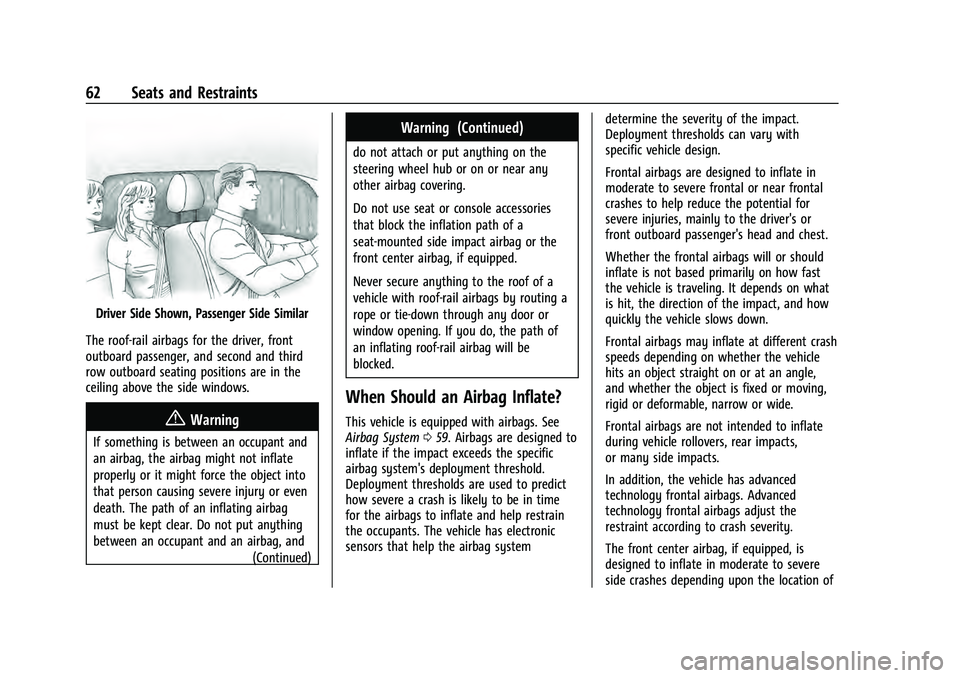
Driver Side Shown, Passenger Side Similar
The roof-rail airbags for the driver, front
outboard passenger, and second and third
row outboard seating positions are in the
ceiling above the side windows.
{Warning
If something is between an occupant and
an airbag, the airbag might not inflate
properly or it might force the object into
that person causing severe injury or even
death. The path of an inflating airbag
must be kept clear. Do not put anything
between an occupant and an airbag, and (Continued)
Warning (Continued)
do not attach or put anything on the
steering wheel hub or on or near any
other airbag covering.
Do not use seat or console accessories
that block the inflation path of a
seat-mounted side impact airbag or the
front center airbag, if equipped.
Never secure anything to the roof of a
vehicle with roof-rail airbags by routing a
rope or tie-down through any door or
window opening. If you do, the path of
an inflating roof-rail airbag will be
blocked.
When Should an Airbag Inflate?
This vehicle is equipped with airbags. See
Airbag System059. Airbags are designed to
inflate if the impact exceeds the specific
airbag system's deployment threshold.
Deployment thresholds are used to predict
how severe a crash is likely to be in time
for the airbags to inflate and help restrain
the occupants. The vehicle has electronic
sensors that help the airbag system determine the severity of the impact.
Deployment thresholds can vary with
specific vehicle design.
Frontal airbags are designed to inflate in
moderate to severe frontal or near frontal
crashes to help reduce the potential for
severe injuries, mainly to the driver's or
front outboard passenger's head and chest.
Whether the frontal airbags will or should
inflate is not based primarily on how fast
the vehicle is traveling. It depends on what
is hit, the direction of the impact, and how
quickly the vehicle slows down.
Frontal airbags may inflate at different crash
speeds depending on whether the vehicle
hits an object straight on or at an angle,
and whether the object is fixed or moving,
rigid or deformable, narrow or wide.
Frontal airbags are not intended to inflate
during vehicle rollovers, rear impacts,
or many side impacts.
In addition, the vehicle has advanced
technology frontal airbags. Advanced
technology frontal airbags adjust the
restraint according to crash severity.
The front center airbag, if equipped, is
designed to inflate in moderate to severe
side crashes depending upon the location of