instrument panel CHEVROLET TRACKER 1993 Owners Manual
[x] Cancel search | Manufacturer: CHEVROLET, Model Year: 1993, Model line: TRACKER, Model: CHEVROLET TRACKER 1993Pages: 339, PDF Size: 15.75 MB
Page 23 of 339
r- --
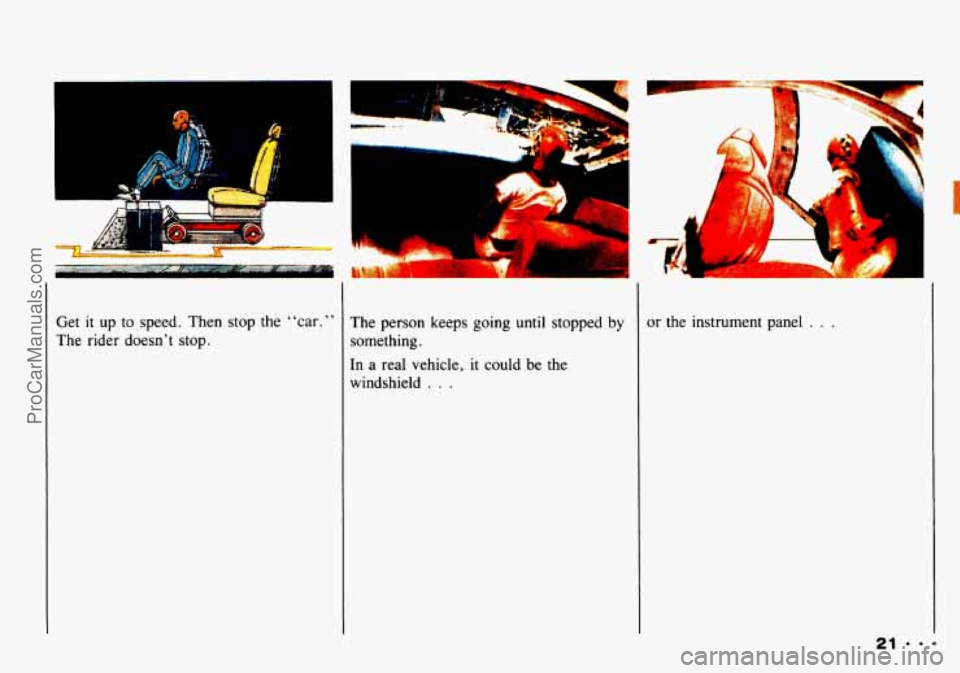
Get it up to speed. Then stop the “car.”
The rider doesn’t stop.
L
The person keeps going until stopped by
something.
In a real vehicle,
it could be the
windshield
. . .
or the instrument panel . . .
ProCarManuals.com
Page 45 of 339
Here you can learn about the
many standard and optional
features on your Geo. and
information on starting. shifting
and braking
. Also explained are
the instrument panel and the
warning systems that tell you
if
everything is working properly -
and what to do if you have a
problem
.
Part 2
Features & Controls
Keys ................................................................ 44
Door Locks
.......................................................... 45
Theft
................................................................ 47
New Vehicle “Break-In”
............................................... 48
Ignitionswitch ....................................................... 48
Starting Your Engine .................................................. 49
Driving through Deep Standing Water
.................................... 50
Five-Speed Manual Transmission ........................................ 54
Parking
.............................................................. 60
EngineExhaust ....................................................... 64
Automatic Transmission
................................................ 51
Four-wheel Drive
..................................................... 57
Windows
............................................................ 66
Horn
................................................................ 67
Tiltwheel ........................................................... 67
The Turn Signal/Lights Control/Headlight Beam Lever
...................... 67
Interior Lights
........................................................ 71
Windshield Wiper/Washer Lever
........................................ 72
Rear Window Wiper/Washer ............................................ 73
Mirrors .............................................................. 74
Storage and Compartments ............................................. 75
SunVisors ........................................................... 76
Passenger Assist Grips
................................................. 76
Ashtrays and Lighter .................................................. 77
Instrument Panel and Clusters
........................................... 80
Warning Lights, Gages and Indicators .................................... 82
ConvertibleTop ...................................................... 87
43.-
ProCarManuals.com
Page 48 of 339
Features & Controls
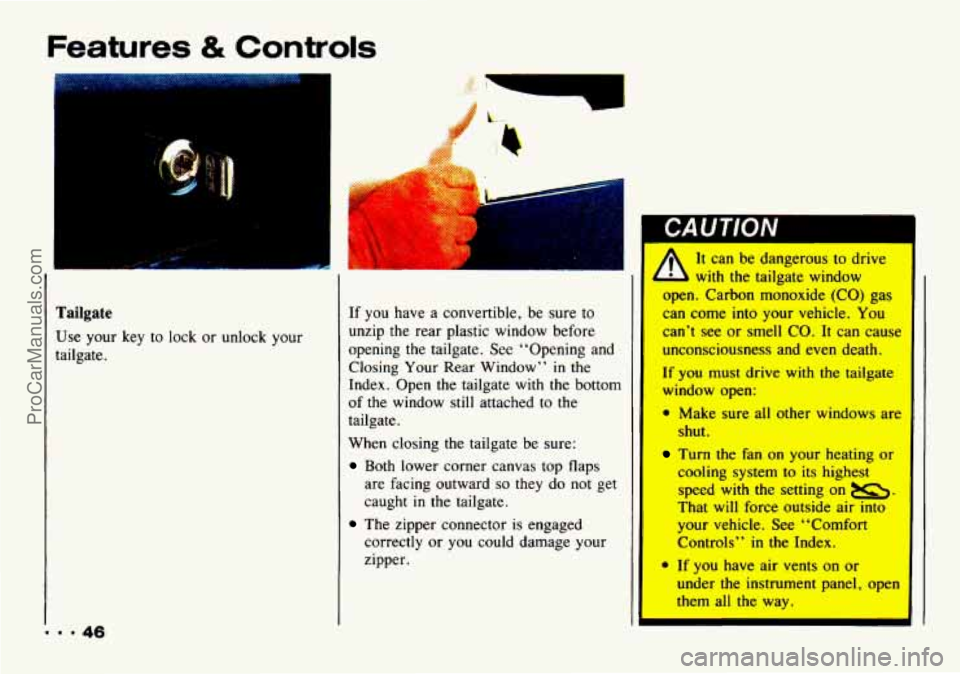
Tailgate
Use your key to lock or unlock your
tailgate.
If you have a convertible, be sure to
unzip
the rear plastic window before
opening
the tailgate. See “Opening and
Closing Your Rear Window” in the
Index. Open the tailgate with the bottom
of the window still attached to the
tailgate.
When closing the tailgate be sure:
Both lower corner canvas top flaps
are facing outward
so they do not get
caught
in the tailgate.
correctly or you could damage your
zipper.
The zipper connector is engaged
It can be dangerous to drive
with the tailgate window
open, Carbon monoxide (CO) gas
can come into your vehicle. You
can’t see or smell CO. It can cause
unconsciousness
and even death.
If you must drive with the taiIgate
window open:
0 Make sure all ather windows an
shut.
Tm the fan on your heating or
cooling system to its highest
speed with the setting on u.
That will force outside air into
your vehicle. See L4C~f~~
Controls” in the Index.
* If you have air vents on or
under tbc’instrument panel, open
them at1 the way*
I
ProCarManuals.com
Page 50 of 339
Features & Controls
New Vehicle
“Break-In ’’
Your modern Geo doesn’t need an
:laborate “break-in.” But it will
perform better in the long
1
1 follow these guideli~
A
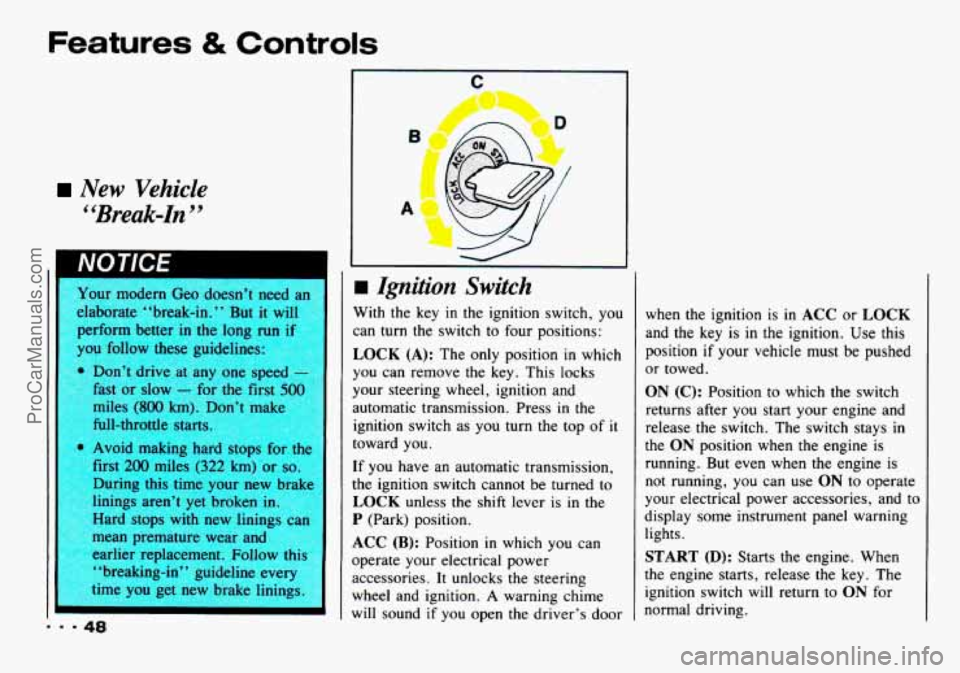
m Ignition Switch
With the key in the ignition switch, you
can turn the switch to four positions:
LOCK (A): The only position in which
you can remove the key. This locks
your steering wheel, ignition and
automatic transmission. Press
in the
ignition switch as you turn the top of it
toward you.
If you have an automatic transmission,
the ignition switch cannot be turned to
LOCK unless the shift lever is in the
P (Park) position.
ACC (B): Position in which you can
operate your electrical power accessories. It unlocks the steering
wheel and ignition.
A warning chime
will sound if you open the driver’s door when the ignition is
in ACC or LOCK
and the key is in the ignition.
Use this
position if your vehicle must be pushed
or towed.
ON (C): Position to which the switch
returns after you start your engine and
release the switch. The switch stays in
the
ON position when the engine is
running. But even when the engine is not running, you can use
ON to operate
your electrical power accessories, and to
display some instrument panel warning
lights.
START (D): Starts the engine. When
the engine starts, release the key. The
ignition switch will return to
ON for
normal driving.
ProCarManuals.com
Page 70 of 339
Features & Controls
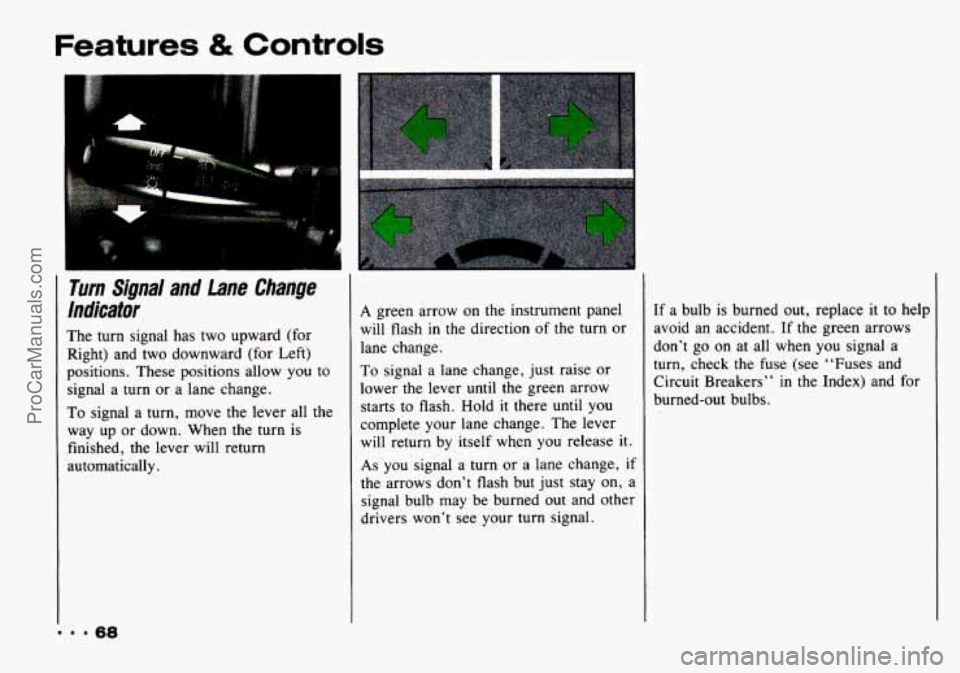
Turn Signal and lane Change
lndicator
The turn signal has two upward (for
Right) and two downward (for Left)
positions. These positions allow you to
signal a turn or a lane change.
To signal a turn, move the lever all the
way
up or down. When the turn is
finished, the lever will return
automatically.
A green arrow on the instrument panel
will flash in the direction of the turn or
lane change.
To signal a lane change, just raise or
lower the lever until the green arrow
starts to flash. Hold
it there until you
complete your lane change. The lever
will return by itself when you release it.
As you signal a turn or a lane change, if
the arrows don’t flash but just stay on, a
signal bulb may be burned out and other
drivers won’t see your turn signal. If
a bulb is burned out, replace it
to help
avoid an accident. If the green arrows
don’t go on at all when you signal a
turn, check the fuse (see “Fuses and
Circuit Breakers’’
in the Index) and for
burned-out bulbs.
ProCarManuals.com
Page 71 of 339
r
Opentiun of Lights
Although your vehicle's lighting system
(headlamps, parking lamps, fog lamps,
side marker lamps and taillamps) meet
all applicable Federal lighting
requirements, certain States and
Provinces may apply their own lighting
regulations that may require special
attention before you operate these
lamps. For example, some jurisdictions may
require that you operate your low
beam lamps with fog lamps at all times,
or that headlamps be turned on
whenever you must use your windshield
wipers. In addition, most jurisdictions
prohibit driving solely with parking
lamps, especially at dawn or dusk.
It is
recommended that you check with your
own State or Provincial highway
authority for applicable lighting
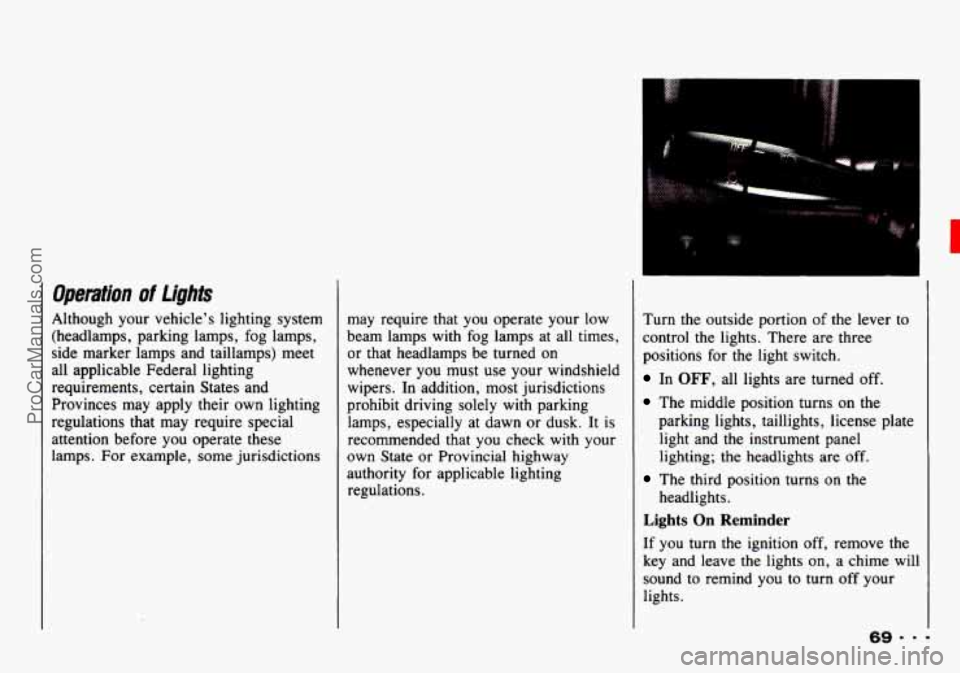
regulations. Turn
the outside portion of the lever to
control the lights. There are three
positions for the light switch.
In OFF, all lights are turned off.
The middle position turns on the
parking lights, taillights, license plate
light and the instrument panel
lighting; the headlights are
off.
The third position turns on the
headlights.
Lights On Reminder
If you turn the ignition off, remove the
key and leave the lights on, a chime will
sound to remind you to turn off your
lights.
ProCarManuals.com
Page 72 of 339
Features & Controls
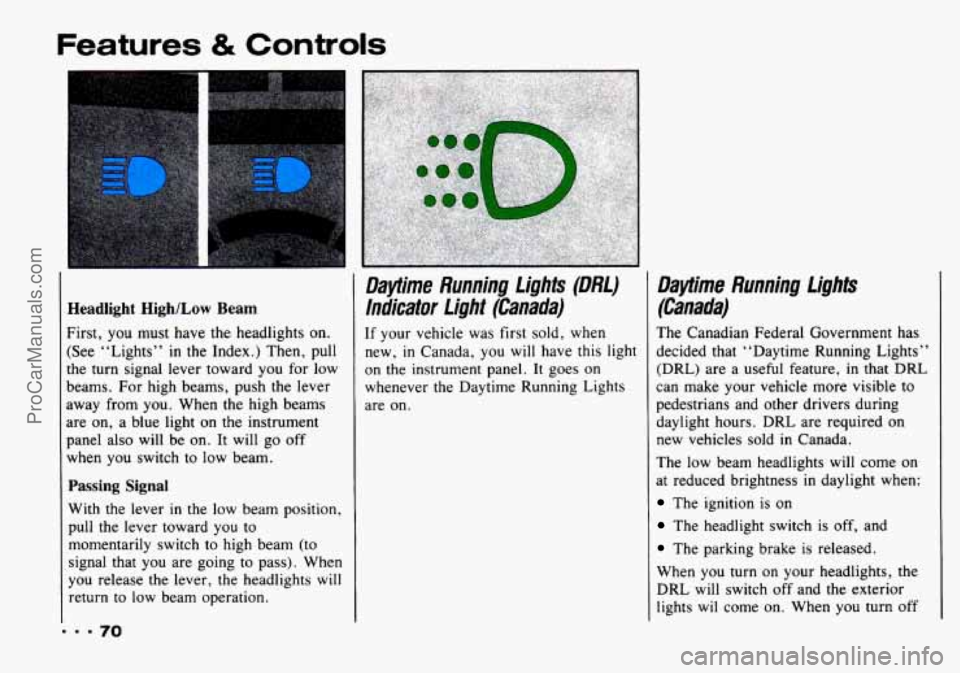
Headlight High/Low Beam
First, you must have the headlights on.
(See “Lights”
in the Index.) Then, pull
the turn signal lever toward you for low
beams. For high beams, push the lever
away from you. When the high beams
are on, a blue light on the instrument
panel also will be on. It will go off
when you switch
to low beam.
Passing Signal
With the lever in the low beam position,
pull the lever toward you to
momentarily switch to high beam (to
signal that you are going to pass). When
you release the lever, the headlights will
return to low beam operation.
Daytime Running fights (DM)
lndicator Light (Canada)
If your vehicle was first sold, when
new,
in Canada, you will have this light
on the instrument panel. It goes on whenever the Daytime Running Lights
are on.
Daytime Running f ights
(Canada)
The Canadian Federal Government has
decided that “Daytime Running Lights”
(DRL) are a useful feature, in that DRL
can make your vehicle more visible to
pedestrians and other drivers during
daylight hours. DRL are required
on
new vehicles sold in Canada.
The low beam headlights will come on
at reduced brightness
in daylight when:
The ignition is on
The headlight switch is off, and
The parking brake is released.
When you turn on your headlights, the
DRL will switch off and the exterior
lights wil come on. When you turn off
ProCarManuals.com
Page 73 of 339
the headlights, the exterior lights will go
out and the low beams will change to
the reduced brightness
of DRL again.
The DRL indicator light on the
instrument panel will
go on whenever
the DRL are on. This light means that
only the DRL are on. When you turn on
your exterior lights, this light will go
out,
Of course, you may still turn on the
headlights or passing signal any time
you need to.
To idle your vehicle with DRL
off, set
the parking brake. The DRL will stay
off until you release the parking brake.
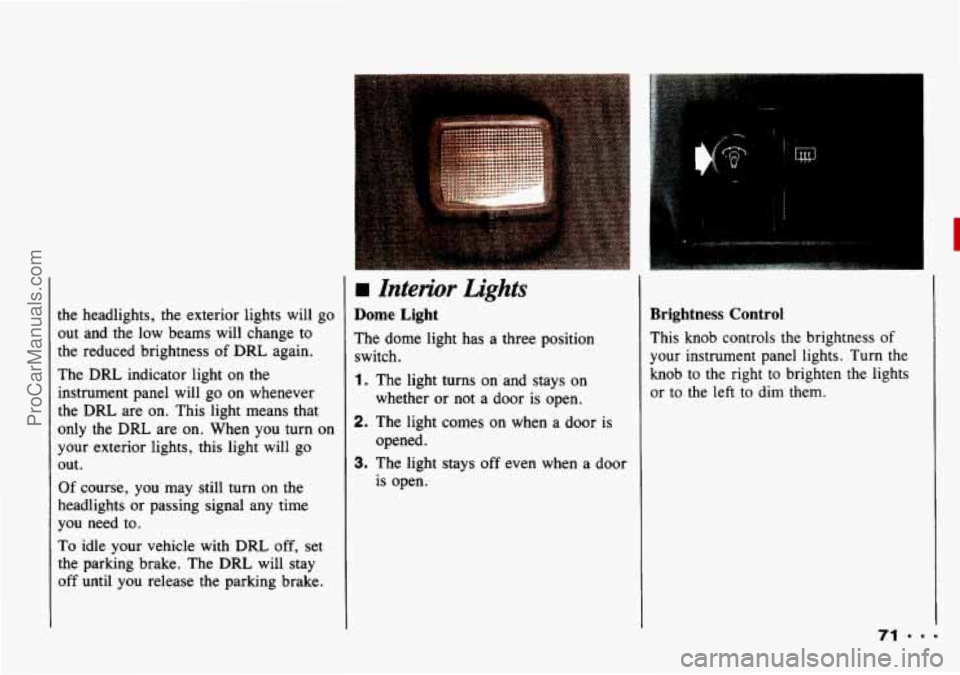
4 Interior Lights
Dome Light
The dome light has a three position
switch.
1. The light turns on and stays on
whether or not a door
is open.
2. The light comes on when a door is
opened.
3. The light stays off even when a door
is open.
Brightness Control
This knob controls the brightness of
your instrument panel lights. Turn the
knob to the right to brighten
the lights
or
to the left to dim them.
ProCarManuals.com
Page 77 of 339
..
>torage and Compartpnents
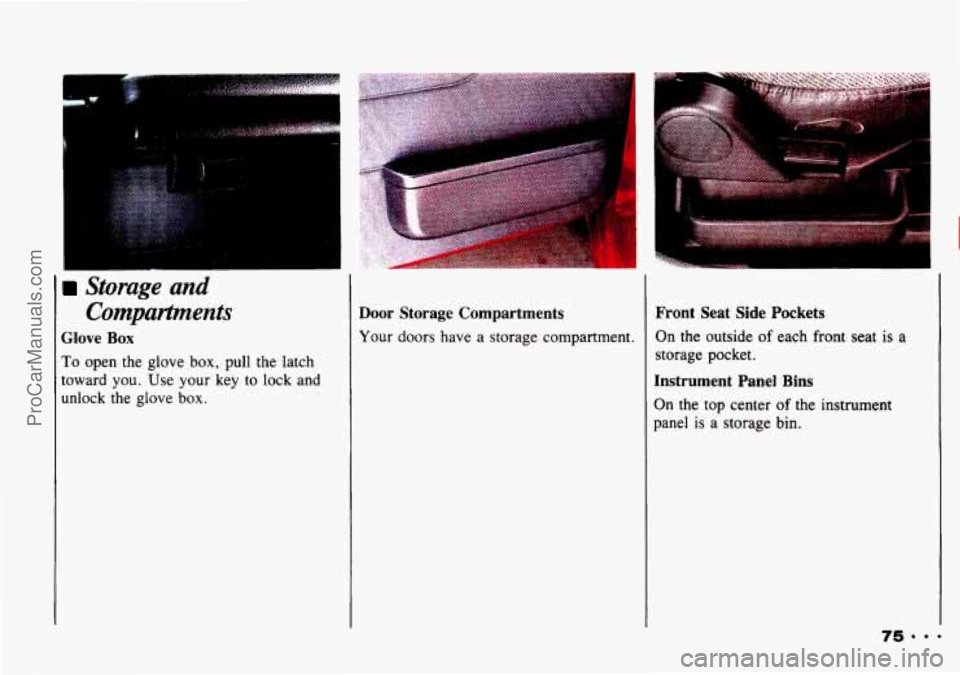
Glove Box
To open the glove box, pull the latch
toward you. Use
your key to lock and
unlock the glove
box.
Door Storage Compartments
Your doors have a storage compartment.
Front Seat Side Pockets
On the outside of each front seat is a
storage pocket.
Instrument Panel Bins
On the top center of the instrument
panel
is a storage bin.
ProCarManuals.com
Page 81 of 339
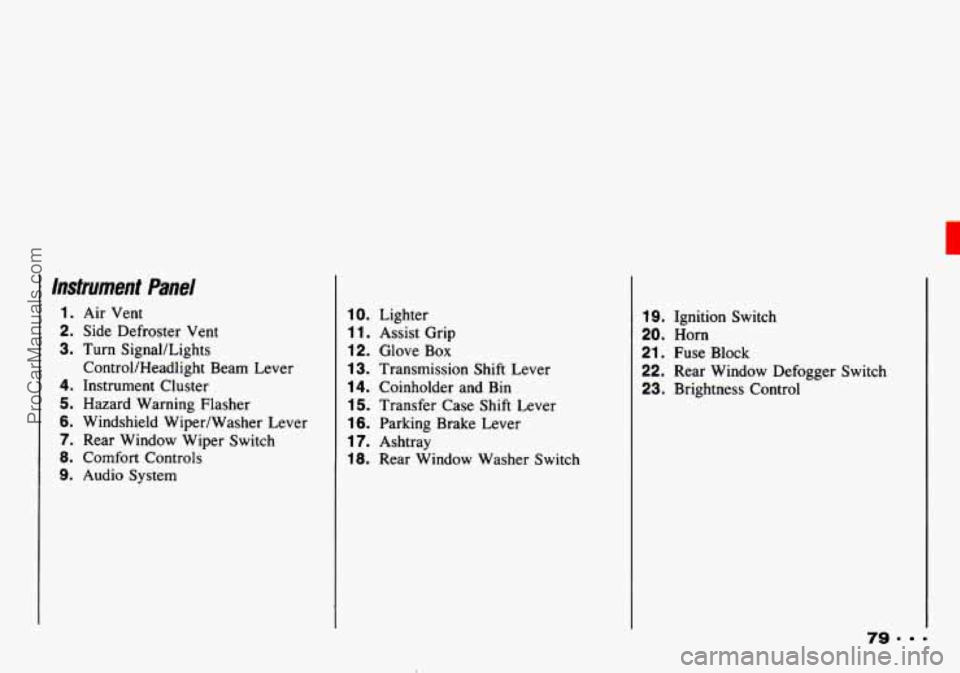
Instrument Panel
1. Air Vent
2. Side Defroster Vent
3. Turn SignaULights
4. Instrument Cluster
5. Hazard Warning Flasher
6. Windshield Wiper/Washer Lever
7. Rear Window Wiper Switch
8. Comfort Controls
9. Audio System ControVHeadlight Beam
Lever
10. Lighter
1 1. Assist Grip
12. Glove Box
13. Transmission Shift Lever
14. Coinholder and Bin
15. Transfer Case Shift Lever
16. Parking Brake Lever
17. Ashtray
18. Rear Window Washer Switch
19. Ignition Switch
20. Horn
21. Fuse Block
22. Rear Window Defogger Switch
23. Brightness Control
79. =
ProCarManuals.com