instrument panel CHEVROLET TRACKER 1994 Owners Manual
[x] Cancel search | Manufacturer: CHEVROLET, Model Year: 1994, Model line: TRACKER, Model: CHEVROLET TRACKER 1994Pages: 258, PDF Size: 14.43 MB
Page 19 of 258
Seats and Restraint Systems
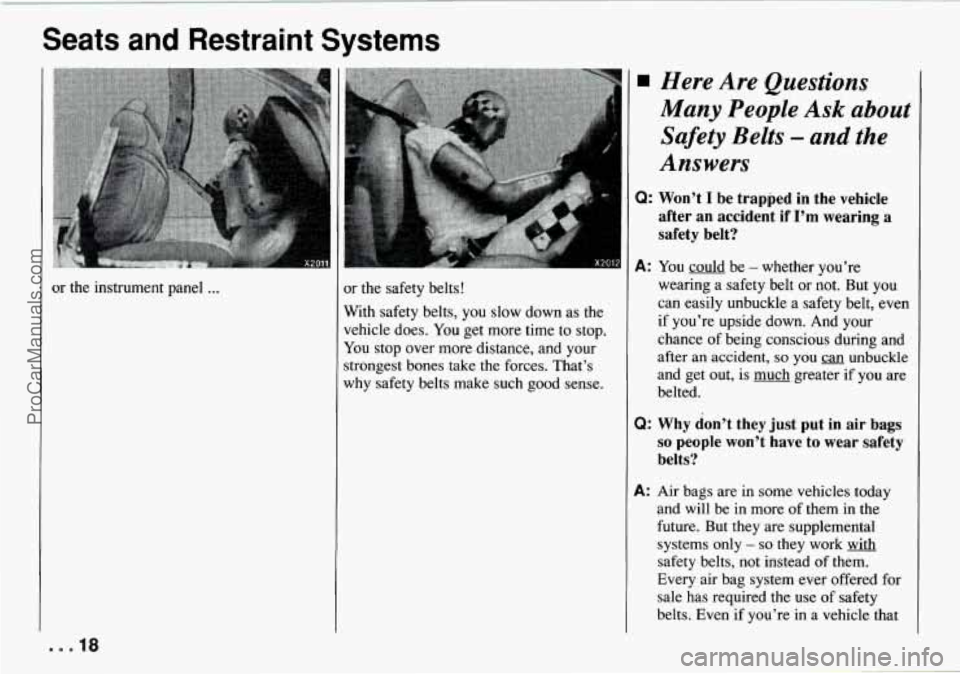
or the instrument panel ... x the safety belts!
With safety belts, you slow down as the
vehicle does.
You get more time to stop.
You stop over more distance, and your
;trongest bones take the forces. That’s
why safety belts make such good sense.
Many People Ask about
Safety Belts - and the
Answers
Q: Won’t I be trapped in the vehicle
after an accident if
I’m wearing a
safety belt?
A: You could be - whether you’re
wearing a safety belt or not. But you
can easily unbuckle a safety belt, even
if you’re upside down. And your
chance of being conscious during and
after an accident,
so you an unbuckle
and get out, is much greater
if you are
belted.
Q: Why don’t they just put in air bags
so people won’t have to wear safety
belts?
A: Air bags are in some vehicles today
and
will be in more of them in the
future. But they are supplemental
systems only
- so they work with
safety belts, not instead of them.
Every air bag system ever offered for
sale has required the use
of safety
belts. Even if you’re
in a vehicle that
. . .la
ProCarManuals.com
Page 36 of 258
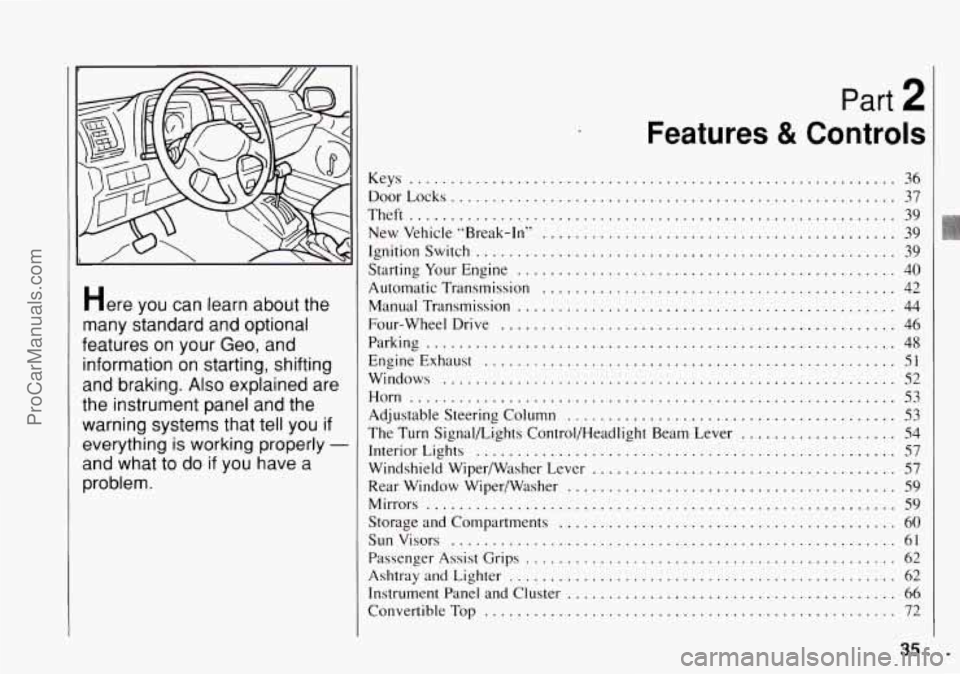
Here you can learn about the
many standard and optional
features on your Geo. and
information on starting. shifting
and braking
. Also explained are
the instrument panel and the
warning systems that tell you
if
everything is working properly -
and what to do if you have a
problem
.
Part 2
Features & Controls
Keys ........................................................... 36
DoorLocks ...................................................... 37
Theft
........................................................... 39
New Vehicle “Break-In” ........................................... 39
Ignitionswitch ................................................... 39
Starting
Your Engine .............................................. 40
Automatic Transmission ................. ...................... 42
Manual Transmission
............... ...................... 44
Four-wheel Drive ................................................ 46
Parking ......................................................... 48
EngineExhaust
.................................................. 51
Windows ....................................................... 52
Horn
........................................................... 53
Adjustable Steering Column ........................................ 53
Interior Lights
................................................... 57
Windshield WiperjWasher Lever
..................................... 57
Rear Window Wiperwasher
........................................ 59
Mirrors ......................................................... 59
Storage and Compartments
....................................... 60
Sun Visors
................................... .. ..... 61
Passenger Assist Grips
............................................. 62
Ashtray and Lighter
............................................... 62
Instrument Panel and Cluster
........................................ 66
The Turn Signalbights Control/Headlight Beam Lever ................... 54
ConvertibleTop
.................................................. 72
35 I ..
ProCarManuals.com
Page 41 of 258
Features and Controls
ON (C): Position to which the switch
returns after
you start your engine and
release the switch. The switch stays in the
“ON’ position when the engine is
running. But even when the engine is not
running, you can use
“ON’ to operate
your electrical power accessories and to
display some instrument panel warning
and indicator lights.
START (D): Starts the engine. When the
engine starts, release the key. The ignition
switch will return to
“ON’ for normal
driving.
When the engine is not running, “ACC”
and
“ON’ allow you to operate your
electrical accessories, such as the radio
and ventilation fan.
A warning chime will sound if you open
the driver’s door when the ignition is in
“ACC” or “LOCK” and the key is in the
ignition.
NOTICE:
If your key seems stuck in “LOCK”
and you can’t
turn it, be sure it is all
the way in. If it is, then turn the steer-
ing wheel left and right while you
turn the key hard. But turn the key
only with your hand. Using a tool to
force it could break the key or the
ignition switch. If none of this works,
then your vehicle needs service.
Starting Your Engine
Automatic transmission: Move your
shift lever to
“P” (Park) or “N’ (Neutral).
Your engine won’t start in any other
position
- that’s a safety feature. To
restart when you’re already moving, use
“N’ (Neutral) only.
NOTICE:
Don’t try to shift to “P’ (Park) if your
Geo is moving.
If you do, you could
damage the transmission. Shift to
“P”
(Park) only when your vehicle is
stopped.
Manual transmission: The gear selector
should be in neutral. Hold the clutch
pedal to the floor and start the engine.
Your vehicle won’t start if the clutch
pedal is
not all the way down - that’s
a safety feature.
To start your engine:
1. Without pushing the accelerator pedal,
turn your ignition key
to “START.”
When the engine starts, let
go of the
key.
... 40
ProCarManuals.com
Page 56 of 258

A green arrow on the instrument panel
will flash in the direction of the turn or
lane change.
To signal a lane change, just raise or
lower the lever
until the green arrow starts
to flash. Hold
it there until you complete
your lane change. The lever
will return by
itself
when you release it.
As you signal a turn or a lane change, if
the arrows don’t flash but just stay on, a
signal bulb may be burned out and other
drivers
won’t see your turn signal.
If a bulb is burned out, replace
it to help
avoid an accident. If the green arrows
don’t go on at all when you signal a turn,
check the fuse (see “Fuses and Circuit
Breakers” in the Index) and for
burned-out bulbs.
Operation of Lights
Although your vehicle’s lighting system
(headlights, parking lights, fog lamps,
sidemarker lights and taillights) meets all
applicable federal lighting requirements,
certain states and provinces may apply
their own lighting regulations that may
require special attention before you
operate these lights.
For example, some jurisdictions may
require that you operate your fog lamps
only when your lower beam headlights
are also
on, or that headlights be turned
on whenever you must use your
windshield wipers. In addition, most
jurisdictions prohibit driving solely
with
parking lights, especially at dawn or dusk.
It is recommended that you check with
your own state or provincial highway
authority for applicable lighting
regulations. Turn the
outside part
of the lever to
control the lights. There are three
positions
for the light switch.
OFF: All lights are off.
-300:: The parking lights, taillights,
license plate light and the instrument
panel lighting come on. The
headlights are
off.
/, , :The headlights and all other
operating lights come on. . ‘8’’-
Lights On Reminder
If you turn the ignition off, remove the
key, open the door and leave
the lights on,
a chime will remind you to turn off your
lights.
55 ... ProCarManuals.com
Page 57 of 258
Features and Controls
-- I
-- a1
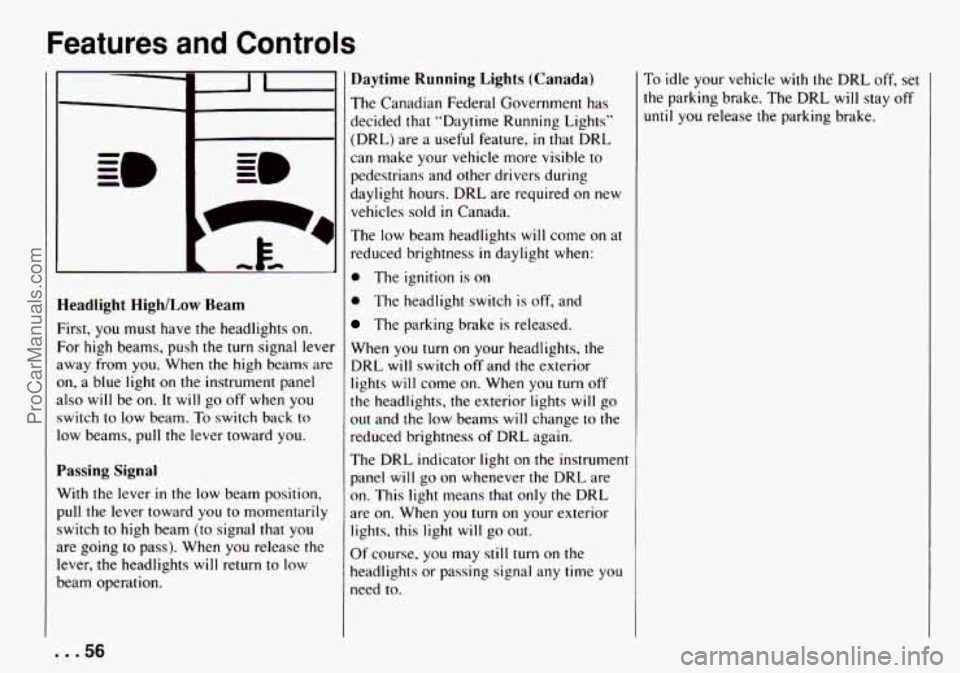
Headlight HighlLow Ream
First, you must have the headlights on.
For high beams, push the turn signal lever
away from you. When
the high beams are
on, a blue light on the instrument panel
also will be
on. It will go off when you
switch to low beam. To switch back
to
low beams, pull the lever toward you.
Passing Signal
With the lever in the low beam position,
pull the lever toward you
to momentarily
switch to high beam (to signal that
you
are going to pass). When you release the
lever, the headlights will return
to low
beam operation.
Daytime Running Lights (Canada)
The Canadian Federal Government has
decided that “Daytime Running Lighls”
(DRL) are
a useful feature, in that DRL
can make your vehicle more visible to
pedestrians and other drivers during
daylight hours. DRL are required
on new
vehicles sold
in Canada.
The low beam headlights will come on at
reduced brightness in daylight when:
0 The ignition is on
0 The headlight switch is off, and
The parking brake is released.
When
you turn on your headlights, the
DRL will switch
off and the exterior
lights will come on. When
you turn off
the headlights, the exterior lights will go
out and the low beams will change
to the
reduced brightness of DRL again.
The DRL indicator light on the instrument
panel will go on whenever the DRL are
on. This light means that only the DRL
are on. When you turn on your exterior
lights, this light will go
out.
Of course, you may still turn on the
headlights
or passing signal any time you
need to.
To idle your vehicle with the DRL off, set
the parking brake. The DRL will stay off
until you release the parking brake.
... 56
ProCarManuals.com
Page 62 of 258
--- -_________- ----
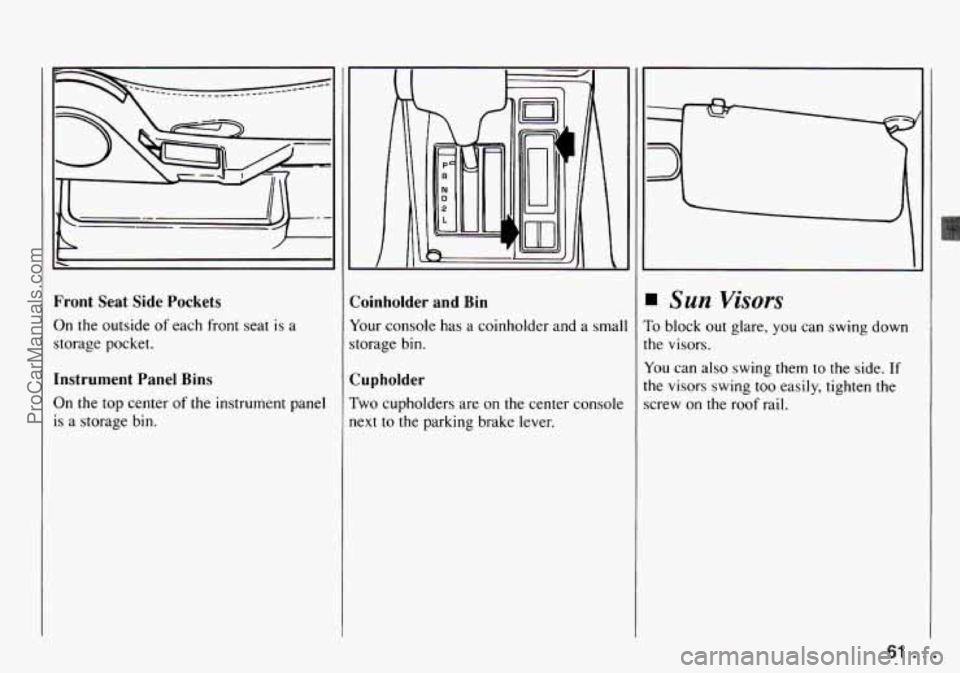
Front Seat Side Pockets
On the outside
of each front seat is a
storage pocket.
Instrument Panel Bins
On
the top center of the instrument panel
is a storage bin. Coinholder
and Bin
Your console
has a coinholder and a smal
storage bin.
Cupholder
Two cupholders are on the center console
next to the parking brake lever.
Sun Visors
To block out glare, you can swing down
the visors.
You can also swing them to the side.
If
the visors swing too easily, tighten the
screw on the roof rail.
61 ...
ProCarManuals.com
Page 66 of 258

Instrument Panel
1. Air Vent
2. Side Defroster Vent
3. Turn Signalbights Control/Headlight
4. Instrument Cluster
5. Hazard Warning Flasher
6. Windshield Wipermasher Lever
7. Rear Window Wiper Switch
8. Comfort Controls
Beam
Lever
9. Audio System
10. Lighter
11. Assist Grip
12. Glove Box
13. Transmission Shift Lever
14. Coinholder and Bin
15. Transfer Case Shift Lever
16. Parking Brake Lever
17. Ashtray
18. Rear Window Washer Switch
19. Ignition Switch
20. Horn
21. Fuse Block
22. Rear Window Defogger Switch
23. Brightness Control
65 ...
ProCarManuals.com
Page 67 of 258
Features and Controls
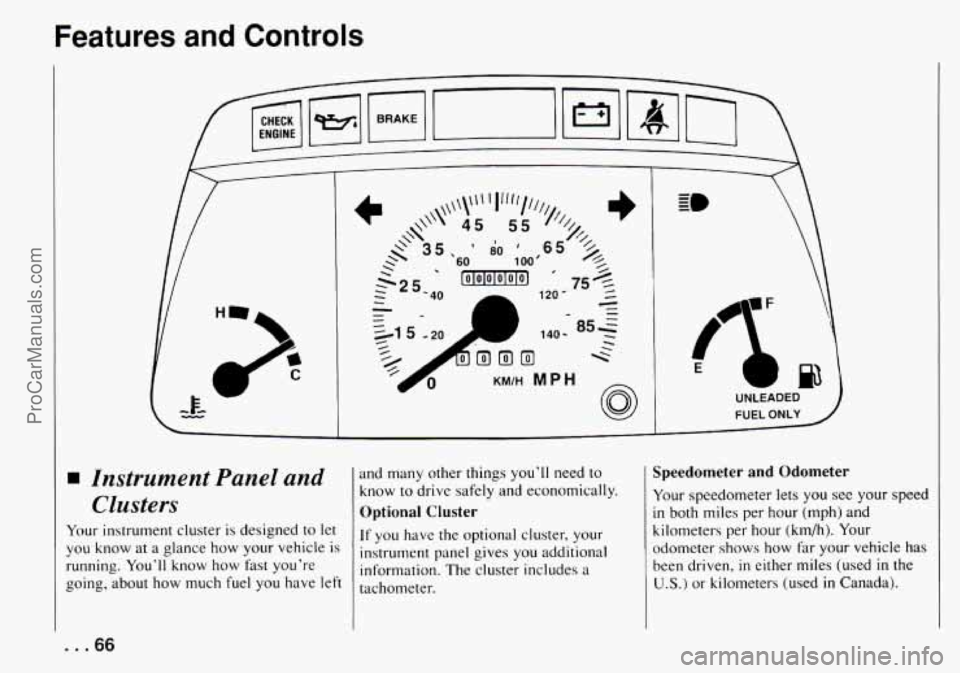
Instrument Panel and
Clusters
Your instrument cluster is designed to let
you know at a glance how your ve.hicle is
running. You'll know how fast you're
going, about how much fuel you have left
H
and many other things you'll need to
know to drive safely and economically.
Optional Cluster
If you have the optional cluster, your
instrument panel gives you additional
information. The cluster includes a
tachometer.
UNLEADED
FUEL ONLY
Speedometer and Odometer
Your speedometer lets you see your speed
in both miles per hour (mph) and
kilometers per hour
(kmh). Your
odometer shows how far your vehicle has
been driven,
in either miles (used in the
U.S.) or kilometers (used in Canada).
... 66
ProCarManuals.com
Page 85 of 258
Comfort Controls and Audio Systems
Comfort Controls
With this system, you can control the
heating and ventilation
in your Geo. If
you have the air conditioning option, you
can also control cooling.
Your vehicle also has the flow-through
ventilation system described later
in this
section.
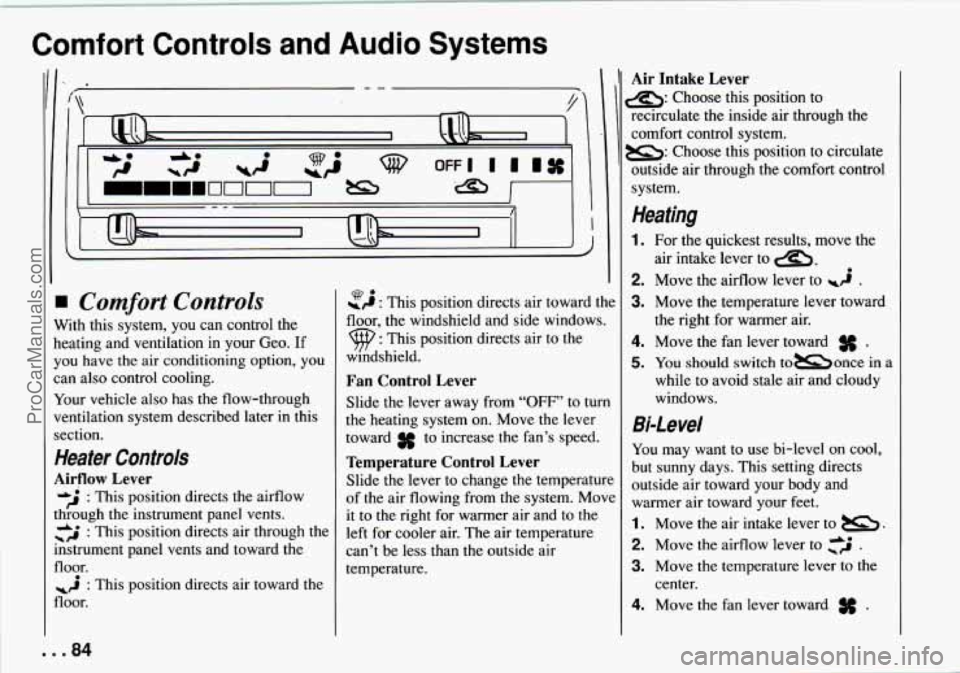
Heater Controls
Airflow Lever
&J : This position directs the airflow
through
the instrument panel vents.
+ &* : This position directs air through the
mstrument panel vents and toward the
floor.
floor.
: This position directs air toward the
-9 : This position directs air toward the Q.
floor, the windshield and side windows.
9 : This position directs air to the
windshield.
Fan Control Lever
Slide the lever away from “OFF’ to turn
the heating system on. Move the lever
toward
3f to increase the fan’s speed.
Temperature Control Lever
Slide the lever to change the temperature
of the air flowing from the system. Move
it to the right for warmer air and to the
left for cooler air. The air temperature
can’t be less than the outside air
temperature.
Air Intake Lever
s: Choose this position to
recirculate the inside air through the
comfort control system.
B: Choose this position to circulate
outside air through the comfort control
system.
Heating
1. For the quickest results, move the
2. Move the airflow lever to wi .
3. Move the temperature lever toward
4. Move the fan lever toward .
5. You should switch tomonce in a
while to avoid stale
air and cloudy
windows.
air
intake lever to
a,.
the right for warmer air.
Bi-Level
You may want to use bi-level on cool,
but sunny days. This setting directs
outside air toward your body and
warmer air toward your feet.
1. Move the air intake lever to B.
2. Move the airflow lever to ,‘j .
3. Move the temperature lever to the
4. Move the fan lever toward .
center.
ProCarManuals.com
Page 129 of 258

Your Driving and the Road
passed vehicle before vou can return to
your lane.
Backing Up
Hold the bottom of the steering wheel
with one hand. Then, to move the trailer
to the left, just move that hand to the left.
To move
the trailer to the right, move
your hand to the right. Always back up
slowly and,
if possible, have someone
guide you.
Making Turns
When you’re turning with a trailer, make
wider turns than normal.
Do this so your
trailer won’t strike soft shoulders, curbs,
road signs, trees, or other objects. Avoid
jerky or sudden maneuvers. Signal well
in
advance.
Turn Signals When Towing a Trailer
When you tow a trailer, your vehicle has
to have a different turn signal flasher and
extra wiring. The green arrows on your
instrument panel will flash whenever you
signal a turn or lane change. Properly
hooked up, the trailer lights will also
flash, telling other drivers you’re about to
turn, change lanes or stop. When towing
a trailer, the green arrows
on your instrument panel will flash for
turns even
if the bulbs on the trailer are
burned out. Thus, you may think drivers
behind you are seeing your signal when
they are not. It’s important to check
occasionally to be sure the trailer bulbs
are still working.
Driving on Grades
Reduce speed and shift to a lower gear
before you start down a long or steep
downgrade. If you don’t shift down, you
might have to use your brakes
so much
that they would get hot and no longer
work well.
On a long uphill grade, shift down and
reduce your speed to around
45 mph
(70 km/h) to reduce the possibility of
engine and transmission overheating.
If
you are towing a trailer and you have
a manual transmission with fifth gear,
you may prefer not
to use fifth gear. Just
drive in fourth gear (or, as
you need to,
.a lower gear).
Parking on Hills
You really should not park your vehicle,
with a trailer attached, on a hill. If
something goes wrong, your
rig could start
to move. People can be injured, and
both your vehicle and the trailer can be
damaged.
But if you ever have to park
your rig on a
hill, here’s how to do it:
1. Apply your regular brakes, but don’t
shift into
“F’” (Park) yet, or into gear
for a manual transmission.
2. Have someone place chocks under the
3. When the wheel chocks are in place,
release the regular brakes until the
chocks absorb the load.
trailer wheels.
4. Reapply the regular brakes.
Then
apply your parking brake, and then
shift to
‘T” (Park), or “R” (Reverse)
for a manual transmission.
5. If you have a four-wheel-drive
vehicle, be sure the transfer case is
in
a drive gear - not in “N” (Neutral).
6. Release the regular brakes.
. .-’ . 1 28
ProCarManuals.com