maintenance schedule CHEVROLET TRACKER 2003 2.G Owners Manual
[x] Cancel search | Manufacturer: CHEVROLET, Model Year: 2003, Model line: TRACKER, Model: CHEVROLET TRACKER 2003 2.GPages: 372, PDF Size: 2.65 MB
Page 1 of 372

Seats and Restraint Systems........................... 1-1
Front Seats
............................................... 1-2
Rear Seats
............................................... 1-7
Safety Belts
.............................................1-11
Child Restraints
.......................................1-31
Supplemental Restraint System (SRS)
.........1-54
Restraint System Check
............................1-61
Features and Controls..................................... 2-1
Keys
........................................................ 2-2
Doors and Locks
....................................... 2-8
Windows
.................................................2-12
Starting and Operating Your Vehicle
...........2-14
Mirrors
....................................................2-34
Storage Areas
.........................................2-35
Sunroof
..................................................2-38
Convertible Top
.......................................2-40
Instrument Panel............................................. 3-1
Instrument Panel Overview
.......................... 3-2
Climate Controls
......................................3-18
Warning Lights, Gages and Indicators
.........3-24
Audio System(s)
.......................................3-37Driving Your Vehicle....................................... 4-1
Your Driving, the Road, and Your Vehicle
........ 4-2
Towing
...................................................4-47
Service and Appearance Care.......................... 5-1
Service
..................................................... 5-3
Fuel
......................................................... 5-4
Checking Things Under the Hood
................. 5-9
Rear Axle
...............................................5-52
Four-Wheel Drive
.....................................5-53
Bulb Replacement
....................................5-55
Tires
......................................................5-59
Appearance Care
.....................................5-79
Vehicle Identi®cation
.................................5-88
Electrical System
......................................5-89
Capacities and Speci®cations
.....................5-93
Normal Maintenance Replacement Parts
......5-95
Maintenance Schedule..................................... 6-1
Maintenance Schedule
................................ 6-2
Customer Assistance Information.................... 7-1
Customer Assistance Information
.................. 7-2
Reporting Safety Defects
...........................7-10
Index................................................................ 1
2003 Chevrolet Tracker Owner ManualM
Page 130 of 372

Climate Controls
Climate Control System
With this system you can control the heating, cooling
and ventilation for your vehicle.
Operation
9
(Fan):Move the lever away from OFF to turn the
system on. Slide the top right lever to the left or right to
increase or decrease the fan speed.If the air¯ow seems low when the fan is at the
highest setting, the passenger compartment air ®lter,
if equipped, may need to be replaced. For more
information, see
Passenger Compartment Air Filter on
page 3-22andShort Trip/City Scheduled Maintenance
on page 6-7.
Slide the top left lever to the left or right to direct the
air¯ow inside of your vehicle.
To change the current mode, select one of the following:
H(Vent):This mode directs air to the instrument
panel outlets.
)(Bi-Level):This mode directs most of the air to the
instrument panel outlets, and then directs the remaining
air to the ¯oor outlets.
6(Floor):This mode directs half of the air to the
¯oor outlets with some air directed to the outboard
outlets (for the side windows) and some air directed to
the windshield.
This lever can also be used to select defog or defrost
mode. Information on defogging and defrosting can
be found later in this section.
3-18
Page 133 of 372

The rear window defogger will turn off automatically
about 15 minutes after the button is pressed.
The defogger can also be turned off by pressing the
button again or by turning off the engine.
Notice:Using a razor blade or sharp object to clear
the inside rear window may damage the rear
window defogger. Repairs would not be covered by
your warranty. Do not clear the inside of the rear
window with sharp objects.
Outlet Adjustment
Use the air outlets located
in the center and outboard
sides of the instrument
panel, to change the
direction and amount of
the air ¯owing through
the vents.
Operation Tips
·Clear away any ice, snow or leaves from the air
inlets at the base of the windshield that may
block the ¯ow of air into your vehicle.
·Use of non-GM approved hood de¯ectors may
adversely affect the performance of the system.
·Keep the path under the front seats clear of objects
to help circulate the air inside of your vehicle more
effectively.
·If the air¯ow seems low when the fan is at the
highest setting, the passenger compartment
air ®lters, if equipped, may need to be replaced.
For more information, see ªPassenger Compartment
Air Filterº following and
Short Trip/City Scheduled
Maintenance on page 6-7.
3-21
Page 134 of 372

Passenger Compartment Air Filter
All models come equipped from the factory with a slot in
the ventilation system that is ready to accept passenger
compartment air ®lters. These ®lters are available for
purchase from your dealer. You will need to install two
®lters to provide the proper ®ltration.
Both outside and recirculated air ¯ows through these
®lters and removes certain contaminates including pollen
and dust particles.
Reductions in air¯ow which occur more quickly in dusty
areas, may indicate that the ®lters need to be replaced
earlier than listed in the maintenance schedule. For how
often to replace your air ®lters, see
Maintenance
Requirements on page 6-2.
The access panel for the air ®lters is behind the
glove box.To install the air ®lters, do the following:
1. Lower the glove box door, then push in the sides of
the glove box to completely lower the door to allow
access to the slot where the air ®lters will be
installed.
3-22
Page 186 of 372

After Off-Road Driving
Remove any brush or debris that has collected
on the underbody, chassis or under the hood.
These accumulations can be a ®re hazard.
After operation in mud or sand, have the brake linings
cleaned and checked. These substances can cause
glazing and uneven braking. Check the body structure,
steering, suspension, wheels, tires and exhaust
system for damage. Also, check the fuel lines and
cooling system for any leakage.
Your vehicle will require more frequent service due to
off-road use. Refer to the Maintenance Schedule
for additional information.
Driving at Night
Night driving is more dangerous than day driving.
One reason is that some drivers are likely to be
impaired Ð by alcohol or drugs, with night vision
problems, or by fatigue.
4-30
Page 215 of 372
5. If you have a four-wheel-drive vehicle, be sure the
transfer case is in a drive gear ± not in NEUTRAL.
6. Release the regular brakes.
{CAUTION:
It can be dangerous to get out of your vehicle if
the shift lever is not fully in PARK (P) with the
parking brake ®rmly set. Your vehicle can roll.
If you have left the engine running, the vehicle
can move suddenly. You or others could be
injured. To be sure your vehicle won't move,
even when you're on fairly level ground, use the
steps that follow.
Always put the shift lever fully in PARK (P) with
the parking brake ®rmly set.
If the transfer case on four-wheel-drive vehicles
is in NEUTRAL, your vehicle will be free to roll,
even if your shift lever is in PARK (P). So, be
sure the transfer case is in a drive gear Ð not in
NEUTRAL.
When You Are Ready to Leave After
Parking on a Hill
1. Apply your regular brakes and hold the pedal down
while you:
·start your engine,
·shift into a gear, and
·release the parking brake.
2. Let up on the brake pedal.
3. Drive slowly until the trailer is clear of the chocks.
4. Stop and have someone pick up and store the
chocks.
Maintenance When Trailer Towing
Your vehicle will need service more often when you're
pulling a trailer. See the Maintenance Schedule for more
on this. Things that are especially important in trailer
operation are automatic transmission ¯uid (don't over®ll),
engine oil, axle lubricant, belts, cooling system and
brake system. Each of these is covered in this manual,
and the Index will help you ®nd them quickly. If you're
trailering, it's a good idea to review these sections
before you start your trip.
Check periodically to see that all hitch nuts and bolts
are tight.
4-59
Page 235 of 372

As in the chart shown previously, SAE 5W-30 is the
only viscosity grade recommended for your vehicle.
You should look for and use only oils which have the
API Starburst symbol and which are also identi®ed
as SAE 5W-30. If you cannot ®nd such SAE 5W-30 oils,
you can use an SAE 10W-30 oil which has the API
Starburst symbol, if it's going to be 0ÉF (-18ÉC)
or above. Do not use other viscosity grade oils, such as
SAE 10W-40 or SAE 20W-50 under any conditions.
Notice:Use only engine oil with the American
Petroleum Institute Certi®ed For Gasoline Engines
starburst symbol. Failure to use the recommended
oil can result in engine damage not covered by
your warranty.
GM Goodwrench
žoil meets all the requirements for
your vehicle.
If you are in an area of extreme cold, where the
temperature falls below-20ÉF (-29ÉC), it is
recommended that you use either an SAE 5W-30
synthetic oil or an SAE 0W-30 oil. Both will provide
easier cold starting and better protection for your engine
at extremely low temperatures.
Engine Oil Additives
Don't add anything to your oil. The recommended oils
with the starburst symbol are all you will need for
good performance and engine protection.
When to Change Engine Oil
If any one of these is true for you, use the short trip/city
maintenance schedule:
·Most trips are less than 5 miles (8 km). This is
particularly important when outside temperatures
are below freezing.
·Most trips include extensive idling (such as frequent
driving in stop-and-go traffic).
·You frequently tow a trailer or use a carrier on top
of your vehicle.
·The vehicle is used for delivery service, police, taxi
or other commercial application.
Driving under these conditions causes engine oil to
break down sooner. If any one of these is true for your
vehicle, then you need to change your oil and ®lter
every 3,000 miles (5 000 km) or 3 months Ð whichever
occurs ®rst.
If none of them is true, use the long trip/highway
maintenance schedule. Change oil and ®lter every
7,500 miles (12 500 km) or 7.5 months Ð whichever
occurs ®rst. Driving a vehicle with a fully warmed engine
under highway conditions will cause engine oil to
break down slower.
5-19
Page 241 of 372
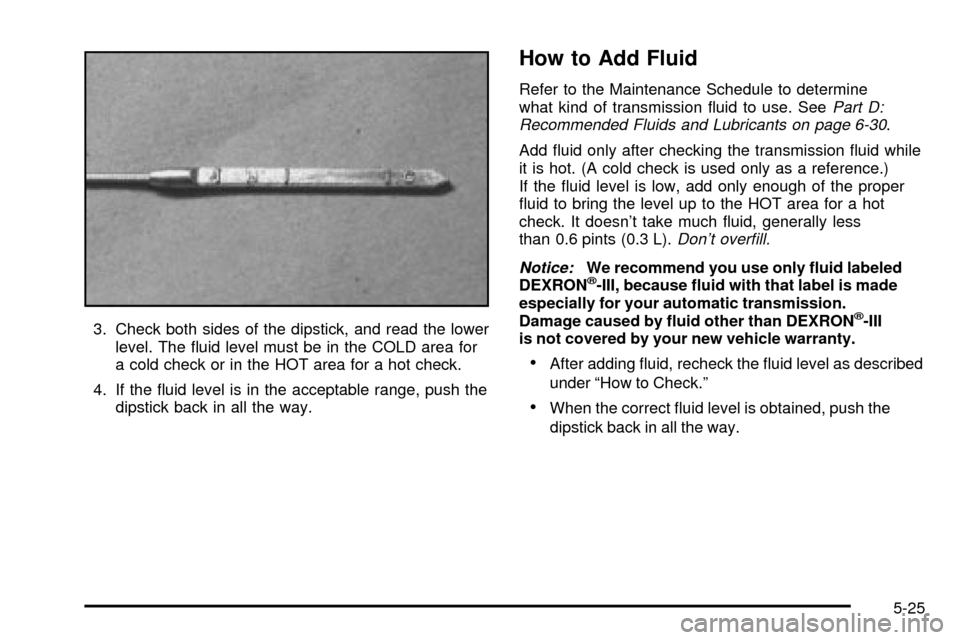
3. Check both sides of the dipstick, and read the lower
level. The ¯uid level must be in the COLD area for
a cold check or in the HOT area for a hot check.
4. If the ¯uid level is in the acceptable range, push the
dipstick back in all the way.
How to Add Fluid
Refer to the Maintenance Schedule to determine
what kind of transmission ¯uid to use. SeePart D:
Recommended Fluids and Lubricants on page 6-30.
Add ¯uid only after checking the transmission ¯uid while
it is hot. (A cold check is used only as a reference.)
If the ¯uid level is low, add only enough of the proper
¯uid to bring the level up to the HOT area for a hot
check. It doesn't take much ¯uid, generally less
than 0.6 pints (0.3 L).
Don't over®ll.
Notice:
We recommend you use only ¯uid labeled
DEXRONž-III, because ¯uid with that label is made
especially for your automatic transmission.
Damage caused by ¯uid other than DEXRON
ž-III
is not covered by your new vehicle warranty.
·After adding ¯uid, recheck the ¯uid level as described
under ªHow to Check.º
·When the correct ¯uid level is obtained, push the
dipstick back in all the way.
5-25
Page 242 of 372
Manual Transmission Fluid
When to Check and Change
A good time to have it checked is when the engine oil
is changed. Refer to the Maintenance Schedule to
determine when to change your transmission ¯uid.
See
Part A: Scheduled Maintenance Services on
page 6-4.
How to Check
Because this operation can be a little difficult, you may
choose to have this done at your Chevrolet dealership
service department.
If you do it yourself, be sure to follow all the instructions
here, or you could get a false reading.
Notice:Too much or too little ¯uid can damage
your transmission. Too much can mean that some
of the ¯uid could come out and fall on hot engine
part or exhaust system parts, starting a ®re.
Too little ¯uid could cause the transmission to
overheat. Be sure to get an accurate reading if you
check your transmission ¯uid.Check the ¯uid level only when your engine is off, the
vehicle is parked on a level place and the transmission
is cool enough for you to rest your ®ngers on the
transmission case.
Then, follow these steps:
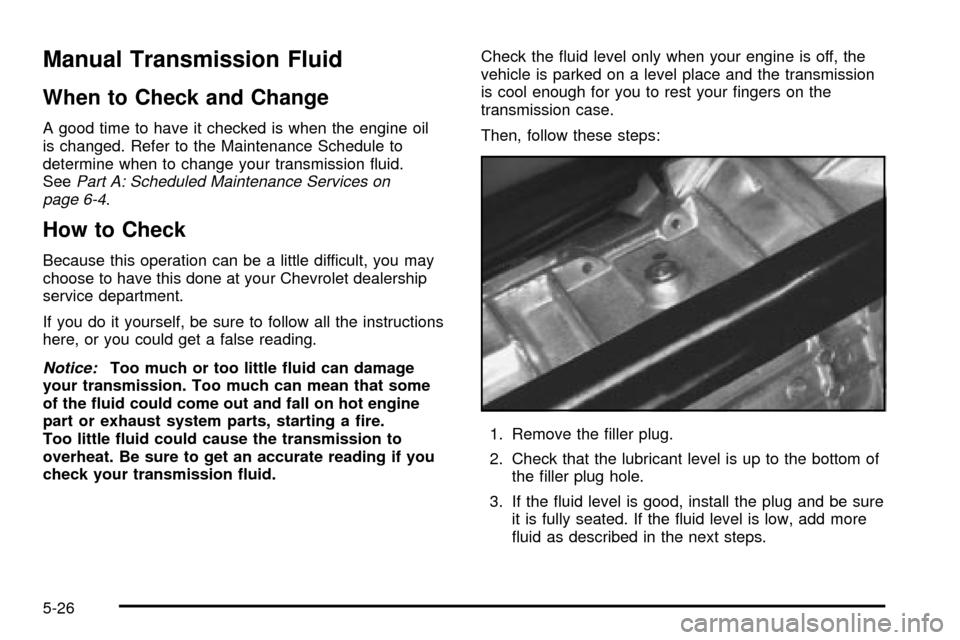
1. Remove the ®ller plug.
2. Check that the lubricant level is up to the bottom of
the ®ller plug hole.
3. If the ¯uid level is good, install the plug and be sure
it is fully seated. If the ¯uid level is low, add more
¯uid as described in the next steps.
5-26
Page 243 of 372
How to Add Fluid
Here's how to add ¯uid. Refer to the Maintenance
Schedule to determine what kind of ¯uid to use. See
Part D: Recommended Fluids and Lubricants on
page 6-30.
1. Remove the ®ller plug.
2. Remove the drain plug, drain the ¯uid and reinstall
the drain plug.
3. Add ¯uid at the ®ller plug hole. Add only enough
¯uid to bring the ¯uid level up to the bottom of the
®ller plug hole.
4. Reinstall the ®ller plug. Be sure the plug is fully
seated.
Hydraulic Clutch
It is not necessary to regularly check clutch ¯uid unless
you suspect there is a leak in the system. Adding
¯uid won't correct a leak.
A ¯uid loss in this system could indicate a problem.
Have the system inspected and repaired.
When to Check and What to Use
Refer to the Maintenance Schedule to determine how
often you should check the ¯uid level in your clutch
master cylinder reservoir and for the proper ¯uid.
See
Part B: Owner Checks and Services on page 6-24andPart D: Recommended Fluids and Lubricants
on page 6-30.
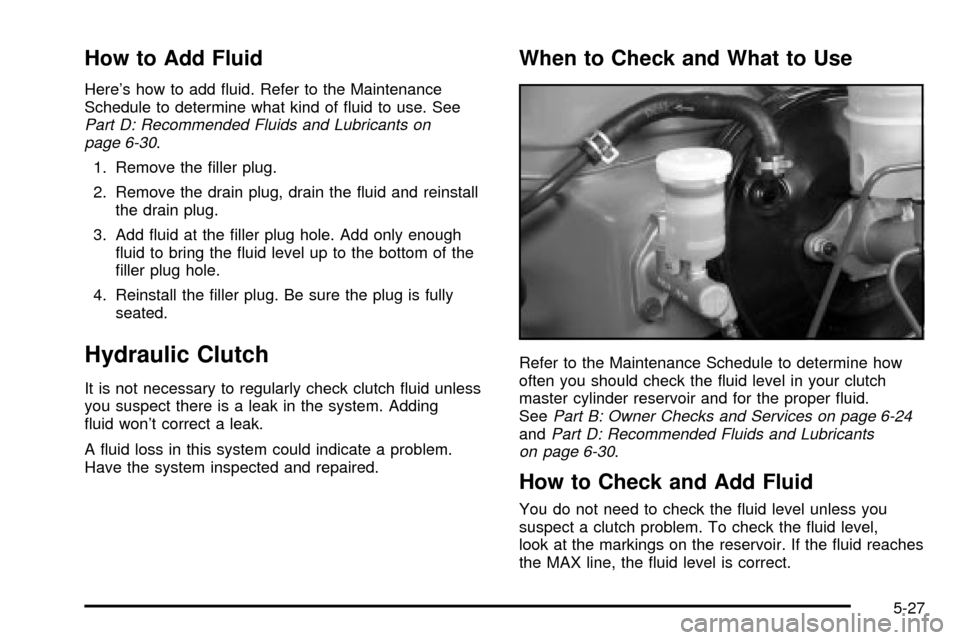
How to Check and Add Fluid
You do not need to check the ¯uid level unless you
suspect a clutch problem. To check the ¯uid level,
look at the markings on the reservoir. If the ¯uid reaches
the MAX line, the ¯uid level is correct.
5-27