ignition CHEVROLET TRACKER 2004 2.G Owner's Manual
[x] Cancel search | Manufacturer: CHEVROLET, Model Year: 2004, Model line: TRACKER, Model: CHEVROLET TRACKER 2004 2.GPages: 374, PDF Size: 2.57 MB
Page 124 of 374
Rear Window Defogger
If your vehicle has this feature, the rear window defogger
uses a warming grid to clear fog from the rear window.
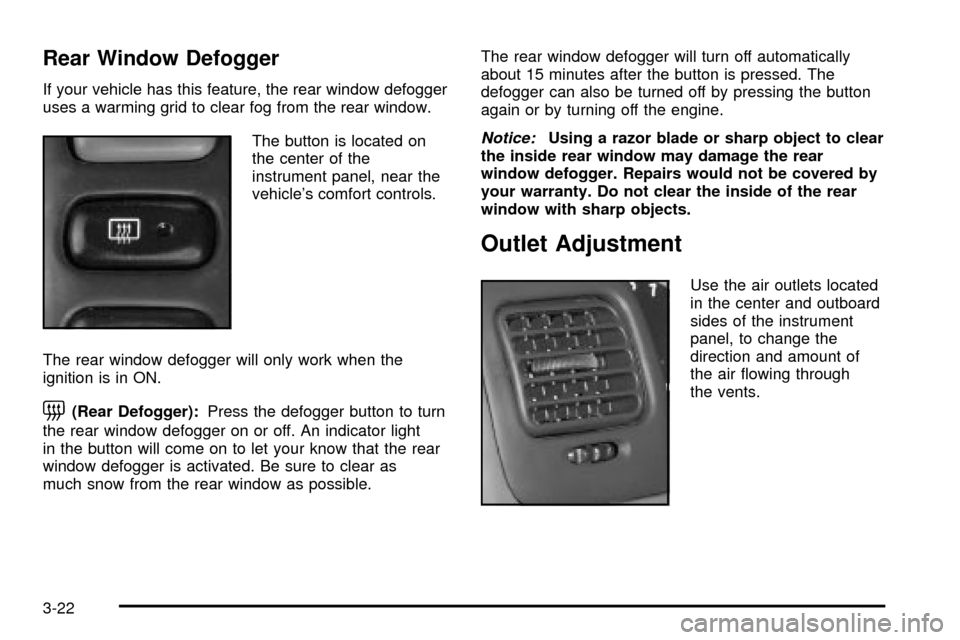
The button is located on
the center of the
instrument panel, near the
vehicle's comfort controls.
The rear window defogger will only work when the
ignition is in ON.
=(Rear Defogger):Press the defogger button to turn
the rear window defogger on or off. An indicator light
in the button will come on to let your know that the rear
window defogger is activated. Be sure to clear as
much snow from the rear window as possible.The rear window defogger will turn off automatically
about 15 minutes after the button is pressed. The
defogger can also be turned off by pressing the button
again or by turning off the engine.
Notice:Using a razor blade or sharp object to clear
the inside rear window may damage the rear
window defogger. Repairs would not be covered by
your warranty. Do not clear the inside of the rear
window with sharp objects.
Outlet Adjustment
Use the air outlets located
in the center and outboard
sides of the instrument
panel, to change the
direction and amount of
the air ¯owing through
the vents.
3-22
Page 131 of 374
Air Bag Readiness Light
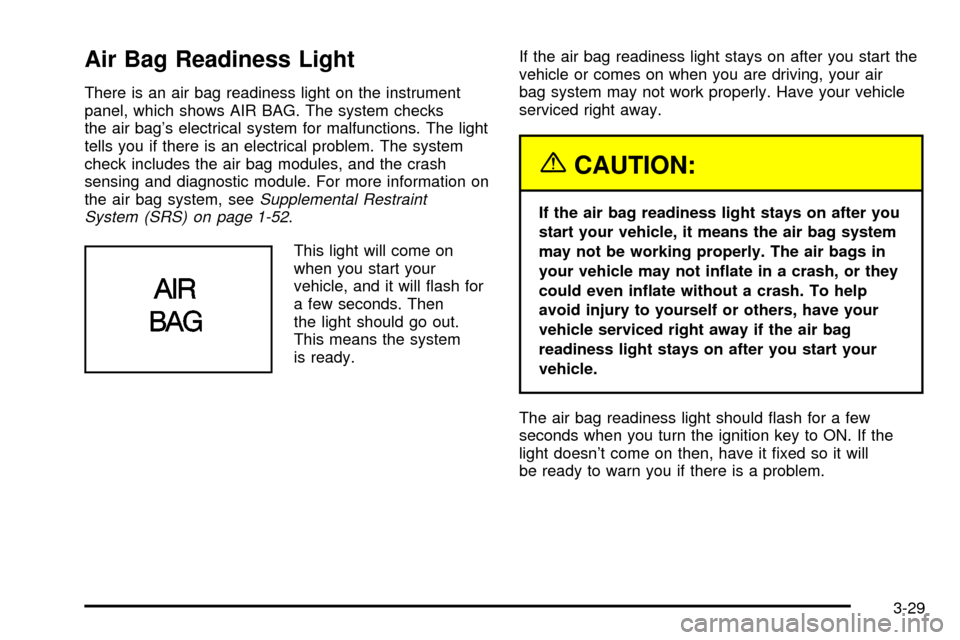
There is an air bag readiness light on the instrument
panel, which shows AIR BAG. The system checks
the air bag's electrical system for malfunctions. The light
tells you if there is an electrical problem. The system
check includes the air bag modules, and the crash
sensing and diagnostic module. For more information on
the air bag system, see
Supplemental Restraint
System (SRS) on page 1-52.
This light will come on
when you start your
vehicle, and it will ¯ash for
a few seconds. Then
the light should go out.
This means the system
is ready.If the air bag readiness light stays on after you start the
vehicle or comes on when you are driving, your air
bag system may not work properly. Have your vehicle
serviced right away.
{CAUTION:
If the air bag readiness light stays on after you
start your vehicle, it means the air bag system
may not be working properly. The air bags in
your vehicle may not in¯ate in a crash, or they
could even in¯ate without a crash. To help
avoid injury to yourself or others, have your
vehicle serviced right away if the air bag
readiness light stays on after you start your
vehicle.
The air bag readiness light should ¯ash for a few
seconds when you turn the ignition key to ON. If the
light doesn't come on then, have it ®xed so it will
be ready to warn you if there is a problem.
3-29
Page 132 of 374

Charging System Light
This light will come on
brie¯y when you turn on the
ignition, but the engine is
not running, as a check to
show you it is working.
Then it should go out when
the engine starts.
If the light stays on or comes on while you are driving,
you may have a problem with the electrical charging
system. It could indicate that you have an electrical
problem. Have it checked right away. Driving while this
light is on could drain your battery.
If you must drive a short distance with this light on, be
certain to turn off all your accessories, such as the radio
and air conditioner.
Brake System Warning Light
When the ignition is on, the brake system warning light
will come on when you set your parking brake. The
light will stay on if your parking brake doesn't release
fully. If it stays on after your parking brake is fully
released, it means you have a brake problem.
Your vehicle's hydraulic brake system is divided into two
parts. If one part isn't working, the other part can still
work and stop you. For good braking, though, you need
both parts working well.
If the warning light comes on, there could be a brake
problem. Have your brake system inspected right away.
This light should come on when you turn the ignition
key to START. If it doesn't come on then, have it ®xed
so it will be ready to warn you if there's a problem.
United StatesCanada
3-30
Page 134 of 374
{CAUTION:
Your regular brake system may not be working
properly if the anti-lock brake system warning
light is on. Driving with the anti-lock brake
system warning light on can lead to an
accident. After you have pulled off the road
and stopped carefully, have the vehicle towed
for service.
If the anti-lock brake system warning light stays on
longer than normal after you've started your engine, turn
the ignition off. Or, if the light comes on and stays on
when you're driving, stop as soon as possible and turn
the ignition off. Then start the engine again to reset
the system. If the light still stays on, or comes on again
while you're driving, your vehicle needs service. If
the light is on and the regular brake system warning
light isn't on, you still have brakes, but you don't have
anti-lock brakes.
The anti-lock brake system warning light should come
on brie¯y when you turn the ignition key to ON. If
the light doesn't come on then, have it ®xed so it will be
ready to warn you if there is a problem.
Engine Coolant Temperature Gage
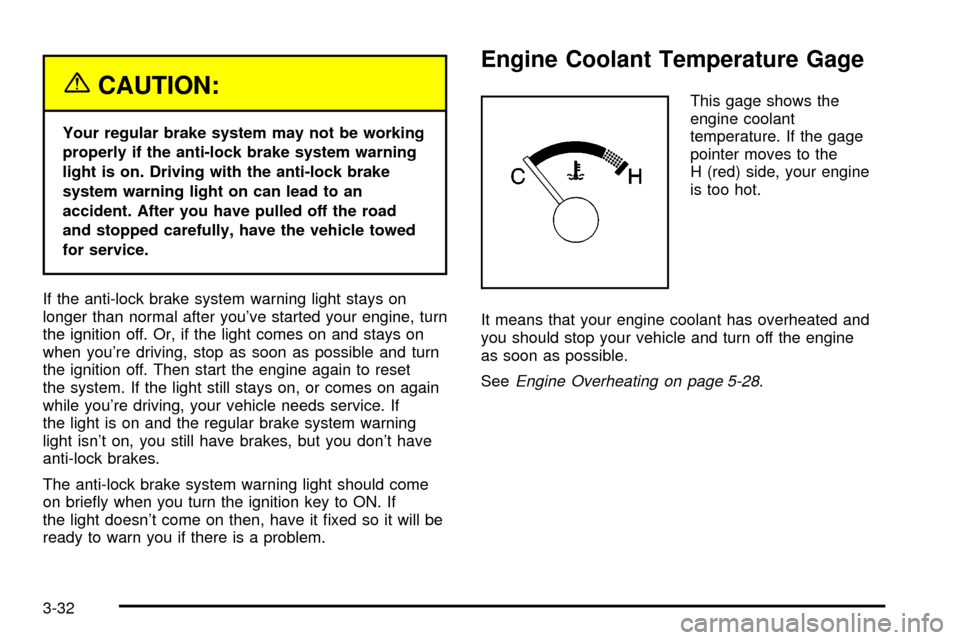
This gage shows the
engine coolant
temperature. If the gage
pointer moves to the
H (red) side, your engine
is too hot.
It means that your engine coolant has overheated and
you should stop your vehicle and turn off the engine
as soon as possible.
See
Engine Overheating on page 5-28.
3-32
Page 135 of 374

Malfunction Indicator Lamp
Service Engine Soon Light
Your vehicle is equipped
with a computer which
monitors operation of the
fuel, ignition and emission
control systems.
This system is called OBD II (On-Board
Diagnostics-Second Generation) and is intended to
assure that emissions are at acceptable levels for the
life of the vehicle, helping to produce a cleaner
environment. The SERVICE ENGINE SOON light
comes on to indicate that there is a problem and service
is required. Malfunctions often will be indicated by the
system before any problem is apparent. This may
prevent more serious damage to your vehicle. This
system is also designed to assist your service technician
in correctly diagnosing any malfunction.
Notice:If you keep driving your vehicle with this
light on, after a while, your emission controls
may not work as well, your fuel economy may notbe as good and your engine may not run as
smoothly. This could lead to costly repairs that may
not be covered by your warranty.
Notice:Modi®cations made to the engine,
transmission, exhaust, intake or fuel system of your
vehicle or the replacement of the original tires
with other than those of the same Tire Performance
Criteria (TPC) can affect your vehicle's emission
controls and may cause this light to come on.
Modi®cations to these systems could lead to costly
repairs not covered by your warranty. This may
also result in a failure to pass a required Emission
Inspection/Maintenance test.
This light should come on, as a check to show you it is
working, when the ignition is on and the engine is
not running. If the light does not come on, have it
repaired. This light will also come on during a
malfunction in one of two ways:
·Light FlashingÐ A mis®re condition has been
detected. A mis®re increases vehicle emissions
and may damage the emission control system on
your vehicle. Diagnosis and service may be
required.
·Light On SteadyÐ An emission control system
malfunction has been detected on your vehicle.
Diagnosis and service may be required.
3-33
Page 138 of 374
Oil Pressure Light
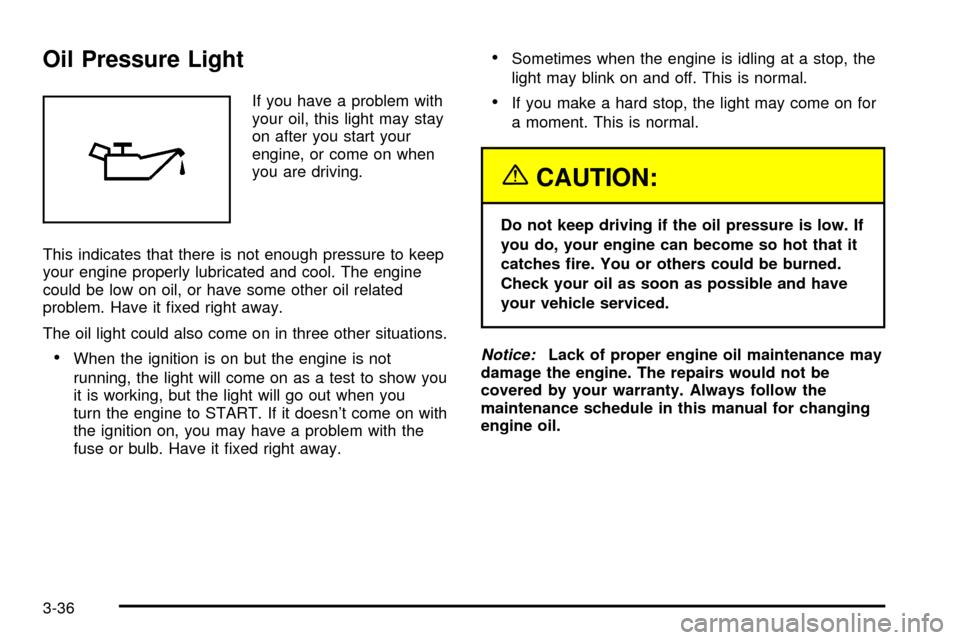
If you have a problem with
your oil, this light may stay
on after you start your
engine, or come on when
you are driving.
This indicates that there is not enough pressure to keep
your engine properly lubricated and cool. The engine
could be low on oil, or have some other oil related
problem. Have it ®xed right away.
The oil light could also come on in three other situations.
·When the ignition is on but the engine is not
running, the light will come on as a test to show you
it is working, but the light will go out when you
turn the engine to START. If it doesn't come on with
the ignition on, you may have a problem with the
fuse or bulb. Have it ®xed right away.
·Sometimes when the engine is idling at a stop, the
light may blink on and off. This is normal.
·If you make a hard stop, the light may come on for
a moment. This is normal.
{CAUTION:
Do not keep driving if the oil pressure is low. If
you do, your engine can become so hot that it
catches ®re. You or others could be burned.
Check your oil as soon as possible and have
your vehicle serviced.
Notice:Lack of proper engine oil maintenance may
damage the engine. The repairs would not be
covered by your warranty. Always follow the
maintenance schedule in this manual for changing
engine oil.
3-36
Page 139 of 374

Overdrive Off Light
This light comes on when
the automatic four-speed
transmission, if equipped,
has been converted to
the three-speed mode
and the overdrive is
turned off.
This light also comes on as a check for about
®ve seconds when the ignition key is turned to ON
or START.
Four-Wheel-Drive Light
If you have four-wheel
drive, this light comes on
when the ignition switch is
on and the transfer
case lever is in one of the
four-wheel drive positions.
See
Four-Wheel Drive on page 5-49.
Power Indicator Light
This light comes on when
the power mode selector
switch, if equipped, is
turned to P (power) with
the ignition switch in
the ON position.
This light comes on as a check for about ®ve seconds
when the ignition key is turned to ON or START.
3-37
Page 141 of 374

Audio System(s)
Notice:Before you add any sound equipment to
your vehicle ± like a tape player, CB radio, mobile
telephone or two-way radio ± be sure you can
add what you want. If you can, it's very important to
do it properly. Added sound equipment may
interfere with the operation of your vehicle's engine,
radio or other systems, and even damage them.
Your vehicle's systems may interfere with the
operation of sound equipment that has been added
improperly.
So, before adding sound equipment, check with
your dealer and be sure to check federal rules
covering mobile radio and telephone units.
Some models do not include a radio, however all
models come with four speakers, an antenna and all of
the wiring needed to install a radio.
Notice:Any non-factory installed radios are not
covered by your vehicle's warranty.
Your audio system has been designed to operate easily
and to give years of listening pleasure. You will get
the most enjoyment out of it if you acquaint yourself with
it ®rst. Figure out which radio you have in your vehicle,
®nd out what your audio system can do and how to
operate all of its controls to be sure you're getting the
most out of the advanced engineering that went into it.
Setting the Time
Press and hold the HR or MIN arrow for two seconds.
Then press the HR arrow until the correct hour appears
on the display. Press and hold the MIN arrow until
the correct minute appears on the display. The time may
be set with the ignition on or off.
3-39
Page 142 of 374
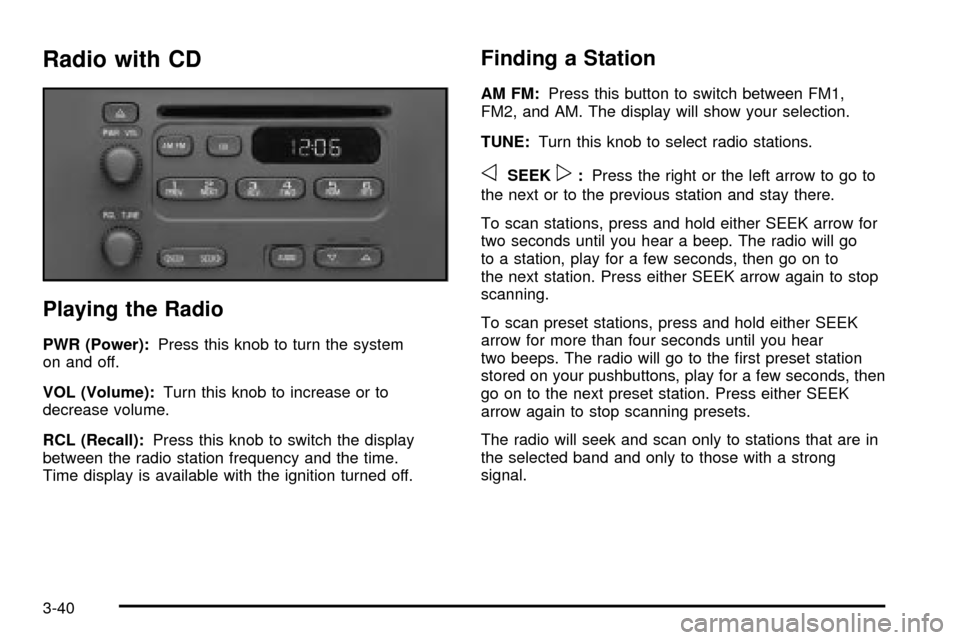
Radio with CD
Playing the Radio
PWR (Power):Press this knob to turn the system
on and off.
VOL (Volume):Turn this knob to increase or to
decrease volume.
RCL (Recall):Press this knob to switch the display
between the radio station frequency and the time.
Time display is available with the ignition turned off.
Finding a Station
AM FM:Press this button to switch between FM1,
FM2, and AM. The display will show your selection.
TUNE:Turn this knob to select radio stations.
oSEEKp:Press the right or the left arrow to go to
the next or to the previous station and stay there.
To scan stations, press and hold either SEEK arrow for
two seconds until you hear a beep. The radio will go
to a station, play for a few seconds, then go on to
the next station. Press either SEEK arrow again to stop
scanning.
To scan preset stations, press and hold either SEEK
arrow for more than four seconds until you hear
two beeps. The radio will go to the ®rst preset station
stored on your pushbuttons, play for a few seconds, then
go on to the next preset station. Press either SEEK
arrow again to stop scanning presets.
The radio will seek and scan only to stations that are in
the selected band and only to those with a strong
signal.
3-40
Page 144 of 374

Adjusting the Speakers (Balance/Fade)
AUDIO:To adjust the balance between the right
and the left speakers, press and release the AUDIO
button until BAL appears on the display. Then press and
hold the up or the down arrow to move the sound
toward the right or the left speakers.
To adjust the fade between the front and rear speakers,
press and release the AUDIO button until FAD
appears on the display. Then press and hold the up or
the down arrow to move the sound toward the front
or the rear speakers.
To adjust balance or fade to the middle position, select
BAL or FAD. Then press and hold AUDIO for more
than two seconds until you hear a beep. L and a zero
or F and a zero will appear on the display.
To adjust both tone controls and both speaker controls
to the middle position, ®rst end out of audio mode
by pressing another button, causing the radio to perform
that function, or by waiting ®ve seconds for the display
to return to time of day. Then press and hold the AUDIO
button for more than two seconds until you hear a
beep. CEN will appear on the display.
Radio Messages
CAL (Calibration):Your audio system has been
calibrated for your vehicle from the factory. If CAL
appears on the display it means that your radio has not
been con®gured properly for your vehicle and must
be returned to the dealer for service.
Playing a CD
Insert a CD partway into the slot, label side up. The
player will pull it in and the CD should begin playing. CD
will appear on the display. If you want to insert a CD
when the ignition is off, ®rst press the eject button or the
RCL knob.
If you insert a CD with the radio off and the ignition on,
it will start to play.
If you turn off the ignition with a CD in the player, it will
stay in the player. When you turn on the ignition or
radio, the CD will start playing where it stopped, if it was
the last selected audio source.
As each new track starts to play, the track number will
appear on the display.
3-42