heating CHEVROLET TRAIL BLAZER 2004 1.G User Guide
[x] Cancel search | Manufacturer: CHEVROLET, Model Year: 2004, Model line: TRAIL BLAZER, Model: CHEVROLET TRAIL BLAZER 2004 1.GPages: 448, PDF Size: 2.98 MB
Page 292 of 448
Backing Up
Hold the bottom of the steering wheel with one hand.
Then, to move the trailer to the left, just move that hand
to the left. To move the trailer to the right, move your
hand to the right. Always back up slowly and, if possible,
have someone guide you.
Making Turns
Notice:Making very sharp turns while trailering
could cause the trailer to come in contact with the
vehicle. Your vehicle could be damaged. Avoid
making very sharp turns while trailering.
When you’re turning with a trailer, make wider turns
than normal. Do this so your trailer won’t strike
soft shoulders, curbs, road signs, trees or other objects.
Avoid jerky or sudden maneuvers. Signal well in
advance.
Turn Signals When Towing a Trailer
The arrows on your instrument panel will ash whenever
you signal a turn or lane change. Properly hooked up,
the trailer lamps will also ash, telling other drivers
you’re about to turn, change lanes or stop.When towing a trailer, the arrows on your instrument
panel will ash for turns even if the bulbs on the trailer
are burned out. Thus, you may think drivers behind
you are seeing your signal when they are not. It’s
important to check occasionally to be sure the trailer
bulbs are still working.
Driving On Grades
Reduce speed and shift to a lower gearbeforeyou start
down a long or steep downgrade. If you don’t shift
down, you might have to use your brakes so much that
they would get hot and no longer work well.
You can tow in DRIVE (D). You may want to shift the
transmission to THIRD (3) or a lower gear, under heavy
loads or hilly conditions.
When towing at high altitude on steep uphill grades,
consider the following: Engine coolant will boil at a lower
temperature than at normal altitudes. If you turn your
engine off immediately after towing at high altitude
on steep uphill grades, your vehicle may show signs
similar to engine overheating. To avoid this, let the
engine run while parked (preferably on level ground)
with the automatic transmission in PARK (P) for a
few minutes before turning the engine off. If you do get
the overheat warning, seeEngine Overheating on
page 5-26.
4-60
Page 297 of 448
Service............................................................5-3
Doing Your Own Service Work.........................5-4
Adding Equipment to the Outside of
Your Vehicle..............................................5-4
Fuel................................................................5-4
Gasoline Octane............................................5-5
Gasoline Specications....................................5-5
California Fuel...............................................5-5
Additives.......................................................5-6
Fuels in Foreign Countries...............................5-6
Filling Your Tank............................................5-7
Filling a Portable Fuel Container.......................5-9
Checking Things Under the Hood....................5-10
Hood Release..............................................5-10
Engine Compartment Overview.......................5-12
Engine Oil...................................................5-15
Engine Air Cleaner/Filter................................5-20
Automatic Transmission Fluid.........................5-21
Engine Coolant.............................................5-23
Radiator Pressure Cap..................................5-25
Engine Overheating.......................................5-26
Cooling System............................................5-28
Engine Fan Noise.........................................5-34
Power Steering Fluid.....................................5-35Windshield Washer Fluid................................5-36
Brakes........................................................5-37
Battery........................................................5-40
Jump Starting...............................................5-41
Rear Axle.......................................................5-46
Four-Wheel Drive............................................5-46
Front Axle......................................................5-47
Bulb Replacement..........................................5-48
Taillamps and Turn Signal Lamps...................5-48
Replacement Bulbs.......................................5-49
Windshield Wiper Blade Replacement..............5-49
Tires..............................................................5-52
Ination - Tire Pressure.................................5-60
Tire Inspection and Rotation...........................5-61
When It Is Time for New Tires.......................5-62
Buying New Tires.........................................5-63
Uniform Tire Quality Grading..........................5-64
Wheel Alignment and Tire Balance..................5-65
Wheel Replacement......................................5-65
Tire Chains..................................................5-67
If a Tire Goes Flat........................................5-67
Changing a Flat Tire.....................................5-68
Spare Tire...................................................5-83
Section 5 Service and Appearance Care
5-1
Page 319 of 448
How to Add Fluid
Refer to the Maintenance Schedule to determine what
kind of transmission uid to use. SeeRecommended
Fluids and Lubricants on page 6-12.
Add uid only after checking the transmission uid while
it is hot. (A cold check is used only as a reference.) If
the uid level is low, add only enough of the proper uid
to bring the level up to the HOT area for a hot check.
It doesn’t take much uid, generally less than one
pint (0.5 L).Don’t overll.
Notice:We recommend you use only uid labeled
DEXRON
®-III, because uid with that label is
made especially for your automatic transmission.
Damage caused by uid other than DEXRON
®-III is
not covered by your new vehicle warranty.
After adding uid, recheck the uid level as
described under “How to Check″.
When the correct uid level is obtained, push the
dipstick back in all the way; then ip the handle
down to lock the dipstick in place.
Engine Coolant
The cooling system in your vehicle is lled with
DEX-COOL®engine coolant. This coolant is designed
to remain in your vehicle for 5 years or 150,000 miles
(240 000 km), whichever occurs rst, if you add
only DEX-COOL
®extended life coolant.
The following explains your cooling system and how to
add coolant when it is low. If you have a problem
with engine overheating, seeEngine Overheating on
page 5-26.
A 50/50 mixture of clean, drinkable water and
DEX-COOL
®coolant will:
Give freezing protection down to−34°F (−37°C).
Give boiling protection up to 265°F (129°C).
Protect against rust and corrosion.
Help keep the proper engine temperature.
Let the warning lights and gages work as they
should.
Notice:Using coolant other than DEX-COOL
®may
cause premature engine, heater core or radiator
corrosion. In addition, the engine coolant may
require changing sooner, at 30,000 miles (50 000 km)
or 24 months, whichever occurs rst. Any repairs
would not be covered by your warranty. Always use
DEX-COOL
®(silicate-free) coolant in your vehicle.
5-23
Page 322 of 448
Engine Overheating
You will nd a coolant temperature gage on your
vehicle’s instrument panel. If your vehicle has a DIC,
the display will show an Engine Coolant Hot or Engine
Overheated message.
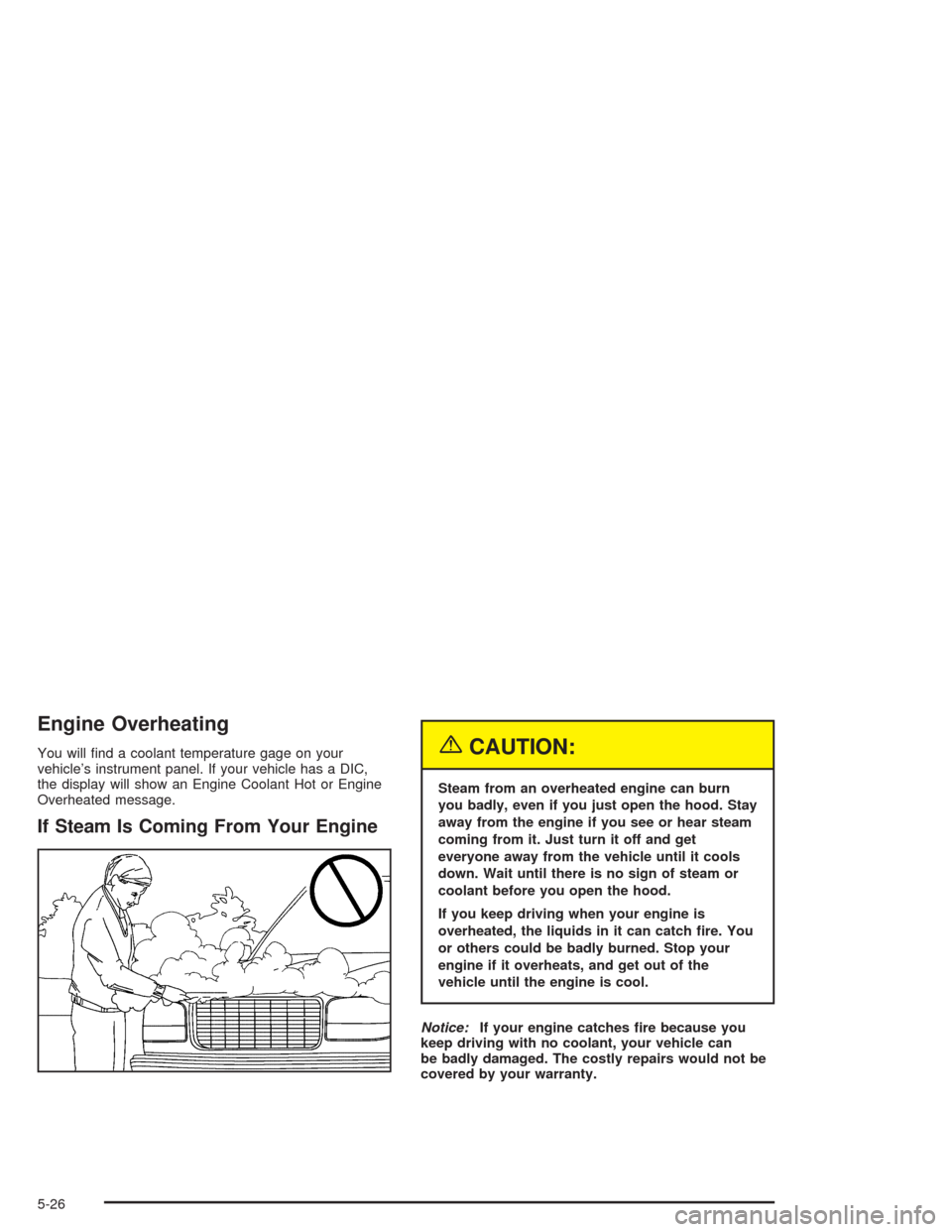
If Steam Is Coming From Your Engine
{CAUTION:
Steam from an overheated engine can burn
you badly, even if you just open the hood. Stay
away from the engine if you see or hear steam
coming from it. Just turn it off and get
everyone away from the vehicle until it cools
down. Wait until there is no sign of steam or
coolant before you open the hood.
If you keep driving when your engine is
overheated, the liquids in it can catch re. You
or others could be badly burned. Stop your
engine if it overheats, and get out of the
vehicle until the engine is cool.
Notice:If your engine catches re because you
keep driving with no coolant, your vehicle can
be badly damaged. The costly repairs would not be
covered by your warranty.
5-26
Page 348 of 448
Tires
Your new vehicle comes with high-quality tires made by
a leading tire manufacturer. If you ever have questions
about your tire warranty and where to obtain service,
see your GM Warranty booklet for details. For additional
information refer to the tire manufacturer’s booklet
included with your vehicle’s Owner’s Manual.
{CAUTION:
Poorly maintained and improperly used tires
are dangerous.
Overloading your tires can cause
overheating as a result of too much
friction. You could have an air-out and a
serious accident. See “Loading Your
Vehicle” in the Index.
Underinated tires pose the same danger
as overloaded tires. The resulting accident
could cause serious injury. Check all tires
frequently to maintain the recommended
pressure. Tire pressure should be checked
when your tires are cold.
CAUTION: (Continued)
CAUTION: (Continued)
Overinated tires are more likely to be
cut, punctured or broken by a sudden
impact — such as when you hit a pothole.
Keep tires at the recommended pressure.
Worn, old tires can cause accidents. If
your tread is badly worn, or if your tires
have been damaged, replace them.
Tire Sidewall Labeling
Useful information about a tire is molded into the
sidewall. The following illustrations are examples of a
typical P-Metric and a LT-Metric tire sidewall.
5-52
Page 437 of 448
Driving in Water..............................................4-26
Driving On Grades..........................................4-60
Driving on Off-Road Hills.................................4-19
Driving on Snow or Ice....................................4-38
Driving Through Deep Standing Water...............4-31
Driving Through Flowing Water.........................4-31
Driving Uphill..................................................4-20
Driving with a Trailer.......................................4-59
Dual Automatic Climate Control System.............3-24
Dual Climate Control System............................3-21
DVD
Rear Seat Entertainment System..................3-100
DVD Distortion..............................................3-110
DVD Messages.............................................3-110
DVD Player..................................................3-103
E
Electrical System
Add-On Equipment......................................5-92
Fuses and Circuit Breakers...........................5-93
Headlamps.................................................5-92
Power Windows and Other Power Options......5-92
Windshield Wiper Fuses...............................5-92
Emergency Release for Opening Liftgate............2-13
Emissions Inspection and Maintenance
Programs...................................................3-42Engine
Air Cleaner/Filter.........................................5-20
Battery.......................................................5-40
Change Engine Oil Light...............................3-44
Check and Service Engine Soon Light............3-40
Coolant......................................................5-23
Coolant Heater............................................2-21
Coolant Temperature Gage...........................3-39
Drive Belt Routing.......................................6-15
Engine Compartment Overview......................5-12
Exhaust.....................................................2-32
Fan Noise..................................................5-34
Oil .............................................................5-15
Overheating................................................5-26
Reduced Power Light...................................3-45
Starting......................................................2-20
Engine Compartment Fuse Block......................5-93
ENGINE COOLANT HOT/ENGINE
OVERHEATED............................................3-58
Engine Oil Additives........................................5-18
Entry Lighting.................................................3-18
Environmental Concerns..................................4-17
Erasing HomeLink
®Buttons..............................2-42
Event Data Recorders (EDR)............................. 7-9
Exit Lighting...................................................3-18
Express Down Window....................................2-15
Extender, Safety Belt.......................................1-26
Exterior Lamps...............................................3-15
5