lock CHEVROLET TRAIL BLAZER 2004 1.G Workshop Manual
[x] Cancel search | Manufacturer: CHEVROLET, Model Year: 2004, Model line: TRAIL BLAZER, Model: CHEVROLET TRAIL BLAZER 2004 1.GPages: 448, PDF Size: 2.98 MB
Page 141 of 448
Driver’s Side Temperature Knob:Turn this knob
clockwise or counterclockwise to manually raise or lower
the temperature on the driver’s side of the vehicle.
The display will show the temperature setting decreasing
or increasing and the word DRIVER will appear on
the display. This knob can also adjust the passenger’s
side temperature setting simultaneously if the two
zones are linked. The words DRIVER and PASS will
then appear on the display.
Passenger’s Side Temperature Knob:Turn this knob
clockwise or counterclockwise to manually raise or
lower the temperature on the passenger’s side of the
vehicle. The display will show the temperature
setting decreasing or increasing and the word PASS will
appear on the display. The passenger’s temperature
setting can be set to match and link to the driver’s
temperature setting by pressing and holding the AUTO
button for three seconds. Now, by adjusting the
driver’s side temperature setting, the passenger’s side
temperature setting will follow and both DRIVER
and PASS will appear on the display. The passenger’s
side temperature setting also resets and relinks to
the driver’s side temperature setting if the vehicle has
been off for more than two hours.Automatic Operation
AUTO (Automatic):When automatic operation is
active, the system will control the inside temperature,
the air delivery mode, and the fan speed.
Use the steps below to place the entire system in
automatic mode:
1. Press the AUTO button.
When AUTO is selected, the air conditioning
operation and air inlet mode will be automatically
controlled. The air conditioning compressor will run
when the outside temperature is over approximately
40°F (4°C). The air inlet will normally be set to
outside air. If it’s hot outside, the air inlet will
automatically switch to recirculate inside air to help
quickly cool down your vehicle.
2. Set the driver’s and passenger’s temperature.
To nd your comfort setting, start with a 72°F (22°C)
temperature setting and allow about 20 minutes
for the system to regulate. Turn the driver’s or
passenger’s side temperature knob to adjust the
temperature setting as necessary. If you choose the
temperature setting of 60°F (15°C), the system
will remain at the maximum cooling setting. If you
choose the temperature setting of 90°F (32°C),
the system will remain at the maximum heat setting.
Choosing either maximum setting may not cause
the vehicle to heat or cool any faster.
3-25
Page 147 of 448
Select panel mode to deliver air to the four headliner
outlets. Select bi-level mode to deliver warmer air to the
third seat oor outlet and cooler air to the headliner
outlets. Select oor mode to deliver air to the oor outlet
located in the third seat area.
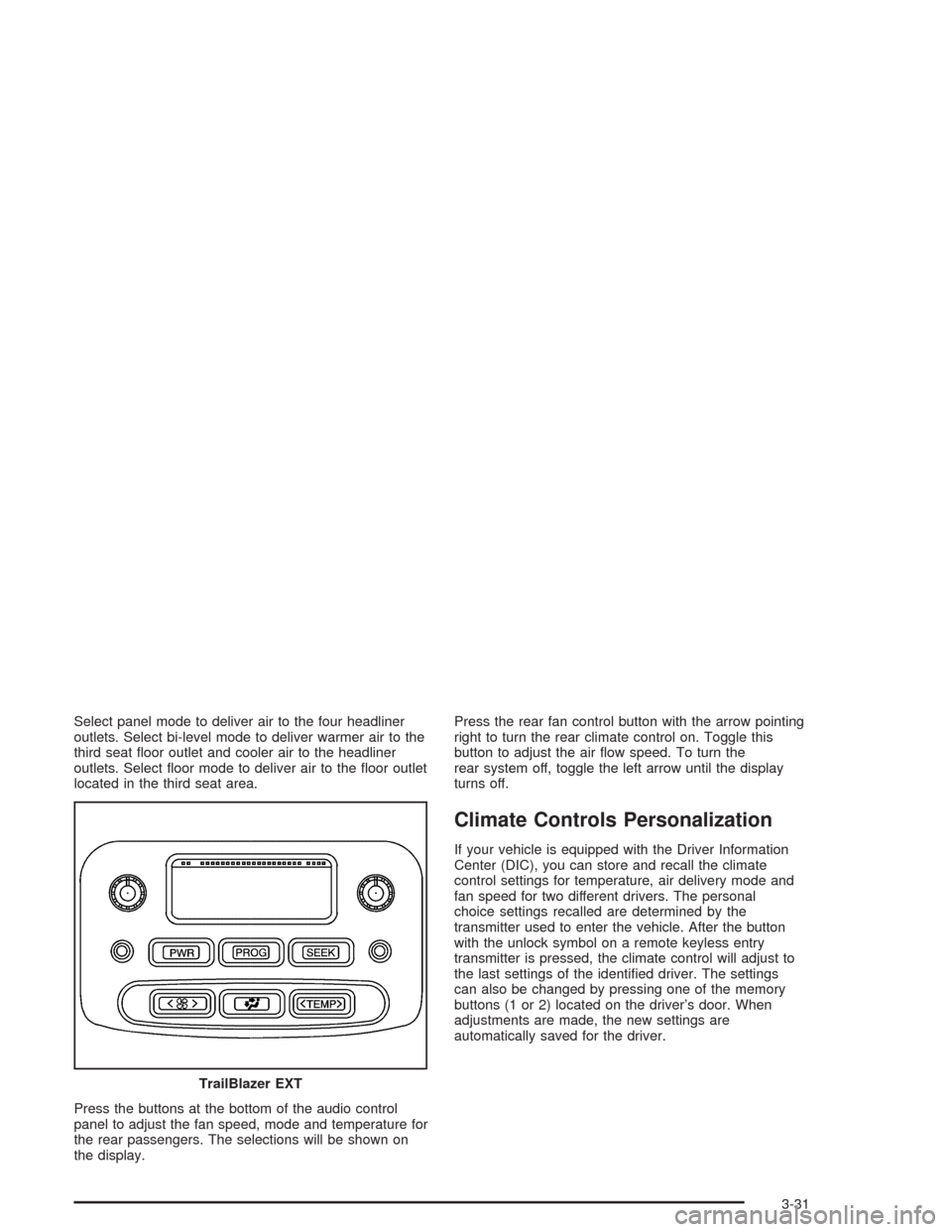
Press the buttons at the bottom of the audio control
panel to adjust the fan speed, mode and temperature for
the rear passengers. The selections will be shown on
the display.Press the rear fan control button with the arrow pointing
right to turn the rear climate control on. Toggle this
button to adjust the air ow speed. To turn the
rear system off, toggle the left arrow until the display
turns off.
Climate Controls Personalization
If your vehicle is equipped with the Driver Information
Center (DIC), you can store and recall the climate
control settings for temperature, air delivery mode and
fan speed for two different drivers. The personal
choice settings recalled are determined by the
transmitter used to enter the vehicle. After the button
with the unlock symbol on a remote keyless entry
transmitter is pressed, the climate control will adjust to
the last settings of the identied driver. The settings
can also be changed by pressing one of the memory
buttons (1 or 2) located on the driver’s door. When
adjustments are made, the new settings are
automatically saved for the driver.
TrailBlazer EXT
3-31
Page 155 of 448
Anti-Lock Brake System
Warning Light
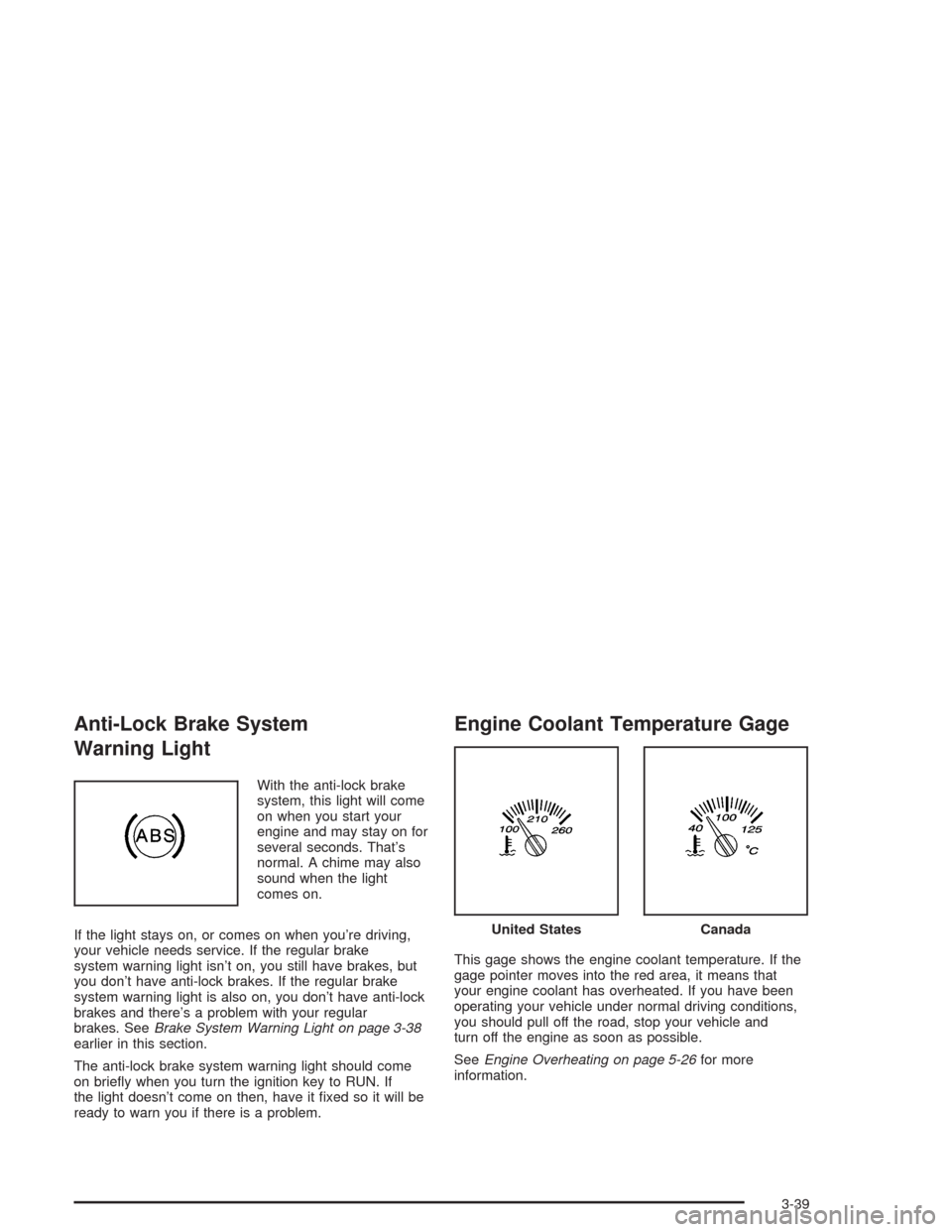
With the anti-lock brake
system, this light will come
on when you start your
engine and may stay on for
several seconds. That’s
normal. A chime may also
sound when the light
comes on.
If the light stays on, or comes on when you’re driving,
your vehicle needs service. If the regular brake
system warning light isn’t on, you still have brakes, but
you don’t have anti-lock brakes. If the regular brake
system warning light is also on, you don’t have anti-lock
brakes and there’s a problem with your regular
brakes. SeeBrake System Warning Light on page 3-38
earlier in this section.
The anti-lock brake system warning light should come
on briey when you turn the ignition key to RUN. If
the light doesn’t come on then, have it xed so it will be
ready to warn you if there is a problem.
Engine Coolant Temperature Gage
This gage shows the engine coolant temperature. If the
gage pointer moves into the red area, it means that
your engine coolant has overheated. If you have been
operating your vehicle under normal driving conditions,
you should pull off the road, stop your vehicle and
turn off the engine as soon as possible.
SeeEngine Overheating on page 5-26for more
information.
United StatesCanada
3-39
Page 160 of 448
Change Engine Oil Light
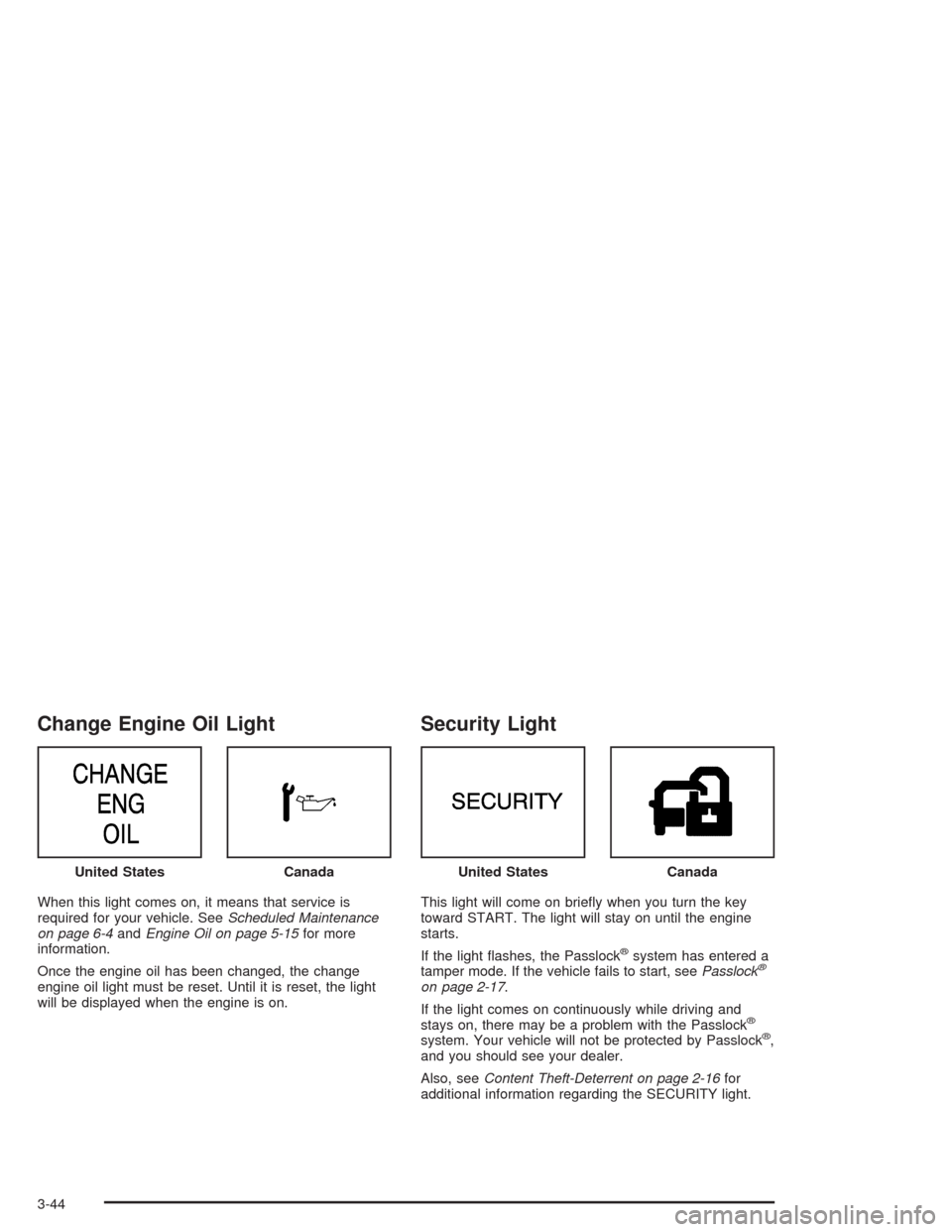
When this light comes on, it means that service is
required for your vehicle. SeeScheduled Maintenance
on page 6-4andEngine Oil on page 5-15for more
information.
Once the engine oil has been changed, the change
engine oil light must be reset. Until it is reset, the light
will be displayed when the engine is on.
Security Light
This light will come on briey when you turn the key
toward START. The light will stay on until the engine
starts.
If the light ashes, the Passlock
®system has entered a
tamper mode. If the vehicle fails to start, seePasslock®
on page 2-17.
If the light comes on continuously while driving and
stays on, there may be a problem with the Passlock
®
system. Your vehicle will not be protected by Passlock®,
and you should see your dealer.
Also, seeContent Theft-Deterrent on page 2-16for
additional information regarding the SECURITY light. United States
CanadaUnited StatesCanada
3-44
Page 167 of 448
Personalization
You can program certain features to a preferred setting
for up to two people. Press the personalization button
to scroll through the following personalization features.
All of the personalization options may not be available
on your vehicle. Only the options available will be
displayed on your DIC.
ALARM WARNING TYPE
AUTOMATIC LOCKING
AUTOMATIC UNLOCKING
SEAT POSITION RECALL
PERIMETER LIGHTING
REMOTE LOCK FEEDBACK
REMOTE UNLOCK FEEDBACK
HEADLAMPS ON AT EXIT
MIRROR CURB VIEW ASSIST
EASY EXIT DRIVER SEAT
DISPLAY UNITS — U.S./MET
DISPLAY LANGUAGE
The driver’s preferences are recalled by pressing the
unlock button on the remote keyless entry transmitter or
by pressing the appropriate memory button 1 or 2
located on the driver’s door.
Alarm Warning Type
Press the personalization button until ALARM
WARNING TYPE appears in the display. To select your
personalization for alarm warning type, press the
select button while ALARM WARNING TYPE is
displayed on the DIC. Pressing the select button will
scroll through the following choices:
ALARM WARNING: BOTH (default): If you choose
BOTH, the headlamps will ash and the horn will
chirp when the alarm is active.
ALARM WARNING: OFF: If you choose OFF, there
will be no alarm warning on activation.
ALARM WARNING: HORN: If you choose HORN,
the horn will chirp when the alarm is active.
ALARM WARNING: LAMPS: If you choose LAMPS,
the headlamps will ash when the alarm is active.
Choose one of the four settings and press the
personalization button while it is displayed on the DIC to
select it and move on to the next feature. For more
information on alarm warning type, seeContent
Theft-Deterrent on page 2-16.
3-51
Page 168 of 448
Automatic Locking
Press the select button while AUTOMATIC LOCKING is
displayed on the DIC to scroll through the following
choices:
LOCK DOORS OUT OF PARK (default): If you
choose for the doors to lock out of park, the
doors will lock when the vehicle is shifted out of
PARK (P).
LOCK DOORS MANUALLY: If you choose for the
doors to lock manually, the doors will not be
locked automatically.
LOCK DOORS WITH SPEED: If you choose for the
doors to lock with speed, the doors will lock when
the vehicle speed is above 8 mph (13 km/h) for
three seconds.
Press the personalization button while your choice is
displayed on the DIC to select it and move on to the next
feature. For more information on automatic door locks
seeProgrammable Automatic Door Locks on page 2-10.
Automatic Unlocking
Press the personalization button until AUTOMATIC
UNLOCKING appears in the display. To select
your personalization for automatic unlocking, press the
select button while AUTOMATIC UNLOCKING is
displayed on the DIC.Pressing the select button will scroll through the
following choices:
UNLOCK ALL IN PARK (default): If you choose for
all the doors to unlock in PARK (P), all of the doors
will unlock when the vehicle is shifted into
PARK (P).
UNLOCK ALL AT KEY OUT: If you choose for all
the doors to unlock at key out, all of the doors will
unlock when the key is taken out of the ignition.
UNLOCK DOORS MANUALLY: If you choose for
the doors to unlock manually, the doors will not
be unlocked automatically.
UNLOCK DRIVER IN PARK: If you choose for the
driver’s door to unlock in PARK (P), the driver’s
door will be unlocked when the vehicle is shifted into
PARK (P).
Choose one of the four settings and press the
personalization button while it is displayed on the DIC to
select it and move on to the next feature. For more
information on automatic door locks seeProgrammable
Automatic Door Locks on page 2-10.
3-52
Page 169 of 448
Seat Position Recall
Press the personalization button until SEAT POSITION
RECALL appears in the display. To select your
personalization for seat position recall, press the select
button while SEAT POSITION RECALL is displayed
on the DIC. Pressing the select button will scroll through
the following choices:
SEAT POSITION RECALL OFF (default): If you
choose seat recall off, the memory seat position
you saved will only be recalled when the memory
button 1 or 2 is pressed.
SEAT POSITION RECALL AT KEY IN: If you
choose seat recall at key in, the memory seat
position you saved will be recalled when you put
the key in the ignition.
SEAT POSITION RECALL ON REMOTE: If you
choose seat recall on remote, the memory seat
position you saved will be recalled when you unlock
the vehicle with the remote keyless entry
transmitter.
Choose one of the three settings and press the
personalization button while it is displayed on the DIC to
select it and move on to the next feature.
Perimeter Lighting
Press the personalization button until PERIMETER
LIGHTING appears in the display. To select your
personalization for perimeter lighting, press the select
button while PERIMETER LIGHTING is displayed on the
DIC. Pressing the select button will scroll through the
following choices:
PERIMETER LIGHTING ON (default): If you choose
for perimeter lighting to be on, the headlamps and
back-up lamps will come on for 40 seconds, if it
is dark enough outside, when you unlock the vehicle
with the remote keyless entry transmitter.
PERIMETER LIGHTING OFF: Choose one of the
two modes and press the personalization button
while it is displayed on the DIC to select it and move
on to the next feature.
3-53
Page 170 of 448
Remote Lock Feedback
Press the personalization button until REMOTE LOCK
FEEDBACK appears in the display. To select your
personalization for the feedback you will receive when
locking the vehicle with the remote keyless entry
transmitter, press the select button while REMOTE
LOCK FEEDBACK is displayed on the DIC. Pressing
the select button will scroll through the following choices:
LOCK FEEDBACK: BOTH (default): If you choose
both, the parking lamps will ash each time you
press the button with the lock symbol on the remote
keyless entry transmitter and the horn will chirp
the second time you press the lock button.
LOCK FEEDBACK: OFF: If you choose off, there
will be no feedback when locking the vehicle.
LOCK FEEDBACK: HORN: If you choose horn, the
horn will chirp the second time you press the button
with the lock symbol on the remote keyless entry
transmitter.
LOCK FEEDBACK: LAMPS: If you choose lamps,
the parking lamps will ash each time you press
the button with the lock symbol on the remote
keyless entry transmitter.
Choose one of the four settings and press the
personalization button while it is displayed on the DIC to
select it and move on to the next feature.
Remote Unlock Feedback
Press the personalization button until REMOTE
UNLOCK FEEDBACK appears in the display. To select
your personalization for the feedback you will receive
when unlocking the vehicle with the remote keyless entry
transmitter, press the select button while REMOTE
UNLOCK FEEDBACK is displayed on the DIC. Pressing
the select button will scroll through the following choices:
UNLOCK FEEDBACK: LAMPS (default): If you
choose lamps, the parking lamps will ash each time
you press the button with the unlock symbol on the
remote keyless entry transmitter.
UNLOCK FEEDBACK: BOTH: If you choose both,
the parking lamps will ash each time you press the
button with the unlock symbol on the remote keyless
entry transmitter. The horn will chirp the second time
you press the unlock button.
UNLOCK FEEDBACK: OFF: If you choose off, there
will be no feedback when unlocking the vehicle.
UNLOCK FEEDBACK: HORN: If you choose horn,
the horn will chirp the second time you press the
button with the unlock symbol on the remote keyless
entry transmitter.
Choose one of the four settings and press the
personalization button while it is displayed on the DIC to
select it and move on to the next feature.
3-54
Page 177 of 448
Audio System(s)
Notice:Before adding any sound equipment to
your vehicle, like a tape player, CB radio, mobile
telephone, or two-way radio, make sure that it can
be added by checking with your dealer. Also,
check federal rules covering mobile radio and
telephone units. If sound equipment can be added,
it is very important to do it properly. Added
sound equipment may interfere with the operation
of your vehicle’s engine, radio, or other systems,
and even damage them. Your vehicle’s systems may
interfere with the operation of sound equipment
that has been added improperly.
Figure out which audio system is in your vehicle, nd
out what your audio system can do, and how to operate
all of its controls.
Your vehicle has a feature called Retained Accessory
Power (RAP). With RAP, the audio system can be
played even after the ignition is turned off. See
“Retained Accessory Power (RAP)” underIgnition
Positions on page 2-18.
Setting the Time
The radio may have a button marked with an H or HR to
represent hours and an M or MN to represent minutes.
Press and hold the hour button until the correct hour
appears on the display. AM or PM will appear on
the display for morning or evening hours. Press and
hold the minute button until the correct minute appears
on the display. The time can be set with the ignition
on or off.
To synchronize the time with an FM station broadcasting
Radio Data System (RDS) information, press and
hold the hour and minute buttons at the same time for
two seconds until UPDATED and the clock symbol
appear on the display. If the time is not available from
the station, NO UPDAT will appear on the display.
RDS time is broadcast once a minute. After tuning to an
RDS broadcast station, it may take a few minutes for
the time to update.
3-61
Page 183 of 448
If the entire message is not displayed, parts of the
message will appear every three seconds. To scroll
through the message, press and release the INFO
button. A new group of words will appear on the display
after every press of the button. Once the complete
message has been displayed, the information symbol
will disappear from the display until another new
message is received. The last message can be
displayed by pressing the INFO button. You can view
the last message until a new message is received
or a different station is tuned to.
When a message is not available from a station,
NO INFO will appear on the display.
TRAF (Traffic):If TRAF appears on the display, the
tuned station broadcasts traffic announcements
and when a traffic announcement comes on the tuned
radio station you will hear it.
If the station does not broadcast traffic announcements,
press the TRAF button and the radio will seek to a
station that does. When a station that broadcasts traffic
announcements is found, the radio will stop seeking
and TRAF will appear on the display. If no station
is found that broadcasts traffic announcements, NO
TRAFFIC will appear on the display.If TRAF is on the display, press the TRAF button to turn
off the traffic announcements.
The radio will play the traffic announcement even if the
volume is low. The radio will interrupt the play of a
CD if the last tuned station broadcasts traffic
announcements.
This function does not apply to XM™ Satellite Radio
Service.
Radio Messages
CAL ERR (Calibration Error):The audio system has
been calibrated for your vehicle from the factory. If
CAL ERR appears on the display, it means that the radio
has not been congured properly for your vehicle and
must be returned to the dealer for service.
LOCKED:This message is displayed when the
THEFTLOCK
®system has locked up. Take the vehicle
to the dealer for service.
If any error occurs repeatedly or if an error cannot be
corrected, contact your dealer. If the radio displays
an error message, write it down and provide it to your
dealer when reporting the problem.
3-67