instrument cluster CHEVROLET TRAIL BLAZER 2005 1.G Owners Manual
[x] Cancel search | Manufacturer: CHEVROLET, Model Year: 2005, Model line: TRAIL BLAZER, Model: CHEVROLET TRAIL BLAZER 2005 1.GPages: 484, PDF Size: 11.69 MB
Page 60 of 484
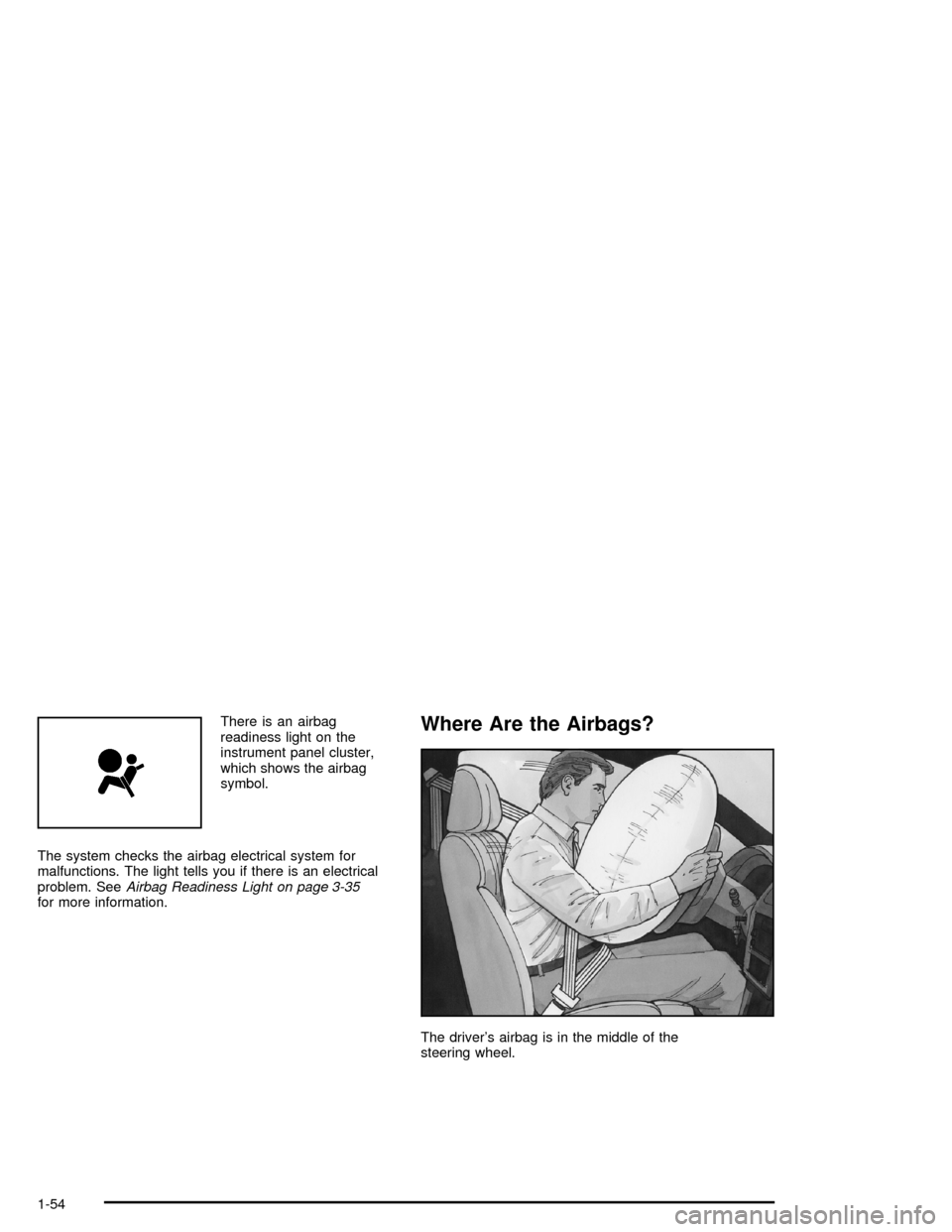
There is an airbag
readiness light on the
instrument panel cluster,
which shows the airbag
symbol.
The system checks the airbag electrical system for
malfunctions. The light tells you if there is an electrical
problem. SeeAirbag Readiness Light on page 3-35
for more information.Where Are the Airbags?
The driver’s airbag is in the middle of the
steering wheel.
1-54
Page 71 of 484
{CAUTION:
If the airbag readiness light in the instrument
panel cluster ever comes on and stays on, it
means that something may be wrong with the
airbag system. If this ever happens, have the
vehicle serviced promptly, because an
adult-size person sitting in the right front
passenger’s seat may not have the protection
of the frontal airbag. SeeAirbag Readiness
Light on page 3-35for more on this, including
important safety information.
Aftermarket equipment, such as seat covers, can affect
how well the passenger sensing system operates.
You may want to consider not using seat covers or other
aftermarket equipment if your vehicle has the passenger
sensing system. SeeAdding Equipment to Your
Airbag-Equipped Vehicle on page 1-66for more
information about modications that can affect how the
system operates.
{CAUTION:
Stowing of articles under the passenger’s seat
or between the passenger’s seat cushion and
seatback may interfere with the proper
operation of the passenger sensing system.
1-65
Page 91 of 484

Theft-Deterrent Systems
Vehicle theft is big business, especially in some cities.
Although your vehicle has a number of theft-deterrent
features, we know that nothing we put on it can make it
impossible to steal.
Content Theft-Deterrent
Your vehicle may be equipped with a content
theft-deterrent alarm system.
The security light is
located on the instrument
panel cluster.
Here’s how to operate the system:
1. Open the door.
2. Lock the door with the power door lock switch or
the remote keyless entry transmitter. The security
light should ash.
3. Close all doors. The security light should turn off
after approximately 30 seconds. The alarm is not
armed until the security light turns off.If a locked door is opened without the key or the remote
keyless entry transmitter, the alarm will go off. The
headlamps and parking lamps will ash for two minutes,
and the horn will sound for 30 seconds, then will turn
off to save the battery power.
Remember, the theft-deterrent system won’t activate if
you lock the doors with a key or use the manual
door lock. It activates only if you use a power door lock
switch with the door open, or with the remote keyless
entry transmitter. You should also remember that
you can start your vehicle with the correct ignition key if
the alarm has been set off.
Here’s how to avoid setting off the alarm by accident:
If you don’t want to activate the theft-deterrent
system, the vehicle should be locked with the door
keyafterthe doors are closed.
Always unlock a door with a key, or use the remote
keyless entry transmitter. Unlocking a door any
other way will set off the alarm.
If you set off the alarm by accident, unlock any door
with the key. You can also turn off the alarm by pressing
unlock on the remote keyless entry transmitter.
The alarm won’t stop if you try to unlock a door any
other way.
2-17
Page 102 of 484

4HI (Four-Wheel High):This setting should be used
when you need extra traction, such as on snowy or icy
roads or in most off-road situations. This setting also
engages your front axle to help drive your vehicle.
4LO (Four-Wheel Low):This setting also engages your
front axle and delivers extra torque. It sends maximum
power to all four wheels. You might choose this
setting if you are driving off-road in deep sand, deep
mud, and climbing or descending steep hills.
{CAUTION:
Shifting the transfer case to NEUTRAL can
cause your vehicle to roll even if the
transmission is in PARK (P). You or someone
else could be seriously injured. Be sure to set
the parking brake before placing the transfer
case in NEUTRAL. SeeParking Brake on
page 2-31.
NEUTRAL:Shift the vehicle’s transfer case to
NEUTRAL only when towing your vehicle. See
Recreational Vehicle Towing on page 4-49for more
information.An indicator light in the knob will show you which
position the transfer case is in. The indicator lights will
come on briey when you turn on the ignition and
one will stay on. If the lights do not come on, you should
take your vehicle to your dealer for service. An
indicator light will ash while shifting the transfer case. It
will stay on when the shift is complete. If for some
reason the transfer case cannot make a requested shift,
it will return to the last chosen setting.
If the service four-wheel drive light on the instrument
panel cluster stays on, you should take your vehicle to
your dealer for service. SeeService Four-Wheel
Drive Warning Light on page 3-47for further information.Shifting Into 4HI (Four-Wheel High) or
A4WD (Automatic Four-Wheel Drive)
Turn the knob to 4HI or A4WD. This can be done at any
speed unless you are shifting out of 4LO. The indicator
light will ash while shifting. It will remain on when
the shift is complete.
Shifting Into 2HI (Two-Wheel High)
Turn the knob to 2HI. This can be done at any speed
unless you are shifting out of 4LO.
2-28
Page 105 of 484

Parking Brake
To set the parking brake, hold the regular brake pedal
down with your foot and pull up on the parking brake
lever located between the seats. If the ignition is on, the
brake system warning light on the instrument panel
cluster will come on. SeeBrake System Warning Light
on page 3-38.To release the parking brake, hold the regular brake
pedal down. Pull the parking brake lever up until you can
press in the button at the end of the lever. Hold the
button in as you move the parking brake lever all the
way down.
Notice:Driving with the parking brake on can
overheat the brake system and cause premature
wear or damage to brake system parts. Verify that
the parking brake is fully released and the brake
warning light is off before driving.
If you are towing a trailer and you must park on a hill,
seeTowing a Trailer on page 4-53.
2-31
Page 137 of 484

Instrument Panel Overview...............................3-4
Hazard Warning Flashers................................3-6
Other Warning Devices...................................3-6
Horn.............................................................3-6
Tilt Wheel.....................................................3-6
Turn Signal/Multifunction Lever.........................3-7
Turn and Lane-Change Signals........................3-7
Headlamp High/Low-Beam Changer..................3-8
Flash-to-Pass.................................................3-8
Windshield Wipers..........................................3-9
Rainsense™ Wipers.......................................3-9
Windshield Washer.......................................3-10
Headlamp Washer........................................3-11
Cruise Control..............................................3-11
Headlamps..................................................3-14
Headlamps on Reminder................................3-15
Daytime Running Lamps (DRL).......................3-15
Automatic Headlamp System..........................3-16
Fog Lamps..................................................3-17
Instrument Panel Brightness...........................3-17
Dome Lamps...............................................3-17
Dome Lamp Override....................................3-18
Entry Lighting...............................................3-18
Exit Lighting.................................................3-18
Reading Lamps............................................3-18
Battery Run-Down Protection..........................3-19Accessory Power Outlets...............................3-19
Ashtrays and Cigarette Lighter........................3-20
Climate Controls............................................3-20
Dual Climate Control System..........................3-20
Dual Automatic Climate Control System...........3-23
Outlet Adjustment.........................................3-27
Rear Climate Control System.........................3-27
Warning Lights, Gages, and Indicators............3-31
Instrument Panel Cluster................................3-32
Speedometer and Odometer...........................3-33
Trip Odometer..............................................3-33
Tachometer.................................................3-33
Safety Belt Reminder Light.............................3-34
Passenger Safety Belt Reminder Light.............3-34
Airbag Readiness Light..................................3-35
Passenger Airbag Status Indicator...................3-36
Charging System Light..................................3-37
Voltmeter Gage............................................3-38
Brake System Warning Light..........................3-38
Anti-Lock Brake System Warning Light.............3-40
Engine Coolant Temperature Gage..................3-40
Malfunction Indicator Lamp.............................3-41
Oil Pressure Gage........................................3-44
Change Engine Oil Light................................3-45
Security Light...............................................3-45
Section 3 Instrument Panel
3-1
Page 141 of 484

The main components of your instrument panel are the following:
A. Exterior Lamp Control. SeeHeadlamps on
page 3-14. Dome Lamp Override Button. SeeDome
Lamp Override on page 3-18. Instrument Panel
Brightness Control. SeeInstrument Panel Brightness
on page 3-17. Fog Lamp Button (If Equipped).
SeeFog Lamps on page 3-17.
B. Air Outlets. SeeOutlet Adjustment on page 3-27.
C. Turn Signal/Multifunction Lever. SeeTurn
Signal/Multifunction Lever on page 3-7.
D. Instrument Panel Cluster. SeeInstrument Panel
Cluster on page 3-32.
E. Ignition Switch. SeeIgnition Positions on page 2-19.
F. Transfer Case Controls. See “Automatic Transfer
Case” underFour-Wheel Drive on page 2-27.
Traction Assist Button. SeeTraction Assist System
(TAS) on page 4-8.
G. Rear Window Washer/Wiper. SeeWindshield
Washer on page 3-10.H. Audio System. SeeAudio System(s) on page 3-62.
I. Climate Controls. SeeDual Climate Control
System on page 3-20.
J. Hood Release. SeeHood Release on page 5-11.
K. Ashtray. SeeAshtrays and Cigarette Lighter
on page 3-20.
L. Shift Lever. SeeShifting Into Park (P) on page 2-32.
M. Lighter. SeeAshtrays and Cigarette Lighter on
page 3-20.
N. Accessory Power Outlet. SeeAccessory Power
Outlets on page 3-19.
O. Rear Window Defogger. See “Rear Window
Defogger” underDual Climate Control System on
page 3-20andDual Automatic Climate Control
System on page 3-23.
P. Glove Box. SeeGlove Box on page 2-53.
3-5
Page 143 of 484

Turn Signal/Multifunction Lever
The lever on the left side of the steering column
includes the following:
GTurn and Lane Change Signals
2Headlamp High/Low-Beam Changer
Flash-to-Pass Feature
NWindshield Wipers
JWindshield Washer
ICruise Control (If Equipped)
Turn and Lane-Change Signals
The turn signal has two upward (for right) and
two downward (for left) positions. These positions
allow you to signal a turn or a lane change.
To signal a turn, move the lever all the way up or down.
When the turn is nished, the lever will return
automatically.
An arrow on the instrument
panel cluster will ash in
the direction of the
turn or lane change.
To signal a lane change, just raise or lower the lever
until the arrow starts to ash. Hold it there until you
complete your lane change. The lever will return by
itself when you release it. The bottom of the outside
rearview mirrors may also be equipped with lane
change indicators.
As you signal a turn or a lane change, if the arrows
ash more quickly than normal, a signal bulb may
be burned out and other drivers won’t see your
turn signal.
3-7
Page 144 of 484

If a bulb is burned out, replace it to help avoid an
accident. If the arrows don’t go on at all when you signal
a turn, check the fuse. SeeFuses and Circuit Breakers
on page 5-91and check for burned-out bulbs.
If you have a trailer towing option with added wiring for
the trailer lamps, a different turn signal asher is
used. With this asher installed, the signal indicator will
ash even if a turn signal bulb is burned out. Check
the front and rear turn signal lamps regularly to make
sure they are working.
Turn Signal On Chime
If your turn signal is left on for more than 3/4 of a mile
(1.2 km), a chime will sound at each ash of the
turn signal. To turn off the chime, move the turn signal
lever to the off position.
Headlamp High/Low-Beam Changer
To change the headlamps from low to high beam,
push the lever toward the instrument panel. To return to
low-beam headlamps, pull the multifunction lever
toward you. Then release it.When the high beams are
on, this indicator light on
the instrument panel
cluster will also be on.
Flash-to-Pass
This feature lets you use your high-beam headlamps to
signal a driver in front of you that you want to pass.
It works even if your headlamps are in the automatic
position.
To use it, pull the turn signal lever toward you, then
release it.
If your headlamps are in the automatic position or on
low beam, your high-beam headlamps will turn on.
They’ll stay on as long as you hold the lever toward you.
The high-beam indicator on the instrument panel
cluster will come on. Release the lever to return to
normal operation.
3-8
Page 149 of 484

The cruise light on the
instrument panel cluster
will come on when
the cruise control is
engaged.
Resuming a Set Speed
Suppose you set your cruise control at a desired speed
and then you apply the brake. This, of course, shuts
off the cruise control. But you don’t need to reset it.
Once you’re going about 25 mph (40 km/h) or more, you
can move the cruise control switch briey from on to
resume/accelerate.
You’ll go right back up to your chosen speed and
stay there.
If you hold the switch at resume/accelerate, the vehicle
will keep going faster until you release the switch or
apply the brake. So unless you want to go faster, don’t
hold the switch at resume/accelerate.
Increasing Speed While Using Cruise
Control
There are two ways to go to a higher speed:
Use the accelerator pedal to get to the higher
speed. Press the button at the end of the lever, then
release the button and the accelerator pedal.
You’ll now cruise at the higher speed.
Move the cruise switch from on to
resume/accelerate. Hold it there until you get up to
the speed you want, and then release the switch.
To increase your speed in very small amounts,
move the switch briey to resume/accelerate.
Each time you do this, your vehicle will go about
1 mph (1.6 km/h) faster.
Reducing Speed While Using Cruise
Control
Press in the set button at the end of the lever until you
reach the lower speed you want, then release it.
Each time you do this, you’ll go about 1 mph (1.6 km/h)
slower.
3-13