display CHEVROLET TRAIL BLAZER 2006 1.G Owners Manual
[x] Cancel search | Manufacturer: CHEVROLET, Model Year: 2006, Model line: TRAIL BLAZER, Model: CHEVROLET TRAIL BLAZER 2006 1.GPages: 534, PDF Size: 2.91 MB
Page 300 of 534
It is recommended to leave the system on for normal
driving conditions, but it may be necessary to turn
the system off if your vehicle is stuck in sand, mud, ice
or snow, and you may want to “rock” your vehicle in
an attempt to free it. It may also be necessary to turn off
the system when driving in extreme off-road conditions
where high wheel spin is required. SeeIf Your
Vehicle is Stuck in Sand, Mud, Ice, or Snow on
page 4-46for more information.For vehicles with four-wheel drive, when the transfer
case is in 4LO, the stability system is automatically
disabled. The StabiliTrak
®light will come on and the
STABILITRAK OFF message will appear on the
DIC. The StabiliTrak
®system cannot be turned on until
the vehicle is switched to 2HI, 4HI, or 4AWD.
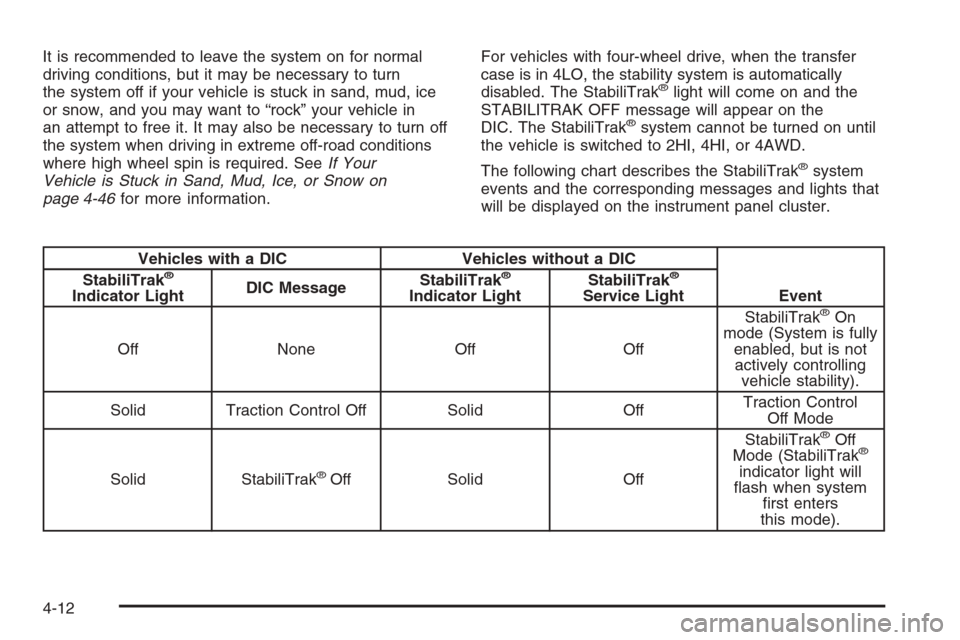
The following chart describes the StabiliTrak
®system
events and the corresponding messages and lights that
will be displayed on the instrument panel cluster.
Vehicles with a DIC Vehicles without a DIC
Event StabiliTrak®
Indicator LightDIC MessageStabiliTrak
®
Indicator LightStabiliTrak
®
Service Light
Off None Off OffStabiliTrak®On
mode (System is fully
enabled, but is not
actively controlling
vehicle stability).
Solid Traction Control Off Solid OffTraction Control
Off Mode
Solid StabiliTrak
®Off Solid OffStabiliTrak
®Off
Mode (StabiliTrak®
indicator light will
ash when system
rst enters
this mode).
4-12
Page 301 of 534
Vehicles with a DIC Vehicles without a DIC
Event StabiliTrak®
Indicator LightDIC MessageStabiliTrak
®
Indicator LightStabiliTrak
®
Service Light
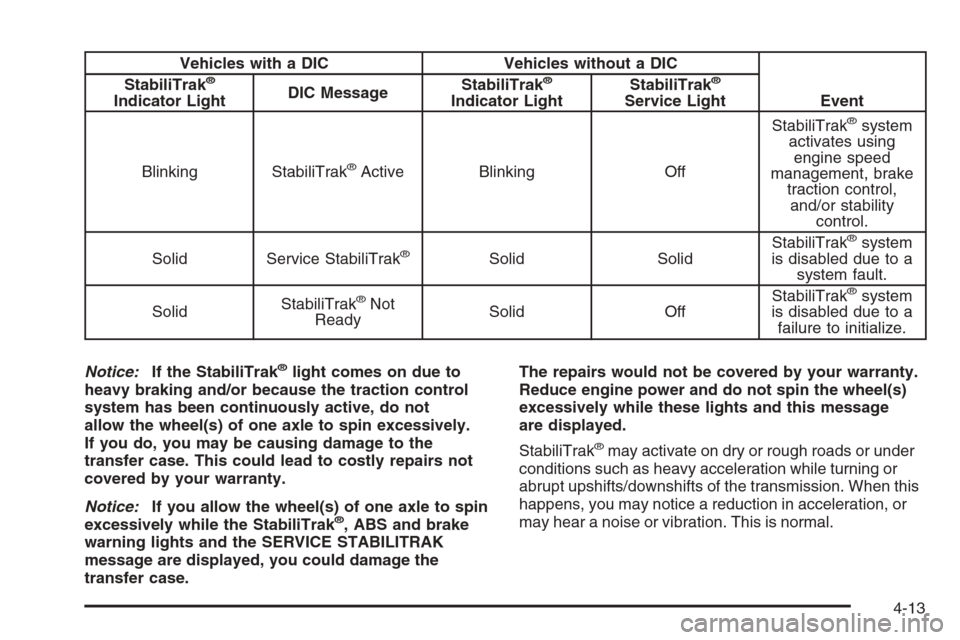
Blinking StabiliTrak
®Active Blinking OffStabiliTrak
®system
activates using
engine speed
management, brake
traction control,
and/or stability
control.
Solid Service StabiliTrak
®Solid SolidStabiliTrak
®system
is disabled due to a
system fault.
SolidStabiliTrak
®Not
ReadySolid OffStabiliTrak®system
is disabled due to a
failure to initialize.
Notice:If the StabiliTrak
®light comes on due to
heavy braking and/or because the traction control
system has been continuously active, do not
allow the wheel(s) of one axle to spin excessively.
If you do, you may be causing damage to the
transfer case. This could lead to costly repairs not
covered by your warranty.
Notice:If you allow the wheel(s) of one axle to spin
excessively while the StabiliTrak
®, ABS and brake
warning lights and the SERVICE STABILITRAK
message are displayed, you could damage the
transfer case.The repairs would not be covered by your warranty.
Reduce engine power and do not spin the wheel(s)
excessively while these lights and this message
are displayed.
StabiliTrak
®may activate on dry or rough roads or under
conditions such as heavy acceleration while turning or
abrupt upshifts/downshifts of the transmission. When this
happens, you may notice a reduction in acceleration, or
may hear a noise or vibration. This is normal.
4-13
Page 302 of 534
If your vehicle is in cruise control when the system
activates, the StabiliTrak®light will blink, and the cruise
control will automatically disengage. When road
conditions allow, you may re-engage the cruise control.
SeeCruise Control on page 3-11.
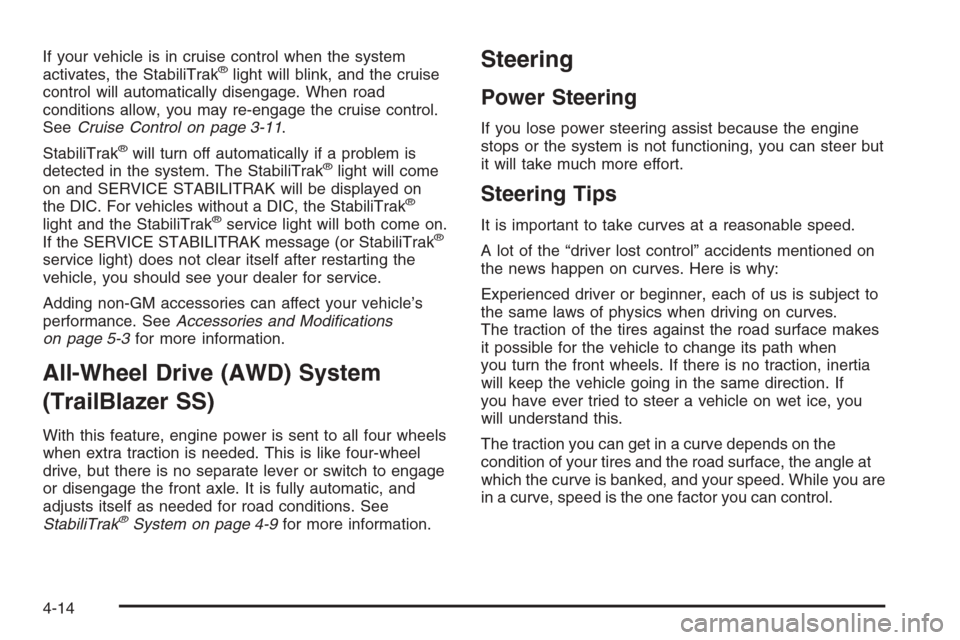
StabiliTrak
®will turn off automatically if a problem is
detected in the system. The StabiliTrak®light will come
on and SERVICE STABILITRAK will be displayed on
the DIC. For vehicles without a DIC, the StabiliTrak
®
light and the StabiliTrak®service light will both come on.
If the SERVICE STABILITRAK message (or StabiliTrak®
service light) does not clear itself after restarting the
vehicle, you should see your dealer for service.
Adding non-GM accessories can affect your vehicle’s
performance. SeeAccessories and Modications
on page 5-3for more information.
All-Wheel Drive (AWD) System
(TrailBlazer SS)
With this feature, engine power is sent to all four wheels
when extra traction is needed. This is like four-wheel
drive, but there is no separate lever or switch to engage
or disengage the front axle. It is fully automatic, and
adjusts itself as needed for road conditions. See
StabiliTrak
®System on page 4-9for more information.
Steering
Power Steering
If you lose power steering assist because the engine
stops or the system is not functioning, you can steer but
it will take much more effort.
Steering Tips
It is important to take curves at a reasonable speed.
A lot of the “driver lost control” accidents mentioned on
the news happen on curves. Here is why:
Experienced driver or beginner, each of us is subject to
the same laws of physics when driving on curves.
The traction of the tires against the road surface makes
it possible for the vehicle to change its path when
you turn the front wheels. If there is no traction, inertia
will keep the vehicle going in the same direction. If
you have ever tried to steer a vehicle on wet ice, you
will understand this.
The traction you can get in a curve depends on the
condition of your tires and the road surface, the angle at
which the curve is banked, and your speed. While you are
in a curve, speed is the one factor you can control.
4-14
Page 391 of 534
Radiator Pressure Cap
Notice:If the pressure cap is not tightly installed,
coolant loss and possible engine damage may
occur. Be sure the cap is properly and tightly
secured.
SeeEngine Compartment Overview on page 5-12for
information on location.
Engine Overheating
You will nd a coolant temperature gage on your
vehicle’s instrument panel. SeeEngine Coolant
Temperature Gage on page 3-42for more information.
If your vehicle has a Driver Information Center (DIC),
the display will show an Engine Coolant Hot/Engine
Overheated message. SeeDIC Warnings and Messages
on page 3-55for more information.
If Steam Is Coming From Your Engine
{CAUTION:
Steam from an overheated engine can burn
you badly, even if you just open the hood.
Stay away from the engine if you see or hear
steam coming from it. Just turn it off and get
everyone away from the vehicle until it cools
down. Wait until there is no sign of steam or
coolant before you open the hood.
If you keep driving when your engine is
overheated, the liquids in it can catch re.
You or others could be badly burned. Stop
your engine if it overheats, and get out of the
vehicle until the engine is cool.
Notice:If your engine catches re because you
keep driving with no coolant, your vehicle can
be badly damaged. The costly repairs would not be
covered by your warranty.
5-31
Page 427 of 534
Tire Pressure Monitor System
The Tire Pressure Monitor System (TPMS) uses radio
and sensor technology to check tire pressure levels.
If your vehicle has this feature, sensors are mounted on
each tire and wheel assembly, except the spare tire.
The TPMS sensors monitor the air pressure in your
vehicle’s tires and transmit tire pressure readings to a
receiver located in the vehicle.
The TPMS is designed to alert the driver if a low tire
pressure condition exists. If your vehicle has the Driver
Information Center (DIC) steering wheel control
buttons, tire pressure levels may also be checked
through the DIC. See “Tire Pressures” underDIC
Operation and Displays on page 3-51.
When a low tire pressure condition is detected, the
TPMS displays the CHECK TIRE PRESSURE warning
message on the DIC along with a chime, and at the
same time illuminates the low tire pressure warning
symbol. For additional information and details about the
DIC operation and displays seeDIC Operation and
Displays on page 3-51andDIC Warnings and Messages
on page 3-55.
You may notice, during cooler weather conditions, that
the tire pressure monitor light, located on the
instrument panel cluster, and the CHECK TIRE
PRESSURE message will appear when the vehicle is
rst started, and then turn off as you start to drivethe vehicle. This could be an early indicator that the tire
pressures are getting low and need to be inated to
the proper pressure.
Each tire, including the spare (if provided), should be
checked monthly when cold and inated to the ination
pressure recommended by the vehicle manufacturer on
the vehicle placard or tire ination pressure label.
(If your vehicle has tires of a different size than the size
indicated on the vehicle placard or tire ination pressure
label, you should determine the proper tire ination
pressure for those tires.)
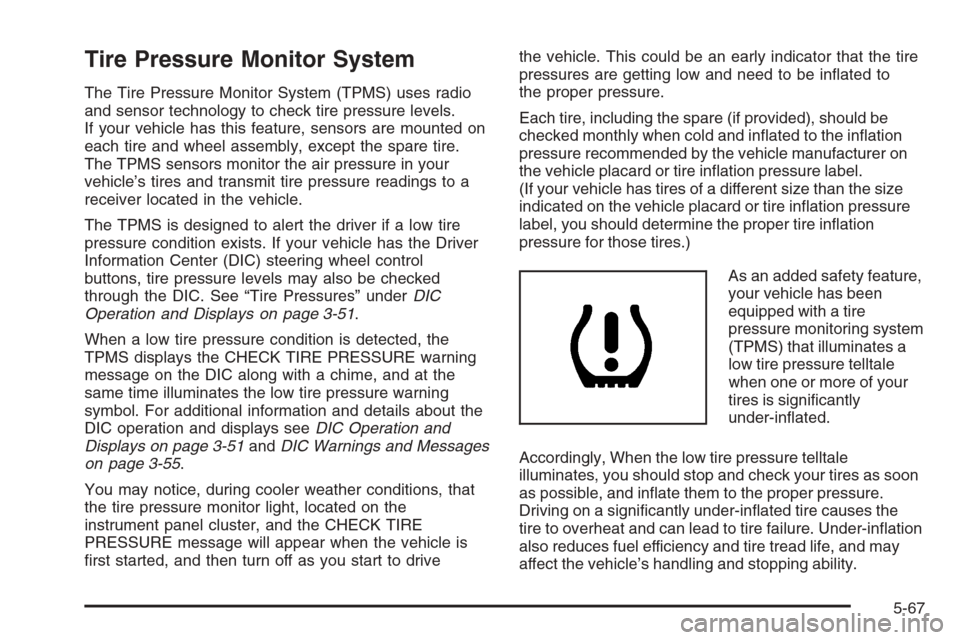
As an added safety feature,
your vehicle has been
equipped with a tire
pressure monitoring system
(TPMS) that illuminates a
low tire pressure telltale
when one or more of your
tires is signicantly
under-inated.
Accordingly, When the low tire pressure telltale
illuminates, you should stop and check your tires as soon
as possible, and inate them to the proper pressure.
Driving on a signicantly under-inated tire causes the
tire to overheat and can lead to tire failure. Under-ination
also reduces fuel efficiency and tire tread life, and may
affect the vehicle’s handling and stopping ability.
5-67
Page 429 of 534
The TPMS sensor matching process is outlined below:
1. Set the parking brake.
2. Turn the ignition switch to RUN with the engine off.
3. Turn the headlamp switch from off to parking
lamps four times within three seconds. A double
horn chirp will sound and the TPMS low tire warning
light will begin to ash. The double horn chirp
and ashing TPMS warning light indicate that the
TPMS matching process has started. The TPMS
warning light should continue ashing throughout
the matching procedure. The SERVICE TIRE
MONITOR message will be displayed on the Driver
Information Center (DIC).
4. Start with the driver’s side front tire.
5. Remove the valve cap from the valve cap stem.
Activate the TPMS sensor by increasing or
decreasing the tire’s air pressure for 10 seconds,
then stop and listen for a single horn chirp. The
single horn chirp should sound within 15 seconds,
conrming that the sensor identication code has
been matched to this tire and wheel position. If you
do not hear the conrming single horn chirp, you will
need to start over with step number one. To let
air-pressure out of a tire you can use the pointed
end of the valve cap, a pencil-style air pressure
gage, or a key.
6. Proceed to the passenger’s side front tire, and
repeat the procedure in Step 5.7. Proceed to the passenger’s side rear tire, and
repeat the procedure in Step 5.
8. Proceed to the driver’s side rear tire, and repeat the
procedure in Step 5.
9. After hearing the conrming horn chirp for the
driver’s side rear tire, check to see if the TPMS
warning light is still ashing. If yes, turn the ignition
switch to LOCK to exit the sensor matching
process. If the TPMS warning light is not ashing,
the ve minute time limit has passed and you
will need to start the process over beginning
with Step 1.
10. Set all four tires to the recommended air pressure
level as indicated on the Tire and Loading
Information label.
11. Put the valve caps back on the valve stems
The spare tire does not have a TPMS sensor. If you
replace one of the road tires with the spare, the CHECK
TIRE PRESSURE message will be displayed on the
DIC screen. This message should go off once you
re-install the road tire containing the TPMS sensor.
The SERVICE TIRE MONITOR message is displayed
when the TPMS is malfunctioning. One or more missing
or inoperable TPMS sensors will cause the SERVICE
TIRE MONITOR message to be displayed. See
your dealer for service.
5-69
Page 496 of 534
Recommended Fluids and
Lubricants
Fluids and lubricants identied below by name, part
number, or specication may be obtained from
your dealer.
Usage Fluid/Lubricant
Engine Oil
(Except 6.0L
V8 Engine)Engine oil which meets
GM Standard GM6094M and
displays the American Petroleum
Institute Certied for Gasoline
Engines starburst symbol.
GM Goodwrench
®oil meets all
the requirements for your vehicle.
To determine the proper viscosity
for your vehicle’s engine, see
Engine Oil on page 5-18.
Usage Fluid/Lubricant
Engine Oil
(6.0L V8
Engine Only)The engine requires a special
engine oil meeting GM Standard
GM4718M. Oils meeting this
standard may be identied as
synthetic, and should also be
identied with the American
Petroleum Institute Certied for
Gasoline Engines starburst symbol.
However, not all synthetic API oils
with the starburst symbol will meet
this GM standard. You should look
for and use only an oil that meets
GM Standard GM4718M. GM
Goodwrench
®oil meets all the
requirements for your vehicle.
For the proper viscosity, see
Engine Oil on page 5-18.
Engine Coolant50/50 mixture of clean, drinkable
water and use only DEX-COOL
®
Coolant. SeeEngine Coolant on
page 5-28.
6-12
Page 522 of 534
Collision Damage Repair..................................7-10
Comfort Guides, Rear Safety Belt.....................1-30
Competitive Driving.........................................4-19
Content Theft-Deterrent....................................2-17
Control of a Vehicle.......................................... 4-6
Convenience Net............................................2-61
Coolant
Engine Temperature Gage............................3-42
Heater, Engine............................................2-23
Cooling System..............................................5-33
Cruise Control................................................3-11
Cruise Control Light........................................3-47
Customer Assistance Information
Courtesy Transportation.................................. 7-7
Customer Assistance for
Text Telephone (TTY) Users........................ 7-4
Customer Assistance Offices........................... 7-4
Customer Satisfaction Procedure..................... 7-2
GM Mobility Reimbursement Program............... 7-5
Reporting Safety Defects to General Motors....7-14
Reporting Safety Defects to
the Canadian Government.........................7-14
Reporting Safety Defects to the
United States Government.........................7-13
Roadside Assistance Program......................... 7-6
Service Publications Ordering Information........7-14D
Daytime Running Lamps..................................3-14
Displacement on Demand™ (DoD™).................2-24
Doing Your Own Service Work........................... 5-4
Dome Lamp Override......................................3-17
Dome Lamps .................................................3-16
Door
Delayed Locking........................................... 2-9
Locks.......................................................... 2-8
Power Door Locks......................................... 2-9
Programmable Automatic Door Locks.............2-10
Rear Door Security Locks.............................2-12
Driver
Position, Safety Belt.....................................1-20
Driver Information Center (DIC).........................3-50
DIC Operation and Displays..........................3-51
DIC Vehicle Customization............................3-61
DIC Warnings and Messages........................3-55
Driving
At Night.....................................................4-32
City ...........................................................4-36
Defensive..................................................... 4-2
Drunken....................................................... 4-3
Freeway.....................................................4-37
Hill and Mountain Roads..............................4-40
4
Page 527 of 534
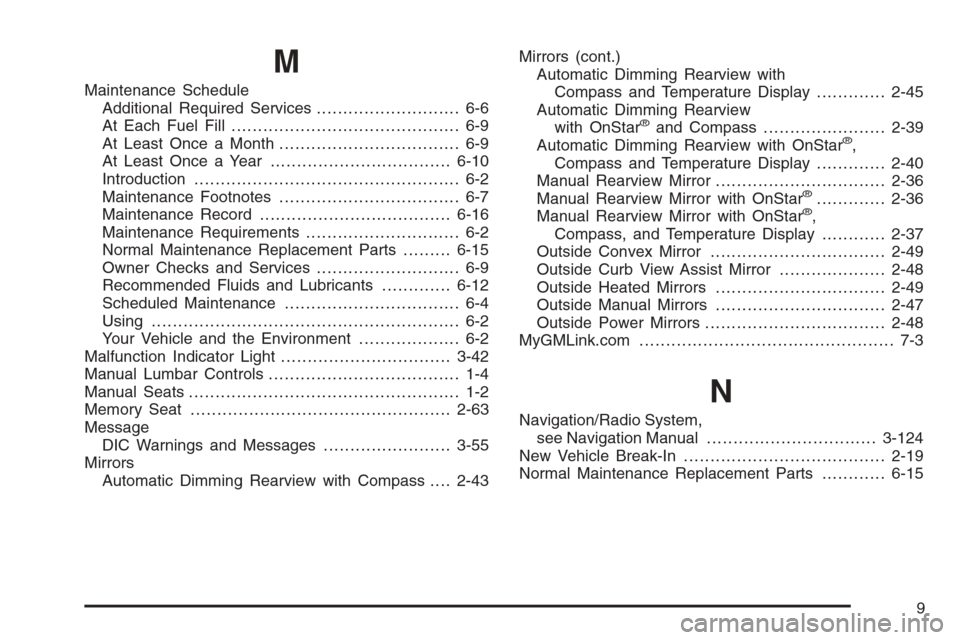
M
Maintenance Schedule
Additional Required Services........................... 6-6
At Each Fuel Fill........................................... 6-9
At Least Once a Month.................................. 6-9
At Least Once a Year..................................6-10
Introduction.................................................. 6-2
Maintenance Footnotes.................................. 6-7
Maintenance Record....................................6-16
Maintenance Requirements............................. 6-2
Normal Maintenance Replacement Parts.........6-15
Owner Checks and Services........................... 6-9
Recommended Fluids and Lubricants.............6-12
Scheduled Maintenance................................. 6-4
Using.......................................................... 6-2
Your Vehicle and the Environment................... 6-2
Malfunction Indicator Light................................3-42
Manual Lumbar Controls.................................... 1-4
Manual Seats................................................... 1-2
Memory Seat.................................................2-63
Message
DIC Warnings and Messages........................3-55
Mirrors
Automatic Dimming Rearview with Compass....2-43Mirrors (cont.)
Automatic Dimming Rearview with
Compass and Temperature Display.............2-45
Automatic Dimming Rearview
with OnStar
®and Compass.......................2-39
Automatic Dimming Rearview with OnStar®,
Compass and Temperature Display.............2-40
Manual Rearview Mirror................................2-36
Manual Rearview Mirror with OnStar
®.............2-36
Manual Rearview Mirror with OnStar®,
Compass, and Temperature Display............2-37
Outside Convex Mirror.................................2-49
Outside Curb View Assist Mirror....................2-48
Outside Heated Mirrors................................2-49
Outside Manual Mirrors................................2-47
Outside Power Mirrors..................................2-48
MyGMLink.com................................................ 7-3
N
Navigation/Radio System,
see Navigation Manual................................3-124
New Vehicle Break-In......................................2-19
Normal Maintenance Replacement Parts............6-15
9
Page 529 of 534
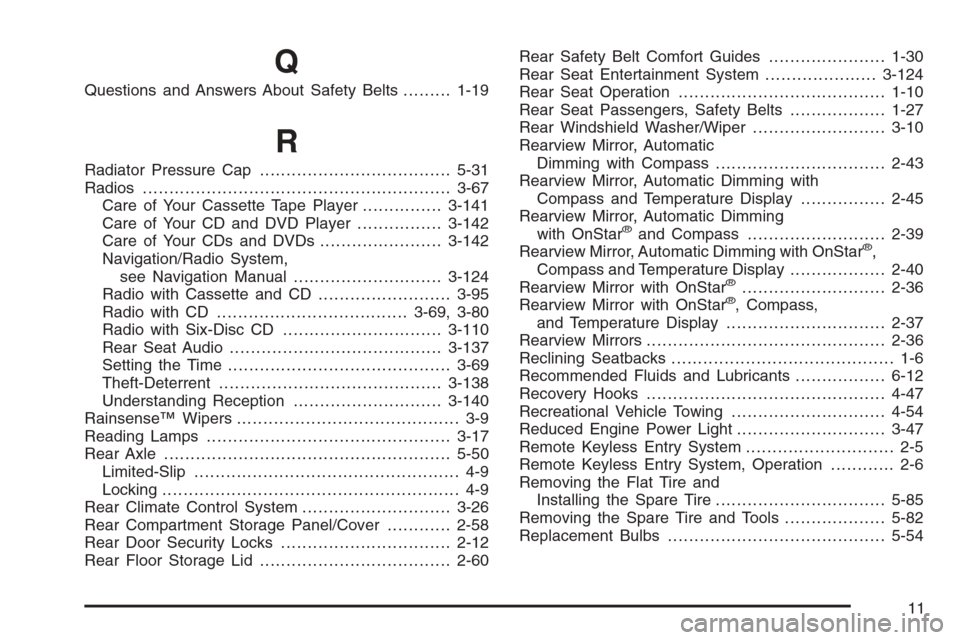
Q
Questions and Answers About Safety Belts.........1-19
R
Radiator Pressure Cap....................................5-31
Radios..........................................................3-67
Care of Your Cassette Tape Player...............3-141
Care of Your CD and DVD Player................3-142
Care of Your CDs and DVDs .......................3-142
Navigation/Radio System,
see Navigation Manual............................3-124
Radio with Cassette and CD.........................3-95
Radio with CD....................................3-69, 3-80
Radio with Six-Disc CD..............................3-110
Rear Seat Audio........................................3-137
Setting the Time..........................................3-69
Theft-Deterrent..........................................3-138
Understanding Reception............................3-140
Rainsense™ Wipers.......................................... 3-9
Reading Lamps..............................................3-17
Rear Axle......................................................5-50
Limited-Slip.................................................. 4-9
Locking........................................................ 4-9
Rear Climate Control System............................3-26
Rear Compartment Storage Panel/Cover............2-58
Rear Door Security Locks................................2-12
Rear Floor Storage Lid....................................2-60Rear Safety Belt Comfort Guides......................1-30
Rear Seat Entertainment System.....................3-124
Rear Seat Operation.......................................1-10
Rear Seat Passengers, Safety Belts..................1-27
Rear Windshield Washer/Wiper.........................3-10
Rearview Mirror, Automatic
Dimming with Compass................................2-43
Rearview Mirror, Automatic Dimming with
Compass and Temperature Display................2-45
Rearview Mirror, Automatic Dimming
with OnStar
®and Compass..........................2-39
Rearview Mirror, Automatic Dimming with OnStar®,
Compass and Temperature Display..................2-40
Rearview Mirror with OnStar
®...........................2-36
Rearview Mirror with OnStar®, Compass,
and Temperature Display..............................2-37
Rearview Mirrors.............................................2-36
Reclining Seatbacks.......................................... 1-6
Recommended Fluids and Lubricants.................6-12
Recovery Hooks.............................................4-47
Recreational Vehicle Towing.............................4-54
Reduced Engine Power Light............................3-47
Remote Keyless Entry System............................ 2-5
Remote Keyless Entry System, Operation............ 2-6
Removing the Flat Tire and
Installing the Spare Tire................................5-85
Removing the Spare Tire and Tools...................5-82
Replacement Bulbs.........................................5-54
11