lock CHEVROLET TRAIL BLAZER 2006 1.G Workshop Manual
[x] Cancel search | Manufacturer: CHEVROLET, Model Year: 2006, Model line: TRAIL BLAZER, Model: CHEVROLET TRAIL BLAZER 2006 1.GPages: 534, PDF Size: 2.91 MB
Page 138 of 534
To slide the crossrails to where you want them, pull up
on the lever on each side of the crossrail. This will
release the crossrail and allow you to slide it. When the
crossrail is where you want it, press down on the
levers to lock it into place.
Notice:Loading cargo on the luggage carrier that
weighs more than 220 lbs (100 kg) or hangs over the
rear or sides of the vehicle may damage your
vehicle. Load cargo so that it rests on the slats as
far forward as possible and against the side
rails, making sure to fasten it securely.
Don’t exceed the maximum vehicle capacity when
loading your vehicle. For more information on vehicle
capacity and loading, seeLoading Your Vehicle on
page 4-48.
To prevent damage or loss of cargo as you are driving,
check now and then to make sure the luggage carrier
is locked and cargo is still securely fastened.
When the luggage carrier is not in use, place the
crossrails at the following positions for wind noise
reduction. Place one crossrail at the rear most point of
the vehicle and the other crossrail above the opening
of the rear door.Rear Compartment Storage
Panel/Cover
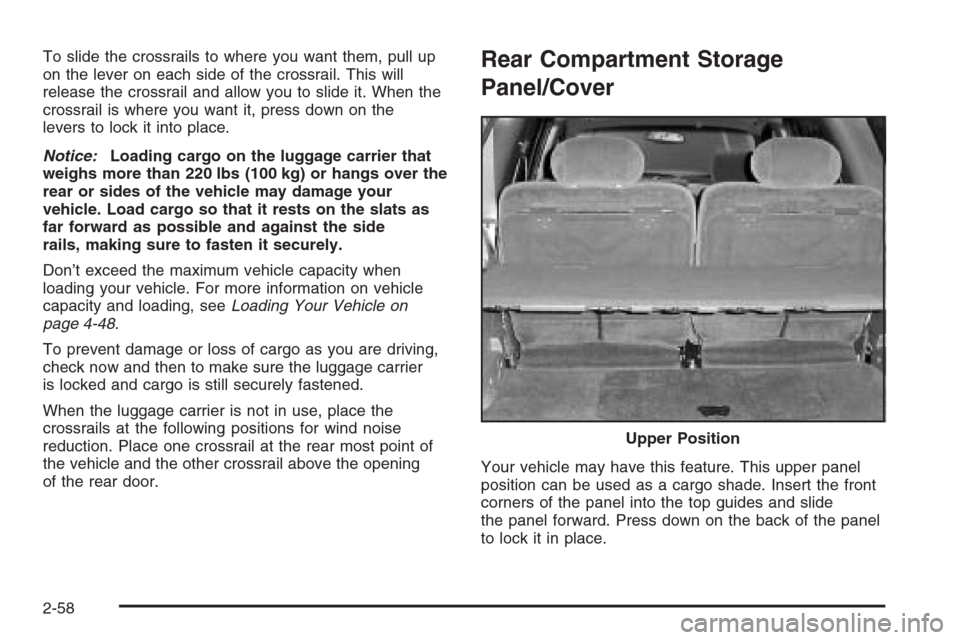
Your vehicle may have this feature. This upper panel
position can be used as a cargo shade. Insert the front
corners of the panel into the top guides and slide
the panel forward. Press down on the back of the panel
to lock it in place.Upper Position
2-58
Page 139 of 534
{CAUTION:
If you were to carry things on the adjustable
panel when it is in the upper (cargo cover)
position, during a sudden vehicle movement or
a crash, those things could be thrown around
in the vehicle. You or others could be injured.
When it is in the upper position, always secure
any cargo on the oor beneath the
panel/cover.
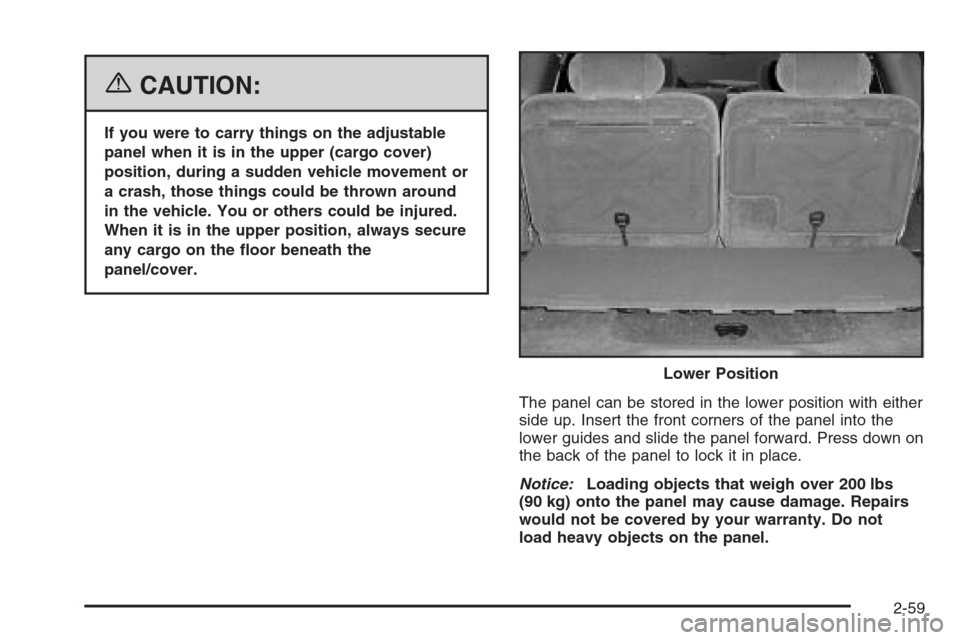
The panel can be stored in the lower position with either
side up. Insert the front corners of the panel into the
lower guides and slide the panel forward. Press down on
the back of the panel to lock it in place.
Notice:Loading objects that weigh over 200 lbs
(90 kg) onto the panel may cause damage. Repairs
would not be covered by your warranty. Do not
load heavy objects on the panel.Lower Position
2-59
Page 142 of 534
Cargo Tie Downs
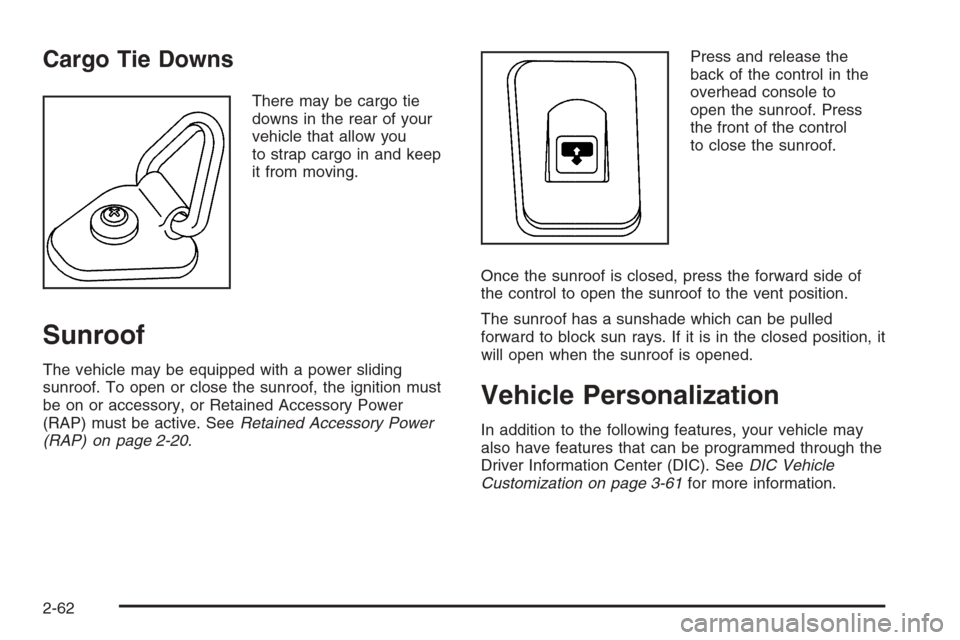
There may be cargo tie
downs in the rear of your
vehicle that allow you
to strap cargo in and keep
it from moving.
Sunroof
The vehicle may be equipped with a power sliding
sunroof. To open or close the sunroof, the ignition must
be on or accessory, or Retained Accessory Power
(RAP) must be active. SeeRetained Accessory Power
(RAP) on page 2-20.Press and release the
back of the control in the
overhead console to
open the sunroof. Press
the front of the control
to close the sunroof.
Once the sunroof is closed, press the forward side of
the control to open the sunroof to the vent position.
The sunroof has a sunshade which can be pulled
forward to block sun rays. If it is in the closed position, it
will open when the sunroof is opened.
Vehicle Personalization
In addition to the following features, your vehicle may
also have features that can be programmed through the
Driver Information Center (DIC). SeeDIC Vehicle
Customization on page 3-61for more information.
2-62
Page 143 of 534
Memory Seat
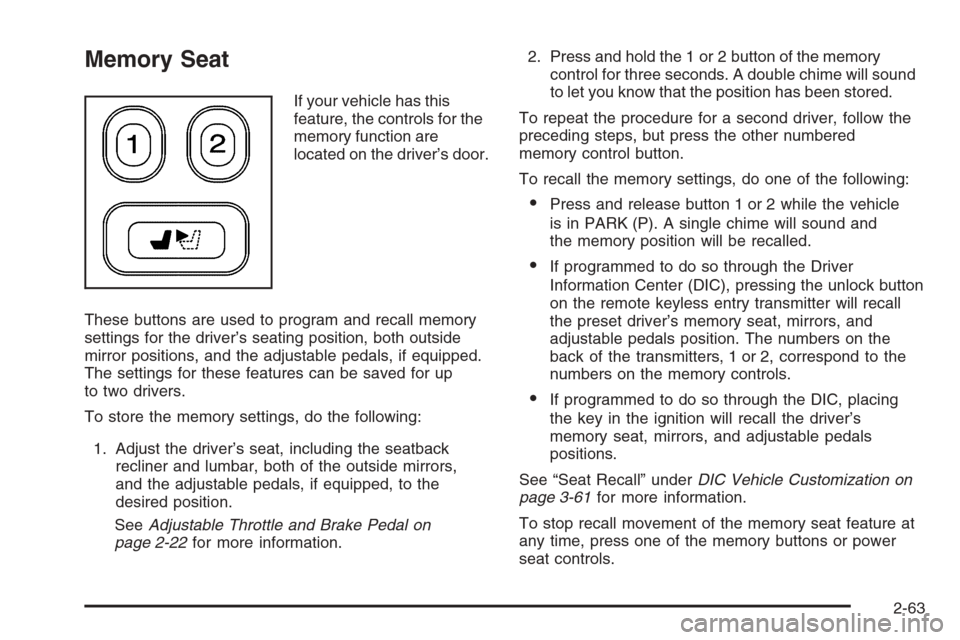
If your vehicle has this
feature, the controls for the
memory function are
located on the driver’s door.
These buttons are used to program and recall memory
settings for the driver’s seating position, both outside
mirror positions, and the adjustable pedals, if equipped.
The settings for these features can be saved for up
to two drivers.
To store the memory settings, do the following:
1. Adjust the driver’s seat, including the seatback
recliner and lumbar, both of the outside mirrors,
and the adjustable pedals, if equipped, to the
desired position.
SeeAdjustable Throttle and Brake Pedal on
page 2-22for more information.2. Press and hold the 1 or 2 button of the memory
control for three seconds. A double chime will sound
to let you know that the position has been stored.
To repeat the procedure for a second driver, follow the
preceding steps, but press the other numbered
memory control button.
To recall the memory settings, do one of the following:
Press and release button 1 or 2 while the vehicle
is in PARK (P). A single chime will sound and
the memory position will be recalled.
If programmed to do so through the Driver
Information Center (DIC), pressing the unlock button
on the remote keyless entry transmitter will recall
the preset driver’s memory seat, mirrors, and
adjustable pedals position. The numbers on the
back of the transmitters, 1 or 2, correspond to the
numbers on the memory controls.
If programmed to do so through the DIC, placing
the key in the ignition will recall the driver’s
memory seat, mirrors, and adjustable pedals
positions.
See “Seat Recall” underDIC Vehicle Customization on
page 3-61for more information.
To stop recall movement of the memory seat feature at
any time, press one of the memory buttons or power
seat controls.
2-63
Page 145 of 534
Instrument Panel Overview...............................3-4
Hazard Warning Flashers................................3-6
Other Warning Devices...................................3-6
Horn .............................................................3-6
Tilt Wheel.....................................................3-6
Turn Signal/Multifunction Lever.........................3-7
Turn and Lane-Change Signals........................3-7
Headlamp High/Low-Beam Changer..................3-8
Flash-to-Pass.................................................3-8
Windshield Wipers..........................................3-9
Rainsense™ Wipers.......................................3-9
Windshield Washer.......................................3-10
Rear Window Wiper/Washer...........................3-10
Cruise Control..............................................3-11
Headlamps..................................................3-13
Headlamps on Reminder................................3-14
Daytime Running Lamps (DRL).......................3-14
Automatic Headlamp System..........................3-15
Fog Lamps ..................................................3-16
Instrument Panel Brightness...........................3-16
Dome Lamps ...............................................3-16
Dome Lamp Override....................................3-17
Entry Lighting...............................................3-17
Exit Lighting.................................................3-17
Reading Lamps............................................3-17Battery Run-Down Protection..........................3-18
Accessory Power Outlet(s).............................3-18
Ashtray(s) and Cigarette Lighter......................3-19
Climate Controls............................................3-19
Dual Climate Control System..........................3-19
Dual Automatic Climate Control System...........3-22
Outlet Adjustment.........................................3-26
Rear Climate Control System.........................3-26
Warning Lights, Gages, and Indicators............3-30
Instrument Panel Cluster................................3-31
Speedometer and Odometer...........................3-32
Trip Odometer..............................................3-32
Tachometer.................................................3-32
Safety Belt Reminder Light.............................3-33
Passenger Safety Belt Reminder Light.............3-33
Airbag Readiness Light..................................3-34
Passenger Airbag Status Indicator...................3-35
Charging System Light..................................3-37
Voltmeter Gage............................................3-38
Brake System Warning Light..........................3-39
Anti-Lock Brake System Warning Light.............3-40
Low Tire Pressure Warning Light (SS Model). . . .3-40
StabiliTrak
®Service Light...............................3-41
StabiliTrak®Indicator Light..............................3-41
Section 3 Instrument Panel
3-1
Page 150 of 534
Hazard Warning Flashers
The hazard warning ashers warn others. They also let
police know you have a problem. Your front and rear
turn signal lamps will ash on and off.
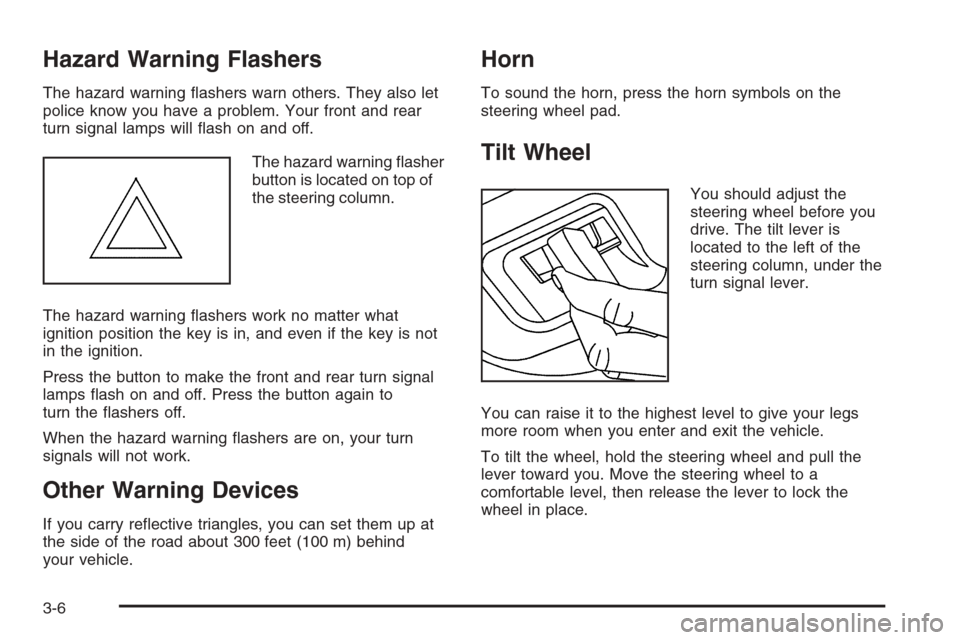
The hazard warning asher
button is located on top of
the steering column.
The hazard warning ashers work no matter what
ignition position the key is in, and even if the key is not
in the ignition.
Press the button to make the front and rear turn signal
lamps ash on and off. Press the button again to
turn the ashers off.
When the hazard warning ashers are on, your turn
signals will not work.
Other Warning Devices
If you carry reective triangles, you can set them up at
the side of the road about 300 feet (100 m) behind
your vehicle.
Horn
To sound the horn, press the horn symbols on the
steering wheel pad.
Tilt Wheel
You should adjust the
steering wheel before you
drive. The tilt lever is
located to the left of the
steering column, under the
turn signal lever.
You can raise it to the highest level to give your legs
more room when you enter and exit the vehicle.
To tilt the wheel, hold the steering wheel and pull the
lever toward you. Move the steering wheel to a
comfortable level, then release the lever to lock the
wheel in place.
3-6
Page 154 of 534
Windshield Washer
L(Windshield Washer):To spray washer uid on
the windshield, press the windshield washer paddle. The
wipers will clear the window and then either stop or
return to your preset speed.
{CAUTION:
In freezing weather, do not use your washer
until the windshield is warmed. Otherwise the
washer uid can form ice on the windshield,
blocking your vision.
Rear Window Wiper/Washer
{CAUTION:
In freezing weather, do not use your washer
until the windshield is warmed. Otherwise the
washer uid can form ice on the windshield,
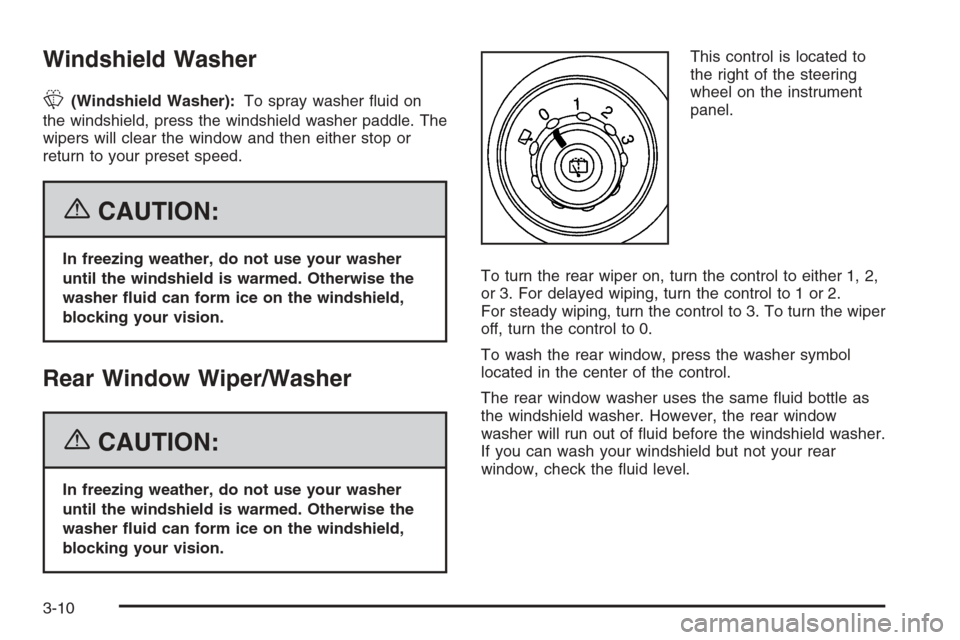
blocking your vision.This control is located to
the right of the steering
wheel on the instrument
panel.
To turn the rear wiper on, turn the control to either 1, 2,
or 3. For delayed wiping, turn the control to 1 or 2.
For steady wiping, turn the control to 3. To turn the wiper
off, turn the control to 0.
To wash the rear window, press the washer symbol
located in the center of the control.
The rear window washer uses the same uid bottle as
the windshield washer. However, the rear window
washer will run out of uid before the windshield washer.
If you can wash your windshield but not your rear
window, check the uid level.
3-10
Page 158 of 534
;(Parking Lamps):Turn the knob to this symbol to
manually turn on the following:
Parking Lamps
Sidemarker Lamps
Taillamps
License Plate Lamps
Instrument Panel Lights
2(Headlamps):Turn the knob to this symbol to turn
on all the lamps listed as well as the headlamps.
Headlamps on Reminder
A reminder tone will sound when your headlamps or
parking lamps are manually turned on, the driver’s door
is open and your ignition is in LOCK or ACCESSORY.
To turn the tone off, turn the knob all the way
counterclockwise. In the automatic mode, the
headlamps turn off once the ignition key is in LOCK.
Daytime Running Lamps (DRL)
Daytime Running Lamps (DRL) can make it easier for
others to see the front of your vehicle during the
day. DRL can be helpful in many different driving
conditions, but they can be especially helpful in the short
periods after dawn and before sunset. Fully functional
daytime running lamps are required on all vehicles
rst sold in Canada.
The DRL system will make your headlamps come on
at reduced brightness when the following conditions
are met:
The ignition is on.
The exterior lamps knob is in automatic
headlamp mode.
The light sensor detects daytime light.
The transmission is not in PARK (P).
When the DRL are on, only your headlamps will be on.
The taillamps, sidemarker and other lamps won’t be
on. The instrument panel won’t be lit up either.
When it begins to get dark, the headlamps will
automatically switch from DRL to the regular headlamps.
3-14
Page 161 of 534
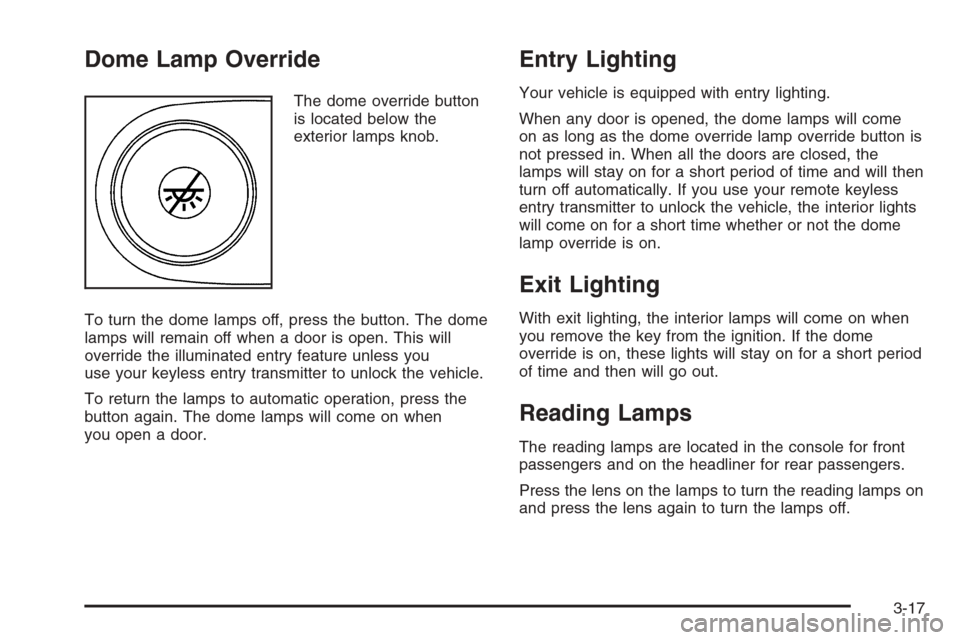
Dome Lamp Override
The dome override button
is located below the
exterior lamps knob.
To turn the dome lamps off, press the button. The dome
lamps will remain off when a door is open. This will
override the illuminated entry feature unless you
use your keyless entry transmitter to unlock the vehicle.
To return the lamps to automatic operation, press the
button again. The dome lamps will come on when
you open a door.
Entry Lighting
Your vehicle is equipped with entry lighting.
When any door is opened, the dome lamps will come
on as long as the dome override lamp override button is
not pressed in. When all the doors are closed, the
lamps will stay on for a short period of time and will then
turn off automatically. If you use your remote keyless
entry transmitter to unlock the vehicle, the interior lights
will come on for a short time whether or not the dome
lamp override is on.
Exit Lighting
With exit lighting, the interior lamps will come on when
you remove the key from the ignition. If the dome
override is on, these lights will stay on for a short period
of time and then will go out.
Reading Lamps
The reading lamps are located in the console for front
passengers and on the headliner for rear passengers.
Press the lens on the lamps to turn the reading lamps on
and press the lens again to turn the lamps off.
3-17
Page 163 of 534
Ashtray(s) and Cigarette Lighter
Your vehicle may have this feature. The ashtray is
removable and ts into the front cupholder.
Notice:If you put papers, pins, or other ammable
items in the ashtray, hot cigarettes or other
smoking materials could ignite them and possibly
damage your vehicle. Never put ammable items in
the ashtray.
To remove the ashtray, pull the covered bin out of the
cupholder.
To use the lighter, press it in all the way, and let go.
When it’s ready, it will pop back out by itself.
Notice:Holding a cigarette lighter in while it is
heating will not allow the lighter to back away from
the heating element when it is hot. Damage from
overheating may occur to the lighter or heating
element, or a fuse could be blown. Do not hold a
cigarette lighter in while it is heating.
Climate Controls
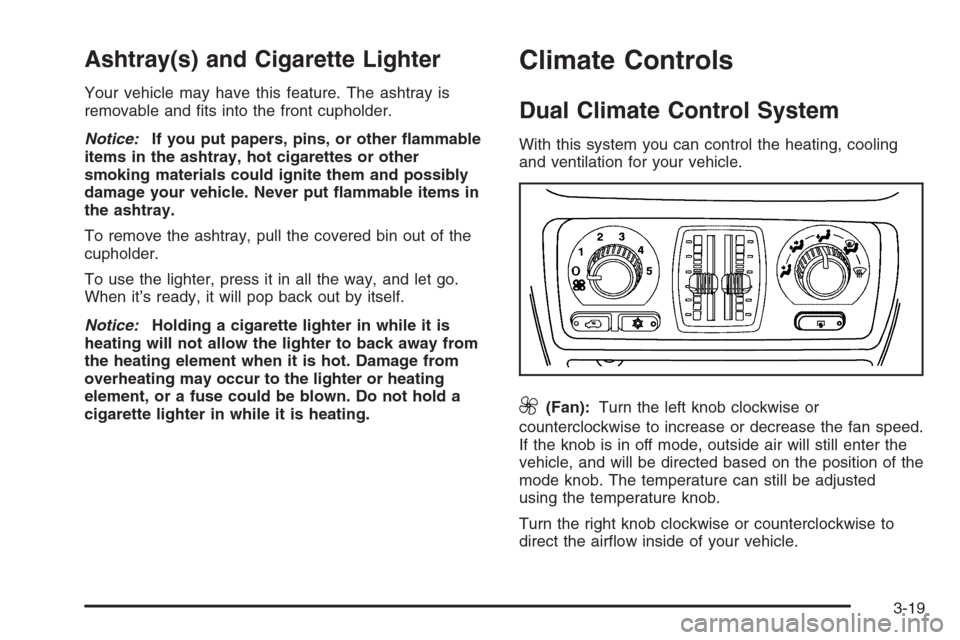
Dual Climate Control System
With this system you can control the heating, cooling
and ventilation for your vehicle.
9(Fan):Turn the left knob clockwise or
counterclockwise to increase or decrease the fan speed.
If the knob is in off mode, outside air will still enter the
vehicle, and will be directed based on the position of the
mode knob. The temperature can still be adjusted
using the temperature knob.
Turn the right knob clockwise or counterclockwise to
direct the airow inside of your vehicle.
3-19