check engine CHEVROLET TRAIL BLAZER 2008 1.G Owner's Manual
[x] Cancel search | Manufacturer: CHEVROLET, Model Year: 2008, Model line: TRAIL BLAZER, Model: CHEVROLET TRAIL BLAZER 2008 1.GPages: 472, PDF Size: 2.57 MB
Page 242 of 472
Avoid needless heavy braking. Some people drive
in spurts — heavy acceleration followed by heavy
braking — rather than keeping pace with traffic. This
is a mistake. The brakes might not have time to cool
between hard stops. The brakes will wear out much faster
if you do a lot of heavy braking. If you keep pace with the
traffic and allow realistic following distances, you will
eliminate a lot of unnecessary braking. That means better
braking and longer brake life.
If your vehicle’s engine ever stops while you are driving,
brake normally but do not pump the brakes. If you do,
the pedal could get harder to push down. If the
engine stops, you will still have some power brake
assist. But you will use it when you brake. Once the
power assist is used up, it can take longer to stop and
the brake pedal will be harder to push.
Adding non-dealer/non-retailer accessories can affect
your vehicle’s performance. SeeAccessories and
Modifications on page 5-3.
Antilock Brake System (ABS)
Your vehicle has the Antilock Brake System (ABS), an
advanced electronic braking system that will help
prevent a braking skid.
When you start the engine and begin to drive away, ABS
will check itself. You might hear a momentary motor or
clicking noise while this test is going on. This is normal.If there is a problem with
ABS, this warning light will
stay on. SeeAnti-lock
Brake System (ABS)
Warning Light on
page 3-39.
Along with ABS, your vehicle has a Dynamic Rear
Proportioning (DRP) system. If there is a DRP problem,
both the brake and ABS warning lights come on
accompanied by a 10-second chime. The lights and
chime will come on each time the ignition is turned on
until the problem is repaired. See your dealer/retailer for
service.
Let us say the road is wet and you are driving safely.
Suddenly, an animal jumps out in front of you. You slam
on the brakes and continue braking. Here is what
happens with ABS:
A computer senses that wheels are slowing down. If
one of the wheels is about to stop rolling, the computer
will separately work the brakes at each front wheel
and at both rear wheels.
ABS can change the brake pressure faster than any
driver could. The computer is programmed to make the
most of available tire and road conditions. This can
help you steer around the obstacle while braking hard.
4-4
Page 243 of 472
As you brake, the computer keeps receiving updates on
wheel speed and controls braking pressure accordingly.
Remember: ABS does not change the time you need
to get your foot up to the brake pedal or always
decrease stopping distance. If you get too close to the
vehicle in front of you, you will not have time to
apply the brakes if that vehicle suddenly slows or stops.
Always leave enough room up ahead to stop, even
though you have ABS.
Using ABS
Do not pump the brakes. Just hold the brake pedal down
rmly and let antilock work for you. You might feel the
brakes vibrate or notice some noise, but this is normal.
Braking in Emergencies
With ABS, you can steer and brake at the same time. In
many emergencies, steering can help you more than
even the very best braking.
Locking Rear Axle
If your vehicle has this feature, your locking rear axle
can give you additional traction on snow, mud, ice, sand
or gravel. It works like a standard axle most of the
time, but when one of the rear wheels has no traction
and the other does, this feature will allow the wheel with
traction to move the vehicle.
StabiliTrak®System
Your vehicle is equipped with StabiliTrak®, Electronic
Stability Control (ESC) which combines antilock
brake, traction and stability control systems and helps
the driver maintain directional control of the vehicle
in most driving conditions.
Traction control activates when the controller senses
wheel spin. StabiliTrak
®will selectively apply the brakes
and reduce engine torque to help regain traction.
Stability control activates when the controller senses a
discrepancy between your intended path and the
direction the vehicle is travelling. StabiliTrak
®selectively
applies braking pressure at any one of the vehicle’s
brakes to help guide the vehicle in the direction which
you are steering.
When you rst start your vehicle and begin to drive
away, the system performs several diagnostic checks to
insure there are no problems. You may hear or feel
the system working. This is normal and does not mean
there is a problem with your vehicle. If driving
conditions delay system initialization, the STABILITRAK
NOT READY message may be displayed. If this is
the case, your vehicle does not need servicing.
For more information on the stability messages, see
DIC Warnings and Messages on page 3-53.
4-5
Page 251 of 472
Skidding
In a skid, a driver can lose control of the vehicle.
Defensive drivers avoid most skids by taking reasonable
care suited to existing conditions, and by not overdriving
those conditions. But skids are always possible.
The three types of skids correspond to your vehicle’s
three control systems. In the braking skid, the wheels are
not rolling. In the steering or cornering skid, too much
speed or steering in a curve causes tires to slip and lose
cornering force. And in the acceleration skid, too much
throttle causes the driving wheels to spin.
A cornering skid is best handled by easing your foot off
the accelerator pedal.
If your vehicle starts to slide, ease your foot off the
accelerator pedal and quickly steer the way you want
the vehicle to go. If you start steering quickly enough,
your vehicle may straighten out. Always be ready
for a second skid if it occurs.
Of course, traction is reduced when water, snow, ice,
gravel, or other material is on the road. For safety, you
want to slow down and adjust your driving to these
conditions. It is important to slow down on slippery
surfaces because stopping distance is longer and
vehicle control more limited.While driving on a surface with reduced traction, try your
best to avoid sudden steering, acceleration, or braking,
including reducing vehicle speed by shifting to a lower
gear. Any sudden changes could cause the tires to
slide. You might not realize the surface is slippery until
your vehicle is skidding. Learn to recognize warning
clues — such as enough water, ice, or packed snow on
the road to make a mirrored surface — and slow down
when you have any doubt.
Remember: Any Antilock Brake System (ABS) helps
avoid only the braking skid.
Competitive Driving
See your warranty book before using your vehicle for
competitive driving. After reviewing your warranty book,
please see the GM Performance Parts website or catalog
for parts and equipment required for competitive driving.
Notice:If you use your vehicle for competitive
driving, the engine may use more oil than it would
with normal use. Low oil levels can damage the
engine. Be sure to check the oil level often during
competitive driving and keep the level at or near the
upper mark that shows the proper operating range
on the engine oil dipstick. For information on how to
add oil, seeEngine Oil on page 5-17.
4-13
Page 263 of 472
Driving in Water
{CAUTION:
Driving through rushing water can be
dangerous. Deep water can sweep your vehicle
downstream and you and your passengers
could drown. If it is only shallow water, it can
still wash away the ground from under your
tires, and you could lose traction and roll the
vehicle over. Do not drive through rushing
water.
Heavy rain can mean ash ooding, and ood waters
demand extreme caution.
Find out how deep the water is before you drive through
it. If it is deep enough to cover the wheel hubs, axles,
or exhaust pipe, do not try it — you probably will not get
through. Also, water that deep can damage the axle
and other vehicle parts.If the water is not too deep, drive slowly through it. At
faster speeds, water splashes on the ignition system and
your vehicle can stall. Stalling can also occur if you
get the tailpipe under water. And, as long as the tailpipe
is under water, you will never be able to start the
engine. When you go through water, remember that
when the brakes get wet, it may take you longer to stop.
SeeDriving in Rain and on Wet Roads on page 4-26
for more information on driving through water.
After Off-Road Driving
Remove any brush or debris that has collected on the
underbody, chassis, or under the hood. These
accumulations can be a re hazard.
After operation in mud or sand, have the brake linings
cleaned and checked. These substances can cause
glazing and uneven braking. Check the body structure,
steering, suspension, wheels, tires, and exhaust
system for damage. Also, check the fuel lines and
cooling system for any leakage.
Your vehicle will require more frequent service due to
off-road use. Refer to the Maintenance Schedule
for additional information.
4-25
Page 265 of 472
Hydroplaning
Hydroplaning is dangerous. Water can build up under
your vehicle’s tires so they actually ride on the
water. This can happen if the road is wet enough and
you are going fast enough. When your vehicle is
hydroplaning, it has little or no contact with the road.
There is no hard and fast rule about hydroplaning. The
best advice is to slow down when the road is wet.
Other Rainy Weather Tips
Besides slowing down, other wet weather driving tips
include:
Allow extra following distance.
Pass with caution.
Keep windshield wiping equipment in good shape.
Keep the windshield washer uid reservoir lled.
Have good tires with proper tread depth. SeeTires
on page 5-58.
Before Leaving on a Long Trip
To prepare your vehicle for a long trip, consider having
it serviced by your dealer/retailer before departing.
Things to check on your own include:
Windshield Washer Fluid:Reservoir full? Windows
clean — inside and outside?
Wiper Blades:In good shape?
Fuel, Engine Oil, Other Fluids:All levels checked?
Lamps:Do they all work and are lenses clean?
Tires:Are treads good? Are tires inated to
recommended pressure?
Weather and Maps:Safe to travel? Have
up-to-date maps?
4-27
Page 266 of 472
Highway Hypnosis
Always be alert and pay attention to your surroundings
while driving. If you become tired or sleepy, nd a
safe place to park your vehicle and rest.
Other driving tips include:
Keep the vehicle well ventilated.
Keep interior temperature cool.
Keep your eyes moving — scan the road ahead
and to the sides.
Check the rearview mirror and vehicle instruments
often.
Hill and Mountain Roads
Driving on steep hills or through mountains is different
than driving on at or rolling terrain. Tips for driving
in these conditions include:
Keep your vehicle serviced and in good shape.
Check all uid levels and brakes, tires, cooling
system, and transmission.
Going down steep or long hills, shift to a lower gear.
{CAUTION:
If you do not shift down, the brakes could get
so hot that they would not work well. You
would then have poor braking or even none
going down a hill. You could crash. Shift down
to let the engine assist the brakes on a steep
downhill slope.
4-28
Page 270 of 472
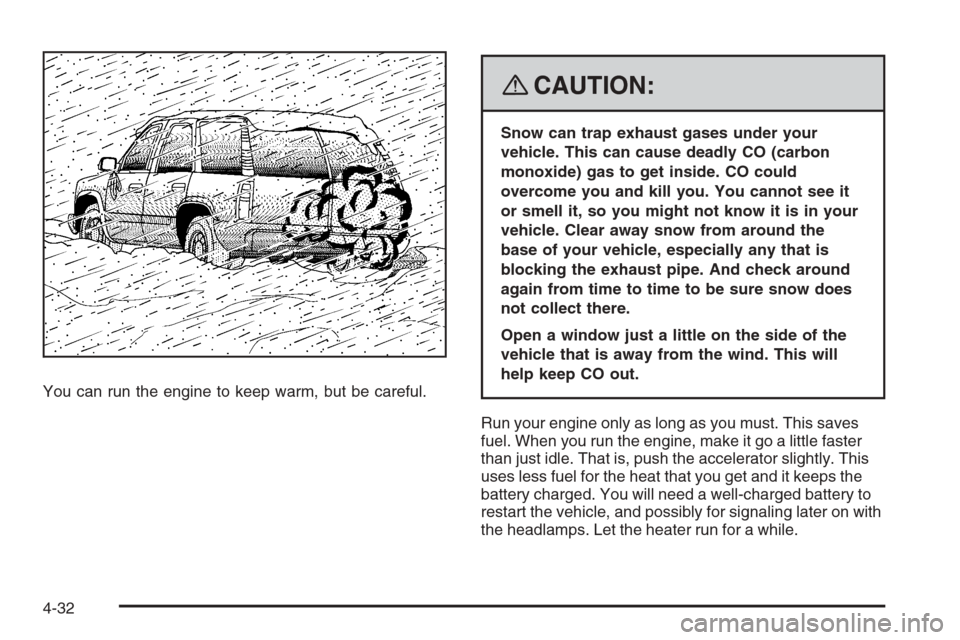
You can run the engine to keep warm, but be careful.
{CAUTION:
Snow can trap exhaust gases under your
vehicle. This can cause deadly CO (carbon
monoxide) gas to get inside. CO could
overcome you and kill you. You cannot see it
or smell it, so you might not know it is in your
vehicle. Clear away snow from around the
base of your vehicle, especially any that is
blocking the exhaust pipe. And check around
again from time to time to be sure snow does
not collect there.
Open a window just a little on the side of the
vehicle that is away from the wind. This will
help keep CO out.
Run your engine only as long as you must. This saves
fuel. When you run the engine, make it go a little faster
than just idle. That is, push the accelerator slightly. This
uses less fuel for the heat that you get and it keeps the
battery charged. You will need a well-charged battery to
restart the vehicle, and possibly for signaling later on with
the headlamps. Let the heater run for a while.
4-32
Page 296 of 472
4. Reapply the regular brakes. Then apply your
parking brake, and then shift into PARK (P).
5. Release the regular brakes.
{CAUTION:
It can be dangerous to get out of your vehicle if
the shift lever is not fully in PARK (P) with the
parking brake rmly set. Your vehicle can roll.
If you have left the engine running, the vehicle
can move suddenly. You or others could be
injured. To be sure your vehicle will not move,
even when you are on fairly level ground, use
the steps that follow.
Always put the shift lever fully in PARK (P) with
the parking brake rmly set.
If the transfer case on four-wheel drive vehicles
is in NEUTRAL, your vehicle will be free to roll,
even if your shift lever is in PARK (P). So, be
sure the transfer case is in a drive gear — not in
NEUTRAL.
SeeFour-Wheel Drive on page 2-28.
When You Are Ready to Leave After
Parking on a Hill
1. Apply your regular brakes and hold the pedal down
while you:
start your engine,
shift into a gear, and
release the parking brake.
2. Let up on the brake pedal.
3. Drive slowly until the trailer is clear of the chocks.
4. Stop and have someone pick up and store the
chocks.
Maintenance When Trailer Towing
Your vehicle will need service more often when you’re
pulling a trailer. See the Maintenance Schedule for more
on this. Things that are especially important in trailer
operation are automatic transmission uid (don’t overll),
engine oil, axle lubricant, belt(s), cooling system and
brake system. Each of these is covered in this manual,
and the Index will help you nd them quickly. If you’re
trailering, it’s a good idea to review these sections before
you start your trip.
Check periodically to see that all hitch nuts and bolts
are tight.
4-58
Page 299 of 472
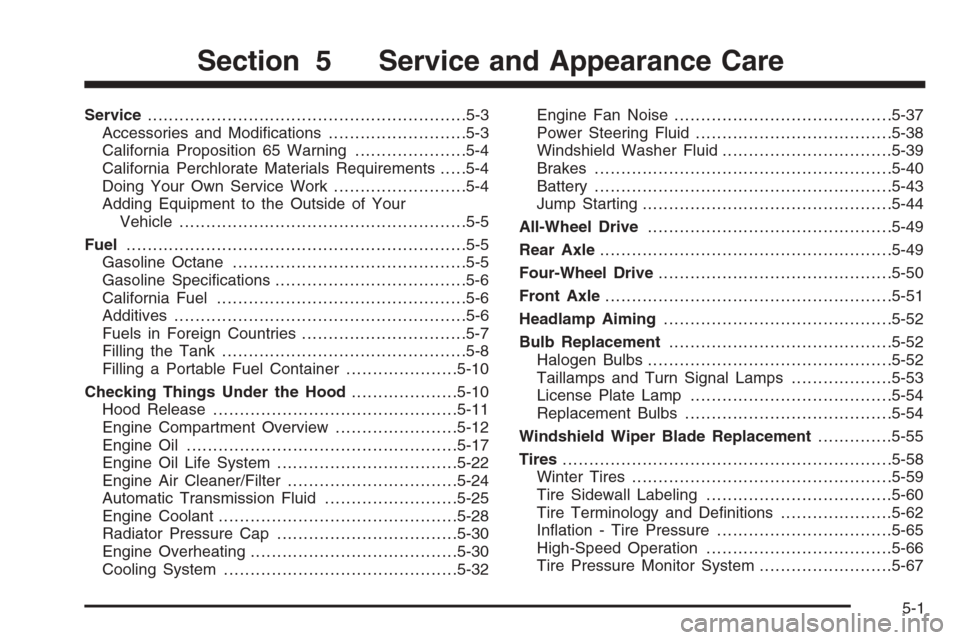
Service............................................................5-3
Accessories and Modications..........................5-3
California Proposition 65 Warning.....................5-4
California Perchlorate Materials Requirements.....5-4
Doing Your Own Service Work.........................5-4
Adding Equipment to the Outside of Your
Vehicle......................................................5-5
Fuel................................................................5-5
Gasoline Octane............................................5-5
Gasoline Specications....................................5-6
California Fuel...............................................5-6
Additives.......................................................5-6
Fuels in Foreign Countries...............................5-7
Filling the Tank..............................................5-8
Filling a Portable Fuel Container.....................5-10
Checking Things Under the Hood....................5-10
Hood Release..............................................5-11
Engine Compartment Overview.......................5-12
Engine Oil...................................................5-17
Engine Oil Life System..................................5-22
Engine Air Cleaner/Filter................................5-24
Automatic Transmission Fluid.........................5-25
Engine Coolant.............................................5-28
Radiator Pressure Cap..................................5-30
Engine Overheating.......................................5-30
Cooling System............................................5-32Engine Fan Noise.........................................5-37
Power Steering Fluid.....................................5-38
Windshield Washer Fluid................................5-39
Brakes........................................................5-40
Battery........................................................5-43
Jump Starting...............................................5-44
All-Wheel Drive..............................................5-49
Rear Axle.......................................................5-49
Four-Wheel Drive............................................5-50
Front Axle......................................................5-51
Headlamp Aiming...........................................5-52
Bulb Replacement..........................................5-52
Halogen Bulbs..............................................5-52
Taillamps and Turn Signal Lamps...................5-53
License Plate Lamp......................................5-54
Replacement Bulbs.......................................5-54
Windshield Wiper Blade Replacement..............5-55
Tires..............................................................5-58
Winter Tires.................................................5-59
Tire Sidewall Labeling...................................5-60
Tire Terminology and Denitions.....................5-62
Ination - Tire Pressure.................................5-65
High-Speed Operation...................................5-66
Tire Pressure Monitor System.........................5-67
Section 5 Service and Appearance Care
5-1
Page 303 of 472
You should keep a record with all parts receipts and list
the mileage and the date of any service work you
perform. SeeMaintenance Record on page 6-17.
Adding Equipment to the Outside of
Your Vehicle
Things you might add to the outside of your vehicle can
affect the airow around it. This can cause wind noise
and can affect fuel economy and windshield washer
performance. Check with your dealer/retailer before
adding equipment to the outside of your vehicle.
Fuel
Use of the recommended fuel is an important part of the
proper maintenance of your vehicle. To help keep the
engine clean and maintain optimum vehicle performance,
we recommend the use of gasoline advertised as TOP
TIER Detergent Gasoline.
The 8th digit of the Vehicle Identication Number (VIN)
shows the code letter or number that identies your
vehicle’s engine. The VIN is at the top left of the
instrument panel. SeeVehicle Identification Number
(VIN) on page 5-109.
Gasoline Octane
If your vehicle has the 4.2L L6 engine (VIN Code S) or
the 5.3L V8 engine (VIN Code M), use regular
unleaded gasoline with a posted octane rating of 87 or
higher. If the octane rating is less than 87, you might
notice an audible knocking noise when you drive,
commonly referred to as spark knock. If this occurs, use
a gasoline rated at 87 octane or higher as soon as
possible. If you are using gasoline rated at 87 octane or
higher and you hear heavy knocking, the engine
needs service.
If your vehicle has the 6.0L V8 engine (VIN Code H), use
premium unleaded gasoline with a posted octane rating
of 91 or higher. You can also use regular unleaded
gasoline rated at 87 octane or higher, but your vehicle’s
acceleration could be slightly reduced, and you might
notice a slight audible knocking noise, commonly referred
to as spark knock. If the octane is less than 87, you might
notice a heavy knocking noise when you drive. If this
occurs, use a gasoline rated at 87 octane or higher as
soon as possible. Otherwise, you could damage the
engine. If you are using gasoline rated at 87 octane or
higher and you hear heavy knocking, the engine
needs service.
5-5