remote start CHEVROLET TRAIL BLAZER 2009 1.G Owners Manual
[x] Cancel search | Manufacturer: CHEVROLET, Model Year: 2009, Model line: TRAIL BLAZER, Model: CHEVROLET TRAIL BLAZER 2009 1.GPages: 484, PDF Size: 2.61 MB
Page 1 of 484
Seats and Restraint System............................. 1-1
Front Seats
............................................... 1-2
Rear Seats
..............................................1-11
Safety Belts
.............................................1-13
Child Restraints
.......................................1-32
Airbag System
.........................................1-55
Restraint System Check
............................1-70
Features and Controls..................................... 2-1
Keys
........................................................ 2-3
Doors and Locks
....................................... 2-7
Windows
.................................................2-14
Theft-Deterrent Systems
............................2-17
Starting and Operating Your Vehicle
...........2-21
Mirrors
....................................................2-40
OnStar
®System
......................................2-45
Universal Home Remote System
................2-48
Storage Areas
.........................................2-53
Sunroof
..................................................2-57
Instrument Panel............................................. 3-1
Instrument Panel Overview
.......................... 3-4
Climate Controls
......................................3-20
Warning Lights, Gages, and Indicators
........3-28
Driver Information Center (DIC)
..................3-47
Audio System(s)
.......................................3-62Driving Your Vehicle....................................... 4-1
Your Driving, the Road, and the Vehicle
....... 4-2
Towing
...................................................4-40
Service and Appearance Care.......................... 5-1
Service
..................................................... 5-3
Fuel
......................................................... 5-5
Checking Things Under the Hood
...............5-10
All-Wheel Drive
........................................5-48
Rear Axle
...............................................5-49
Four-Wheel Drive
.....................................5-50
Front Axle
...............................................5-51
Headlamp Aiming
.....................................5-52
Bulb Replacement
....................................5-52
Windshield Wiper Blade Replacement
.........5-55
Tires
......................................................5-58
Appearance Care
...................................5-109
Vehicle Identication
...............................5-117
Electrical System
....................................5-118
Capacities and Specications
...................5-125
Maintenance Schedule..................................... 6-1
Maintenance Schedule
................................ 6-2
Customer Assistance Information.................... 7-1
Customer Assistance and Information
........... 7-2
Reporting Safety Defects
...........................7-15
Vehicle Data Recording and Privacy
...........7-17
Index................................................................ 1
2009 Chevrolet TrailBlazer Owner ManualM
Page 4 of 484
Vehicle Symbols
The vehicle has components and labels that use
symbols instead of text. Symbols are shown along
with the text describing the operation or information
relating to a specic component, control, message,
gage, or indicator.
M:This symbol is shown when you need to see your
owner manual for additional instructions or information.
*:This symbol is shown when you need to see a
service manual for additional instructions or information.
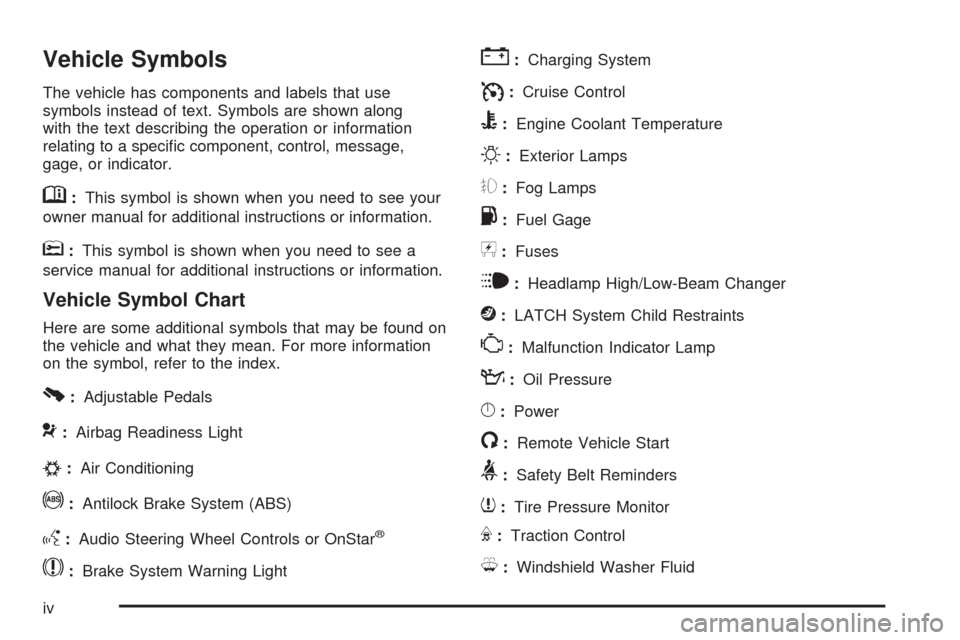
Vehicle Symbol Chart
Here are some additional symbols that may be found on
the vehicle and what they mean. For more information
on the symbol, refer to the index.
0:Adjustable Pedals
9:Airbag Readiness Light
#:Air Conditioning
!:Antilock Brake System (ABS)
g:Audio Steering Wheel Controls or OnStar®
$:Brake System Warning Light
":Charging System
I:Cruise Control
B:Engine Coolant Temperature
O:Exterior Lamps
#:Fog Lamps
.:Fuel Gage
+:Fuses
i:Headlamp High/Low-Beam Changer
j:LATCH System Child Restraints
*:Malfunction Indicator Lamp
::Oil Pressure
}:Power
/:Remote Vehicle Start
>:Safety Belt Reminders
7:Tire Pressure Monitor
F:Traction Control
M:Windshield Washer Fluid
iv
Page 77 of 484
Keys...............................................................2-3
Remote Keyless Entry (RKE) System................2-4
Remote Keyless Entry (RKE)
System Operation.......................................2-5
Doors and Locks.............................................2-7
Door Locks....................................................2-7
Power Door Locks..........................................2-8
Delayed Locking.............................................2-8
Programmable Automatic Door Locks................2-9
Rear Door Security Locks..............................2-12
Lockout Protection........................................2-12
Liftgate/Liftglass............................................2-13
Windows........................................................2-14
Power Windows............................................2-15
Sun Visors...................................................2-16
Theft-Deterrent Systems..................................2-17
Content Theft-Deterrent.................................2-17
Passlock
®(U.S. Only)...................................2-18
PASS-Key®III+ Electronic Immobilizer.............2-19
PASS-Key®III+ Electronic Immobilizer
Operation (Canada Only)............................2-19Starting and Operating Your Vehicle................2-21
New Vehicle Break-In....................................2-21
Ignition Positions..........................................2-22
Retained Accessory Power (RAP)...................2-23
Starting the Engine.......................................2-23
Adjustable Throttle and Brake Pedal................2-24
Engine Coolant Heater..................................2-25
Active Fuel Management™.............................2-26
Automatic Transmission Operation...................2-26
Four-Wheel Drive..........................................2-30
Parking Brake..............................................2-34
Shifting Into Park..........................................2-35
Shifting Out of Park......................................2-37
Parking Over Things That Burn.......................2-37
Engine Exhaust............................................2-38
Running the Vehicle While Parked..................2-39
Mirrors...........................................................2-40
Manual Rearview Mirror.................................2-40
Automatic Dimming Rearview Mirror................2-40
Compass.....................................................2-42
Section 2 Features and Controls
2-1
Page 81 of 484
Remote Keyless Entry (RKE)
System Operation
The Remote Keyless Entry (RKE) transmitter functions
work up to 30 feet (9 m) away from the vehicle.
There are other conditions which can affect the
performance of the transmitter. SeeRemote Keyless
Entry (RKE) System on page 2-4.
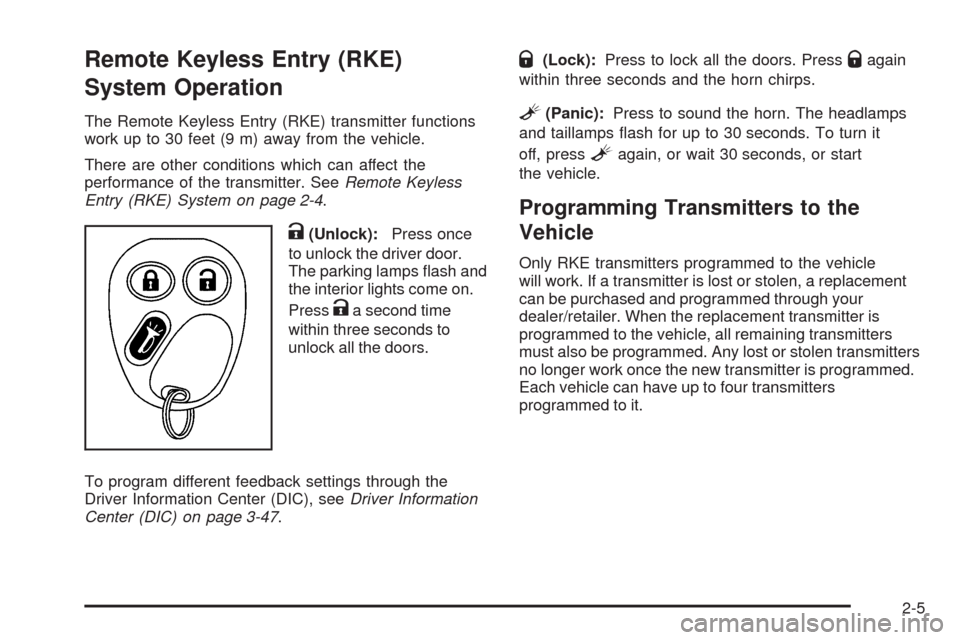
K(Unlock):Press once
to unlock the driver door.
The parking lamps ash and
the interior lights come on.
Press
Ka second time
within three seconds to
unlock all the doors.
To program different feedback settings through the
Driver Information Center (DIC), seeDriver Information
Center (DIC) on page 3-47.
Q(Lock):Press to lock all the doors. PressQagain
within three seconds and the horn chirps.
L(Panic):Press to sound the horn. The headlamps
and taillamps ash for up to 30 seconds. To turn it
off, press
Lagain, or wait 30 seconds, or start
the vehicle.
Programming Transmitters to the
Vehicle
Only RKE transmitters programmed to the vehicle
will work. If a transmitter is lost or stolen, a replacement
can be purchased and programmed through your
dealer/retailer. When the replacement transmitter is
programmed to the vehicle, all remaining transmitters
must also be programmed. Any lost or stolen transmitters
no longer work once the new transmitter is programmed.
Each vehicle can have up to four transmitters
programmed to it.
2-5
Page 126 of 484
Programming the Universal Home
Remote System
For questions or help programming the Universal
Home Remote System, call 1-800-355-3515 or go to
www.homelink.com.
Programming a garage door opener involves
time-sensitive actions, so read the entire procedure
before starting. Otherwise, the device will time out
and the procedure will have to be repeated.
To program up to three devices:
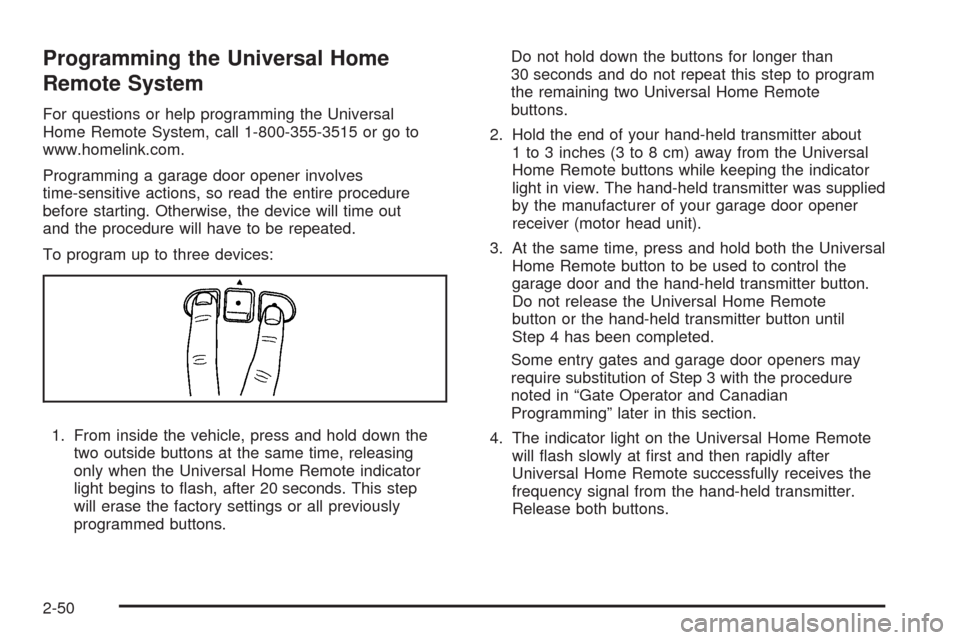
1. From inside the vehicle, press and hold down the
two outside buttons at the same time, releasing
only when the Universal Home Remote indicator
light begins to ash, after 20 seconds. This step
will erase the factory settings or all previously
programmed buttons.Do not hold down the buttons for longer than
30 seconds and do not repeat this step to program
the remaining two Universal Home Remote
buttons.
2. Hold the end of your hand-held transmitter about
1 to 3 inches (3 to 8 cm) away from the Universal
Home Remote buttons while keeping the indicator
light in view. The hand-held transmitter was supplied
by the manufacturer of your garage door opener
receiver (motor head unit).
3. At the same time, press and hold both the Universal
Home Remote button to be used to control the
garage door and the hand-held transmitter button.
Do not release the Universal Home Remote
button or the hand-held transmitter button until
Step 4 has been completed.
Some entry gates and garage door openers may
require substitution of Step 3 with the procedure
noted in “Gate Operator and Canadian
Programming” later in this section.
4. The indicator light on the Universal Home Remote
will ash slowly at rst and then rapidly after
Universal Home Remote successfully receives the
frequency signal from the hand-held transmitter.
Release both buttons.
2-50
Page 187 of 484
FUEL LEVEL LOW
This message displays and a chime sounds if the fuel
level is low. Refuel as soon as possible. SeeLow
Fuel Warning Light on page 3-47,Filling the Tank on
page 5-8, andFuel on page 5-5for more information.
ICE POSSIBLE
This message may display if the outside temperature
reaches a level where ice could form on the roadway.
Adjust your driving accordingly. If the temperature
rises to a safe level, the message clears. This message
clears itself after 10 seconds, or you can manually
clear it from the DIC display.
KEY FOB # BATTERY LOW
This message displays if a Remote Keyless Entry (RKE)
transmitter battery is low. Replace the battery in the
transmitter. See “Battery Replacement” underRemote
Keyless Entry (RKE) System Operation on page 2-5.
LEFT REAR DOOR AJAR
This message displays and a chime sounds if the driver
side rear door is not fully closed. Stop and turn off the
vehicle, check the door for obstructions, and close the
door again. Check to see if the message still appears on
the DIC.
OIL PRESSURE LOW/STOP ENGINE
Notice:If you drive your vehicle while the engine
oil pressure is low, severe engine damage may occur.
If a low oil pressure warning appears on the Driver
Information Center (DIC), stop the vehicle as soon as
possible. Do not drive the vehicle until the cause of
the low oil pressure is corrected. SeeEngine Oil on
page 5-18for more information.
This message displays if low oil pressure levels occur.
Stop the vehicle as soon as safely possible and do
not operate it until the cause of the low oil pressure
has been corrected. Check the oil as soon as possible
and have your vehicle serviced by your dealer/retailer.
SeeEngine Oil on page 5-18.
PASSENGER DOOR AJAR
This message displays and a chime sounds if the
passenger door is not fully closed. Stop and turn off
the vehicle, check the door for obstructions, and close
the door again. Check to see if the message still
appears on the DIC.
REAR ACCESS OPEN
This message displays and a chime sounds if the liftgate
or liftglass is open while the ignition is in ON/RUN.
Turn off the vehicle and check the liftgate and liftglass.
SeeLiftgate/Liftglass on page 2-13. Restart the vehicle
and check for the message on the DIC display.
3-53
Page 235 of 484
DVD Player Buttons (With Sunroof)
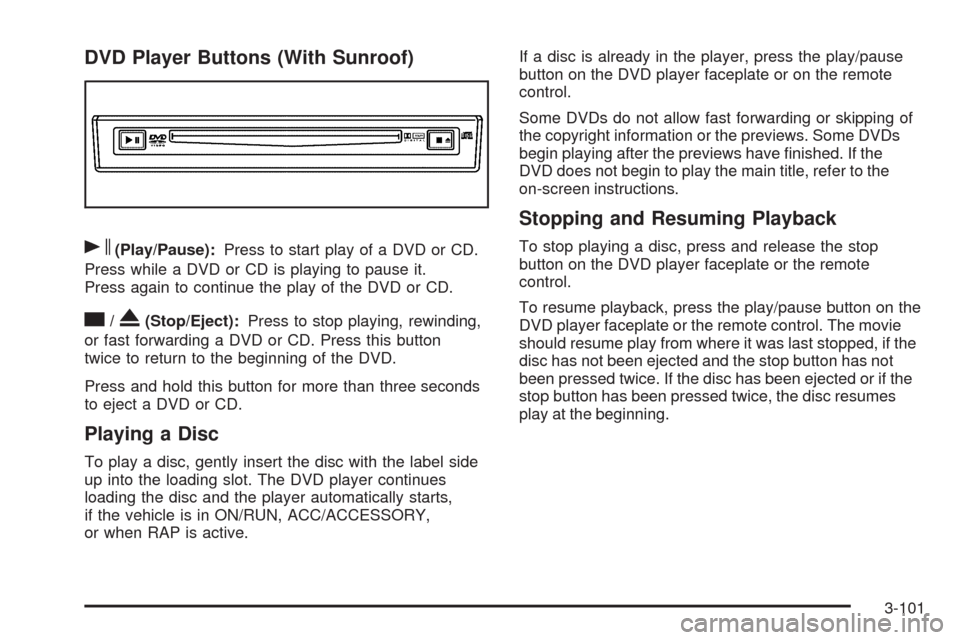
s(Play/Pause):Press to start play of a DVD or CD.
Press while a DVD or CD is playing to pause it.
Press again to continue the play of the DVD or CD.
c/X(Stop/Eject):Press to stop playing, rewinding,
or fast forwarding a DVD or CD. Press this button
twice to return to the beginning of the DVD.
Press and hold this button for more than three seconds
to eject a DVD or CD.
Playing a Disc
To play a disc, gently insert the disc with the label side
up into the loading slot. The DVD player continues
loading the disc and the player automatically starts,
if the vehicle is in ON/RUN, ACC/ACCESSORY,
or when RAP is active.If a disc is already in the player, press the play/pause
button on the DVD player faceplate or on the remote
control.
Some DVDs do not allow fast forwarding or skipping of
the copyright information or the previews. Some DVDs
begin playing after the previews have nished. If the
DVD does not begin to play the main title, refer to the
on-screen instructions.
Stopping and Resuming Playback
To stop playing a disc, press and release the stop
button on the DVD player faceplate or the remote
control.
To resume playback, press the play/pause button on the
DVD player faceplate or the remote control. The movie
should resume play from where it was last stopped, if the
disc has not been ejected and the stop button has not
been pressed twice. If the disc has been ejected or if the
stop button has been pressed twice, the disc resumes
play at the beginning.
3-101
Page 237 of 484
Remote Control Buttons
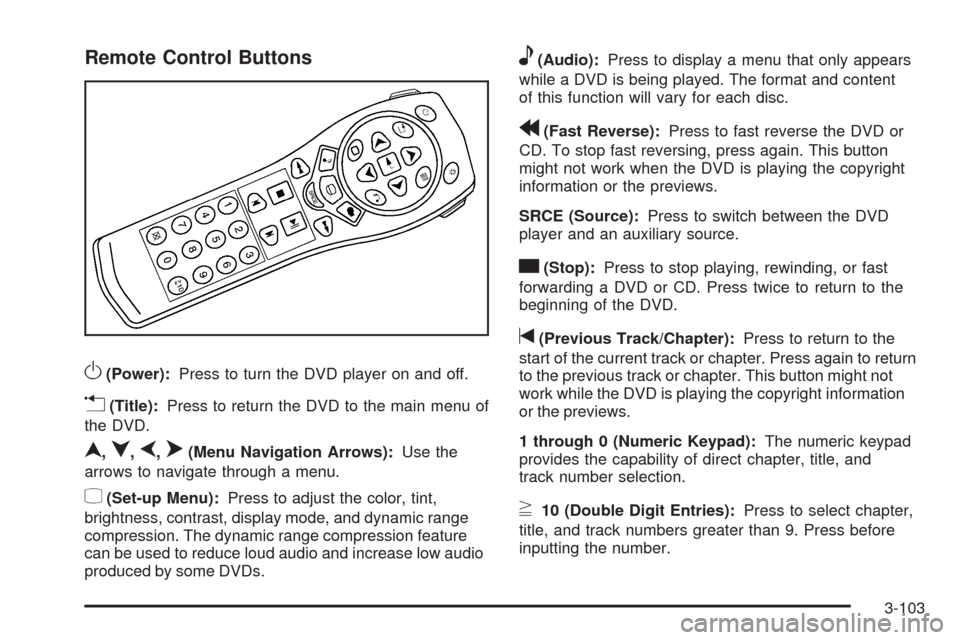
O(Power):Press to turn the DVD player on and off.
v(Title):Press to return the DVD to the main menu of
the DVD.
n,q,p,o(Menu Navigation Arrows):Use the
arrows to navigate through a menu.
z(Set-up Menu):Press to adjust the color, tint,
brightness, contrast, display mode, and dynamic range
compression. The dynamic range compression feature
can be used to reduce loud audio and increase low audio
produced by some DVDs.
e(Audio):Press to display a menu that only appears
while a DVD is being played. The format and content
of this function will vary for each disc.
r(Fast Reverse):Press to fast reverse the DVD or
CD. To stop fast reversing, press again. This button
might not work when the DVD is playing the copyright
information or the previews.
SRCE (Source):Press to switch between the DVD
player and an auxiliary source.
c(Stop):Press to stop playing, rewinding, or fast
forwarding a DVD or CD. Press twice to return to the
beginning of the DVD.
t(Previous Track/Chapter):Press to return to the
start of the current track or chapter. Press again to return
to the previous track or chapter. This button might not
work while the DVD is playing the copyright information
or the previews.
1 through 0 (Numeric Keypad):The numeric keypad
provides the capability of direct chapter, title, and
track number selection.
}10 (Double Digit Entries):Press to select chapter,
title, and track numbers greater than 9. Press before
inputting the number.
3-103
Page 238 of 484
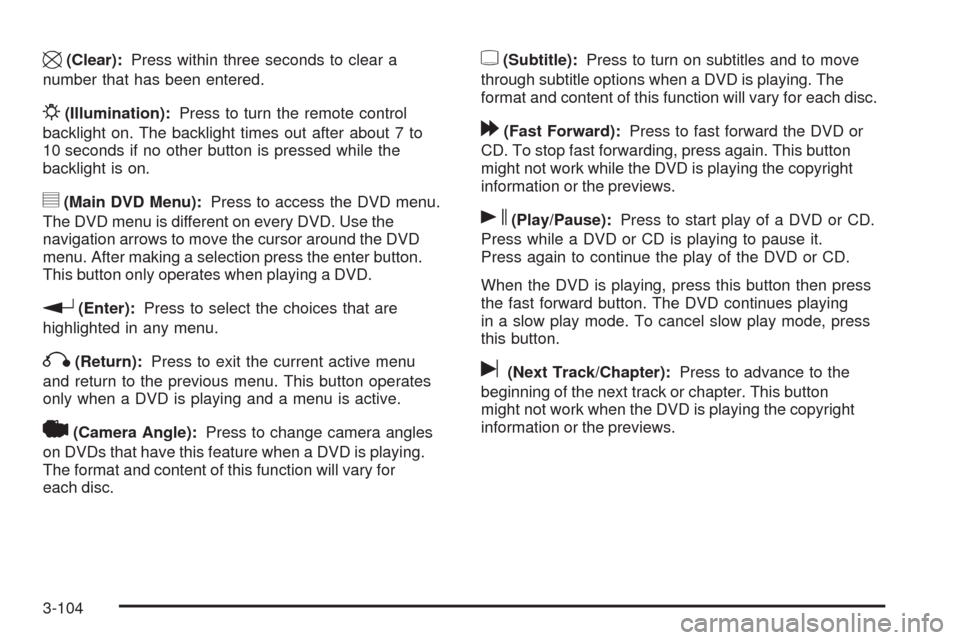
\(Clear):Press within three seconds to clear a
number that has been entered.
P(Illumination):Press to turn the remote control
backlight on. The backlight times out after about 7 to
10 seconds if no other button is pressed while the
backlight is on.
y(Main DVD Menu):Press to access the DVD menu.
The DVD menu is different on every DVD. Use the
navigation arrows to move the cursor around the DVD
menu. After making a selection press the enter button.
This button only operates when playing a DVD.
r(Enter):Press to select the choices that are
highlighted in any menu.
q(Return):Press to exit the current active menu
and return to the previous menu. This button operates
only when a DVD is playing and a menu is active.
|(Camera Angle):Press to change camera angles
on DVDs that have this feature when a DVD is playing.
The format and content of this function will vary for
each disc.
{(Subtitle):Press to turn on subtitles and to move
through subtitle options when a DVD is playing. The
format and content of this function will vary for each disc.
[(Fast Forward):Press to fast forward the DVD or
CD. To stop fast forwarding, press again. This button
might not work while the DVD is playing the copyright
information or the previews.
s(Play/Pause):Press to start play of a DVD or CD.
Press while a DVD or CD is playing to pause it.
Press again to continue the play of the DVD or CD.
When the DVD is playing, press this button then press
the fast forward button. The DVD continues playing
in a slow play mode. To cancel slow play mode, press
this button.
u(Next Track/Chapter):Press to advance to the
beginning of the next track or chapter. This button
might not work when the DVD is playing the copyright
information or the previews.
3-104
Page 240 of 484
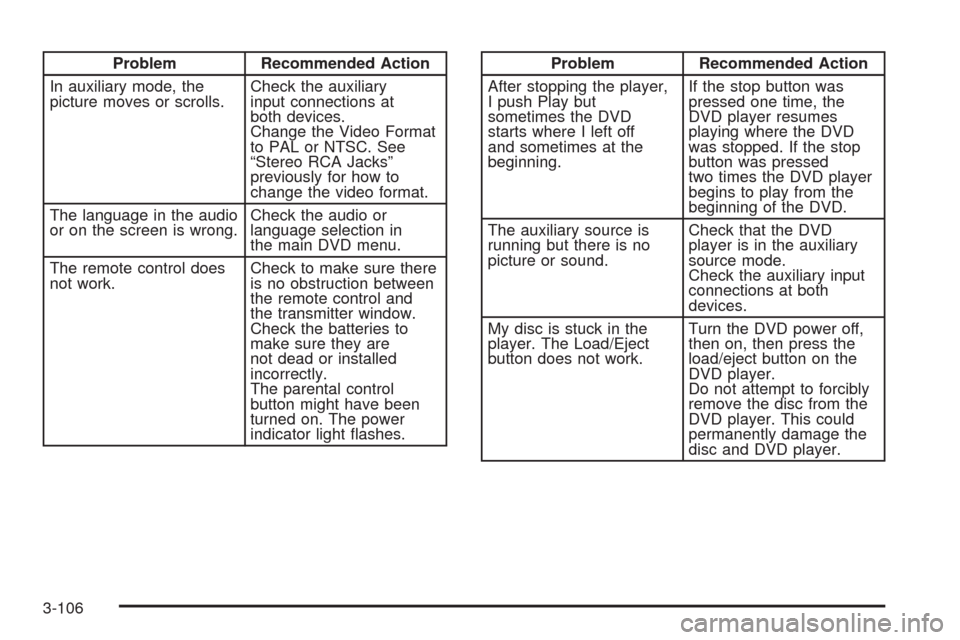
Problem Recommended Action
In auxiliary mode, the
picture moves or scrolls.Check the auxiliary
input connections at
both devices.
Change the Video Format
to PAL or NTSC. See
“Stereo RCA Jacks”
previously for how to
change the video format.
The language in the audio
or on the screen is wrong.Check the audio or
language selection in
the main DVD menu.
The remote control does
not work.Check to make sure there
is no obstruction between
the remote control and
the transmitter window.
Check the batteries to
make sure they are
not dead or installed
incorrectly.
The parental control
button might have been
turned on. The power
indicator light ashes.Problem Recommended Action
After stopping the player,
I push Play but
sometimes the DVD
starts where I left off
and sometimes at the
beginning.If the stop button was
pressed one time, the
DVD player resumes
playing where the DVD
was stopped. If the stop
button was pressed
two times the DVD player
begins to play from the
beginning of the DVD.
The auxiliary source is
running but there is no
picture or sound.Check that the DVD
player is in the auxiliary
source mode.
Check the auxiliary input
connections at both
devices.
My disc is stuck in the
player. The Load/Eject
button does not work.Turn the DVD power off,
then on, then press the
load/eject button on the
DVD player.
Do not attempt to forcibly
remove the disc from the
DVD player. This could
permanently damage the
disc and DVD player.
3-106