theft CHEVROLET TRAILBLAZER 2022 Owners Manual
[x] Cancel search | Manufacturer: CHEVROLET, Model Year: 2022, Model line: TRAILBLAZER, Model: CHEVROLET TRAILBLAZER 2022Pages: 363, PDF Size: 6.76 MB
Page 13 of 363
Chevrolet Trailblazer Owner Manual (GMNA-Localizing-U.S./Canada-
14400528) - 2021 - CRC - 11/7/19
12 Keys, Doors, and Windows
The RKE transmitter functions may work up
to 60 m (197 ft) away from the vehicle.
Other conditions can impact the
performance of the transmitter. SeeRemote
Keyless Entry (RKE) System 09.
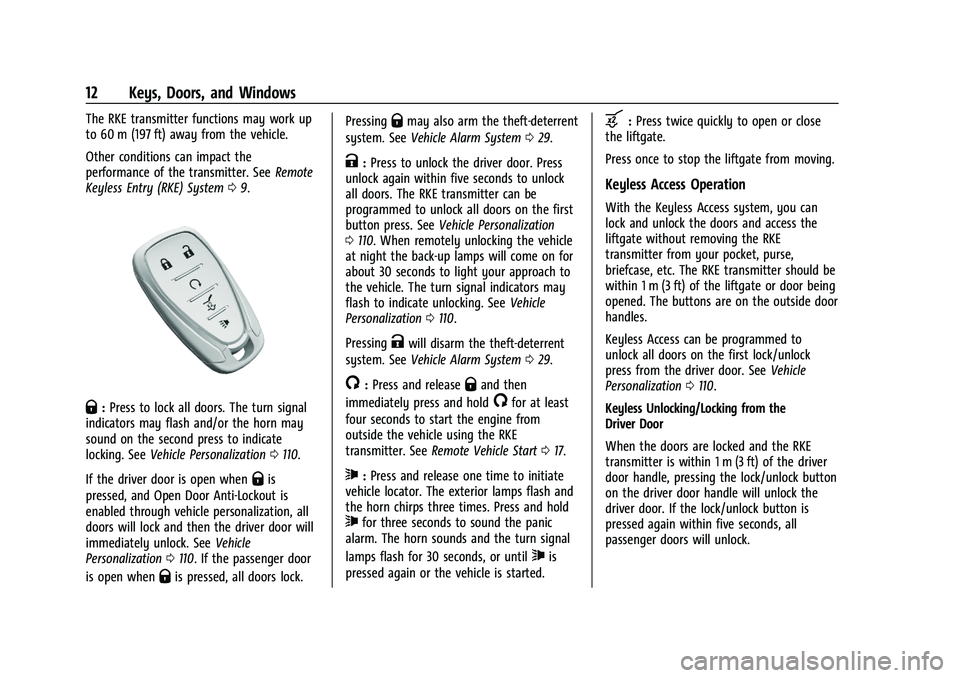
Q:Press to lock all doors. The turn signal
indicators may flash and/or the horn may
sound on the second press to indicate
locking. See Vehicle Personalization 0110.
If the driver door is open when
Qis
pressed, and Open Door Anti-Lockout is
enabled through vehicle personalization, all
doors will lock and then the driver door will
immediately unlock. See Vehicle
Personalization 0110. If the passenger door
is open when
Qis pressed, all doors lock. Pressing
Qmay also arm the theft-deterrent
system. See Vehicle Alarm System 029.
K:Press to unlock the driver door. Press
unlock again within five seconds to unlock
all doors. The RKE transmitter can be
programmed to unlock all doors on the first
button press. See Vehicle Personalization
0 110. When remotely unlocking the vehicle
at night the back-up lamps will come on for
about 30 seconds to light your approach to
the vehicle. The turn signal indicators may
flash to indicate unlocking. See Vehicle
Personalization 0110.
Pressing
Kwill disarm the theft-deterrent
system. See Vehicle Alarm System 029.
/:Press and releaseQand then
immediately press and hold
/for at least
four seconds to start the engine from
outside the vehicle using the RKE
transmitter. See Remote Vehicle Start 017.
7:Press and release one time to initiate
vehicle locator. The exterior lamps flash and
the horn chirps three times. Press and hold
7for three seconds to sound the panic
alarm. The horn sounds and the turn signal
lamps flash for 30 seconds, or until
7is
pressed again or the vehicle is started.
b: Press twice quickly to open or close
the liftgate.
Press once to stop the liftgate from moving.
Keyless Access Operation
With the Keyless Access system, you can
lock and unlock the doors and access the
liftgate without removing the RKE
transmitter from your pocket, purse,
briefcase, etc. The RKE transmitter should be
within 1 m (3 ft) of the liftgate or door being
opened. The buttons are on the outside door
handles.
Keyless Access can be programmed to
unlock all doors on the first lock/unlock
press from the driver door. See Vehicle
Personalization 0110.
Keyless Unlocking/Locking from the
Driver Door
When the doors are locked and the RKE
transmitter is within 1 m (3 ft) of the driver
door handle, pressing the lock/unlock button
on the driver door handle will unlock the
driver door. If the lock/unlock button is
pressed again within five seconds, all
passenger doors will unlock.
Page 30 of 363
Chevrolet Trailblazer Owner Manual (GMNA-Localizing-U.S./Canada-
14400528) - 2021 - CRC - 11/7/19
Keys, Doors, and Windows 29
Vehicle Security
This vehicle has theft-deterrent features;
however, they do not make the vehicle
impossible to steal.
Vehicle Alarm System
This vehicle has an anti-theft alarm system.
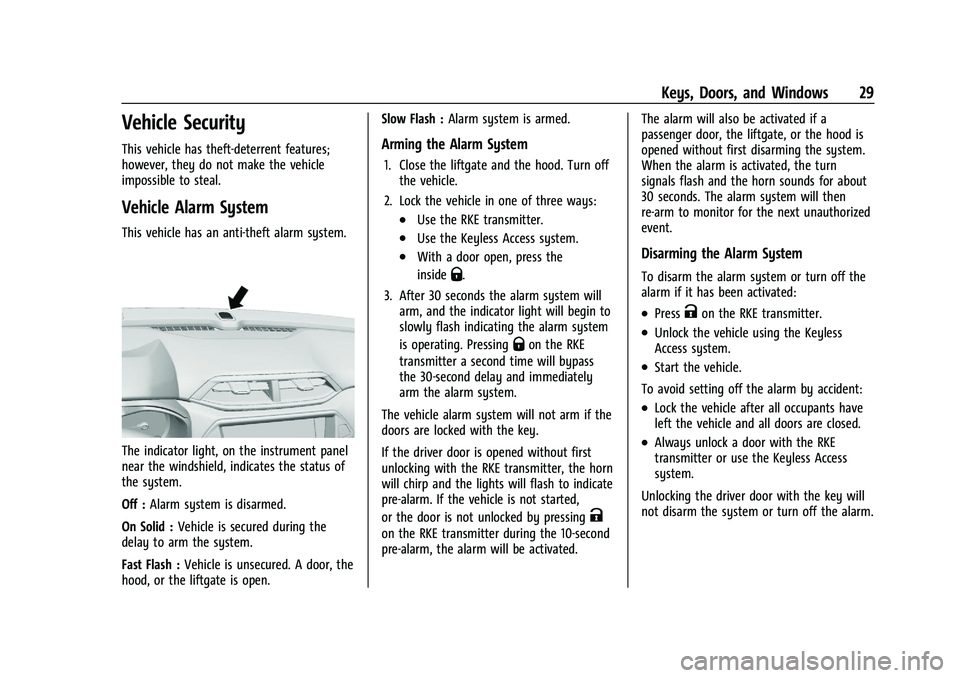
The indicator light, on the instrument panel
near the windshield, indicates the status of
the system.
Off :Alarm system is disarmed.
On Solid : Vehicle is secured during the
delay to arm the system.
Fast Flash : Vehicle is unsecured. A door, the
hood, or the liftgate is open. Slow Flash :
Alarm system is armed.
Arming the Alarm System
1. Close the liftgate and the hood. Turn off
the vehicle.
2. Lock the vehicle in one of three ways:
.Use the RKE transmitter.
.Use the Keyless Access system.
.With a door open, press the
inside
Q.
3. After 30 seconds the alarm system will arm, and the indicator light will begin to
slowly flash indicating the alarm system
is operating. Pressing
Qon the RKE
transmitter a second time will bypass
the 30-second delay and immediately
arm the alarm system.
The vehicle alarm system will not arm if the
doors are locked with the key.
If the driver door is opened without first
unlocking with the RKE transmitter, the horn
will chirp and the lights will flash to indicate
pre-alarm. If the vehicle is not started,
or the door is not unlocked by pressing
K
on the RKE transmitter during the 10-second
pre-alarm, the alarm will be activated. The alarm will also be activated if a
passenger door, the liftgate, or the hood is
opened without first disarming the system.
When the alarm is activated, the turn
signals flash and the horn sounds for about
30 seconds. The alarm system will then
re-arm to monitor for the next unauthorized
event.
Disarming the Alarm System
To disarm the alarm system or turn off the
alarm if it has been activated:
.PressKon the RKE transmitter.
.Unlock the vehicle using the Keyless
Access system.
.Start the vehicle.
To avoid setting off the alarm by accident:
.Lock the vehicle after all occupants have
left the vehicle and all doors are closed.
.Always unlock a door with the RKE
transmitter or use the Keyless Access
system.
Unlocking the driver door with the key will
not disarm the system or turn off the alarm.
Page 31 of 363
Chevrolet Trailblazer Owner Manual (GMNA-Localizing-U.S./Canada-
14400528) - 2021 - CRC - 11/7/19
30 Keys, Doors, and Windows
How to Detect a Tamper Condition
IfKis pressed and the horn chirps and the
lights flash three times, the alarm was
activated while the alarm system was
armed.
If the alarm system has been activated, a
message will appear on the DIC.
Immobilizer
See Radio Frequency Statement 0340.
Immobilizer Operation
This vehicle has a passive theft-deterrent
system.
The system does not have to be manually
armed or disarmed.
The vehicle is automatically immobilized
when the vehicle is turned off.
The immobilization system is disarmed
when the ignition is on or in ACC/
ACCESSORY and a valid transmitter is
present in the vehicle.
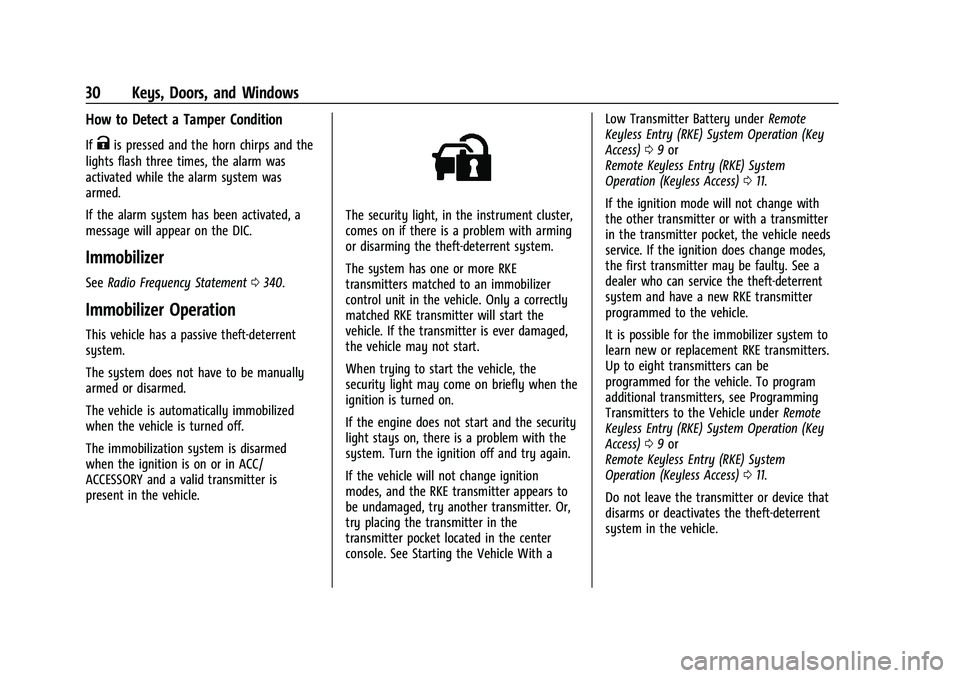
The security light, in the instrument cluster,
comes on if there is a problem with arming
or disarming the theft-deterrent system.
The system has one or more RKE
transmitters matched to an immobilizer
control unit in the vehicle. Only a correctly
matched RKE transmitter will start the
vehicle. If the transmitter is ever damaged,
the vehicle may not start.
When trying to start the vehicle, the
security light may come on briefly when the
ignition is turned on.
If the engine does not start and the security
light stays on, there is a problem with the
system. Turn the ignition off and try again.
If the vehicle will not change ignition
modes, and the RKE transmitter appears to
be undamaged, try another transmitter. Or,
try placing the transmitter in the
transmitter pocket located in the center
console. See Starting the Vehicle With a Low Transmitter Battery under
Remote
Keyless Entry (RKE) System Operation (Key
Access) 09or
Remote Keyless Entry (RKE) System
Operation (Keyless Access) 011.
If the ignition mode will not change with
the other transmitter or with a transmitter
in the transmitter pocket, the vehicle needs
service. If the ignition does change modes,
the first transmitter may be faulty. See a
dealer who can service the theft-deterrent
system and have a new RKE transmitter
programmed to the vehicle.
It is possible for the immobilizer system to
learn new or replacement RKE transmitters.
Up to eight transmitters can be
programmed for the vehicle. To program
additional transmitters, see Programming
Transmitters to the Vehicle under Remote
Keyless Entry (RKE) System Operation (Key
Access) 09or
Remote Keyless Entry (RKE) System
Operation (Keyless Access) 011.
Do not leave the transmitter or device that
disarms or deactivates the theft-deterrent
system in the vehicle.
Page 104 of 363
Chevrolet Trailblazer Owner Manual (GMNA-Localizing-U.S./Canada-
14400528) - 2021 - CRC - 11/7/19
Instruments and Controls 103
If the light stays on and the engine does
not start, there could be a problem with the
theft-deterrent system. SeeImmobilizer
Operation 030.
High-Beam On Light
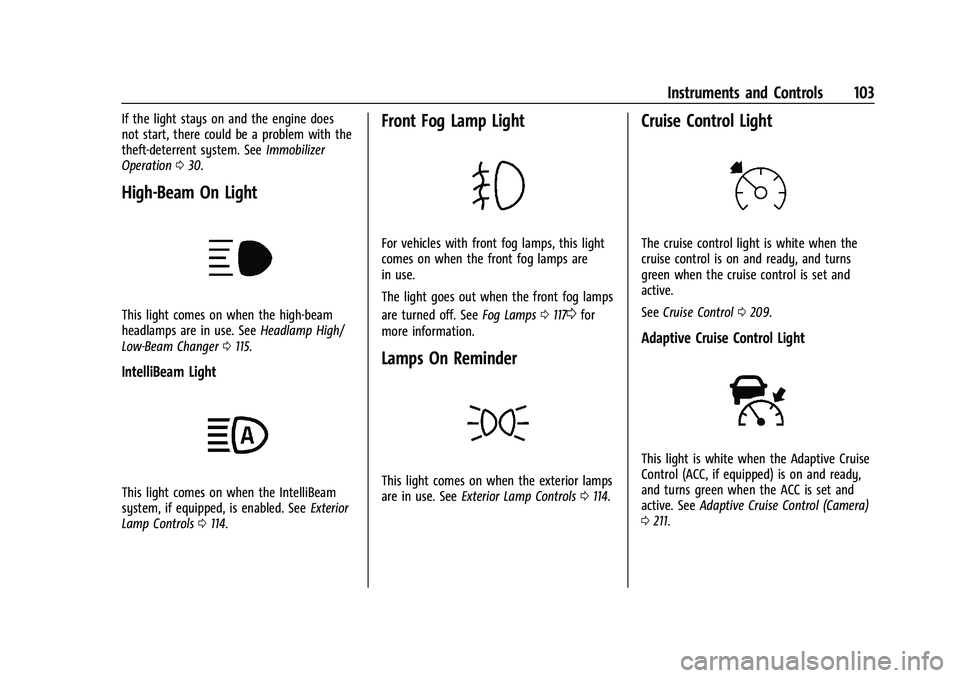
This light comes on when the high-beam
headlamps are in use. See Headlamp High/
Low-Beam Changer 0115.
IntelliBeam Light
This light comes on when the IntelliBeam
system, if equipped, is enabled. See Exterior
Lamp Controls 0114.
Front Fog Lamp Light
For vehicles with front fog lamps, this light
comes on when the front fog lamps are
in use.
The light goes out when the front fog lamps
are turned off. See Fog Lamps0117
0for
more information.
Lamps On Reminder
This light comes on when the exterior lamps
are in use. See Exterior Lamp Controls 0114.
Cruise Control Light
The cruise control light is white when the
cruise control is on and ready, and turns
green when the cruise control is set and
active.
See Cruise Control 0209.
Adaptive Cruise Control Light
This light is white when the Adaptive Cruise
Control (ACC, if equipped) is on and ready,
and turns green when the ACC is set and
active. See Adaptive Cruise Control (Camera)
0 211.
Page 345 of 363
Chevrolet Trailblazer Owner Manual (GMNA-Localizing-U.S./Canada-
14400528) - 2021 - CRC - 11/7/19
344 OnStar
.Receive Roadside Assistance.
.Manage Wi-Fi Settings, if equipped.
Press
>to get a priority connection to an
OnStar Advisor available 24/7 to:
.Get help for an emergency.
.Be a Good Samaritan or respond to an
AMBER Alert.
.Get assistance in severe weather or other
crisis situations and find evacuation
routes.
OnStar Services
Emergency
Emergency Services require an active safety
and security plan. With Automatic Crash
Response, built-in sensors can automatically
alert a specially trained OnStar Advisor who
is immediately connected in to the vehicle
to help.
Press
>for a priority connection to an
OnStar Advisor who can contact emergency
service providers, direct them to your exact
location, and relay important information. With OnStar Crisis Assist, specially trained
Advisors are available 24 hours a day, 7 days
a week, to provide a central point of
contact, assistance, and information during a
crisis.
With Roadside Assistance, Advisors can
locate a nearby service provider to help with
a flat tire, a battery jump, or an empty
gas tank.
Security
If equipped, OnStar provides these services:
.With Stolen Vehicle Assistance, OnStar
Advisors can use GPS to pinpoint the
vehicle and help authorities quickly
recover it.
.With Remote Ignition Block, if equipped,
OnStar can block the engine from being
restarted.
.With Stolen Vehicle Slowdown,
if equipped, OnStar can work with law
enforcement to gradually slow the
vehicle down.
Theft Alarm Notification
If equipped, if the doors are locked and the
vehicle alarm sounds, a notification by text,
e-mail, or phone call will be sent. If the
vehicle is stolen, an OnStar Advisor can work
with authorities to recover the vehicle.
OnStar Additional
Information
In-Vehicle Audio Messages
Audio messages may play important
information at the following times:
.Prior to vehicle purchase. PressQto set
up an account.
.After change in ownership and at
90 days.
Transferring Service
PressQto request account transfer
eligibility information. The Advisor can
cancel or change account information.
Selling/Transferring the Vehicle
Call 1-888-4ONSTAR (1-888-466-7827)
immediately to terminate your OnStar or
connected services if the vehicle is disposed
of, sold, transferred, or if the lease ends.
Page 361 of 363
Chevrolet Trailblazer Owner Manual (GMNA-Localizing-U.S./Canada-
14400528) - 2021 - CRC - 11/7/19
360 Index
Storage Compartments . . . . . . . . . . . . . . . . . . . 78
StrutsGas . . . . . . . . . . . . . . . . . . . . . . . . . . . . . . . . . . . . 265
Stuck Vehicle . . . . . . . . . . . . . . . . . . . . . . . . . . . . .187
Sun Visors . . . . . . . . . . . . . . . . . . . . . . . . . . . . . . . . .33
Sunroof . . . . . . . . . . . . . . . . . . . . . . . . . . . . . . . . . . . 34
Symbols . . . . . . . . . . . . . . . . . . . . . . . . . . . . . . . . . . . .2 Navigation . . . . . . . . . . . . . . . . . . . . . . . . . . . . . . 138
System Engine Air Filter Life . . . . . . . . . . . . . . . . . . . .253
Forward Collision Alert (FCA) . . . . . . . . . . . .223
Global Positioning . . . . . . . . . . . . . . . . . . . . . . 145
Infotainment . . . . . . . . . . . . . . . . . . . . . . . . . . . 342
OnStar . . . . . . . . . . . . . . . . . . . . . . . . . . . . . . . . . .144
Roof Rack . . . . . . . . . . . . . . . . . . . . . . . . . . . . . . . 80
Systems
Driver Assistance . . . . . . . . . . . . . . . . . . . . . . . 219
T
Tachometer . . . . . . . . . . . . . . . . . . . . . . . . . . . . . . . 93
TaillampsBulb Replacement . . . . . . . . . . . . . . . . . . 269, 271
Teen Driver . . . . . . . . . . . . . . . . . . . . . . . . . . . . . . 162
Text Telephone (TTY) Users . . . . . . . . . . . . . . 334
Theft-Deterrent Systems . . . . . . . . . . . . . . . . . . 30 Immobilizer . . . . . . . . . . . . . . . . . . . . . . . . . . . . . 30
Time . . . . . . . . . . . . . . . . . . . . . . . . . . . . . . . . . . . . . . 85
Tires . . . . . . . . . . . . . . . . . . . . . . . . . . . . . . . . . . . . . 279 Tires (cont'd)
All-Season . . . . . . . . . . . . . . . . . . . . . . . . . . . . . 280
Buying New Tires . . . . . . . . . . . . . . . . . . . . . . 292
Chains . . . . . . . . . . . . . . . . . . . . . . . . . . . . . . . . . 295
Changing . . . . . . . . . . . . . . . . . . . . . . . . . . . . . . 297
Compact Spare . . . . . . . . . . . . . . . . . . . . . . . . .301
Designations . . . . . . . . . . . . . . . . . . . . . . . . . . . 282
Different Size . . . . . . . . . . . . . . . . . . . . . . . . . . 293
If a Tire Goes Flat . . . . . . . . . . . . . . . . . . . . . 296
Inspection . . . . . . . . . . . . . . . . . . . . . . . . . . . . . 290
Pressure . . . . . . . . . . . . . . . . . . . . . . . . . . . . . . . 285
Pressure Light . . . . . . . . . . . . . . . . . . . . . . . . . . 101
Pressure Monitor Operation . . . . . . . . . . . .287
Pressure Monitor System . . . . . . . . . . . . . . 286
Rotation . . . . . . . . . . . . . . . . . . . . . . . . . . . . . . . 290
Sidewall Labeling . . . . . . . . . . . . . . . . . . . . . . . 281
Terminology and Definitions . . . . . . . . . . . 283
Uniform Tire Quality Grading . . . . . . . . . . 293
Wheel Alignment and Tire Balance . . . . 295
Wheel Replacement . . . . . . . . . . . . . . . . . . . . 295
When It Is Time for New Tires . . . . . . . . . . 291
Winter . . . . . . . . . . . . . . . . . . . . . . . . . . . . . . . . . 280
Top Tier Fuel . . . . . . . . . . . . . . . . . . . . . . . . . . . . . 231
Towing Driving Characteristics . . . . . . . . . . . . . . . . . 234
Equipment . . . . . . . . . . . . . . . . . . . . . . . . . . . . . 240
General Information . . . . . . . . . . . . . . . . . . . 234
Recreational Vehicle . . . . . . . . . . . . . . . . . . . 305 Towing (cont'd)
Trailer . . . . . . . . . . . . . . . . . . . . . . . . . . . . . . . . . . 237
Vehicle . . . . . . . . . . . . . . . . . . . . . . . . . . . . . . . . 304
Traction Control System (TCS)/StabiliTrakLight . . . . . . . . . . . . . . . . . . . . . . . . . . . . . . . . . . 101
Off Light . . . . . . . . . . . . . . . . . . . . . . . . . . . . . . . 100
Traction Control/Electronic Stability Control . . . . . . . . . . . . . . . . . . . . . . . . . . . . . . . . . 206
Trademarks and License Agreements . . . . . 165
Trailer Towing . . . . . . . . . . . . . . . . . . . . . . . . . . . . . . . . . 237
Transmission Automatic . . . . . . . . . . . . . . . . . . . . . . . . . . . . . .201
Fluid, Automatic . . . . . . . . . . . . . . . . . . . . . . . .252
Transportation Program, Courtesy . . . . . . . 337
Trip Odometer . . . . . . . . . . . . . . . . . . . . . . . . . . . . 93
Turn and Lane-Change Signals . . . . . . . . . . . . 117
Turn Signal
Bulb Replacement . . . . . . . . . . . . . . . . . . 269, 271
U
Uniform Tire Quality Grading . . . . . . . . . . . . 293
UpdatesMap Data . . . . . . . . . . . . . . . . . . . . . . . . . . . . . . .146
Software . . . . . . . . . . . . . . . . . . . . . . . . . . . . . . . . 126
USB Port . . . . . . . . . . . . . . . . . . . . . . . . . . . . . . . . . 130
Using the Navigation System . . . . . . . . . . . . .134