keyless CHEVROLET TRAILBLAZER 2023 User Guide
[x] Cancel search | Manufacturer: CHEVROLET, Model Year: 2023, Model line: TRAILBLAZER, Model: CHEVROLET TRAILBLAZER 2023Pages: 360, PDF Size: 6.48 MB
Page 25 of 360
Chevrolet Trailblazer Owner Manual (GMNA-Localizing-U.S./Canada-
16263960) - 2023 - CRC - 2/23/22
24 Keys, Doors, and Windows
To open a rear door when the safety lock
is on:1. Unlock the door by pulling the inside handle, by pressing the power door lock
switches, or by using the Remote Keyless
Entry (RKE) transmitter.
2. Open the door from the outside.
When the safety lock is enabled, adults and
older children will not be able to open the
rear door from the inside. Cancel the safety
locks to enable the doors to open from the
inside.
To cancel the safety lock: 1. Unlock the door and open it from the outside.
2. Move the lever down to unlock. Do the same for the other door.Doors
Liftgate
{Warning
Exhaust gases can enter the vehicle if it
is driven with the liftgate or trunk/hatch
open, or with any objects that pass
through the seal between the body and
the trunk/hatch or liftgate. Engine
exhaust contains carbon monoxide (CO)
which cannot be seen or smelled. It can
cause unconsciousness and even death.
If the vehicle must be driven with the
liftgate or trunk/hatch open:
.Close all of the windows.
.Fully open the air outlets on or under
the instrument panel.
.Adjust the climate control system to a
setting that brings in only outside air
and set the fan speed to the highest
setting. See “Climate Control Systems”
in the Index.
(Continued)
Warning (Continued)
.If the vehicle is equipped with a
power liftgate, disable the power
liftgate function.
See Engine Exhaust 0194.
Caution
To avoid damage to the liftgate or
liftgate glass, make sure the area above
and behind the liftgate is clear before
opening it.
Manual Liftgate
To unlock the liftgate, pressKon the
power door lock switch or press
Kon the
Remote Keyless Entry (RKE) transmitter
twice within five seconds. See Remote Key
Operation (Mechanical Key) 010 or
Remote Key Operation (Remote Key) 013.
Page 26 of 360
Chevrolet Trailblazer Owner Manual (GMNA-Localizing-U.S./Canada-
16263960) - 2023 - CRC - 2/23/22
Keys, Doors, and Windows 25
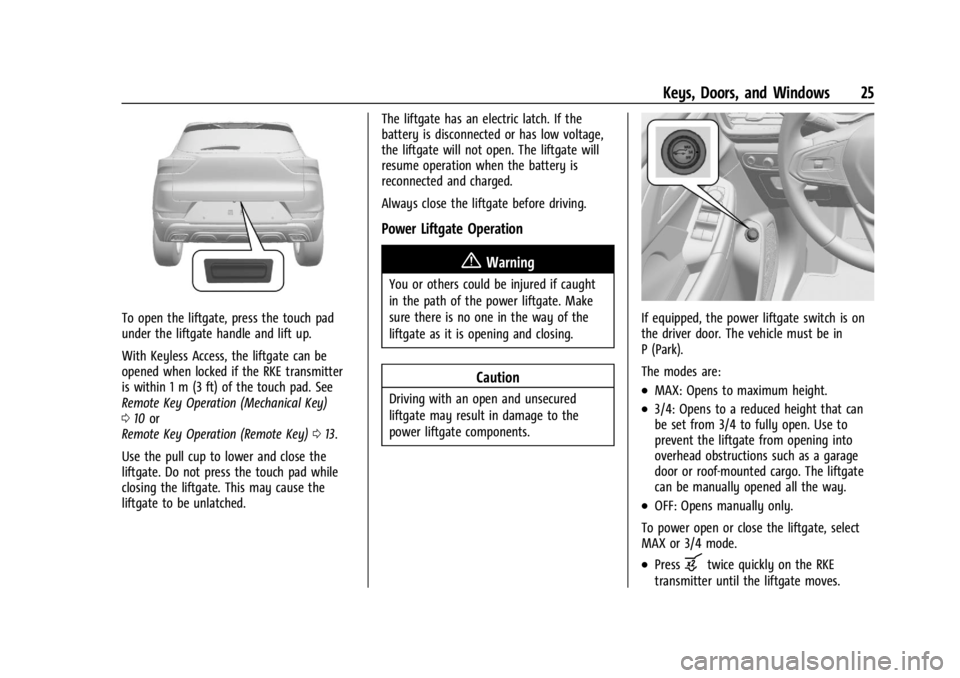
To open the liftgate, press the touch pad
under the liftgate handle and lift up.
With Keyless Access, the liftgate can be
opened when locked if the RKE transmitter
is within 1 m (3 ft) of the touch pad. See
Remote Key Operation (Mechanical Key)
010 or
Remote Key Operation (Remote Key) 013.
Use the pull cup to lower and close the
liftgate. Do not press the touch pad while
closing the liftgate. This may cause the
liftgate to be unlatched. The liftgate has an electric latch. If the
battery is disconnected or has low voltage,
the liftgate will not open. The liftgate will
resume operation when the battery is
reconnected and charged.
Always close the liftgate before driving.
Power Liftgate Operation
{Warning
You or others could be injured if caught
in the path of the power liftgate. Make
sure there is no one in the way of the
liftgate as it is opening and closing.
Caution
Driving with an open and unsecured
liftgate may result in damage to the
power liftgate components.
If equipped, the power liftgate switch is on
the driver door. The vehicle must be in
P (Park).
The modes are:
.MAX: Opens to maximum height.
.3/4: Opens to a reduced height that can
be set from 3/4 to fully open. Use to
prevent the liftgate from opening into
overhead obstructions such as a garage
door or roof-mounted cargo. The liftgate
can be manually opened all the way.
.OFF: Opens manually only.
To power open or close the liftgate, select
MAX or 3/4 mode.
.Pressbtwice quickly on the RKE
transmitter until the liftgate moves.
Page 29 of 360
Chevrolet Trailblazer Owner Manual (GMNA-Localizing-U.S./Canada-
16263960) - 2023 - CRC - 2/23/22
28 Keys, Doors, and Windows
Caution
Splashing water may cause the liftgate to
open. Keep the RKE transmitter away
from the rear bumper detection area or
turn the liftgate mode to OFF when
cleaning or working near the rear bumper
to avoid accidental opening.
.Do not sweep your foot side to side.
.Do not keep your foot under the bumper;
the liftgate will not activate.
.Do not touch the liftgate until it has
stopped moving.
When closing the liftgate using this feature,
there will be a short delay. The taillamps
will flash and a chime will sound.
Step away from the liftgate before it starts
moving.
Projected Logo
If equipped with this feature, a vehicle logo
will be projected for one minute onto the
ground near the rear bumper when an RKE
transmitter is detected within approximately
2 m (6 ft). The projected logo may not be
visible under brighter daytime conditions.
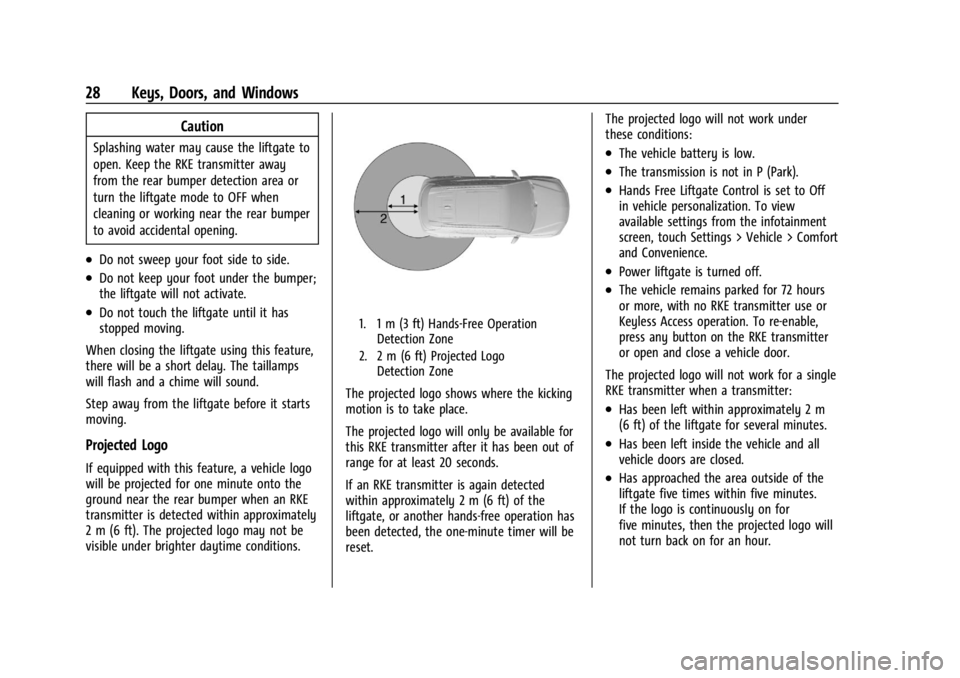
1. 1 m (3 ft) Hands-Free Operation Detection Zone
2. 2 m (6 ft) Projected Logo Detection Zone
The projected logo shows where the kicking
motion is to take place.
The projected logo will only be available for
this RKE transmitter after it has been out of
range for at least 20 seconds.
If an RKE transmitter is again detected
within approximately 2 m (6 ft) of the
liftgate, or another hands-free operation has
been detected, the one-minute timer will be
reset. The projected logo will not work under
these conditions:
.The vehicle battery is low.
.The transmission is not in P (Park).
.Hands Free Liftgate Control is set to Off
in vehicle personalization. To view
available settings from the infotainment
screen, touch Settings > Vehicle > Comfort
and Convenience.
.Power liftgate is turned off.
.The vehicle remains parked for 72 hours
or more, with no RKE transmitter use or
Keyless Access operation. To re-enable,
press any button on the RKE transmitter
or open and close a vehicle door.
The projected logo will not work for a single
RKE transmitter when a transmitter:
.Has been left within approximately 2 m
(6 ft) of the liftgate for several minutes.
.Has been left inside the vehicle and all
vehicle doors are closed.
.Has approached the area outside of the
liftgate five times within five minutes.
If the logo is continuously on for
five minutes, then the projected logo will
not turn back on for an hour.
Page 31 of 360
Chevrolet Trailblazer Owner Manual (GMNA-Localizing-U.S./Canada-
16263960) - 2023 - CRC - 2/23/22
30 Keys, Doors, and Windows
Lens Cleaning
If equipped, use a cotton swab to clean
the lens.
Vehicle Security
This vehicle has theft-deterrent features;
however, they do not make the vehicle
impossible to steal.
Vehicle Alarm System
This vehicle has an anti-theft alarm system.
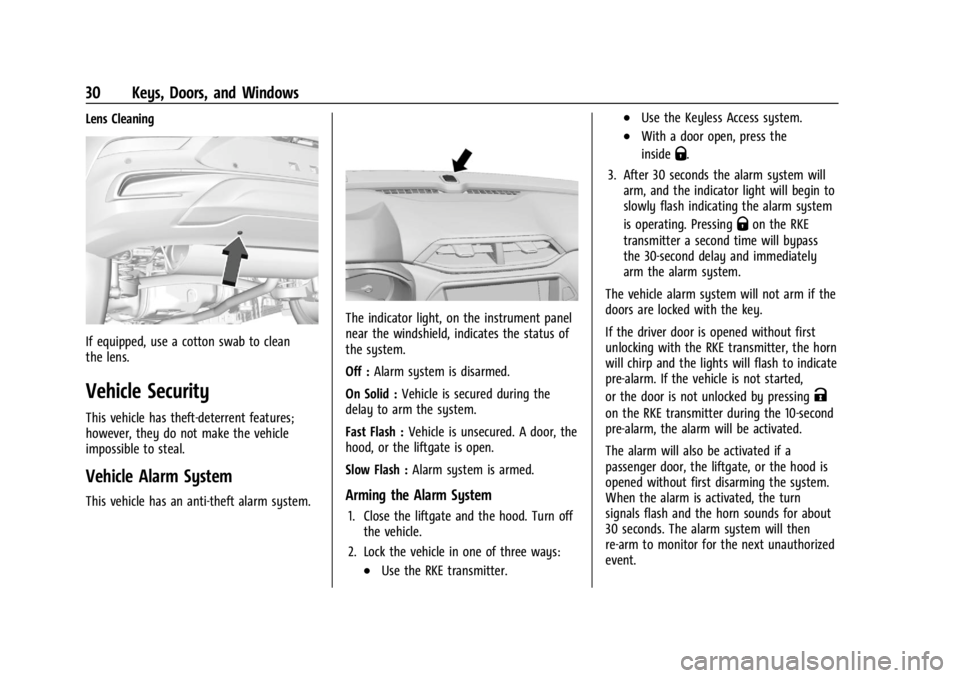
The indicator light, on the instrument panel
near the windshield, indicates the status of
the system.
Off :Alarm system is disarmed.
On Solid : Vehicle is secured during the
delay to arm the system.
Fast Flash : Vehicle is unsecured. A door, the
hood, or the liftgate is open.
Slow Flash : Alarm system is armed.
Arming the Alarm System
1. Close the liftgate and the hood. Turn off
the vehicle.
2. Lock the vehicle in one of three ways:
.Use the RKE transmitter.
.Use the Keyless Access system.
.With a door open, press the
inside
Q.
3. After 30 seconds the alarm system will arm, and the indicator light will begin to
slowly flash indicating the alarm system
is operating. Pressing
Qon the RKE
transmitter a second time will bypass
the 30-second delay and immediately
arm the alarm system.
The vehicle alarm system will not arm if the
doors are locked with the key.
If the driver door is opened without first
unlocking with the RKE transmitter, the horn
will chirp and the lights will flash to indicate
pre-alarm. If the vehicle is not started,
or the door is not unlocked by pressing
K
on the RKE transmitter during the 10-second
pre-alarm, the alarm will be activated.
The alarm will also be activated if a
passenger door, the liftgate, or the hood is
opened without first disarming the system.
When the alarm is activated, the turn
signals flash and the horn sounds for about
30 seconds. The alarm system will then
re-arm to monitor for the next unauthorized
event.
Page 32 of 360
Chevrolet Trailblazer Owner Manual (GMNA-Localizing-U.S./Canada-
16263960) - 2023 - CRC - 2/23/22
Keys, Doors, and Windows 31
Disarming the Alarm System
To disarm the alarm system or turn off the
alarm if it has been activated:
.PressKon the RKE transmitter.
.Unlock the vehicle using the Keyless
Access system.
.Start the vehicle.
To avoid setting off the alarm by accident:
.Lock the vehicle after all occupants have
left the vehicle and all doors are closed.
.Always unlock a door with the RKE
transmitter or use the Keyless Access
system.
Unlocking the driver door with the key will
not disarm the system or turn off the alarm.
How to Detect a Tamper Condition
IfKis pressed and the horn chirps and the
lights flash three times, the alarm was
activated while the alarm system was
armed.
If the alarm system has been activated, a
message will appear on the DIC.
Immobilizer
See Radio Frequency Statement 0335.
Immobilizer Operation
This vehicle has a passive theft-deterrent
system.
The system does not have to be manually
armed or disarmed.
The vehicle is automatically immobilized
when the vehicle is turned off.
The immobilization system is disarmed
when the ignition is on or in accessory
mode and a valid transmitter is present in
the vehicle.
The security light in the instrument cluster
comes on if there is a problem with arming
or disarming the theft-deterrent system.
The system has one or more RKE
transmitters matched to an immobilizer
control unit in the vehicle. Only a correctly
matched RKE transmitter will start the
vehicle. If the transmitter is ever damaged,
the vehicle may not start. When trying to start the vehicle, the
security light may come on briefly when the
ignition is turned on.
If the engine does not start and the security
light stays on, there is a problem with the
system. Turn the ignition off and try again.
If the vehicle will not change ignition
modes, and the RKE transmitter appears to
be undamaged, try another transmitter. Or,
try placing the transmitter in the
transmitter pocket located in the center
console. See Starting the Vehicle With a Low
Transmitter Battery under
Remote Key
Operation (Mechanical Key) 010 or
Remote Key Operation (Remote Key) 013.
If the ignition mode will not change with
the other transmitter or with a transmitter
in the transmitter pocket, the vehicle needs
service. If the ignition does change modes,
the first transmitter may be faulty. See a
dealer who can service the theft-deterrent
system and have a new RKE transmitter
programmed to the vehicle.
It is possible for the immobilizer system
to learn new or replacement RKE
transmitters. Up to eight transmitters can be
programmed for the vehicle. To program
additional transmitters, see Programming
Page 34 of 360
Chevrolet Trailblazer Owner Manual (GMNA-Localizing-U.S./Canada-
16263960) - 2023 - CRC - 2/23/22
Keys, Doors, and Windows 33
Do not spray glass cleaner directly on the
mirror. Use a soft towel dampened with
water.
Manual Rearview Mirror
If equipped, push the tab forward for
daytime use and pull it rearward for
nighttime use to avoid glare of the
headlamps from behind.
Automatic Dimming Rearview
Mirror
If equipped, automatic dimming reduces the
glare of headlamps from behind. The
dimming feature comes on when the vehicle
is started.
Windows{
Warning
Never leave a child, a helpless adult, or a
pet alone in a vehicle, especially with the
windows closed in warm or hot weather.
They can be overcome by the extreme
heat and suffer permanent injuries or
even death from heat stroke.
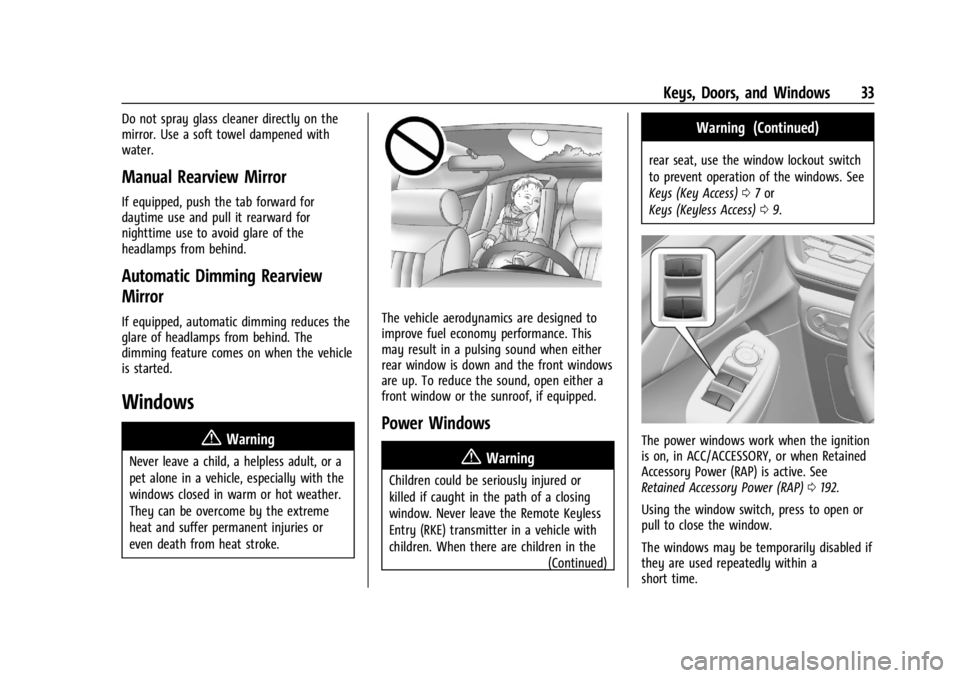
The vehicle aerodynamics are designed to
improve fuel economy performance. This
may result in a pulsing sound when either
rear window is down and the front windows
are up. To reduce the sound, open either a
front window or the sunroof, if equipped.
Power Windows
{Warning
Children could be seriously injured or
killed if caught in the path of a closing
window. Never leave the Remote Keyless
Entry (RKE) transmitter in a vehicle with
children. When there are children in the (Continued)
Warning (Continued)
rear seat, use the window lockout switch
to prevent operation of the windows. See
Keys (Key Access)07or
Keys (Keyless Access) 09.
The power windows work when the ignition
is on, in ACC/ACCESSORY, or when Retained
Accessory Power (RAP) is active. See
Retained Accessory Power (RAP) 0192.
Using the window switch, press to open or
pull to close the window.
The windows may be temporarily disabled if
they are used repeatedly within a
short time.
Page 36 of 360
Chevrolet Trailblazer Owner Manual (GMNA-Localizing-U.S./Canada-
16263960) - 2023 - CRC - 2/23/22
Keys, Doors, and Windows 35
Pull the sun visor down to block glare.
Detach the sun visor from the center mount
to pivot to the side window and,
if equipped, extend along the rod.
Roof
Sunroof
If equipped, the ignition must be on or in
ACC/ACCESSORY, or Retained Accessory
Power (RAP) must be active to operate the
sunroof. SeeIgnition Positions (Key Access)
0 184 or
Ignition Positions (Keyless Access) 0186 and
Retained Accessory Power (RAP) 0192.
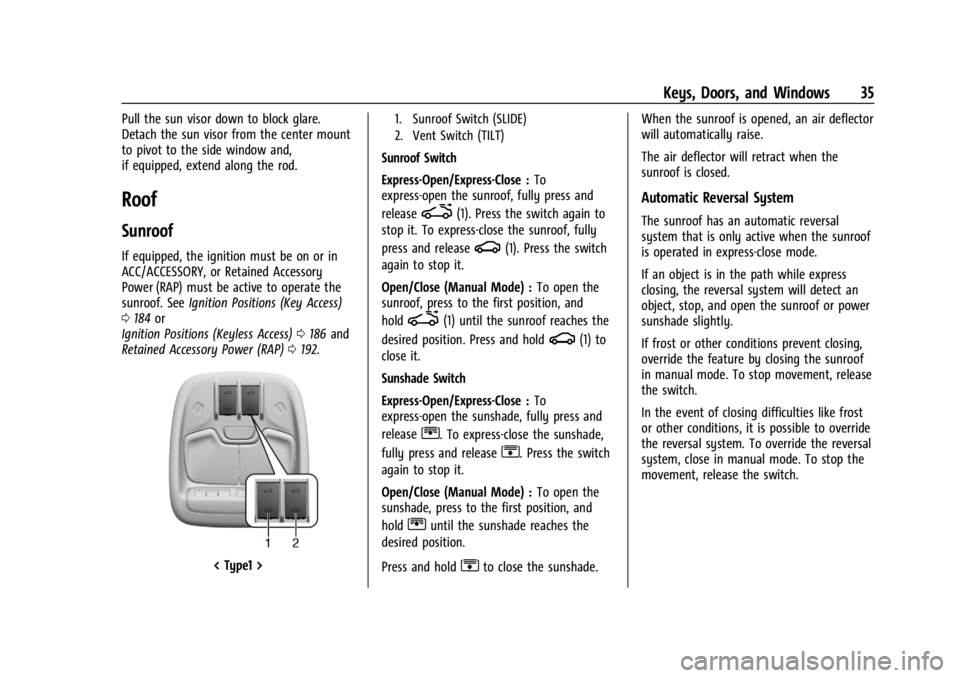
< Type1 >
1. Sunroof Switch (SLIDE)
2. Vent Switch (TILT)
Sunroof Switch
Express-Open/Express-Close : To
express-open the sunroof, fully press and
release
i(1). Press the switch again to
stop it. To express-close the sunroof, fully
press and release
g(1). Press the switch
again to stop it.
Open/Close (Manual Mode) : To open the
sunroof, press to the first position, and
hold
i(1) until the sunroof reaches the
desired position. Press and hold
g(1) to
close it.
Sunshade Switch
Express-Open/Express-Close : To
express-open the sunshade, fully press and
release
r. To express-close the sunshade,
fully press and release
s. Press the switch
again to stop it.
Open/Close (Manual Mode) : To open the
sunshade, press to the first position, and
hold
runtil the sunshade reaches the
desired position.
Press and hold
sto close the sunshade. When the sunroof is opened, an air deflector
will automatically raise.
The air deflector will retract when the
sunroof is closed.
Automatic Reversal System
The sunroof has an automatic reversal
system that is only active when the sunroof
is operated in express-close mode.
If an object is in the path while express
closing, the reversal system will detect an
object, stop, and open the sunroof or power
sunshade slightly.
If frost or other conditions prevent closing,
override the feature by closing the sunroof
in manual mode. To stop movement, release
the switch.
In the event of closing difficulties like frost
or other conditions, it is possible to override
the reversal system. To override the reversal
system, close in manual mode. To stop the
movement, release the switch.
Page 100 of 360
Chevrolet Trailblazer Owner Manual (GMNA-Localizing-U.S./Canada-
16263960) - 2023 - CRC - 2/23/22
Instruments and Controls 99
Warning (Continued)
away. SeeAirbag Readiness Light 097
for more information, including important
safety information.
Charging System Light
The charging system light comes on briefly
when the ignition is turned on, but the
engine is not running, as a check to show
the light is working. It should go out when
the engine is started.
If the light stays on, or comes on while
driving, there may be a problem with the
electrical charging system. Have it checked
by your dealer. Driving while this light is on
could drain the battery.
When this light comes on, or is flashing, the
Driver Information Center (DIC) also displays
a message. If a short distance must be driven with the
light on, be sure to turn off all accessories,
such as the radio and air conditioner. Find a
safe place to stop the vehicle.
Malfunction Indicator Lamp
(Check Engine Light)
This light is part of the vehicle’s emission
control on-board diagnostic system. If this
light is on while the engine is running, a
malfunction has been detected and the
vehicle may require service. The light should
come on to show that it is working when
the ignition is in Service Mode. See
Ignition
Positions (Key Access) 0184 or
Ignition Positions (Keyless Access) 0186.
Malfunctions are often indicated by the
system before any problem is noticeable.
Being aware of the light and seeking service
promptly when it comes on may prevent
damage.
Caution
If the vehicle is driven continually with
this light on, the emission control system
may not work as well, the fuel economy
may be lower, and the vehicle may not
run smoothly. This could lead to costly
repairs that might not be covered by the
vehicle warranty.
Caution
Modifications to the engine, transmission,
exhaust, intake, or fuel system, or the
use of replacement tires that do not
meet the original tire specifications, can
cause this light to come on. This could
lead to costly repairs not covered by the
vehicle warranty. This could also affect
the vehicle’s ability to pass an Emissions
Inspection/Maintenance test. See
Accessories and Modifications 0239.
If the light is flashing : A malfunction has
been detected that could damage the
emission control system and increase vehicle
emissions. Diagnosis and service may be
required.
Page 174 of 360
Chevrolet Trailblazer Owner Manual (GMNA-Localizing-U.S./Canada-
16263960) - 2023 - CRC - 2/23/22
Driving and Operating 173
Driving and Operating
Driving Information
Driver Behavior . . . . . . . . . . . . . . . . . . . . . . . . 174
Driving Environment . . . . . . . . . . . . . . . . . . . 174
Vehicle Design . . . . . . . . . . . . . . . . . . . . . . . . . 174
Driving for Better Fuel Economy . . . . . . . 174
Distracted Driving . . . . . . . . . . . . . . . . . . . . . . 175
Defensive Driving . . . . . . . . . . . . . . . . . . . . . . 175
Impaired Driving . . . . . . . . . . . . . . . . . . . . . . . 175
Control of a Vehicle . . . . . . . . . . . . . . . . . . . 176
Braking . . . . . . . . . . . . . . . . . . . . . . . . . . . . . . . . 176
Steering . . . . . . . . . . . . . . . . . . . . . . . . . . . . . . . 176
Off-Road Recovery . . . . . . . . . . . . . . . . . . . . . 177
Loss of Control . . . . . . . . . . . . . . . . . . . . . . . . . 177
Driving on Wet Roads . . . . . . . . . . . . . . . . . 178
Hill and Mountain Roads . . . . . . . . . . . . . . 178
Winter Driving . . . . . . . . . . . . . . . . . . . . . . . . . 179
If the Vehicle Is Stuck . . . . . . . . . . . . . . . . . 180
Vehicle Load Limits . . . . . . . . . . . . . . . . . . . . 181
Starting and Operating
New Vehicle Break-In . . . . . . . . . . . . . . . . . . 184
Ignition Positions (Key Access) . . . . . . . . 184
Ignition Positions (Keyless Access) . . . . . 186
Starting the Engine . . . . . . . . . . . . . . . . . . . . 187
Stop/Start System . . . . . . . . . . . . . . . . . . . . . 189
Winter Cover . . . . . . . . . . . . . . . . . . . . . . . . . . 189Engine Heater . . . . . . . . . . . . . . . . . . . . . . . . . 191
Retained Accessory Power (RAP) . . . . . . . 192
Shifting Into Park . . . . . . . . . . . . . . . . . . . . . . 192
Shifting out of Park . . . . . . . . . . . . . . . . . . . 193
Parking over Things That Burn . . . . . . . . 194
Extended Parking . . . . . . . . . . . . . . . . . . . . . . 194
Engine Exhaust
Engine Exhaust . . . . . . . . . . . . . . . . . . . . . . . . 194
Running the Vehicle While Parked . . . . . 194
Automatic Transmission
Automatic Transmission . . . . . . . . . . . . . . . 195
Manual Mode . . . . . . . . . . . . . . . . . . . . . . . . . 196
Drive Systems
All-Wheel Drive . . . . . . . . . . . . . . . . . . . . . . . . 197
Brakes
Electric Brake Boost . . . . . . . . . . . . . . . . . . . 198
Antilock Brake System (ABS) . . . . . . . . . . 198
Electric Parking Brake . . . . . . . . . . . . . . . . . . 198
Brake Assist . . . . . . . . . . . . . . . . . . . . . . . . . . . 199
Hill Start Assist (HSA) . . . . . . . . . . . . . . . . . 200
Ride Control Systems
Traction Control/Electronic Stability
Control . . . . . . . . . . . . . . . . . . . . . . . . . . . . . . 200
Driver Mode Control . . . . . . . . . . . . . . . . . . 202
Cruise Control
Cruise Control . . . . . . . . . . . . . . . . . . . . . . . . . 203
Adaptive Cruise Control (Camera) . . . . . 205
Driver Assistance Systems
Driver Assistance Systems . . . . . . . . . . . . . 214
Assistance Systems for Parking or Backing . . . . . . . . . . . . . . . . . . . . . . . . . . . . . . 215
Rear Vision Camera (RVC) . . . . . . . . . . . . . . 215
Park Assist . . . . . . . . . . . . . . . . . . . . . . . . . . . . . 216
Rear Cross Traffic Alert (RCTA) System . . . . . . . . . . . . . . . . . . . . . . . . . . . . . . . 217
Assistance Systems for Driving . . . . . . . . . 217
Forward Collision Alert (FCA) System . . . . . . . . . . . . . . . . . . . . . . . . . . . . . . . 217
Automatic Emergency Braking (AEB) . . . 219
Front Pedestrian Braking (FPB) System . . . . . . . . . . . . . . . . . . . . . . . . . . . . . . 220
Side Blind Zone Alert (SBZA) . . . . . . . . . . . 222
Lane Change Alert (LCA) . . . . . . . . . . . . . . . 222
Lane Keep Assist (LKA) . . . . . . . . . . . . . . . . 224
Fuel
Top Tier Fuel . . . . . . . . . . . . . . . . . . . . . . . . . . 226
Recommended Fuel . . . . . . . . . . . . . . . . . . . . 226
Prohibited Fuels . . . . . . . . . . . . . . . . . . . . . . . 226
Fuels in Foreign Countries . . . . . . . . . . . . . 227
Fuel Additives . . . . . . . . . . . . . . . . . . . . . . . . . 227
Filling the Tank . . . . . . . . . . . . . . . . . . . . . . . . 227
Filling a Portable Fuel Container . . . . . . . 228
Page 187 of 360
Chevrolet Trailblazer Owner Manual (GMNA-Localizing-U.S./Canada-
16263960) - 2023 - CRC - 2/23/22
186 Driving and Operating
Power (RAP). From ON/RUN, push the
key all the way in toward the steering
column, then turn the key to
ACC/ACCESSORY. If the key is left in
ACC/ACCESSORY with the engine off, the
battery could drain and the vehicle may
not start. A warning chime will sound
when the driver door is opened and the
key is in the ignition.
2. (ON/RUN) : This position can be used to
operate the electrical accessories and to
display some instrument cluster warning
and indicator lights. This position can
also be used for service and diagnostics,
and to verify the proper operation of the
malfunction indicator lamp as may be
required for emission inspection
purposes. The switch stays in this
position when the engine is running. The
transmission is also unlocked in this
position on automatic transmission
vehicles.
3. (START) : This is the position that starts
the engine. When the engine starts,
release the key. The ignition returns to
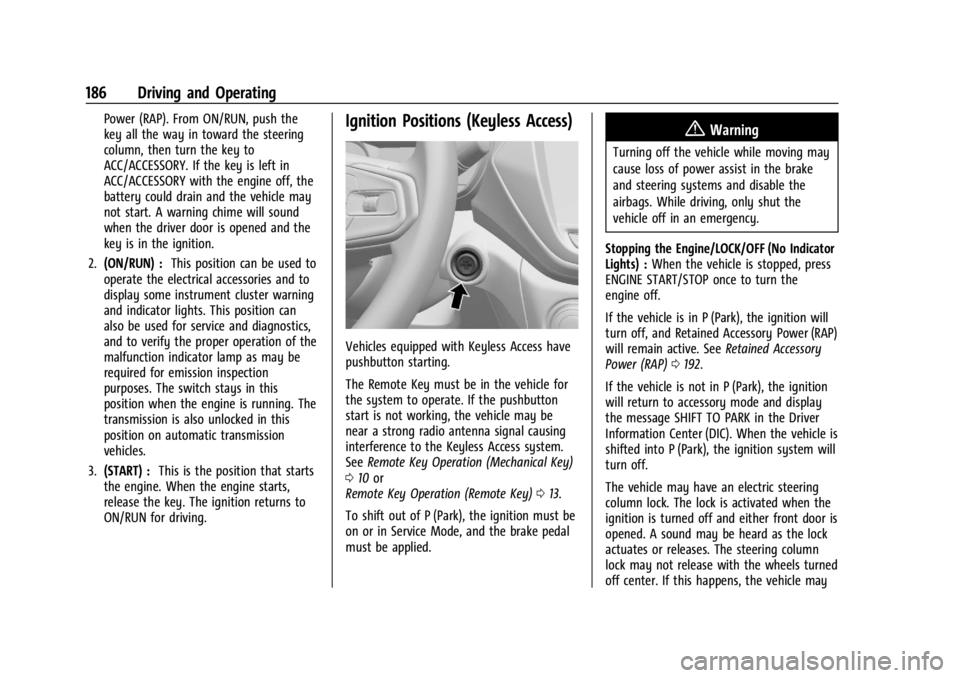
ON/RUN for driving.Ignition Positions (Keyless Access)
Vehicles equipped with Keyless Access have
pushbutton starting.
The Remote Key must be in the vehicle for
the system to operate. If the pushbutton
start is not working, the vehicle may be
near a strong radio antenna signal causing
interference to the Keyless Access system.
See Remote Key Operation (Mechanical Key)
0 10 or
Remote Key Operation (Remote Key) 013.
To shift out of P (Park), the ignition must be
on or in Service Mode, and the brake pedal
must be applied.
{Warning
Turning off the vehicle while moving may
cause loss of power assist in the brake
and steering systems and disable the
airbags. While driving, only shut the
vehicle off in an emergency.
Stopping the Engine/LOCK/OFF (No Indicator
Lights) : When the vehicle is stopped, press
ENGINE START/STOP once to turn the
engine off.
If the vehicle is in P (Park), the ignition will
turn off, and Retained Accessory Power (RAP)
will remain active. See Retained Accessory
Power (RAP) 0192.
If the vehicle is not in P (Park), the ignition
will return to accessory mode and display
the message SHIFT TO PARK in the Driver
Information Center (DIC). When the vehicle is
shifted into P (Park), the ignition system will
turn off.
The vehicle may have an electric steering
column lock. The lock is activated when the
ignition is turned off and either front door is
opened. A sound may be heard as the lock
actuates or releases. The steering column
lock may not release with the wheels turned
off center. If this happens, the vehicle may