remote control CHEVROLET TRAILBLAZER 2023 User Guide
[x] Cancel search | Manufacturer: CHEVROLET, Model Year: 2023, Model line: TRAILBLAZER, Model: CHEVROLET TRAILBLAZER 2023Pages: 360, PDF Size: 6.48 MB
Page 117 of 360
Chevrolet Trailblazer Owner Manual (GMNA-Localizing-U.S./Canada-
16263960) - 2023 - CRC - 2/23/22
116 Lighting
Interior Lighting
Instrument Panel Illumination
Control
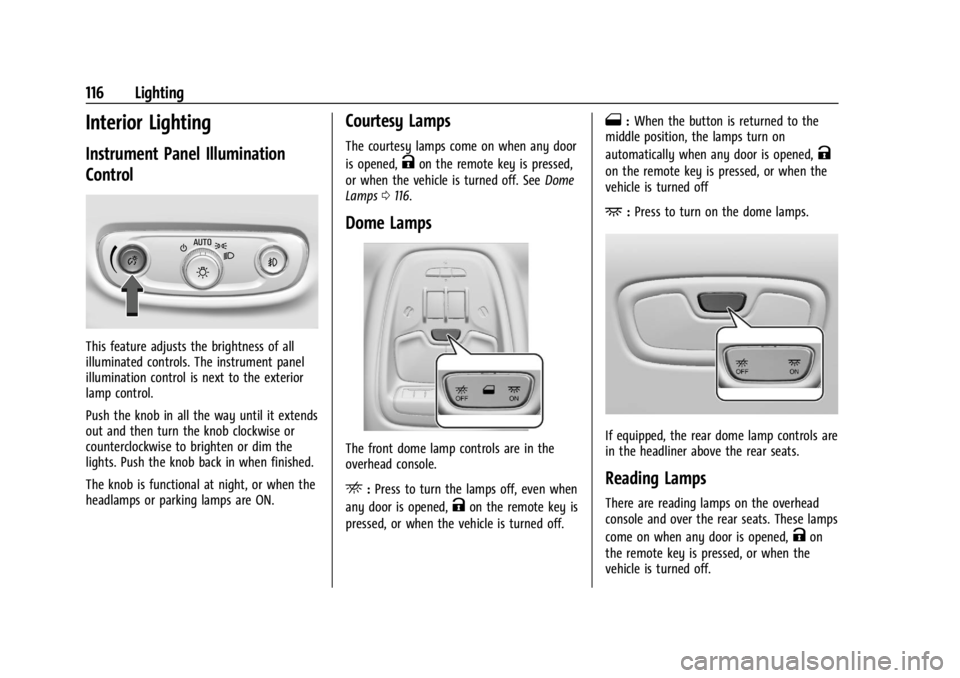
This feature adjusts the brightness of all
illuminated controls. The instrument panel
illumination control is next to the exterior
lamp control.
Push the knob in all the way until it extends
out and then turn the knob clockwise or
counterclockwise to brighten or dim the
lights. Push the knob back in when finished.
The knob is functional at night, or when the
headlamps or parking lamps are ON.
Courtesy Lamps
The courtesy lamps come on when any door
is opened,
Kon the remote key is pressed,
or when the vehicle is turned off. See Dome
Lamps 0116.
Dome Lamps
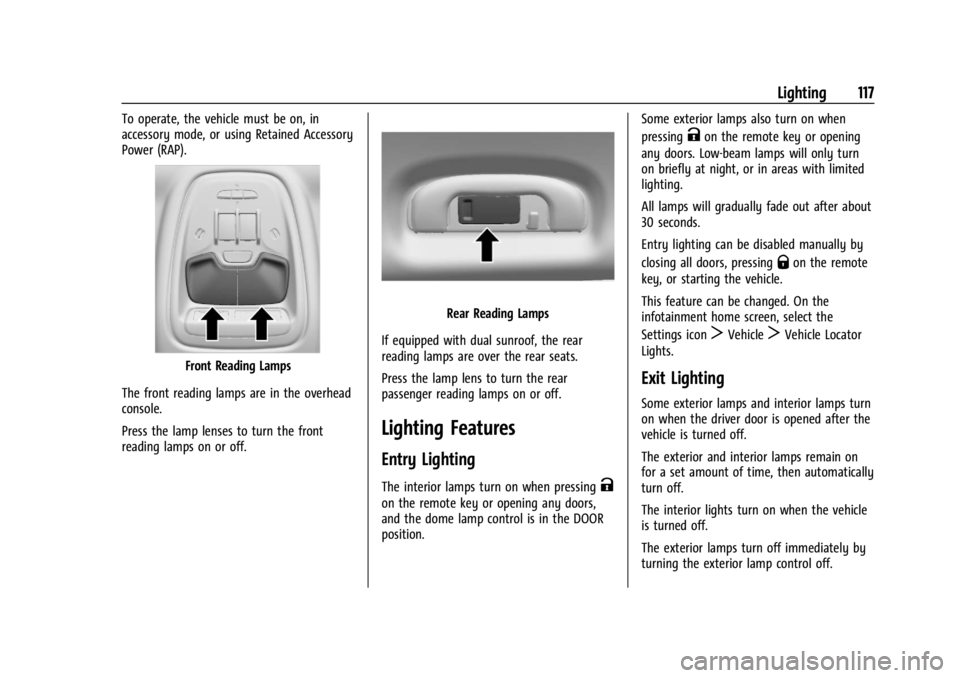
The front dome lamp controls are in the
overhead console.
E:Press to turn the lamps off, even when
any door is opened,
Kon the remote key is
pressed, or when the vehicle is turned off.
1: When the button is returned to the
middle position, the lamps turn on
automatically when any door is opened,
K
on the remote key is pressed, or when the
vehicle is turned off
+: Press to turn on the dome lamps.
If equipped, the rear dome lamp controls are
in the headliner above the rear seats.
Reading Lamps
There are reading lamps on the overhead
console and over the rear seats. These lamps
come on when any door is opened,
Kon
the remote key is pressed, or when the
vehicle is turned off.
Page 118 of 360
Chevrolet Trailblazer Owner Manual (GMNA-Localizing-U.S./Canada-
16263960) - 2023 - CRC - 2/23/22
Lighting 117
To operate, the vehicle must be on, in
accessory mode, or using Retained Accessory
Power (RAP).
Front Reading Lamps
The front reading lamps are in the overhead
console.
Press the lamp lenses to turn the front
reading lamps on or off.
Rear Reading Lamps
If equipped with dual sunroof, the rear
reading lamps are over the rear seats.
Press the lamp lens to turn the rear
passenger reading lamps on or off.
Lighting Features
Entry Lighting
The interior lamps turn on when pressingK
on the remote key or opening any doors,
and the dome lamp control is in the DOOR
position. Some exterior lamps also turn on when
pressing
Kon the remote key or opening
any doors. Low-beam lamps will only turn
on briefly at night, or in areas with limited
lighting.
All lamps will gradually fade out after about
30 seconds.
Entry lighting can be disabled manually by
closing all doors, pressing
Qon the remote
key, or starting the vehicle.
This feature can be changed. On the
infotainment home screen, select the
Settings icon
TVehicleTVehicle Locator
Lights.
Exit Lighting
Some exterior lamps and interior lamps turn
on when the driver door is opened after the
vehicle is turned off.
The exterior and interior lamps remain on
for a set amount of time, then automatically
turn off.
The interior lights turn on when the vehicle
is turned off.
The exterior lamps turn off immediately by
turning the exterior lamp control off.
Page 156 of 360
Chevrolet Trailblazer Owner Manual (GMNA-Localizing-U.S./Canada-
16263960) - 2023 - CRC - 2/23/22
Infotainment System 155
Return to Factory Settings
Allows resetting the infotainment system
settings in the vehicle.
Apps
The menu may contain the following:
Android Auto
Allows interacting directly with a mobile
device on the infotainment display. See
Apple CarPlay and Android Auto0151.
Apple CarPlay
This feature allows you to interact directly
with your mobile device on the infotainment
display. See Apple CarPlay and Android Auto
0 151.
Apps
Shows app settings and information.
Audio
Adjusts different audio settings.
Climate
Adjusts different climate settings.
Navigation
Adjusts different navigation settings.
See Using the Navigation System 0131. Phone
Adjusts different phone settings.
Vehicle
The menu may contain the following:
Rear Seat Reminder
Allows for a chime and a message when the
rear door has been opened before or during
operation of the vehicle.
Climate and Air Quality
Adjusts different climate settings.
Collision/Detection Systems
Adjusts different driver assistance system
settings.
Comfort and Convenience
Adjusts different comfort and convenience
settings.
Lighting
Adjusts different lighting settings.
Power Door Locks
Adjusts different door lock settings.
Remote Lock, Unlock, and Start
Adjusts different remote lock settings.
Seating Position
Adjusts different seat settings.
Teen Driver
See
Teen Driver 0156.
Valet Mode
This will lock the infotainment system and
steering wheel controls. It may also limit
access to vehicle storage locations,
if equipped.
To enable valet mode: 1. Enter a four-digit code on the keypad.
2. Select Enter to go to the confirmation screen.
3. Re-enter the four-digit code.
Touch Lock or Unlock to lock or unlock the
system. Touch Back to go back to the
previous menu.
Personal
If equipped, this menu allows adjustment of
different user profile settings. See “Users”in
Using the System 0121 for information on
setting up user profiles.
Page 172 of 360
Chevrolet Trailblazer Owner Manual (GMNA-Localizing-U.S./Canada-
16263960) - 2023 - CRC - 2/23/22
Climate Controls 171
@:Press to turn on recirculation. An
indicator light comes on. Air is recirculated
to quickly cool the inside of the vehicle or
to reduce the entry of outside air and odors.
Auto Defog : The climate control system
may have a sensor to automatically detect
high humidity inside the vehicle. When high
humidity is detected, the climate control
system may adjust to outside air supply and
turn on the air conditioner. The fan speed
may slightly increase to help prevent
fogging. If the climate control system does
not detect possible window fogging, it
returns to normal operation.
To turn Auto Defog off or on, select
Settings > Climate and Air Quality > Auto
Defog > Select ON or OFF.
Rear Window Defogger
K: Press to turn the rear window defogger
on or off. An indicator light on the button
comes on to show that the rear window
defogger is on. The defogger only works
when the vehicle is on.
The defogger can be turned off by turning
the vehicle off or to accessory mode. To turn Auto Rear Defog off or on, select
Settings > Climate and Air Quality > Auto
Rear Defog > Select ON or OFF.
When auto rear defog is selected, the rear
window defogger turns on automatically
when the interior temperature is cold and
the outside temperature is about 5 °C (41 °F)
and below. The Auto Rear Defogger turns off
automatically.
If the vehicle is equipped with heated
outside mirrors, they turn on when the rear
window defogger button is on and help to
clear fog or frost from the surface of the
mirror. See
Heated Mirrors 032
Caution
Do not try to clear frost or other material
from the inside of the front windshield
and rear window with a razor blade or
anything else that is sharp. This may
damage the rear window defogger grid
and affect the radio's ability to pick up
stations clearly. The repairs would not be
covered by the vehicle warranty.
MorL:If equipped, pressMorLto
heat the driver or passenger seat. See
Heated Front Seats 041. Remote Start Climate Control Operation (If
Equipped) :
If the vehicle is equipped with
the remote start feature, the climate control
system may run when the vehicle is started
remotely. The system uses the driver’s
previous settings to heat or cool the inside
of the vehicle. The rear defog may come on
during remote start based on cold ambient
conditions. If the vehicle has heated seats,
they may come on during a remote start.
See Remote Vehicle Start 019 and
Heated Front Seats 041.
Sensors
The solar sensor on top of the instrument
panel near the windshield monitors the solar
heat. The climate control system uses the
sensor information to adjust the
temperature, fan speed, recirculation, and air
delivery mode for best comfort.
Do not cover the sensor; otherwise the
automatic climate control system may not
work properly.
Afterblow Feature
If equipped, under certain conditions, the
fan may stay on or may turn on and off
several times after you turn off and lock the
vehicle. This is normal.
Page 241 of 360
Chevrolet Trailblazer Owner Manual (GMNA-Localizing-U.S./Canada-
16263960) - 2023 - CRC - 2/23/22
240 Vehicle Care
Damage to vehicle components resulting
from modifications or the installation or use
of non-GM certified parts, including control
module or software modifications, is not
covered under the terms of the vehicle
warranty and may affect remaining
warranty coverage for affected parts.
GM Accessories are designed to complement
and function with other systems on the
vehicle. See your dealer to accessorize the
vehicle using genuine GM Accessories
installed by a dealer technician.
Also, seeAdding Equipment to the
Airbag-Equipped Vehicle 061.
Vehicle Checks
Doing Your Own Service Work
{Warning
It can be dangerous to work on your
vehicle if you do not have the proper
knowledge, service manual, tools,
or parts. Always follow owner’s manual
procedures and consult the service
manual for your vehicle before doing any
service work. If doing some of your own service work, use
the proper service manual. It tells you much
more about how to service the vehicle than
this manual can. To order the proper service
manual, see
Publication Ordering
Information 0335.
This vehicle has an airbag system. Before
attempting to do your own service work,
see Servicing the Airbag-Equipped Vehicle
0 61.
If equipped with remote vehicle start, open
the hood before performing any service
work to prevent remote starting the vehicle
accidentally. See Remote Vehicle Start 019.
Keep a record with all parts receipts and list
the mileage and the date of any service
work performed. See Maintenance Records
0 322.
Caution
Even small amounts of contamination can
cause damage to vehicle systems. Do not
allow contaminants to contact the fluids,
reservoir caps, or dipsticks.
Hood
{Warning
For vehicles with auto engine stop/start,
turn the vehicle off before opening the
hood. If the vehicle is on, the engine will
start when the hood is opened. You or
others could be injured.
{Warning
Components under the hood can get hot
from running the engine. To help avoid
the risk of burning unprotected skin,
never touch these components until they
have cooled, and always use a glove or
towel to avoid direct skin contact.
Page 342 of 360
Chevrolet Trailblazer Owner Manual (GMNA-Localizing-U.S./Canada-
16263960) - 2023 - CRC - 2/23/22
OnStar 341
OnStar Additional
Information
In-Vehicle Audio Messages
Audio messages may play important
information at the following times:
.Prior to vehicle purchase. PressQto set
up an account.
.After change in ownership and at
90 days.
Transferring Service
PressQto request account transfer
eligibility information. The Advisor can
cancel or change account information.
Selling/Transferring the Vehicle
Call 1-888-4ONSTAR (1-888-466-7827)
immediately to terminate your OnStar or
connected services if the vehicle is disposed
of, sold, transferred, or if the lease ends.
Reactivation for Subsequent Owners
PressQand follow the prompts to speak to
an Advisor as soon as possible. The Advisor
will update vehicle records and explain
OnStar or connected service options.
How OnStar Service Works
Automatic Crash Response, Emergency
Services, Crisis Assist, Stolen Vehicle
Assistance, Remote Services, and Roadside
Assistance are available on most vehicles.
Not all OnStar services are available
everywhere or on all vehicles. For more
information, a full description of OnStar
services, system limitations, and OnStar User
Terms, Privacy Statement, and Software
Terms:
.Call 1-888-4ONSTAR (1-888-466-7827).
.See www.onstar.com (U.S.).
.See www.onstar.ca (Canada).
.Call TTY 1-877-248-2080.
.PressQto speak with an Advisor.
OnStar or connected services cannot work
unless the vehicle is in a place where OnStar
has an agreement with a wireless service
provider for service in that area. The
wireless service provider must also have
coverage, network capacity, reception, and
technology compatible with OnStar or
connected services. Service involving location
information about the vehicle cannot work
unless GPS signals are available,
unobstructed, and compatible with the
OnStar hardware. OnStar or connected services may not work if the OnStar
equipment is not properly installed or it has
not been properly maintained. If equipment
or software is added, connected,
or modified, OnStar or connected services
may not work. Other problems beyond the
control of OnStar
—such as hills, tall
buildings, tunnels, weather, electrical system
design and architecture of the vehicle,
damage to the vehicle in a crash, or wireless
phone network congestion or jamming —
may prevent service.
See Radio Frequency Statement 0335.
Services for People with Disabilities
Advisors provide services to help with
physical disabilities and medical conditions.
Press
Qto help:
.Locate a gas station with an attendant to
pump gas.
.Find a hotel, restaurant, etc., that meets
accessibility needs.
.Provide directions to the closest hospital
or pharmacy in urgent situations.
Page 346 of 360

Chevrolet Trailblazer Owner Manual (GMNA-Localizing-U.S./Canada-
16263960) - 2023 - CRC - 2/23/22
Connected Services 345
Ensuring Security
.Change the default passwords for the
Wi-Fi hotspot and myChevrolet mobile
application. Make these passwords
different from each other and use a
combination of letters and numbers to
increase the security.
.Change the default name of the SSID
(Service Set Identifier). This is your
network’s name that is visible to other
wireless devices. Choose a unique name
and avoid family names or vehicle
descriptions.
Wi-Fi Hotspot (If Equipped)
The vehicle may have a built-in Wi-Fi
hotspot that provides access to the Internet
and web content at 4G LTE speed. Up to
seven mobile devices can be connected.
A data plan is required. Use the in-vehicle
controls only when it is safe to do so. 1. To retrieve Wi-Fi hotspot information, press
=to open the OnStar app on the
infotainment display, then select Wi-Fi
Hotspot. On some vehicles, touch Wi-Fi
or Wi-Fi Settings on the screen. 2. The Wi-Fi settings will display the Wi-Fi
hotspot name (SSID), password, and on
some vehicles, the connection type (no
Internet connection, 3G, 4G, 4G LTE), and
signal quality (poor, good, excellent).
3. To change the SSID or password, press
Qor call 1-888-4ONSTAR to connect
with an Advisor. On some vehicles, the
SSID and password can be changed in
the Wi-Fi Hotspot menu.
After initial set-up, your vehicle’s Wi-Fi
hotspot will connect automatically to your
mobile devices. Manage data usage by
turning Wi-Fi on or off on your mobile
device, using the myChevrolet mobile app,
or by contacting an OnStar Advisor. On
some vehicles, Wi-Fi can also be managed
from the Wi-Fi Hotspot menu.
MyChevrolet Mobile App (If Available)
Download the myChevrolet mobile app to
compatible Apple and Android smartphones.
Chevrolet users can access the following
services from a smartphone:
.Remotely start/stop the vehicle,
if factory-equipped.
.Lock/unlock doors, if equipped with
automatic locks.
.Activate the horn and lamps.
.Check the vehicle’s fuel level, oil life,
or tire pressure, if factory-equipped with
the Tire Pressure Monitor System.
.Send destinations to the vehicle.
.Locate the vehicle on a map
(U.S. market only).
.Turn the vehicle's Wi-Fi hotspot on/off,
manage settings, and monitor data
consumption, if equipped.
.Locate a dealer and schedule service.
.Request roadside assistance.
.Set a parking reminder with pin drop,
take a photo, make a note, and set a
timer.
.Connect with Chevrolet on social media.
Features are subject to change. For
myChevrolet mobile app information and
compatibility, see my.chevrolet.com.
An active OnStar or connected service plan
may be required. A compatible device,
factory-installed remote start, and power
locks are required. Data rates apply. See
www.onstar.com for details and system
limitations.
Page 353 of 360

Chevrolet Trailblazer Owner Manual (GMNA-Localizing-U.S./Canada-
16263960) - 2023 - CRC - 2/23/22
352 Index
Heating . . . . . . . . . . . . . . . . . . . . . . . . . . . . . .167, 169
High-Beam On Light . . . . . . . . . . . . . . . . . . . . . 105
Hill and Mountain Roads . . . . . . . . . . . . . . . . .178
Hill Start Assist (HSA) . . . . . . . . . . . . . . . . . . . . 200
Hood . . . . . . . . . . . . . . . . . . . . . . . . . . . . . . . . . . . . 240
Horn . . . . . . . . . . . . . . . . . . . . . . . . . . . . . . . . . . . . . . 86
How to Wear Seat Belts Properly . . . . . . . . . 46
HVAC . . . . . . . . . . . . . . . . . . . . . . . . . . . . . . . .167, 169
I
If the System Needs Service . . . . . . . . . . . . . . 141
Ignition Positions . . . . . . . . . . . . . . . . . . . .184, 186
Immobilizer . . . . . . . . . . . . . . . . . . . . . . . . . . . . . . . . 31
IndicatorPedestrian Ahead . . . . . . . . . . . . . . . . . . . . . . 103
Vehicle Ahead . . . . . . . . . . . . . . . . . . . . . . . . . 102
Indicators
Warning Lights and Gauges . . . . . . . . . . . . . 92
Infants and Young Children, Restraints . . . . 64
Information Publication Ordering . . . . . . . . . . . . . . . . . . . 335
Infotainment Using the System . . . . . . . . . . . . . . . . . . . . . . . 121
Infotainment System . . . . . . . . . . . . . . . . . . . . 338
Inspection Multi-Point Vehicle . . . . . . . . . . . . . . . . . . . . . 317
Instrument Cluster . . . . . . . . . . . . . . . . . . . . . . . . 92 Instrument Panel
Storage Area . . . . . . . . . . . . . . . . . . . . . . . . . . . . 80
Instrument Panel Overview . . . . . . . . . . . . . . . . .5
Interior Rearview Mirrors . . . . . . . . . . . . . . . . . .32
Introduction . . . . . . . . . . . . . . . . . . . . . . . . . . . 2, 119
J
Jack Auxiliary . . . . . . . . . . . . . . . . . . . . . . . . . . . . . . . 130
Jump Starting - North America . . . . . . . . . . . . . . . 299
K
Keys . . . . . . . . . . . . . . . . . . . . . . . . . . . . . . . . . . . . . 7, 9Remote . . . . . . . . . . . . . . . . . . . . . . . . . . . . . . . . . 10
Remote Operation . . . . . . . . . . . . . . . . . . . 10, 13
L
Labeling, Tire Sidewall . . . . . . . . . . . . . . . . . . . 278
LampsCourtesy . . . . . . . . . . . . . . . . . . . . . . . . . . . . . . . . 116
Daytime Running (DRL) . . . . . . . . . . . . . . . . . 114
Dome . . . . . . . . . . . . . . . . . . . . . . . . . . . . . . . . . . . 116
Exterior Controls . . . . . . . . . . . . . . . . . . . . . . . . 112
Exterior Lighting Battery Saver . . . . . . . . . 118
Flash-to-Pass . . . . . . . . . . . . . . . . . . . . . . . . . . . . 114
Fog . . . . . . . . . . . . . . . . . . . . . . . . . . . . . . . . . . . . . 115
High/Low Beam Changer . . . . . . . . . . . . . . . 113 Lamps (cont'd)
Malfunction Indicator (Check
Engine) . . . . . . . . . . . . . . . . . . . . . . . . . . . . . . . 99
On Reminder . . . . . . . . . . . . . . . . . . . . . . . . . . 105
Reading . . . . . . . . . . . . . . . . . . . . . . . . . . . . . . . . . 116
Lane Change Alert (LCA) . . . . . . . . . . . . . . . . . . . . . 222
Keep Assist (LKA) . . . . . . . . . . . . . . . . . . . . . . 224
Keep Assist Light . . . . . . . . . . . . . . . . . . . . . . 102
Lap-Shoulder Belt . . . . . . . . . . . . . . . . . . . . . . . . . 48
LATCH System Replacing Parts after a Crash . . . . . . . . . . . 74
LATCH, Lower Anchors and Tethers for Children . . . . . . . . . . . . . . . . . . . . . . . . . . . . . . . . . 69
LED Lighting . . . . . . . . . . . . . . . . . . . . . . . . . . . . . 262
Liftgate . . . . . . . . . . . . . . . . . . . . . . . . . . . . . . . . . . . 24
Lighting Entry . . . . . . . . . . . . . . . . . . . . . . . . . . . . . . . . . . . 117
Exit . . . . . . . . . . . . . . . . . . . . . . . . . . . . . . . . . . . . . 117
Illumination Control . . . . . . . . . . . . . . . . . . . . 116
LED . . . . . . . . . . . . . . . . . . . . . . . . . . . . . . . . . . . . 262
Lights Airbag Readiness . . . . . . . . . . . . . . . . . . . . . . . 97
All-Wheel-Drive . . . . . . . . . . . . . . . . . . . . . . . . 102
Antilock Brake System (ABS)Warning . . . . . . . . . . . . . . . . . . . . . . . . . . . . . 101
Brake System Warning . . . . . . . . . . . . . . . . 100
Charging System . . . . . . . . . . . . . . . . . . . . . . . 99
Page 356 of 360

Chevrolet Trailblazer Owner Manual (GMNA-Localizing-U.S./Canada-
16263960) - 2023 - CRC - 2/23/22
Index 355
Recommended Fluids and Lubricants . . . . . 319
RecordsMaintenance . . . . . . . . . . . . . . . . . . . . . . . . . . . 322
Recreational Vehicle Towing . . . . . . . . . . . . . 302
Reimbursement Program, GM Mobility . . . . . . . . . . . . . . . . . . . . . . . . . . . . . . . 330
Remote
Key . . . . . . . . . . . . . . . . . . . . . . . . . . . . . . . . . . . . . 10
Key Operation . . . . . . . . . . . . . . . . . . . . . . . 10, 13
Vehicle Start . . . . . . . . . . . . . . . . . . . . . . . . . . . . 19
Replacement Parts
Airbags . . . . . . . . . . . . . . . . . . . . . . . . . . . . . . . . . 62
Maintenance . . . . . . . . . . . . . . . . . . . . . . . . . . . 320
Replacing Airbag System . . . . . . . . . . . . . . . . . . . . . . . . . . 62
LATCH System Parts After a Crash . . . . . . 74
Seat Belt System Parts after a Crash . . . . 52
Reporting Safety Defects Canadian Government . . . . . . . . . . . . . . . . . 336
General Motors . . . . . . . . . . . . . . . . . . . . . . . . 336
U.S. Government . . . . . . . . . . . . . . . . . . . . . . . 335
Restraints Where to Put . . . . . . . . . . . . . . . . . . . . . . . . . . . 68
Retained Accessory Power (RAP) . . . . . . . . . 192
Roads Driving, Wet . . . . . . . . . . . . . . . . . . . . . . . . . . . 178
Roadside Assistance Program . . . . . . . . . . . . 330 Roof
Rack System . . . . . . . . . . . . . . . . . . . . . . . . . . . . 83
Sunroof . . . . . . . . . . . . . . . . . . . . . . . . . . . . . . . . . 35
Rotation, Tires . . . . . . . . . . . . . . . . . . . . . . . . . . . 287
Routing, Engine Drive Belt . . . . . . . . . . . . . . . 326
Running the Vehicle While Parked . . . . . . . 194
S
Safety Locks . . . . . . . . . . . . . . . . . . . . . . . . . . . . . . . . . . . 23
Safety Defects Reporting Canadian Government . . . . . . . . . . . . . . . . . 336
General Motors . . . . . . . . . . . . . . . . . . . . . . . . 336
U.S. Government . . . . . . . . . . . . . . . . . . . . . . . 335
Safety System Check . . . . . . . . . . . . . . . . . . . . . . 51
Satellite Radio . . . . . . . . . . . . . . . . . . . . . . . . . . . 126
Scheduling Appointments . . . . . . . . . . . . . . . . 332
Seat Belts . . . . . . . . . . . . . . . . . . . . . . . . . . . . . . . . . 45 Care . . . . . . . . . . . . . . . . . . . . . . . . . . . . . . . . . . . . . 51
Extender . . . . . . . . . . . . . . . . . . . . . . . . . . . . . . . . . 51
How to Wear Seat Belts Properly . . . . . . . 46
Lap-Shoulder Belt . . . . . . . . . . . . . . . . . . . . . . . 48
Reminders . . . . . . . . . . . . . . . . . . . . . . . . . . . . . . 97
Replacing after a Crash . . . . . . . . . . . . . . . . . 52
Use During Pregnancy . . . . . . . . . . . . . . . . . . 50
Seats
Adjustment, Front . . . . . . . . . . . . . . . . . . . . . . 39
Folding Seatback . . . . . . . . . . . . . . . . . . . . . . . . 42 Seats (cont'd)
Head Restraints . . . . . . . . . . . . . . . . . . . . . . . . . 37
Heated Front . . . . . . . . . . . . . . . . . . . . . . . . . . . 41
Lumbar Adjustment, Front . . . . . . . . . . . . . . 41
Power Adjustment, Front . . . . . . . . . . . . . . . 39
Rear . . . . . . . . . . . . . . . . . . . . . . . . . . . . . . . . . . . . 43
Reclining Seatbacks . . . . . . . . . . . . . . . . . . . . . 40
Securing Child Restraints . . . . . . . . . . . . . . . 75, 76
Security Light . . . . . . . . . . . . . . . . . . . . . . . . . . . . . . . . . . . 105
OnStar . . . . . . . . . . . . . . . . . . . . . . . . . . . . . . . . . 340
Vehicle . . . . . . . . . . . . . . . . . . . . . . . . . . . . . . . . . 30
Vehicle Alarm . . . . . . . . . . . . . . . . . . . . . . . . . . . 30
Service . . . . . . . . . . . . . . . . . . . . . . . . . . . . . . . . . . . . 172 Accessories and Modifications . . . . . . . . . 239
Climate Control System . . . . . . . . . . . . . . . . 167
Doing Your Own Work . . . . . . . . . . . . . . . . . 240
Electric Parking Brake Light . . . . . . . . . . . . 101
Maintenance Records . . . . . . . . . . . . . . . . . . 322
Maintenance, General Information . . . . . 314
Parts Identification . . . . . . . . . . . . . . . . . . . . . 323
Scheduling Appointments . . . . . . . . . . . . . . 332
Services Special Application . . . . . . . . . . . . . . . . . . . . . 318
Servicing System . . . . . . . . . . . . . . . . . . . . . . . . . 141
Servicing the Airbag . . . . . . . . . . . . . . . . . . . . . . .61
Settings . . . . . . . . . . . . . . . . . . . . . . . . . . . . . . . . . . . 153
Page 357 of 360

Chevrolet Trailblazer Owner Manual (GMNA-Localizing-U.S./Canada-
16263960) - 2023 - CRC - 2/23/22
356 Index
Shift Lock Control Function Check,Automatic Transmission . . . . . . . . . . . . . . . . 259
Shifting Into Park . . . . . . . . . . . . . . . . . . . . . . . . . . . . . . 192
Out of Park . . . . . . . . . . . . . . . . . . . . . . . . . . . . 193
Side Blind Zone Alert (SBZA) . . . . . . . . . . . . . 222
Sidemarker Bulb Replacement . . . . . . . . . . . . . . . . . 264, 267
Signals, Turn and Lane-Change . . . . . . . . . . . . 115
Software Updates . . . . . . . . . . . . . . . . . . . . . . . . . 123
Spare Tire Compact . . . . . . . . . . . . . . . . . . . . . . . . . . . . . . . 298
Special Application Services . . . . . . . . . . . . . . .318
Specifications and Capacities . . . . . . . . . . . . . 324
Speedometer . . . . . . . . . . . . . . . . . . . . . . . . . . . . . 95
Sport Mode Light . . . . . . . . . . . . . . . . . . . . . . . . 102
StabiliTrak OFF Light . . . . . . . . . . . . . . . . . . . . . . . . . . . . . . 103
Start Assist, Hill . . . . . . . . . . . . . . . . . . . . . . . . . . 200
Start Vehicle, Remote . . . . . . . . . . . . . . . . . . . . . .19
Starter Switch Check . . . . . . . . . . . . . . . . . . . . . 259
Starting the Engine . . . . . . . . . . . . . . . . . . . . . . .187
Steering . . . . . . . . . . . . . . . . . . . . . . . . . . . . . . . . . 176 Heated Wheel . . . . . . . . . . . . . . . . . . . . . . . . . . 86
Wheel Adjustment . . . . . . . . . . . . . . . . . . . . . . 86
Wheel Controls . . . . . . . . . . . . . . . . . . . . . . . . . 121 Stop/Start System . . . . . . . . . . . . . . . . . . . . . . . 189
Stoplamps and Back-Up Lamps
Bulb Replacement . . . . . . . . . . . . . . . . . 264, 267
Storage Center Console . . . . . . . . . . . . . . . . . . . . . . . . . 81
Compartments . . . . . . . . . . . . . . . . . . . . . . . . . . 80
Cupholders . . . . . . . . . . . . . . . . . . . . . . . . . . . . . 81
Glove Box . . . . . . . . . . . . . . . . . . . . . . . . . . . . . . 80
Instrument Panel Areas . . . . . . . . . . . . . . . . . 80
Rear Compartment/Storage PanelCover . . . . . . . . . . . . . . . . . . . . . . . . . . . . . . . . . 82
Roof Rack System . . . . . . . . . . . . . . . . . . . . . . . 83
Storage Areas Cargo Management System . . . . . . . . . . . . 83
Struts Gas . . . . . . . . . . . . . . . . . . . . . . . . . . . . . . . . . . . . 261
Stuck Vehicle . . . . . . . . . . . . . . . . . . . . . . . . . . . . 180
Sun Visors . . . . . . . . . . . . . . . . . . . . . . . . . . . . . . . . 34
Sunroof . . . . . . . . . . . . . . . . . . . . . . . . . . . . . . . . . . . .35
Symbols . . . . . . . . . . . . . . . . . . . . . . . . . . . . . . . . . . . .3 Navigation . . . . . . . . . . . . . . . . . . . . . . . . . . . . . 134
System Airbag . . . . . . . . . . . . . . . . . . . . . . . . . . . . . . . . . . 52
Driver Assistance . . . . . . . . . . . . . . . . . . . . . . 214
Engine Air Filter Life . . . . . . . . . . . . . . . . . . . 248
Forward Collision Alert (FCA) . . . . . . . . . . . . 217
Global Positioning . . . . . . . . . . . . . . . . . . . . . 140
Infotainment . . . . . . . . . . . . . . . . . . . . . . . . . . . 338 System (cont'd)
Rear Cross Traffic Alert . . . . . . . . . . . . . . . . . 217
Roof Rack . . . . . . . . . . . . . . . . . . . . . . . . . . . . . . . 83
T
Tachometer . . . . . . . . . . . . . . . . . . . . . . . . . . . . . . . 95
Taillamps
Bulb Replacement . . . . . . . . . . . . . . . . . 264, 267
Teen Driver . . . . . . . . . . . . . . . . . . . . . . . . . . . . . . 156
Text Telephone (TTY) Users . . . . . . . . . . . . . . 329
Theft-Deterrent Systems . . . . . . . . . . . . . . . . . . . 31 Immobilizer . . . . . . . . . . . . . . . . . . . . . . . . . . . . . . 31
Time . . . . . . . . . . . . . . . . . . . . . . . . . . . . . . . . . . . . . . 88
Tires . . . . . . . . . . . . . . . . . . . . . . . . . . . . . . . . . . . . . 276 All-Season . . . . . . . . . . . . . . . . . . . . . . . . . . . . . 277
Buying New Tires . . . . . . . . . . . . . . . . . . . . . . 289
Chains . . . . . . . . . . . . . . . . . . . . . . . . . . . . . . . . . 292
Changing . . . . . . . . . . . . . . . . . . . . . . . . . . . . . . 294
Compact Spare . . . . . . . . . . . . . . . . . . . . . . . . 298
Designations . . . . . . . . . . . . . . . . . . . . . . . . . . . 279
Different Size . . . . . . . . . . . . . . . . . . . . . . . . . . 290
If a Tire Goes Flat . . . . . . . . . . . . . . . . . . . . . 293
Inspection . . . . . . . . . . . . . . . . . . . . . . . . . . . . . 287
Pressure . . . . . . . . . . . . . . . . . . . . . . . . . . . . . . . 282
Pressure Light . . . . . . . . . . . . . . . . . . . . . . . . . 104
Pressure Monitor Operation . . . . . . . . . . . 284
Pressure Monitor System . . . . . . . . . . . . . . 283
Rotation . . . . . . . . . . . . . . . . . . . . . . . . . . . . . . . 287