clock CHEVROLET TRAVERSE 2009 1.G User Guide
[x] Cancel search | Manufacturer: CHEVROLET, Model Year: 2009, Model line: TRAVERSE, Model: CHEVROLET TRAVERSE 2009 1.GPages: 422, PDF Size: 2.06 MB
Page 211 of 422
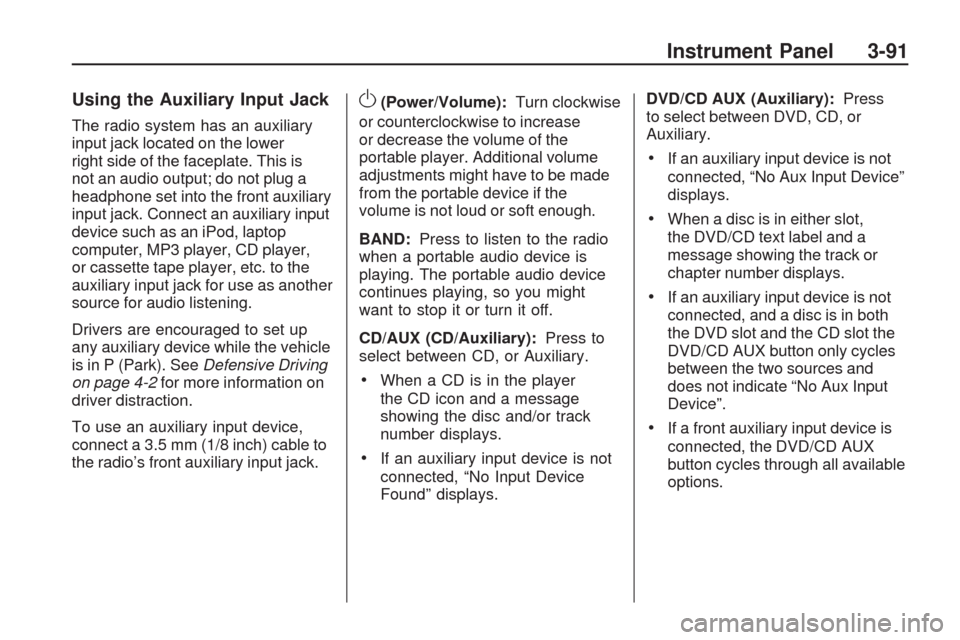
Using the Auxiliary Input Jack
The radio system has an auxiliary
input jack located on the lower
right side of the faceplate. This is
not an audio output; do not plug a
headphone set into the front auxiliary
input jack. Connect an auxiliary input
device such as an iPod, laptop
computer, MP3 player, CD player,
or cassette tape player, etc. to the
auxiliary input jack for use as another
source for audio listening.
Drivers are encouraged to set up
any auxiliary device while the vehicle
is in P (Park). SeeDefensive Driving
on page 4-2for more information on
driver distraction.
To use an auxiliary input device,
connect a 3.5 mm (1/8 inch) cable to
the radio’s front auxiliary input jack.
O(Power/Volume):Turn clockwise
or counterclockwise to increase
or decrease the volume of the
portable player. Additional volume
adjustments might have to be made
from the portable device if the
volume is not loud or soft enough.
BAND:Press to listen to the radio
when a portable audio device is
playing. The portable audio device
continues playing, so you might
want to stop it or turn it off.
CD/AUX (CD/Auxiliary):Press to
select between CD, or Auxiliary.
When a CD is in the player
the CD icon and a message
showing the disc and/or track
number displays.
If an auxiliary input device is not
connected, “No Input Device
Found” displays.DVD/CD AUX (Auxiliary):Press
to select between DVD, CD, or
Auxiliary.
If an auxiliary input device is not
connected, “No Aux Input Device”
displays.
When a disc is in either slot,
the DVD/CD text label and a
message showing the track or
chapter number displays.
If an auxiliary input device is not
connected, and a disc is in both
the DVD slot and the CD slot the
DVD/CD AUX button only cycles
between the two sources and
does not indicate “No Aux Input
Device”.
If a front auxiliary input device is
connected, the DVD/CD AUX
button cycles through all available
options.
Instrument Panel 3-91
Page 257 of 422
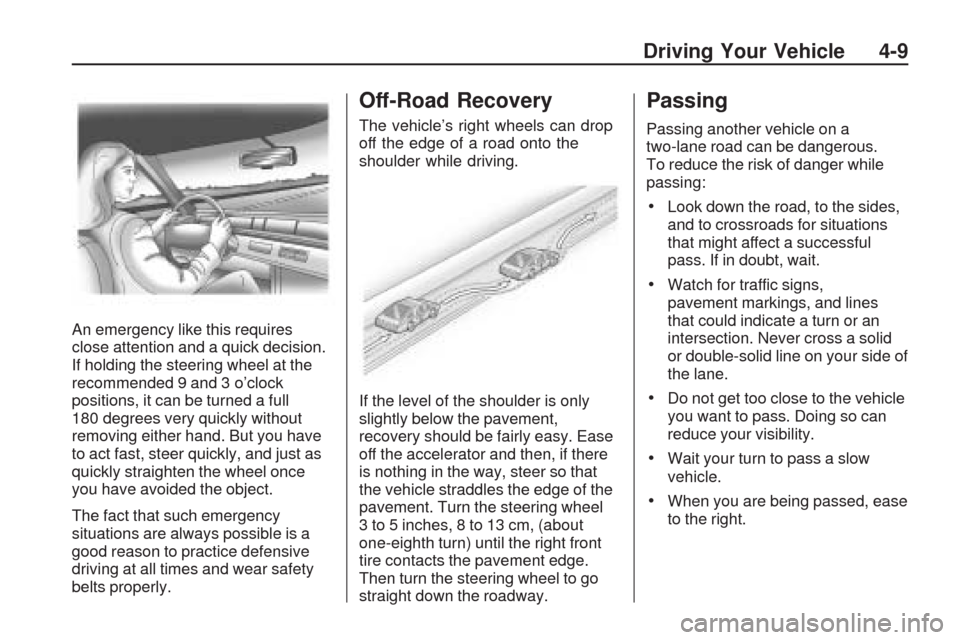
An emergency like this requires
close attention and a quick decision.
If holding the steering wheel at the
recommended 9 and 3 o’clock
positions, it can be turned a full
180 degrees very quickly without
removing either hand. But you have
to act fast, steer quickly, and just as
quickly straighten the wheel once
you have avoided the object.
The fact that such emergency
situations are always possible is a
good reason to practice defensive
driving at all times and wear safety
belts properly.
Off-Road Recovery
The vehicle’s right wheels can drop
off the edge of a road onto the
shoulder while driving.
If the level of the shoulder is only
slightly below the pavement,
recovery should be fairly easy. Ease
off the accelerator and then, if there
is nothing in the way, steer so that
the vehicle straddles the edge of the
pavement. Turn the steering wheel
3 to 5 inches, 8 to 13 cm, (about
one-eighth turn) until the right front
tire contacts the pavement edge.
Then turn the steering wheel to go
straight down the roadway.
Passing
Passing another vehicle on a
two-lane road can be dangerous.
To reduce the risk of danger while
passing:
Look down the road, to the sides,
and to crossroads for situations
that might affect a successful
pass. If in doubt, wait.
Watch for traffic signs,
pavement markings, and lines
that could indicate a turn or an
intersection. Never cross a solid
or double-solid line on your side of
the lane.
Do not get too close to the vehicle
you want to pass. Doing so can
reduce your visibility.
Wait your turn to pass a slow
vehicle.
When you are being passed, ease
to the right.
Driving Your Vehicle 4-9
Page 289 of 422
Filling the Tank
{CAUTION
Fuel vapor burns violently and a
fuel re can cause bad injuries.
To help avoid injuries to you and
others, read and follow all the
instructions on the pump island.
Turn off the engine when you are
refueling. Do not smoke if you are
near fuel or refueling the vehicle.
Do not use cellular phones. Keep
sparks, ames, and smoking
materials away from fuel. Do not
leave the fuel pump unattended
when refueling the vehicle. This is
against the law in some places.
Do not re-enter the vehicle while
pumping fuel. Keep children away
from the fuel pump; never let
children pump fuel.
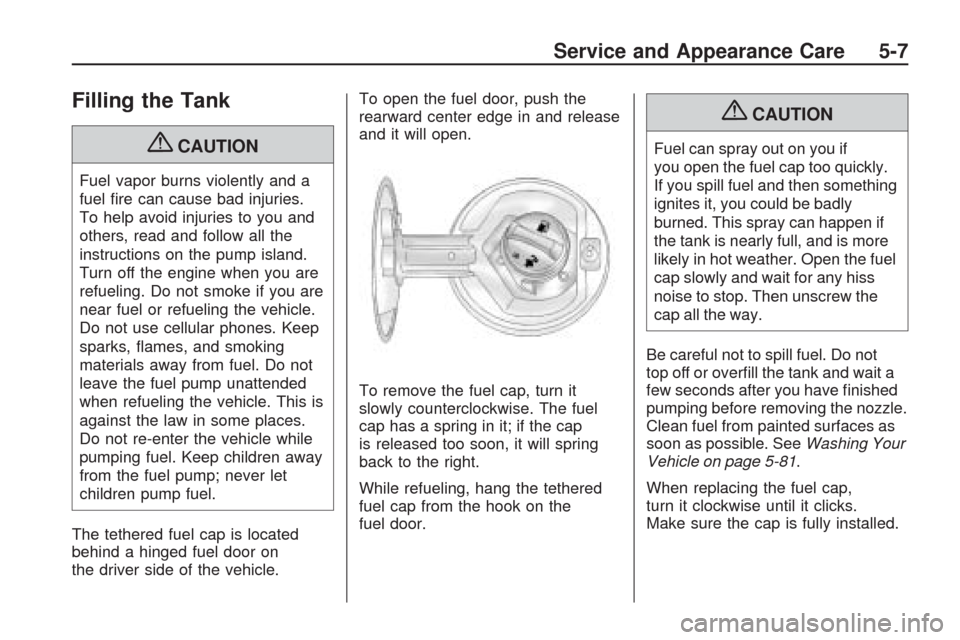
The tethered fuel cap is located
behind a hinged fuel door on
the driver side of the vehicle.To open the fuel door, push the
rearward center edge in and release
and it will open.
To remove the fuel cap, turn it
slowly counterclockwise. The fuel
cap has a spring in it; if the cap
is released too soon, it will spring
back to the right.
While refueling, hang the tethered
fuel cap from the hook on the
fuel door.
{CAUTION
Fuel can spray out on you if
you open the fuel cap too quickly.
If you spill fuel and then something
ignites it, you could be badly
burned. This spray can happen if
the tank is nearly full, and is more
likely in hot weather. Open the fuel
cap slowly and wait for any hiss
noise to stop. Then unscrew the
cap all the way.
Be careful not to spill fuel. Do not
top off or overll the tank and wait a
few seconds after you have nished
pumping before removing the nozzle.
Clean fuel from painted surfaces as
soon as possible. SeeWashing Your
Vehicle on page 5-81.
When replacing the fuel cap,
turn it clockwise until it clicks.
Make sure the cap is fully installed.
Service and Appearance Care 5-7
Page 302 of 422
How to Add Coolant to the
Radiator
{CAUTION
An electric engine cooling fan
under the hood can start up even
when the engine is not running
and can cause injury. Keep
hands, clothing, and tools away
from any underhood electric fan.
{CAUTION
Steam and scalding liquids from a
hot cooling system can blow out
and burn you badly. They are
under pressure, and if you turn the
surge tank pressure cap — even a
little — they can come out at high
speed. Never turn the cap when
the cooling system, including the
surge tank pressure cap, is hot.
(Continued)
CAUTION (Continued)
Wait for the cooling system and
surge tank pressure cap to cool
if you ever have to turn the
pressure cap.
If coolant is needed, add the proper
mixture directly to the radiator,
but be sure the cooling system is
cool before this is done.
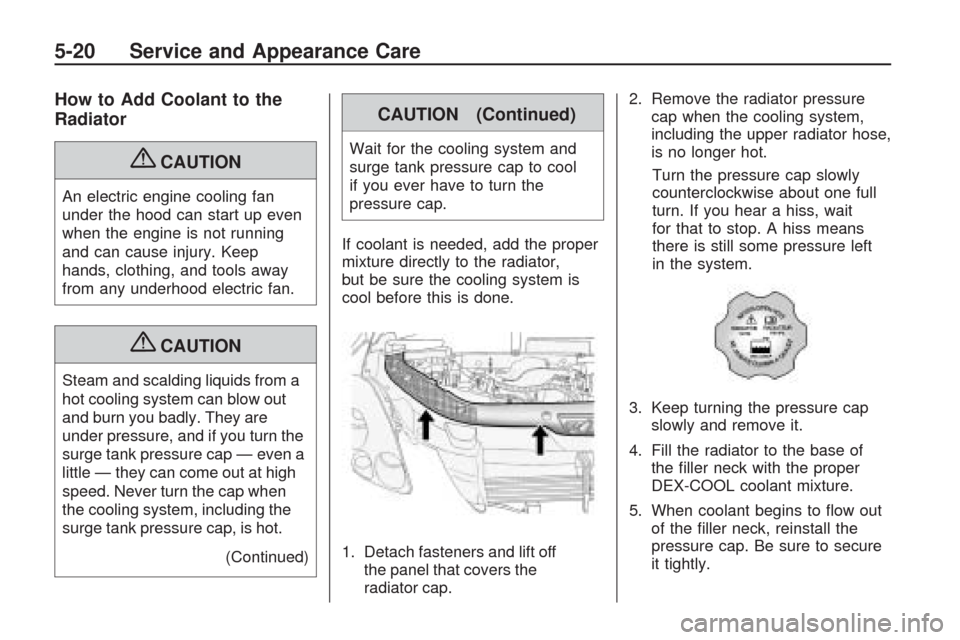
1. Detach fasteners and lift off
the panel that covers the
radiator cap.2. Remove the radiator pressure
cap when the cooling system,
including the upper radiator hose,
is no longer hot.
Turn the pressure cap slowly
counterclockwise about one full
turn. If you hear a hiss, wait
for that to stop. A hiss means
there is still some pressure left
in the system.
3. Keep turning the pressure cap
slowly and remove it.
4. Fill the radiator to the base of
the ller neck with the proper
DEX-COOL coolant mixture.
5. When coolant begins to ow out
of the ller neck, reinstall the
pressure cap. Be sure to secure
it tightly.
5-20 Service and Appearance Care
Page 316 of 422
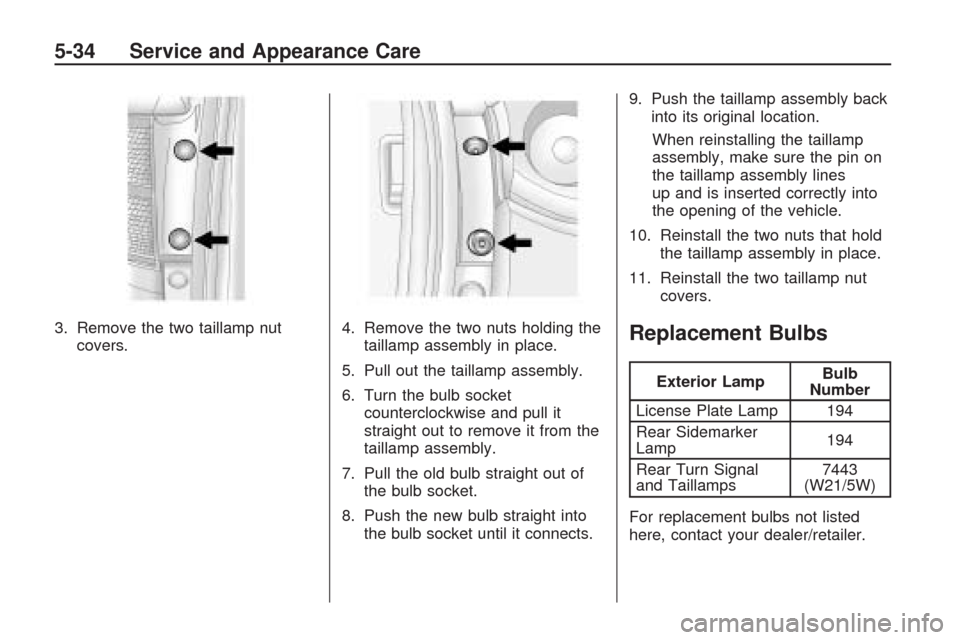
3. Remove the two taillamp nut
covers.4. Remove the two nuts holding the
taillamp assembly in place.
5. Pull out the taillamp assembly.
6. Turn the bulb socket
counterclockwise and pull it
straight out to remove it from the
taillamp assembly.
7. Pull the old bulb straight out of
the bulb socket.
8. Push the new bulb straight into
the bulb socket until it connects.9. Push the taillamp assembly back
into its original location.
When reinstalling the taillamp
assembly, make sure the pin on
the taillamp assembly lines
up and is inserted correctly into
the opening of the vehicle.
10. Reinstall the two nuts that hold
the taillamp assembly in place.
11. Reinstall the two taillamp nut
covers.Replacement Bulbs
Exterior LampBulb
Number
License Plate Lamp 194
Rear Sidemarker
Lamp194
Rear Turn Signal
and Taillamps7443
(W21/5W)
For replacement bulbs not listed
here, contact your dealer/retailer.
5-34 Service and Appearance Care
Page 342 of 422
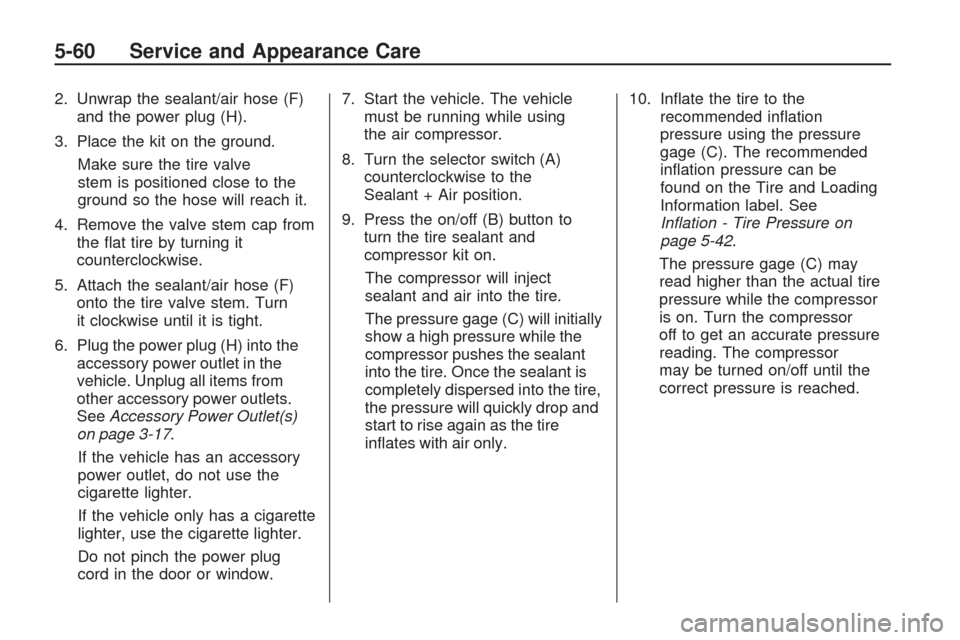
2. Unwrap the sealant/air hose (F)
and the power plug (H).
3. Place the kit on the ground.
Make sure the tire valve
stem is positioned close to the
ground so the hose will reach it.
4. Remove the valve stem cap from
the at tire by turning it
counterclockwise.
5. Attach the sealant/air hose (F)
onto the tire valve stem. Turn
it clockwise until it is tight.
6. Plug the power plug (H) into the
accessory power outlet in the
vehicle. Unplug all items from
other accessory power outlets.
SeeAccessory Power Outlet(s)
on page 3-17.
If the vehicle has an accessory
power outlet, do not use the
cigarette lighter.
If the vehicle only has a cigarette
lighter, use the cigarette lighter.
Do not pinch the power plug
cord in the door or window.7. Start the vehicle. The vehicle
must be running while using
the air compressor.
8. Turn the selector switch (A)
counterclockwise to the
Sealant + Air position.
9. Press the on/off (B) button to
turn the tire sealant and
compressor kit on.
The compressor will inject
sealant and air into the tire.
The pressure gage (C) will initially
show a high pressure while the
compressor pushes the sealant
into the tire. Once the sealant is
completely dispersed into the tire,
the pressure will quickly drop and
start to rise again as the tire
inates with air only.10. Inate the tire to the
recommended ination
pressure using the pressure
gage (C). The recommended
ination pressure can be
found on the Tire and Loading
Information label. See
Inflation - Tire Pressure on
page 5-42.
The pressure gage (C) may
read higher than the actual tire
pressure while the compressor
is on. Turn the compressor
off to get an accurate pressure
reading. The compressor
may be turned on/off until the
correct pressure is reached.
5-60 Service and Appearance Care
Page 343 of 422
Notice:If the recommended
pressure cannot be reached after
approximately 25 minutes, the
vehicle should not be driven
farther. The tire is too severely
damaged and the tire sealant and
compressor kit cannot inate the
tire. Remove the power plug from
the accessory power outlet and
unscrew the inating hose from
the tire valve. SeeRoadside
Assistance Program on page 7-6.
11. Press the on/off button (B) to
turn the tire sealant and
compressor kit off.
The tire is not sealed and
will continue to leak air until
the vehicle is driven and the
sealant is distributed in the tire,
therefore, Steps 12 through 18
must be done immediately after
Step 11.
Be careful while handling the tire
sealant and compressor kit as it
could be warm after usage.12. Unplug the power plug (H) from
the accessory power outlet in
the vehicle.
13. Turn the sealant/air hose (F)
counterclockwise to remove it
from the tire valve stem.
14. Replace the tire valve stem cap.
15. Replace the sealant/air hose (F),
and the power plug (H) back in
their original location.
16. If the at tire was able to inate
to the recommended ination
pressure, remove the maximum
speed label from the sealant
canister (E) and place it in a
highly visible location. The
label is a reminder not to exceed
55 mph (90 km/h) until the
damaged tire is repaired or
replaced.17. Return the equipment to its
original storage location in
the vehicle.
18. Immediately drive the vehicle
5 miles (8 km) to distribute the
sealant in the tire.
19. Stop at a safe location and
check the tire pressure.
Refer to Steps 1 through 11
under “Using the Tire Sealant
and Compressor Kit without
Sealant to Inate a Tire
(Not Punctured).”
If the tire pressure has fallen
more than 10 psi (68 kPa) below
the recommended ination
pressure, stop driving the
vehicle. The tire is too severely
damaged and the tire sealant
cannot seal the tire. See
Roadside Assistance Program
on page 7-6.
If the tire pressure has not
dropped more than 10 psi
(68 kPa) from the recommended
ination pressure, inate the
tire to the recommended
ination pressure.
Service and Appearance Care 5-61
Page 345 of 422
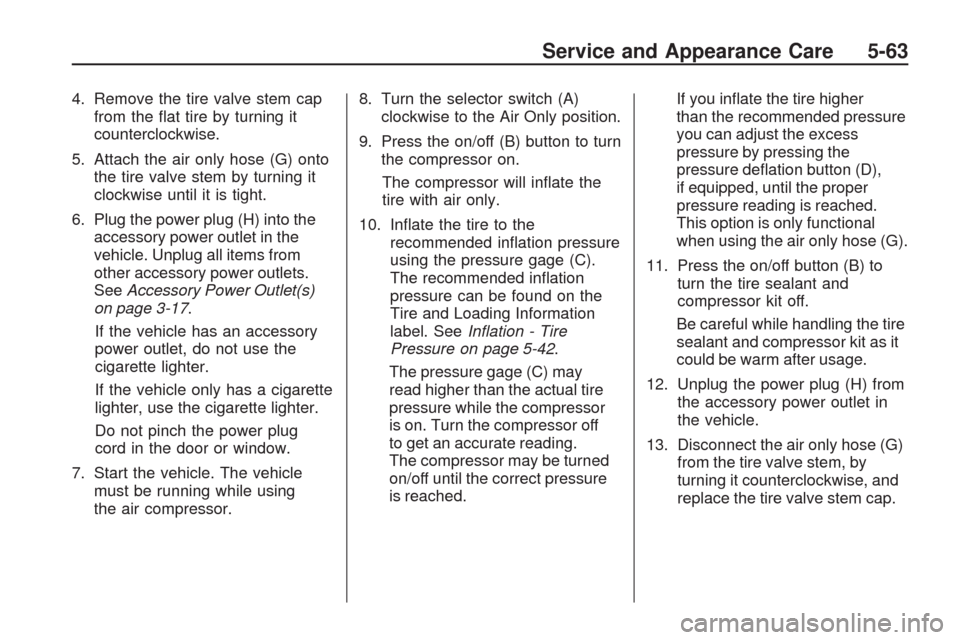
4. Remove the tire valve stem cap
from the at tire by turning it
counterclockwise.
5. Attach the air only hose (G) onto
the tire valve stem by turning it
clockwise until it is tight.
6. Plug the power plug (H) into the
accessory power outlet in the
vehicle. Unplug all items from
other accessory power outlets.
SeeAccessory Power Outlet(s)
on page 3-17.
If the vehicle has an accessory
power outlet, do not use the
cigarette lighter.
If the vehicle only has a cigarette
lighter, use the cigarette lighter.
Do not pinch the power plug
cord in the door or window.
7. Start the vehicle. The vehicle
must be running while using
the air compressor.8. Turn the selector switch (A)
clockwise to the Air Only position.
9. Press the on/off (B) button to turn
the compressor on.
The compressor will inate the
tire with air only.
10. Inate the tire to the
recommended ination pressure
using the pressure gage (C).
The recommended ination
pressure can be found on the
Tire and Loading Information
label. SeeInflation - Tire
Pressure on page 5-42.
The pressure gage (C) may
read higher than the actual tire
pressure while the compressor
is on. Turn the compressor off
to get an accurate reading.
The compressor may be turned
on/off until the correct pressure
is reached.If you inate the tire higher
than the recommended pressure
you can adjust the excess
pressure by pressing the
pressure deation button (D),
if equipped, until the proper
pressure reading is reached.
This option is only functional
when using the air only hose (G).
11. Press the on/off button (B) to
turn the tire sealant and
compressor kit off.
Be careful while handling the tire
sealant and compressor kit as it
could be warm after usage.
12. Unplug the power plug (H) from
the accessory power outlet in
the vehicle.
13. Disconnect the air only hose (G)
from the tire valve stem, by
turning it counterclockwise, and
replace the tire valve stem cap.
Service and Appearance Care 5-63
Page 348 of 422
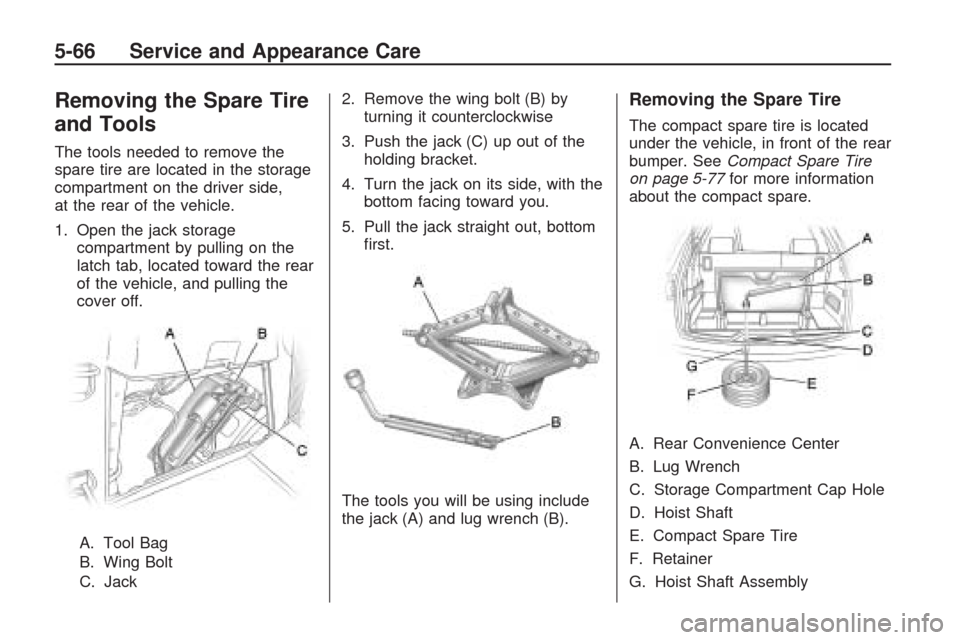
Removing the Spare Tire
and Tools
The tools needed to remove the
spare tire are located in the storage
compartment on the driver side,
at the rear of the vehicle.
1. Open the jack storage
compartment by pulling on the
latch tab, located toward the rear
of the vehicle, and pulling the
cover off.
A. Tool Bag
B. Wing Bolt
C. Jack2. Remove the wing bolt (B) by
turning it counterclockwise
3. Push the jack (C) up out of the
holding bracket.
4. Turn the jack on its side, with the
bottom facing toward you.
5. Pull the jack straight out, bottom
rst.
The tools you will be using include
the jack (A) and lug wrench (B).
Removing the Spare Tire
The compact spare tire is located
under the vehicle, in front of the rear
bumper. SeeCompact Spare Tire
on page 5-77for more information
about the compact spare.
A. Rear Convenience Center
B. Lug Wrench
C. Storage Compartment Cap Hole
D. Hoist Shaft
E. Compact Spare Tire
F. Retainer
G. Hoist Shaft Assembly
5-66 Service and Appearance Care
Page 349 of 422
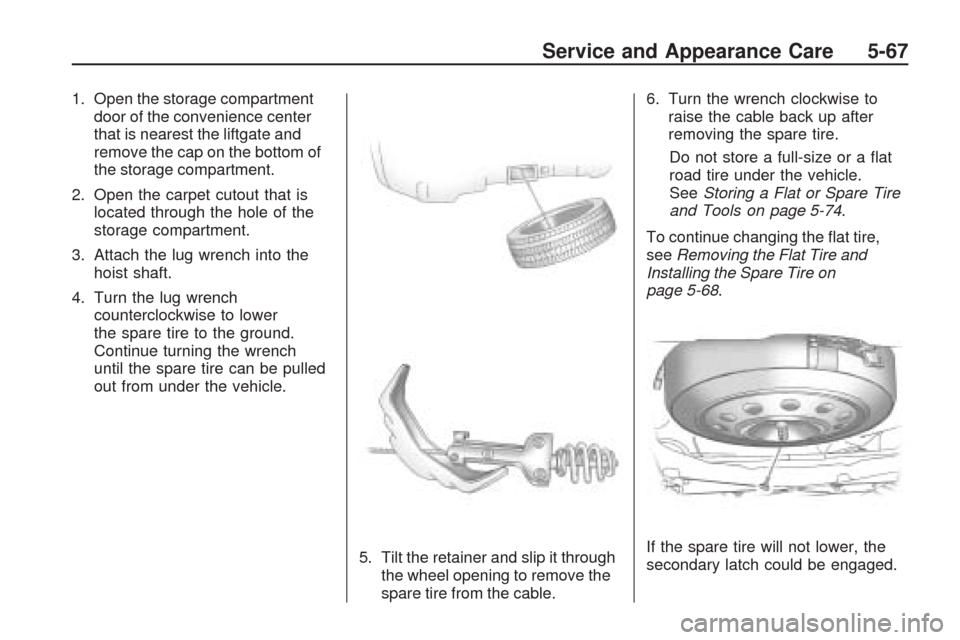
1. Open the storage compartment
door of the convenience center
that is nearest the liftgate and
remove the cap on the bottom of
the storage compartment.
2. Open the carpet cutout that is
located through the hole of the
storage compartment.
3. Attach the lug wrench into the
hoist shaft.
4. Turn the lug wrench
counterclockwise to lower
the spare tire to the ground.
Continue turning the wrench
until the spare tire can be pulled
out from under the vehicle.
5. Tilt the retainer and slip it through
the wheel opening to remove the
spare tire from the cable.6. Turn the wrench clockwise to
raise the cable back up after
removing the spare tire.
Do not store a full-size or a at
road tire under the vehicle.
SeeStoring a Flat or Spare Tire
and Tools on page 5-74.
To continue changing the at tire,
seeRemoving the Flat Tire and
Installing the Spare Tire on
page 5-68.
If the spare tire will not lower, the
secondary latch could be engaged.
Service and Appearance Care 5-67